wheel CITROEN C5 2023 Manual PDF
[x] Cancel search | Manufacturer: CITROEN, Model Year: 2023, Model line: C5, Model: CITROEN C5 2023Pages: 228, PDF Size: 6.78 MB
Page 193 of 228
191
MYCITROËN DRIVE PLUS - MYCITROËN PLAY PLUS
10Opening voice recognition
Voice commands can be used on any
screen page, provided there are no other
sources which take priority in use (reverse,
emergency or assistance call, telephone call,
other smartphone voice recognition already
launched).
Choice of opening voice recognition:
►
Say “Hello Citroën”.
or
►
Press the button located on the steering
wheel.
or
►
Press the touch screen button.
To ensure that voice commands are always recognised by the system, please
follow these recommendations:
–
use natural language in a normal tone
without breaking up words or raising your
voice.
–
After opening voice recognition with the
button on the steering wheel or the touch
screen button, always wait for the "beep"
(sound signal) before speaking. No "beep"
sounds when voice recognition is activated
with "Hello Citroën".
–
for optimal operation, it is recommended
that you close the windows and the sunroof
(depending on equipment) to avoid any
external interference, and switch the
ventilation off.
– before speaking the voice commands, ask
the other passengers not to speak.
Voice command example for air
conditioning:
"raise the fan speed"
"Turn on air conditioning"
"i'm too hot"
Voice command example for radio and
media:
"I want to listen to michael jackson"
"switch to radio"
"tune to 88.5"
Media voice commands are only
available with a USB connection.
Voice command example for navigation:
"navigate home"
"Navigate me to gabrielle's house"
"search for public parking nearby"
Depending on the country, give
destination (address) instructions in the
language configured for the system.
Voice command example for telephone:
"Call Matthew's mobile"
"call 0113 345 9869"
"Call jonathan"
If there is no telephone connected by
Bluetooth®, a voice message announces:
"Connect a telephone by Bluetooth®", and the
voice session will be closed.
Voice command example for the weather:
"do i need a raincoat"
"how is the weather tonight"
"what is today's humidity level"
Navigation
Navigation home screen
(depending on equipment)
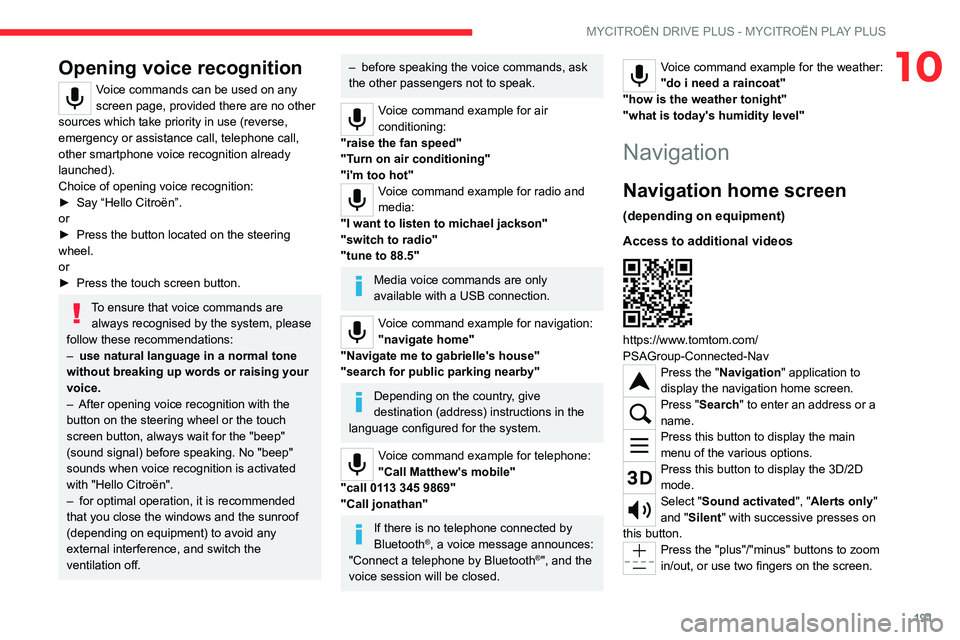
Access to additional videos
https://www.tomtom.com/
PSAGroup-Connected-Nav
Press the "Navigation" application to
display the navigation home screen.
Press "Search" to enter an address or a
name.
Press this button to display the main
menu of the various options.
Press this button to display the 3D/2D
mode.
Select "Sound activated", "Alerts only"
and "Silent" with successive presses on
this button.
Press the "plus"/"minus" buttons to zoom
in/out, or use two fingers on the screen.
Page 203 of 228

201
Event data recorders
11Recording event data
Electronic control units are installed in your
vehicle. These control units process data
received from the vehicle's sensors, for example,
or data they generate themselves or exchange
with each other. Some of these control units are
required for the correct operation of your vehicle,
some others assist you while driving (driving or
manoeuvring aids), while others provide comfort
or infotainment functions.
The following contains general information about
how data is processed within the vehicle.
You will find additional information about the
specific data which is downloaded, stored
and transmitted to third parties and what it is
used for in your vehicle under the keyword
"Data protection". This information is directly
associated with the references for the functions
in question contained in the corresponding
vehicle handbook, or in the general terms and
conditions of sale.
This information is also available online.
Vehicle operating data
The control units process the data used for the
operation of the vehicle.
This data includes, for example:
–
Information about the state of the vehicle (e.g.
speed, travel time, lateral acceleration, wheel
rotation rate, fastened seat belts display). –
Environmental conditions (e.g. temperature,
rain sensor
, distance sensor).
As a general rule, this data is temporary, is
not stored for longer than one operating cycle
and is only used within the vehicle itself. The
control units often record this data (including the
vehicle's key). This function allows either the
temporary or permanent storage of information
about the state of the vehicle, stresses on
components, servicing requirements, as well as
events and technical errors.
Depending on the vehicle's equipment level, the
data stored is as follows:
–
Operating state of system components (e.g.
filling level, tyre pressures, battery charge
status).
–
Faults and malfunctions in important system
components (e.g. lamps, brakes).
–
System reactions in specific driving situations
(e.g. deployment of an airbag, triggering of
stability control and braking systems).
–
Information about events which have
damaged the vehicle.
–
For electric and rechargeable hybrid vehicles,
the traction battery charge level and the
estimated driving range.
In particular circumstances (e.g. if the vehicle
has detected a malfunction), it may be necessary
to record data which would otherwise simply not
be stored.
When taking your vehicle in for servicing (e.g.
repairs, maintenance), the stored operating
data may be read along with the vehicle's identification number and used if necessary
.
The personnel working for the servicing network
(e.g. garages, manufacturers) or third parties
(e.g. roadside assistance agents) may read
the vehicle's data. This also applies to work
carried out under warranty and quality assurance
measures.
This data is generally read via the OBD
(On-Board Diagnostics) port fitted by law to
the vehicle. It is used to report on the technical
state of the vehicle or its components and
facilitates the diagnosis of malfunctions, in
compliance with warranty obligations and for
quality improvement. This data, in particular the
information relating to stress on components,
technical events, operator errors and other
malfunctions, is sent to the Manufacturer, if
necessary, along with the vehicle's identification
number. The Manufacturer's liability may also be
engaged. The Manufacturer may also use the
operating data taken from the vehicle for product
recalls. This data may also be used to check the
customer's warranty and any claims made under
warranty.
Any malfunctions stored in the vehicle may be
reset by an after-sales service company during
servicing or repair work, or at your request.
Page 204 of 228
202
Event data recorders
Comfort and infotainment
functions
Comfort settings and personalised settings
may be saved in the vehicle and modified or
reinitialised at any time.
Depending on the vehicle's equipment level, this
may include:
–
Seat and steering wheel position settings.
–
Chassis and air conditioning settings.
–
Personalised settings such as the interior
lighting.
Y
ou can enter your own data into the functions
of your vehicle's audio and telematic system, as
part of the selected functionalities.
Depending on the vehicle's equipment level, this
may include:
–
Multimedia data such as music, videos or
photos to be read by an integrated multimedia
system.
–
Address book data to be used with an
integrated hands-free system or with an
integrated navigation system.
–
Entered destinations.
–
Data regarding the use of online services.
This data for the comfort and infotainment
functions may be stored locally in the vehicle
or saved to a device that you have connected
to the vehicle (e.g. smartphone, USB memory
stick or MP3 player). Data that you have entered
yourself may be deleted at any time.
This data may also be transmitted outside the
vehicle at your request, particularly when using online services in line with the settings that you
have selected.
Smartphone integration
(e.g. Android Auto® or
Apple® CarPlay®)
If your vehicle is equipped accordingly, you can
connect your smartphone or another mobile
device to the vehicle in order to operate it using
the vehicle's integrated controls. Images and
sounds from the smartphone can be transmitted
through the audio and telematics system.
Specific information is simultaneously sent to
your smartphone. Depending on the type of
integration, this includes data such as location,
day/night mode and other general information
about the vehicle. For more information, please
refer to the user instructions for the vehicle or the
audio and telematics system.
Integrating a smartphone allows you to use
its applications, such as a navigation app or
music player. No other integration between
the smartphone and the vehicle is possible, in
particular active access to vehicle data. How the
data is processed subsequently is determined
by the supplier of the application being used.
The ability the change settings depends on the
application in question and on the operating
system installed on your smartphone.
Online services
If your vehicle is connected to a wireless
network, data can be exchanged between
your vehicle and other systems. Connection
to a wireless network is made possible via a
transmitter located in your vehicle or a mobile
device that you have provided (e.g. smartphone).
The online services can be used via this wireless
connection. These include online services and
applications (apps) provided to you by the
Manufacturer or other suppliers.
Exclusive services
As regards the Manufacturer's online services,
the corresponding functions are described by
the Manufacturer in an appropriate medium
(e.g. handbook, Manufacturer's website) and the
information about data protection is provided.
Personal data may be used for online services.
The exchange of data for this purpose takes
place over a secure connection, using for
example the Manufacturer's dedicated computer
systems. The collection, processing and use of
personal data for the development of services
are carried out solely on the basis of a legal
authorisation, for example in the case of a
legal emergency call system or a contractual
agreement or else under a consent agreement.
You can activate or deactivate the services and
functions (some may be chargeable) and, in
some cases, the vehicle's entire connection to
the wireless network. This does not include the
Page 206 of 228

204
Alphabetical index
360 Vision 135
A
ABS 72
Accelerated charging unit (Wallbox)
143–144
Accessories
69
Active Safety Brake
124–127
Adjusting headlamps
63
Adjusting head restraints
42
Adjusting seat
42–43
Adjusting the height and reach of
the steering wheel
45
Adjusting the lumbar support
43
Adjusting the seat angle
43
Adjusting the time
198
Advice on care and maintenance
142, 162
Advice on driving
8, 88–89
Airbags
77–79, 81
Airbags, curtain
78–79
Airbags, front
77–78, 81
Airbags, lateral
78–79
Air conditioning
49
Air conditioning, automatic
50
Air intake
51–52
Air vents
49
Alarm
35, 37
Amplifier, audio
55
Anti-lock braking system (ABS)
72
Antitheft / Immobiliser
26
Applications
22
Armrest, front
56
Armrest, rear 58
Assistance call
70–71
Assistance, emergency braking
73, 126
Audible warning
69
Audio streaming (Bluetooth)
196
B
Battery, 12 V 156, 160, 173–177
Battery, ancillaries
173
Battery, charging
173–174, 176
Battery, remote control
30–31
Blanking screen (snow shield)
155
Blind
39
Blind spot sensors
131
Bluetooth (hands-free)
193
Bluetooth (telephone)
193–194
Bodywork
162
Bonnet
157
Bonnet, active
79
Boot
32–33, 60
Brake discs
160
Brakes
160
Braking
95
Braking assistance system
72–73
Braking, automatic emergency
124–127
Braking, dynamic emergency
92–93
Bulbs (changing)
171–172
C
Capacity, fuel tank 140
Care of the bodywork
162
Central locking
28–29
Changing a bulb
171–172
Changing a fuse
173
Changing a wheel
165, 169
Changing a wiper blade
67–68
Changing the remote control battery
30
Changing to free-wheeling
161
Charge level indicator (Rechargeable
hybrid)
19
Charger, induction
55
Charger, wireless
55
Charging cable
145
Charging cable (Rechargeable
hybrid)
143–144, 149
Charging connector (Rechargeable
hybrid)
143, 148–150
Charging flap (Rechargeable
hybrid)
143, 148–150
Charging the traction battery
(Rechargeable hybrid)
19, 141, 148–150
CHECK
20
Checking the engine oil level
18
Checking the levels
158–159
Checking tyre pressures
(using the kit)
166, 168
Checks
158–161
Checks, routine
159–160
Child lock
87
Children
76, 82–84
Page 208 of 228

206
Alphabetical index
Fitting a wheel 169–170
Fitting roof bars
154–155
Fittings, boot
59
Fittings, interior
54
Fittings, rear
58
Flap, charging
150
Flap, fuel filler
140
Flashing indicators
62
Flat bed (recovery)
178
Fluid, brake
159
Fluid, engine coolant
159
Foglamps, rear
61, 172
Folding the rear seats
47–48
Folding/unfolding the door mirrors
46
Frequency (radio)
196
Fuel
8, 140
Fuel consumption
8, 19
Fuel tank
140
Fusebox, dashboard
173
Fusebox, engine compartment
173
Fuses
173
G
Gauge, fuel 140
Gearbox, automatic
93–96, 98, 160, 173
Gearbox, manual
98
Gear shift indicator ~ Gear efficiency
indicator
98
Glove box
54
H
Hands-free access 34–35
Hands-free tailgate
34–35
Hazard warning lamps
69, 165
Headlamp adjustment
63
Headlamps, automatic dipping
64–65
Headlamps, automatic illumination
63
Headlamps, halogen
63
Headlamps, main beam
64
Head restraints, front
42
Head restraints, rear
47–48
Head-up display
11
Heating
49
Heating, programmable
23, 53
Hi-Fi system
55
Highway Driver Assist
111
Hill start assist
98
Histogramme, fuel consumption
23
Horn
69
I
Ignition 90, 198
Ignition on
90
Immobiliser, electronic
89
Indicator, coolant temperature
19
Indicator, engine oil level
18
Indicators, direction
62
Inflating tyres
160, 184
Inflating tyres and accessories
(using the kit)
166, 168
Information, vehicle 10
Infrared camera
102
Instrument panel
10, 20–21, 103
Instrument panel (Rechargeable hybrid)
10
ISOFIX mountings
82, 85–86
J
Jack 165–166, 169
Jump starting
174
K
Key 25–26, 29–30
Key, electronic
27–28
Keyless Entry and Starting
25, 27–28, 89–90
Key not recognised
90–91
Key with remote control
25, 89
Kit, hands-free
193
Kit, puncture repair
165–166
Kit, temporary puncture repair
165–168
L
Labels, identification 184
Lamp, boot
60
Lamps, parking
62
Lamps, rear
172
Lams with Full LED technology
65
Lane assist
111, 116–117
Page 210 of 228

208
Alphabetical index
Rear screen, demisting 52
Rear traffic alert
137
Rechargeable hybrid engine
8, 22, 157, 178, 183
Rechargeable hybrid system
6, 8, 22,
90, 97, 141
Recharging the battery
173–174, 176
Recharging the traction battery
145
Recharging the traction battery
(Rechargeable hybrid)
141, 148–150
Recirculation, air
51–52
Recovery
178–180
Recovery of the vehicle
178–179
Reduction of electrical load
156
Regenerative braking (deceleration
by engine braking)
95
Reinitialisation of the under-inflation
detection system
101
Reinitialising the remote control
31
Reminder, lighting on
61–62
Remote control
25–29
Remote functions
150
Remotely operable functions (Rechargeable
hybrid)
23, 53
Removing a wheel
170–171
Removing the mat
57
Replacing bulbs
171–172
Replacing fuses
173
Replacing the air filter
160
Replacing the oil filter
160
Replacing the passenger compartment
filter
160
Reservoir, screenwash
159Reset trip 20–21
Reversing camera
102, 134–135
Reversing lamps
172
Roof bars
154–155
Roof, opening
39
S
Safety, children 77, 79–84
Screens, very cold conditions
155
Screenwash
66
Screenwash, front
66
Seat angle
43
Seat belts
75–76, 82
Seat belts, rear
75
Seat, rear bench
47
Seats, electric
43–44
Seats, front
42–44
Seats, heated
44
Seats, rear
47–48, 80
Selector, gear
93, 95–96
Semi-automatic lane changing
120
Sensors (warnings)
102
Serial number, vehicle
184
Service indicator
17
Servicing
17, 159, 161
Settings, equipment
11, 22
Sidelamps
62
Silent vehicle warning sound (Rechargeable
hybrid)
70
Ski flap
58
Smartphone
23–24, 55
Snow chains 101, 155–156
Snow screen
155
Socket, 12 V accessory
54, 60
Speakers
55
Speed adjustment during cornering
119
Speed limiter
106–108
Speed limit recognition
104–105
Speedometer
103
Sport mode
96–97
Spotlamps, side
64
Stability control (ESC)
72, 74
Starting the engine
90
Starting the vehicle
89–90, 95
Starting using another battery
90, 174
State of charge, battery
22
Station, radio
195–196
Steering wheel
45, 103
Steering wheel, adjustment
45
Stickers, customising ~ Stickers,
expressive
162
Stopping the vehicle
89–90, 95
Stop & Start
21, 50, 52, 99–100,
140, 156, 160, 176
Storage
54, 56, 58
Storage box
60
Storage wells
60
Storing driving positions
44
Stowing rings
59
Sunshine sensor
49
Sun visor
54
Suspension
161
Synchronising the remote control
31
Page 211 of 228

209
Alphabetical index
T
Tables of engines 182–183
Tables of fuses
173
Tailgate
32
Tank, fuel
140
Technical data
182–183
Telephone
193–194, 197–198
Temperature, coolant
19
Time (setting)
198
Tool box
60
Tools
165–166
Top Tether (fixing)
82, 85–86
Total distance recorder
20
Touch screen
21–23, 53
Touch-sensitive reading lamps
57
Towball, quickly detachable
151–154
Towbar
74, 150
Towbar with quickly detachable
towball
151–154
Towed loads
181–183
Towing another vehicle
178, 180
Traction battery charge
145
Traction battery (Rechargeable
hybrid)
19, 141–142, 148
Traction control (ASR)
73
Trailer
74, 150
Trailer stability assist (TSA)
74
Trajectory control systems
72
Triangle, warning
165
Trip computer
20–21
Trip distance recorder
20
Tyres
160, 184
Tyre under-inflation detection
100, 167
U
Under-inflation (detection) 100
Unlocking
25, 27
Unlocking from the inside
29
Unlocking the boot
25, 28
Unlocking the doors
29
Unlocking the tailgate
25, 28
Updating the time
198
V
Vehicle data recording and privacy 201
Ventilation
49
W
Wallbox (Rechargeable hybrid) 143–144, 149
Warning and indicator lamps
12
Warning lamp, driver's seat belt
not fastened
75
Warning lamps
12
Warning lamp, seat belts
75
Warnings and indicators
12–13
Washing
103
Washing (advice)
142, 162
Weights
181
Welcome lighting
64
Wheel, spare
160, 165–166, 169
Window controls
38
Windscreen, heated
53
Windscreen wipers
66
Wiper blades (changing) 67–68
Wipers
65
Wipers, automatic rain sensitive
66