ABS CITROEN C5 AIRCROSS 2017 User Guide
[x] Cancel search | Manufacturer: CITROEN, Model Year: 2017, Model line: C5 AIRCROSS, Model: CITROEN C5 AIRCROSS 2017Pages: 292, PDF Size: 8.59 MB
Page 227 of 292
1
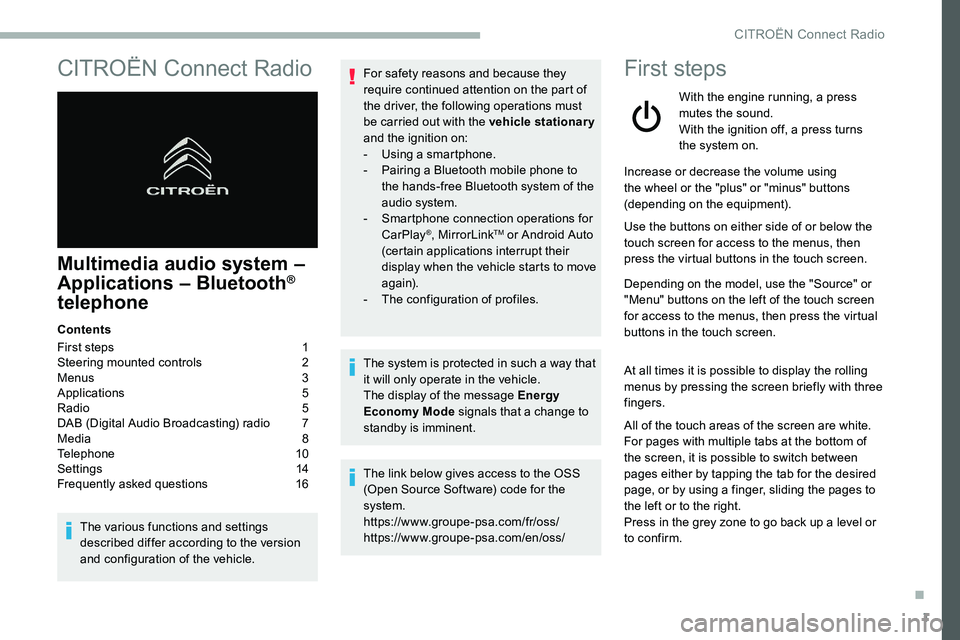
CITROËN Connect Radio
Multimedia audio system –
Applications – Bluetooth®
telephone
Contents
First steps
1
S
teering mounted controls
2
M
enus
3
A
pplications
5
R
adio
5
D
AB (Digital Audio Broadcasting) radio
7
M
edia
8
T
elephone
1
0
Settings
1
4
Frequently asked questions
1
6
The various functions and settings
described differ according to the version
and configuration of the vehicle. For safety reasons and because they
require continued attention on the part of
the driver, the following operations must
be carried out with the vehicle stationary
and the ignition on:
-
Us
ing a
smartphone.
-
P
airing a Bluetooth mobile phone to
the hands-free Bluetooth system of the
audio system.
-
Sm
artphone connection operations for
CarPlay
®, MirrorLinkTM or Android Auto
(certain applications interrupt their
display when the vehicle starts to move
again).
-
T
he configuration of profiles.
The system is protected in such a
way that
it will only operate in the vehicle.
The display of the message Energy
Economy Mode signals that a
change to
standby is imminent.
The link below gives access to the OSS
(Open Source Software) code for the
system.
https://www.groupe-psa.com/fr/oss/
https://www.groupe-psa.com/en/oss/
First steps
With the engine running, a press
mutes the sound.
With the ignition off, a press turns
the system on.
Increase or decrease the volume using
the wheel or the "plus" or "minus" buttons
(depending on the equipment).
Use the buttons on either side of or below the
touch screen for access to the menus, then
press the virtual buttons in the touch screen.
Depending on the model, use the "Source" or
"Menu" buttons on the left of the touch screen
for access to the menus, then press the virtual
buttons in the touch screen.
At all times it is possible to display the rolling
menus by pressing the screen briefly with three
fingers.
All of the touch areas of the screen are white.
For pages with multiple tabs at the bottom of
the screen, it is possible to switch between
pages either by tapping the tab for the desired
page, or by using a
finger, sliding the pages to
the left or to the right.
Press in the grey zone to go back up a
level or
to confirm.
.
CITROËN Connect Radio
Page 243 of 292
17
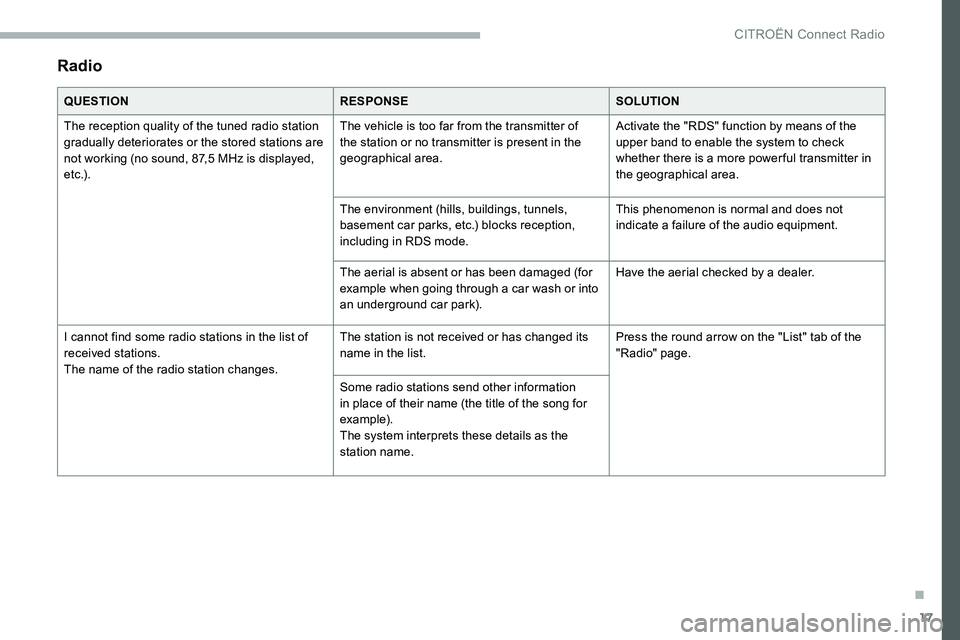
Radio
QUESTIONRESPONSESOLUTION
The reception quality of the tuned radio station
gradually deteriorates or the stored stations are
not working (no sound, 87,5
MHz is displayed,
e t c .) . The vehicle is too far from the transmitter of
the station or no transmitter is present in the
geographical area.
Activate the "RDS" function by means of the
upper band to enable the system to check
whether there is a
more power ful transmitter in
the geographical area.
The environment (hills, buildings, tunnels,
basement car parks, etc.) blocks reception,
including in RDS mode. This phenomenon is normal and does not
indicate a
failure of the audio equipment.
The aerial is absent or has been damaged (for
example when going through a
car wash or into
an underground car park). Have the aerial checked by a
dealer.
I cannot find some radio stations in the list of
received stations.
The name of the radio station changes. The station is not received or has changed its
name in the list.
Press the round arrow on the "List" tab of the
"Radio" page.
Some radio stations send other information
in place of their name (the title of the song for
example).
The system interprets these details as the
station name.
.
CITROËN Connect Radio
Page 278 of 292
32
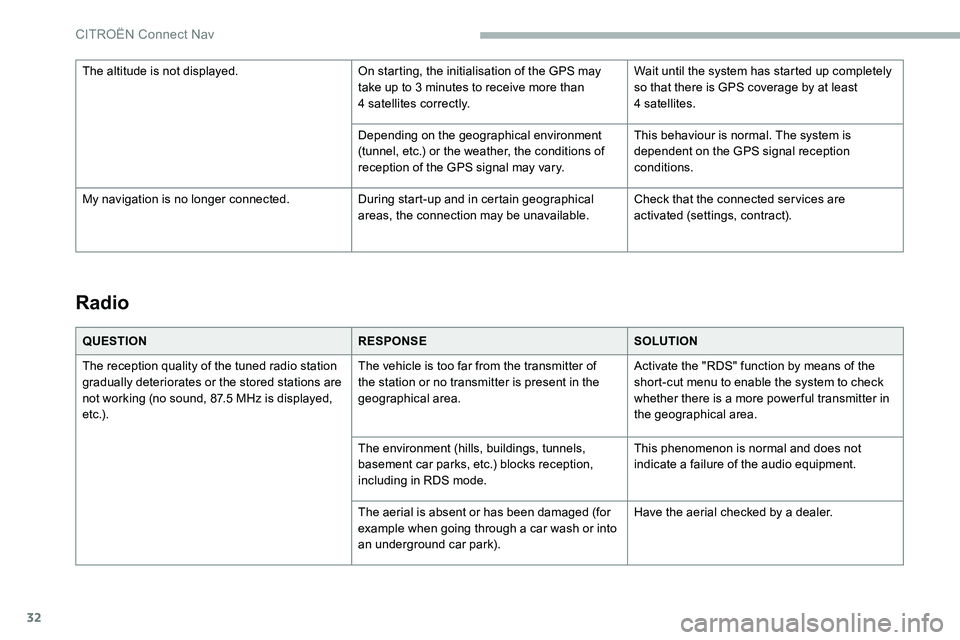
Radio
QUESTIONRESPONSESOLUTION
The reception quality of the tuned radio station
gradually deteriorates or the stored stations are
not working (no sound, 87.5
MHz is displayed,
e t c .) . The vehicle is too far from the transmitter of
the station or no transmitter is present in the
geographical area.
Activate the "RDS" function by means of the
short-cut menu to enable the system to check
whether there is a
more power ful transmitter in
the geographical area.
The environment (hills, buildings, tunnels,
basement car parks, etc.) blocks reception,
including in RDS mode. This phenomenon is normal and does not
indicate a
failure of the audio equipment.
The aerial is absent or has been damaged (for
example when going through a
car wash or into
an underground car park). Have the aerial checked by a
dealer.
The altitude is not displayed.
On starting, the initialisation of the GPS may
take up to 3 minutes to receive more than
4
satellites correctly.
Wait until the system has started up completely
so that there is GPS coverage by at least
4
satellites.
Depending on the geographical environment
(tunnel, etc.) or the weather, the conditions of
reception of the GPS signal may vary. This behaviour is normal. The system is
dependent on the GPS signal reception
conditions.
My navigation is no longer connected. During start-up and in certain geographical
areas, the connection may be unavailable.Check that the connected ser vices are
activated (settings, contract).
CITROËN Connect Nav
Page 283 of 292

225
AAccessories .................................................... 89
Access to rear seats ....................................... 55
Active Safety Brake.................. 17, 15 6 -157, 159
AdBlue
® ..................................... 1 6, 28, 19 4 -195
AdBlue® tank ................................................. 19 6
Additive, Diesel ...................................... 191-192
Adjusting headlamps
...................................... 84
Adjusting head restraints
..........................54-55
Adjusting seats
.......................................... 55-56
Adjusting the air distribution
.....................64- 67
Adjusting the air flow
........................... 6
3, 65 - 67
Adjusting the date
............................... 34, 16, 29
Adjusting the height and reach of the steering wheel
.............................................. 58
Adjusting the lumbar support
.......................... 55
A
djusting the seat belt height
......................... 98
A
djusting the temperature
........................63, 65
Adjusting the time
............................... 34, 15, 30
Advanced Grip Control
............................. 95-96
Advice on care and maintenance
.................19 4
Advice on driving
................................... 11 6 -117
Airbags
...............................
.....19, 101, 103, 10 6
Airbags, curtain
...................................... 102-103
Airbags, front .................................. 101-103, 10 6
Airbags, lateral
....................................... 102-103
Air conditioning
................................... 62- 64, 67
Air conditioning, automatic
.......................65, 68
Air conditioning, dual-zone automatic
......64, 67
Air conditioning, manual
........................... 63
-64
Air intake
................................................... 65-66
Air vents
.......................................................... 61
Alarm
......................................................... 4 9 - 51
Anti-lock braking system (ABS)
................91-92
Anti-slip regulation (ASR)
...................18, 91- 9 6
Anti-theft/Immobiliser
............................. 4 0 , 11 8
Apple CarPlay connection
........................11, 17
Armrest, front
............................................. 7 3 -74
Assistance call
...............................
...........90 -91
Assistance, emergency braking
.......91- 92, 15 8
Audio streaming (Bluetooth)
...................8 -9, 23Cable, audio
....................................................23
Cable, Jack
.....................................................23
Capacity, fuel tank
........................................18 0
Cap, fuel filler
...............................
.................18 0
CD
...............................................................8, 23
CD, MP3
......................................................8, 23
Central locking
..........................................
36, 39
Changing a
bulb
.....................2
06 -207, 210 -211
Changing a
fuse
.............................21
2-213, 215
Changing a
wheel
.........................19
8 -19 9, 203
Changing a
wiper blade
..................................87
C
hanging the remote control battery
..............42
Charger, induction
......................................72-73
Charger, wireless
....................................... 7
2-73
CHECK
................
............................................29
Checking the engine oil level
..........................27
Checking the levels
................................18 9 -191
C
BBattery .................................... 186, 215, 217-218
Battery, 12 V ............................... ....192, 215 -217
Battery, charging
........................................... 217
Battery, remote control
.......................41- 4 3 , 7 0
Blind
..............................
............................52-53
Blind spot monitoring system, active
............165
Blind spot sensors
................................ 16 4 -166
BlueHDi
............................... 14, 28 -29, 192, 197
Bluetooth (hands-free)
........................ 12
, 24 -25
Bluetooth (telephone)
..................... 1
2-13 , 24 -2 6
Bonnet
.................................................... 188 -189
Boot
............................................... 44- 45, 47, 78
Brake discs
.................................................... 193
Brake lamps
...............................
...................210
Brakes
..................................................... 13, 193
Braking assistance system
.......................91-92
Braking, automatic emergency ...17, 15 6 -157, 159
Brightness
....................................................... 14
Bulbs
............................................................. 207
Bulbs (changing)
.................... 206 -207, 210 -211 Checking tyre pressures (using the
kit)
...............................................
199-200, 202
Checks
...........................................
189, 192-193
Checks, routine
......................................
192-193
Child lock
.......................................................
115
Children
..................................................
11 0 -114
Children (safety)
............................................
115
Child seats
.............
10
0, 104 -105, 107, 109 -110
Child seats, conventional
.......................
109 -110
Child seats, i-Size .........................................
114
Child seats, ISOFIX ................................
111 -114
Cigarette lighter
..............................................
72
CITROËN Connect Nav
....................................
1
CITROËN Connect Radio
................................. 1
C
leaning (advice)
..........................................
19 4
Closing the boot ..................................
39, 44- 45
Closing the doors ......................................39, 44
Coffee Break Alert
........................................160
Collision Risk Alert ................................. 15 6 -15 8
Configuration, vehicle
..................................... 33
C
onnection, Bluetooth
..............1
2-13, 19, 24-26
Connection, MirrorLink
........................1 0 -11, 1 8
Connection, Wi-Fi network
.............................19
Control stalk, lighting
................................79, 81
Control stalk, wipers
...........................8
5 - 86, 88
Controls, steering mounted
...................125 -12 9
Control, back-up boot release
..................45, 48
Control, back-up door
................................41- 42
Control, heated seats
......................................57
Courtesy lamp
...............................................2 11
Courtesy lamps
...............................................75
Cover, load space
...........................................76
Cruise control
..........................140 -141, 14 4 -14 6
Cruise control by speed limit recognition
...............................
............140 -141
Cruise control, adaptive
................................147
Cruise control, adaptive with Stop function
................................................140 -141
Cup holder
.......................................................71
.
Alphabetical index