steering Citroen C5 RHD 2015 (RD/TD) / 2.G User Guide
[x] Cancel search | Manufacturer: CITROEN, Model Year: 2015, Model line: C5 RHD, Model: Citroen C5 RHD 2015 (RD/TD) / 2.GPages: 362, PDF Size: 32.4 MB
Page 39 of 362
37
Monochrome screen C
Displays in the screenControls
Displays according to context:
- time,
- date,
- ambient temperature with air conditioning
(the value displayed flashes if there is a
risk of ice),
- parking sensor information,
- audio functions,
- alert messages.
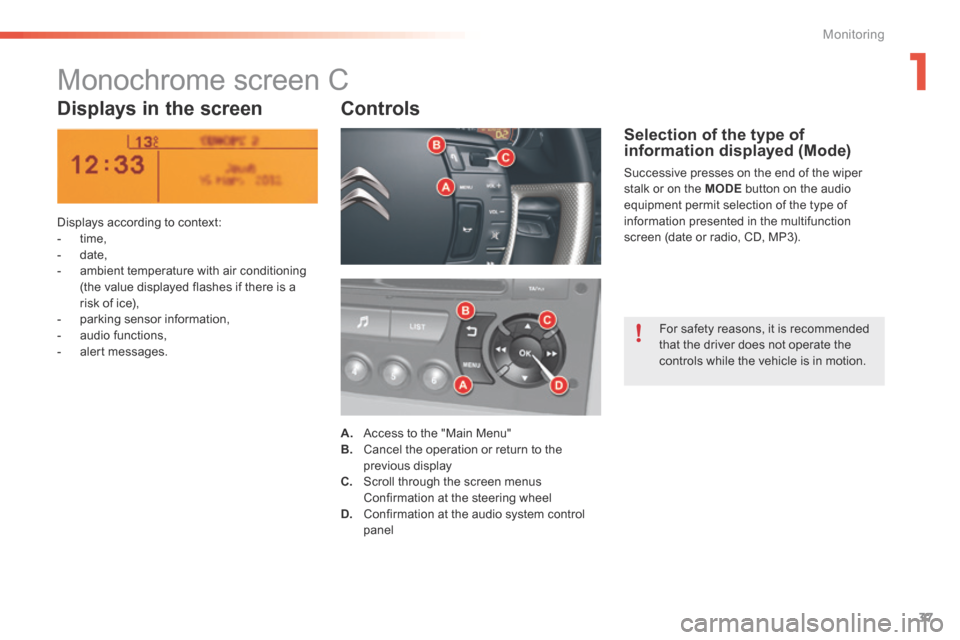
A. a ccess to the "Main Menu"
B. Cancel the operation or return to the
previous display
C. Scroll through the screen menus
Confirmation at the steering wheel
D. Confirmation at the audio system control
panel
Selection of the type of
information displayed (Mode)
Successive presses on the end of the wiper
stalk or on the MODE button on the audio
equipment permit selection of the type of
information presented in the multifunction
screen (date or radio, CD, MP3).
For safety reasons, it is recommended
that the driver does not operate the
controls while the vehicle is in motion.
1
Monitoring
Page 41 of 362
39
With the Audio system switched on, once
this menu is selected, you can configure
your Bluetooth hands-free kit (pairing), view
the different telephone directories (calls log,
services...) and manage your calls (start a call,
end a call, double call, secret mode...).Adjusting the date and time
"Bluetooth - Telephone -
Audio" menu
For safety reasons, configuration of the
multifunction screen by the driver must
only be done when stationary. For more information, refer to the Audio
system section.
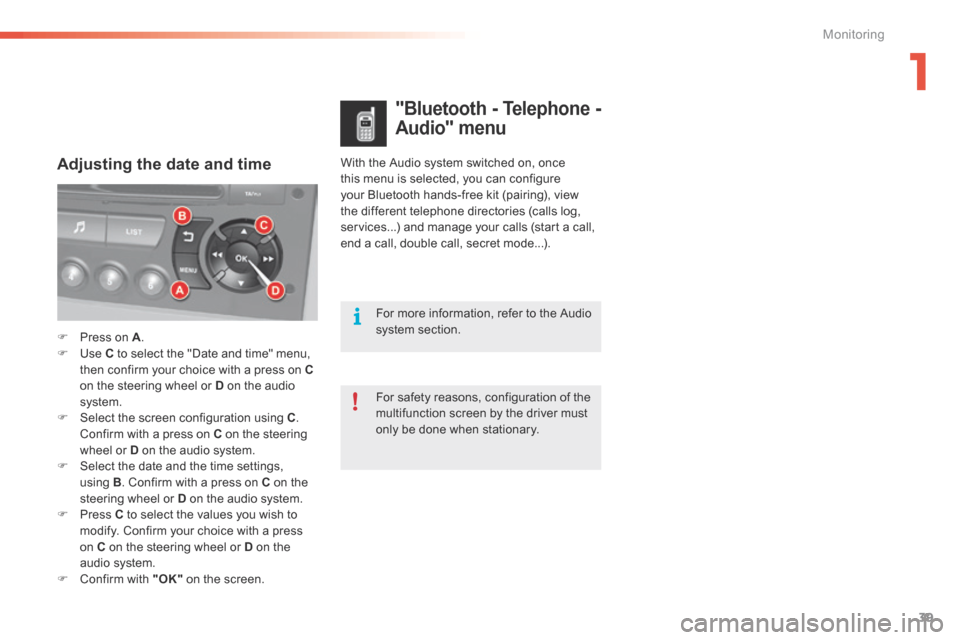
F Press on A .
F Use C to select the "Date and time" menu,
then confirm your choice with a press on C
on the steering wheel or D on the audio
system.
F Select the screen configuration using C .
Confirm with a press on C on the steering
wheel or D on the audio system.
F Select the date and the time settings,
using B. Confirm with a press on C on the
steering wheel or D on the audio system.
F Press C to select the values you wish to
modify. Confirm your choice with a press
on C on the steering wheel or D on the
audio system.
F Confirm with "OK" on the screen.
1
Monitoring
Page 70 of 362

68
Steering wheel adjustment
F First, adjust the driver's seat to the most
suitable position.
F When stationary , lower the lever A to
release the steering wheel adjustment.
F Adjust for height and reach.
F Raise the lever to lock the steering wheel
adjustment.
The steering wheel can be adjusted for height and reach to adapt the driving position to the size of
the driver.
Adjustment
a
s a safety precaution, these
operations must only be carried out
while the vehicle is stationary.
After locking, if you press firmly on the
steering wheel, a slight click may be
heard.
Ease of use and comfort
Page 90 of 362
88
Front armrest
Comfort and storage system for the driver and front passenger.
Adjustment
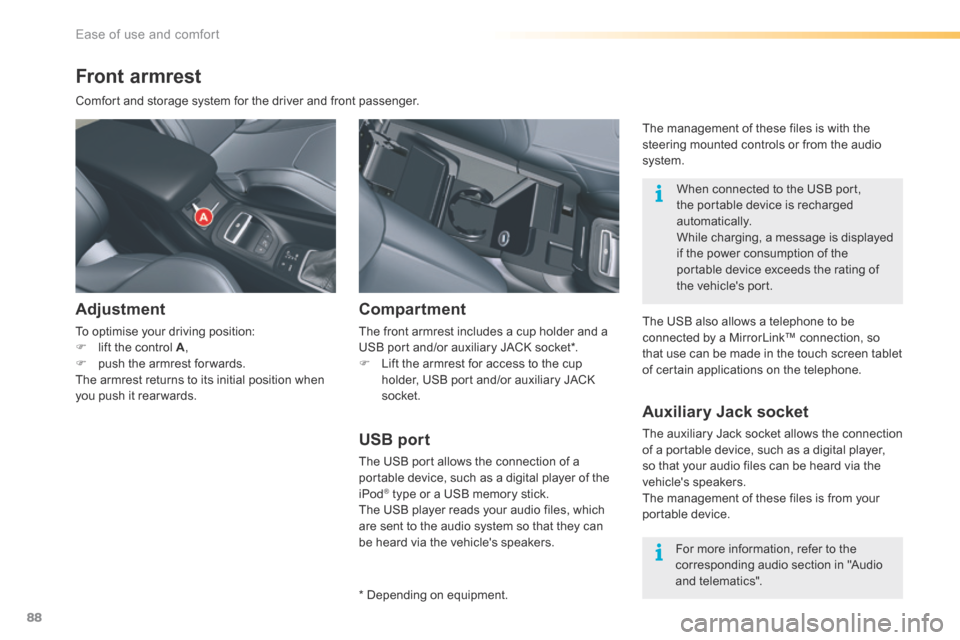
To optimise your driving position:
F lift the control A ,
F push the armrest for wards.
The armrest returns to its initial position when
you push it rear wards.
USB port
The USB port allows the connection of a
portable device, such as a digital player of the
iPod
® type or a USB memory stick.
The USB player reads your audio files, which
are sent to the audio system so that they can
be heard via the vehicle's speakers.
Compartment
The front armrest includes a cup holder and a
USB port and/or auxiliary JACK socket*.
F Lift the armrest for access to the cup
holder, USB port and/or auxiliary JACK
socket.
* Depending on equipment. When connected to the USB port,
the portable device is recharged
automatically.
While charging, a message is displayed
if the power consumption of the
portable device exceeds the rating of
the vehicle's port.
Auxiliary Jack socket
The auxiliary Jack socket allows the connection
of a portable device, such as a digital player,
so that your audio files can be heard via the
vehicle's speakers.
The management of these files is from your
portable device.
For more information, refer to the
corresponding audio section in "Audio
and telematics".
The USB also allows a telephone to be
connected by a MirrorLink™ connection, so
that use can be made in the touch screen tablet
of certain applications on the telephone. The management of these files is with the
steering mounted controls or from the audio
system.
Ease of use and comfort
Page 99 of 362
97
Anti-theft protection
Electronic engine immobiliser
The key contains an electronic chip which has
a special code. When the ignition is switched
on, this code must be recognised in order for
starting to be possible.In the event of a fault, you are
informed by illumination of this
warning lamp, an audible signal and
a message in the screen.
In this case, your vehicle will not start; contact
a CITROËN dealer as soon as possible.
Starting-switching off the engine
Keep safely, away from your vehicle,
the label attached to the keys given to
you on acquisition of the vehicle.
Ignition switch
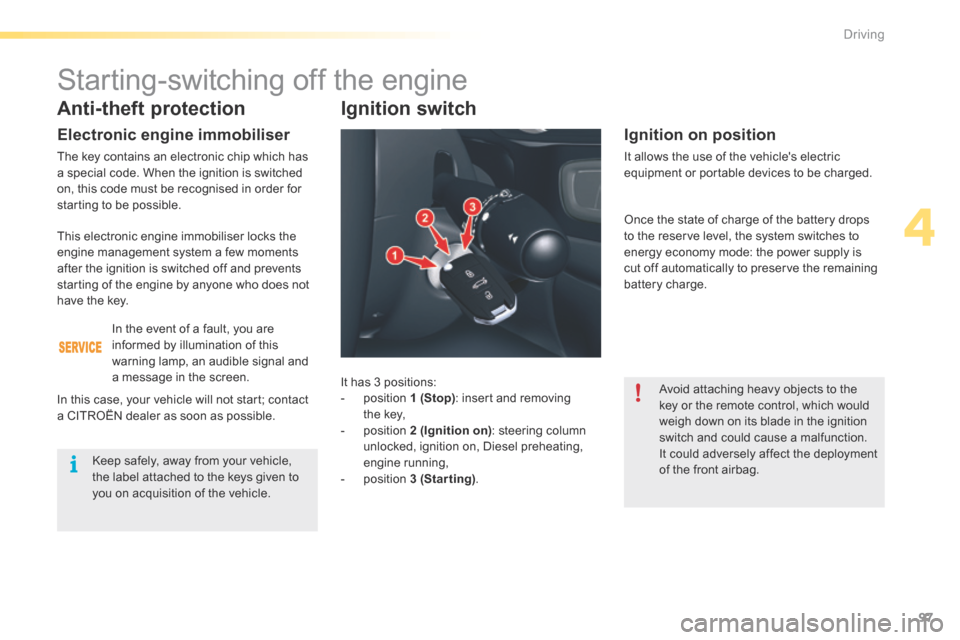
It has 3 positions:
- position 1 (Stop) : insert and removing
the key,
- position 2 (Ignition on) : steering column
unlocked, ignition on, Diesel preheating,
engine running,
- position 3 (Starting) .
Ignition on position
It allows the use of the vehicle's electric
equipment or portable devices to be charged.
Avoid attaching heavy objects to the
key or the remote control, which would
weigh down on its blade in the ignition
switch and could cause a malfunction.
It could adversely affect the deployment
of the front airbag.
This electronic engine immobiliser locks the
engine management system a few moments
after the ignition is switched off and prevents
starting of the engine by anyone who does not
have the key.
Once the state of charge of the battery drops
to the reserve level, the system switches to
energy economy mode: the power supply is
cut off automatically to preserve the remaining
battery charge.
4
Driving
Page 100 of 362
98
Starting the engine
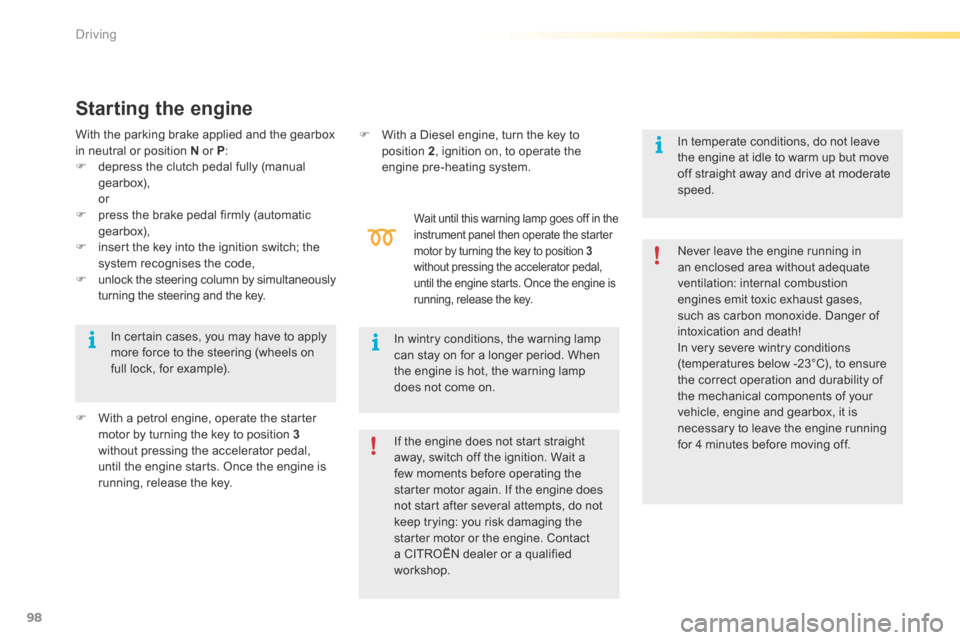
Wait until this warning lamp goes off in the
instrument panel then operate the starter
motor by turning the key to position 3
without pressing the accelerator pedal,
until the engine starts. Once the engine is
running, release the key.
With the parking brake applied and the gearbox
in neutral or position N or P:
F depress the clutch pedal fully (manual
gearbox),
or
F press the brake pedal firmly (automatic
gearbox),
F insert the key into the ignition switch; the
system recognises the code,
F unlock the steering column by simultaneously
turning the steering and the key.
F With a petrol engine, operate the starter
motor by turning the key to position 3
without pressing the accelerator pedal,
until the engine starts. Once the engine is
running, release the key. Never leave the engine running in
an enclosed area without adequate
ventilation: internal combustion
engines emit toxic exhaust gases,
such as carbon monoxide. Danger of
intoxication and death!
In very severe wintry conditions
(temperatures below -23°C), to ensure
the correct operation and durability of
the mechanical components of your
vehicle, engine and gearbox, it is
necessary to leave the engine running
for 4 minutes before moving off.
In wintry conditions, the warning lamp
can stay on for a longer period. When
the engine is hot, the warning lamp
does not come on.
In certain cases, you may have to apply
more force to the steering (wheels on
full lock, for example). F
With a Diesel engine, turn the key to
position 2 , ignition on, to operate the
engine pre-heating system.
If the engine does not start straight
away, switch off the ignition. Wait a
few moments before operating the
starter motor again. If the engine does
not start after several attempts, do not
keep trying: you risk damaging the
starter motor or the engine. Contact
a CITROËN dealer or a qualified
workshop. In temperate conditions, do not leave
the engine at idle to warm up but move
off straight away and drive at moderate
speed.
Driving
Page 101 of 362

99
Do not flick the accelerator at the
moment of switching off the ignition.
This could cause serious damage to the
turbocharger(s).
Vehicles equipped with a
turbocharger
Never stop the engine without having allowed it
to run for a few seconds at idle, this being the
time required for the turbocharger to return to a
normal speed.Energy economy mode
After switching off the engine (position 1- Stop),
for a maximum of 30 minutes you can still use
functions such as the audio and telematic
system, the wipers, dipped beam headlamps,
courtesy lamps, ...
Switching off the engine
F Stop the vehicle.
F With the engine running at idle, turn the key
to position 1 .
F Remove the key from the ignition switch.
F To lock the steering column, turn the
steering until it locks.
When you leave the vehicle, keep the
key with you and lock the vehicle. To facilitate unlocking of the steering
column, it is recommended that the
wheels be returned to the straight ahead
position before switching off the engine.
Never switch off the ignition before the
vehicle is at a complete stop. With the
engine off, the braking and steering
assistance systems are also cut off: risk
of loss of control of the vehicle. For more information, refer to the
"Practical information" section, under
"Energy economy mode".
F Check that the parking brake is correctly
applied, particularly on sloping ground.
Key left in the "Ignition on"
position
On opening the driver's door, an alert
message is displayed, accompanied
by an audible signal, to remind you that
the key is still in the ignition switch at
position 1 (Stop) .
If the key has been left in the ignition
switch at position 2 (Ignition on) ,
the ignition will be switched off
automatically after one hour.
To switch the ignition back on, turn the
key to position 1 (Stop) , then back to
position 2 (Ignition on) .
4
Driving
Page 102 of 362

100
Manual parking brake
Mechanical device for immobilising the vehicle when stationary.This warning lamp comes on if the
parking brake is engaged or not fully
released.
If the parking brake is released, the
illumination of this warning lamp along with
the STOP warning lamp indicates that the
brake fluid level is low or a fault with the brake
force distributor.
You must stop as soon as it is safe to do so.
Contact a CITROËN dealer or a qualified
workshop.
Application
F Pull the parking brake lever up to
immobilise your vehicle.
To facilitate the action on the lever, you are
recommended to press the brake pedal at the
same time.
Release
F Press on the end of the lever whilst pulling
it then lower it fully.
In all circumstances, as a precautionary
measure, engage first gear.
On steep gradients, turn the steering
wheel towards the pavement.
Driving
Page 117 of 362
115
Stop & Start
Operation
- with a manual gearbox, at speeds below
12 mph (20 km/h) with BlueHDi Diesel
versions, when you put the gear lever into
neutral and release the clutch pedal,
- with an automatic gearbox, vehicle
stationary, when you press the brake pedal
or place the gear lever in position N .
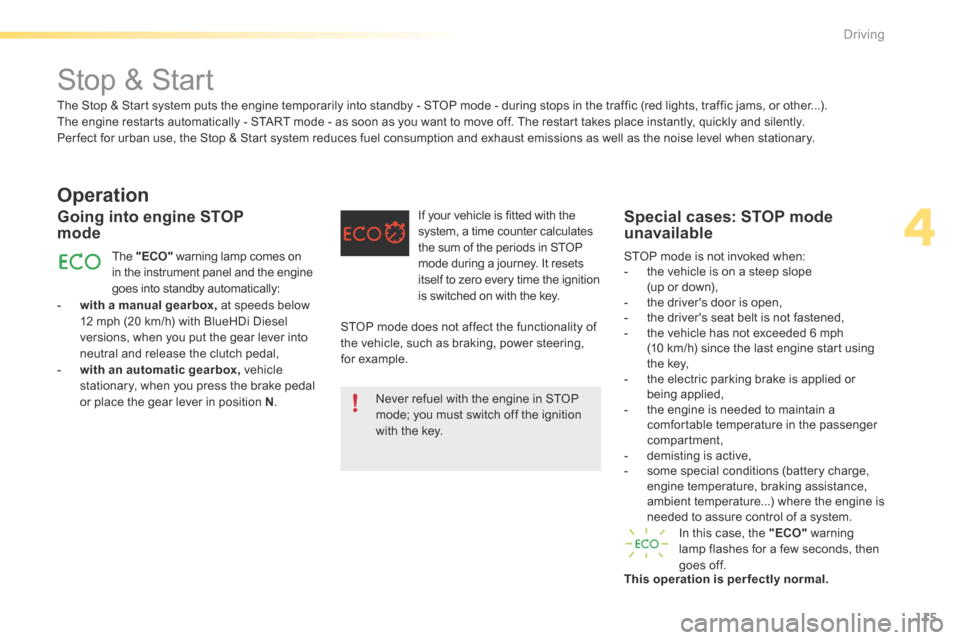
Going into engine STOP
mode
The "ECO" warning lamp comes on
in the instrument panel and the engine
goes into standby automatically: If your vehicle is fitted with the
system, a time counter calculates
the sum of the periods in STOP
mode during a journey. It resets
itself to zero every time the ignition
is switched on with the key.
Special cases: STOP mode
unavailable
In this case, the "ECO"
warning
lamp flashes for a few seconds, then
goes off.
This operation is perfectly normal. STOP mode is not invoked when:
- the vehicle is on a steep slope
(up or down),
- the driver's door is open,
- the driver's seat belt is not fastened,
- the vehicle has not exceeded 6 mph
(10 km/h) since the last engine start using
the key,
- the electric parking brake is applied or
being applied,
- the engine is needed to maintain a
comfortable temperature in the passenger
compartment,
- demisting is active,
- some special conditions (battery charge,
engine temperature, braking assistance,
ambient temperature...) where the engine is
needed to assure control of a system.
The Stop & Start system puts the engine temporarily into standby - STOP mode - during stops in the traffic (red lights, traffic jams, or other...).
The engine restarts automatically - START mode - as soon as you want to move off. The restart takes place instantly, quickly and silently.
Per fect for urban use, the Stop & Start system reduces fuel consumption and exhaust emissions as well as the noise level when stationary.
STOP mode does not affect the functionality of
the vehicle, such as braking, power steering,
for example.Never refuel with the engine in STOP
mode; you must switch off the ignition
with the key.
4
driving
Page 121 of 362
119
The loss of pressure detected does not
always lead to visible deformation of the
tyre. Do not rely on just a visual check.The alert is maintained until the tyre or
tyres concerned is reinflated, repaired
or replaced.
The spare wheel (space-saver type or a
steel rim) does not have a sensor.
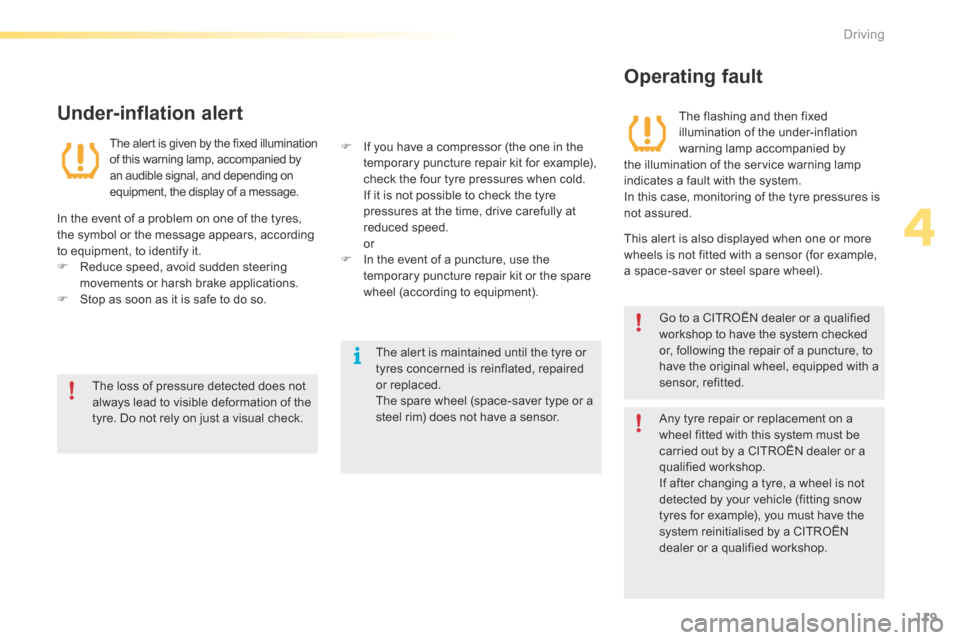
Under-inflation alert
The aler t is given by the fixed illumination
of this warning lamp, accompanied by
an audible signal, and depending on
equipment, the display of a message.
In the event of a problem on one of the tyres,
the symbol or the message appears, according
to equipment, to identify it.
F
Reduce speed, avoid sudden steering
movements or harsh brake applications.
F Stop as soon as it is safe to do so. F
If you have a compressor (the one in the
temporary puncture repair kit for example),
check the four tyre pressures when cold.
If it is not possible to check the tyre
pressures at the time, drive carefully at
reduced speed.
or
F In the event of a puncture, use the
temporary puncture repair kit or the spare
wheel (according to equipment).
Operating fault
The flashing and then fixed
illumination of the under-inflation
warning lamp accompanied by
the illumination of the service warning lamp
indicates a fault with the system.
In this case, monitoring of the tyre pressures is
not assured.
This alert is also displayed when one or more
wheels is not fitted with a sensor (for example,
a space-saver or steel spare wheel).
Go to a CITROËN dealer or a qualified
workshop to have the system checked
or, following the repair of a puncture, to
have the original wheel, equipped with a
sensor, refitted.
Any tyre repair or replacement on a
wheel fitted with this system must be
carried out by a CITROËN dealer or a
qualified workshop.
If after changing a tyre, a wheel is not
detected by your vehicle (fitting snow
tyres for example), you must have the
system reinitialised by a CITROËN
dealer or a qualified workshop.
4
Driving