trip CITROEN C5 X 2023 Owners Manual
[x] Cancel search | Manufacturer: CITROEN, Model Year: 2023, Model line: C5 X, Model: CITROEN C5 X 2023Pages: 228, PDF Size: 6.78 MB
Page 4 of 228
2
Contents
■
Overview
■
Eco-driving
1InstrumentsInformation to the driver 10
Digital instrument panel 10
E-HUD 11
Warning and indicator lamps 12
Indicators 17
Manual test 20
Total distance recorder 20
Trip computer 20
Touch screen 21
Remote functions (Rechargeable hybrid) 23
2AccessElectronic key with remote control function and
built-in key 25
Proximity Keyless Entry and Start 27
Central locking 29
Back-up procedures 29
Doors 31
Boot 32
Motorised tailgate 32
Alarm 35
Electric windows 38
Sunroof 39
3Ease of use and comfortDriving position 41
Front seats 42
Steering wheel adjustment 45
Mirrors 46
Rear bench seat 47
Heating and Ventilation 49
Dual-zone automatic air conditioning 50
Front demisting - defrosting 52
Rear screen demisting/defrosting 52
Heated windscreen 53
Temperature pre-conditioning
(Rechargeable hybrid)
53
Front fittings 54
Courtesy lamps 57
Interior ambient lighting 57
Rear fittings 58
Boot fittings 59
4Lighting and visibilityExterior lighting control stalk 61
Direction indicators 62
Headlamp beam height adjustment 63
Automatic illumination of headlamps 63
Guide-me-home and welcome lighting 63
Automatic lighting systems - General
recommendations
64
Automatic headlamp dipping 64
Cornering lighting 65
Wiper control stalk 65
Automatic wipers 66
Changing a wiper blade 68
5SafetyGeneral safety recommendations 69
Hazard warning lamps 69
Horn 69
Pedestrian horn (Rechargeable hybrid) 70
Emergency or assistance 70
Electronic stability control (ESC) 72
Seat belts 75
Airbags 77
Active bonnet 79
Child seats 79
Deactivating the front passenger airbag 81
ISOFIX child seats 82
i-Size child seats 84
Installing child seats 85
Child lock 87
6DrivingDriving recommendations 88
Starting/Switching off the engine with
Keyless Entry and Starting
89
Starting rechargeable hybrid vehicles 90
Electric parking brake 91
Automatic gearbox 93
Citroën Advanced Comfort active suspension 96
Driving modes 96
Hill start assist 98
Gear shift indicator 98
Stop & Start 99
Tyre under-inflation detection 100
Driving and manoeuvring aids - General
recommendations
101
Steering wheel with hands-on detection 103
Shortcuts for driving aids 103
Road signs recognition 104
Speed limiter 107
Cruise control - Specific recommendations 109
Cruise control 109
Highway Driver Assist 111
Page 7 of 228
5
Overview
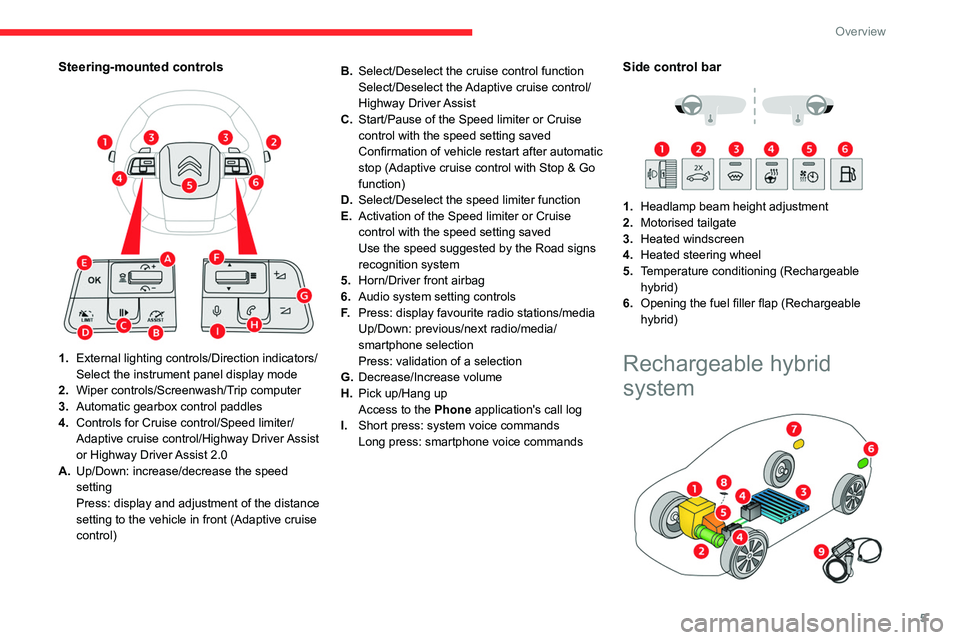
Steering-mounted controls
1.External lighting controls/Direction indicators/
Select the instrument panel display mode
2. Wiper controls/Screenwash/Trip computer
3. Automatic gearbox control paddles
4. Controls for Cruise control/Speed limiter/
Adaptive cruise control/Highway Driver Assist
or Highway Driver Assist 2.0
A. Up/Down: increase/decrease the speed
setting
Press: display and adjustment of the distance
setting to the vehicle in front (Adaptive cruise
control) B.
Select/Deselect the cruise control function
Select/Deselect the Adaptive cruise control/
Highway Driver Assist
C. Start/Pause of the Speed limiter or Cruise
control with the speed setting saved
Confirmation of vehicle restart after automatic
stop (Adaptive cruise control with Stop & Go
function)
D. Select/Deselect the speed limiter function
E. Activation of the Speed limiter or Cruise
control with the speed setting saved
Use the speed suggested by the Road signs
recognition system
5. Horn/Driver front airbag
6. Audio system setting controls
F. Press: display favourite radio stations/media
Up/Down: previous/next radio/media/
smartphone selection
Press: validation of a selection
G. Decrease/Increase volume
H. Pick up/Hang up
Access to the Phone application's call log
I. Short press: system voice commands
Long press: smartphone voice commands
Side control bar
1. Headlamp beam height adjustment
2. Motorised tailgate
3. Heated windscreen
4. Heated steering wheel
5. Temperature conditioning (Rechargeable
hybrid)
6. Opening the fuel filler flap (Rechargeable
hybrid)
Rechargeable hybrid
system
Page 22 of 228
20
Instruments
The range displayed depends on the use of the vehicle (type of driving and speed),
the outside temperature and the activated
comfort equipment.
Manual test
This function allows you to check certain
indicators and display the alerts log.
The test is launched in the Settings>Vehicle touch screen
application.
►
Then select
Safety>Check .
The following information is displayed on the
instrument panel:
–
T
yre pressures.
–
Engine oil level (depending on engine).
–
Next service due.
–
Current alerts.
This information is also displayed automatically every time the ignition is
switched on.
Total distance recorder
The total distance recorder measures the total
distance travelled by the vehicle since its initial
registration.
With the ignition on, the total distance is
displayed at all times. It remains displayed for
30
seconds after switching off the ignition. It is
displayed when the driver's door is opened, and
when the vehicle is locked or unlocked.
When travelling abroad, it may be
necessary to change the distance units
(km or miles): the road speed must be
displayed in the local country’s official unit
(km/h or mph).
The unit is changed via the application of
screen settings, with the vehicle stationary.
Rechargeable hybrid vehicles
The total distance recorder is only
accessible from the trip computer.
For more information on the Trip computer,
refer to the corresponding section.
Lighting dimmer
Used to manually adjust the brightness of the
instruments and controls to suit the exterior light
level.
It is configured in the Settings >
Brightness touch screen application.
►
In the “
Cockpit” section, press or move the
slider to the desired setting.
Trip computer
Displays information related to the current trip
(range, fuel consumption, average speed, etc.).
Data displayed on the
instrument panel
Display of the different tabs
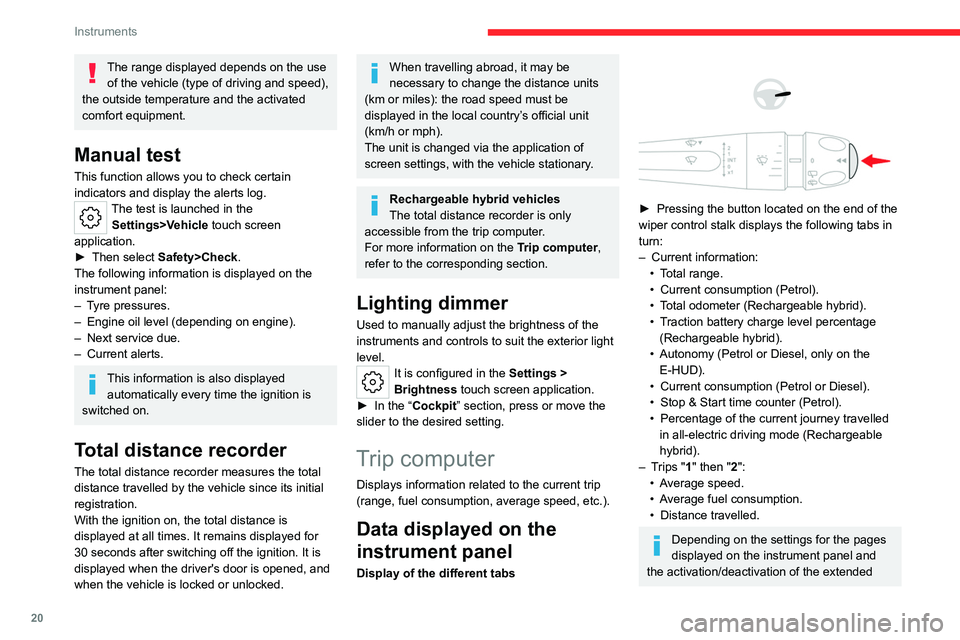
► Pressing the button located on the end of the
wiper control stalk displays the following tabs in
turn:
–
Current information:
•
T
otal range.
•
Current consumption (Petrol).
•
T
otal odometer (Rechargeable hybrid).
•
T
raction battery charge level percentage
(Rechargeable hybrid).
•
Autonomy (Petrol or Diesel, only on the E-HUD).
•
Current consumption (Petrol or Diesel).
•
Stop & Start time counter (Petrol).
•
Percentage of the current journey travelled
in all-electric driving mode (Rechargeable
hybrid).
–
T
rips "1" then "2":
•
A
verage speed.
•
A
verage fuel consumption.
•
Distance travelled.
Depending on the settings for the pages
displayed on the instrument panel and
the activation/deactivation of the extended
Page 23 of 228
21
Instruments
1head-up display, the trip computer appears in
one or the other, or both.
For more information on the Digital
instrument panel and the E-HUD, refer to
the corresponding sections.
Trip reset
► When the desired trip is displayed,
press the button on the end of the wiper
control stalk for more than 2
seconds.
Trips "1" and "2" are independent and are used
in the same way.
Definitions
Range
(miles or km)Distance that can still be travelled with the
fuel remaining in the tank (based on the
average fuel consumption over the last few miles
(kilometres) travelled).
This value may vary following a change in driving
style or terrain, leading to a significant change in
current fuel consumption.
When the range falls below 19 miles (30
km),
dashes are displayed.
After filling with at least 5 litres of fuel, the range
is recalculated and is displayed if it exceeds 62
miles (100
km).
If dashes instead of figures continue to be
displayed while driving, contact a CITROËN
dealer or a qualified workshop.
Current consumption
(mpg or l/100 km or km/l)Calculated during the last few seconds.
This function is only displayed at speeds above
19 mph (30
km/h).
Average consumption
(mpg or l/100 km or km/l)Calculated since the last trip computer
reset.
Average speed
(mph or km/h)Calculated since the last trip computer
reset.
Distance travelled
(miles or km)Calculated since the last trip computer
reset.
Stop & Start time counter
(minutes/seconds or hours/minutes)
If your vehicle is fitted with Stop & Start, a time
counter calculates the time spent in STOP mode
during a journey.
The time counter is reset each time the ignition is
switched on.
Touch screen
This system gives access to the following elements:
–
T
ime and exterior temperature.
–
Heating/air conditioning system controls and
reminders of settings.
–
Settings for driving aid functions, comfort and
safety functions, audio equipment and digital
instrument panel.
–
Settings of functions specific to rechargeable
hybrid vehicles.
–
Display of visual manoeuvring aid functions.
–
Interactive handbook.
–
V
ideo tutorials (e.g. screen management,
driving aids, voice recognition).
–
Audio equipment and telephone controls with
display of
associated information.
–
Connected services and display of associated
information.
–
Navigation system controls and display
of associated information (depending on
equipment).
–
V
oice recognition (depending on equipment).
For safety reasons, always stop the
vehicle before performing operations
that require sustained attention.
Some functions are not accessible while
driving.
Recommendations
It is a capacitive touch screen.
Page 25 of 228
23
Instruments
1– Orange: energy from the petrol engine.
– Green: energy recovery .
Statistics
This page shows electrical energy and fuel
consumption statistics.
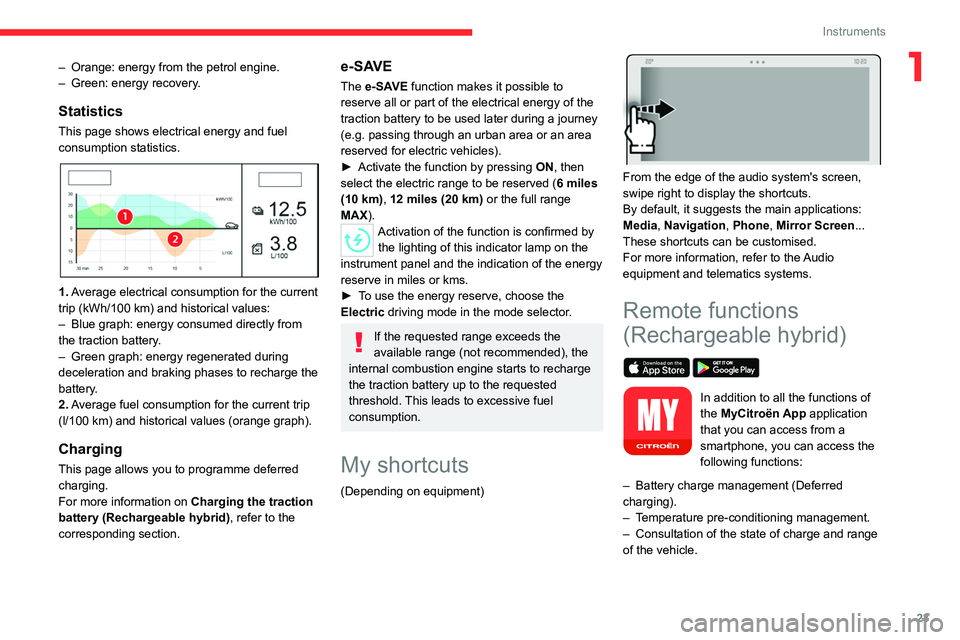
1. Average electrical consumption for the current
trip (kWh/100 km) and historical values:
–
Blue graph: energy consumed directly from
the traction battery
.
–
Green graph: energy regenerated during
deceleration and braking phases to recharge the
battery
.
2. Average fuel consumption for the current trip
(l/100
km) and historical values (orange graph).
Charging
This page allows you to programme deferred
charging.
For more information on Charging the traction
battery (Rechargeable hybrid), refer to the
corresponding section.
e-SAVE
The e-SAVE function makes it possible to
reserve all or part of the electrical energy of the
traction battery to be used later during a journey
(e.g.
passing through an urban area or an area
reserved for electric vehicles).
►
Activate the function by pressing ON
, then
select the electric range to be reserved ( 6 miles
(10 km), 12 miles (20 km) or the full range
MAX).
Activation of the function is confirmed by the lighting of this indicator lamp on the
instrument panel and the
indication of the energy
reserve in miles or kms.
►
T
o use the energy reserve, choose the
Electric driving mode in the mode selector.
If the requested range exceeds the
available range (not recommended), the
internal combustion engine starts to recharge
the traction battery up to the requested
threshold. This leads to excessive fuel
consumption.
My shortcuts
(Depending on equipment)
From the edge of the audio system's screen,
swipe right to display the shortcuts.
By default, it suggests the main applications:
Media, Navigation, Phone, Mirror Screen...
These shortcuts can be customised.
For more information, refer to the Audio
equipment and telematics systems.
Remote functions
(Rechargeable hybrid)
In addition to all the functions of
the MyCitroën App application
that you can access from a
smartphone, you can access the
following functions:
–
Battery charge management (Deferred
charging).
–
T
emperature pre-conditioning management.
–
Consultation of the state of charge and range
of the vehicle.
Page 90 of 228

88
Driving
Driving recommendations
► Observe the driving regulations and remain
vigilant whatever the traffic conditions.
►
Monitor your environment and keep your
hands on the wheel to be able to react to
anything that may happen any time.
►
Drive smoothly
, anticipate the need for
braking and maintain a longer safety distance,
especially in bad weather.
►
Stop the vehicle before performing operations
that require sustained attention (e.g.
settings).
►
During long trips, take a break every 2 hours.
Important!
Never leave the engine running in a
closed space without sufficient
ventilation. Internal combustion engines emit
toxic exhaust gases such as carbon
monoxide. Danger of poisoning and death!
In very severe wintry conditions
(temperature below -23°C), let the engine
run for 4 minutes before moving off, to ensure
the correct operation and durability of the
mechanical components of your vehicle
(engine and gearbox).
Never drive with the parking brake
applied . Risk of overheating and
damaging the braking system!
Do not park the vehicle or leave the
engine running on a flammable
surface (e.g. dry grass, dead leaves).The
vehicle exhaust system is very hot, even
several minutes after the engine stops. Risk
of fire!
Never drive on surfaces covered with
vegetation (e.g. tall grass,
accumulated dead leaves, crops, debris)
such as a field, a country lane overgrown
with bushes or a grassy verge.
This vegetation could come into contact with
the vehicle's exhaust system or other systems
which are very hot. Risk of fire!
Make sure you do not leave any item in
the passenger compartment which could
act like a magnifying glass under the effect of
the sun's rays and cause a fire. Risk of fire or
damage to interior surfaces!
Never leave the vehicle unattended,
with the engine running . If you have to
leave your vehicle with the engine running,
apply the parking brake and put the automatic
gearbox into position N or P.
Never leave children inside the vehicle
unsupervised.
On flooded roads
We strongly advise against driving on flooded
roads, as this could cause serious damage to
the internal combustion engine or electric motor,
the gearbox and the electrical systems of the
vehicle.
If the vehicle absolutely must drive through a
flooded section of road:
►
Check that the depth of the water does not
exceed 15
cm, taking account of waves that
might be generated by other users.
►
Deactivate the Stop & Start function.
►
Drive as slowly as possible without stalling. In
all cases, do not exceed 6 mph (10
km/h).
►
Do not stop and do not switch off the motor
.
On leaving the flooded road, as soon as safety
conditions allow, make several light brake
applications to dry the brake discs and pads.
If in doubt about the state of your vehicle,
contact a CITROËN dealer or a qualified
workshop.
Page 148 of 228
146
Practical information
Green: electrical connection established;
charging can begin.
CHARGE
Flashing green: charging in progress or
temperature pre-conditioning activated.
Fixed green: charging complete.
FAULT
Red: fault; charging not permitted or must
be stopped immediately. Check that everything
is connected correctly and that the electrical
system is not faulty.
If the indicator lamp does not go off, contact a
CITROËN dealer or a qualified workshop.
Upon plugging the charging cable into a
domestic socket, all of the indicator lamps come
on briefly.
If no indicator lamps come on, check the
domestic socket's circuit-breaker:
–
If the circuit-breaker has tripped, contact a
professional to check that the electrical system
is compatible and/or carry out any necessary
repairs.
–
If the circuit-breaker has not tripped, stop
using the charging cable and contact a
CITROËN dealer or a qualified workshop.
Control unit label - Recommendations
Refer to the handbook before use.
1. Incorrect use of this charging cable may
result in fire, property damage and serious
injury or death by electrocution!
2. Always use a correctly earthed power
socket, protected by a 30
mA residual
current device.
3. Always use an electrical socket protected
by a circuit-breaker appropriate for the
electrical circuit’s current rating.
4. The weight of the control unit must not be
borne by the electrical socket, plug and
cables.
5. Never use this charging cable if it is
defective or in any way damaged.
6. Never attempt to repair or open this
charging cable. It contains no repairable
parts - replace the charging cable if it is
damaged.
7. Never immerse this charging cable in water.
8. Never use this charging cable with an
extension cable, a multi-plug socket, a
conversion adaptor or on a damaged
electrical socket.
9. Do not unplug the plug from the wall as a
means of stopping charging.
10. Immediately stop charging, by locking and
then unlocking the vehicle using the remote
control key, if the charging cable or wall
socket feel burning hot to the touch.
11 . This charging cable includes components
liable to cause electrical arcing or sparks.
Do not expose to flammable vapours. 12.
Only use this charging cable with CITROËN
vehicles.
13. Never plug the cable into the wall socket (or
unplug it) with wet hands.
14. Do not force the connector if it is locked into
the vehicle.
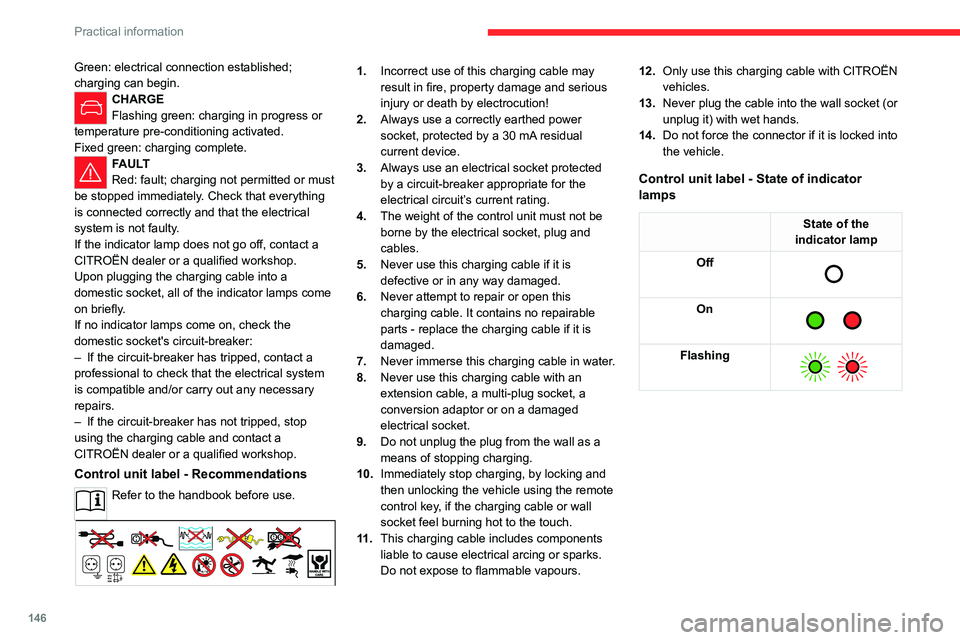
Control unit label - State of indicator
lamps
State of the
indicator lamp
Off
On
Flashing
Page 156 of 228
154
Practical information
► Replace the protective plug 2 into the
carrier 1.
►
Stow the towball in its bag to protect it from
knocks and dirt.
Maintenance
Correct operation is only possible if the towball
and its carrier are kept clean.
Before cleaning the vehicle with a high-pressure
jet wash, the towball must be removed and the
protective plug fitted to the carrier.
Work on the towing device
Contact a CITROËN dealer or a qualified
workshop.
Roof bars
As a safety measure and to avoid damaging the roof, it is essential to use
transverse roof bars approved for your
vehicle.
Observe the instructions on fitting and use
contained in the guide supplied with the roof
bars.
Maximum load distributed over the
transverse roof bars, for a loading height
not exceeding 40 cm (except bicycle carrier):
80 kg.
As this value may change, please verify the
maximum load quoted in the guide supplied
with the roof bars.
If the height exceeds 40 cm, adapt the speed
of the vehicle to the profile of the road to
avoid damaging the roof bars and the fixings
on the vehicle.
Be sure to refer to national legislation in order
to comply with the regulations for transporting
objects that are longer than the vehicle.
Fitting on longitudinal bars
The transverse bars must be fixed at the
markings located on the longitudinal bars.
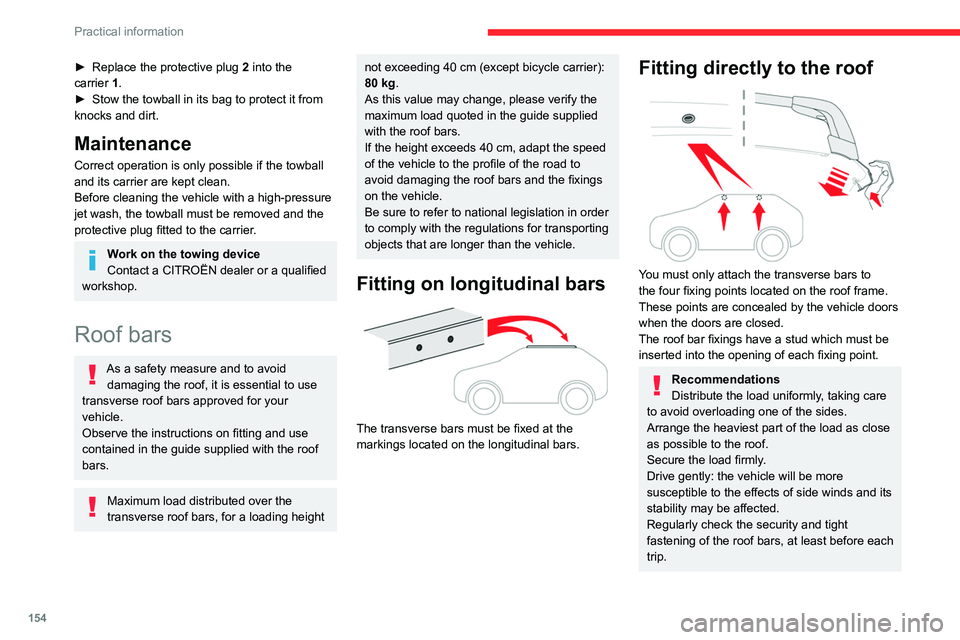
Fitting directly to the roof
You must only attach the transverse bars to
the four fixing points located on the roof frame.
These points are concealed by the vehicle doors
when the doors are closed.
The roof bar fixings have a stud which must be
inserted into the opening of each fixing point.
Recommendations
Distribute the load uniformly, taking care
to avoid overloading one of the sides.
Arrange the heaviest part of the load as close
as possible to the roof.
Secure the load firmly.
Drive gently: the vehicle will be more
susceptible to the effects of side winds and its
stability may be affected.
Regularly check the security and tight
fastening of the roof bars, at least before each
trip.
Page 178 of 228

176
In the event of a breakdown
Reconnecting the (+) terminal
► Raise lever A fully.
► Refit the open clamp B on the (+) terminal.
►
Push clamp
B fully down.
►
Lower lever
A
to lock clamp B.
►
Depending on equipment, lower the plastic
cover on the
(+) terminal.
Do not force the lever, as it will not lock
in place if the clamp is not positioned
correctly; start the procedure again.
The Stop & Start system may not be operational during the trip following the
first engine start.
In this case, the system will only be available
again after a continuous period with the
vehicle immobilised, the duration of which
depends on the exterior temperature and the
state of charge of the battery (up to about 8
hours).
With rechargeable hybrid
engine
The rechargeable hybrid system has two accessory batteries: one at the front and one at
the centre of the vehicle.
Replacing the accessory batteries
Contact a CITROËN dealer or a qualified
workshop.
Jump-starting another vehicle
Do not start or jump start another vehicle
from the vehicle’s accessory batteries.
Accessing the accessory batteries
Front
The front battery is located under the bonnet.
For access to the (+) terminal:
► Release the bonnet by pulling the internal
release lever
, then the external safety catch.
►
Raise the bonnet. (+)
Positive terminal with a quick-release
terminal.
(-) Negative terminal.
As the battery's negative terminal is not
accessible, a remote earth point is located near
the battery.
Central
The central battery is located in the front armrest
storage compartment.
To reach the battery:
► Open the front armrest.
► Unclip the compartment's floor .
(+) Positive terminal, protected by a red plastic
cover (not accessible).
(-) Negative terminal with a black quick-release
connector.
Charging the front battery using a
battery charger
For optimum service life of the front battery, it
is essential to maintain an adequate state of
charge.
Page 194 of 228

192
MYCITROËN DRIVE PLUS - MYCITROËN PLAY PLUS
Main menu
Press the “Navigation” application to
display the navigation home screen.
Press this button to display the main
menu of the various options.
Select “Search” to enter an address,
name or certain points of interest.
Select “Go home” using an address
previously saved in "Add home".
Select “Go to work” using an address
previously saved in " My places
".
Select “Recent destinations” to display
the latest destinations searched.
Select “Current trip” to open another
menu and perform various actions on the
current route planned.
Select “My places” for quick access to
saved places as well as
favourite
destinations.
Select “My trips” to display the preferred
routes.
Select “Parking” to display the various
parking options in the region.
Select “Service station” to display the
different service stations on the current
route or near the current location.
Select “TomTom service ” to access the
network status.
Select "Settings" to enter the vehicle type
and to personalise the display, voice
instructions, map options, trip planning, sounds
and alerts, and system information.
Select this button to display details on
software versions as well as legal
information. Details of the Open Source software
libraries used and their licence URLs.
Regular connection to a Wi-Fi terminal
automatically updates the map.
The mapping update can also be carried out
via a cellular network, depending on version,
depending on country of sale, depending on
the level of equipment of the vehicle, as well
as the subscription to connected services and
options.
Connectivity
Connecting a wired device
by USB
The USB connection of a portable device allows
it to be recharged. It makes its authorised media
content available to the system (Media content
of iPod
® type).A single USB socket allows the Mirror Screen connection (Apple®CarPlay® or
Android Auto) for compatible connected
portable
devices and to use certain applications
from the device
on the touch screen.
For more information on the USB socket
compatible with the Mirror Screen
® function,
refer to the “Ease of use and comfort - Fittings”
section.
The portable device is in charging mode when
connected with the USB cable.
It is recommended that you use the
original USB cables of your devices,
preferably with a minimal cable length to
ensure optimum performance.
To protect the system, do not use a USB hub.
Bluetooth® connection
The Bluetooth® connection of a portable device
to the vehicle's system provides access to its
contents and “Media” broadcasts. It also enables
the Phone function to be activated.
The connection can be initiated either from the
portable device's Bluetooth
® menu or from the
vehicle's system, which requires opening the "My
Devices" menu for the first connection.
In some cases, you may need to unlock
your device as well as check
authorization when synchronizing contacts
and recent calls.
Some features may not be supported by
your device.
For information on the partial or full
compatibility of device models or
smartphones, please connect to the Brand’s
national website.