instrument panel Citroen C6 2011 1.G User Guide
[x] Cancel search | Manufacturer: CITROEN, Model Year: 2011, Model line: C6, Model: Citroen C6 2011 1.GPages: 216, PDF Size: 10.31 MB
Page 38 of 216
36
II
B
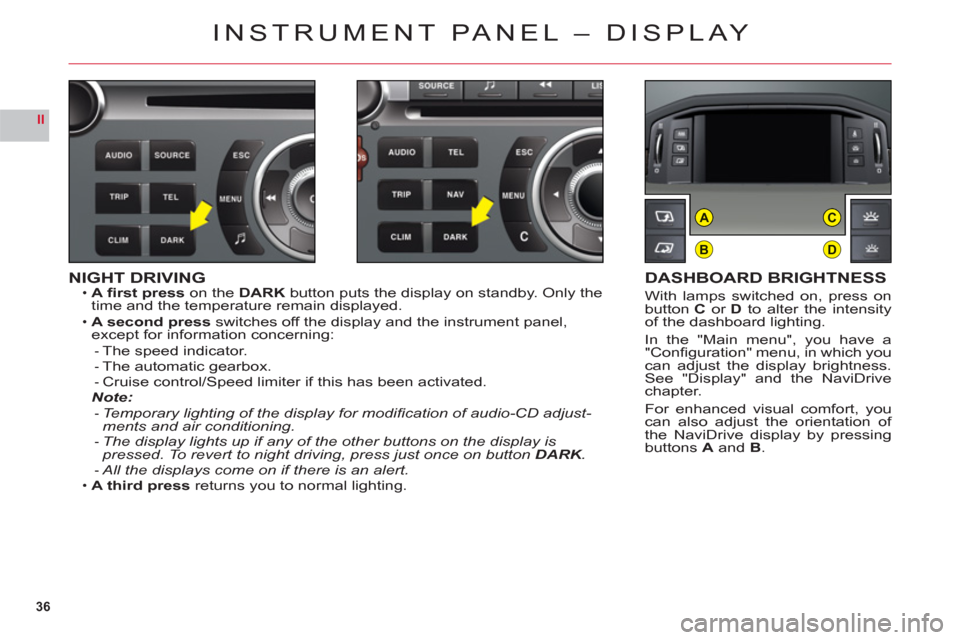
AC
D
NIGHT DRIVINGA fi rst presson the DARK button puts the display on standby. Only the
time and the temperature remain displayed.
A second
pressswitches off the display and the instrument panel,except for information concerning:The speed indicator.The automatic gearbox.Cruise control/Speed limiter if this has been activated.Note:
Temporary lighting of the display for modifi cation of audio-CD adjust-ments and air conditioning.
The display lights up if any of the other buttons on the display is pressed. To revert to night driving, press just once on button DARK.KKAll the displays come on if there is an alert.
A third press returns you to normal lighting.
•
•
---
-
-
-
•
DASHBOARD BRIGHTNESS
With lamps switched on, press onbutton Cor Dto alter the intensityof the dashboard lighting.
In the "Main menu", you have a"Confi guration" menu, in which youcan adjust the display brightness.See "Display" and the NaviDrivechapter.
For enhanced visual comfort, youcan also adjust the orientation of
the NaviDrive display by pressingbuttonsA and B.
INSTRUMENT PANEL – DISPLAY
Page 48 of 216
46
II
TRIP COMPUTER
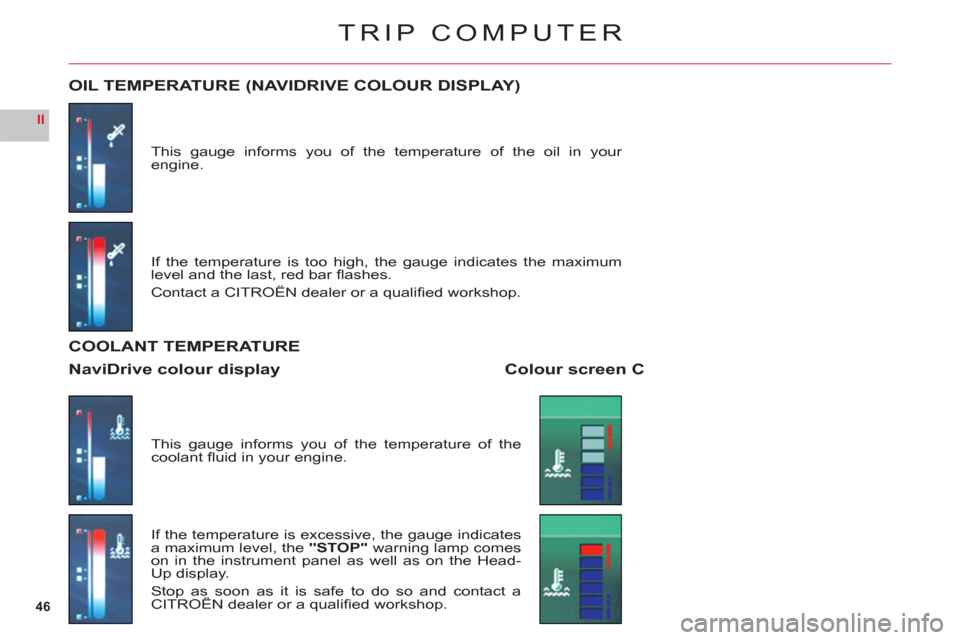
This gauge informs you of the temperature of the oil in your engine.
OIL TEMPERATURE (NAVIDRIVE COLOUR DISPLAY)
If the temperature is too high, the gauge indicates the maximum level and the last, red bar fl ashes.
Contact a CITRO
ÀN dealer or a qualifi ed workshop.
This
gauge informs you of the temperature of the coolant fl uid in your engine.
If the temperature is excessive, the
gauge indicates a maximum level, the "STOP"warning lamp comes
on in the instrument panel as well as on the Head-Up display.
Stop as soon as it is safe to do so and contact a CITROËN dealer or a qualifi ed workshop.p
COOLANT TEMPERATURE
Colour screen CNaviDrive colour display
Page 63 of 216
61
II
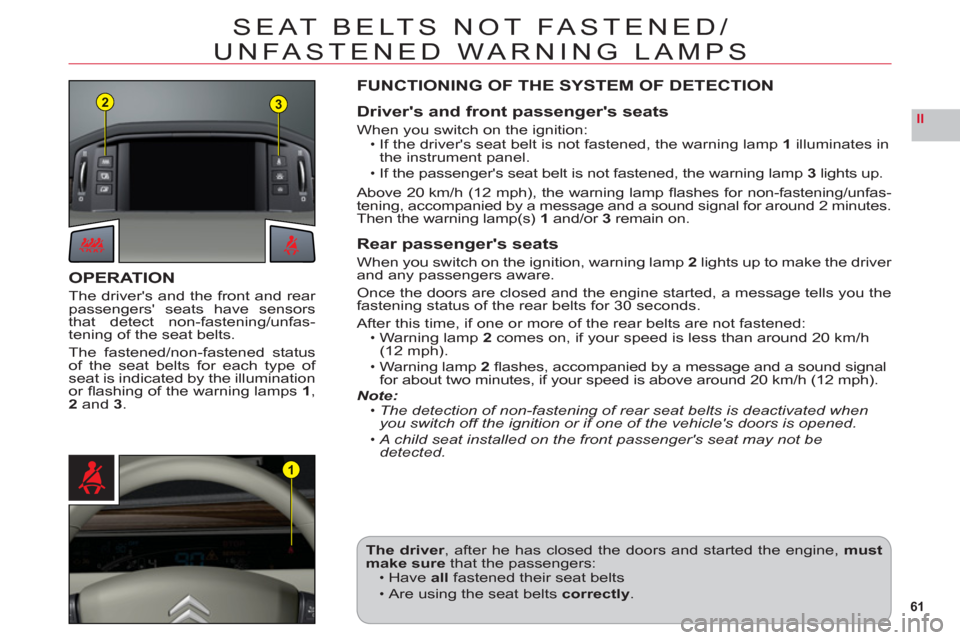
23
1
SEAT BELTS NOT FASTENED/
UNFASTENED WARNING LAMPS
OPERATION
The driver's and the front and rear passengers' seats have sensors
that detect non-fastening/unfas-
tening of the seat belts.
The fastened/non-fastened status
of the seat belts for each type of seat is indicated by the illumination
or fl ashing of the warning lamps 1,2 and 3.
FUNCTIONING OF THE SYSTEM OF DETECTION
Driver's and front passenger's seats
When you switch on the ignition:If the driver's seat belt is not fastened, the warning lamp 1 illuminates in
the instrument panel.
If the passenger's seat belt is not fastened, the warning lamp3lights up.
Above 20 km
/h (12 mph), the warning lamp fl ashes for non-fastening/unfas-
tening, accompanied by a message and a sound signal for around 2 minutes.
Then the warning lamp(s)1and/or 3remain on.
Rear passenger's seats
When you switch on the ignition, warning lamp2lights up to make the driver
and any passengers aware.
Once the doors are closed and the engine started, a message tells you thefastening status of the rear belts for 30 seconds.
A
fter this time, if one or more of the rear belts are not fastened:Warning lamp 2comes on, if your speed is less than around 20 km/h(12 mph).Warning lamp 2 fl ashes, accompanied by a message and a sound signalfor about two minutes, if your speed is above around 20 km/h (12 mph).Note:The detection of non-fastening of rear seat belts is deactivated whenyou switch off the ignition or if one of the vehicle's doors is opened.
A child seat installed on the front passenger's seat may not bedetected.
•
•
•
•
•
•
The driver, after he has closed the doors and started the engine,mustmake sure that the passengers:Have allfastened their seat belts
Are using the seat belts correctly.
•
•
Page 70 of 216

68
II
A
AUTOMATIC GEARBOX
OPERATION IN SPORT OR SNOW AUTOMATIC MODE
With the lever on D, press button Ato select any of the driving modesSPORT,SNOW or NORMAL.
NORMAL mode is selected by default when you start the engine. This drivingmode is designed for the more usual types of driving conditions.
No warnin
g lamp will light up in the instrument panel. SNO
W mode is for a more cautious driving style on slippery roads.
The warning lamp in the instrument panel is lit up. SPOR
T mode is for more responsive driving, to provide maximumperformance and acceleration.
The warnin
g lamp in the instrument panel is lit up.
Remark:The drivin
g mode selected before you switched off the engine will
be retained the next time you start up.
Flashing of the warning lamp for the position requested signals that this position has not yet been reached.When the warning lamp is permanent, the position is confi rmed.
If there is an operating fault:A sharp hesitation may be felt when you selectR for reverse gear.The gearbox is stuck in a gear.
Do not exceed 100 km/h (62 mph).
Contact a CITROËN dealer or a qualifi ed workshop as soon as possible.
••
•
Page 71 of 216
69
II
0
13
24
A
C
CRUISE CONTROL
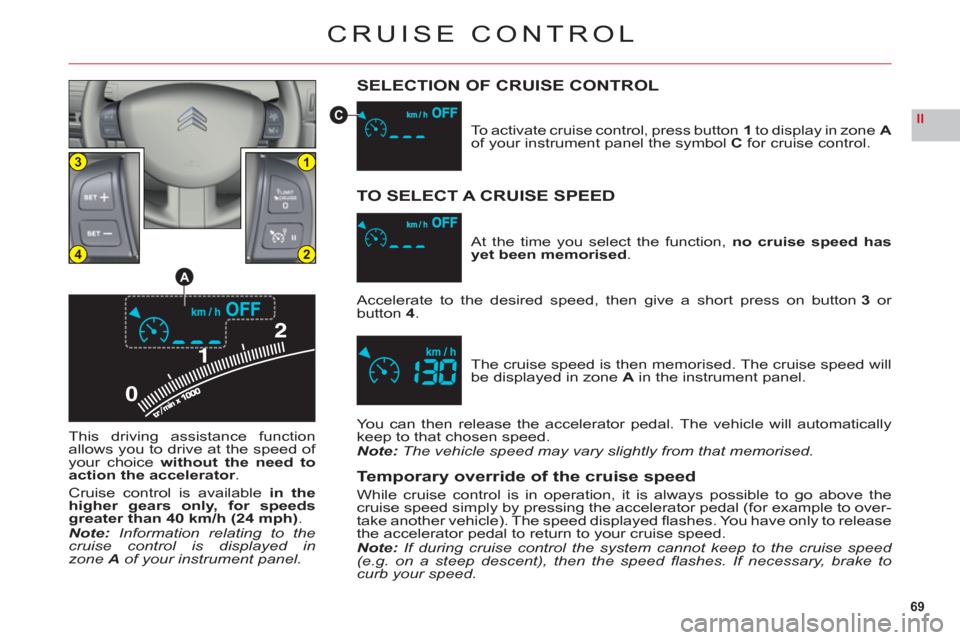
SELECTION OF CRUISE CONTROL
This driving assistance function
allows you to drive at the speed of your choicewithout the need to
action the accelerator.
Cruise control is availablein the
higher gears only, for speedsgreater than 40 km/h (24 mph).Note:Information relating to thecruise control is displayed inzone Aof your instrument panel.To activate cruise control, press button
1to display in zoneAof your instrument panel the symbolCfor cruise control.
The cruise speed is then memorised. The cruise speed will
be displayed in zone Ain the instrument panel. At the time
you select the function, no cruise speed hasyet been memorised.
TO SELECT A CRUISE SPEED
Accelerate to the desired speed, then give a short press on button 3 or button4.
You can then release the accelerator pedal. The vehicle will automaticallykeep to that chosen speed.Note: The vehicle speed may vary slightly from that memorised.
Temporary override of the cruise speed
While cruise control is in operation, it is always possible to go above thecruise speed simply by pressing the accelerator pedal (for example to over-
take another vehicle). The speed displayed fl ashes. You have only to release
the accelerator pedal to return to your cruise speed.Note: If during cruise control the system cannot keep to the cruise speed (e.g. on a steep descent), then the speed fl ashes. If necessary, brake to
curb your speed.
Page 72 of 216
70
II
CRUISE CONTROL
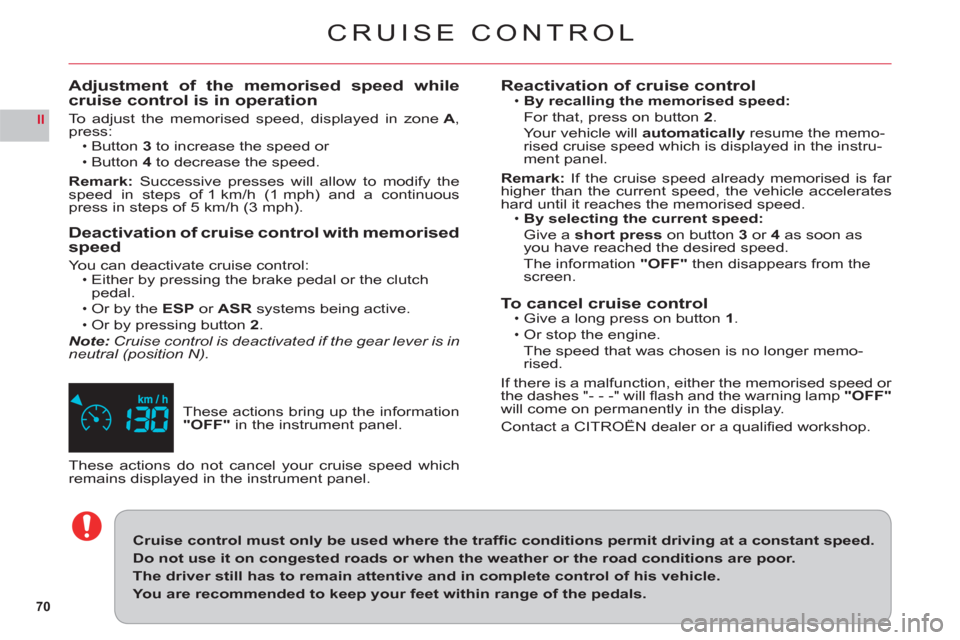
These actions bring up the information "OFF"in the instrument panel.
Adjustment of the memorised speed while cruise control is in operation
To adjust the memorised speed, displayed in zone A, press:Button 3 to increase the speed or
Button 4 to decrease the speed.
Remark: Successive presses will allow to modify the speed in steps of 1 km/h (1 mph) and a continuous press in steps of 5 km/h (3 mph).
Deactivation of cruise control with memorised
speed
Yo u can deactivate cruise control:Either by pressing the brake pedal or the clutchpedal.Or by the ESP or ASR systems being active.
Or by pressing button2.Note:Cruise control is deactivated if the gear lever is in
neutral (position N).
•
•
•
•
•
These actions do not cancel your cruise speed which remains displayed in the instrument panel.
Cruise control must only be used where the traffi c conditions permit driving at a constant speed.
Do not use it on congested roads or when the weather or the road conditions are poor.
The driver still has to remain attentive and in complete control of his vehicle.
You are recommended to keep your feet within range of the pedals.
Reactivation of cruise controlBy recalling the memorised speed:
For that, press on button 2.
Yo ur vehicle willautomatically resume the memo-
rised cruise speed which is displayed in the instru-
ment panel.
Remark
:If the cruise speed already memorised is far higher than the current speed, the vehicle accelerateshard until it reaches the memorised speed.By selecting the current speed:
Give ashort press on button 3or 4as soon asyou have reached the desired speed.
Th
e information "OFF"then disappears from the screen.
To cancel cruise controlGive a long press on button 1.
Or stop the engine.
The speed that was chosen is no lon
ger memo-
rised.
If there is a malfunction, either the memorised speed or
the dashes "- - -" will fl ash and the warning lamp "OFF"
will come on permanently in the display.
Contact a CITROËN dealer or a qualifi ed workshop.
•
•
•
•
Page 73 of 216
71
II
13
24
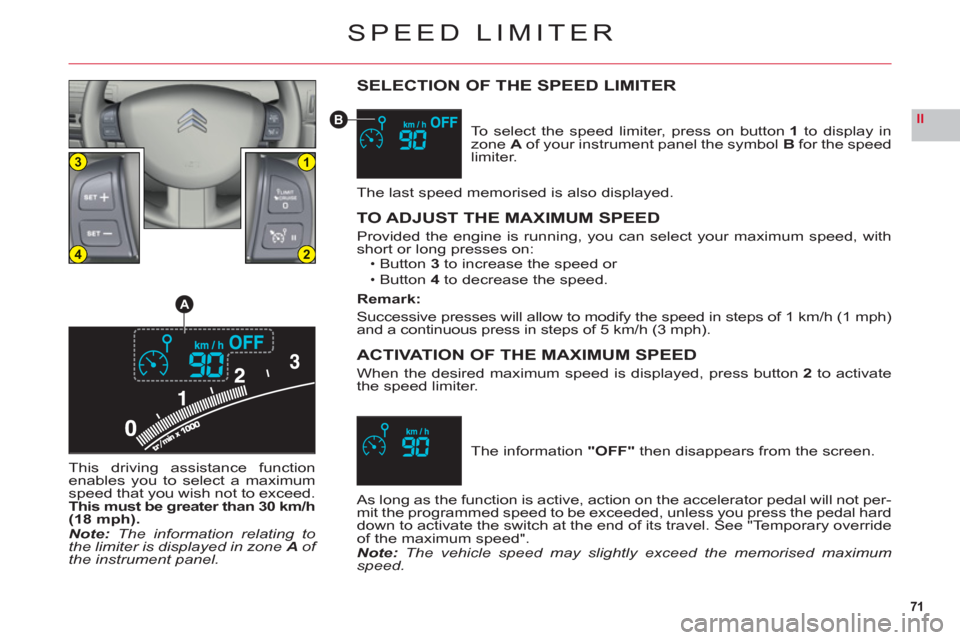
A
B
SPEED LIMITER
SELECTION OF THE SPEED LIMITER
To select the speed limiter, press on button 1 to display inzoneA of your instrument panel the symbol Bfor the speed
limiter.
The last speed memorised is also displayed.
TO ADJUST THE MAXIMUM SPEED
Provided the engine is running, you can select your maximum speed, with
short or long presses on:Button3to increase the speed orButton4to decrease the speed.
Remark:
Successive presses will allow to modify the speed in steps of 1 km/h (1 mph)and a continuous press in steps of 5 km/h (3 mph).
ACTIVATION OF THE MAXIMUM SPEED
When the desired maximum speed is displayed, press button2 to activatethe speed limiter.
••
The information "OFF" then disappears from the screen.
As long as the function is active, action on the accelerator pedal will not per-
mit the programmed speed to be exceeded, unless you press the pedal hard
down to activate the switch at the end of its travel. See "Temporary overrideof the maximum speed".Note: The vehicle speed may slightly exceed the memorised maximumspeed. This drivin
g assistance functionenables you to select a maximumspeed that you wish not to exceed.This must be greater than 30 km/h(18 mph).Note:The information relating tothe limiter is displayed in zone Aof the instrument panel.
Page 74 of 216
72
II
SPEED LIMITER
DEACTIVATION
To deactivate the maximum speed, press button2.
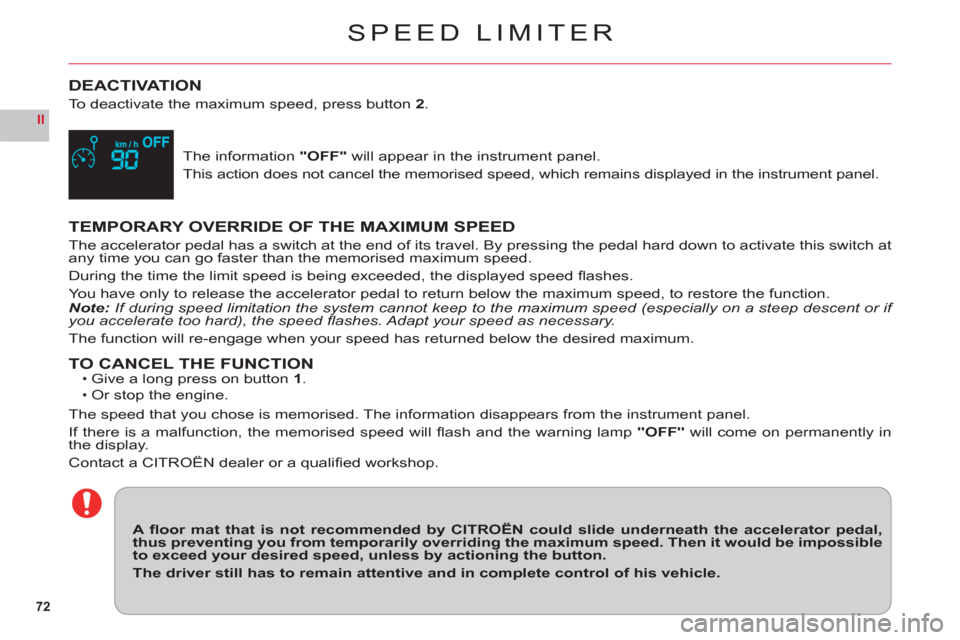
The information "OFF" will appear in the instrument panel.
This action does not cancel the memorised speed, which remains displayed in the instrument panel.
TEMPORARY OVERRIDE OF THE MAXIMUM SPEED
The accelerator pedal has a switch at the end of its travel. By pressing the pedal hard down to activate this switch at
any time you can go faster than the memorised maximum speed.
Durin
g the time the limit speed is being exceeded, the displayed speed fl ashes.
You have only to release the accelerator pedal to return below the maximum speed, to restore the function.Note:If during speed limitation the system cannot keep to the maximum speed (especially on a steep descent or if
you accelerate too hard), the speed fl ashes. Adapt your speed as necessary.
The function will re-engage when your speed has returned below the desired maximum.
TO CANCEL THE FUNCTIONGive a long press on button1.Or stop the engine.
The speed that you chose is memorised. The information disappears from the instrument panel.
I
f there is a malfunction, the memorised speed will fl ash and the warning lamp "OFF" will come on permanently in
the display.
Contact a CITROËN dealer or a qualifi ed workshop.
••
A fl oor mat that is not recommended by CITROËN could slide underneath the accelerator pedal,thus preventing you from temporarily overriding the maximum speed. Then it would be impossibleto exceed your desired speed, unless by actioning the button.
The driver still has to remain attentive and in complete control of his vehicle.
Page 78 of 216
76
II
B
D
E
C
A
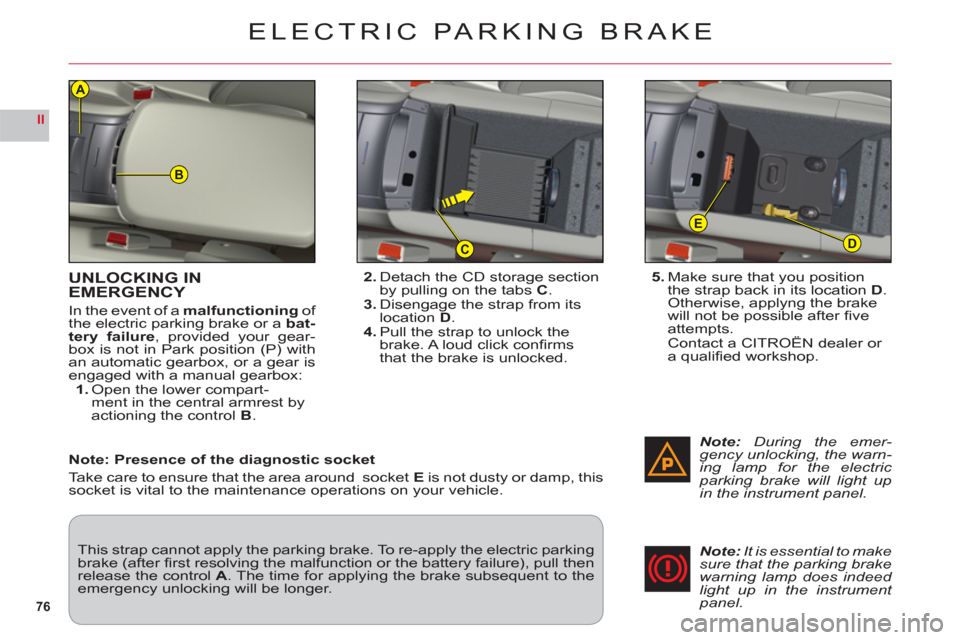
UNLOCKING IN EMERGENCY
In the event of a malfunctioningof
the electric parking brake or a bat-
tery failure, provided your gear-
box is not in Park position (P) with
an automatic gearbox, or a gear isengaged with a manual gearbox:1.Open the lower compart-
ment in the central armrest by
actionin
g the control B.
ELECTRIC PARKING BRAKE
5. Make sure that you position
the strap back in its locationD.Otherwise, applyng the brake
will not be possible after fi ve
attempts.Contact a CITROÀN dealer or
a qualifi ed workshop.
This strap cannot apply the parking brake. To re-apply the electric parking brake (after fi rst resolving the malfunction or the battery failure), pull then release the control A. The time for applying the brake subsequent to the emergency unlocking will be longer.
Note:During the emer-gency unlocking, the warn-ing lamp for the electric parking brake will light upin the instrument panel.
2.Detach the CD storage sectionby pulling on the tabsC.3. Disengage the strap from itslocationD.4.Pull the strap to unlock the brake. A loud click confi rmsthat the brake is unlocked.
Note:It is essential to makesure that the parking brakewarning lamp does indeed light up in the instrument panel.
Note: Presence of the diagnostic socket
Take care to ensure that the area around socketE is not dusty or damp, this socket is vital to the maintenance operations on your vehicle.
Page 103 of 216
101
IIIA
AIRBAGS
AIRBAG EQUIPMENT
Yo ur vehicle has:A driver's front airbag.
A driver's knees airbag.
A front passenger's airbag
which can be deactivated.
Front lateral airba
gs.
Front and rear curtain airbags.
Rear lateral airbags.
Deplo
yment of your airbags is
dependent on the degree of vio-lence of the collision.
•
•
•
••
•
REACTIVATING THE FRONTPASSENGER'S AIRBAG
Do not forget to reactivate thefunction.
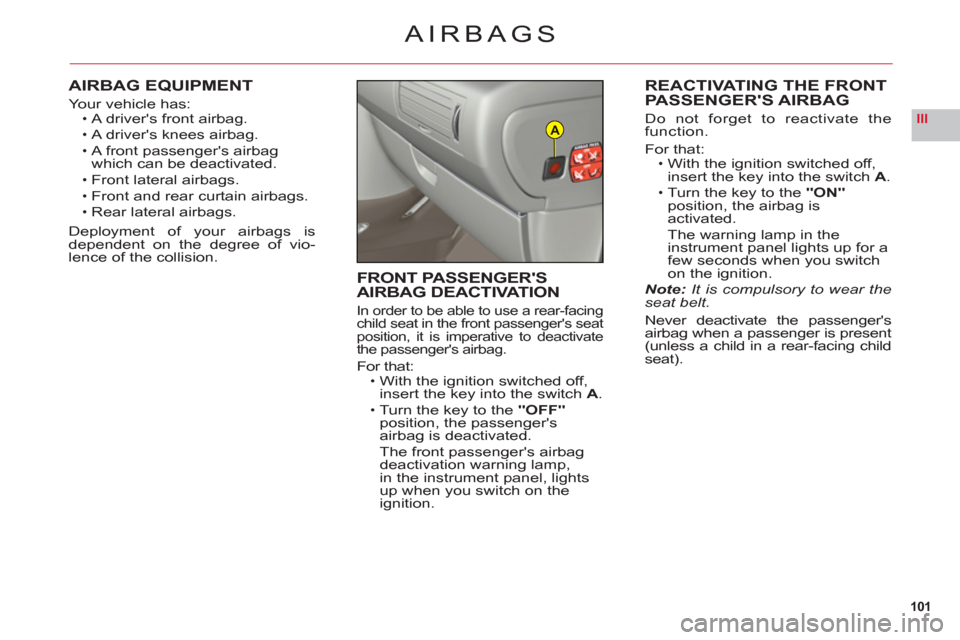
For that:With the ignition switched off, insert the key into the switch A.Turn the key to the"ON"position, the airbag isactivated.
The warning lamp in the
instrument panel lights up for a few seconds when you switch
on the ignition.Note: It is compulsory to wear theseat belt.
Never deactivate the passenger's
airbag when a passenger is present(unless a child in a rear-facing childseat).
•
•
FRONT PASSENGER'SAIRBAG DEACTIVATION
In order to be able to use a rear-facing child seat in the front passenger's seat
position, it is imperative to deactivate
the passenger's airbag.
For that:With the ignition switched off,
insert the key into the switchA.
Turn the key to the "OFF"
position, the passenger's airbag is deactivated.The front passenger's airbag
deactivation warning lamp,
in the instrument panel, lightsup when you switch on the
ignition.
•
•