audio Citroen C6 DAG 2008 1.G User Guide
[x] Cancel search | Manufacturer: CITROEN, Model Year: 2008, Model line: C6 DAG, Model: Citroen C6 DAG 2008 1.GPages: 216, PDF Size: 5.22 MB
Page 125 of 216
128
IV
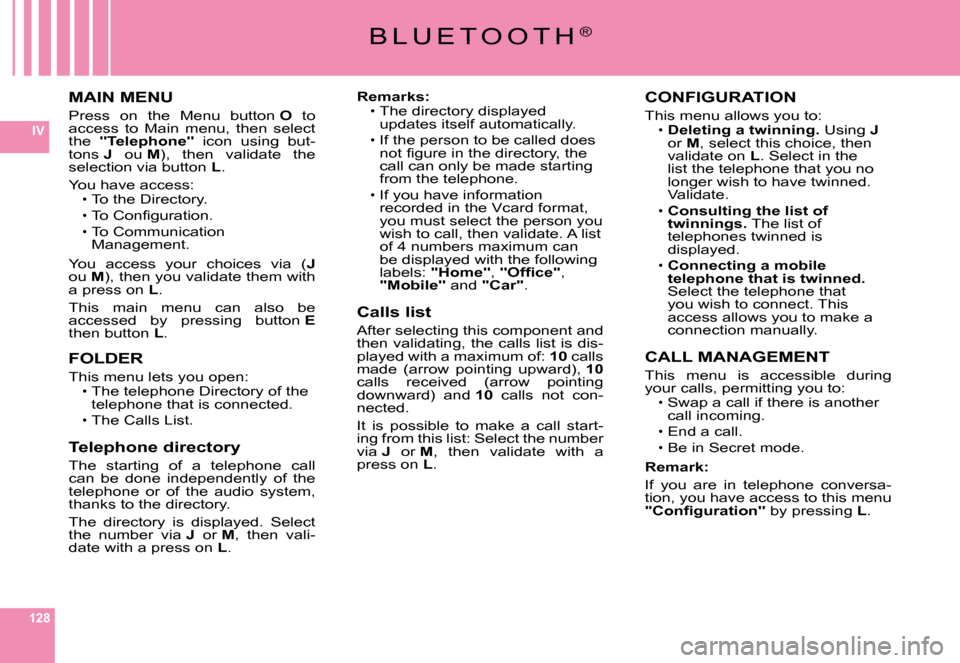
MAIN MENU
Press on the Menu button O to access to Main menu, then select the "Telephone" icon using but-tons J ou M), then validate the selection via button L.
You have access:To the Directory.
To Confi guration.To Communication Management.
You access your choices via (Jou M), then you validate them with a press on L.
This main menu can also be accessed by pressing button Ethen button L.
FOLDER
This menu lets you open:The telephone Directory of the telephone that is connected.
The Calls List.
Telephone directory
The starting of a telephone call can be done independently of the telephone or of the audio system, thanks to the directory.
The directory is displayed. Select the number via J or M, then vali-date with a press on L.
Page 126 of 216
129
IV
B L U E T O O T H®
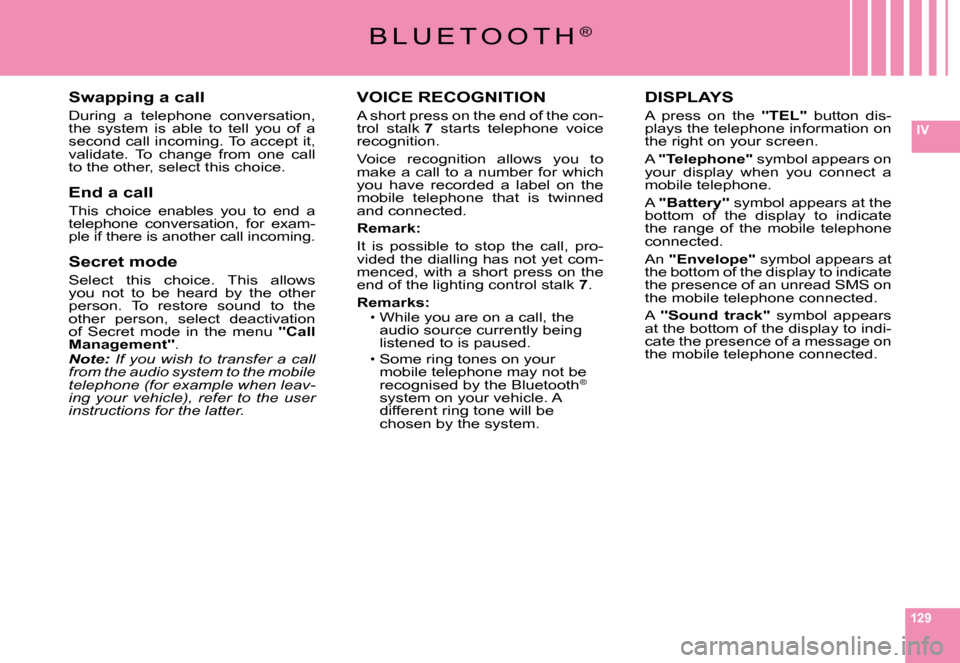
VOICE RECOGNITION
A short press on the end of the con-trol stalk 7 starts telephone voice recognition.
Voice recognition allows you to make a call to a number for which you have recorded a label on the mobile telephone that is twinned and connected.
Remark:
It is possible to stop the call, pro-vided the dialling has not yet com-menced, with a short press on the end of the lighting control stalk 7.
Remarks:While you are on a call, the audio source currently being listened to is paused.
Some ring tones on your mobile telephone may not be recognised by the Bluetooth®
system on your vehicle. A different ring tone will be chosen by the system.
Page 128 of 216
131
IV
F R E Q U E N T L Y - A S K E D Q U E S T I O N S
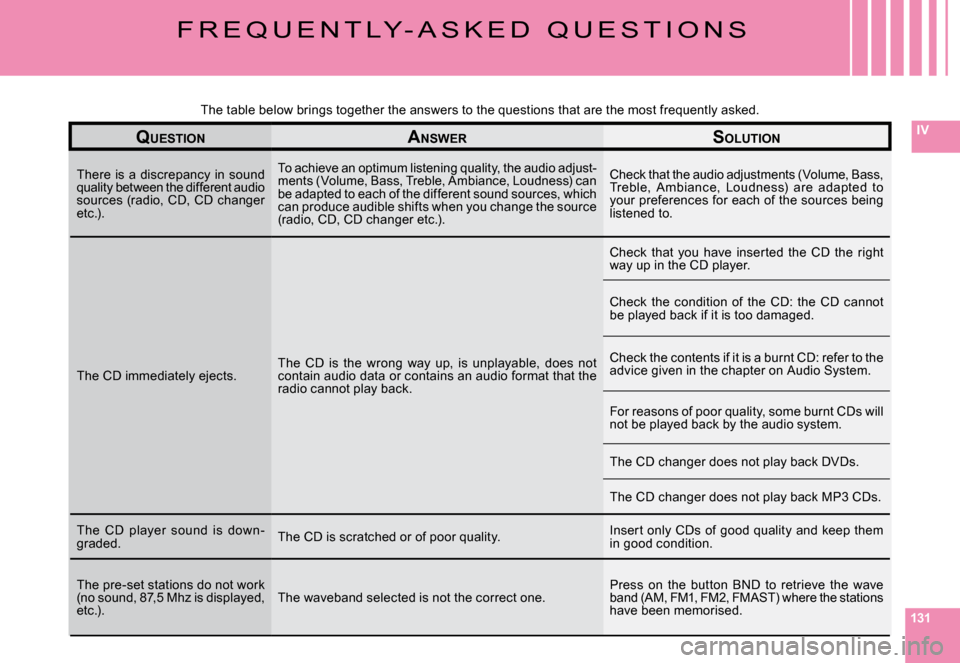
QUESTIONANSWERSOLUTION
There is a discrepancy in sound quality between the different audio sources (radio, CD, CD changer etc.).
To achieve an optimum listening quality, the audio a djust-ments (Volume, Bass, Treble, Ambiance, Loudness) ca n be adapted to each of the different sound sources, which can produce audible shifts when you change the sourc e (radio, CD, CD changer etc.).
Check that the audio adjustments (Volume, Bass, Treble, Ambiance, Loudness) are adapted to your preferences for each of the sources being listened to.
The CD immediately ejects.The CD is the wrong way up, is unplayable, does not contain audio data or contains an audio format that the radio cannot play back.
Check that you have inserted the CD the right way up in the CD player.
Check the condition of the CD: the CD cannot be played back if it is too damaged.
Check the contents if it is a burnt CD: refer to the advice given in the chapter on Audio System.
For reasons of poor quality, some burnt CDs will not be played back by the audio system.
The CD changer does not play back DVDs.
The CD changer does not play back MP3 CDs.
The CD player sound is down-graded.The CD is scratched or of poor quality.Insert only CDs of good quality and keep them in good condition.
The pre-set stations do not work (no sound, 87,5 Mhz is displayed, etc.).The waveband selected is not the correct one.Press on the button BND to retrieve the wave band (AM, FM1, FM2, FMAST) where the stations have been memorised.
The table below brings together the answers to the que stions that are the most frequently asked.
Page 129 of 216
132
IV
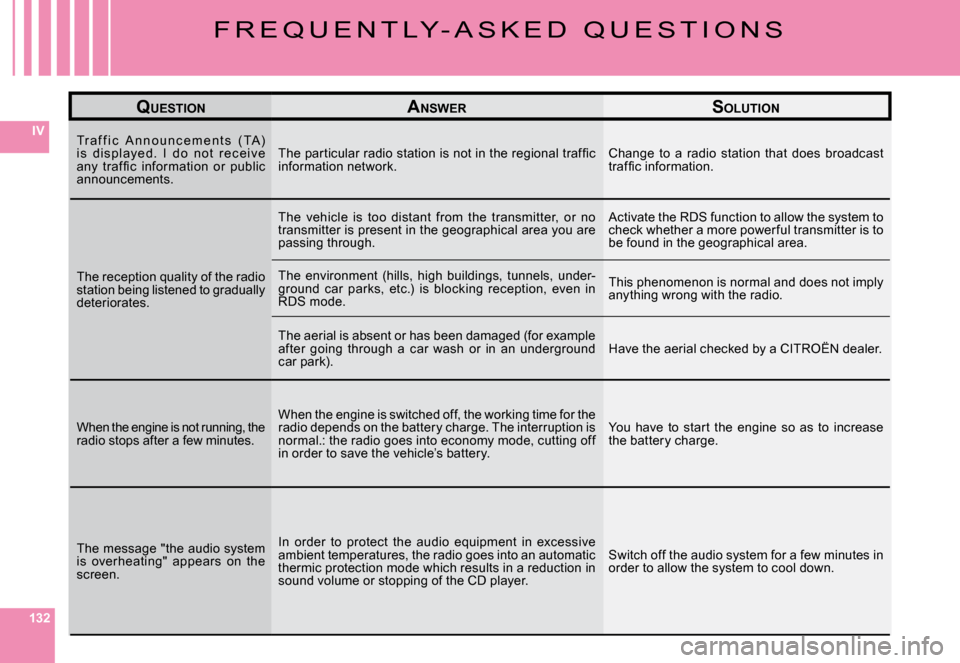
QUESTIONANSWERSOLUTION
Tr a f f i c A n n o u n c e m e n t s ( TA ) i s d i s p l aye d. I d o n o t r e c e i ve any traf fi c information or public announcements.
The particular radio station is not in the regional t raffi c information network.Change to a radio station that does broadcast traffi c information.
The reception quality of the radio station being listened to gradually deteriorates.
The vehicle is too distant from the transmitter, or no transmitter is present in the geographical area you a re passing through.
Activate the RDS function to allow the system to check whether a more power ful transmitter is to be found in the geographical area.
The environment (hills, high buildings, tunnels, under-ground car parks, etc.) is blocking reception, even in RDS mode.
This phenomenon is normal and does not imply anything wrong with the radio.
The aerial is absent or has been damaged (for example after going through a car wash or in an underground car park).Have the aerial checked by a CITROËN dealer.
When the engine is not running, the radio stops after a few minutes.
When the engine is switched off, the working time for the radio depends on the battery charge. The interruption is normal.: the radio goes into economy mode, cutting of f in order to save the vehicle’s battery.
You have to start the engine so as to increase the battery charge.
The message "the audio system is overheating" appears on the screen.
In order to protect the audio equipment in excessive ambient temperatures, the radio goes into an automatic thermic protection mode which results in a reduction in sound volume or stopping of the CD player.
Switch off the audio system for a few minutes in order to allow the system to cool down.
F R E Q U E N T L Y - A S K E D Q U E S T I O N S
Page 163 of 216
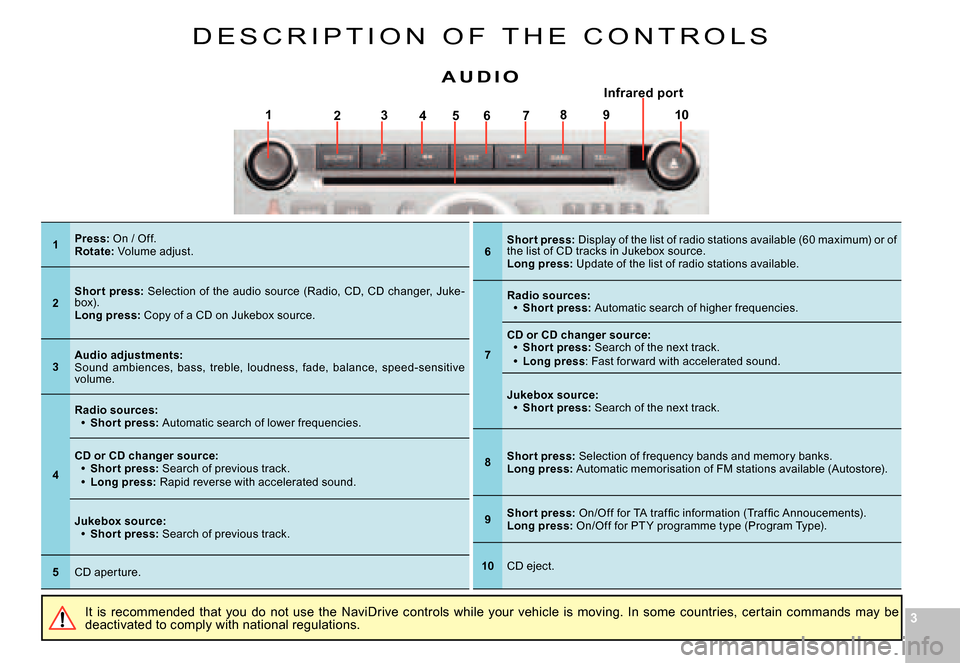
33
17564328910
D E S C R I P T I O N O F T H E C O N T R O L S
It is recommended that you do not use the NaviDrive controls while your vehicle is moving. In some countries, certain commands may be deactivated to comply with national regulations.
A U D I OInfrared por trared p
1Press: On / Off.Rotate: Volume adjust.
2Shor t press: Selection of the audio source (Radio, CD, CD changer, Juke-box).Long press: Copy of a CD on Jukebox source.
3Audio adjustments:Sound ambiences, bass, treble, loudness, fade, bala nce, speed-sensitive volume.
4
Radio sources:Shor t press: Automatic search of lower frequencies.
Page 168 of 216
88
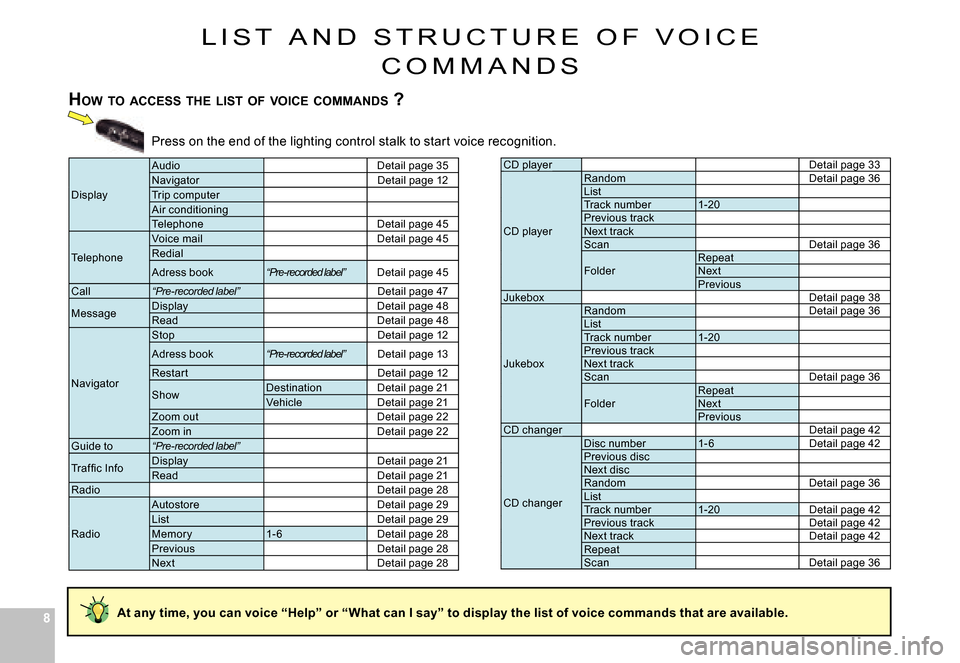
L I S T A N D S T R U C T U R E O F V O I C E
C O M M A N D S
HOW TO ACCESS THE LIST OF VOICE COMMANDS ?
Press on the end of the lighting control stalk to sta rt voice recognition.
CD playerDetail page 33
CD player
RandomDetail page 36ListTrack number1-20Previous trackNext trackScanDetail page 36
FolderRepeatNextPreviousJukeboxDetail page 38
Jukebox
RandomDetail page 36ListTrack number1-20Previous trackNext trackScanDetail page 36
FolderRepeatNextPreviousCD changerDetail page 42
CD changer
Disc number1- 6Detail page 42Previous discNext discRandomDetail page 36ListTrack number1-20Detail page 42Previous trackDetail page 42Next trackDetail page 42RepeatScanDetail page 36
Display
AudioDetail page 35NavigatorDetail page 12Trip computerAir conditioning TelephoneDetail page 45
Telephone
Voice mailDetail page 45Redial
Adress book“Pre-recorded label”Detail page 45
Call“Pre-recorded label”Detail page 47
MessageDisplayDetail page 48ReadDetail page 48
Navigator
StopDetail page 12
Adress book“Pre-recorded label”Detail page 13
Restar tDetail page 12
ShowDestinationDetail page 21VehicleDetail page 21Zoom outDetail page 22Zoom inDetail page 22Guide to“Pre-recorded label”
Traf fi c InfoDisplayDetail page 21ReadDetail page 21RadioDetail page 28
Radio
AutostoreDetail page 29ListDetail page 29Memor y1- 6Detail page 28PreviousDetail page 28NextDetail page 28
At any time, you can voice “Help” or “What can I say” t o display the list of voice commands that are available.
Page 169 of 216
99
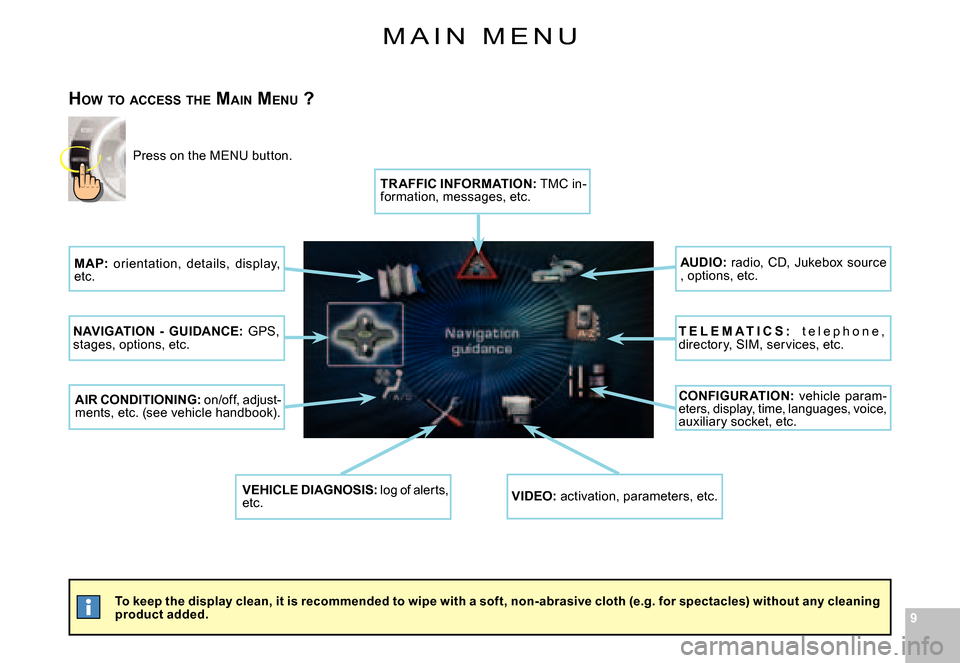
M A I N M E N U
To keep the display clean, it is recommended to wipe with a soft, non-abrasive cloth (e.g. for spectacles) without any cleaning product added.
HOW TO ACCESS THE MAIN MENU ?
Press on the MENU button.
MAP: orientation, details, display, etc.
NAVIGATION - GUIDANCE: GPS, stages, options, etc.
AIR CONDITIONING: on/off, adjust-ments, etc. (see vehicle handbook).
VEHICLE DIAGNOSIS: log of alerts, etc.VIDEO: activation, parameters, etc.
CONFIGUR ATION: vehicle param-eters, display, time, languages, voice, auxiliary socket, etc.
T E L E M A T I C S : t e l e p h o n e , directory, SIM, services, etc.
AUDIO: radio, CD, Jukebox source , options, etc.
TR AFFIC INFORMATION: TMC in-formation, messages, etc.
Page 186 of 216
262626
IV
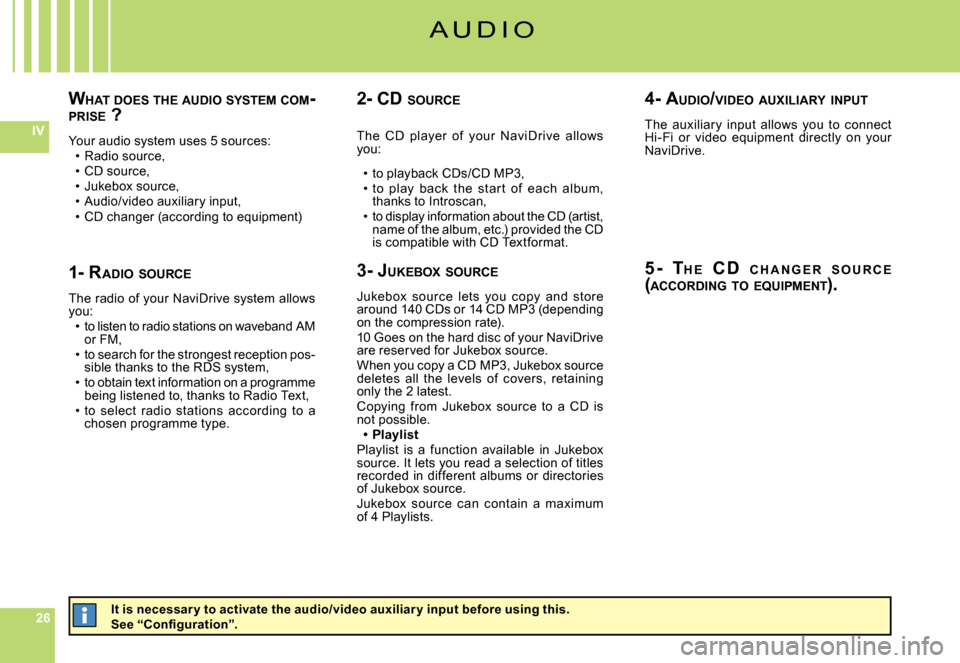
WHAT DOES THE AUDIO SYSTEM COM -PRISE ?
Your audio system uses 5 sources:Radio source,CD source,Jukebox source,Audio/video auxiliary input,CD changer (according to equipment)
Page 187 of 216
272727
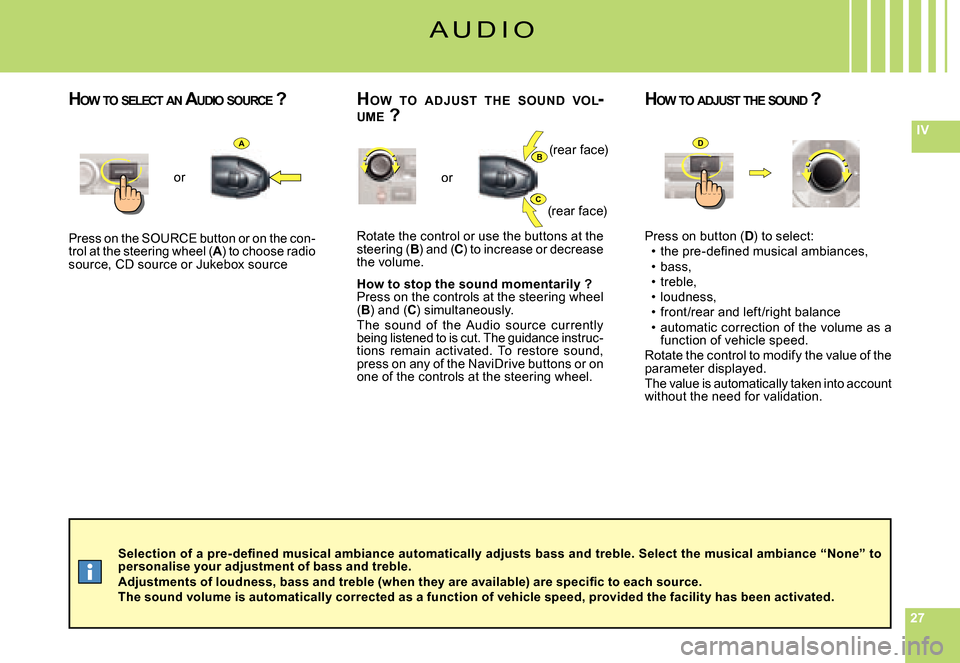
IVAB
C
D
Selection of a pre- defi ned musical ambiance automatically adjusts bass and treble. Select the musical ambiance “None” to personalise your adjustment of bass and treble.Adjustments of loudness, bass and treble (when they are available) are specifi c to each source.The sound volume is automatically corrected as a function of vehicle speed, provided the facility has been activated.
Press on the SOURCE button or on the con-trol at the steering wheel (A) to choose radio source, CD source or Jukebox source
or
Rotate the control or use the buttons at the steering (B) and (C) to increase or decrease the volume.
How to stop the sound momentarily ?Press on the controls at the steering wheel (B) and (C) simultaneously.The sound of the Audio source currently being listened to is cut. The guidance instruc-tions remain activated. To restore sound, press on any of the NaviDrive buttons or on one of the controls at the steering wheel.
or
Press on button (D) to select:the pre-defi ned musical ambiances,bass,treble,loudness,front /rear and left /right balanceautomatic correction of the volume as a function of vehicle speed.Rotate the control to modify the value of the parameter displayed.The value is automatically taken into account without the need for validation.
Page 191 of 216
313131
IV
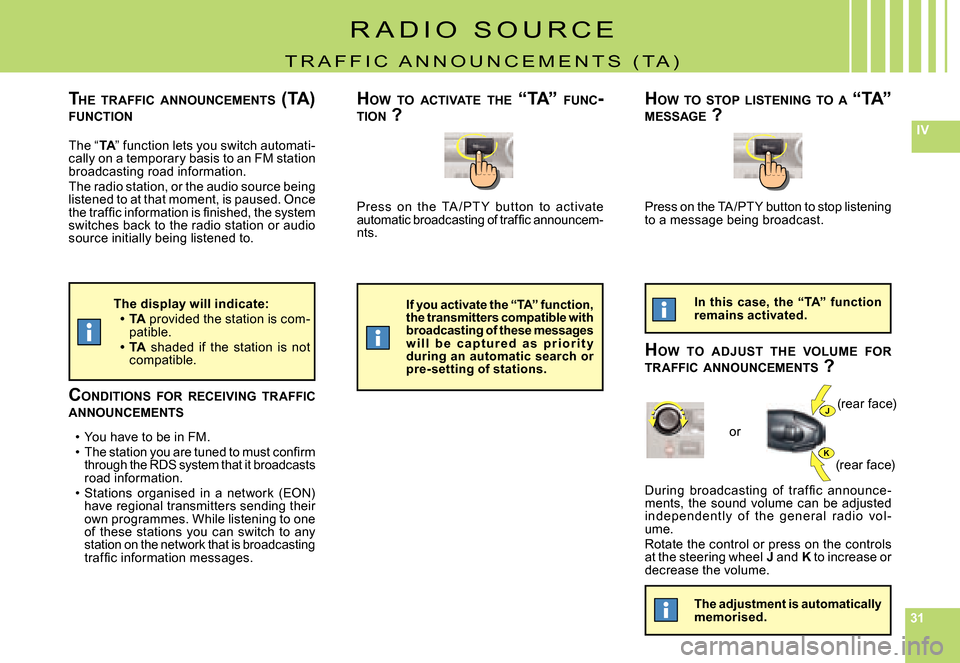
J
K
Press on the TA / PT Y but ton to activate automatic broadcasting of traffi c announcem-nts.
During broadcasting of traf fi c announce -ments, the sound volume can be adjusted independent ly of t he gener al r adio vol -ume.Rotate the control or press on the controls at the steering wheel J and K to increase or decrease the volume.
The “TA” function lets you switch automati-TATAcally on a temporary basis to an FM station broadcasting road information.The radio station, or the audio source being listened to at that moment, is paused. Once the traffi c information is fi nished, the system switches back to the radio station or audio source initially being listened to.
Press on the TA /PTY button to stop listening to a message being broadcast.
CONDITIONS FOR RECEIVING TRAFFIC ANNOUNCEMENTS
You have to be in FM.The station you are tuned to must confi rm through the RDS system that it broadcasts road information.Stations organised in a network (EON) have regional transmitters sending their own programmes. While listening to one of these stations you can switch to any station on the network that is broadcasting traffi c information messages.