Gear Citroen DS3 2010 1.G Owner's Manual
[x] Cancel search | Manufacturer: CITROEN, Model Year: 2010, Model line: DS3, Model: Citroen DS3 2010 1.GPages: 257, PDF Size: 7.45 MB
Page 1 of 257
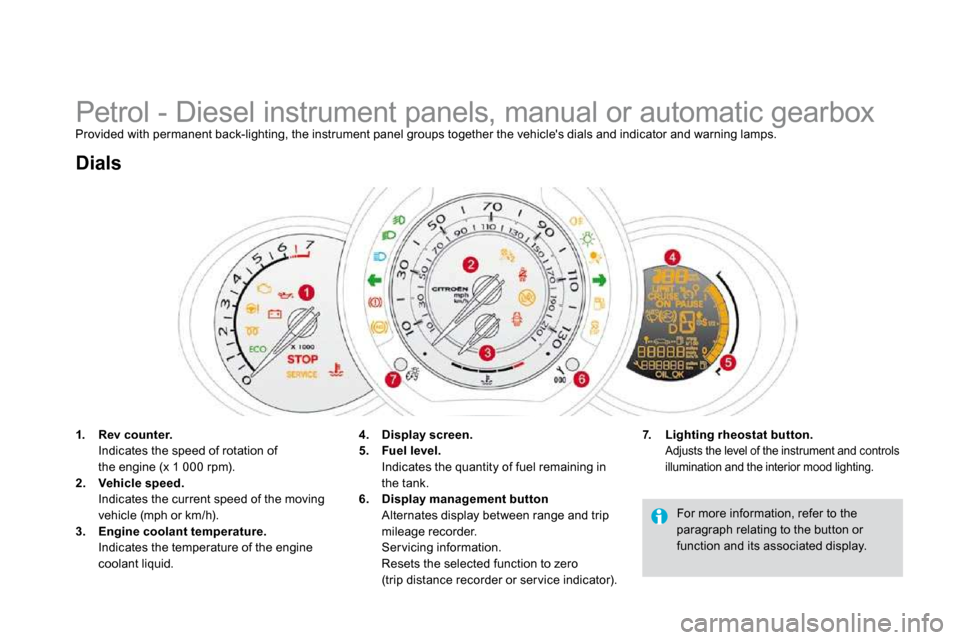
Petrol - Diesel instrument panels, manual or automatic gearbox Provided with permanent back-lighting, the instrument panel groups together the vehicle's dials and indic ator and warning lamps.
1. Rev counter. Indicates the speed of rotation ofthe engine (x 1 000 rpm).
2. Vehicle speed. Indicates the current speed of the moving vehicle (mph or km/h). 3. Engine coolant temperature. Indicates the temperature of the engine coolant liquid.
Dials
7. Lighting rheostat button. Adjusts the level of the instrument and controls illumination and the interior mood lighting.
4. Display screen.5. Fuel level. Indicates the quantity of fuel remaining in
the tank. 6. Display management button Alternates display between range and trip mileage recorder. Ser vicing information. Resets the selected function to zero(trip distance recorder or ser vice indicator).
For more information, refer to the paragraph relating to the button or function and its associated display.
Page 2 of 257
25Monitoring
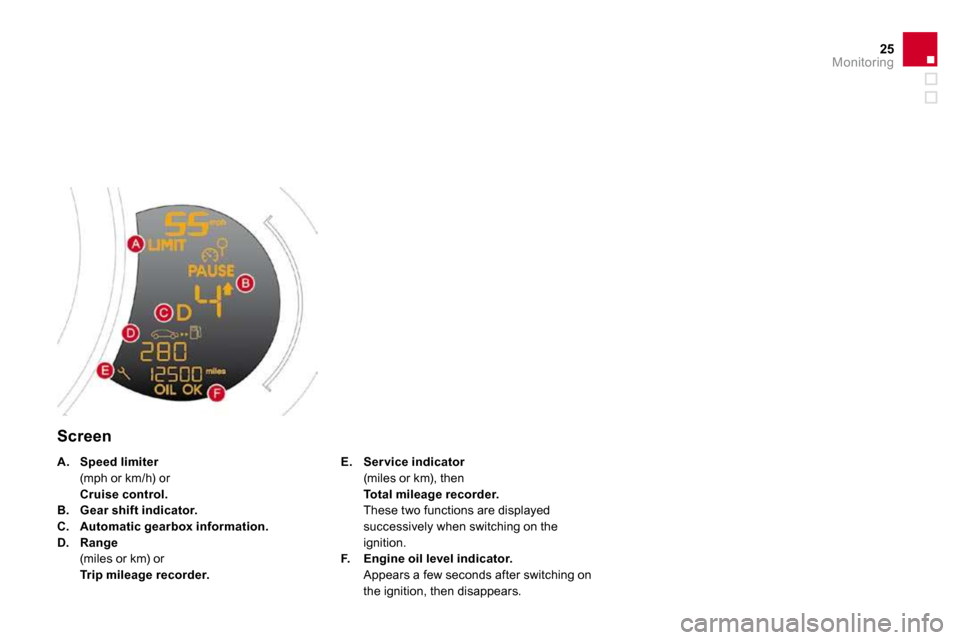
Screen
E. Ser vice indicator (miles or km), then Total mileage recorder. These two functions are displayed successively when switching on the ignition. F. Engine oil level indicator. Appears a few seconds after switching on
the ignition, then disappears.
A. Speed limiter (mph or km/h) or Cruise control.B. Gear shift indicator.C. Automatic gearbox information.D. Range (miles or km) or Trip mileage recorder.
Page 6 of 257
Monitoring
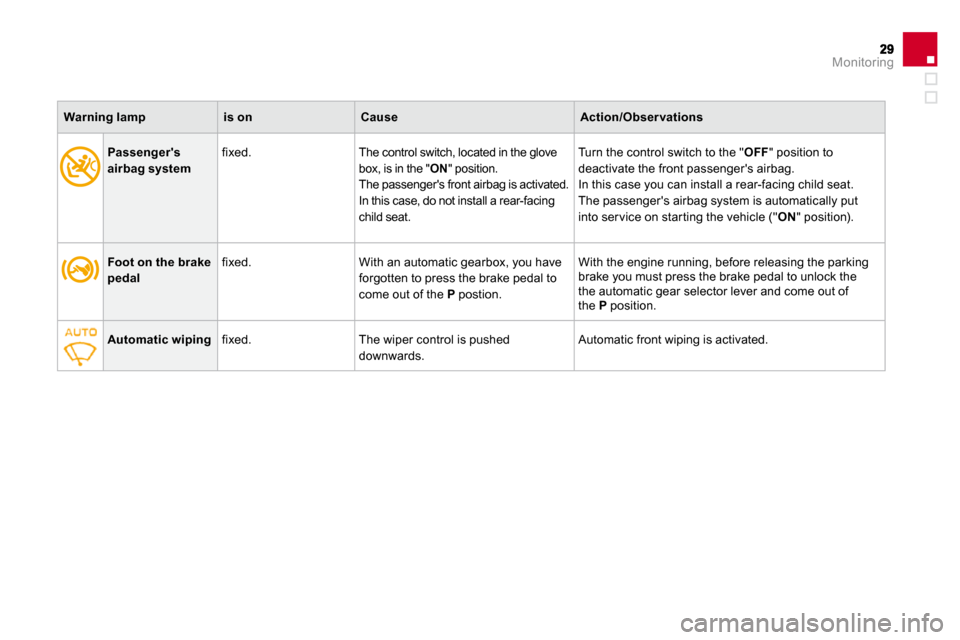
Foot on the brake pedal fixed. With an automatic gearbox, you have forgotten to press the brake pedal to come out of the P postion.
With the engine running, before releasing the parking brake you must press the brake pedal to unlock thethe automatic gear selector lever and come out ofthe P position.
Automatic wiping fixed. The wiper control is pushed downwards. Automatic front wiping is activated.
Passenger's airbag system fixed. The control switch, located in the glove box, is in the " ON " position. The passenger's front airbag is activated. In this case, do not install a rear-facing child seat.
Turn the control switch to the " OFF " position to deactivate the front passenger's airbag. In this case you can install a rear-facing child seat. The passenger's airbag system is automatically put into ser vice on star ting the vehicle (" ON " position).
Warning lampis onCauseAction/Obser vations
Page 24 of 257
49Multifunction screens
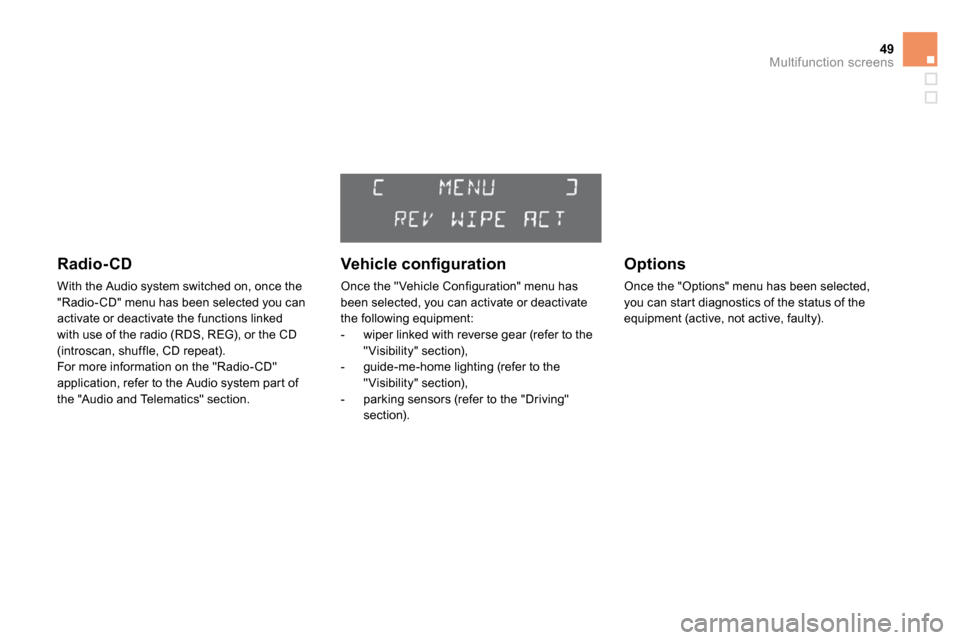
Radio-CD
With the Audio system switched on, once the "Radio- CD" menu has been selected you can activate or deactivate the functions linked with use of the radio (RDS, REG), or the CD (introscan, shuffle, CD repeat). For more information on the "Radio- CD" application, refer to the Audio system par t of the "Audio and Telematics" section.
Vehicle confi guration
Once the "Vehicle Configuration" menu has been selected, you can activate or deactivate the following equipment: - wiper linked with reverse gear (refer to the "Visibility" section), - guide-me-home lighting (refer to the "Visibility" section), - parking sensors (refer to the "Driving" section).
Options
Once the "Options" menu has been selected, you can star t diagnostics of the status of the equipment (active, not active, faulty).
Page 28 of 257
53Multifunction screens
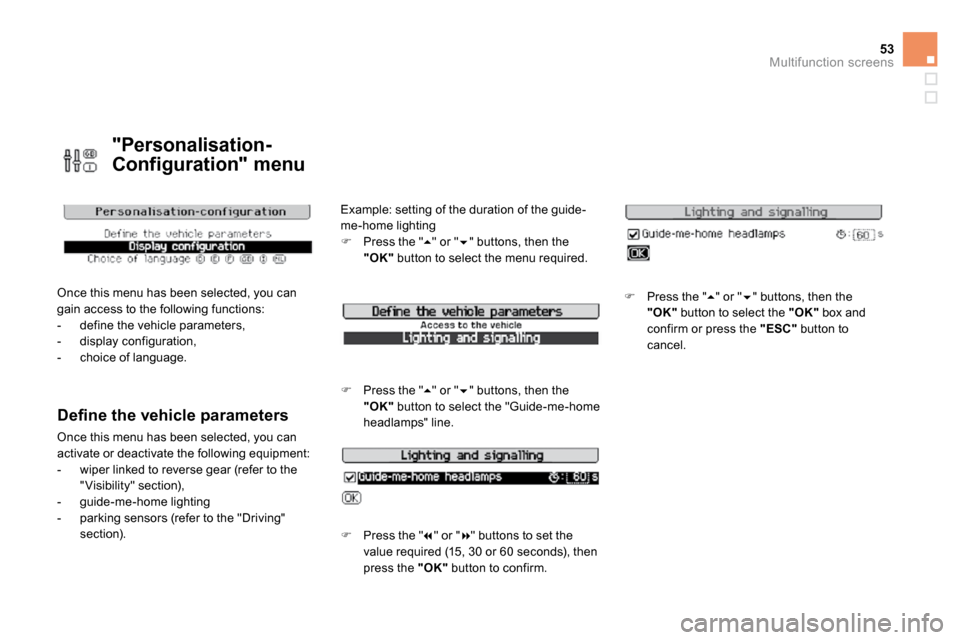
"Personalisation-
Configuration" menu
Once this menu has been selected, you can gain access to the following functions: - define the vehicle parameters, - display configuration, - choice of language.
Defi ne the vehicle parameters
Once this menu has been selected, you can activate or deactivate the following equipment: - wiper linked to reverse gear (refer to the "Visibility" section), - guide-me-home lighting - parking sensors (refer to the "Driving" section).
Example: setting of the duration of the guide-
me-home lighting Press the " " or " " buttons, then the "OK" button to select the menu required.
Press the " " or " " buttons, then the "OK" button to select the "Guide-me-home headlamps" line.
Press the " " or " " buttons to set the value required (15, 30 or 60 seconds), then press the "OK" button to confirm.
Press the " " or " " buttons, then the "OK" button to select the "OK" box and confirm or press the "ESC" button to cancel.
Page 31 of 257
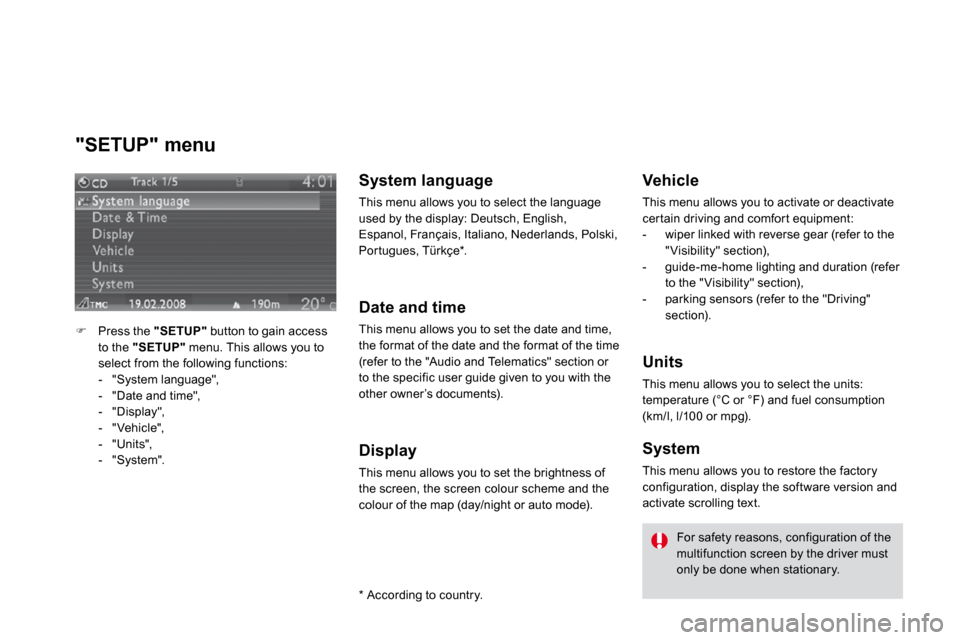
"SETUP" menu
Press the "SETUP" button to gain access to the "SETUP" menu. This allows you to select from the following functions: - "System language", - "Date and time", - "Display", - "Vehicle", - "Units", - "System".
System language
This menu allows you to select the language used by the display: Deutsch, English, Espanol, Français, Italiano, Nederlands, Polski, Por tugues, Türkçe * .
Date and time
This menu allows you to set the date and time, the format of the date and the format of the time (refer to the "Audio and Telematics" section or to the specific user guide given to you with the other owner’s documents).
Display
This menu allows you to set the brightness of the screen, the screen colour scheme and the colour of the map (day/night or auto mode).
* According to country.
Vehicle
This menu allows you to activate or deactivate cer tain driving and comfor t equipment: - wiper linked with reverse gear (refer to the "Visibility" section), - guide-me-home lighting and duration (refer to the "Visibility" section), - parking sensors (refer to the "Driving" section).
Units
This menu allows you to select the units: temperature (°C or °F) and fuel consumption (km/l, l/100 or mpg).
System
This menu allows you to restore the factory
configuration, display the software version and activate scrolling text.
For safety reasons, configuration of the multifunction screen by the driver must only be done when stationary.
Page 56 of 257
79Comfort
Rear view mirror
Adjustable mirror providing a central rear ward view. Equipped with an anti-dazzle system, useful in poor light.
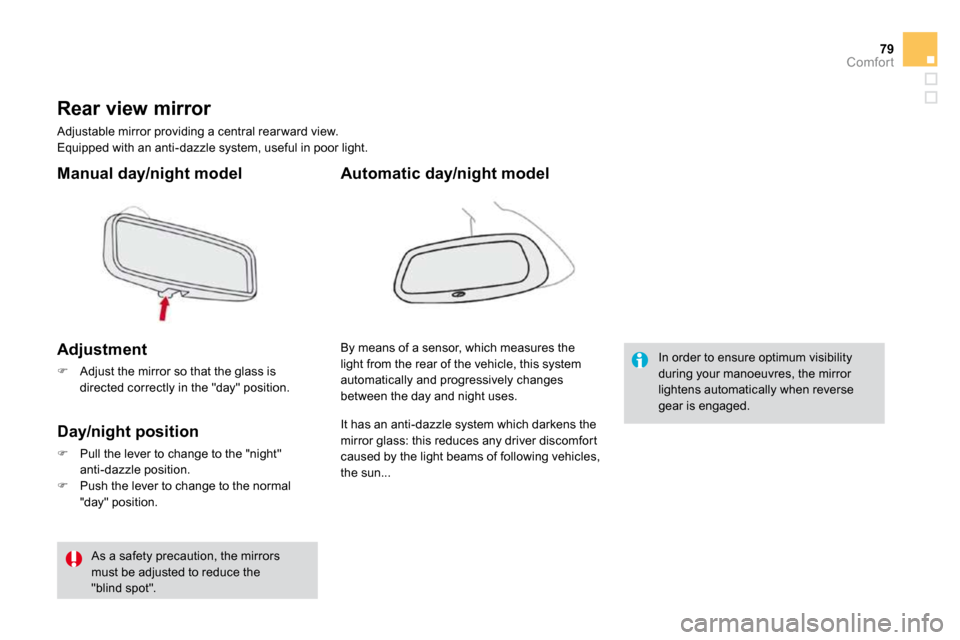
Manual day/night model
Adjustment
Adjust the mirror so that the glass is directed correctly in the "day" position.
Day/night position
Pull the lever to change to the "night" anti-dazzle position.
Push the lever to change to the normal "day" position.
By means of a sensor, which measures the light from the rear of the vehicle, this system automatically and progressively changes between the day and night uses.
Automatic day/night model
In order to ensure optimum visibility during your manoeuvres, the mirror lightens automatically when reverse gear is engaged.
As a safety precaution, the mirrors must be adjusted to reduce the "blind spot".
It has an anti-dazzle system which darkens the
mirror glass: this reduces any driver discomfor t caused by the light beams of following vehicles, the sun...
Page 84 of 257
System for selection and control of the various front and rear wiping modes for the elimination of rain and cleaning. The vehicle's front and rear wipers are designed to improve the driver's visibility progressively according to the climatic conditions.
Wiper controls
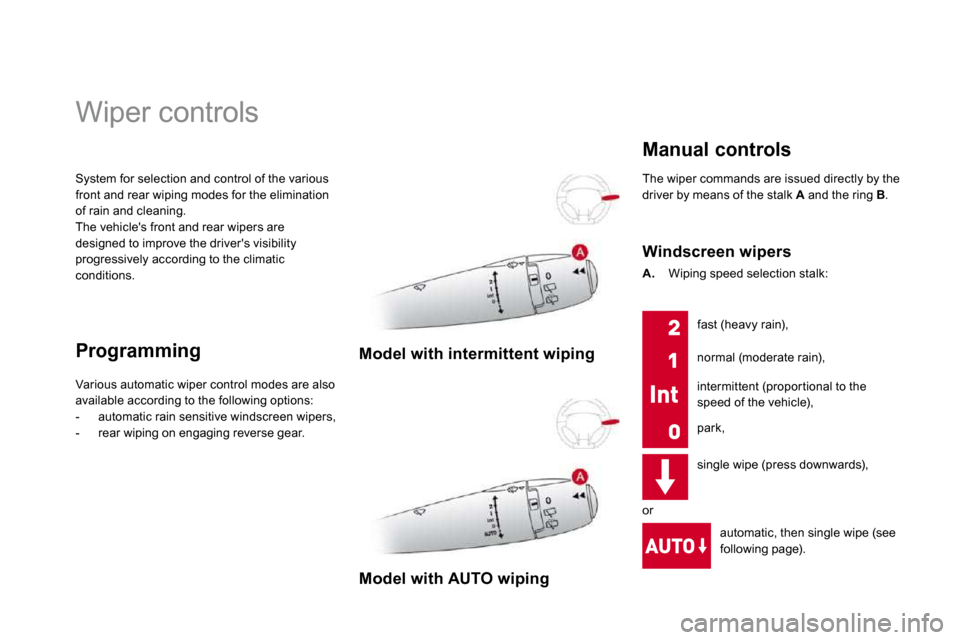
Programming Model with intermittent wiping
Various automatic wiper control modes are also available according to the following options: - automatic rain sensitive windscreen wipers, - rear wiping on engaging reverse gear.
Model with AUTO wiping
The wiper commands are issued directly by the driver by means of the stalk A and the ring B .
Manual controls
Windscreen wipers
A. Wiping speed selection stalk:
single wipe (press downwards),
automatic, then single wipe (see
following page).
fast (heavy rain),
normal (moderate rain),
intermittent (propor tional to the speed of the vehicle),
park,
or
Page 85 of 257
109Visibility
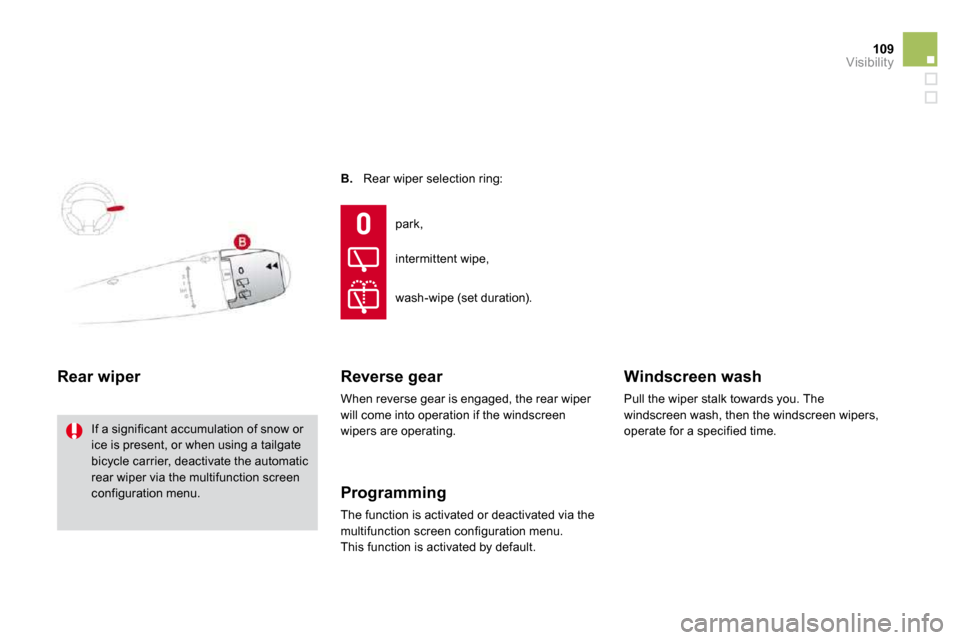
B. Rear wiper selection ring:
Rear wiper
If a significant accumulation of snow or ice is present, or when using a tailgate bicycle carrier, deactivate the automatic
rear wiper via the multifunction screen configuration menu.
park,
intermittent wipe,
wash-wipe (set duration).
Reverse gear
When reverse gear is engaged, the rear wiper will come into operation if the windscreen wipers are operating.
Programming
The function is activated or deactivated via the multifunction screen configuration menu. This function is activated by default.
Windscreen wash
Pull the wiper stalk towards you. The windscreen wash, then the windscreen wipers, operate for a specified time.
Page 127 of 257
Parking brake
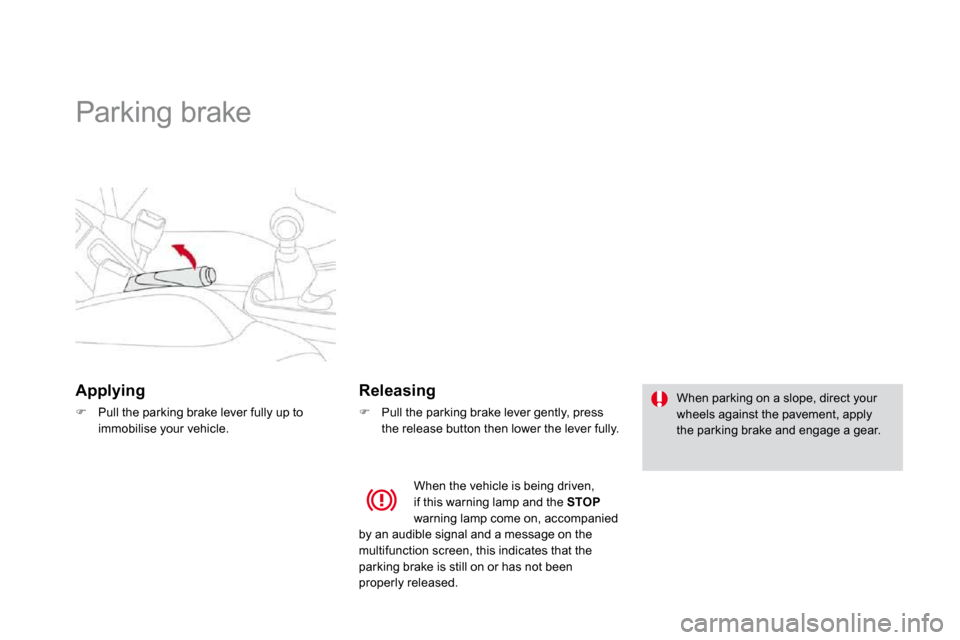
Applying
Pull the parking brake lever fully up to immobilise your vehicle.
Releasing
Pull the parking brake lever gently, press the release button then lower the lever fully.
When parking on a slope, direct your wheels against the pavement, apply the parking brake and engage a gear.
When the vehicle is being driven, if this warning lamp and the STOPwarning lamp come on, accompanied
by an audible signal and a message on the multifunction screen, this indicates that the parking brake is still on or has not been properly released.