check Citroen DS3 2012.5 1.G Workshop Manual
[x] Cancel search | Manufacturer: CITROEN, Model Year: 2012.5, Model line: DS3, Model: Citroen DS3 2012.5 1.GPages: 332, PDF Size: 9.62 MB
Page 285 of 332
283
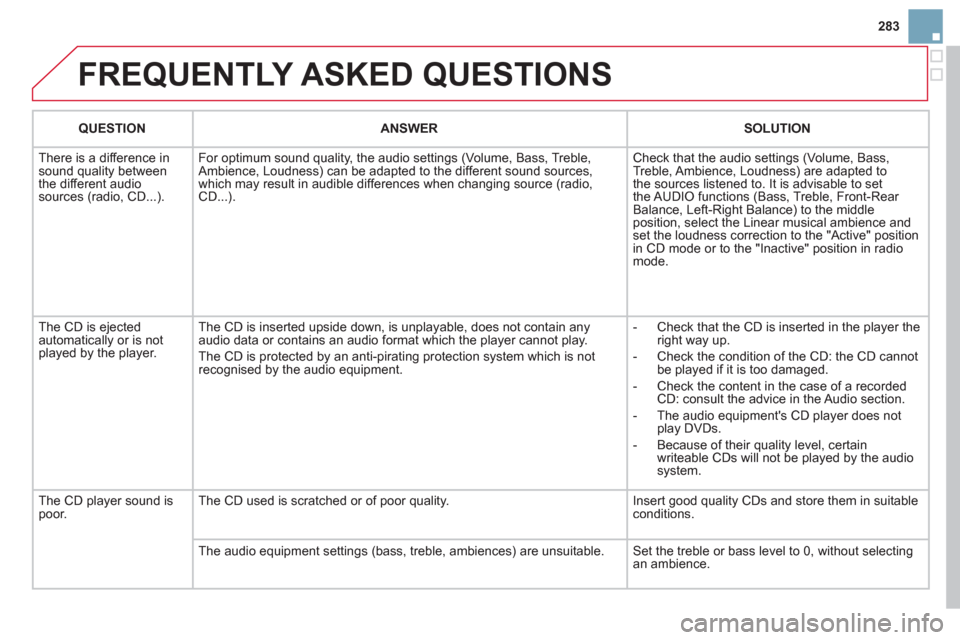
FREQUENTLY ASKED QUESTIONS
QUESTIONANSWER SOLUTION
There is a difference in sound quality between
the different audiosources (radio, CD...). For optimum sound qualit
y, the audio settings (Volume, Bass, Treble,
Ambience, Loudness) can be adapted to the different sound sources,
which may result in audible differences when changing source (radio,CD...). Check that the audio settin
gs (Volume, Bass,
Treble, Ambience, Loudness) are adapted to
the sources listened to. It is advisable to set
the AUDIO functions (Bass, Treble, Front-Rear
Balance, Left-Right Balance) to the middle position, select the Linear musical ambience andset the loudness correction to the "Active" position
in CD mode or to the "Inactive" position in radio mode.
The
CD is ejected
automatically or is not played by the player. The
CD is inserted upside down, is unplayable, does not contain any audio data or contains an audio format which the player cannot play.
The CD is protected b
y an anti-pirating protection system which is not recognised by the audio equipment.
-
Check that the CD is inserted in the player the
right way up.
-
Check the condition of the CD: the CD cannot
be played if it is too damaged.
-
Check the content in the case of a recordedCD: consult the advice in the Audio section.
- The audio equipment's
CD player does not
play DVDs.
- Because o
f their quality level, certain
writeable CDs will not be played by the audio
system.
The CD pla
yer sound ispoor.The CD used is scratched or of poor quality. Insert good quality CDs and store them in suitable conditions.
The audio equipment settings
(bass, treble, ambiences) are unsuitable. Set the treble or bass level to 0, without selectingan ambience.
Page 286 of 332
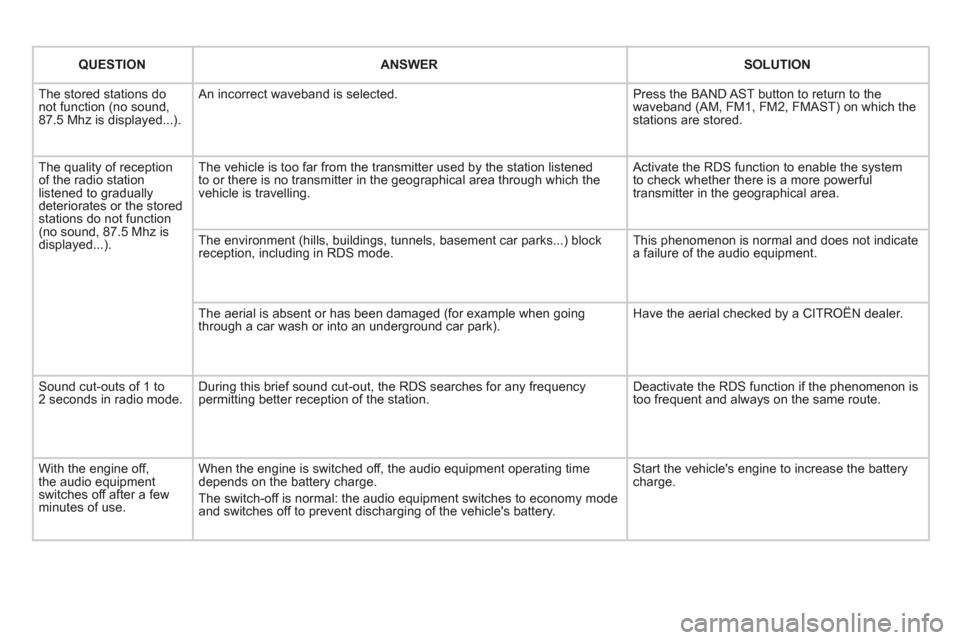
QUESTIONANSWERSOLUTION
The stored stations donot function (no sound, 87.5 Mhz is displayed...).
An incorrect waveband is selected.
Press the BAND AST button to return to the waveband (AM, FM1, FM2, FMAST) on which thestations are stored.
The quality of receptionof the radio station listened to graduallydeteriorates or the stored stations do not function(no sound, 87.5 Mhz is displayed...).
The vehicle is too far from the transmitter used by the station listenedto or there is no transmitter in the geographical area through which the vehicle is travelling.
Activate the RDS function to enable the system to check whether there is a more powerful transmitter in the geographical area.
The environment (hills, buildings, tunnels, basement car parks...) block reception, including in RDS mode.
This phenomenon is normal and does not indicate a failure of the audio equipment.
The aerial is absent or has been damaged (for example when goingthrough a car wash or into an underground car park).
Have the aerial checked by a CITROËN dealer.
Sound cut-outs of 1 to2 seconds in radio mode.During this brief sound cut-out, the RDS searches for any frequency permitting better reception of the station.
Deactivate the RDS function if the phenomenon is too frequent and always on the same route.
With the engine off, the audio equipment switches off after a few minutes of use.
When the engine is switched off, the audio equipment operating timedepends on the battery charge.
The switch-off is normal: the audio equipment switches to economy mode and switches off to prevent discharging of the vehicle's battery.
Start the vehicle's engine to increase the batterycharge.
Page 287 of 332

285
QUESTIONANSWER SOLUTION
TA is selected. However, certain traffi c jams
along the route are not
indicated in real time.
On starting, it is several minutes before the system begins to receive the
traffi c information. Wait until the traffi c information is being received correctly (displaying of the traffi c information symbols on the map).
In certain countries, onl
y major routes (motorways...) are listed for the
traffi c information. This phenomenon is normal. The system is
dependent on the traffi c information available.
I receive a speed camera
alert for a camera which
is not on my route.The s
ystem announces all speed cameras located in a conical zoneforward of the vehicle. It may detect speed cameras on nearby or parallel roads. Zoom the map to view the exact position o
f thespeed camera.
The audible speedcamera alert is not
working.
Audible alerts are not active. Activate audible alerts in Navigation Menu, Settings, Set parameters for risk areas.
Th
e alert volume level is set to minimum. Increase the speed camera alert volume.
The altitude is not displayed. On starting, the initialisation of the GPS may take up to 3 minutes
to receive more than 3 satellites correctly. Wait until the system has started up completely. Check that there is a GPS coverage of at least
3 satellites (long press on the SETUP button, then select GPS coverage).
Dependin
g on the geographical environment (tunnel...) or the weather,
the conditions of reception of the GPS signal may vary. This phenomenon is normal. The system is
dependent on the conditions of reception of the
GPS si
gnal.
Th
e route is notcalculated successfully.The exclusion criteria may confl ict with the current location (exclusion of
toll roads on a motorway with tolls). Check the exclusion criteria.
Page 288 of 332

QUESTIONANSWER SOLUTION
There is a long waiting
time after inserting a CD. When a new medium is inserted, the system reads a certain amount of
data (directory, title, artist, etc.). This may take a few seconds. This phenomenon is normal.
I cannot connect myBluetooth telephone.The telephone's Bluetooth function may be deactivated or the equipment
may not be visible.
- Check that your telephone's Bluetoothfunction is activated.
-
Check that your telephone is visible.
A telephone connected by Bluetooth is inaudible.The volume level depends on both the system and the telephone. Increase the MyWay volume setting, possibly to maximum, and increase the telephone volume level if necessary.
Page 309 of 332

307
FREQUENTLY ASKED QUESTIONS
QUESTIONANSWERSOLUTION
There is a difference in sound quality betweenthe different audiosources (radio, CD...).
For optimum sound quality, the audio settings (Volume, Bass, Treble, Ambience, Loudness) can be adapted to the different sound sources,which may result in audible differences when changing source(radio, CD...).
Check that the audio settings (Volume, Bass, Treble, Ambience, Loudness) are adapted to the sources listened to. It is advisable to set the AUDIOfunctions (Bass, Treble, Front-Rear Balance,Left-Right Balance) to the middle position, select the musical ambience "None" and set the loudness correction to the "Active" position in CD mode or tothe "Inactive" position in radio mode.
The CD is ejected automatically or is not played by the player.
The CD is inserted upside down, is unplayable, does not contain any audio data or contains an audio format which the player cannot play.
The CD is protected by an anti-pirating protection system which is not recognised by the audio equipment.
- Check that the CD is inserted in the playerthe right way up.
- Check the condition of the CD: the CD cannot be played if it is too damaged.
- Check the content in the case of a recordedCD: consult the advice in the "Audio" section.
- The audio equipment's CD player does notplay DVDs.
- Due to their quality level, certain writeableCDs will not be played by the audio system.
The message "USB peripheral error" isdisplayed on the screen.
The Bluetooth connectionis cut.
The battery of the peripheral may not be suffi ciently charged.
Recharge the battery of the peripheral device.
The USB memory stick is not recognised.
The memory stick may be corrupt.
Reformat the memory stick.
The CD player sound ispoor.The CD used is scratched or of poor quality.
Insert good quality CDs and store them in suitable conditions.
The audio equipment settings (bass, treble, ambiences) are unsuitable. Set the treble or bass level to 0, without selectingan ambience.
Page 310 of 332
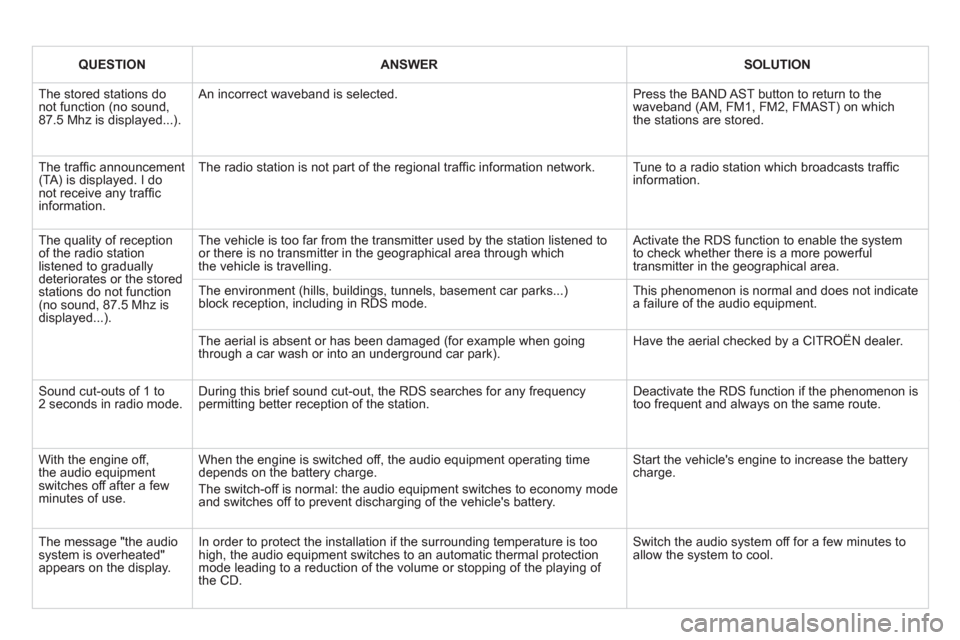
QUESTIONANSWERSOLUTION
The stored stations donot function (no sound, 87.5 Mhz is displayed...).
An incorrect waveband is selected.
Press the BAND AST button to return to the waveband (AM, FM1, FM2, FMAST) on whichthe stations are stored.
The traffi c announcement(TA) is displayed. I donot receive any traffi c information.
The radio station is not part of the regional traffi c information network.
Tune to a radio station which broadcasts traffi c information.
The quality of receptionof the radio station listened to graduallydeteriorates or the stored stations do not function(no sound, 87.5 Mhz is displayed...).
The vehicle is too far from the transmitter used by the station listened to or there is no transmitter in the geographical area through whichthe vehicle is travelling.
Activate the RDS function to enable the system to check whether there is a more powerful transmitter in the geographical area.
The environment (hills, buildings, tunnels, basement car parks...)block reception, including in RDS mode. This phenomenon is normal and does not indicate a failure of the audio equipment.
The aerial is absent or has been damaged (for example when goingthrough a car wash or into an underground car park).
Have the aerial checked by a CITROËN dealer.
Sound cut-outs of 1 to2 seconds in radio mode.During this brief sound cut-out, the RDS searches for any frequency permitting better reception of the station.
Deactivate the RDS function if the phenomenon is too frequent and always on the same route.
With the engine off, the audio equipment switches off after a few minutes of use.
When the engine is switched off, the audio equipment operating timedepends on the battery charge.
The switch-off is normal: the audio equipment switches to economy mode and switches off to prevent discharging of the vehicle's battery.
Start the vehicle's engine to increase the batterycharge.
The message "the audio system is overheated" appears on the display.
In order to protect the installation if the surrounding temperature is toohigh, the audio equipment switches to an automatic thermal protectionmode leading to a reduction of the volume or stopping of the playing of the CD.
Switch the audio system off for a few minutes toallow the system to cool.
Page 317 of 332
315
Visual search
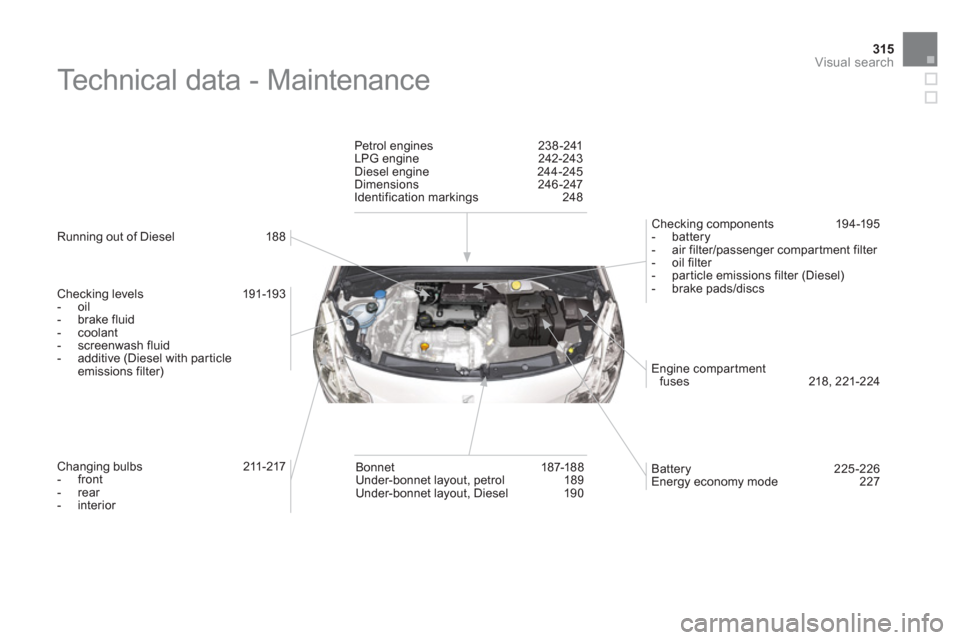
Technical data - Maintenance
Running out of Diesel 188
Checking levels 191-193
- oil
- brake fluid
- coolant
- screenwash fluid
- additive (Diesel with particleemissions filter)
Changing bulbs 211-217
- front
- rear
- interior
Petrol en
gines 238-241
LPG engine 242-243
Diesel engine 244-245
Dimensions 246-247
Identification markings 248
Batter
y 225-226
Energy economy mode 227
Bonnet 187-188
Under-bonnet layout, petrol 189
Under-bonnet layout, Diesel 19 0
Engine compar tmentfuses 218, 221-224
Checking components 19 4 -195
- battery- air filter/passenger compartment filter
- oil filter
- particle emissions filter (Diesel)
- brake pads/discs
Page 318 of 332
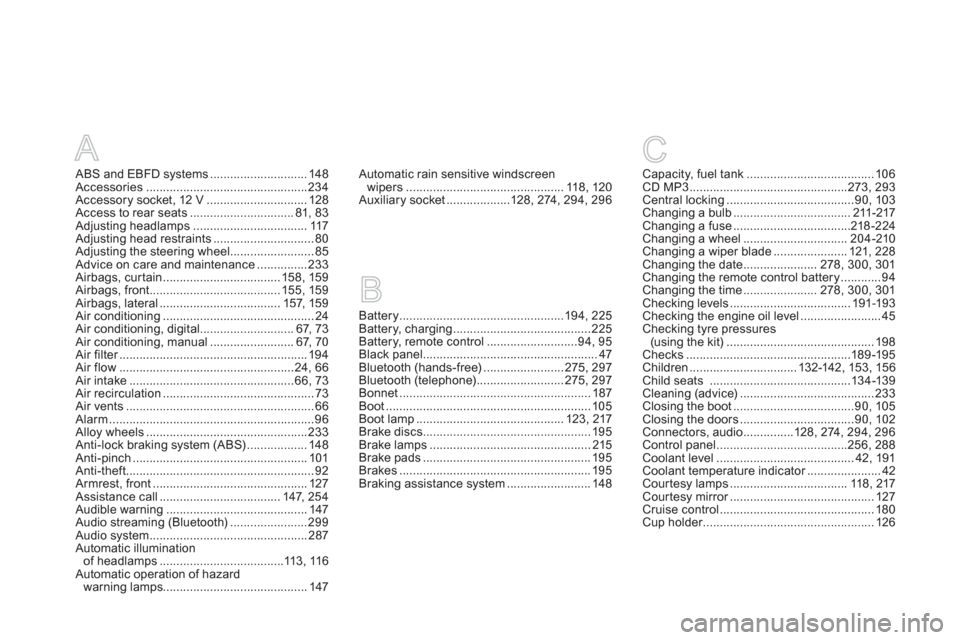
A
ABS and EBFD systems.............................148Accessories................................................234Accessory socket, 12 V ..............................128Access to rear seats...............................81, 83Adjusting headlamps ..................................117Adjusting head restraints ..............................80Adjusting the steering wheel.........................85Advice on care and maintenance...............233Airbags, curtain...................................158, 159Airbags, front.......................................155, 159Airbags, lateral....................................157, 159Air conditioning.............................................24Air conditioning, digital ............................67,73Air conditioning, manual .........................67, 70Air filter........................................................r194Air flow....................................................24, 66Air intake.................................................66,73Air recirculation.............................................73Air vents........................................................66Alarm.............................................................96Alloy wheels ................................................233Anti-lock braking system (ABS)..................148Anti-pinch ....................................................101Anti-theft........................................................92Armrest, front.............................................. 127Assistance call....................................147, 254Audible warning..........................................147Audio streaming (Bluetooth).......................299Audio system...............................................287Automatic illumination
of headlamps .....................................113,116Automatic operation of hazard
warning lamps...........................................147
Battery.................................................194,225Battery, charging.........................................225Battery, remote control...........................94,95Black panel....................................................47Bluetooth (hands-free)........................275,297Bluetooth (telephone)..........................275,297Bonnet.........................................................187Boot.............................................................105Boot lamp............................................123, 217Brake discs ..................................................195Brake lamps................................................215Brake pads ..................................................195Brakes .........................................................195Braking assistance system .........................148
Capacity, fuel tank......................................106CD MP3...............................................273,293Central locking......................................90, 103Changing a bulb...................................211-217Changing a fuse...................................218-224Changing a wheel...............................204-210Changing a wiper blade...................... 121, 228Changing the date......................278, 300,301Changing the remote control battery............94Changing the time......................278, 300,301Checking levels....................................191-193Checking the engine oil level........................45Checking tyre pressures(using the kit)............................................198Checks .................................................189-195Children................................ 132-142, 153, 156Child seats ..........................................134-139Cleaning (advice)........................................233Closing the boot....................................90,105Closing the doors..................................90,102Connectors, audio ...............128, 274, 294, 296Control panel .......................................256, 288Coolant level.........................................42,191Coolant temperature indicator......................r42Cour tesy lamps ................................... 118, 217Courtesy mirror...........................................r127Cruise control..............................................180Cup holder...................................................r126
BC
Automatic rain sensitive windscreen
wipers...............................................118, 120Auxiliary socket...................128,274, 294,296
Page 320 of 332
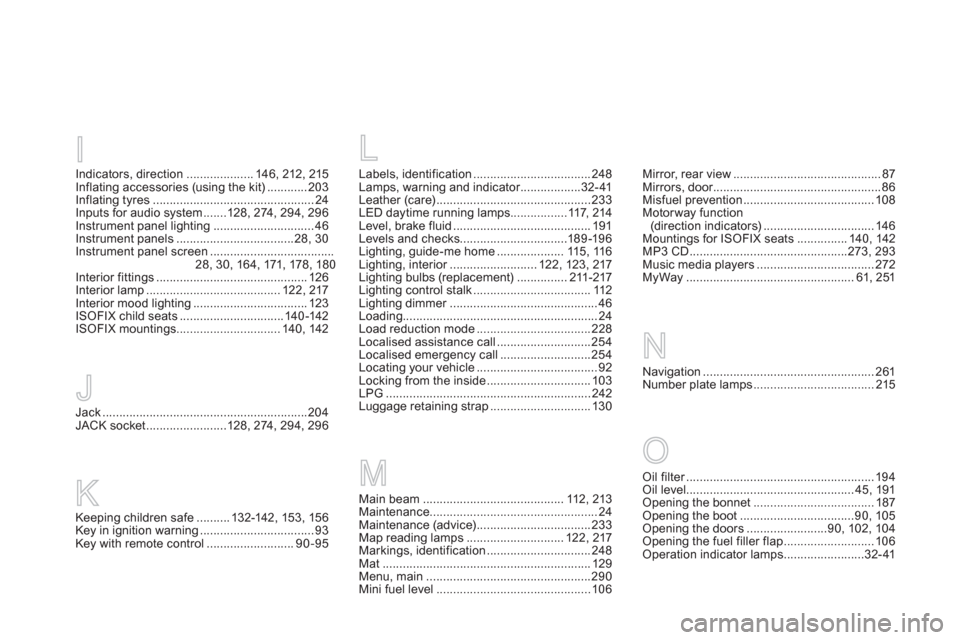
Labels, identification...................................248Lamps, warning and indicator..................r32-41Leather (care)..............................................233LED daytime running lamps.................117,214
Level, brake fluid.........................................191Levels and checks................................189-19 6Lighting, guide-me home ....................115, 116Lighting, interior..........................r122, 123, 217Lighting bulbs (replacement)...............211-217Lighting control stalk...................................112Lighting dimmer............................................r46Loading..........................................................24
Load reduction mode ..................................228Localised assistance call............................254
Localised emergency call...........................254
Locating your vehicle....................................92
Locking from the inside...............................103LPG.............................................................242Luggage retaining strap..............................130
L
N
Main beam..........................................112,213Maintenance..................................................24Maintenance (advice) ..................................233Map reading lamps .............................122, 217Markings, identification...............................248Mat ..............................................................129Menu, main .................................................290Mini fuel level..............................................106
M
Mirror, rear view............................................87Mirrors, door..................................................r86Misfuel prevention .......................................108Motorway function(direction indicators) .................................146Mountings for ISOFIX seats ...............140,142MP3 CD ...............................................273,293Music media players...................................272MyWay..................................................61, 251
Navigation...................................................261Number plate lamps....................................215
O
Oil filter........................................................r194Oil level..................................................45,191Opening the bonnet....................................187Opening the boot ..................................90,105Opening the doors ........................90, 102, 104Opening the fuel filler flap...........................106Operation indicator lamps ........................32-41
Indicators, direction....................146, 212, 215
Inflating accessories (using the kit)............203Inflating tyres ................................................24
Inputs for audio system .......128, 274, 294,296Instrument panel lighting..............................46Instrument panels ...................................28, 30Instrument panel screen .....................................28, 30,164, 171, 178 , 180Interior fittings.............................................126Interior lamp........................................122, 217Interior mood lighting..................................123ISOFIX child seats...............................140-142ISOFIX mountings...............................140,142
JJack.............................................................204JACK socket ........................128, 274, 294, 296
I
Keeping children safe..........132-142, 153, 156Key in ignition warning ..................................93Key with remote control ..........................90-95
K
Page 321 of 332
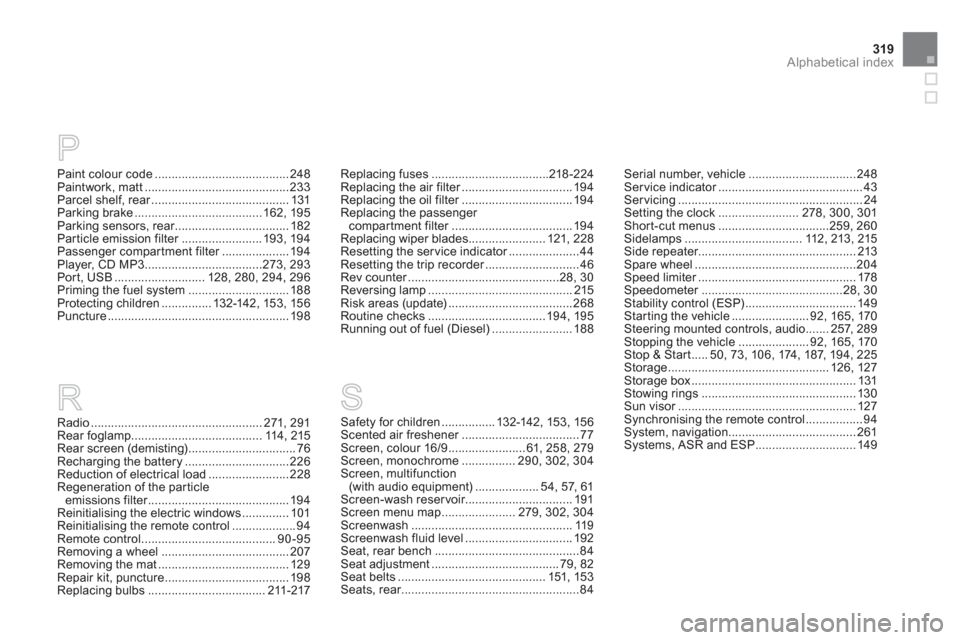
319Alphabetical index
Paint colour code........................................248Paintwork, matt...........................................233Parcel shelf, rear.........................................r131Parking brake......................................162,195Parking sensors, rear..................................r182Particle emission filter........................r193, 194Passenger compartment filter....................r194Player, CD MP3...................................273,293Port, USB...........................128, 280,294, 296Priming the fuel system..............................188Protecting children...............132-142, 15 3, 15 6
Puncture......................................................198
Radio ...................................................271, 291Rear foglamp .......................................114, 215Rear screen (demisting) ................................76Recharging the battery............................... 226Reduction of electrical load........................228Regeneration of the particleemissions filter..........................................r194Reinitialising the electric windows..............101Reinitialising the remote control ...................94Remote control ........................................90-95Removing a wheel......................................207Removing the mat....................................... 129Repair kit, puncture ..................................... 198Replacing bulbs...................................211-217
R
Replacing fuses...................................218-224Replacing the air filter.................................r194Replacing the oil filter.................................r194
Replacing the passenger compartment filter....................................r194
Replacing wiper blades .......................121, 228Resetting the service indicator.....................r44Resetting the trip recorder............................r46Rev counter.............................................r28,30Reversing lamp...........................................215Risk areas (update).....................................268Routine checks...................................194, 195Running out of fuel (Diesel) ........................188
Serial number, vehicle................................248Ser vice indicator...........................................r43Servicing.......................................................24Setting the clock........................278, 300,301Shor t-cut menus .................................259, 260Sidelamps ...................................112,213, 215Side repeater...............................................213Spare wheel................................................204Speed limiter...............................................r178Speedometer..........................................r28, 30Stability control (ESP).................................149Starting the vehicle .......................92, 165,170Steering mounted controls, audio.......257,289Stopping the vehicle .....................92, 165,170Stop & Start.....50,73,106,174, 187, 194,225Storage................................................ 126, 127Storage box.................................................131Stowing rings..............................................130Sun visor.....................................................r127Synchronising the remote control.................94System, navigation ......................................261Systems, ASR and ESP ..............................149
P
Safety for children................132-142, 153, 156Scented air freshener...................................r77Screen, colour 16/9 .......................61, 258, 279Screen, monochrome ................ 290, 302,304Screen, multifunction (with audio equipment)...................54, 57, 61Screen-wash reservoir................................191Screen menu map......................279, 302,304Screenwash ................................................119Screenwash fluid level ................................192Seat, rear bench...........................................84Seat adjustment......................................79, 82Seat belts ............................................151,153Seats, rear.....................................................r84
S