phone Citroen DS3 2015 1.G Owner's Guide
[x] Cancel search | Manufacturer: CITROEN, Model Year: 2015, Model line: DS3, Model: Citroen DS3 2015 1.GPages: 415, PDF Size: 11.95 MB
Page 336 of 415
DS3_en_Chap11d_RD45_ed01-2015
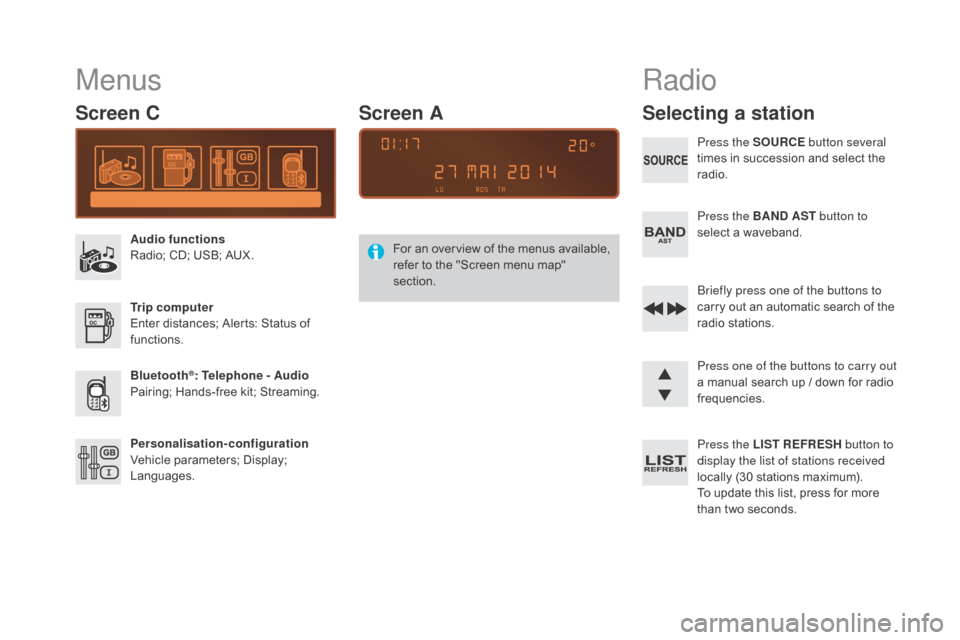
Menus
Screen C
Audio functions
Radio; CD; USB; AUX.
Trip computer
Enter
distances; Alerts: Status of
f
unctions.
Bluetooth
®: Telephone - Audio
Pairing;
Hands-free kit; Streaming.
Personalisation-configuration
Vehicle
parameters; Display;
L
anguages. For
a
n
ov
erview
o
f
t
he
m
enus
a
vailable,
r
efer to the "Screen menu map"
s
ection.
Screen A
Radio
Selecting a station
Press the SOURCE
button several
times in succession and select the
r
adio.
Press the BA
n
d AST button to
select
a waveband.
Briefly press one of the buttons to
carry
out an automatic search of the
r
adio
s
tations.
Press one of the buttons to carry out
a
manual search up / down for radio
f
requencies.
Press the LIST REFRESH button to
display the list of stations received
locally
(30 stations maximum).
To
update this list, press for more
t
han two seconds.
Page 341 of 415
339
DS3_en_Chap11d_RD45_ed01-2015
Use only USB memory sticks formatted FAT32 (File Allocation Table).
It
is recommended that you use
g
enuine
A
pple
® USB cables for correct
operation.
*
I
n certain cases, play of the audio files must
b
e initiated from the keypad.
**
If the telephone supports the function.
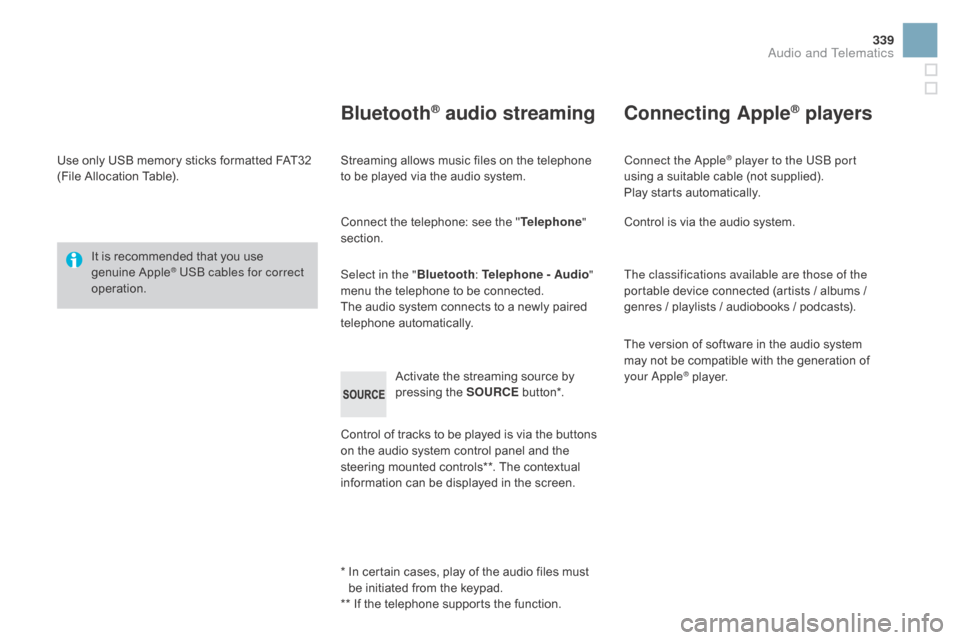
Bluetooth® audio streaming
Streaming allows music files on the telephone to be played via the audio system.
Connect
the telephone: see the "Telephone "
section.
Select in the " Bluetooth:
Telephone - Audio"
menu
the telephone to be connected.
The
audio system connects to a newly paired
t
elephone
a
utomatically.
Control
of tracks to be played is via the buttons
o
n the audio system control panel and the
s
teering mounted controls**. The contextual
i
nformation can be displayed in the screen.
Activate
the streaming source by
p
ressing the SOURCE
b
ut to n*.
Connecting Apple® players
Connect the Apple® player to the USB port
using
a
suitable
cable (not supplied).
Play
starts
automatically.
Control
is
via
the
audio system.
The classifications available are those of the
portable
device
connected (artists / albums /
g
enres
/
playlists
/
audiobooks / podcasts).
The
version
of
software in the audio system
m
ay
not
be
compatible with the generation of
y
our Apple
® player.
Audio and Telematics
Page 342 of 415
DS3_en_Chap11d_RD45_ed01-2015
Telephone
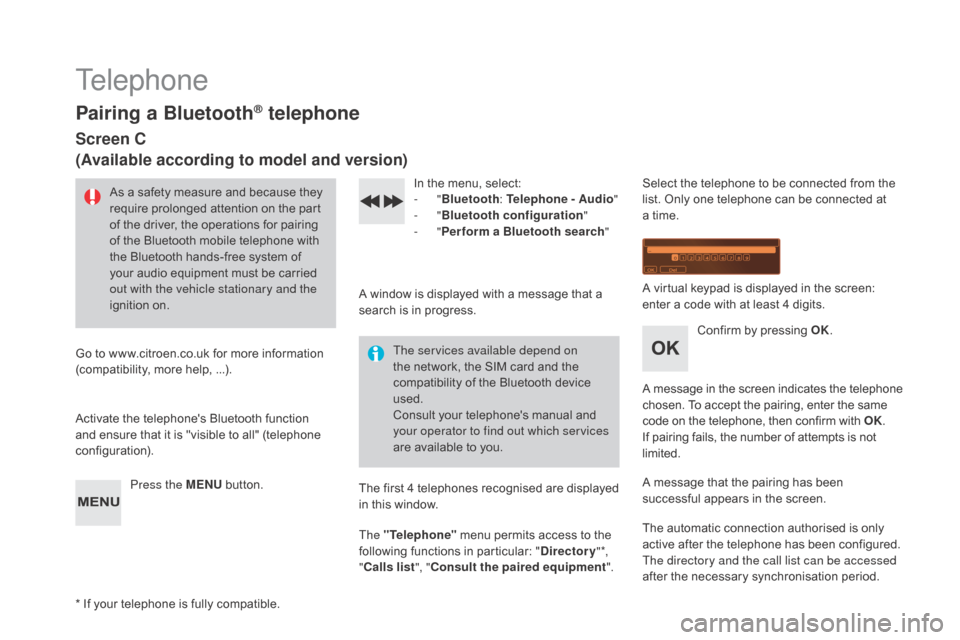
Pairing a Bluetooth® telephone
Screen C
(Available according to model and version)
As a safety measure and because they require prolonged attention on the part
o
f the driver, the operations for pairing
o
f the Bluetooth mobile telephone with
t
he Bluetooth hands-free system of
y
our audio equipment must be carried
o
ut with the vehicle stationary and the
ignition
o
n.
Go
to
www.citroen.co.uk for more information
(
compatibility, more help, ...).
Activate
the telephone's Bluetooth function
a
nd
ensure that it is "visible to all" (telephone
c
onfiguration). Press the ME
n
U
button. In
the menu, select:
- "Bluetooth : Telephone - Audio "
-
"Bluetooth configuration "
-
"Perform a Bluetooth search "
A
window is displayed with a message that a
s
earch is in progress.
The services available depend on
the
network, the SIM card and the
c
ompatibility of the Bluetooth device
u
sed.
Consult
your telephone's manual and
y
our operator to find out which services
are
available to you.
*
If
your telephone is fully compatible. The
first 4 telephones recognised are displayed
i
n this window.
The "Telephone"
menu permits access to the
f
ollowing functions in particular: "
dir
ectory" *,
" Calls list ", "Consult the paired equipment ".Select
the telephone to be connected from the l
ist. Only one telephone can be connected at
a
time.
A
virtual keypad is displayed in the screen:
e
nter a code with at least 4 digits.
Confirm
by pressing OK.
A
message
in
the
screen
indicates
the
telephone
c
hosen. To accept the pairing, enter the same
c
ode on the telephone, then confirm with OK.
If
pairing fails, the number of attempts is not
l
imited.
A
message that the pairing has been
s
uccessful appears in the screen.
The
automatic connection authorised is only
a
ctive after the telephone has been configured.
The directory and the call list can be accessed
after
the necessary synchronisation period.
Page 343 of 415
341
DS3_en_Chap11d_RD45_ed01-2015
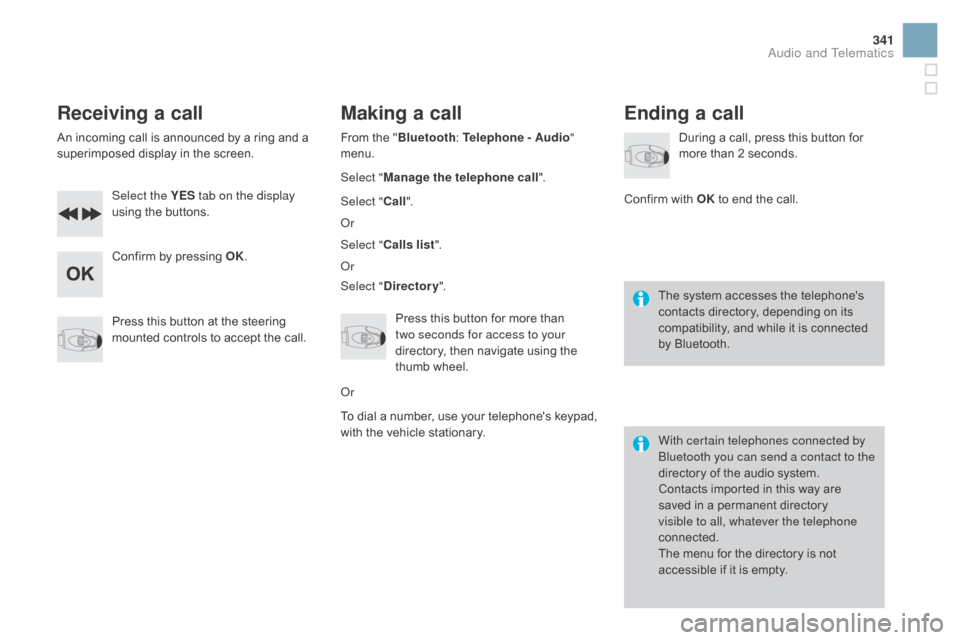
Receiving a call
An incoming call is announced by a ring and a superimposed display in the screen.
Select the YES tab on the display
using
the buttons.
Confirm
by pressing OK.
Press
this button at the steering
m
ounted controls to accept the call.
Making a call
From the "Bl uetooth: Telephone - Audio"
menu.
Select " Manage the telephone call".
Select " Call".
Or
Select " Calls list ".
Or
Select "
dir
ectory".
Press
this button for more than
t
wo seconds for access to your
directory,
then navigate using the
t
humb wheel.
Or
To
dial a number, use your telephone's keypad,
w
ith the vehicle stationary.
Ending a call
During a call, press this button for more than 2 seconds.
Confirm
with OK
to end the call.
The
system accesses the telephone's
c
ontacts directory, depending on its
c
ompatibility, and while it is connected
b
y
Bluetooth.
With certain telephones connected by
Bluetooth you can send a contact to the
directory
of the audio system.
Contacts
imported in this way are
s
aved in a permanent directory
v
isible to all, whatever the telephone
connected.
The
menu for the directory is not
a
ccessible if it is empty.
Audio and Telematics
Page 347 of 415
345
DS3_en_Chap11d_RD45_ed01-2015
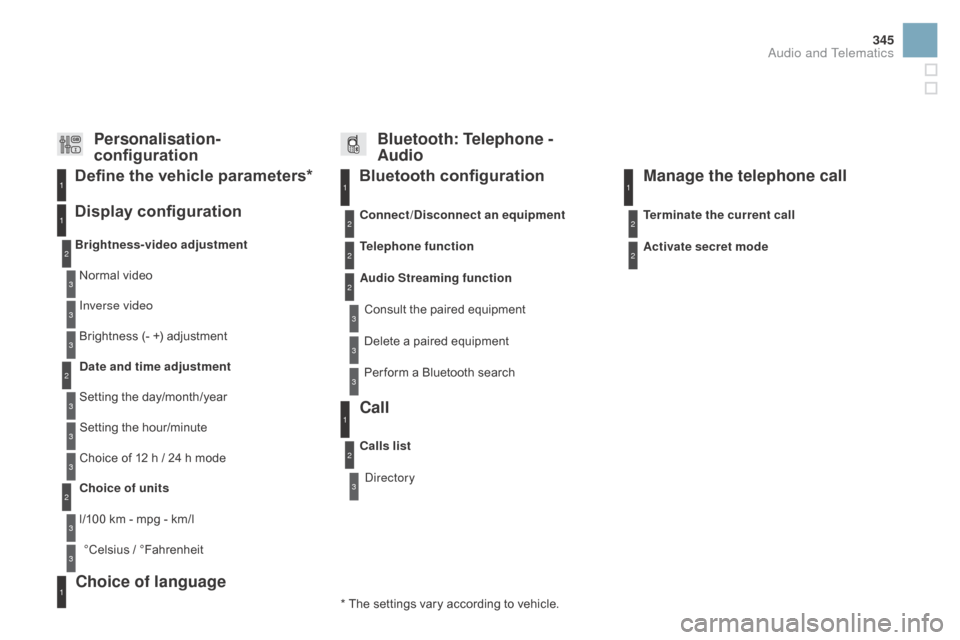
Bluetooth configuration11
1
22
22
2
3
3
3
2
3
Normal video
Brightness-video adjustment
Display configuration Define the vehicle parameters*
Inverse video
Brightness
(- +) adjustment
da
te and time adjustment
Setting
the day/month/year
Setting
the hour/minute
Choice
of 12 h / 24 h mode
Choice of units
l/100
km - mpg - km/l
°Celsius
/ °
Fahrenheit
1
1
3
3
2
3
2
3
3
2
3
3
3
Personalisation-
configuration Bluetooth: Telephone -
Audio
Telephone function
Delete a paired equipment
Connect/
di
sconnect an equipment
Audio Streaming function Consult
the paired equipment
Per form
a Bluetooth search
Calls list
Call
Directory Terminate the current call
Manage the telephone call
Activate secret mode
*
The
settings
vary
according
to
vehicle.
Choice of language1
Audio and Telematics
Page 351 of 415
349
DS3_en_Chap11d_RD45_ed01-2015
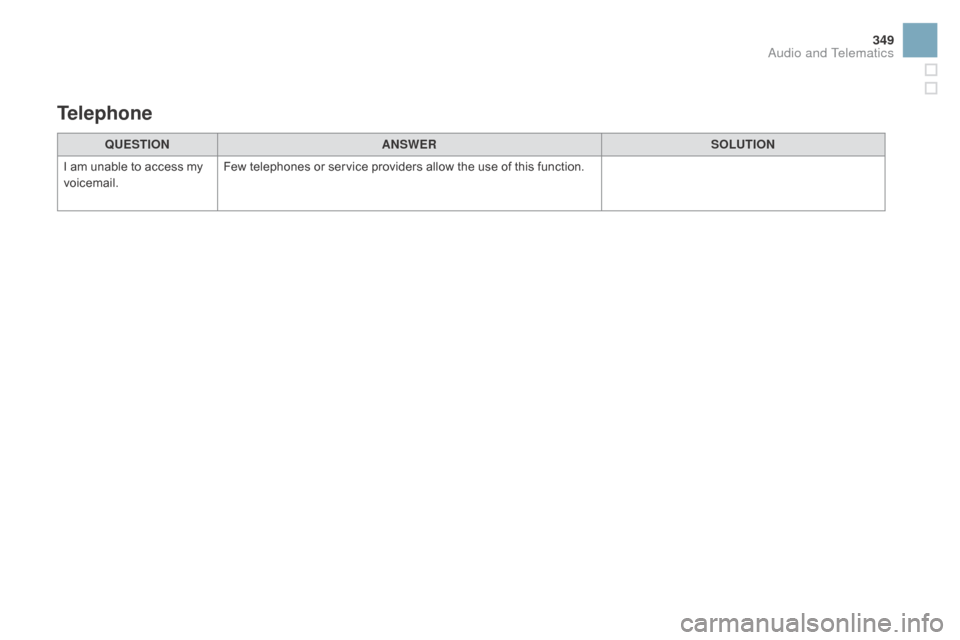
QUESTIOnAnSWERSOLUTIOn
I
am
unable to access my
v
oicemail. Few
telephones or service providers allow the use of this function.
Telephone
Audio and Telematics
Page 358 of 415
DS3_en_Chap12_index-recherche_ed01-2015
ABS and EBFD systems ...............................15 0
Accessories .............................. ....................234
Accessory
socket, 12V
...................................94
A
ccess to rear seats
................................. 74
, 75
Active
City Brake
................................... 15
3, 15 4
Additive, AdBlue
.............................. 3
3, 188, 192
Adjusting
h
eadlamps
.................................... 13
5
Adjusting
head restraints
................................73
A
djusting the steering wheel
..........................78
A
dvice on care and maintenance
.................2
32
Advice
on driving
..............................
............10 0
Airbags
...............
..................................... 31, 16 0
Airbags,
c
urtain
..................................... 16
4, 165
Airbags,
front......................................... 161, 165
Airbags,
la
teral
...................................... 16
3, 165
Air
conditioning, automatic
.......................8
2, 86
Air
c
onditioning,
m
anual
...........................8
2, 84
Air filter
...............
........................................... 246
Air flow
..............................
........................84, 88
Air
intake
...............
.................................... 84, 87
Air recirculation
......................................... 8
4, 87
Air vents
..............................
............................81
Alloy wheels
.................................................. 2
32
Anti-lock
braking system (ABS)
....................15
0
Anti-pinch
........................................................ 64
A
nti-theft
..............................
.........................101
Apple
® player ....................................... 3 00, 339
Armrest, front .................................................. 93
A
ssistance call
...............................
.......145, 26 6
Audible
w
arning
............................................ 14
5
Audio cable
.......................................... 2
98, 337
Audio
streaming (Bluetooth)
................3
00, 339
Audio
system
...............................
..................331
Automatic
illumination of
h
eadlamps
.................................. 13
1, 13 3, 13 4
Automatic
operation of hazard warning lamps
...14
4
Automatic rain sensitive windscreen wipers ...136, 13 8
Auxiliary
socket
.............................. 9
4, 298, 337 Battery
...............................
....................
223, 246
Battery,
c
harging
...............................
............
223
Battery, remote control
.............................
6
2, 63
Black
pan
el
...................................................... 41
BlueHDi
...............................
.......
33, 34, 36, 188
Bluetooth connection
........................... 3
20, 340
Bluetooth
(
telephone)
...........................
3
20, 340
Bonnet
...............
............................................
239
Boot
........
.........................................................
69
Boot lamp
..............................................
1
41, 215
Brake discs
....................................................
2
47
Brake lamps
...............................
...
212, 213, 214
Brake
p
ads
...............................
.....................
247
Braking assistance system
...........................
15
0
Capacity, fuel tank
..............................
..........
18 4
CD
..............................
...................................
337
CD MP3
................
.........................................
338
Central locking
..........................................
6
0, 67
Changing
a bu
lb
....................................
2
0 8 -215
Changing
a f
use
....................................
2
16-222
Changing a wheel
...............................
..
200-206
Changing a wiper blade
........................
13
9, 2 27
Changing the date
..............................
4
4, 48, 53
Changing the remote control battery
..............
62
C
hanging
t
he
t
ime
..............................
4
4, 48, 53
Checking levels
......................................
24
2-245
Checking the engine oil level
..................
3
9, 242
Checking tyre pressures (using the kit)
........
19
8
Checks ............... ...................................
240 -247
Children ............................... ..159, 162, 166 -180
Child seats
.............................. .............168-180 DAB
(Digital Audio Broadcasting)
.......
29
6, 297
Date (setting)
...............................
.......
44, 48, 53
Deactivating
t
he
p
assenger
a
irbag
...............
16
2
Demisting - defrosting, front
...........................
89
D
emisting - defrosting, rear
............................
90
D
ials and gauges
......................................
1
8, 20
Diesel additive level
...................................... 24
5
Diesel engine pre-heat warning lamp
............
24
D
igital Audio Broadcasting (DAB)
.......
29
6, 297
Dimensions
..............................
.....................
260
Dipped
be
am
...............................
..........
13 0, 20 9
Dipstick
................
....................................
39, 242
Direction indicators
....................... 1
44, 212, 213
Doors
..............................................................
.
66
Doors emergency control
...............................
68
D
oor pockets
...................................................
92
D
riving economically
......................................
14
D
ynamic stability control (DSC) ....................
1 51
Child seats, conventional
..............................
1
74
Child seats, ISOFIX
...............................
17
8 -18 0
CITROËN Localised Emergency Call...........
266
Cleaning
(
advice)
..........................................
2
32
Closing the boot
...............................
.........
60, 69
Closing the doors
...............................
.......
60, 66
Connectors, audio
.......................... 9
4, 298, 337
Coolant level
..............................
.............
35, 244
Coolant temperature indicator
........................
35
C
ourtesy lamps
.............................................
2
15
Cruise control
................................................ 12
2
Cup holder
...............................
........................
92
Page 361 of 415
359
DS3_en_Chap12_index-recherche_ed01-2015
Safety for children .................1 59, 162, 166 -180
Scented air freshener ..................................... 90
S
creen menu map
................2
74, 276, 280, 288,
290, 292, 302, 304, 306, 316, 318, 342, 343
Screen,
monochrome A
..........................42
, 342
Screen,
monochrome C
.........................45
, 343
Screenwash
..............................
....................137
Screenwash fluid level
..................................24
4
SCR
(Selective Catalytic
Reduction)
.................................................. 18
8
Seat
adjustment
...............................
.........72, 75
Seat belts
....................................... 15
7, 159, 174
Seats, rear
....................................................... 77
S
erial number, vehicle
..................................2
62
Service indicator
............................................. 36
S
ervice warning lamp
..................................... 2
7
Servicing
...............................
..........................14
Settings
(
Menus)
...............................
....302-309
Setting
the clock
................................ 4
4, 48, 53
Sidelamps
............................. 1
30, 210, 212, 213
Side repeater
..............................
..................2 11
Snow chains
.................................................. 2
07
Spare wheel
...............................
...................200
Speed
l
imiter
...............................
..................120
Speedometer
..............................
..............18, 20
Starting
the engine
....................................... 10
2
Steering
mounted controls,
audio
...............
.................................... 272, 333
Stop & Start
.............................. 5
7, 86, 116, 184, 223, 239, 246
Storage
................
...................................... 92, 93
Storage
b
ox
..................................................... 97
S
towing
r
ings
..............................
....................96
Sun visor
......................................................... 93
S
witching off the engine
...............................10
3
Synchronising
the remote
control
........................................................... 62
S
ystem
se
ttings
..................................... 3
02-309Table of weights ............................25 3, 257, 259
Tables of engines .........................25
0, 256, 258
Tables of fuses
.............................................. 2
16
Tank,
AdBlue
® additive ......................... 18 8, 192
Tank,
fuel
............................... ................18 4, 18 6
Technical data
....................................... 2
50-260
Telephone
............................................ 3
20, 340
Temperature
adj
ustment
........................... 8
4, 86
Temperature
control
for heated seats
............................................ 73
T
emperature,
c
oolant
...................................... 35
T
emporary
puncture repair kit
......................19
5
Third
brake
lamp
........................................... 2
14
Three flashes function (direction
i
ndicators)
................................... 14
4
TMC
(Traffic
info)
.......................................... 28
6
To o l s
................
.............................................. 200
Total distance recorder
................................... 40
T
ouch screen tablet
........................................ 49
T
ouch screen tablet ( M e nu s)
...............................
..........51, 269, 273
To w b a r
................
........................................... 230
Towed loads
.................................. 25
3, 257, 259
Towing
another vehicle
................................. 2
29
Traction
control (ASR)
.................................. 1
51
Traffic
information (TA)
......................... 2
87, 335
Traffic
information (TMC)
.............................. 28
6
Tr a i l e r
...............
............................................. 230
Trajectory
control systems
............................ 1
51
Trip
computer
...................................... 4
6, 54-57
Trip distance recorder
..................................... 40
T
yre pressures
..............................
........19 9, 262
Ty r e s
..............................................................
..14
Tyre under-inflation detection
...............
........32, 146, 148, 149, 199
Vanity mirror .................................................... 93
V ehicle c onfiguration .................. 4
2, 45, 51, 343
Ventilation
..............................
.......81, 82, 84, 88
Warning
lam
ps
.......................................... 2
2-34
Warning
lamp, SCR emissions control
s
ystem
................
........................................... 34
Washing
(
advice)........................................... 232
Wash-wipe, rear
...............................
.............137
Weights
...............
..........................253, 257, 259
Wi-Fi
network connection
.............................3
12
Window controls
............................................. 64
W
iper control stalk
.................................
13 6 -13 8
Wiper, rear ..................................................... 137
Wipers
....................................................
13 6 -13 9
Under-inflation
(
detection)
............................
14
6
Unlocking
..............................
..........................
60
Unlocking from the inside
...............................
67
U
pdate risk areas
..........................................
28
5
Updating the date
...............................
4
4, 48, 53
Updating the time
...............................
4
4, 48, 53
UREA
...............
.....................................
188, 189
USB player
.....................................
9
4, 298, 336
Alphabetical index
Page 405 of 415
Audio and Telematics 3
Additif-2_en_web_DS3_SMEGplus_Services_connectes_ed01-2015
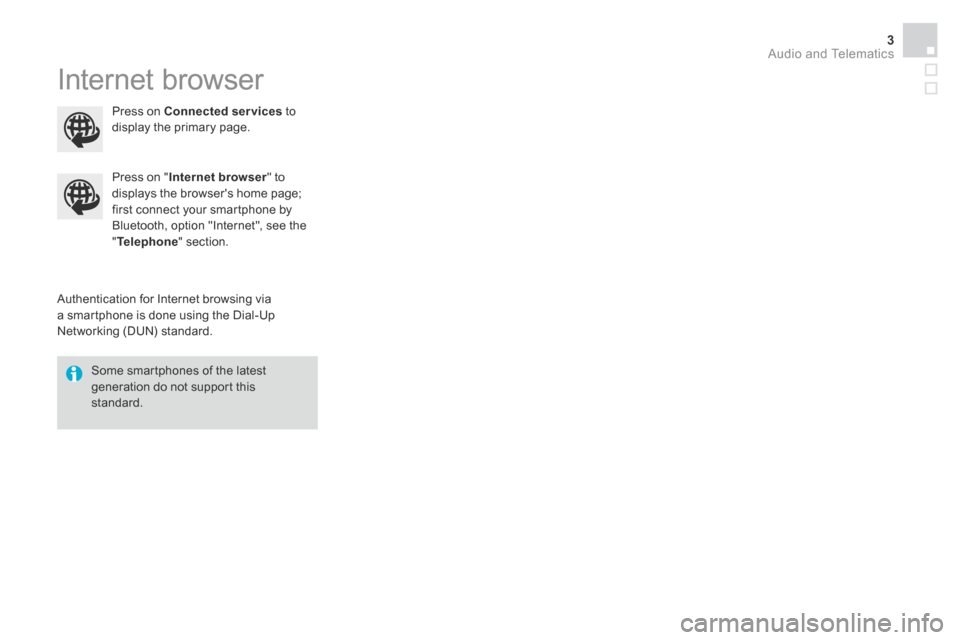
Internet browser
Authentication for Internet browsing via a smartphone is done using the Dial-Up Networking (DUN) standard.
Press on " Internet browser " to displays the browser's home page; first connect your smartphone by Bluetooth, option "Internet", see the " Telephone " section.
Some smartphones of the latest generation do not support this standard.
Press on Connected services to display the primary page.
Page 407 of 415
1
1
1
2
3
4
5
6
7
8
9
10
11
Audio and Telematics 5
Additif-2_en_web_DS3_SMEGplus_Services_connectes_ed01-2015
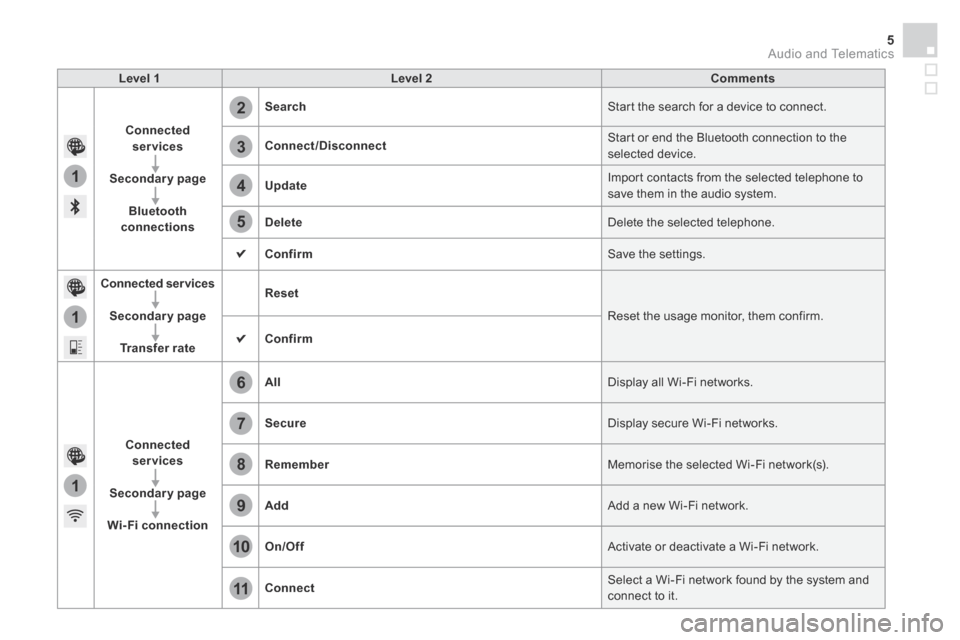
Level 1Level 2Comments
Connected services
Secondary page
Bluetooth connections
Search Start the search for a device to connect.
Connect/Disconnect Start or end the Bluetooth connection to the selected device.
Update Import contacts from the selected telephone to save them in the audio system.
Delete Delete the selected telephone.
Confirm Save the settings.
Connected services
Secondary page
Transfer rate
Reset
Reset the usage monitor, them confirm.
Confirm
Connected services
Secondary page
Wi-Fi connection
All Display all Wi-Fi networks.
Secure Display secure Wi-Fi networks.
Remember Memorise the selected Wi-Fi network(s).
Add Add a new Wi-Fi network.
On/Off Activate or deactivate a Wi-Fi network.
Connect Select a Wi-Fi network found by the system and connect to it.