lock Citroen DS3 2016 1.G Owner's Guide
[x] Cancel search | Manufacturer: CITROEN, Model Year: 2016, Model line: DS3, Model: Citroen DS3 2016 1.GPages: 412, PDF Size: 12.7 MB
Page 199 of 412
197
DS3_en_Chap08_info-pratiques_ed02-2015
Never store bottles of AdBlue® in your
vehicle.
AdBlue
® freezes at about -11°C and de
teriorates a bove 2 5°C. I t i s r ecommended th
at bottles be stored in a cool area and
protected
f
rom
d
irect
s
unlight.
Under these conditions, the additive can be
kept
f
or
a
t
l
east
a ye
ar.
If the additive has frozen, it can be used once it
has
c
ompletely
t
hawed
o
ut.
Recommendations on storage
Before topping-up, ensure that the vehicle is parked o n a f lat a nd l evel s ur face.
In wintry conditions, ensure that the
temperature
o
f
t
he
v
ehicle
i
s
a
bove
-
11°C.
Ot
herwise the AdBlue
® may be frozen and
so c
annot b
e p
oured i
nto i ts t ank. P ark y our ve
hicle in a warmer area for a few hours to
allow
t
he
t
op-up
t
o
b
e
c
arried
o
ut.
Procedure
F Switch o ff t he i gnition a nd r emove t he k ey.
F
Fo
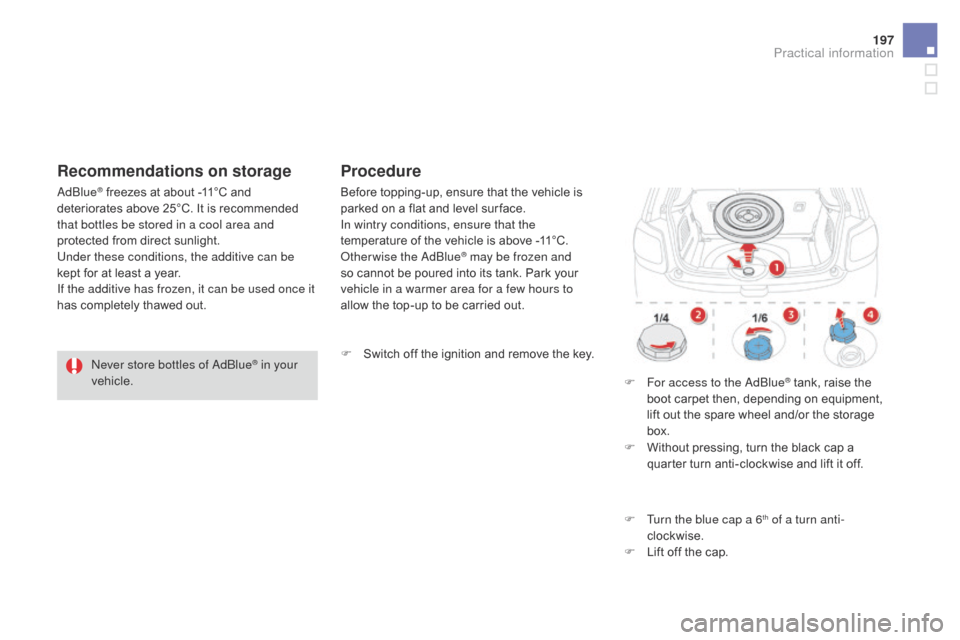
r access to the AdBlue
® tank, raise the bo
ot c
arpet t
hen, d
epending o n e quipment, li
ft
o
ut
t
he
s
pare
w
heel
a
nd/or
t
he
s
torage
box
.
F
Wi
thout
p
ressing,
t
urn
t
he
b
lack
c
ap
a qu
arter
t
urn
a
nti-clockwise
a
nd
l
ift
i
t
o
ff.
F
Tu
rn the blue cap a 6
th of a turn anti-
clockwise.
F
Li
ft
o
ff
t
he
c
ap.
Practical information
Page 200 of 412
DS3_en_Chap08_info-pratiques_ed02-2015
Important: i f y our v ehicle's AdB
lue® tank is completely empty - wh
ich is confirmed by the alert
messages
a
nd
t
he
i
mpossibility
o
f
st
arting
t
he
e
ngine,
y
ou
m
ust
a
dd
a
t
le
ast
3
.8
l
itres
(
so
t
wo
1
.89
l
itre
b
ottles).If any additive is split or splashed, wash
immediately with cold water or wipe
with
a d
amp
c
loth.
If the additive has crystallised, clean it
off
u
sing
a s
ponge
a
nd
h
ot
w
ater.Important:
in t
he event of a top-up after
a breakdown because of a lack of
additive ,
s
ignalled
b
y
t
he
m
essage
"
Top
up e
missions
a
dditive:
S
tarting
p
revented",
yo
u must wait around 5 minutes before
switching
on th
e
ig
nition,
wi
thout opening
the driver's door, locking the vehicle
or introducing the key into the ignition
switch .
Switch
o
n
t
he
i
gnition,
t
hen,
a
fter
10 s
econds,
s
tart
t
he
e
ngine.
F
Ob
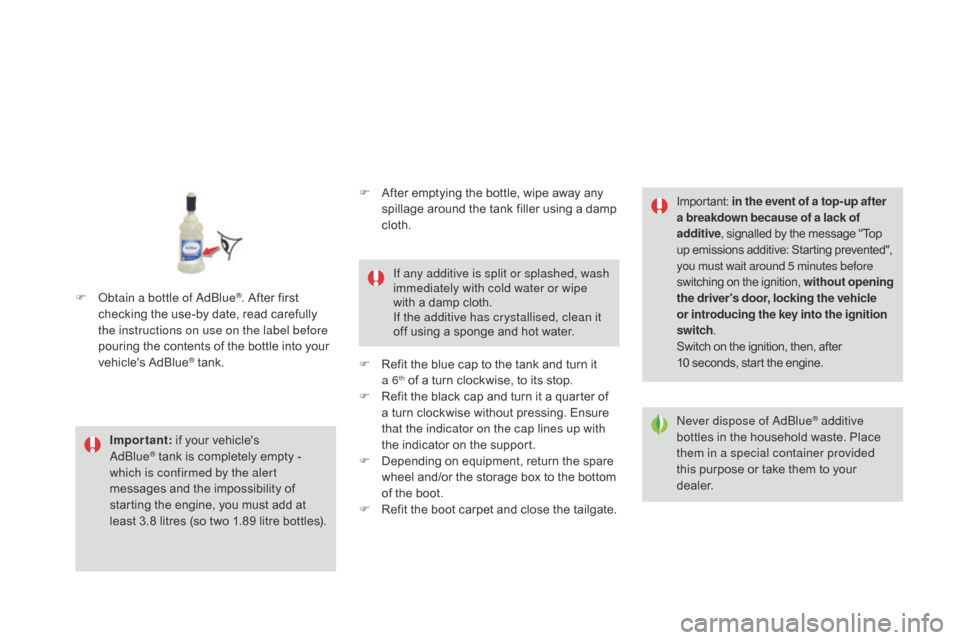
tain a bottle of AdBlue
®. After first ch
ecking t
he u
se-by d
ate, r ead c arefully th
e instructions on use on the label before
pouring
t
he
c
ontents
o
f
t
he
b
ottle
i
nto
y
our
ve
hicle's
AdB
lue
® tank. Ne ver dispose of AdBlue
® additive
bottles i
n t
he h
ousehold w aste. P lace th
em in a special container provided
this
p
urpose
o
r
t
ake
t
hem
t
o
y
our
dea
ler.
F
Af
ter
e
mptying
t
he
b
ottle,
w
ipe
a
way
a
ny
sp
illage
a
round
t
he
t
ank
f
iller
u
sing
a d
amp
cl
oth.
F
Re
fit
t
he
b
lue
c
ap
t
o
t
he
t
ank
a
nd
t
urn
i
t
a 6th of a turn clockwise, to its stop.
F Re
fit t he b lack c ap a nd t urn i t a q uarter o f a t
urn
c
lockwise
w
ithout
p
ressing.
E
nsure
th
at the indicator on the cap lines up with
the
i
ndicator
o
n
t
he
s
upport.
F
De
pending
o
n
e
quipment,
r
eturn
t
he
s
pare
wh
eel
a
nd/or
t
he
s
torage
b
ox
t
o
t
he
b
ottom
of t
he
b
oot.
F
Re
fit
t
he
b
oot
c
arpet
a
nd
c
lose
t
he
t
ailgate.
Page 209 of 412

207
DS3_en_Chap08_info-pratiques_ed02-2015
Removing a wheel
Parking the vehicle
Immobilise the vehicle where it does
not block t raffic: t he g round m ust b e le
vel,
s
table
a
nd
n
ot
s
lippery.
Apply
t
he
p
arking
b
rake,
s
witch
o
ff
t
he
ig
nition
a
nd
e
ngage
f
irst
g
ear*
t
o
l
ock
th
e
w
heels.
If
n
ecessary,
p
lace
a c
hock
u
nder
t
he
wh
eel
d
iagonally
o
pposite
t
he
w
heel
t
o
be ch
anged.
It is imperative that you ensure that the
occupants
g
et
o
ut
o
f
t
he
v
ehicle
a
nd
wa
it
w
here
t
hey
a
re
s
afe.
Never
g
o
u
nderneath
a v
ehicle
r
aised
us
ing
a j
ack;
u
se
a
n
a
xle
s
tand.F
Re
move the chromed bolt cover from each
of
t
he
b
olts
u
sing
t
he
t
ool
3 (
alloy
w
heels
on
ly).
F
Fi
t
t
he
s
ocket
4
on the wheelbrace 1 to
slacken
t
he
s
ecurity
b
olt
(
if
y
our
v
ehicle
i
s
fi
tted
w
ith
t
hem).
F
Sl
acken
t
he
o
ther
b
olts
u
sing
t
he
wh
eelbrace 1
o n
l y.
*
p
osition R
f
or
a
n
e
lectronic
g
earbox,
P
for an
automatic
g
earbox.
Ensure
t
hat
t
he
j
ack
i
s
s
table.
I
f
t
he
gr
ound
i
s
s
lippery
o
r
l
oose,
t
he
j
ack
co
uld
s
lip
o
r
d
rop
- R
isk
o
f
i
njury!
Take
c
are
t
o
p
osition
t
he
j
ack
o
nly
a
t
on
e
o
f
t
he
j
acking
p
oints
A
or B
u
nder
the
v
ehicle,
e
nsuring
t
hat
t
he
v
ehicle's
co
ntact area is well centred on the
head
o
f
t
he
j
ack.
O
ther wise,
t
here
i
s
a ri
sk
o
f
d
amage
t
o
t
he
v
ehicle
a
nd/or
t
he
ja
ck
m
ight
d
rop
- R
isk
o
f
i
njury!
List of operations
Practical information
Page 224 of 412
DS3_en_Chap08_info-pratiques_ed02-2015
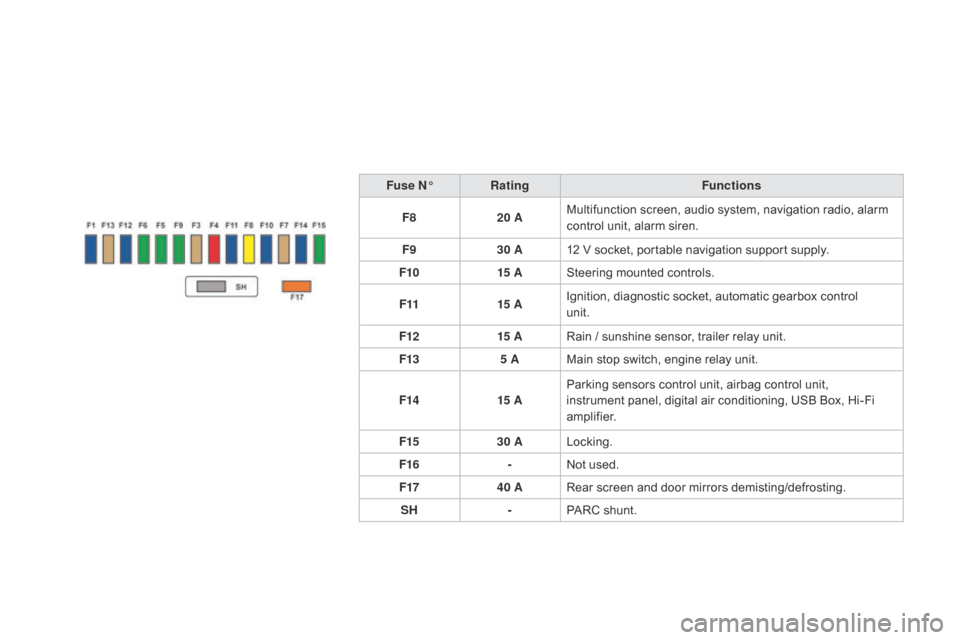
Fuse n°Rat ing Functions
F8 20 AMultifunction
s
creen,
a
udio
s
ystem,
n
avigation
r
adio,
a
larm
co
ntrol
u
nit,
a
larm
s
iren.
F9 30 A12
V s
ocket,
p
ortable
n
avigation
s
upport
s
upply.
F10 15 ASteering
m
ounted
c
ontrols.
F11 15 AIgnition,
d
iagnostic
s
ocket,
a
utomatic
g
earbox
c
ontrol
un
it.
F12 15 ARain
/ s
unshine
s
ensor,
t
railer
r
elay
u
nit.
F13 5 AMain
s
top
s
witch,
e
ngine
r
elay
u
nit.
F14 15 AParking
s
ensors
c
ontrol
u
nit,
a
irbag
c
ontrol
u
nit,
i
nstrument
p
anel,
d
igital
a
ir
c
onditioning,
U
SB
B
ox,
H
i-Fi
am
plifier.
F15 30 ALocking.
F16 -Not
u
sed.
F17 40 ARear
s
creen
a
nd
d
oor
m
irrors
d
emisting/defrosting.
SH -PARC
s
hunt.
Page 235 of 412

233
DS3_en_Chap08_info-pratiques_ed02-2015
Towing the vehicleProcedure for having your vehicle towed or for towing another vehicle using a removable towing eye.
Th e
t
owing
e
ye
i
s
i
nstalled
i
n
t
he
b
oot
u
nder
th
e
f
loor.
To
g
ain
a
ccess
t
o
i
t:
F
op
en the boot,
F
ra
ise the floor,
F
re
move
t
he
p
olystyrene
s
torage
b
ox,
F
re
move
t
he
t
owing
e
ye
f
rom
t
he
h
older.
Access to the tools
gen
eral recommendations
Observe the legislation in force in your country.
En sure t hat t he w eight o f t he t owing v ehicle i s h igher t han t hat o f t he t owed v ehicle.
The
d
river
m
ust
r
emain
a
t
t
he
w
heel
o
f
t
he
t
owed
v
ehicle
a
nd
m
ust
h
ave
a v
alid
d
riving
l
icence.
When
t
owing
a v
ehicle
w
ith
a
ll
f
our
w
heels
o
n
t
he
g
round,
a
lways
u
se
a
n
a
pproved
t
owing
ar
m;
r
ope
a
nd
s
traps
a
re
p
rohibited.
The
t
owing
v
ehicle
m
ust
m
ove
o
ff
g
ently.
When
t
owing
a v
ehicle
w
ith
t
he
e
ngine
o
ff,
t
here
i
s
n
o
l
onger
a
ny
p
ower
a
ssistance
f
or
br
aking
o
r
s
teering.
In
t
he
f
ollowing
c
ases,
y
ou
m
ust
a
lways
c
all
o
n
a p
rofessional
r
ecovery
s
ervice:
-
ve
hicle
b
roken
d
own
o
n
a m
otor way
o
r
f
ast
r
oad,
-
fou
r-wheel drive vehicle,
-
wh
en
i
t
i
s
n
ot
p
ossible
t
o
p
ut
t
he
g
earbox
i
nto
n
eutral,
u
nlock
t
he
s
teering,
o
r
r
elease
th
e
p
arking
b
rake,
-
to
wing
w
ith
o
nly
t
wo
w
heels
o
n
t
he
g
round,
-
wh
ere
t
here
i
s
n
o
a
pproved
t
owing
a
rm
a
vailable...
Practical information
Page 236 of 412

DS3_en_Chap08_info-pratiques_ed02-2015
F On the front bumper, unclip the access flap
by p ulling s uccessively o n t he t wo l ugs, us
ing
a s
crewdriver.
F
Ro
tate
t
he
f
lap.
F
Co
mpletely remove the flap, by
compressing
t
he
p
lastic
d
iamond
s
hape
lo
cated
i
n
t
he
l
ower
s
ection.
F
St
ore
t
he
f
lap
i
n
t
he
b
oot.
F
Sc
rew
t
he
t
owing
e
ye
i
n
f
ully.
F
In
stall
t
he
t
owing
a
rm. F On t
he rear bumper, unclip the cover by
pressing a t t he b ottom.
F
Sc
rew
t
he
t
owing
e
ye
i
n
f
ully.
F
In
stall
t
he
t
owing
a
rm.
F
Sw
itch
o
n
t
he
h
azard
w
arning
l
amps
o
n
bo
th
v
ehicles.
F
Mov
e
o
ff
g
ently
a
nd
d
rive
f
or
a s
hort
di
stance
onl
y.
Towing your vehicleTowing another vehicle
Failure to observe this instruction could
result i
n d amage t o c ertain c omponents (b
raking,
t
ransmission...)
a
nd
t
he
ab
sence
o
f
b
raking
a
ssistance
t
he
n
ext
ti
me
t
he
e
ngine
i
s
s
tarted.
F
Un
lock
t
he
s
teering
b
y
t
urning
t
he
k
ey
o
ne
no
tch
i
n
t
he
i
gnition
s
witch
a
nd
r
elease
t
he
park
ing
br
ake.
F
Sw
itch
o
n
t
he
h
azard
w
arning
l
amps
o
n
bo
th
v
ehicles.
F
Mov
e
o
ff
g
ently
a
nd
d
rive
f
or
a s
hort
di
stance
onl
y.
F
Pl
ace
t
he
g
ear
l
ever
i
n
n
eutral
(
position
n
f
or
a
n
e
lectronic
o
r
a
utomatic
g
earbox).
Page 321 of 412
319
DS3_en_Chap11c_SMEGplus_ed02-2015
As a safety measure and because it
requires sustained attention by the
driver,
u
sing
a s
martphone
w
hen
dr
iving
i
s
p
rohibited.
All operations must be done with the
vehicle stationary .
The synchronisation of a smartphone
allows applications on a smartphone
that
a
re
a
dapted
t
o
t
he
M
irrorLink
TM
technology t
o b
e d
isplayed i
n t
he ve
hicle's
sc
reen.
The principles and standards
are
c
onstantly
e
volving.
F
or
t
he
co
mmunication process between the
smartphone
a
nd
t
he
s
ystem
t
o
w
ork
co
rrectly, the smartphone must be
unlocked;
u
pdate
t
he
o
perating
s
ystem
of y
our smartphone as well as the date
and time in the smartphone and the
system.
For
t
he
l
ist
o
f
e
ligible
s
martphones,
co
nnect
t
o
t
he
b
rand's
i
nternet
w
ebsite
in y
our
c
ountry. Please
n
ote:
-
if y
our smartphone is supported, to
make
i
t
"
MirrorLink
TM" compatible,
some phone manufacturers
nevertheless invite you to first
download
a d
edicated
a
pplication.
When connecting a smartphone to the system, it is recommended that
Bluetooth
® be started on the smartphone.
Start the application on the
smartphone ( optional, d epending on t
he
s
martphone
a
nd
o
perating
sy
ste m).
During
t
he
p
rocedure,
s
everal
s
creen
pa
ges
r
elating
t
o
c
ertain
f
unctions
ar
e
d
isplayed.
Accept to start and end the
connection.
Connect
a U
SB
c
able.
T
he
sm
artphone
c
harges
w
hen
co
nnected
b
y
a U
SB
c
able.
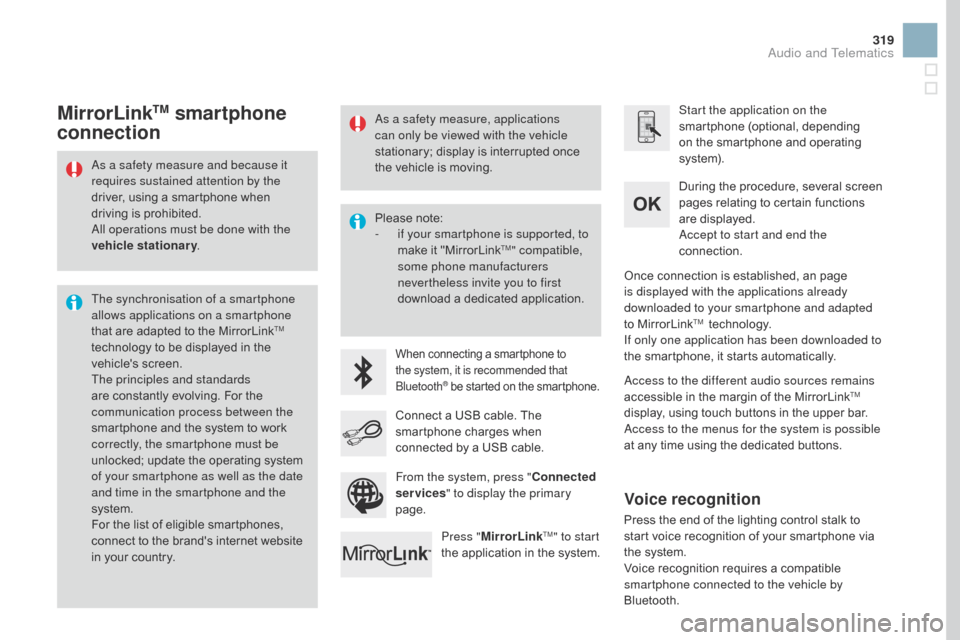
Press " MirrorLink
TM" to start
the a
pplication i
n t
he s ystem. Once
c
onnection
i
s
e
stablished,
a
n
p
age
is d
isplayed with the applications already
downloaded to your smartphone and adapted
to
M
irrorLink
TM technology.
I
f only one application has been downloaded to
the
s
martphone,
i
t
s
tarts
a
utomatically.
MirrorLinkTM smartphone
connection
Access to the different audio sources remains
accessible i
n t he m argin o f t he M irrorLinkTM
display, u
sing t
ouch b
uttons i
n t
he u
pper b
ar.
Access to the menus for the system is possible
at
a
ny
t
ime
u
sing
t
he
d
edicated
b
uttons.
From the system, press " Connected
services " to display the primary
page.
As a safety measure, applications
can only be viewed with the vehicle
stationary;
d
isplay
i
s
i
nterrupted
o
nce
th
e
v
ehicle
i
s
m
oving.
Voice recognition
Press the end of the lighting control stalk to st
art v oice r ecognition o f y our s martphone v ia th
e
s
ystem.
Voice
r
ecognition
r
equires
a c
ompatible
sm
artphone connected to the vehicle by
Bluetooth.
Audio and Telematics
Page 347 of 412

345
DS3_en_Chap11d_RD45_ed02-2015
RDS
The external environment (hills, buildings, t unnels, b asement c ar pa
rks, ...)
m
ay
b
lock
r
eception,
in
cluding
i
n
R
DS
m
ode.
T
his
i
s
a no
rmal effect of the way in which radio
waves are transmitted and does not
indicate
a
ny
f
ailure
o
f
t
he
a
udio
s
ystem.
Press the ME
nU b
utton.
Select " Audio functions ".
Press OK.
Select the " FM waveband
preferences "
f
unction.
Press OK. Select "
Activate RDS ".
Press OK , RDS is displayed in the
screen.
In " Radio " mode, press OK
d
irectly
t
o
a
ctivate
/ de
activate
R
DS
m
ode.
RDS, if displayed, enables you to continue
listening
t
o
t
he
s
ame
s
tation
b
y
a
utomatic
re
tuning
t
o
a
lternative
f
requencies.
Ho
wever,
i
n
c
ertain
c
onditions,
c
overage
of a
n RDS station may not be assured
throughout
t
he
c
ountry
a
s
r
adio
s
tations
do n
ot
c
over
1
00
% o
f
t
he
t
erritory.
T
his
ex
plains
t
he
l
oss
o
f
r
eception
o
f
a s
tation
th
at
c
an
o
ccur
d
uring
a j
ourney.
Receiving TA messages
Press the TA button to activate or
deactivate t raffic m essages.
The
T
A
(
Traffic
A
nnouncement)
fu
nction
g
ives
p
riority
t
o
T
A
a
lert
me
ssages.
T
o
o
perate,
t
his
f
unction
ne
eds
g
ood
r
eception
o
f
a r
adio
s
tation
tr
ansmitting
t
his
t
ype
o
f
m
essage.
Wh
en a traffic report is transmitted, the
current
a
udio
s
ource
(
Radio,
C
D, ...)
is i
nterrupted automatically to play the
TA
m
essage.
N
ormal
p
layback
o
f
t
he
au
dio source resumes at the end of the
transmission
o
f
t
he
m
essage.
Audio and Telematics
Page 364 of 412

DS3_en_Chap12_index-recherche_ed02-2015
Exterior
Remote control key 60- 63, 1 01-103
- lo cking/unlocking
-
b
attery
-
an
ti-theft protection
-
st
arting Lighting
c
ontrols
13
4-138
Headlamp
h
eight
a
djustment
13
9
Changing
bul
bs
21
2-215
-
fr
ont lamps
-
fog
lamps
-
di
rection indicator repeaters
Wiper c ontrols
140
-143
Changing
a w
iper
b
lade
2
32 Door mirrors
79
D
oors
6
6 - 68
-
open
ing/closing
-
ce
ntral
l
ocking
-
emer
gency
co
ntrol
Electric windows
64
- 65
Fuel
t
ank
18
8 -189
Misfuel prevention
19
0Accessories
23
9-240
Hill start assist
11
9
Braking
a
ssistance
15
4-155
Trajectory
c
ontrol
15
5 -156
Tyre pressures
20
2-203, 266
Under-inflation detection
15
0-153
Boot
69
T
emporary puncture repair
k
it
19
9 -203
Changing
a w
heel
20
4-210
-
t
ools
-
re
moving/refiting
Snow chains
21
1
Changing
bul
bs
21
6-218
-
re
ar lamps
-
3D r
ear lamps
-
3rd brake lamp
- nu
mber plate lamps
Parking
s
ensors
12
8 -129
Reversing
c
amera
13
0
Towbar
23
5-236
Towing
233
-234
Page 368 of 412
DS3_en_Chap12_index-recherche_ed02-2015
A
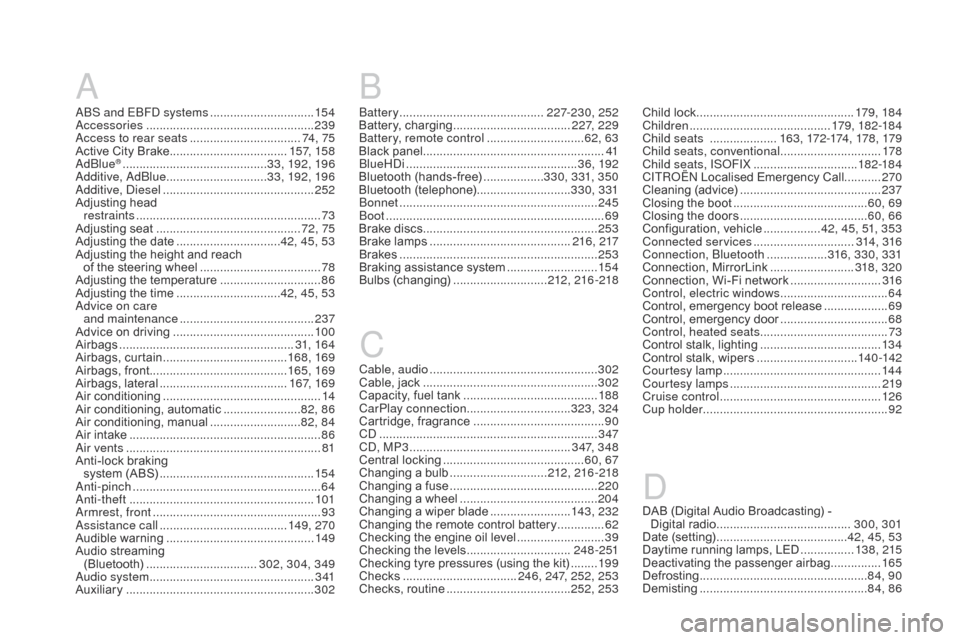
ABS and EBFD systems ...............................15 4
A ccessories .................................................. 23
9
Access to rear seats
................................. 74 ,
75
Active
C
ity
B
rake
................................... 157
, 15 8
AdBlue
® ........................................... 3 3, 192, 19 6
Additive, AdBlue .............................. 33
, 192, 19 6
Additive, Diesel
............................................. 2
52
Adjusting
h
ead
r
estraints
....................................................... 73
Ad
justing
se
at
........................................... 72
, 75
Adjusting
t
he
d
ate
............................... 42
, 45, 53
Adjusting
t
he
h
eight
a
nd
r
each
o
f
t
he
s
teering
w
heel
.................................... 78
Ad
justing
t
he
t
emperature
.............................. 86
Ad
justing
t
he
t
ime
............................... 42
, 45, 53
Advice on care and maintenance
........................................ 237
A
dvice
o
n
d
riving
.......................................... 10
0
Airbags
.................................................... 3
1, 16 4
Airbags,
cur
tain
..................................... 168
, 169
Airbags,
f
ront......................................... 165, 169
Airbags,
lat
eral
...................................... 167
, 169
Air
co
nditioning
............................................... 14
A
ir
c
onditioning,
a
utomatic
....................... 82
, 86
Air
co
nditioning,
man
ual
........................... 82
, 84
Air
i
ntake
......................................................... 86
A
ir vents
.......................................................... 81
A
nti-lock
b
raking
s
ystem
(
ABS)
.............................................. 15 4
A
nti-pinch
........................................................ 64
Ant
i-theft
....................................................... 10
1
Armrest, front
.................................................. 93
As
sistance call
...................................... 14
9, 270
Audible
war
ning
............................................ 149
A
udio
s
treaming
(B
luetooth)
................................. 3
02, 304, 349
Audio system
................................................. 3
41
Auxiliary
........................................................ 302C
able, audio
..................................................302
C
able,
j
ack
....................................................3
02
Capacity,
f
uel
t
ank
........................................18
8
CarPlay connection ...............................323, 324
Cartridge,
fr
agrance
.......................................90
CD ................................................................. 3
47
CD, MP3
................................................ 347
, 348
Central
l
ocking
..........................................60,
67
Changing
a bul
b
.............................212
, 216 -218
Changing
a fus
e
............................................220
C
hanging
a w
heel
.........................................20
4
Changing
a w
iper
b
lade
........................143
, 232
Changing
t
he
r
emote
c
ontrol
b
attery
..............62
Ch
ecking
t
he
e
ngine
o
il
l
evel
..........................39
Ch
ecking
t
he
l
evels
...............................24
8 - 2 51
Checking
t
yre
p
ressures
(
using
t
he
k
it)
........19 9
C
hecks
..................................2
46, 247, 252, 253
Checks,
r
outine
.....................................252
, 253Child
l
ock
...............................................
17
9, 18 4
Children
.......................................... 1
79, 182-18 4
Child seats
.................... 16
3 , 172-174, 178 , 179
Child seats, conventional .............................. 178
C hild seats, ISOFIX ...............................182
-18 4
CIT
ROËN L
ocalised E mergency C all...........270
Cleaning
(a
dvice)
..........................................237
C
losing
t
he
b
oot
........................................6
0, 69
Closing
t
he
d
oors
......................................6
0, 66
Configuration,
ve
hicle
.................42
, 45, 51, 353
Connected services
.............................. 314
, 316
Connection, Bluetooth
.................. 316
, 33 0, 331
Connection,
Mi
rrorLink
.........................31
8, 320
Connection,
W
i-Fi
n
etwork
...........................316
C
ontrol, electric windows
................................64
Co
ntrol,
e
mergency
b
oot
r
elease
...................69
Co
ntrol,
emer
gency
doo
r
................................68
Co
ntrol, heated seats
......................................73
Co
ntrol
s
talk,
l
ighting
....................................13 4
C
ontrol
s
talk,
w
ipers
..............................140
-142
Courtesy lamp
............................................... 14
4
Courtesy lamps
............................................. 219
C
ruise control
................................................126
C
up holder
.......................................................92
C
Battery ...........................................2 27-230, 252
Battery, char ging ................................... 2
27, 229
Battery, remote control
............................. 62
, 63
Black
pane
l...................................................... 41
BlueHDi
................................................... 3
6, 192
Bluetooth
(
hands-free)
.................. 330
, 331, 350
Bluetooth
(t
elephone)
............................ 330
, 331
Bonnet
........................................................... 24
5
Boot
................................................................. 69
B
rake
d
iscs
.................................................... 253
B
rake
l
amps
.......................................... 21
6, 217
Brakes
........................................................... 253
B
raking
a
ssistance
s
ystem
...........................15 4
B
ulbs
(c
hanging)
............................ 212
, 216 -218
B
DAB (Digital Audio Broadcasting) -
Di gital ra dio ........................................ 30
0, 301
Date
(
setting)
....................................... 4
2, 45, 53
Daytime
r
unning
l
amps,
L
ED
................13 8
, 215
Deactivating
the pa
ssenger
ai
rbag
...............165
De
frosting
.................................................. 84
, 90
Demisting
.................................................. 8
4, 86D