lock CITROEN DS3 CABRIO DAG 2016 Handbook (in English)
[x] Cancel search | Manufacturer: CITROEN, Model Year: 2016, Model line: DS3 CABRIO DAG, Model: CITROEN DS3 CABRIO DAG 2016Pages: 458, PDF Size: 14.51 MB
Page 14 of 458
DS3_en_Chap00b_vue-ensemble_ed01-2015
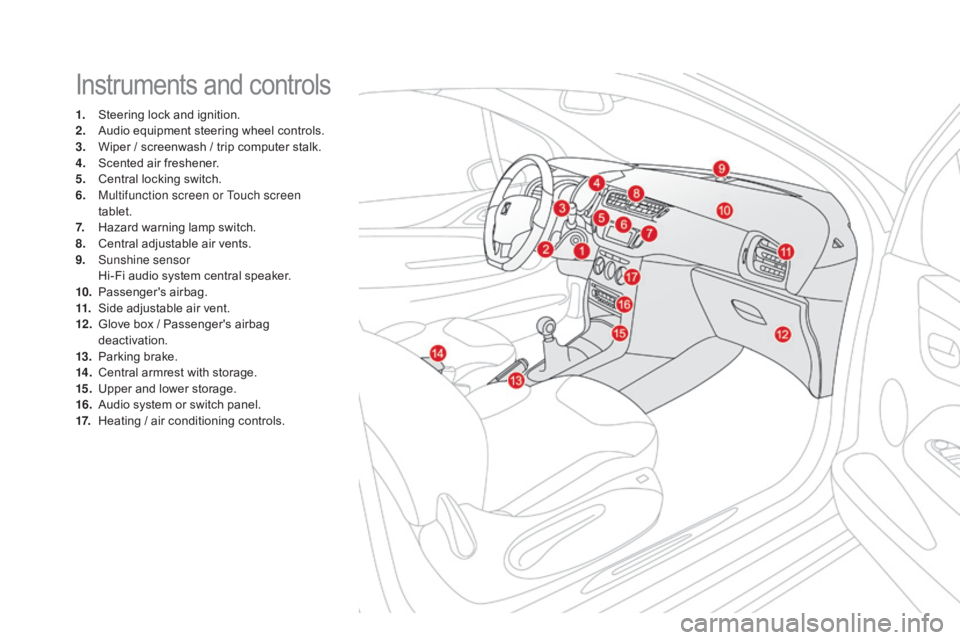
Instruments and controls
1. Steering lock and ignition.
2. A udio equipment steering wheel controls.
3.
W
iper / screenwash / trip computer stalk.
4.
S
cented air freshener.
5.
C
entral locking switch.
6.
M
ultifunction screen or Touch screen
tablet.
7.
H
azard warning lamp switch.
8.
C
entral adjustable air vents.
9.
S
unshine sensor
H
i-Fi audio system central speaker.
10.
P
assenger's
ai
rbag.
11.
S
ide adjustable air vent.
12 .
G
love box / Passenger's airbag
d
eactivation.
13.
P
arking brake.
14 .
C
entral armrest with storage.
15.
U
pper and lower storage.
16.
A
udio system or switch panel.
17.
H
eating / air conditioning controls.
Page 27 of 458
25
DS3_en_Chap01_controle-de-marche_ed01-2015
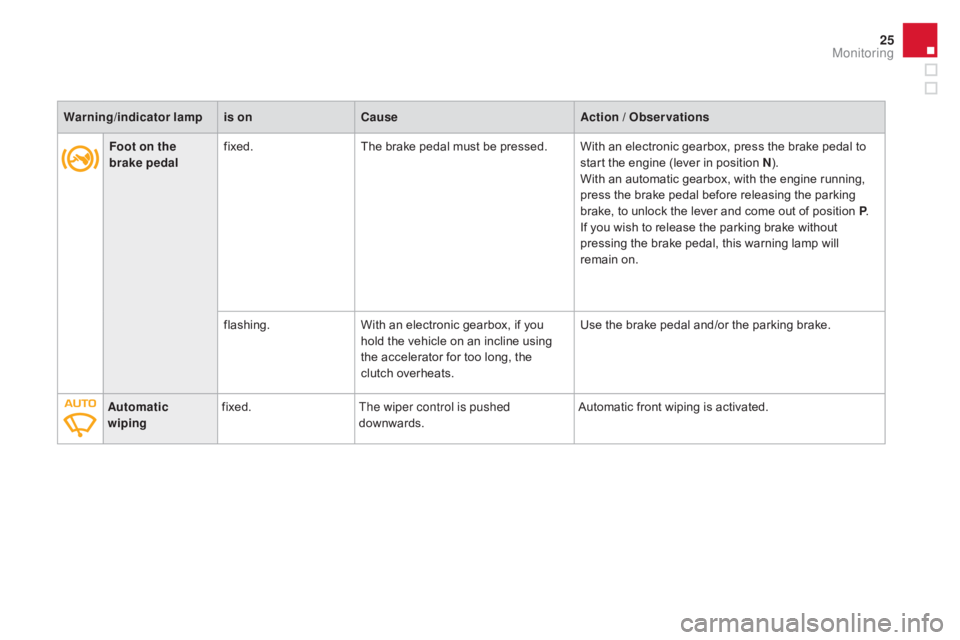
Foot on the
brake pedalfixed.
The brake pedal must be pressed. With an electronic gearbox, press the brake pedal to s
tart the engine (lever in position n) .
W
ith an automatic gearbox, with the engine running,
p
ress the brake pedal before releasing the parking
b
rake, to unlock the lever and come out of position P.
If
you wish to release the parking brake without
p
ressing the brake pedal, this warning lamp will
r
emain on.
flashing. With
an electronic gearbox, if you
h
old the vehicle on an incline using
t
he accelerator for too long, the
c
lutch overheats.Use
the brake pedal and/or the parking brake.
Automatic
wiping fixed.
The wiper control is pushed
downwards. Automatic
front wiping is activated.
Warning
/indicator lampis on Cause Action / Observations
Monitoring
Page 30 of 458

DS3_en_Chap01_controle-de-marche_ed01-2015
Brakingfixed, associated with t
he STOP warning
lam
p.The
braking system fluid level is too l
ow.You
must stop as soon as it is safe to do so.
Top up with brake fluid recommended by CITROËN.
If
the problem persists, have the system checked by a
C
ITROËN dealer or a qualified workshop.
+ fixed,
associated with
t
he STOP and ABS
warning
lam
p.The
electronic brake force distribution
(
EBFD) system has a fault.You
must stop as soon as it is safe to do so.
Have
it checked by a CITROËN dealer or a qualified
w
orkshop.
Warning
/indicator lampis on Cause Action / Observations
Anti-lock Braking
System (ABS) fixed.
The
anti-lock braking system has a
f
ault.The
vehicle retains conventional braking.
Drive carefully at reduced speed and contact a
CITROËN
d
ealer
o
r
a q
ualified
w
orkshop
w
ithout
d
elay.
dy
namic stability
control (
dS
C/
ASR) flashing.
Regulation
by the system is active. The system optimises traction and improves the
d
irectional stability of the vehicle.
fixed,
associated with
i
llumination of the
i
ndicator lamp in the
d
eactivation button,
accompanied
by an
a
udible signal and a
m
essage. The
DSC/ASR or hill start assist
s
ystem has a fault.Have
it checked by a CITROËN dealer or a qualified
w
orkshop.
Page 40 of 458

DS3_en_Chap01_controle-de-marche_ed01-2015
Service indicator zero reset
After each service, the service indicator must be reset to zero.
The
procedure for resetting to zero is as
f
ollows:
F
s
witch off the ignition,
F
p
ress and hold the trip distance recorder
zero reset button,
F
s
witch
o
n
t
he
i
gnition;
t
he
d
istance
r
ecorder
d
isplay begins a countdown,
F
w
hen the display indicates "=0" , release
the
button; the spanner disappears. Following
this operation, if you wish to
d
isconnect the battery, lock the vehicle
a
nd wait at least five minutes for the
z
ero reset to be taken into account.
Retrieving the service
information
You can access the service information at any t
ime.
F
P
ress the trip distance recorder zero reset
button.
T
he service information is displayed for a
f
ew seconds, then disappears.
Page 42 of 458

DS3_en_Chap01_controle-de-marche_ed01-2015
The total and trip distances are displayed for
thirty seconds when the ignition is switched off,
w
hen the driver's door is opened and when the
v
ehicle is locked or unlocked.
distance recorders
Total distance recorder
It measures the total distance travelled by the vehicle since its first registration.
When
travelling
abroad,
you
may
h
ave
to
change
the
units
of
distance:
t
he
display
of
road
speed
must
be
in
t
he
official
units
(miles
or
km)
for
the
c
ountry.
The
change
of
units
is
done
v
ia
the
screen
configuration
menu,
with
t
he
vehicle
stationary.
Trip distance recorder
It measures the distance travelled since it was r
eset to zero by the driver.
F
W
ith the ignition on, press the button until
z
eros appear.
Page 62 of 458
DS3_en_Chap02_ouvertures_ed01-2015
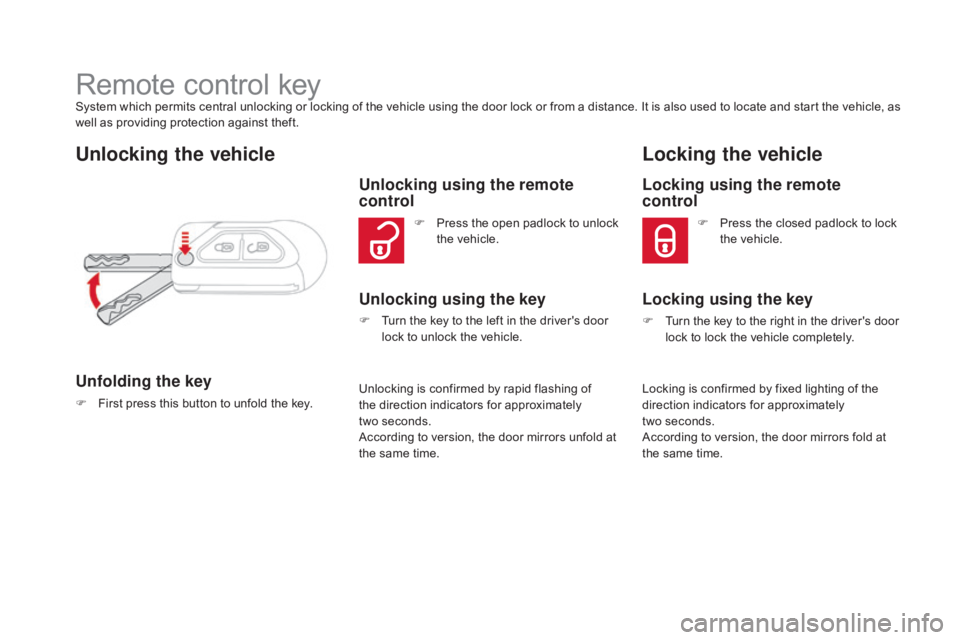
Remote control keySystem which permits central unlocking or locking of the vehicle using the door lock or from a distance. It is also used to locate and start the vehicle, as well as providing protection against theft.
Unlocking the vehicle
Unfolding the key
F First press this button to unfold the key.
Unlocking using the remote
control
Unlocking using the key
Locking the vehicle
Locking using the remote
control
Locking is confirmed by fixed lighting of the d
irection indicators for approximately
two
seconds.
According
to version, the door mirrors fold at
t
he same time.
F
P
ress
the
open
padlock
to
unlock
t
he
vehicle.
F
T
urn
the
key
to
the
left
in
the
driver's
door
l
ock
to
unlock
the
vehicle. F
P
ress the closed padlock to lock
t
he vehicle.
Unlocking
is
confirmed
by
rapid
flashing
of
t
he
direction
indicators
for
approximately
t
wo seconds.
According
to
version,
the
door
mirrors
unfold
at
t
he
same
time.
Locking using the key
F Turn the key to the right in the driver's door l
ock to lock the vehicle completely.
Page 63 of 458
61
DS3_en_Chap02_ouvertures_ed01-2015
If one of the doors or the boot is still
open, the central locking does not take
p
lace.
When
the vehicle is locked, if it is
u
nlocked inadvertently, it will relock
a
utomatically after thirty seconds
u
nless a door or the boot is open.
The
folding and unfolding of the door
m
irrors using the remote control can be
d
eactivated by a CITROËN dealer or a
qualified
w
orkshop.
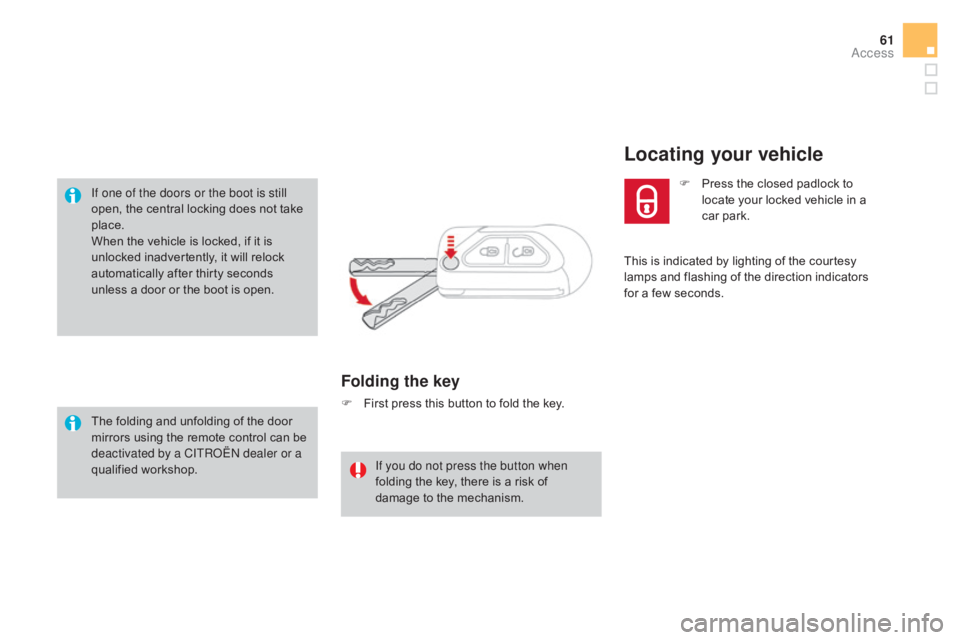
Folding the key
F First press this button to fold the key.
If you do not press the button when
folding
the key, there is a risk of
d
amage to the mechanism. This
is indicated by lighting of the courtesy
l
amps and flashing of the direction indicators
f
or a few seconds.
Locating your vehicle
F Press
the closed padlock to l
ocate your locked vehicle in a
c
ar
par
k.
Access
Page 64 of 458
DS3_en_Chap02_ouvertures_ed01-2015
Following disconnection of the vehicle battery, replacement of the remote control battery or
i
n the event of a remote control malfunction,
y
ou can no longer unlock, lock or locate your
v
ehicle.
F
F
irst of all, use the key in the lock to unlock
o
r lock your vehicle.
F
T
hen, reinitialise the remote control.
If
the problem persists, contact a CITROËN
d
ealer as soon as possible.
Remote control problem
Reinitialisation
F Switch off the ignition.
F T urn the key to position 2 (Ignition).
F
P
ress the closed padlock immediately for a
f
ew seconds.
F
S
witch off the ignition and remove the key
f
rom the ignition switch.
The
remote control is fully operational again.
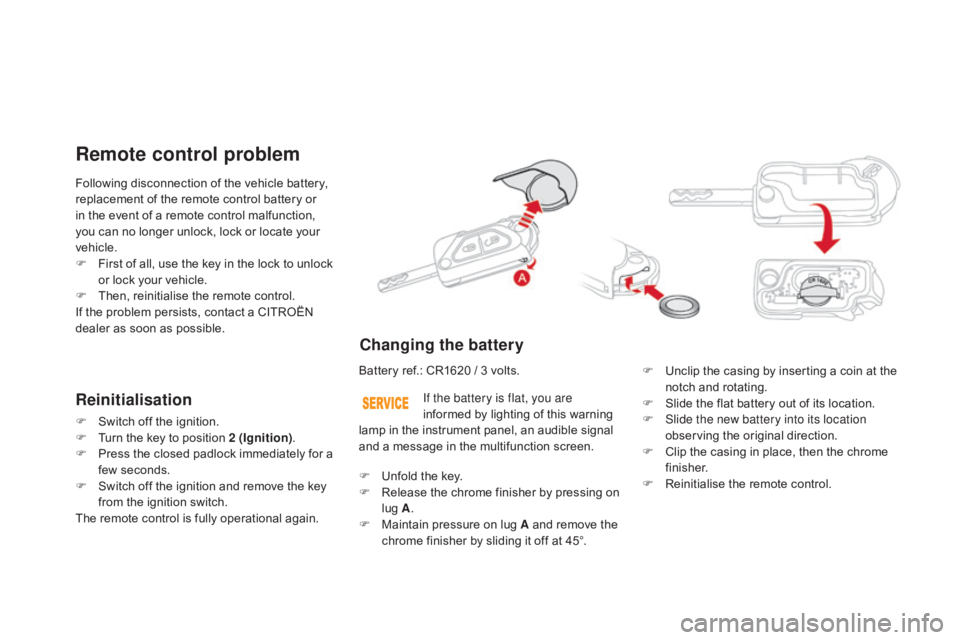
Changing the battery
Battery ref.: CR1620 / 3 volts.F U nclip the casing by inserting a coin at the
n
otch and rotating.
F
S
lide the flat battery out of its location.
F
S
lide the new battery into its location
observing
the original direction.
F
C
lip the casing in place, then the chrome
f
inisher.
F
R
einitialise the remote control.
If the battery is flat, you are
informed
by lighting of this warning
l
amp in the instrument panel, an audible signal
a
nd a message in the multifunction screen.
F
U
nfold the key.
F
R
elease the chrome finisher by pressing on
l
ug A.
F
M
aintain pressure on lug A and remove the
c
hrome finisher by sliding it off at 45°.
Page 65 of 458

63
DS3_en_Chap02_ouvertures_ed01-2015
Do not throw the remote control batteries away, they contain metals
w
hich are harmful to the environment.
Take
them to an approved collection
po
int.Lost keys
Go to a CITROËN dealer with the vehicle's registration document, your personal identification documents and if possible the key code label.
The
CITROËN dealer will be able to look up the key code and the transponder code
r
equired to order a new key.
Remote control
The high frequency remote control is a sensitive system; do not operate it while it is in your pocket as there is a possibility that it may unlock the vehicle, without you being aware of it.
Do
not repeatedly press the buttons of your remote control out of range and out of sight of
y
our vehicle. You run the risk of stopping it from working and the remote control would have
t
o be reinitialised.
No
remote control can operate when the key is in the ignition switch, even when the ignition
i
s switched off, except for reinitialisation.
Locking the vehicle
Driving with the doors locked may make access to the passenger compartment by the emergency services more difficult in an emergency.
As
a safety precaution, never leave children alone in the vehicle, except for a very short
p
eriod.
In
all cases, it is essential to remove the key from the ignition switch when leaving the vehicle.
Anti-theft protection
Do not make any modifications to the electronic engine immobiliser system; this could cause m alfunctions.
When purchasing a second-hand vehicle
Have the pairing of all of the keys in your possession checked by a CITROËN dealer, to ensure that only your keys can be used to open and start the vehicle.
Access
Page 68 of 458
DS3_en_Chap02_ouvertures_ed01-2015
Doors
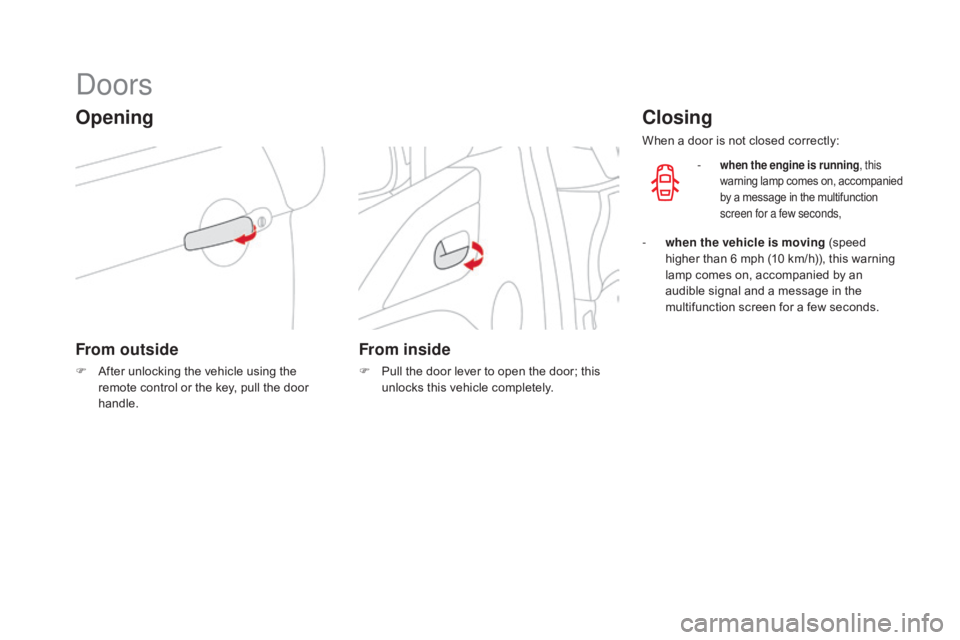
Opening
From outside
F After unlocking the vehicle using the r
emote control or the key, pull the door
han
dle.
From inside
F Pull the door lever to open the door; this u
nlocks this vehicle completely.
Closing
When a door is not closed correctly:
-
when the engine is running , this
warning lam p c omes o n, a ccompanied b
y a message in the multifunction
s
creen for a few seconds,
- when the vehicle is moving (speed h
igher than 6 mph (10 km/h)), this warning
l
amp comes on, accompanied by an
a
udible signal and a message in the
m
ultifunction screen for a few seconds.