smart CITROEN DS3 CROSSBACK 2020 Owner's Guide
[x] Cancel search | Manufacturer: CITROEN, Model Year: 2020, Model line: DS3 CROSSBACK, Model: CITROEN DS3 CROSSBACK 2020Pages: 244, PDF Size: 7.7 MB
Page 216 of 244
214DS CONNECT NAV12
Treble sound settings are different and
independent for each audio source.
Activate or deactivate "Loudness".
The "Position” settings (All passengers, Driver
and Front only) are common to all sources.
Activate or deactivate "Touch tones", "Volume
linked to speed" and "Auxiliary input".Onboard audio: Arkamys Sound Staging
©
optimises the sound distribution inside
the passenger compartment.
Configuring profiles
Press Settings to display the main page.
Press the "OPTIONS" button to access the
secondary page.
Select "Setting of the profiles".
Select "Profile 1", "Profile 2", "Profile 3” or
"Common profile".
Press this button to enter a name for the
profile using the virtual keypad.
Press "OK" to confirm.
Press this button to add a photograph to
the profile.
Insert a USB memory stick containing the
photograph in the USB port.
Select the photograph.
Press "OK" to accept the transfer of the
photograph.
Press the "Address" tab to enter the
contact’s address(es).
Press the "Email" tab to enter the
contact’s email address(es).
Press "OK" to save.
Press this button to sort contacts by
Surname+first name or by First
name+surname.
The "Email" function allows email
addresses to be entered for a contact, but
the system is not able to send emails.
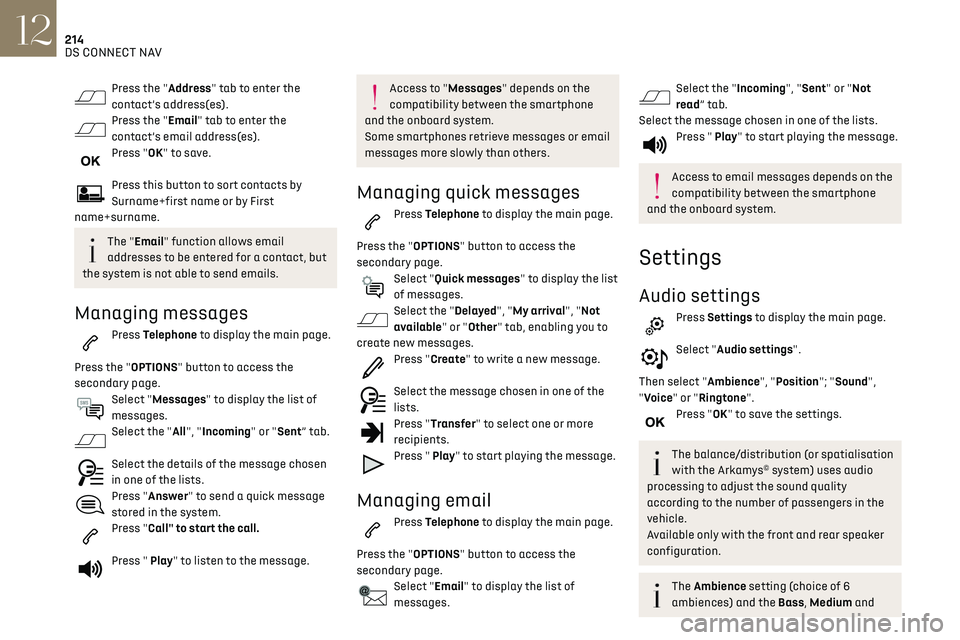
Managing messages
Press Telephone to display the main page.
Press the "OPTIONS" button to access the
secondary page.
Select "Messages" to display the list of
messages.
Select the "All", "Incoming" or "Sent” tab.
Select the details of the message chosen
in one of the lists.
Press "Answer" to send a quick message
stored in the system.
Press "Call" to start the call.
Press " Play" to listen to the message.
Access to " Messages" depends on the
compatibility between the smartphone
and the onboard system.
Some smartphones retrieve messages or email
messages more slowly than others.
Managing quick messages
Press Telephone to display the main page.
Press the "OPTIONS" button to access the
secondary page.
Select "Quick messages" to display the list
of messages.
Select the "Delayed", "My arrival", "Not
available" or "Other" tab, enabling you to
create new messages.
Press "Create" to write a new message.
Select the message chosen in one of the
lists.
Press "Transfer" to select one or more
recipients.
Press " Play" to start playing the message.
Managing email
Press Telephone to display the main page.
Press the "OPTIONS" button to access the
secondary page.
Select "Email" to display the list of
messages.
Select the "Incoming", "Sent" or "Not
read” tab.
Select the message chosen in one of the lists.
Press " Play" to start playing the message.
Access to email messages depends on the
compatibility between the smartphone
and the onboard system.
Settings
Audio settings
Press Settings to display the main page.
Select "Audio settings".
Then select "Ambience", "Position"; "Sound",
"Voice" or "Ringtone".
Press "OK" to save the settings.
The balance/distribution (or spatialisation
with the Arkamys© system) uses audio
processing to adjust the sound quality
according to the number of passengers in the
vehicle.
Available only with the front and rear speaker
configuration.
The Ambience setting (choice of 6
ambiences) and the Bass, Medium and
Page 226 of 244
224
Alphabetical index
S
Safety, children 70, 72–76
Saturation of the particle filter (Diesel)
143
Screen menu map
189
Screenwash
60
Screenwash, front
60
Screenwash, rear
60–61
SCR (Selective Catalytic Reduction)
19, 144
Seat angle
38
Seat belts
68–69, 74
Seat, rear bench
42
Seats, electric
38–39
Seats, front
38–39
Seats, heated
40
Seats, rear
42–43, 73
Selector, drive
89
Selector, gear
86–89
Sensors (warnings)
95
Serial number, vehicle
172
Service indicator
17, 21
Servicing
17, 142, 144
Settings, equipment
24
Settings, system
180, 192, 215
Sidelamps
55, 156–157
Smart Access
30, 83
Snow chains
94, 138
Socket, 12 V accessory
49
Socket, auxiliary
177, 187, 211
Socket, Jack
211
Speakers
50
Speed limiter
98–100, 102
Speed limit recognition
95, 97
Speedometer
9, 95
Sport mode
90
Spotlamps, side
57
Stability control (ESC) 66
Starting a Diesel engine
129
Starting the engine
82
Starting the vehicle
82, 86–89
Starting using another battery
83, 162
State of charge, battery
25
Station, radio
175, 185, 209–210
Stay, bonnet
139
Steering mounted controls,
audio
173–174, 183, 196
Steering wheel, adjustment
40
Stickers, customising ~ Stickers, expressive
147
Stopping the vehicle
82, 86–89
Stop & Start
22, 44, 92–93, 129, 139, 142, 165
Storage
49
Storage box
53
Storage wells
53
Sunshine sensor
43
Sun visor
49
Suspension
144
Switching off the engine
82
Synchronising the remote control
33
T
Tables of engines 171
Tables of fuses
159–161
Tank, fuel
129–130
Technical data
169–171
Telephone
50, 178–179, 190–191, 212–214
Temperature, coolant
18
Time (setting)
180, 193, 216
TMC (Traffic info)
203
Tool box
53
Tools
148–150
Topping-up AdBlue® 145
Total distance recorder
21
Touch screen
22–23, 25, 48
Towbar
137
Towed loads
168–170
Towing another vehicle
165–167
Traction control (ASR)
66–67
Traffic information (TMC)
203
Trailer
137
Trajectory control systems
66
Triangle, warning
148
Trip computer
22
Trip distance recorder
21
Tyres
143
Tyre under-inflation detection
93, 152
U
Under-inflation (detection) 93
Unlocking
27, 29
Unlocking from the inside
30
Unlocking the boot
27, 29
Unlocking the doors
31
Unlocking the tailgate
29
Updating the date
193, 215
Updating the time
180, 193, 216
USB
177, 187, 206, 210
V
Ventilation 43
Video
211
Visiopark 1
118