Time & display CITROEN DS3 CROSSBACK 2021 User Guide
[x] Cancel search | Manufacturer: CITROEN, Model Year: 2021, Model line: DS3 CROSSBACK, Model: CITROEN DS3 CROSSBACK 2021Pages: 244, PDF Size: 7.7 MB
Page 27 of 244
25
Instruments01
– Access to the Settings of the touch screen and
digital instrument panel (date/time, languages,
units, etc.).
Side banners of the DS CONNECT NAV
– Exterior temperature (a blue warning lamp
appears when there is a risk of ice).
–
Ac
cess to the Settings of the touch screen and
digital instrument panel (date/time, languages,
units, etc.).
–
Notifications.
–
R
eminder of the air conditioning information,
and direct access to the corresponding menu.
–
Ac
cess to the heated seat settings.
–
Time.
Electric / Energy menu
Depending on version, this is accessible either:– directly, by pressing the button near the
touch screen.
– via the Applications menu.
Energy flows
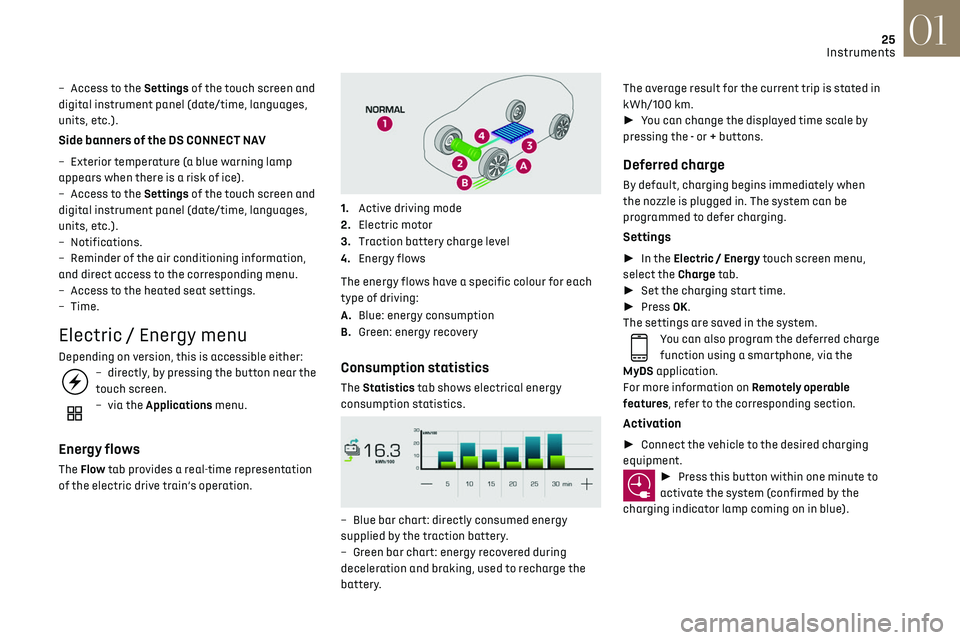
The Flow tab provides a real-time representation
of the electric drive train’s operation.
1.Active driving mode
2. Electric motor
3. Traction battery charge level
4. Energy flows
The energy flows have a specific colour for each
type of driving:
A. Blue: energy consumption
B. Green: energy recovery
Consumption statistics
The Statistics tab shows electrical energy
consumption statistics.
– Blue bar chart: directly c onsumed energy
supplied by the traction battery.
–
G
reen bar chart: energy recovered during
deceleration and braking, used to recharge the
battery. The average result for the current trip is stated in
kWh/100 km.
►
You can change the displayed time scale by
pressing the - or + buttons.
Deferred charge
By default, charging begins immediately when
the nozzle is plugged in. The system can be
programmed to defer charging.
Settings
► In the Electric / Energy touch screen menu,
select the Charge tab.
► Set the charging start time.
► Press OK.
The settings are saved in the system.
You can also program the deferred charge
function using a smartphone, via the
MyDS application.
For more information on Remotely operable
features, refer to the corresponding section.
Activation
► Connect the vehicle to the desired charging
equipment.
► Press this button within one minute to
activate the system (confirmed by the
charging indicator lamp coming on in blue).
Page 46 of 244
44Ease of use and comfort03
air outlets and the air extractor in the boot free
from obstructions.
► Do not cover the sunshine sensor located
on the dashboard; this sensor is used to
regulate the automatic air conditioning
system.
► Operate the air conditioning system for at
least 5 to 10 minutes once or twice a month to
keep it in perfect working order.
► If the system does not produce cold air,
switch it off and contact a dealer or a qualified
workshop.
When towing the maximum load on a steep
gradient in high temperatures, switching off
the air conditioning increases the available
engine power, enhancing the towing capacity.
Avoid driving for too long with the
ventilation off or with prolonged operation
of interior air recirculation. Risk of misting and
deterioration of the air quality!
If the interior temperature is very high
after the vehicle has stood for a long
time in the sunshine, air the passenger
compartment for a few moments.
Put the air flow control at a setting high
enough to quickly change the air in the
passenger compartment.
Condensation created by the air
conditioning results in a discharge of
water underneath the vehicle. This is perfectly
normal.
Servicing the ventilation and air
conditioning system
► Ensure that the passenger compartment
filter is in good condition and have the filter
elements replaced regularly.
We recommend using a composite passenger
compartment filter. Thanks to its special
active additive, this type of filter helps to
purify the air breathed by the occupants
and keep the passenger compartment clean
(by reducing allergic symptoms, unpleasant
odours and greasy deposits).
► To ensure correct operation of the
air conditioning system, have it checked
according to the recommendations in the
Maintenance and Warranty Guide.
Stop & Start
The heating and air conditioning systems
only operate when the engine is running.
Temporarily deactivate the Stop & Start
system to maintain a comfortable temperature
in the passenger compartment.
For more information on the Stop & Start, refer
to the corresponding section.
Manual air conditioning
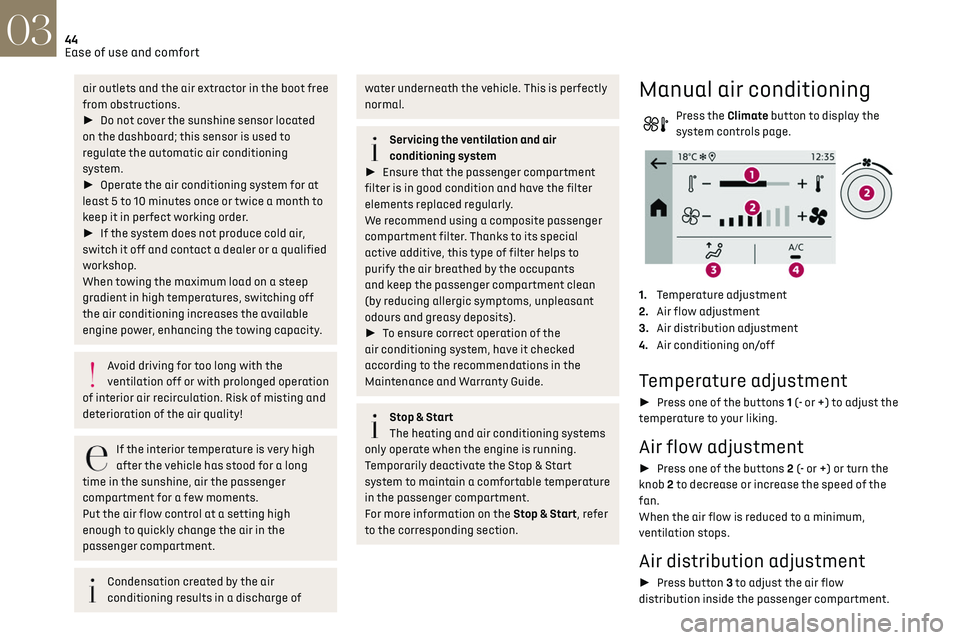
Press the Climate button to display the
system controls page.
1. Temperature adjustment
2. Air flow adjustment
3. Air distribution adjustment
4. Air conditioning on/off
Temperature adjustment
► Press one of the buttons 1 (- or +) to adjust the
temperature to your liking.
Air flow adjustment
► Press one of the buttons 2 (- or +) or turn the
knob 2 to decrease or increase the speed of the
fan.
When the air flow is reduced to a minimum,
ventilation stops.
Air distribution adjustment
► Press button 3 to adjust the air flow
distribution inside the passenger compartment.
Central and side air vents, footwells
Central and side air vents
Windscreen
Windscreen, footwells
Footwells
Air conditioning on / off
The air conditioning system is designed to
operate effectively in all seasons, with the
windows closed.
It is used to:
– lower the temperature in summer,
– increase the effectiveness of the demisting in
winter, above 3°C.
► Press button 4 to activate/deactivate the air
conditioning system.
Air conditioning does not operate when
the air flow is disabled.
To obtain cool air more quickly, enable interior
air recirculation for a brief period. Then return
to the intake of exterior air.
Switching off the air conditioning may result in
some discomfort (humidity or misting).
Page 52 of 244
50Ease of use and comfort03
The connection of an unapproved
electrical device, such as a USB charger,
may adversely affect the operation of vehicle
electrical systems, causing faults such as poor
radio reception or interference with displays in
the screens.
FOCAL ELECTRA® Premium Hi-Fi
system
Your vehicle is equipped with a high-fidelity
acoustic system designed by the French brand
FOCAL
®, a specialist in acoustics for more than
35 years and recognised throughout the world
for its patented innovations and its unique audio
signature.
12 speakers incorporating exclusive FOCAL
®
technologies offer the pleasure of pure and
detailed sound inside the vehicle:
–
Cen
tral speaker / satellite speakers: Polyglass
technology delivering sound immersion and
spatialisation.
–
High fidelity w
oofer / mid-range speakers:
Polyglass technology delivering balance and
precise sound.
– TNF tweeters: inverted dome aluminium
technology giving optimum sound dispersion and
very detailed higher frequencies.
–
12-w
ay active amplification - 515 Watts: Hybrid
Class AB / Class D technology providing breadth
and finesse in the high frequency signals, as well
as real power in the bass.
–
Sub
woofer: 200 mm triple coil Power Flower
TM
technology for defined and dynamic reproduction
of lower frequencies.
Subwoofer under boot mat: vacuum the
grille regularly and be careful not to have
any liquids nearby.
Wireless smartphone charger
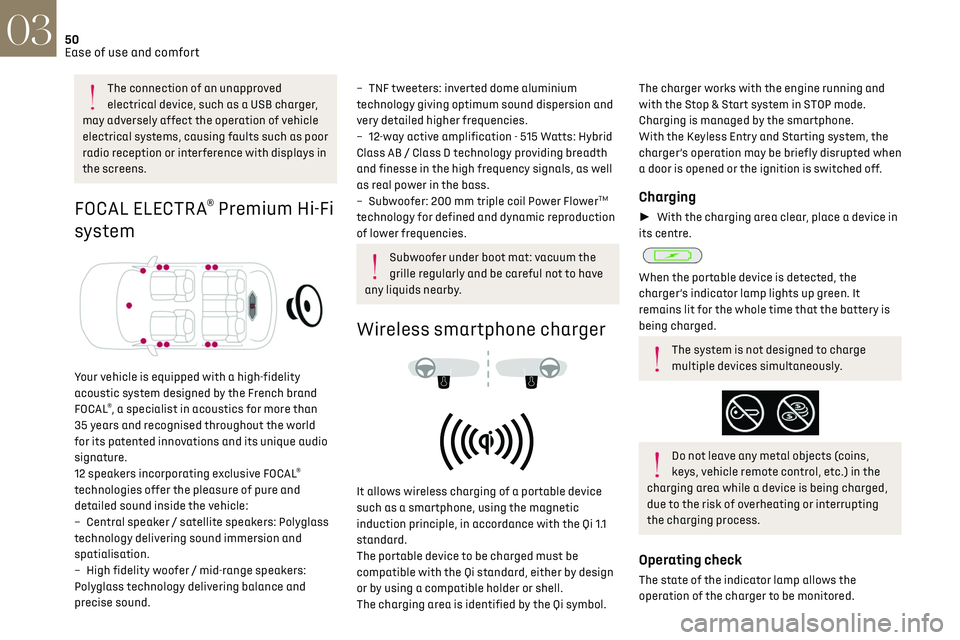
It allows wireless charging of a portable device
such as a smartphone, using the magnetic
induction principle, in accordance with the Qi 1.1
standard.
The portable device to be charged must be
compatible with the Qi standard, either by design
or by using a compatible holder or shell.
The charging area is identified by the Qi symbol.
The charger works with the engine running and
with the Stop & Start system in STOP mode.
Charging is managed by the smartphone.
With the Keyless Entry and Starting system, the
charger’s operation may be briefly disrupted when
a door is opened or the ignition is switched off.
Charging
► With the charging area clear, place a device in
its centre.
When the portable device is detected, the
charger’s indicator lamp lights up green. It
remains lit for the whole time that the battery is
being charged.
The system is not designed to charge
multiple devices simultaneously.
Do not leave any metal objects (coins,
keys, vehicle remote control, etc.) in the
charging area while a device is being charged,
due to the risk of overheating or interrupting
the charging process.
Operating check
The state of the indicator lamp allows the
operation of the charger to be monitored.
Page 56 of 244

54Lighting and visibility04
Exterior lighting control
stalk
Main lighting
Automatic illumination of headlamps/
daytime running lamps.
Sidelamps only.
Dipped or main beam headlamps.
"Highway function"
On versions fitted with "Full LED"
technology headlamps, the range of the dipped
beam headlamps is automatically increased
once the speed of the vehicle is above 68 mph
(110 km/h).
Headlamp dipping
► Pull the stalk to switch between dipped and
main beam headlamps.
In “AUTO” and sidelamps modes, the driver can
switch on the main beam headlamps temporarily
(“headlamp flash”) by pulling the stalk.
Displays
Illumination of the corresponding indicator lamp
in the instrument panel confirms that the lighting
selected is on.
A fault with a lamp is signalled by the
permanent illumination of this warning
lamp, accompanied by the display of a message
and an audible signal.
Rear foglamp
It only works if the dipped or main beam
headlamps are on.
► Rotate the ring forwards to switch it on and
backwards to switch it off.
When the lamps are switched off automatically
("AUTO" position), the foglamp and the dipped
beam headlamps will remain on.
Switching on the foglamps is prohibited in
clear weather or in rain, both day and
night. In these situations, the power of their
beams may dazzle other drivers. They must
only be used in fog or falling snow (rules may
vary depending on country).
Do not forget to switch off the foglamps when
they are no longer necessary.
Switching off of the lamps when the
ignition is switched off
When the ignition is switched off, all of the
lamps turn off immediately, except for dipped
beam headlamps if automatic guide-me-home
lighting is activated.
Switching on the lamps after switching
off the ignition
To reactivate the lighting control, rotate the
ring to the "AUTO" position, then to the desired
position.
If the driver's door is opened, a temporary
audible signal warns the driver that the lamps
are on.
They will go off automatically after a period
of time that depends on the state of charge of
the battery (entering energy economy mode).
In some weather conditions (e.g. low
temperature or humidity), the presence of
misting on the internal surface of the glass of
the headlamps and rear lamps is normal; it
disappears after the lamps have been on for a
few minutes.
Never look too closely at the luminous
beam of “Full LED” headlamps: risk of
serious eye injury.
Travelling abroad
Vehicles equipped with halogen
headlamps:
If planning to use your vehicle in a country
that drives on the other side of the road, the
headlamp dipped beams must be adjusted to
avoid dazzling oncoming drivers. Contact a
dealer or a qualified workshop.
Daytime running lamps/
sidelamps
The front and rear lamps light up automatically
when the engine starts.
Page 58 of 244
56Lighting and visibility04
As soon as the brightness returns to a sufficient
level or after the windscreen wipers are switched
off, the lamps are switched off automatically.
Malfunction
In the event of a malfunction of the rain/
sunshine sensor, the vehicle’s lighting
comes on and this warning lamp is displayed in
the instrument panel, accompanied by an audible
signal and/or the display of a message.
Contact a dealer or a qualified workshop.
Do not cover the rain/sunshine sensor
located at the top centre of the
windscreen behind the interior rear view
mirror; the associated functions would no
longer be controlled.
In fog or snow, the rain/sunshine sensor
may detect sufficient light. In this case,
the lighting will not come on automatically.
Headlamp beam height
adjustment
Manual adjustment of the
halogen headlamps
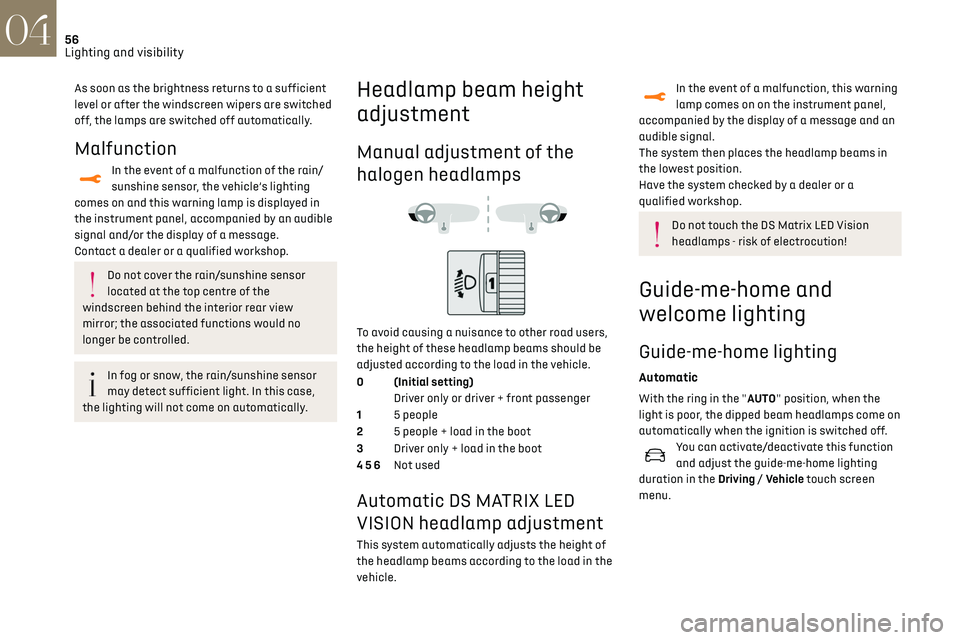
To avoid causing a nuisance to other road users,
the height of these headlamp beams should be
adjusted according to the load in the vehicle.
0 (Initial setting) Driver only or driver + front passenger
1 5 people
2 5 people + load in the boot
3 Driver only + load in the boot
4 5 6 Not used
Automatic DS MATRIX LED
VISION headlamp adjustment
This system automatically adjusts the height of
the headlamp beams according to the load in the
vehicle.
In the event of a malfunction, this warning
lamp comes on on the instrument panel,
accompanied by the display of a message and an
audible signal.
The system then places the headlamp beams in
the lowest position.
Have the system checked by a dealer or a
qualified workshop.
Do not touch the DS Matrix LED Vision
headlamps - risk of electrocution!
Guide-me-home and
welcome lighting
Guide-me-home lighting
Automatic
With the ring in the "AUTO" position, when the
light is poor, the dipped beam headlamps come on
automatically when the ignition is switched off.
You can activate/deactivate this function
and adjust the guide-me-home lighting
duration in the Driving / Vehicle touch screen
menu.
Manual
► With the ignition off, pull the lighting control
stalk toward you ("headlamp flash") to activate/
deactivate the function.
Manual guide-me-home lighting goes off
automatically after a period of time.
Welcome lighting
When the vehicle is unlocked in low light
conditions and the "Automatic illumination of
headlamps" function is activated, this system
automatically switches on:
– On the outside, sidelamps, dipped beam
headlamps and door mirror spotlamps.
– Inside, courtesy lamps and footwell lighting.
Activation / deactivation and adjustment
of the duration of the welcome lighting are
set via the Driving / Vehicle touch screen menu.
Door mirror spotlamps
These spotlamps facilitate access to the vehicle
by lighting the ground near the front doors.
The spotlamps come on automatically:
– when the vehicle is unlocked.
– when a door is opened.
Page 61 of 244

59
Lighting and visibility04
When an oncoming vehicle approaches, only
those lamp segments directed at this vehicle
go off, thereby creating a "tunnel" during the
duration of the approach.
Nominal main beam lighting is restored as soon
as the vehicle is no longer detected by the system.
Entering an illuminated area
At the entrance to an illuminated area (for
example, a town), the lamp segments are
gradually switched off from the outside to the
inside of the vehicle to switch to the dipped
beams.
Exiting an illuminated area
The lamp segments gradually light up from the
inside to the outside of the vehicle to restore the
main beams.
Activation/Deactivation
► Turn the lighting control stalk ring to the
"AUTO" position.
This indicator lamp comes on in the
instrument panel.
The function can be activated and
deactivated in the Driving / Vehicle touch
screen menu.
When deactivated, the lighting system changes to
"automatic illumination of lamps" mode.
The status of the system remains in the memory
when the ignition is switched off.
Pause
If the situation requires a change of headlamp
beam, the driver can take over at any time.
► Flashing the headlamps pauses the
function and the system changes to "automatic
illumination of headlamps" mode:
To reactivate the system, flash the headlamps
again.
Malfunction
If a fault occurs with the adaptive
headlamp lighting or the camera, this
warning lamp is displayed in the instrument
panel, accompanied by an audible signal and a
message.
Contact a dealer or a qualified workshop.
Do not cover the sunshine sensor, linked
to the rain sensor and located at the top
centre of the windscreen behind the interior
rear view mirror; the associated functions
would no longer be controlled.
The system may suffer interference or not
work correctly:
–
under c
onditions of poor visibility (snow,
heavy rain, etc.),
–
if the windscreen in fron
t of the camera is
dirty, misted or obscured (for example, by a
sticker, etc.),
–
if the v
ehicle is facing highly reflective signs
or safety barrier reflectors.
It is recommended to deactivate the function
in foggy or snowy conditions or in case of
heavy mist.
The function temporarily deactivates when
the system detects thick fog or when you
switch on the foglamps. This is signalled by
the extinction of the indicator lamp in the
instrument panel.
The system is not able to detect:
–
road users tha
t do not have their own
lighting, such as pedestrians,
–
v
ehicles whose lighting is obscured (for
example: vehicles running behind a safety
barrier on a motorway),
–
v
ehicles at the top or bottom of a steep
slope, on winding roads, on crossroads.
Clean the windscreen regularly,
particularly the area in front of the
camera.
Do not allow snow to accumulate on the
bonnet or roof of the vehicle as this could
obstruct the detection camera.
Travelling abroad
Vehicles equipped with the DS MATRIX
LED VISION function:
If using your vehicle in a country that drives
on the other side of the road to the country of
sale, deactivate this function to avoid dazzling
oncoming drivers.
Page 68 of 244

66Safety05
Deactivation / Reactivation
In exceptional conditions (starting a vehicle stuck
in mud, immobilised in snow, on soft ground, etc.),
it may be useful to deactivate the ASR system to
freely spin the wheels and regain traction.
Reactivate the system as soon as the level of grip
permits.
It is set via the Driving / Vehicle touch
screen menu.
Deactivation is confirmed by the
illumination of this indicator lamp in the
instrument panel and the display of a message.
The ASR system is reactivated automatically
every time the ignition is switched back on or
from 31 mph (50 km/h).
Reactivation is manual below 31 mph (50 km/h).
Malfunction
In the event of a system malfunction, this
warning lamp comes on, accompanied by
an onscreen message and audible signal.
Contact a dealer or a qualified workshop to have
the systems checked.
ASR / DSC
These systems enhance safety during
normal driving, but should not encourage the
driver to take extra risks or drive at high speed.
It is in conditions of reduced grip (rain, snow,
ice) that the risk of loss of grip increases. It
is therefore important for your safety to keep
these systems activated in all conditions, and
particularly in difficult conditions.
For technical reasons, in particular to
improve the quality of telematic services
for customers, the Manufacturer reserves the
right to carry out updates to the vehicle's
on-board telematic system at any time.
If you benefit from the DS CONNECT BOX
offer with the SOS and Assistance Pack
included, you have available additional
services in your personal space, via the
website in your country.
For information about the SOS and Assistance
Pack, please refer to the general conditions for
these services.
Electronic stability control
(ESC)
The electronic stability control programme
includes the following systems:
–
An
ti-lock braking system (ABS) and Electronic
brake force distribution (EBFD).
–
Emergenc
y braking assistance (EBA).
–
An
ti-slip regulation (ASR).
–
Dynamic st
ability control (DSC).
Anti-lock braking system (ABS)
and Electronic brake force
distribution (EBFD)
These systems enhance the vehicle’s stability
and handling during braking, and enable greater
control while cornering, particularly on poor or
slippery road surfaces.
ABS prevents wheel locking in the event of
emergency braking.
EBFD manages the braking pressure wheel by
wheel.
This warning lamp comes on fixed in the
event of an ABS malfunction.
The vehicle retains conventional braking. Drive
carefully at a moderate speed.
Contact a dealer or a qualified workshop as soon
as possible.
This warning lamp, when lit together with
the STOP and ABS warning lamps,
accompanied by a message and an audible signal,
indicates an EBFD malfunction.
You must stop as soon as it is safe to do so.
Contact a dealer or a qualified workshop.
The normal operation of the ABS may
result in slight vibrations in the brake
pedal.
When braking in an emergency, press very
firmly and maintain this pressure.
When changing wheels (tyres and rims),
ensure that these are approved for your
vehicle.
After an impact, have these systems
checked by a dealer or a qualified
workshop.
Emergency braking assistance
(EBA)
In an emergency, this system enables you to reach
the optimum braking pressure more quickly and
therefore reduce the stopping distance.
It is triggered in relation to the speed at which the
brake pedal is pressed. This is felt by a reduction
in the resistance of the pedal and an increase in
braking efficiency.
Anti-slip regulation (ASR) /
Dynamic stability control (DSC)
Anti-slip regulation optimises traction using
engine braking and by applying the brakes on the
driving wheels to avoid wheel spinning. It also
enhances the vehicle's directional stability while
accelerating.
If there is a difference between the vehicle’s
trajectory and the path desired by the driver, the
dynamic stability control system automatically
uses engine braking and the brakes on one or
more wheels to return the vehicle to the desired
path, within the limits of the laws of physics.
These systems are activated automatically every
time the vehicle is started.
They come into operation in the event of a grip or
trajectory problem.
This warning lamp on the instrument panel
flashes to indicate that they are operating.
Page 69 of 244
67Safety05
Deactivation / Reactivation
In exceptional conditions (starting a vehicle stuck
in mud, immobilised in snow, on soft ground, etc.),
it may be useful to deactivate the ASR system to
freely spin the wheels and regain traction.
Reactivate the system as soon as the level of grip
permits.
It is set via the Driving / Vehicle touch
screen menu.
Deactivation is confirmed by the
illumination of this indicator lamp in the
instrument panel and the display of a message.
The ASR system is reactivated automatically
every time the ignition is switched back on or
from 31 mph (50 km/h).
Reactivation is manual below 31 mph (50 km/h).
Malfunction
In the event of a system malfunction, this
warning lamp comes on, accompanied by
an onscreen message and audible signal.
Contact a dealer or a qualified workshop to have
the systems checked.
ASR / DSC
These systems enhance safety during
normal driving, but should not encourage the
driver to take extra risks or drive at high speed.
It is in conditions of reduced grip (rain, snow,
ice) that the risk of loss of grip increases. It
is therefore important for your safety to keep
these systems activated in all conditions, and
particularly in difficult conditions.
Correct operation of these systems depends
on compliance with the manufacturer's
recommendations relating to the wheels (tyres
and rims), braking and electronic components,
as well as the assembly and repair procedures
used by dealers.
The use of snow tyres is recommended, to
ensure that these systems remain effective
in winter conditions. All four wheels must be
fitted with tyres approved for the vehicle.
Advanced Traction Control
This special patented traction control system
improves grip on snow, mud and sand.
For optimum grip on snow, it is
recommended to fit the vehicle with
winter tyres.
Activation/Deactivation
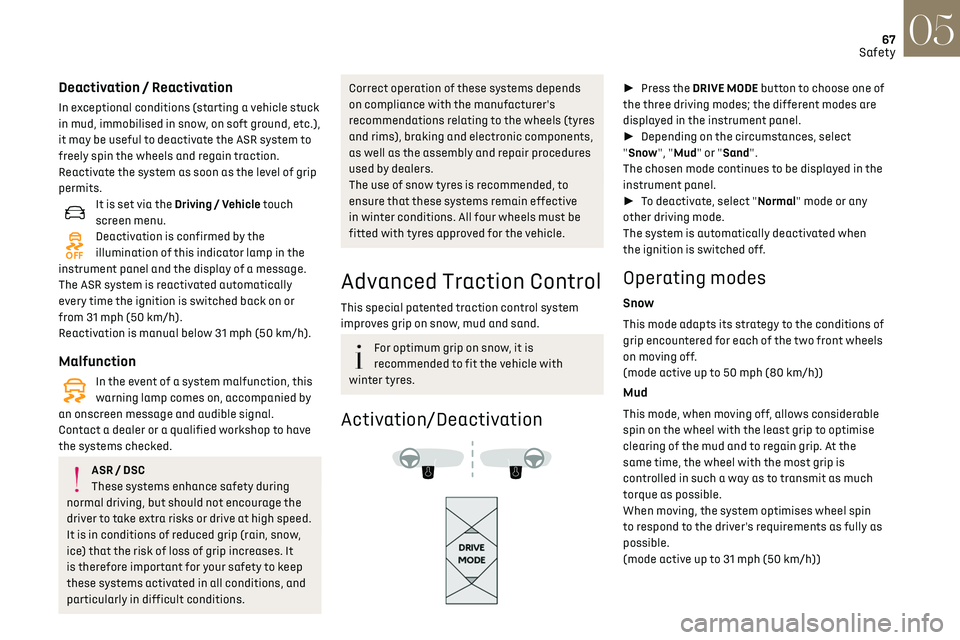
► Press the DRIVE MODE button to choose one of
the three driving modes; the different modes are
displayed in the instrument panel.
► Depending on the circumstances, select
"Snow", "Mud" or "Sand".
The chosen mode continues to be displayed in the
instrument panel.
► To deactivate, select "Normal" mode or any
other driving mode.
The system is automatically deactivated when
the ignition is switched off.
Operating modes
Snow
This mode adapts its strategy to the conditions of
grip encountered for each of the two front wheels
on moving off.
(mode active up to 50 mph (80 km/h))
Mud
This mode, when moving off, allows considerable
spin on the wheel with the least grip to optimise
clearing of the mud and to regain grip. At the
same time, the wheel with the most grip is
controlled in such a way as to transmit as much
torque as possible.
When moving, the system optimises wheel spin
to respond to the driver's requirements as fully as
possible.
(mode active up to 31 mph (50 km/h))
Page 70 of 244
68Safety05
Seat belt not fastened/
unfastened alerts
1. Front left seat belt warning lamp
2. Front right seat belt warning lamp
3. Rear left seat belt warning lamp
4. Rear centre seat belt warning lamp
5. Rear right seat belt warning lamp
If the corresponding seat belt is not fastened
or is unfastened, when the ignition is switched
on, the seat belts warning lamp comes on in the
instrument panel and the corresponding warning
lamp (1 to 5) comes on in red in the seat belt and
front passenger airbag warning lamps display.
If a rear seat belt is not fastened, the
corresponding warning lamp (3 to 5)
comes on for around 30 seconds.
From about 12 mph (20 km/h) and for 2 minutes,
each warning lamp corresponding to an occupied
seat whose seat belt is unfastened flashes,
accompanied by an audible signal. After these 2
minutes, the corresponding seat warning lamp
Sand
This mode allows little spin on the two driving
wheels at the same time to allow the vehicle to
move forward and limit the risks of getting stuck
in the sand.
(mode active up to 75 mph (120 km/h))
Do not use the other modes on sand as
the vehicle may become stuck.
Recommendations
The vehicle is designed principally to
drive on tarmac roads, but it allows you to
occasionally drive on other less passable
terrain.
However, it does not permit off-road driving
such as:
–
driving on t
errain which could damage the
underbody or strip away components (fuel
pipe, fuel cooler, etc.) due to obstacles or
stones in particular,
–
driving on t
errain with steep gradients and
poor grip,
–
cro
ssing a waterway.
Seat belts
Inertia reel
The seat belts are equipped with an inertia reel
which allows the strap length to automatically
adjust to your shape. The seat belt returns to its
storage automatically when it is not used.
The inertia reels are fitted with a device which
automatically locks the strap in the event of a
collision, emergency braking or if the vehicle rolls
over. It can be released by pulling the strap firmly
and then releasing it so that it reels in slightly.
Pyrotechnic pretensioning
This system improves safety in the event of a
frontal or side impact.
Depending on the severity of the impact, the
pyrotechnic pretensioning system instantly
tightens the seat belts against the body of the
occupants.
The pyrotechnic pretensioning seat belts are
enabled when the ignition is on.
Force limiter
This system reduces the pressure of the seat belt
on the chest of the occupant, thus improving their
protection.
In the event of an impact
Depending on the nature and seriousness
of the impacts, the pyrotechnic device may
trigger before and independently of airbag
deployment. Deployment of the pretensioners
is accompanied by a slight discharge of
harmless smoke and a noise, due to the
activation of the pyrotechnic cartridge
incorporated in the system.
In all cases, the airbag warning lamp comes
on.
Following an impact, have the seat belt system
checked, and if necessary replaced, by a dealer
or a qualified workshop.
Front seat belts
The front seat belts are fitted with a pyrotechnic
pretensioning system and a force limiting system.
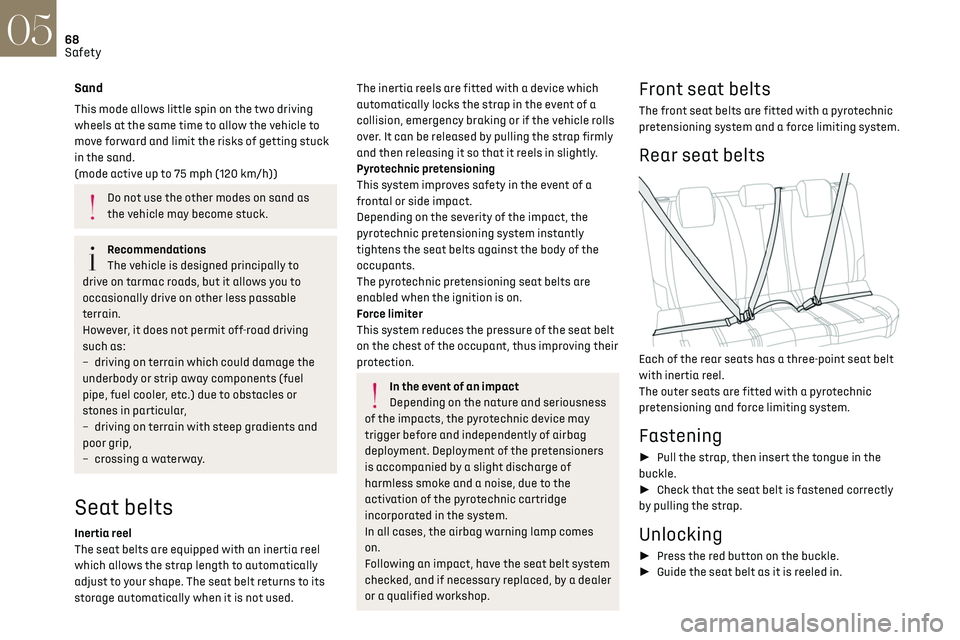
Rear seat belts
Each of the rear seats has a three-point seat belt
with inertia reel.
The outer seats are fitted with a pyrotechnic
pretensioning and force limiting system.
Fastening
► Pull the strap, then insert the tongue in the
buckle.
► Check that the seat belt is fastened correctly
by pulling the strap.
Unlocking
► Press the red button on the buckle.
► Guide the seat belt as it is reeled in.
Page 89 of 244

87
Driving06
B. Unlock button
To unlock the gearbox and come out of P or to
change to R, with the foot on the brake pedal.
Press and hold this button before pushing the
selector.
C. Button M
To change from mode D to permanent manual
mode.
(Depending on version: with DS PARK PILOT,
the manual mode is accessed via the DRIVE
MODE control)
D. Gearbox status indicators (P, R, N, D)
► Move the selector by pressing it forwards (N
or R) or rearwards (N or D) once or twice, passing
the point of resistance if necessary.
The push selector returns to its initial position
when released. For example, to change from P to
R, either push
forwards twice without passing the point of
resistance or push just once, passing the point of
resistance:
–
In the first c
ase, the gearbox goes from P to
N,
then from N to R.
–
In the sec
ond case, the gearbox goes directly
from P to R.
Steering-mounted controls
In mode M or D, the steering-mounted control
paddles can be used to change gear manually.
They cannot be used to select neutral or to
engage or disengage reverse gear.
► Pull the "+" or "-" paddle towards you and
release to shift up or down a gear, respectively.
Displays on the instrument
panel
With the ignition on, the status of the gearbox is
displayed in the instrument panel:
P: park.
R: reverse.
N: neutral.
D1...D8: automatic mode.
S: Sport programme
M1...M8: manual mode.
-: instruction not accepted in manual mode.
If the driver's door is opened with the ignition
on, a message is displayed asking you to put the
gearbox into mode P.
The state of the gearbox is displayed in the
instrument panel for a few moments after
switching off the ignition.
Operation
With the engine running, if it is necessary to press
the brake pedal and/or the Unlock button in order
to change mode, an alert message is displayed in
the instrument panel.
Only appropriate attempted changes of mode are
accepted.
With the engine running and the brakes
released, if R, D or M is selected, the
vehicle moves off, even without pressing the
accelerator pedal.
Never press the accelerator and brake
pedals at the same time - risk of damage
to the gearbox!
In the event of a battery failure, you must
place the chock supplied with the vehicle tools
against one of the wheels to immobilise the
vehicle.
Unlocking the gearbox
– From mode P: