change wheel CITROEN DS3 CROSSBACK 2022 Owner's Manual
[x] Cancel search | Manufacturer: CITROEN, Model Year: 2022, Model line: DS3 CROSSBACK, Model: CITROEN DS3 CROSSBACK 2022Pages: 244, PDF Size: 7.7 MB
Page 176 of 244
174
Touch screen BLUETOOTH audio system10
Telephone
Connect a mobile phone via Bluetooth®.
Driving
Activate, deactivate or configure certain
vehicle functions (depending on
equipment/version).
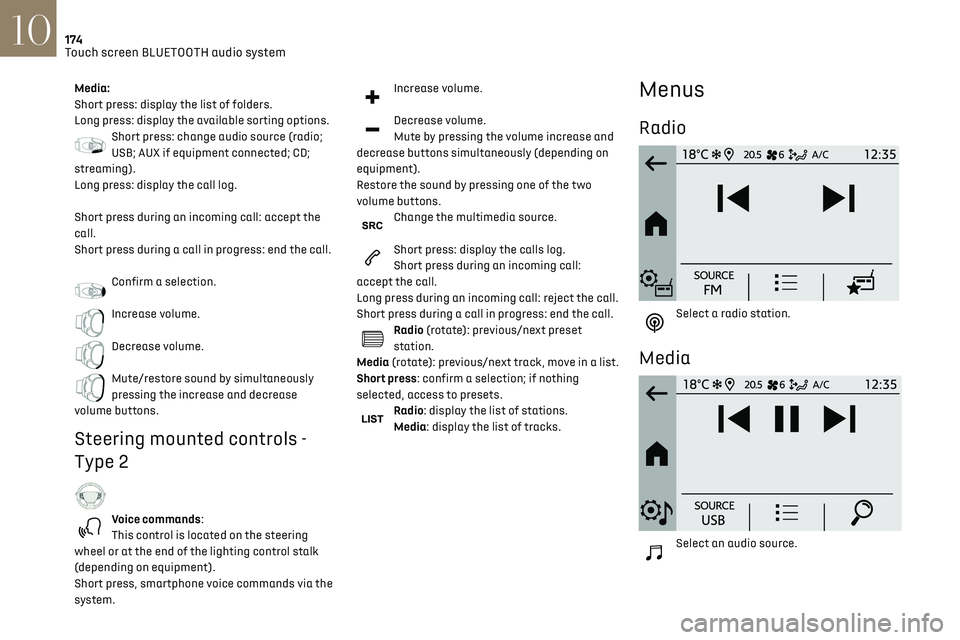
Media:
Short press: display the list of folders.
Long press: display the available sorting options.
Short press: change audio source (radio;
USB; AUX if equipment connected; CD;
streaming).
Long press: display the call log.
Short press during an incoming call: accept the
call.
Short press during a call in progress: end the call.
Confirm a selection.
Increase volume.
Decrease volume.
Mute/restore sound by simultaneously
pressing the increase and decrease
volume buttons.
Steering mounted controls -
Type 2
Voice commands:
This control is located on the steering
wheel or at the end of the lighting control stalk
(depending on equipment).
Short press, smartphone voice commands via the
system.
Increase volume.
Decrease volume.
Mute by pressing the volume increase and
decrease buttons simultaneously (depending on
equipment).
Restore the sound by pressing one of the two
volume buttons.
Change the multimedia source.
Short press: display the calls log.
Short press during an incoming call:
accept the call.
Long press during an incoming call: reject the call.
Short press during a call in progress: end the call.
Radio (rotate): previous/next preset
station.
Media (rotate): previous/next track, move in a list.
Short press: confirm a selection; if nothing
selected, access to presets.
Radio: display the list of stations.
Media: display the list of tracks.
Menus
Radio
Select a radio station.
Media
Select an audio source.
Page 185 of 244

183
DS CONNECT RADIO11
In the "Settings" menu, it is possible to
create a profile for an individual or for a
group of people with shared interests, and
configure a wide range of settings (radio
presets, audio settings, ambiences, etc.).
Settings are applied automatically.
In very hot conditions, the volume may be
limited to protect the system. It may enter
standby mode (with the screen and sound off)
for 5 minutes or more.
The system will resume normal operation
when the temperature in the passenger
compartment has dropped.
Steering mounted controls
Steering mounted controls -
Type 1
Radio:
Select the previous/next preset radio
station.
Select the previous/next item in a menu or a list.
Media:
Select the previous/next track.
Select the previous/next item in a menu or a list.
Radio:
Short press: display the list of radio
stations.
Long press: update the list.
Media:
Short press: display the list of folders.
Long press: display the available sorting options.
Change audio source (radio; USB; AUX if
equipment connected; CD; streaming).
Confirm a selection.
Increase volume.
Decrease volume.
Mute/restore sound by simultaneously
pressing the increase and decrease
volume buttons.
Steering mounted controls -
Type 2
Voice commands: This control is located on the steering wheel or at
the end of the lighting control stalk (depending on
equipment).
Short press, smartphone voice commands via the
system.
Increase volume.
Decrease volume.
Mute by pressing the volume increase and
decrease buttons simultaneously (depending on
equipment).
Restore the sound by pressing one of the two
volume buttons.
Media (short press): change the
multimedia source.
Telephone (short press): start telephone
call.
Call in progress (short press): access telephone
menu.
Telephone (long press): reject an incoming call,
end call; when no call is in progress, access
telephone menu.
Radio (rotate): automatic search for the
previous/next station.
Media (rotate): previous/next track, move in a list.
Short press: confirm a selection; if nothing
selected, access to presets.
Radio: display the list of stations.
Media: display the list of tracks.
Radio (press and hold): update the list of stations
received.
Page 198 of 244
196
DS CONNECT NAV12
Applications
Run certain applications on a smartphone
connected via CarPlay®, MirrorLinkTM
(available in some countries) or Android Auto.
Check the status of Bluetooth
® and Wi-Fi
connections.
Radio Media
87.5 MHz
Select an audio source or radio station, or
display photographs.
– Telephone connected via Bluetooth and
Bluetooth multimedia broadcast (streaming).
–
USB memory stick.
–
Media pla
yer connected via the auxiliary socket
(depending on equipment).
–
Video (
depending on equipment).
In the "Settings" menu, it is possible to
create a profile for an individual or for a
group of people with shared interests, and
configure a wide range of settings (radio
presets, audio settings, navigation history,
favourite contacts, etc.). Settings are applied
automatically.
In very hot conditions, the volume may be
limited to protect the system. It may enter
standby mode (with the screen and sound off)
for 5 minutes or more.
The system will resume normal operation
when the temperature in the passenger
compartment has dropped.
Steering mounted controls
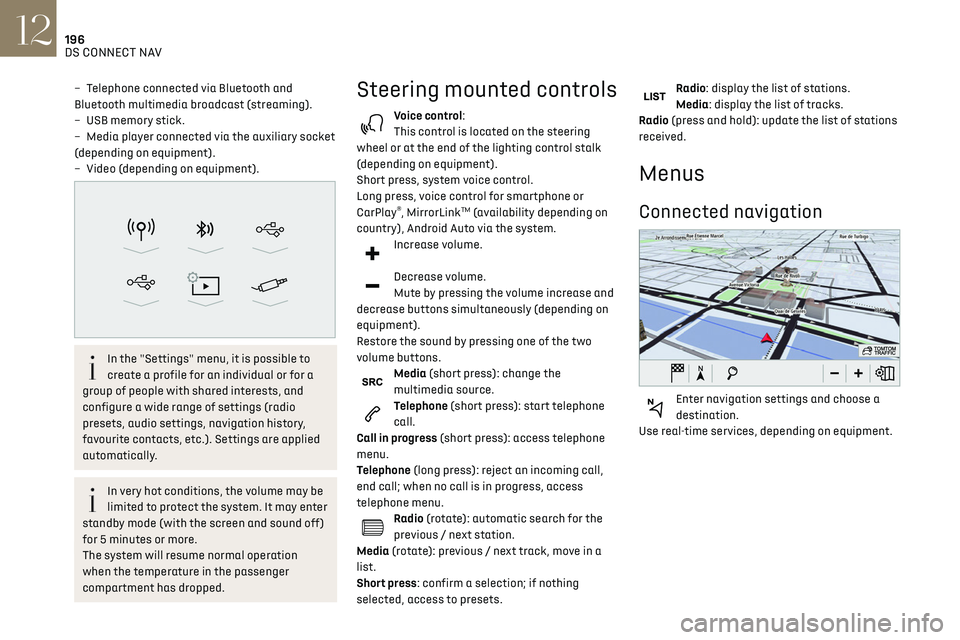
Voice control:
This control is located on the steering
wheel or at the end of the lighting control stalk
(depending on equipment).
Short press, system voice control.
Long press, voice control for smartphone or
CarPlay
®, MirrorLinkTM (availability depending on
country), Android Auto via the system.
Increase volume.
Decrease volume.
Mute by pressing the volume increase and
decrease buttons simultaneously (depending on
equipment).
Restore the sound by pressing one of the two
volume buttons.
Media (short press): change the
multimedia source.
Telephone (short press): start telephone
call.
Call in progress (short press): access telephone
menu.
Telephone (long press): reject an incoming call,
end call; when no call is in progress, access
telephone menu.
Radio (rotate): automatic search for the
previous / next station.
Media (rotate): previous / next track, move in a
list.
Short press: confirm a selection; if nothing
selected, access to presets.
Radio: display the list of stations.
Media: display the list of tracks.
Radio (press and hold): update the list of stations
received.
Menus
Connected navigation
Enter navigation settings and choose a
destination.
Use real-time services, depending on equipment.
Page 225 of 244

223
Alphabetical index
Maintenance (advice) 131, 146
Maintenance, routine
95, 142
Manoeuvring aids (recommendations)
94
Map reading lamps
51–52
Markings, identification
172
Massage function
39–40
Mat
51, 95
Memorising a speed
102
Menu
189
Menu, main
24
Menus (audio)
174–175, 184–185, 196–197
Menu short cuts
24
Messages
214
Messages, quick
214
Mirror, rear view
41
Mirrors, door
41, 47, 113
Mirror, vanity
49
Misfuel prevention
130
Motor, electric
5, 82, 130, 171
Mountings, ISOFIX
75
N
Navigation 202–204
Navigation, connected
204–206
Net, high load retaining
53
O
Obstacle detection 117
Oil change
141
Oil consumption
141
OIl, engine
141
On-board tools 53, 148–150
Opening the bonnet
139
Opening the boot
29, 34
Opening the doors
29, 33–34
Opening the windows
27
P
Pads, brake 143
Paint
147, 172
Paint colour code
172
Parcel shelf, rear
53
Park Assist
121
Parking brake
143
Parking brake, electric
83–85
Parking sensors, audible and visual
117
Parking sensors, front
118
Parking sensors, rear
117
Personalisation
9–10
Plates, identification
172
Player, Apple®
177, 188
Player, Apple®
211
Player, USB
177, 187, 210
Port, USB
49, 177, 187, 206, 210
Power
19
Power indicator
19
Pressures, tyres
143, 152
Pre-tensioning seat belts
69
Priming the fuel system
148
Profiles
192, 215
Protecting children
70, 72–76
Puncture
150, 152
R
Radar (warnings) 94
Radio
175–176, 185, 187, 209
Radio, digital (Digital Audio
Broadcasting - DAB)
176, 187–188, 210
Range, AdBlue
18, 142
RDS
176, 186, 209
Rear screen, demisting
47
Recharging the battery
163–164
Recirculation, air
47
Recovery
165–167
Reduction of electrical load
139
Regeneration of the particle filter
143
Reinitialisation of the under-inflation
detection system
94
Reinitialising the remote control
33
Reminder, lighting on
54
Remote control
27, 29–31
Removing a wheel
153–154
Removing the mat
51
Replacing bulbs
155–158
Replacing fuses
159–161
Replacing the air filter
142
Replacing the oil filter
143
Replacing the passenger compartment
filter
142
Reservoir, screenwash
142
Reset trip
22
Rev counter
9
Reversing camera
95, 118–119
Reversing lamp
158
Roof bars
137–138
Running out of fuel (Diesel)
148