door lock CITROEN DS4 2010 User Guide
[x] Cancel search | Manufacturer: CITROEN, Model Year: 2010, Model line: DS4, Model: CITROEN DS4 2010Pages: 421, PDF Size: 8.05 MB
Page 72 of 421

70
"Keyless Entry and Starting"
System which permits the unlocking, locking
and starting of the vehicle while keeping the
electronic key on your person.The electronic key can also be used as
a remote control.
For more information on the Remote
control key , refer to the corresponding
section.
The direction indicators flash for a few
seconds.
Depending on version, the door mirrors
unfold, the welcome lighting comes on,
the alarm is deactivated.
Unlocking the vehicle
The vehicle or just the driver's door is unlocked,
depending on the setting.
F
W
ith the electronic key on your person and
in the recognition zone A , pass your hand
behind the door handle of one of the front
doors to unlock the vehicle or press the
tailgate opening control.Selective unlocking
F To unlock only the drivers door, with the electronic key on your person, pass your
hand behind the driver's door handle.
F
T
o unlock the complete vehicle, pass your
hand behind one of the door handle of the
front passenger door with the electronic
key close to the passenger door, or
press the tailgate opening control with
the electronic key close to the rear of the
vehicle.
Activation or deactivation of the selective
unlocking is done in the " Driving" menu, then
" Vehicle settings ".
By default, complete unlocking is activated.
Complete unlocking
02
Access
Page 73 of 421
71
If one of the doors or the boot is still
open or if the electronic key for the
Keyless Entry and Starting system has
been left inside the vehicle, the central
locking does not take place.
However, the alarm (if fitted) will be
fully activated after about 45 seconds.As a safety measure (children on
board), never leave the vehicle without
taking the electronic key for the Keyless
Entry and Starting system with you,
even for a short period.
Be aware of the risk of theft when the
electronic key for the Keyless Entry and
Starting system is in one of the defined
zones with the vehicle unlocked.
In order to preserve the battery in the
electronic key and the vehicle's battery,
the "hands-free" functions are put into
long-term standby after 21 days without
use. To restore these functions, press
one of the remote control buttons or
start the engine with the electronic key
in the reader.
For more information on starting with
Keyless Entr y and Star ting
, refer to
the corresponding section.
If the vehicle is unlocked by mistake
and with no action on the doors or boot,
the vehicle will lock again automatically
after about 30 seconds.
If fitted to your vehicle, the alarm will
also be reactivated automatically.
The automatic folding and unfolding
of the door mirrors can be deactivated
by a CITROËN dealer or a qualified
workshop.
02
Access
Page 74 of 421
72
Locking the vehicle
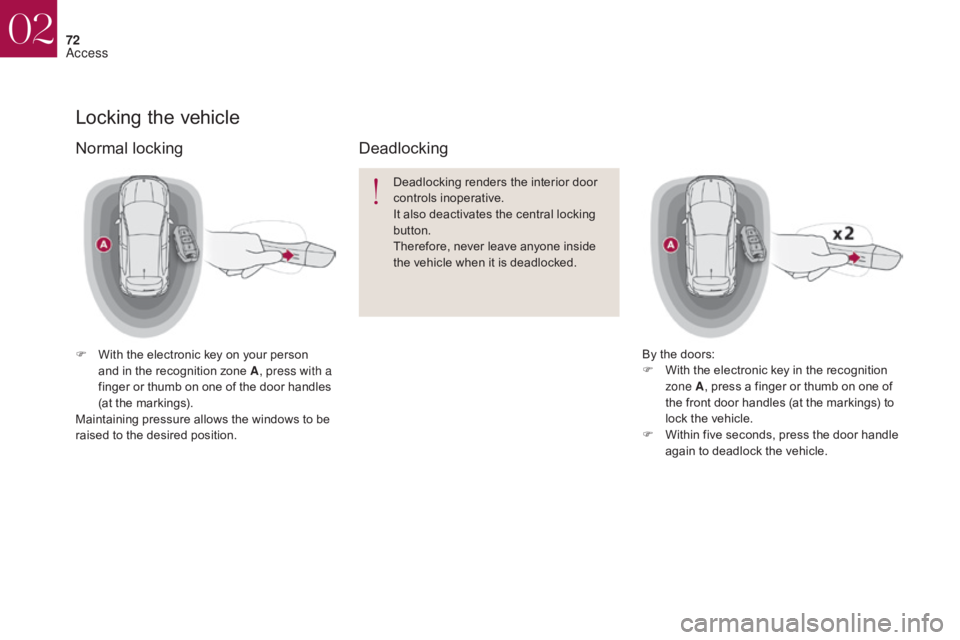
F With the electronic key on your person and in the recognition zone A , press with a
finger or thumb on one of the door handles
(at the markings).
Maintaining pressure allows the windows to be
raised to the desired position. Deadlocking renders the interior door
controls inoperative.
It also deactivates the central locking
button.
Therefore, never leave anyone inside
the vehicle when it is deadlocked.
Deadlocking
By the doors:
F
W ith the electronic key in the recognition
zone A , press a finger or thumb on one of
the front door handles (at the markings) to
lock the vehicle.
F
W
ithin five seconds, press the door handle
again to deadlock the vehicle.
Normal locking
02
Access
Page 75 of 421
73
The direction indicators come on for a
few seconds.
Depending on your version, the door
mirrors fold, the alarm is activated. Ensure that nothing could prevent the
correct operation of the windows.
Be particularly aware of children when
operating the windows.For reasons of safety and theft protection,
do not leave your electronic key in the
vehicle, even when you are close to it.
It is recommended that you keep it on
your person.
Accumulations (water, dust, grime,
salt...) on the inner sur face of the door
handle may affect detection.
If cleaning the inner sur face of the door
handle using a cloth does not restore
detection, contact a CITROËN dealer
or a qualified workshop.
A sudden splash of water (stream of
water, high pressure jet washer,
…)
may be identified by the system as the
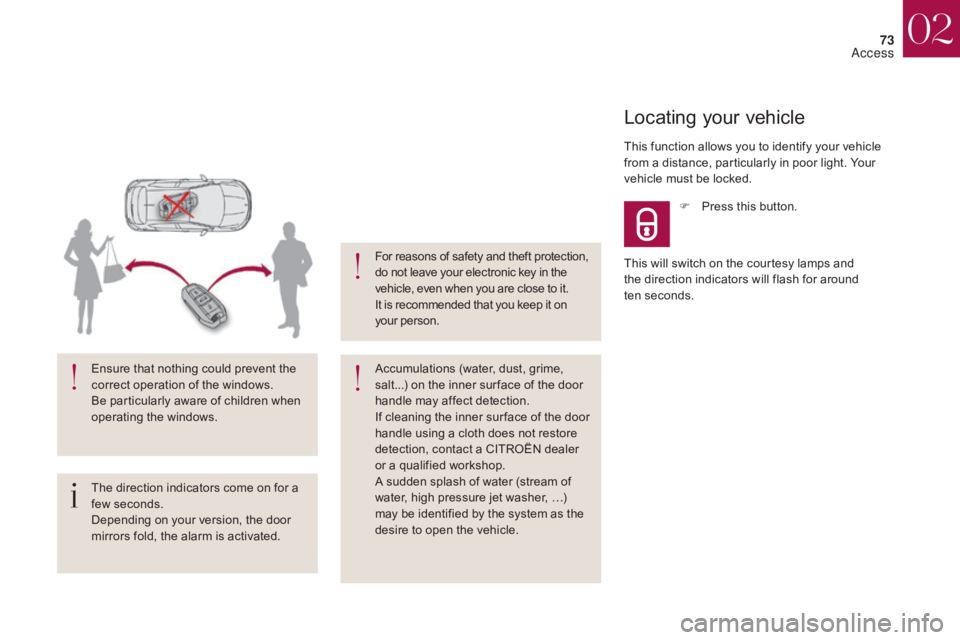
desire to open the vehicle. This function allows you to identify your vehicle
from a distance, particularly in poor light. Your
vehicle must be locked.
Locating your vehicle
F Press this button.
This will switch on the courtesy lamps and
the direction indicators will flash for around
ten
se
conds.
02
Access
Page 76 of 421

74
Back-up key integrated in the Keyless Entry and Starting
The integral key is used to lock and unlock the
vehicle when the electronic key cannot operate:
-
b
attery flat, vehicle battery discharged or
disconnected,
.
..
-
v
ehicle located in an area with strong
electromagnetic signals. If the alarm is activated, the audible
signal triggered on opening a door
with the key (integral with the remote
control) will stop when the ignition is
switched on.
F
I
nsert the integral key in the door lock, then
turn it to the rear.
Unlocking the driver's door
F Insert the integral key in the door lock, then turn it to the front.
Locking the driver's door
F Maintain a pull on button 1 , to extract the
integral key 2 .
02
Access
Page 77 of 421
75
Locking the passenger doors Unlocking the passenger doors
Changing the battery
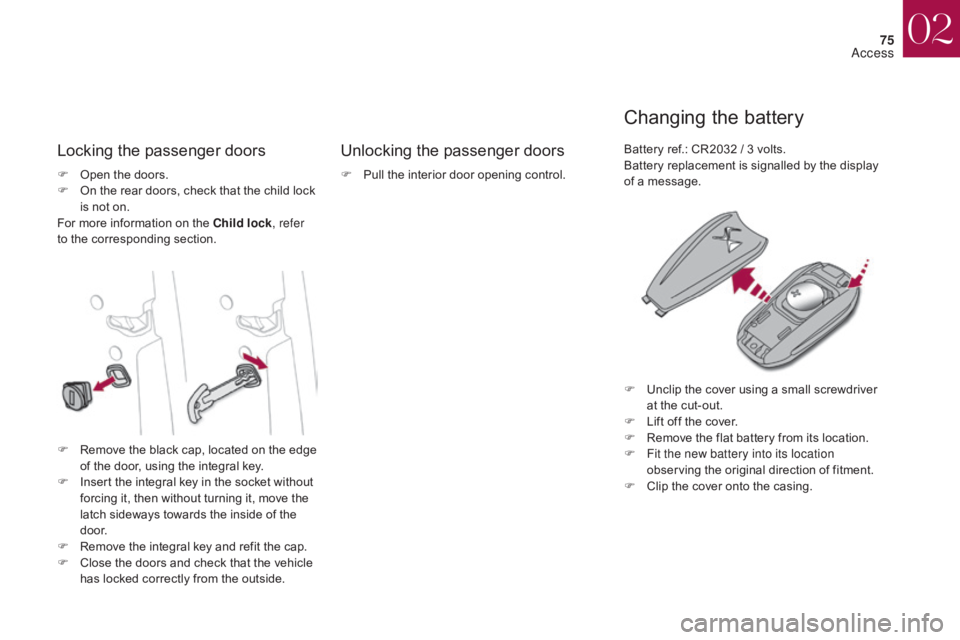
F Open the doors.
F O n the rear doors, check that the child lock
is not on.
For more information on the Child lock , refer
to the corresponding section. F
P ull the interior door opening control.Battery ref.: CR2032 / 3 volts.
Battery replacement is signalled by the display
of a message.
F
U
nclip the cover using a small screwdriver
at the cut-out.
F
L
ift off the cover.
F
R
emove the flat battery from its location.
F
F
it the new battery into its location
observing the original direction of fitment.
F
C
lip the cover onto the casing.
F
R
emove the black cap, located on the edge
of the door, using the integral key.
F
I
nsert the integral key in the socket without
forcing it, then without turning it, move the
latch sideways towards the inside of the
d o o r.
F
R
emove the integral key and refit the cap.
F
C
lose the doors and check that the vehicle
has locked correctly from the outside.
02
Access
Page 79 of 421

77
Do not throw the remote control
batteries away, they contain metals
which are harmful to the environment.
Take them to an approved collection
point.
Lost keys, remote control,
electronic key
Visit a CITROËN dealer with the vehicle's
registration certificate, your personal
identification documents and if possible,
the label bearing the key code.
The CITROËN dealer will be able to
retrieve the key code and the transponder
code required to order a new key
Remote control
The high frequency remote control is a
sensitive system; do not operate it while
it is in your pocket as there is a possibility
that it may unlock the vehicle, without you
being aware of it.
Do not repeatedly press the buttons of your
remote control out of range and out of sight
of your vehicle. You run the risk of stopping
it from working and the remote control
would have to be reinitialised.
The remote control does not operate when
the key is in the ignition, even when the
ignition is switched off.
Locking the vehicle
Driving with the doors locked may make
access to the passenger compartment by
the emergency services more difficult in an
emergency.
As a safety precaution (with children on
board), remove the key from the ignition or
take the electronic key when you leave the
vehicle, even for a short time.
Electrical interference
The Keyless Entry and Starting electronic
key may not operate if close to certain
electronic devices: telephone, laptop
computer, strong magnetic fields, ...
Anti-theft protection
Do not make any modifications to the
electronic engine immobiliser system; this
could cause malfunctions.
For vehicles with an ignition switch, do
not forget to remove the key and turn the
steering to engage the steering lock.
When purchasing a second-
hand vehicle
Have the key codes memorised by a
CITROËN dealer, to ensure that the
keys in your possession are the only
ones which can start the vehicle.
02
Access
Page 80 of 421
78
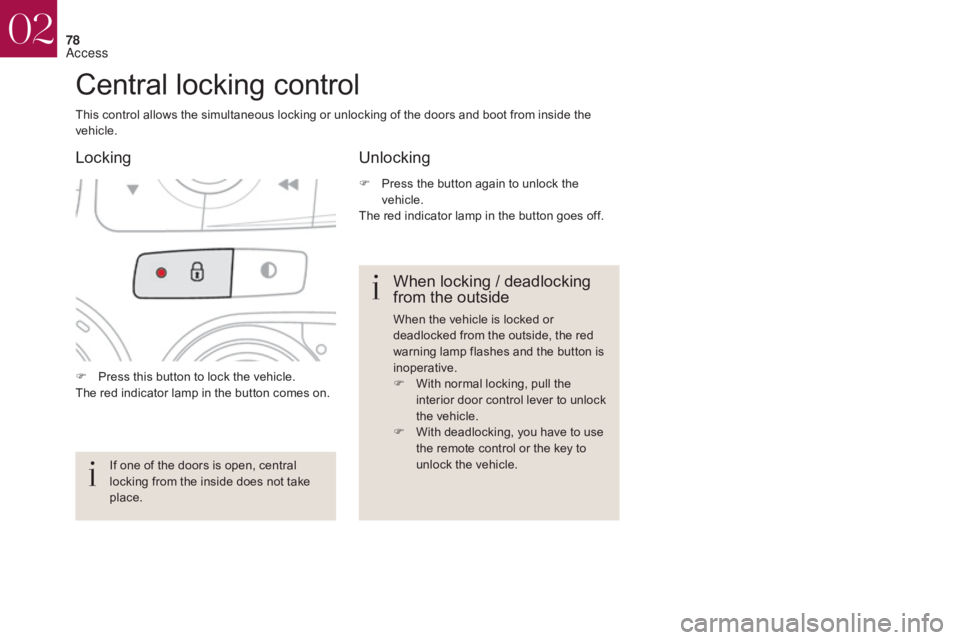
F Press this button to lock the vehicle.
The red indicator lamp in the button comes on.
Central locking control
This control allows the simultaneous locking or unlocking of the doors and boot from inside the
vehicle.If one of the doors is open, central
locking from the inside does not take
place.
When locking / deadlocking
from the outside
When the vehicle is locked or
deadlocked from the outside, the red
warning lamp flashes and the button is
inoperative.
F
W
ith normal locking, pull the
interior door control lever to unlock
the vehicle.
F
W
ith deadlocking, you have to use
the remote control or the key to
unlock the vehicle.
Unlocking
Locking
F Press the button again to unlock the
vehicle.
The red indicator lamp in the button goes off.
02
Access
Page 81 of 421

79
This system allows automatic simultaneous locking of the doors and boot as soon as the speed of
the vehicle exceeds 6 mph (10 km/h).
Anti-intrusion security
OperationActivation / Deactivation
If one of the doors or the boot is open, the
automatic central locking does not take place.
Carrying long or
voluminous objects
If you want to drive with the boot open,
you should press the central locking
button to lock the doors. Other wise,
every time the speed of the vehicle
exceeds 6 mph (10 km/h), the locks
will rebound and the alerts mentioned
above will appear.
Pressing the central locking button unlocks the
vehicle.
Above 6 mph (10 km/h), this unlocking is
te m p o r a r y. Driving with the doors locked may
render access for the emergency
services difficult in an emergency.
This is signalled by the sound of
the locks rebounding, accompanied
by illumination of this symbol in the
instrument panel, an audible signal
and the display of an alert message.
F
W
ith the ignition on, press this button
until an audible signal starts and a
corresponding message is displayed.
The state of the system stays in memory when
switching off the ignition. You can activate or deactivate this function
permanently.
02
Access
Page 82 of 421

80
Doors
Opening
F After unlocking the vehicle or with the electronic key of the Keyless Entry and
Starting system in the recognition zone,
pull the door handle. F
P
ull the interior control lever of a front door;
this unlocks the vehicle completely.
Closing
- with the engine running or the vehicle moving (speed below
6 mph (10 km/h)), this warning
lamp comes on, accompanied
by an alert message for a few
seconds.
-
w
ith the vehicle moving (speed above
6
mph (10 km/h)), in addition to the warning
lamp and alert message, there is an
audible signal for a few seconds.
When the selective unlocking is
activated, the first press of the remote
control unlocking button permits
unlocking of the driver's door only. With the selective unlocking activated:
-
o
pening the driver's door unlocks
the driver's door only (if the vehicle
has not already been completely
unlocked).
-
o
pening the passenger's door
unlocks the rest of the vehicle.
The interior door controls do
not operate when the vehicle is
deadlocked.
From outside From insideWhen a door is not closed correctly:
02
Access