phone CITROEN DS4 2010 User Guide
[x] Cancel search | Manufacturer: CITROEN, Model Year: 2010, Model line: DS4, Model: CITROEN DS4 2010Pages: 421, PDF Size: 8.05 MB
Page 241 of 421

239
Energy economy modeSystem which manages the period of use of certain functions to conserve a sufficient level of
charge in the battery.
After the engine has stopped, you can still use functions such as the audio equipment, windscreen
wipers, dipped beam headlamps,
courtesy lamps, etc. for a maximum combined period of thirty
minutes.
This period may be greatly reduced if
the battery is not fully charged.
A flat battery prevents the engine from
starting.
For more information on the 12 V
battery, refer to the corresponding
section.
If the telephone is being used at the
same time with the touch screen tablet,
it will be interrupted after 10 minutes.
Switching to economy mode
Once this period has elapsed, a message
appears in the screen indicating that the
vehicle has switched to economy mode and the
active functions are put on standby.
Exiting economy mode
These functions are reactivated automatically
the next time the vehicle is driven.
F
I
n order to resume the use of these
functions immediately, start the engine and
let it run for a few minutes.
The time available to you will then be double
the period for which the engine is left running.
However, this period will always be between
five and thirty minutes.
Load reduction modeSystem which manages the use of certain
functions according to the level of charge
remaining in the battery.
When the vehicle is being driven, the load
reduction function temporarily deactivates
certain functions, such as the air conditioning,
the heated rear screen...
The deactivated functions are reactivated
automatically as soon as conditions permit.
07
Practical information
Page 315 of 421

313
7-inch touch screen tablet
GPS satellite navigation - Multimedia audio - Bluetooth® telephone
Contents
First steps
3 14
Steering mounted controls
3
16
M e n u s
3
17
Navigation
3
18
Navigation - Guidance
3
26
Tr a f fi c
3
3 0
Radio Media
3
32
Radio
3
38
DAB (Digital Audio Broadcasting) radio
3
40
Media
3
42
Settings
3
46
Connected services
3
54
MirrorLink
TM 354
CarPlay® 358
Telephone
3
60
Frequently asked questions
3
68
The system is protected in such a way that it will only operate in
your vehicle. As a safety measure, the driver should only carry out operations
which require prolonged attention while the vehicle is stationary.
The display of an energy economy mode message signals that
electrical systems operating are going into standby.
Refer to the energy economy mode section.
Audio and Telematics
Page 317 of 421
315
With the engine running, press to
mute the sound.
With the ignition off, press to switch
the system on.
Volume adjustment (each source
is independent, including traffic
announcements (TA) and navigation
instructions).
Select the audio source (depending on
version):
-
F
M
/ DAB
/ AM* stations.
-
U
SB memory stick.
-
S
martphone via MirrorLink
TM or CarPlay®.
-
C
D player (located in front panel).
-
T
elephone connected by Bluetooth* and
using Bluetooth* audio streaming.
-
M
edia player connected to the auxiliary
socket ( jack, cable not supplied).
* Depending on equipment.
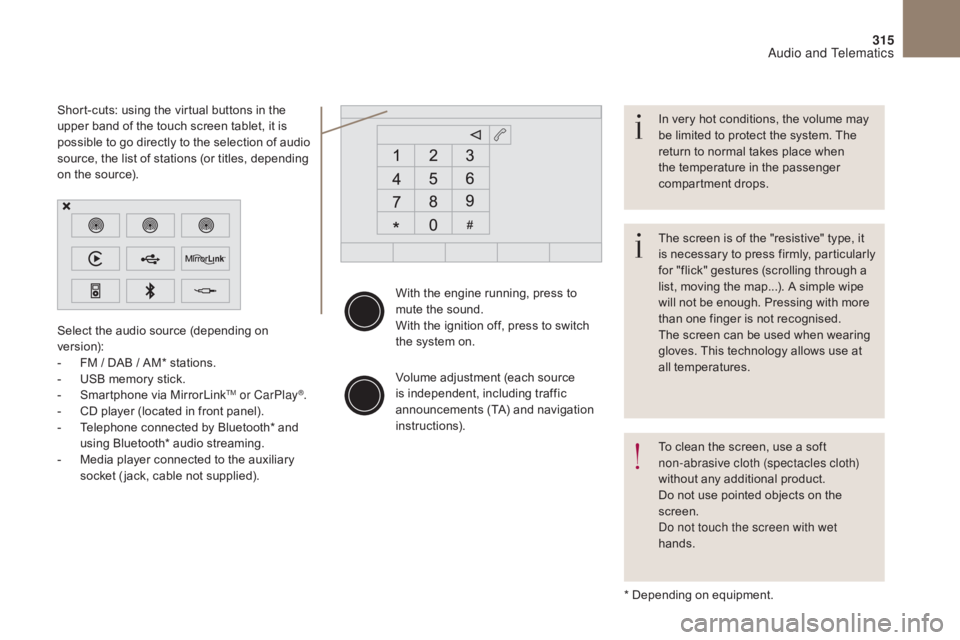
Short-cuts: using the virtual buttons in the
upper band of the touch screen tablet, it is
possible to go directly to the selection of audio
source, the list of stations (or titles, depending
on the source).
The screen is of the "resistive" type, it
is necessary to press firmly, particularly
for "flick" gestures (scrolling through a
list, moving the map...). A simple wipe
will not be enough. Pressing with more
than one finger is not recognised.
The screen can be used when wearing
gloves. This technology allows use at
all temperatures. In very hot conditions, the volume may
be limited to protect the system. The
return to normal takes place when
the temperature in the passenger
compartment drops.
To clean the screen, use a soft
non-abrasive cloth (spectacles cloth)
without any additional product.
Do not use pointed objects on the
screen.
Do not touch the screen with wet
hands.
Audio and Telematics
Page 318 of 421

316
Steering mounted controls
Media: change the multimedia
source.
Telephone: start a call.
Call in progress: access to the
telephone menu (End call, Secret
mode, Hands-free mode).
Telephone, press and hold: reject an
incoming call, end a call in progress;
other than a call in progress, access
to the telephone menu.Decrease volume.
Radio, turn: automatic search for the
previous
/ next station.
Media, turn: previous
/ next track.
Press: confirm a selection. Radio: display the list of stations.
Media: display the list of tracks.
Radio, press and hold: update the list
of stations received.
Increase volume.
Audio and Telematics
Page 319 of 421

317
Menus
Settings
Radio Media
Navigation
Driving
Connected services Telephone
Adjust the settings for sound (balance,
ambience, ...), colour schemes and the display
(language, units, date, time, ...).
Select an audio source, a radio station, display
photographs.
Enter navigation settings and choose a
destination.
Access to the trip computer.
Activate, deactivate or enter settings for certain
vehicle functions.
Operate certain applications on your
smartphone via MirrorLink
TM or CarPlay®.
Connect a telephone by Bluetooth
®.
Access to the CarPlay® function after
connection of your smartphone by USB cable.
(Depending on equipment)
(Depending on equipment)
Audio and Telematics
Page 322 of 421

1
27
12
38
13
49
14
510
15
611
320
Level 1Level 2Level 3
To use the telephone functions,
refer to the " Telephone" section.
For managing contacts and
their addresses, refer to the
"
Telephone " section.
Navigation Address
Enter destination
Contacts
Audio and Telematics
Page 347 of 421
345
Bluetooth® audio streaming
Streaming allows audio files on your telephone
to be played through the vehicle's speakers.
Connect the telephone: see the "Telephone"
section, then " Bluetooth".
Choose the " Audio" or "All" profile.
If play does not start automatically, it may be
necessary to start the audio playback from the
telephone.
Control is from the peripheral device or by
using the audio system buttons.
Once connected in streaming mode,
the telephone is considered to be a
media source.
It is recommended that you activate
"Repeat " on the Bluetooth
® peripheral.
Connecting Apple® players
Connect the Apple® player to the USB port
using a suitable cable (not supplied).
Play starts automatically.
Control is via the audio system. The classifications available are those
of the portable device connected
(artists
/ albums / genres / playlists /
audiobooks / podcasts).
The default classification used is by
artist. To modify the classification used,
return to the first level of the menu
then select the desired classification
(playlists for example) and confirm
to go down through the menu to the
desired track.
The version of software in the audio system
may not be compatible with the generation of
your Apple
® player.
Audio and Telematics
Page 349 of 421
2
3
4
5
6
7
347
Level 1Level 2 Comments
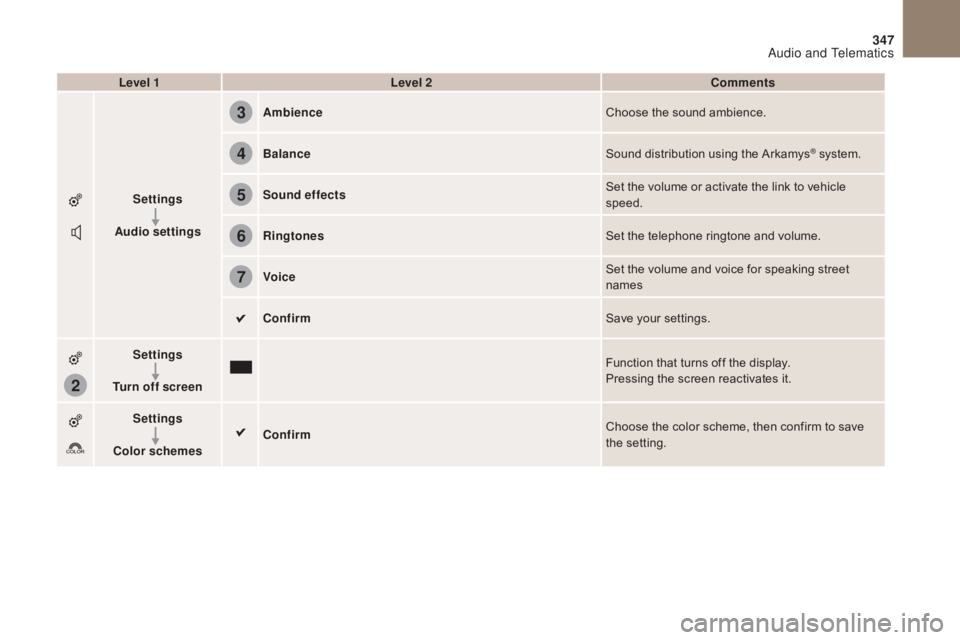
Settings
Audio settings Ambience
Choose the sound ambience.
Balance Sound distribution using the Arkamys
® system.
Sound effects Set the volume or activate the link to vehicle
speed.
Ringtones Set the telephone ringtone and volume.
Voice Set the volume and voice for speaking street
names
Confirm Save your settings.
Settings
Turn off screen Function that turns off the display.
Pressing the screen reactivates it.
Settings
Color schemes Confirm
Choose the color scheme, then confirm to save
the setting.
Audio and Telematics
Page 356 of 421

354
MirrorLinkTM
Optional depending on the
smartphone and operating system.
Connected services
Audio and Telematics
Page 357 of 421
355
As a safety measure and because it
requires sustained attention by the
driver, using a smartphone when
driving is prohibited.
All operations must be done with the
vehicle stationary.
The synchronisation of a
smartphone allows applications on a
smartphone that are adapted to the
MirrorLink
TM technology to be displayed
i
n the vehicle's screen.
The principles and standards
are constantly evolving. For the
communication process between the
smartphone and the system to work
correctly, the smartphone must be
unlocked; update the operating system
of your smartphone as well as the date
and time in the smartphone and the
system.
For the list of eligible smartphones,
connect to the brand's internet website
in your country. Please note:
-
i
f your smartphone is supported, to
make it "MirrorLink
TM" compatible,
some phone manufacturers
nevertheless invite you to first
download a dedicated application.
When connecting a smartphone to
the system, it is recommended that
Bluetooth
® be started on the smartphone.
Start the application on the
smartphone (optional, depending
on the smartphone and operating
syste m).
Access to the different audio sources remains
accessible in the margin of the MirrorLink
TM
display, using touch buttons in the upper bar.
Access to the menus for the system is possible
at any time using the dedicated buttons. During the procedure, several screen
pages relating to certain functions
are displayed.
Accept to start and end the
connection.
Connect a USB cable. The
smartphone charges when
connected by a USB cable. Press on " MirrorLink
TM" to
start the application in the
system. Once connection is established, an page
is displayed with the applications already
downloaded to your smartphone and adapted
to MirrorLink
TM technology.
If only one application has been downloaded to
the smartphone, it starts automatically.
MirrorLinkTM smartphone connection
Press the end of the lighting control stalk to
start voice recognition of your smartphone via
the system.
Voice recognition requires a compatible
smartphone connected to the vehicle by
Bluetooth
®.
Voice recognition
As a safety measure, applications
can only be viewed with the vehicle
stationary; display is interrupted once
the vehicle is moving.
From the system, press on
"Connected services " to display the
primary page.
Audio and Telematics