change time Citroen DS4 2011 1.G User Guide
[x] Cancel search | Manufacturer: CITROEN, Model Year: 2011, Model line: DS4, Model: Citroen DS4 2011 1.GPages: 396, PDF Size: 31.05 MB
Page 332 of 396
330
08
1
2
3
MUSIC MEDIA PLAYERS
CD, MP3 CD, USB PLAYER
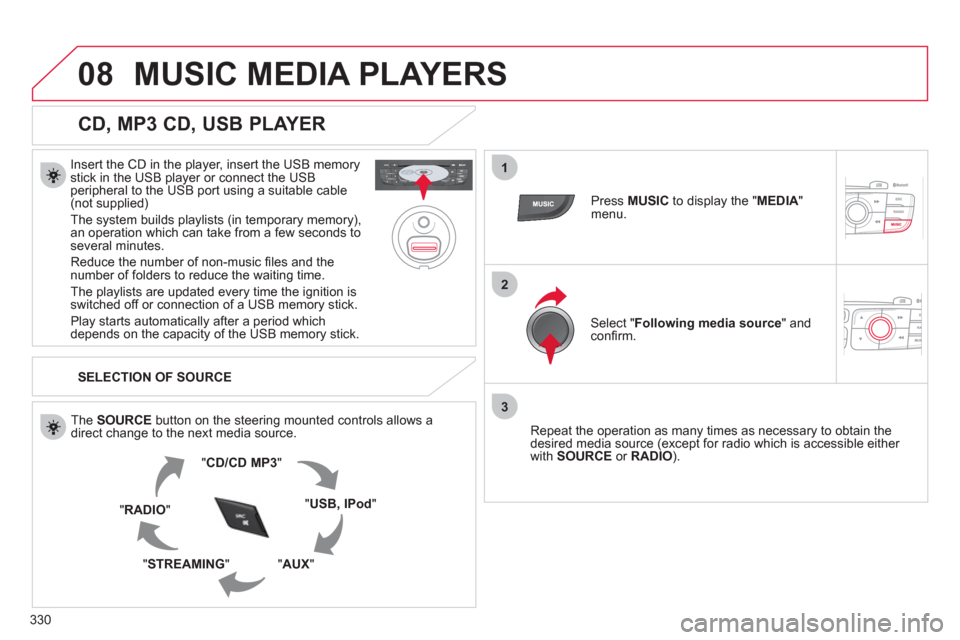
Insert the CD in the player, insert the USB memory
stick in the USB player or connect the USB
peripheral to the USB port using a suitable cable
(not supplied)
The system builds playlists (in temporary memory),
an operation which can take from a few seconds to
several minutes.
Reduce the number of non-music fi les and the
number of folders to reduce the waiting time.
The playlists are updated every time the ignition is
switched off or connection of a USB memory stick.
Play starts automatically after a period which
depends on the capacity of the USB memory stick.
SELECTION OF SOURCE
The SOURCE
button on the steering mounted controls allows a
direct change to the next media source.
" CD/CD MP3
"
" USB, IPod
"
" AUX
"
" STREAMING
" " RADIO
"
Press MUSIC
to display the " MEDIA
"
menu.
Select " Following media source
" and
confi rm.
Repeat the operation as many times as necessary to obtain the
desired media source (except for radio which is accessible either
with SOURCE
or RADIO
).
Page 337 of 396

335
10
1
2
3a
3b
1
2
3
4
CONFIGURATION
Press SETUP
to display the
" Confi guration
" menu.
Select " Adjust luminosity
" and confi rm
to adjust the screen brightness.
Press " OK
" to save the changes.
The settings for day and night are
independent.
Select " Choose colour
" and confi rm to
select the screen colour harmony and
the map presentation mode:
- day mode,
- night mode,
- automatic day/night mode,
according to whether the
headlamps are on.
SETTING THE DATE AND TIME
Select " Set date and time
" and
confi rm.
Select the setting to adjust.
Confi rm by pressing OK
, then adjust
the setting and confi rm again to save
the modifi cation.
Select " Display confi guration
" and
confi rm.
Press SETUP
to display the
" Confi guration
" menu.
Select " Display confi guration
" and
confi rm.
Adjust the settings one by one.
Then select " OK
" on the screen and
confi rm to save the settings.
DISPLAY CONFIGURATION
Select " Synchronize the minutes with GPS
" so that setting the
minutes is done automatically by satellite reception.
Page 351 of 396
349
1
2
3
04 AUDIO
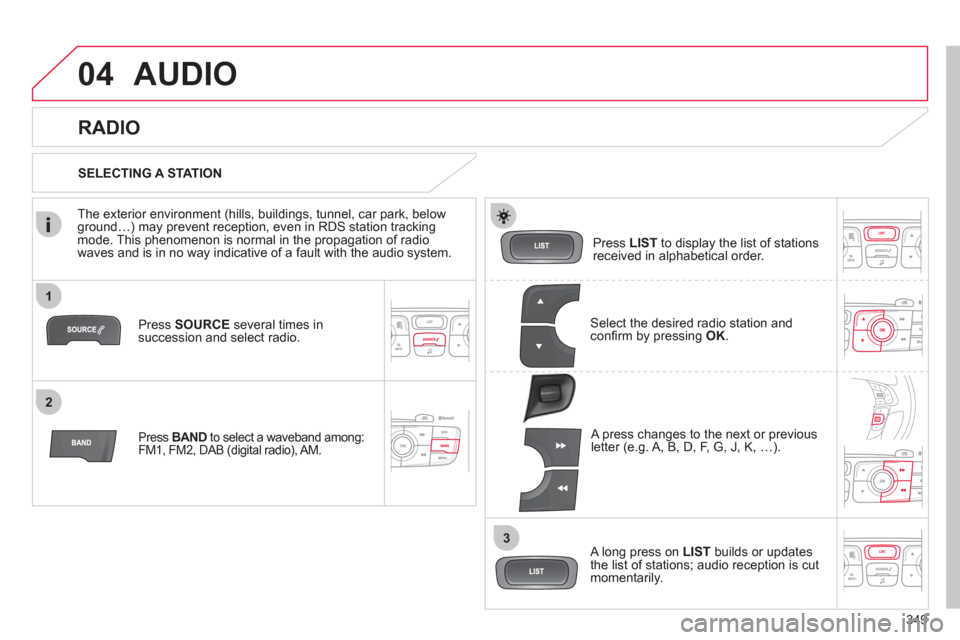
Press SOURCE
several times in
succession and select radio.
Press BAND
to select a waveband among:
FM1, FM2, DAB (digital radio), AM.
Press LIST
to display the list of stations
received in alphabetical order.
A press changes to the next or previous
letter (e.g. A, B, D, F, G, J, K, …).
RADIO
Select the desired radio station and
confi rm by pressing OK
.
SELECTING A STATION
A long press on LIST
builds or updates
the list of stations; audio reception is cut
momentarily.
The exterior environment (hills, buildings, tunnel, car park, below
ground…) may prevent reception, even in RDS station tracking
mode. This phenomenon is normal in the propagation of radio
waves and is in no way indicative of a fault with the audio system.
Page 371 of 396
369
5
63
4
07
2
1
CONFIGURATION
SETTING THE DATE AND TIME
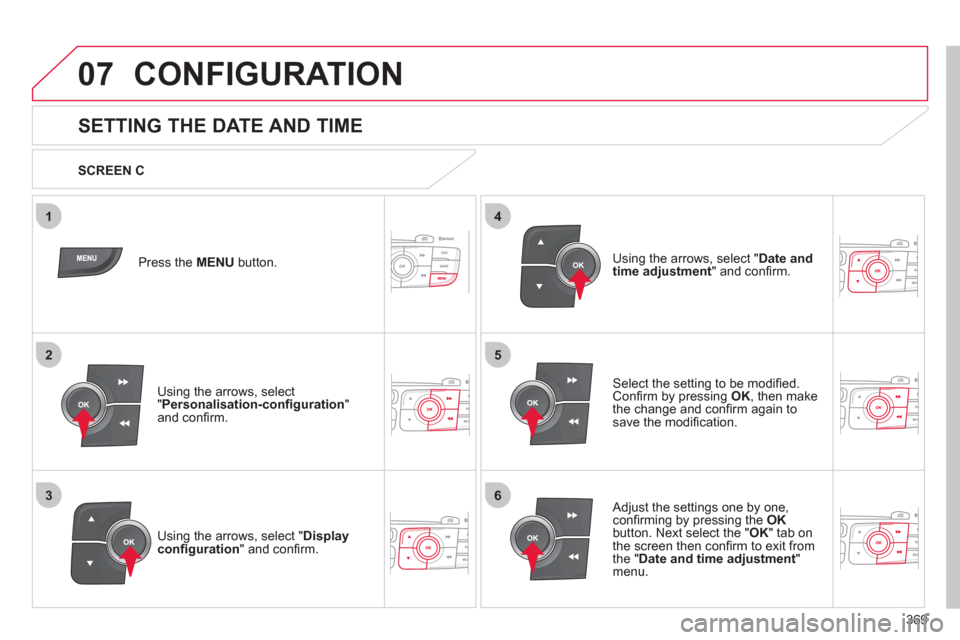
Select the setting to be modifi ed.
Confi rm by pressing OK
, then make
the change and confi rm again to
save the modifi cation.
Using the arrows, select " Display
confi guration
" and confi rm. Press the MENU
button.
Using the arrows, select
" Personalisation-confi guration
"
and confi rm.
SCREEN C
Using the arrows, select " Date and
time adjustment
" and confi rm.
Adjust the settings one by one,
confi rming by pressing the OK
button. Next select the " OK
" tab on
the screen then confi rm to exit from
the " Date and time adjustment
"
menu.
Page 372 of 396
370
08 TRIP COMPUTER
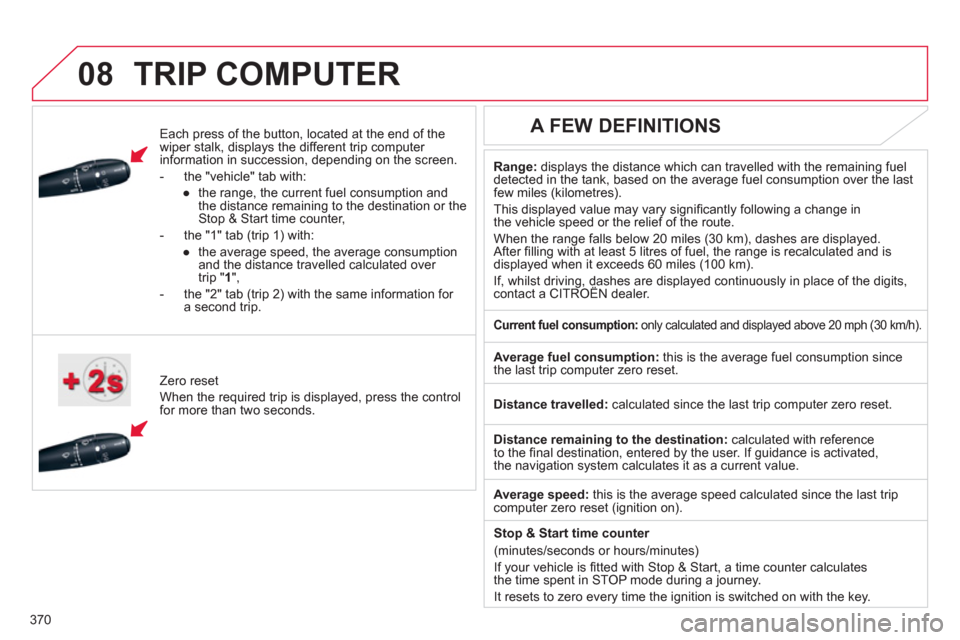
Each press of the button, located at the end of the
wiper stalk, displays the different trip computer
information in succession, depending on the screen.
- the "vehicle " tab with:
●
the range, the current fuel consumption and
the distance remaining to the destination or the
Stop & Start time counter,
- the "1" tab (trip 1) with:
●
the average speed, the average consumption
and the distance travelled calculated over
trip " 1
",
- the "2" tab (trip 2) with the same information for
a second trip.
Zero reset
When the required trip is displayed, press the control
for more than two seconds.
Range:
displays the distance which can travelled with the remaining fuel
detected in the tank, based on the average fuel consumption over the last
few miles (kilometres).
This displayed value may vary signifi cantly following a change in
the vehicle speed or the relief of the route.
When the range falls below 20 miles (30 km), dashes are displayed.
After fi lling with at least 5 litres of fuel, the range is recalculated and is
displayed when it exceeds 60 miles (100 km).
If, whilst driving, dashes are displayed continuously in place of the digits,
contact a CITROËN dealer.
A FEW DEFINITIONS
Current fuel consumption:
only calculated and displayed above 20 mph (30 km/h).
Average fuel consumption:
this is the average fuel consumption since
the last trip computer zero reset.
Distance travelled:
calculated since the last trip computer zero reset.
Distance remaining to the destination:
calculated with reference
to the fi nal destination, entered by the user. If guidance is activated,
the navigation system calculates it as a current value.
Average speed:
this is the average speed calculated since the last trip
computer zero reset (ignition on).
Stop & Start time counter
(minutes/seconds or hours/minutes)
If your vehicle is fi tted with Stop & Start, a time counter calculates
the time spent in STOP mode during a journey.
It resets to zero every time the ignition is switched on with the key.