ECU Citroen DS4 2012 1.G Owner's Guide
[x] Cancel search | Manufacturer: CITROEN, Model Year: 2012, Model line: DS4, Model: Citroen DS4 2012 1.GPages: 396, PDF Size: 12.14 MB
Page 259 of 396
257
Practical information
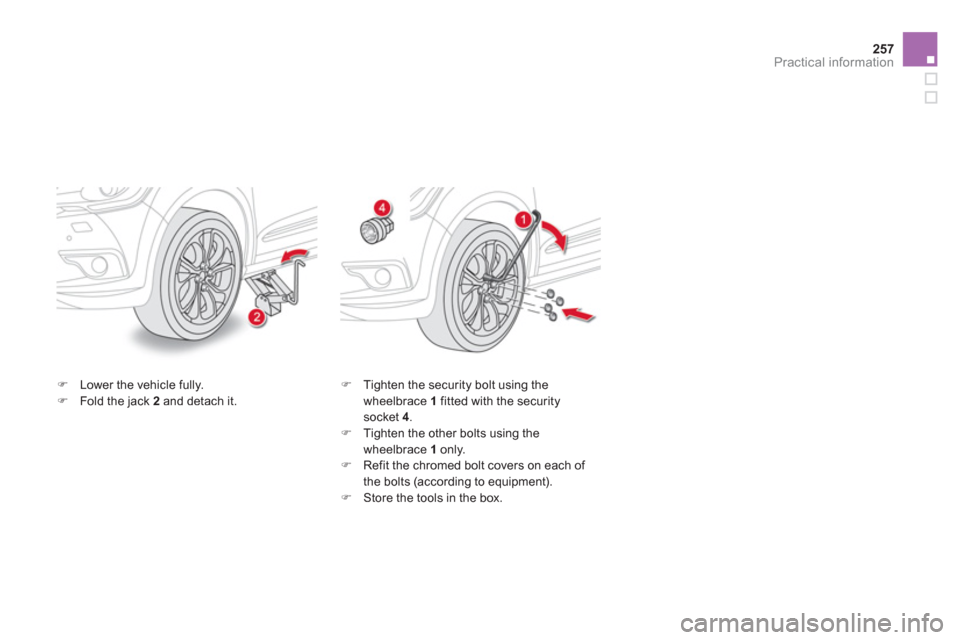
)Lower the vehicle fully.)Fold the jack 2 and detach it. )
Tighten the security bolt using the
wheelbrace 1 fitted with the securitysocket 4.)
Tighten the other bolts using the
wheelbrace 1 only.)
Refit the chromed bolt covers on each of
the bolts (according to equipment). ) Store the tools in the box.
Page 270 of 396
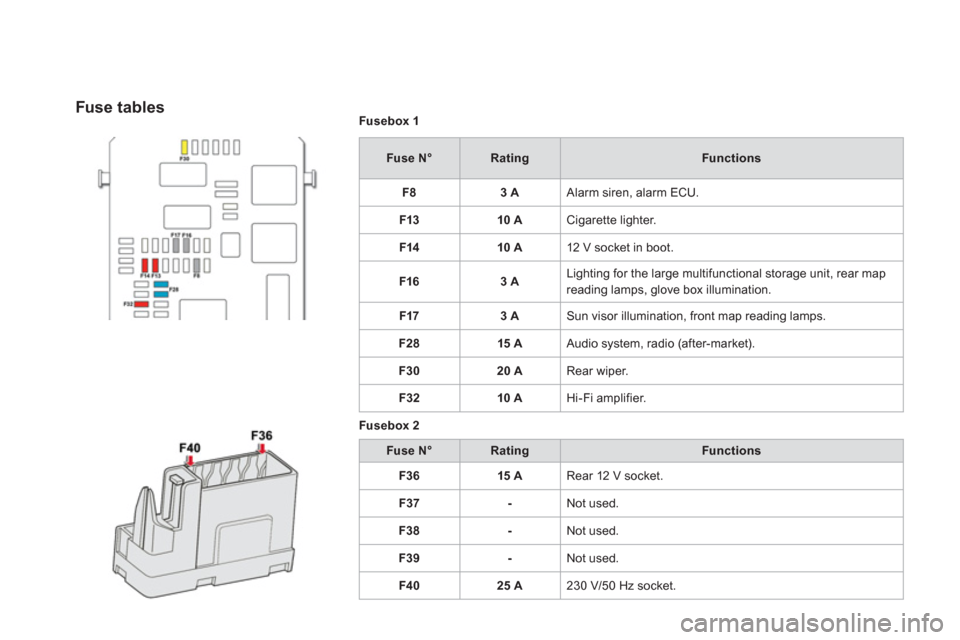
Fusebox 1
Fuse N°RatingFunctions
F8
3 A Alarm siren, alarm ECU.
F13 10 A
Cigarette lighter.
F1410 A
12 V socket in boot.
F1
63 A Lighting for the large multifunctional storage unit, rear map
reading lamps, glove box illumination.
F17
3 A Sun visor illumination, front map reading lamps.
F2
815 A Audio system, radio (after-market).
F3
020 A Rear wiper.
F32 10 A
Hi-Fi amplifier.
Fusebox
2
Fuse N°RatingFunctions
F3
615 A
Rear 12 V socket.
F37
- Not used.
F38
- Not used.
F3
9- Not used.
F4
025 A
230 V/50 Hz socket.
Fuse tables
Page 273 of 396

271Practical information
12 V battery
Procedure for starting the engine using another battery or for charging your flat battery.
The battery is located under the bonnet.
For access to the (+) terminal:
) Release the bonnet using the interior lever,
then the exterior safety catch, ) raise the bonnet and secure it with its stay, )
lift the plastic cover for access to the (+)
terminal.
Access to the battery
After refitting the battery, the Stop & Start system will only be active after acontinuous period of immobilisation of the vehicle, a period which depends on the climatic conditions and the state of charge of the battery (up to about 8 hours).
The presence of this label, in particular with the Stop & Star t system, indicatesthe use of a 12 V lead-acid battery withspecial technology and specification;
the involvement of a CITROËN dealer or a qualified workshop is essential when replacing or disconnecting the battery.
Check that the battery posts and terminals are clean. If they are coveredwith sulphate (white or green deposit), disconnect them and clean them.
Batteries contain harmful substancessuch as sulphuric acid and lead. Theymust be disposed of in accordancewith regulations and must not, in any circumstances, be discarded with household waste. Ta k e used cell batteries and vehiclebatteries to an authorised collection point.
Before doing any work
Immobilise the vehicle: apply theparking brake, put the gearbox inneutral *
, then switch off the ignition. Check that all electrical equipment is switched off.
*
or position Pfor an automatic gearbox.
Page 279 of 396
Practical information
Towing the vehicle
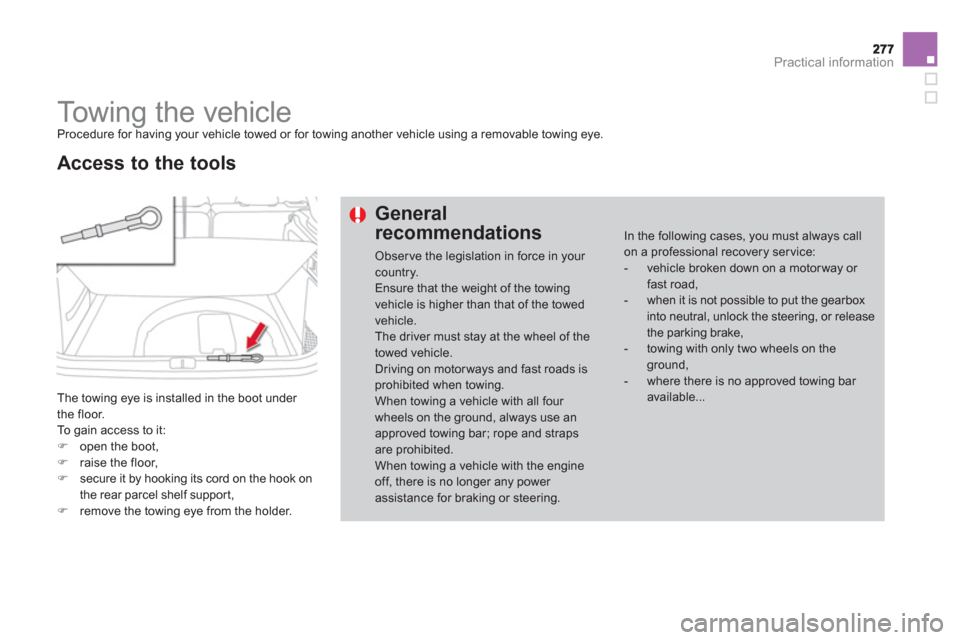
Procedure for having your vehicle towed or for towing another vehicle using a removable towing eye.
The towing eye is installed in the boot under
the floor.
To
gain access to it: )open the boot, )raise the floor,)secure it by hooking its cord on the hook on
the rear parcel shelf suppor t,
)remove the towing eye from the holder.
Access to the tools
General
recommendations
Obser ve the legislation in force in your country. Ensure that the weight of the towing vehicle is higher than that of the towedvehicle.The driver must stay at the wheel of thetowed vehicle. Driving on motorways and fast roads is prohibited when towing.When towing a vehicle with all four wheels on the ground, always use an approved towing bar; rope and straps are prohibited. When towing a vehicle with the engine off, there is no longer any power assistance for braking or steering.
In the following cases, you must always callon a professional recovery service:
- vehicle broken down on a motor way or fast road,
- when it is not possible to put the gearbox into neutral, unlock the steering, or releasethe parking brake,
- towing with only two wheels on the ground,
- where there is no approved towing bar available...
Page 283 of 396

281Practical information
Accessories A wide range of accessories and genuine par ts is available from the CITROËN dealer network.
These accessories and par ts have been tested and approved for reliability and safety.
They are all adapted to your vehicle and benefit from CITROËN's recommendation and warranty.
"Comfort":
door deflectors, side window blinds, rear screen blind, isotherm module, coat hanger fixed to head restraint, mobile reading lamp, mirror for caravan, parking sensors...
"Transport systems":
child seats and booster cushions, boot carpet,
boot liner, boot net, boot spacers, transverse
roof bars, bic
ycle carrier, ski carrier, roof boxes,
towbars, wiring harnesses...
"Styling":
gear lever knobs, aluminium foot rest, alloy wheels, chrome mirror shells, chrome door aperture finishers...
"Security and safety":
anti-intrusion alarm, anti-tilt unit, stolen
vehicle tracking system, child seats and
booster cushions, breathalyser, first aid kit, fire
extinguisher, warning triangle, high visibility
vest, wheel security bolts, snow chains,non-slip covers...
If a towbar and wiring harness are fittedoutside the CITROËN dealer network, the installation must be done followingthe manufacturer's recommendations.
* To avoid an
y risk of jamming the pedals:
- ensure that mats are correctl
y positionedand secured,
- never fit one mat on top of another.
"Protection":
mats *
, seat covers compatible with lateral
airbags, mud flaps, door protective mouldings,
bumper protection strips, vehicle cover...
Page 298 of 396
EMERGENCY OR ASSISTANCE CALL
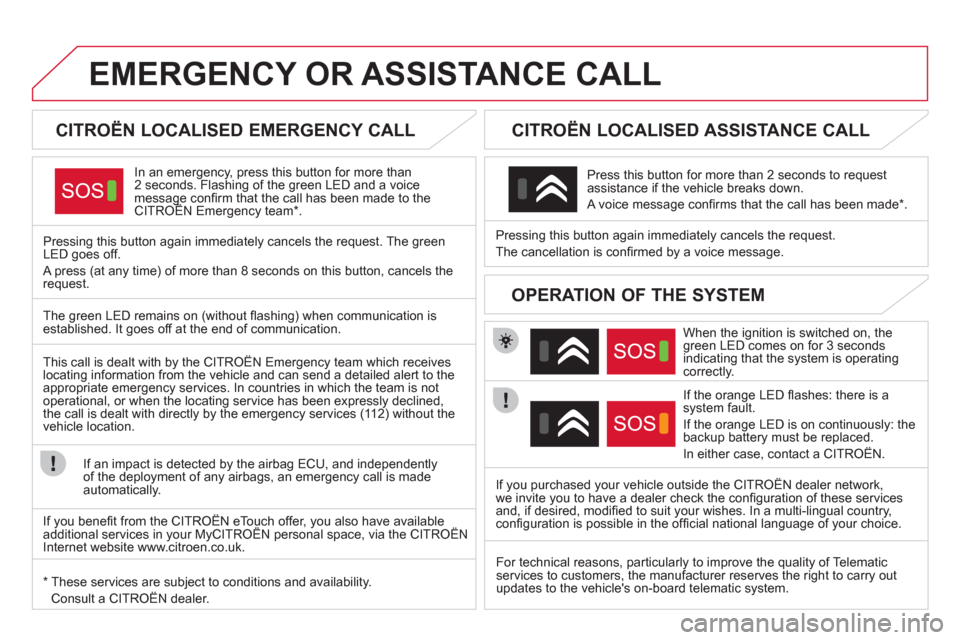
CITROËN LOCALISED EMERGENCY CALL
In an emergency, press this button for more than2 seconds. Flashing of the green LED and a voice message confi rm that the call has been made to the CITROËN Emergency team * .gg
Pressing this button again immediately cancels the request. The green LED goes off.
A press
(at any time) of more than 8 seconds on this button, cancels the
request.
CITROËN LOCALISED ASSISTANCE CALL
When the ignition is switched on, thegreen LED comes on for 3 seconds
indicating that the system is operating correctly.
If the oran
ge LED fl ashes: there is asystem fault.
If the oran
ge LED is on continuously: thebackup battery must be replaced.
In either case, contact a CITRO
ËN. Pressin
g this button again immediately cancels the request.
The cancellation is confi rmed b
y a voice message.
Press this button for more than 2 seconds to request
assistance if the vehicle breaks down.
A voice message confi rms that the call has been made *
.
OPERATION OF THE SYSTEM
The green LED remains on (without fl ashing) when communication is established. It goes off at the end of communication.
This call is dealt with b
y the CITROËN Emergency team which receiveslocating information from the vehicle and can send a detailed alert to theappropriate emergency services. In countries in which the team is not
operational, or when the locating service has been expressly declined,
the call is dealt with directl
y by the emergency services (11 2) without the
vehicle location.
If an impact is detected b
y the airbag ECU, and independentlyof the deployment of any airbags, an emergency call is made
automatically.
*
These services are subject to conditions and availability.
Consult a CITROËN dealer.If you purchased your vehicle outside the CITROËN dealer network,
we invite
you to have a dealer check the confi guration of these servicesand, if desired, modifi ed to suit your wishes. In a multi-lingual country, confi guration is possible in the offi cial national language of your choice.
For technical reasons, particularl
y to improve the quality of Telematic services to customers, the manufacturer reserves the right to carry out
updates to the vehicle's on-board telematic system.
If you benefi t from the CITROËN eTouch offer, you also have availableadditional services in your MyCITROËN personal space, via the CITROËN y,y
Internet website www.citroen.co.uk.
Page 300 of 396

01 FIRST STEPS
Access to the "Navigation - guidance" menu and displaythe recent destinations.
Rotating control:
Short press with engine not running: on/off.
Short press with engine running: audio source off/resume.
Rotation: ad
just volume (each source is
independent, including TA messages and
navigation instructions).
Continuous press:
reinitialisation of the system.
Short press: select pre-set
r
adio station.
Long press: pre-set thecurrent station.
MODE
button: Selection of
the type of permanent display.
Long press: black screen(DARK).
Open the "Telephone " menuand display the list of
recent calls or accept
an incoming call.
Open the
" Confi guration" menu.
Lon
g press: access
to the GPS coverage
and the navigationdemonstration mode.
Open the "Traffi c information " menu and display thecurrent traffi c alerts.
Page 301 of 396

299
01
Select:
- the next lower/hi
gher radio frequencyautomatically.
- the previous/next CD track, MP3 track
or media.
- the le
ft/right of the screen when a menu is displayed.
Move le
ft/right in "Move the map " mode.
Abandon the current
operation, up one level in
the menu.
Long press: return to the
permanent displa
y.
Radio source radio, open the
"FM/AM band" menu and display
the list of stations received.
Long press: open the " Audio settings
" menu: music
ambience, bass, treble, loudness, left/right balance, front/rear fader, automatic volume adjustment.
Media source, o
pen the
"MEDIA" menu and display
the list of tracks.
Selection and confi rmation OK dial:
Selection of an item on the screen or in a list or a
menu, then confi rmation with a short press.
Other than for menus and lists, a short press displays a contextual menu depending on thecurrent screen.
Rotation with map displa
yed: zoom the map scale
in and out.
Select:
- the
previous/next line in a list or menu.
- the previous/next media folder.
- step b
y step selection of the previous/next radio frequency.
- the previous
/next MP3 folder.
Move up
/down, in " Move the map" mode.
FIRST STEPS