ignition CITROEN DS4 2023 User Guide
[x] Cancel search | Manufacturer: CITROEN, Model Year: 2023, Model line: DS4, Model: CITROEN DS4 2023Pages: 296, PDF Size: 9.91 MB
Page 28 of 296
26
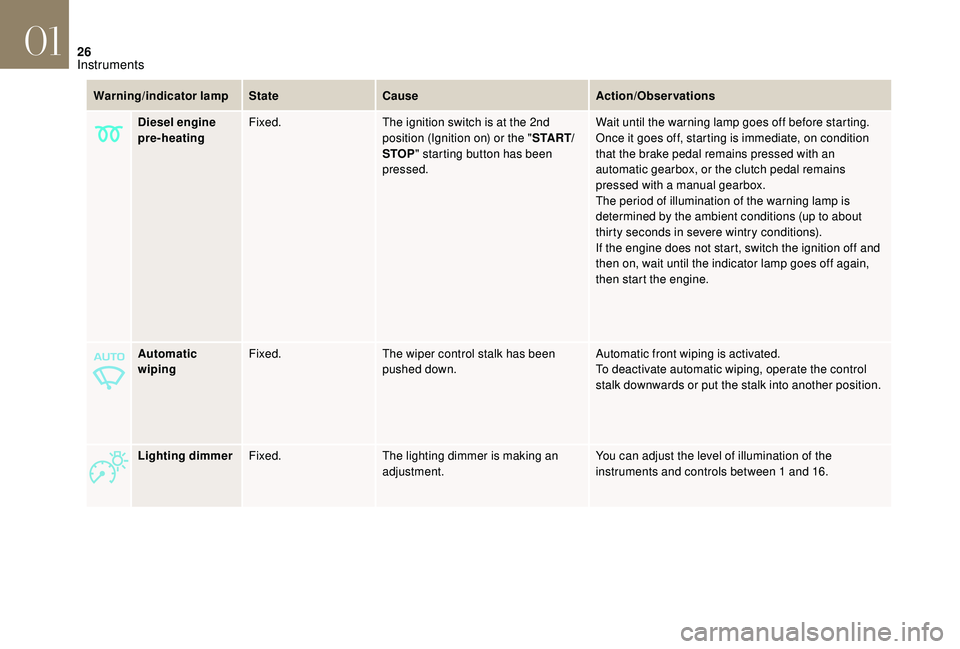
Automatic
wipingFixed.
The wiper control stalk has been
pushed down. Automatic front wiping is activated.
To deactivate automatic wiping, operate the control
stalk downwards or put the stalk into another position.
Lighting dimmer Fixed. The lighting dimmer is making an
adjustment. You can adjust the level of illumination of the
instruments and controls between 1 and 16.
Warning/indicator lamp
StateCause Action/Observations
Diesel engine
pre-heating Fixed.
The ignition switch is at the 2nd
position (Ignition on) or the " S TA R T/
STOP " starting button has been
pressed. Wait until the warning lamp goes off before starting.
Once it goes off, starting is immediate, on condition
that the brake pedal remains pressed with an
automatic gearbox, or the clutch pedal remains
pressed with a manual gearbox.
The period of illumination of the warning lamp is
determined by the ambient conditions (up to about
thirty seconds in severe wintry conditions).
If the engine does not start, switch the ignition off and
then on, wait until the indicator lamp goes off again,
then start the engine.
01
Instruments
Page 30 of 296
28
Warning/indicator lamp StateCause Action/Observations
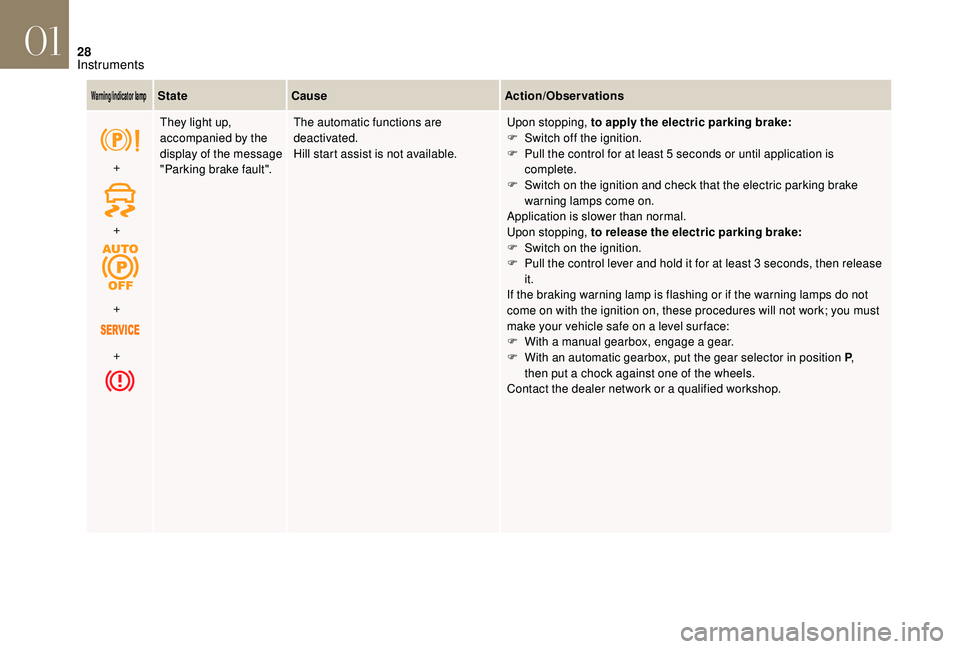
+
+
+
+ They light up,
accompanied by the
display of the message
"Parking brake fault".
The automatic functions are
deactivated.
Hill start assist is not available.
Upon stopping, to apply the electric parking brake:
F
S
witch off the ignition.
F
P
ull the control for at least 5 seconds or until application is
complete.
F
S
witch on the ignition and check that the electric parking brake
warning lamps come on.
Application is slower than normal.
Upon stopping, to release the electric parking brake:
F
S
witch on the ignition.
F
P
ull the control lever and hold it for at least 3 seconds, then release
it.
If the braking warning lamp is flashing or if the warning lamps do not
come on with the ignition on, these procedures will not work; you must
make your vehicle safe on a level sur face:
F
W
ith a manual gearbox, engage a gear.
F
W
ith an automatic gearbox, put the gear selector in position P,
then
put a chock against one of the wheels.
Contact the dealer network or a qualified workshop.
01
Instruments
Page 32 of 296

30
Indicators
Service indicator
Warning/indicator lamp StateCause Action/Observations
Service spanner Fixed, temporary when
the ignition is switched
on. When between 620 miles (1,000 km)
and 1,860 miles (3,000 km) remain
before the next ser vice is due. The ser vice indicator is displayed for a few seconds in
the instrument panel. Depending on the version:
-
t
he distance recorder displays a line showing the
distance remaining (in kilometres or miles) before
the next ser vice is due.
-
a
n alert indicates the distance remaining
(in
kilometres or miles) as well as the period before
the next ser vice is due.
The service spanner disappears after a few seconds.
The alert may be triggered close to the due date.
Fixed, when the
ignition is switched on. Less than 620 miles (1,000 km)
remain before the next ser vice is due. The ser vice indicator is displayed for a few seconds in
the instrument panel. Depending on the version:
-
t
he distance recorder display line indicates the
distance remaining before the next ser vice is due.
-
a
n alert message indicates the distance remaining
as well as the period before the next ser vice is due.
The ser vice spanner remains on to show that a ser vice
is required very soon.
The alert may be triggered close to the due date.
01
Instruments
Page 33 of 296
31
Warning/indicator lamp StateCause Action/Observations
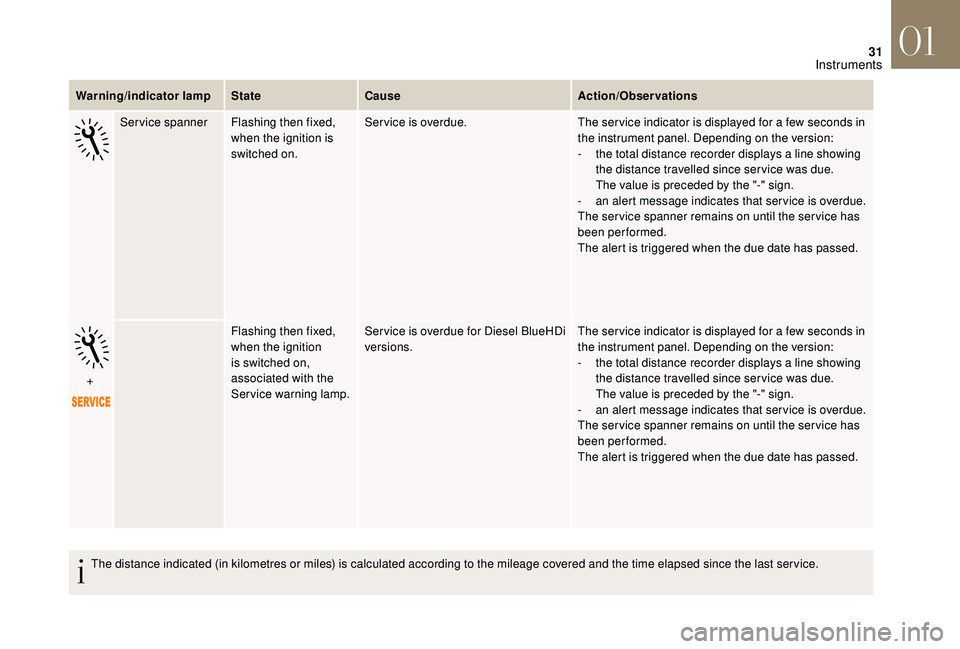
Service spanner Flashing then fixed,
when the ignition is
switched on. Service is overdue.
The ser vice indicator is displayed for a few seconds in
the instrument panel. Depending on the version:
-
t
he total distance recorder displays a line showing
the distance travelled since ser vice was due.
The
value is preceded by the "-" sign.
-
a
n alert message indicates that ser vice is overdue.
The ser vice spanner remains on until the ser vice has
been performed.
The alert is triggered when the due date has passed.
+ Flashing then fixed,
when the ignition
is switched on,
associated with the
Service warning lamp.Ser vice is overdue for Diesel BlueHDi
versions.
The ser vice indicator is displayed for a few seconds in
the instrument panel. Depending on the version:
-
t
he total distance recorder displays a line showing
the distance travelled since ser vice was due.
The
value is preceded by the "-" sign.
-
a
n alert message indicates that ser vice is overdue.
The ser vice spanner remains on until the ser vice has
been performed.
The alert is triggered when the due date has passed.
The distance indicated (in kilometres or miles) is calculated according to the mileage covered and the time elapsed since the last ser vice.
01
Instruments
Page 34 of 296
32
Resetting the service indicator
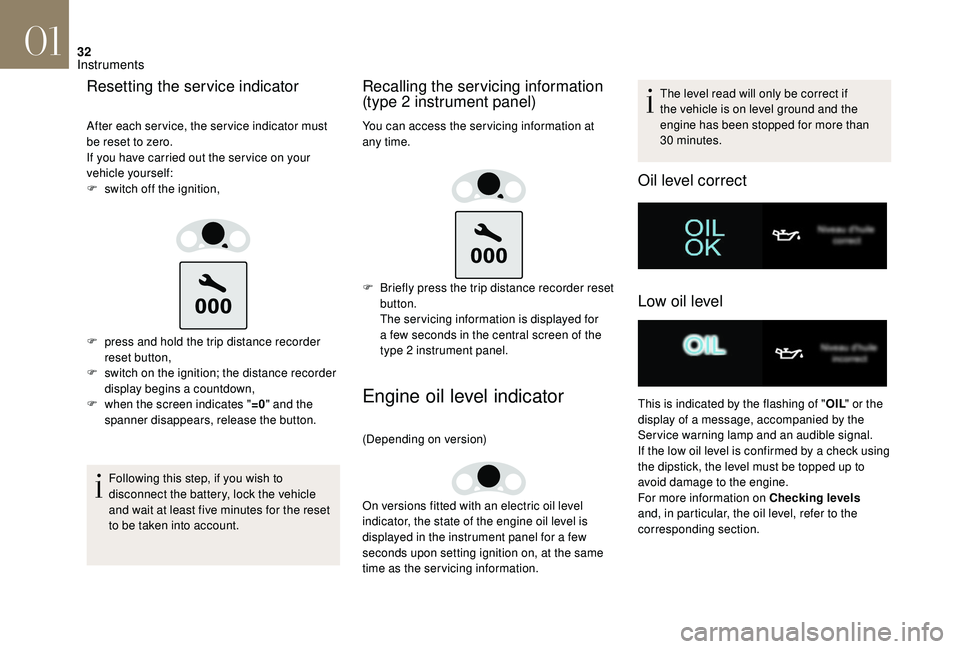
After each service, the service indicator must
be reset to zero.
If you have carried out the ser vice on your
vehicle yourself:
F
s
witch off the ignition,
F
p
ress and hold the trip distance recorder
reset button,
F
s
witch on the ignition; the distance recorder
display begins a countdown,
F
w
hen the screen indicates " =0" and the
spanner disappears, release the button.
Following this step, if you wish to
disconnect the battery, lock the vehicle
and wait at least five minutes for the reset
to be taken into account.
Recalling the servicing information
(type 2 instrument panel)
You can access the ser vicing information at
any time.
F
B
riefly press the trip distance recorder reset
button.
The ser vicing information is displayed for
a few seconds in the central screen of the
type 2 instrument panel.
Engine oil level indicator
(Depending on version)
On versions fitted with an electric oil level
indicator, the state of the engine oil level is
displayed in the instrument panel for a few
seconds upon setting ignition on, at the same
time as the servicing information. The level read will only be correct if
the vehicle is on level ground and the
engine has been stopped for more than
30
minutes.
Oil level correct
Low oil level
This is indicated by the flashing of "
OIL" or the
display of a message, accompanied by the
Service warning lamp and an audible signal.
If the low oil level is confirmed by a check using
the dipstick, the level must be topped up to
avoid damage to the engine.
For more information on Checking levels
and, in particular, the oil level, refer to the
corresponding section.
01
Instruments
Page 35 of 296
33
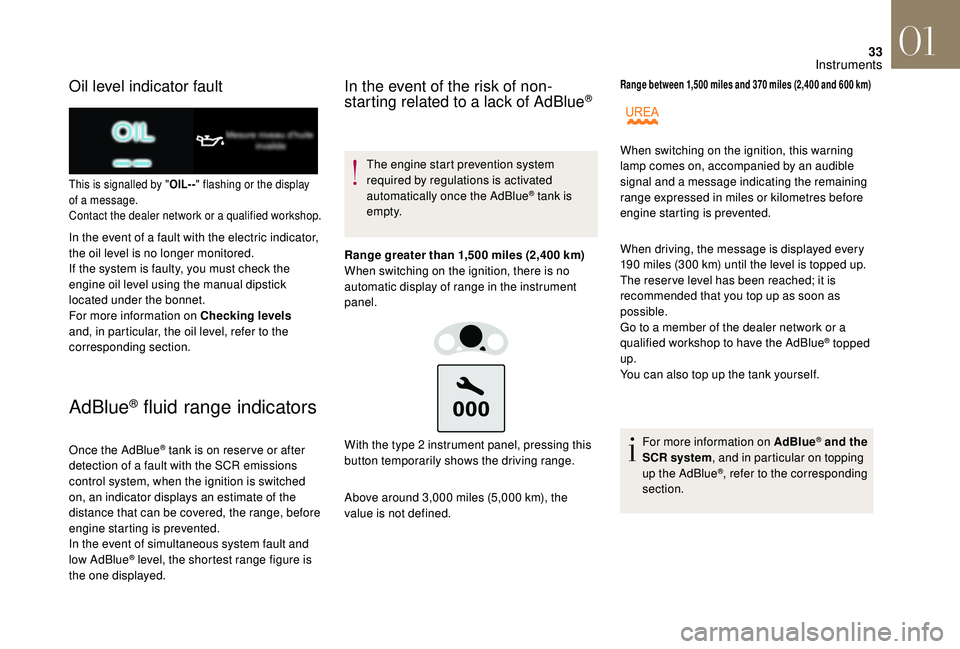
Oil level indicator fault
This is signalled by "OIL- -" flashing or the display
of a message.
Contact the dealer network or a qualified workshop.
In the event of a fault with the electric indicator,
the oil level is no longer monitored.
If the system is faulty, you must check the
engine oil level using the manual dipstick
located under the bonnet.
For more information on Checking levels
and, in particular, the oil level, refer to the
corresponding section.
AdBlue® fluid range indicators
Once the AdBlue® tank is on reser ve or after
detection of a fault with the SCR emissions
control system, when the ignition is switched
on, an indicator displays an estimate of the
distance that can be covered, the range, before
engine starting is prevented.
In the event of simultaneous system fault and
low AdBlue
® level, the shortest range figure is
the one displayed.
In the event of the risk of non-
starting related to a lack of AdBlue®
The engine start prevention system
required by regulations is activated
automatically once the AdBlue
® tank is
e m pt y.
Range greater than 1,500 miles (2,400 km)
When switching on the ignition, there is no
automatic display of range in the instrument
panel.
Above around 3,000 miles (5,000 km), the
value is not defined. With the type 2 instrument panel, pressing this
button temporarily shows the driving range.
Range between 1,500 miles and 370 miles (2,400 and 600 km)
When driving, the message is displayed every
190 miles (300 km) until the level is topped up.
The reser ve level has been reached; it is
recommended that you top up as soon as
possible.
Go to a member of the dealer network or a
qualified workshop to have the AdBlue
® topped
up.
You can also top up the tank yourself.
For more information on AdBlue
® and the
SCR system , and in particular on topping
up the AdBlue
®, refer to the corresponding
section.
When switching on the ignition, this warning
lamp comes on, accompanied by an audible
signal and a message indicating the remaining
range expressed in miles or kilometres before
engine starting is prevented.
01
Instruments
Page 36 of 296
34
Range below 370 miles (600 km)
When driving, this message is displayed every
30 seconds until the AdBlue level has been
topped up.
Go to a member of the dealer network or a
qualified workshop to have the AdBlue
® topped
up.
You can also top up the tank yourself.
Other wise you will not be able to restart the
vehicle.
For more information on the AdBlue
®
(BlueHDi engines) , and in particular on
topping up, refer to the corresponding
section. Breakdown due to a lack of AdBlue
®
The AdBlue® tank is empty: the starting
inhibition system required by legislation
prevents starting of the engine.
To be able to start the engine, we
recommend that you call on a dealer or a
qualified workshop for the top-up required.
If you carry out the top-up yourself, it is
essential to add at least 4 litres of AdBlue
®
to the tank.
For more information on the AdBlue
® (BlueHDi
engines) , and in particular on topping up, refer
to the corresponding section.
When switching on the ignition, this warning
lamp flashes and the Service warning lamp
comes on, accompanied by an audible signal
and the temporary display of a message in the
instrument panel indicating the remaining range
expressed in miles or kilometres before engine
starting is prevented.
When switching on the ignition, this warning
lamp flashes and the Service warning lamp
comes on, accompanied by an audible signal
and the temporary display of a message in the
instrument panel indicating that starting the
vehicle has been prevented.
In the event of a fault with the SCR
emissions control system
A system that prevents engine starting is
activated automatically from 680 miles
(1,100 km) after confirmation of a fault with
the SCR emissions control system.
Have the system checked by the dealer
network or a qualified workshop as soon
as possible.
In the event of the detection of a fault
If it is a temporary fault, the alert
disappears during the next journey,
after self-diagnostic checks of the SCR
emissions control system.
These warning lamps come on, accompanied
by an audible signal and the display of the
message "Emissions control fault".
The alert is triggered while driving as soon
as the fault is detected for the first time, then
when switching on the ignition for subsequent
journeys, while the fault persists.
01
Instruments
Page 37 of 296
35
During the permitted driving phase (between
680 and 0 miles (1,100 km and 0 km))
While driving, the message is displayed every
30 seconds while the fault with the SCR emission
control system persists.
The alert is repeated when switching on the ignition.
You should go to the dealer network or a qualified
workshop as soon as possible.
Other wise you will not be able to restart the vehicle.
Starting prevented You have exceeded the authorised driving
limit: the starting prevention system does
not allow the engine to be started.
To be able to restart the engine, you must call
a member of the dealer network or a qualified
workshop.
When switching on the ignition, these warning
lamps flash and the UREA warning lamp
comes on, accompanied by an audible signal
and the temporary display of a message in the
instrument panel indicating that starting the
vehicle has been prevented. If a fault with the SCR system is confirmed
(after around 30 miles (50 km) covered with the
permanent display of the message signalling
a fault), these warning lamps come on and the
UREA warning lamp flashes, associated with
an audible signal and the display of a message
indicating the remaining range expressed in
miles or kilometres.
Distance recorders
The total and trip distances are displayed for
thirty seconds when the ignition is switched off,
when the driver's door is opened and when the
vehicle is locked or unlocked.
Total distance recorder
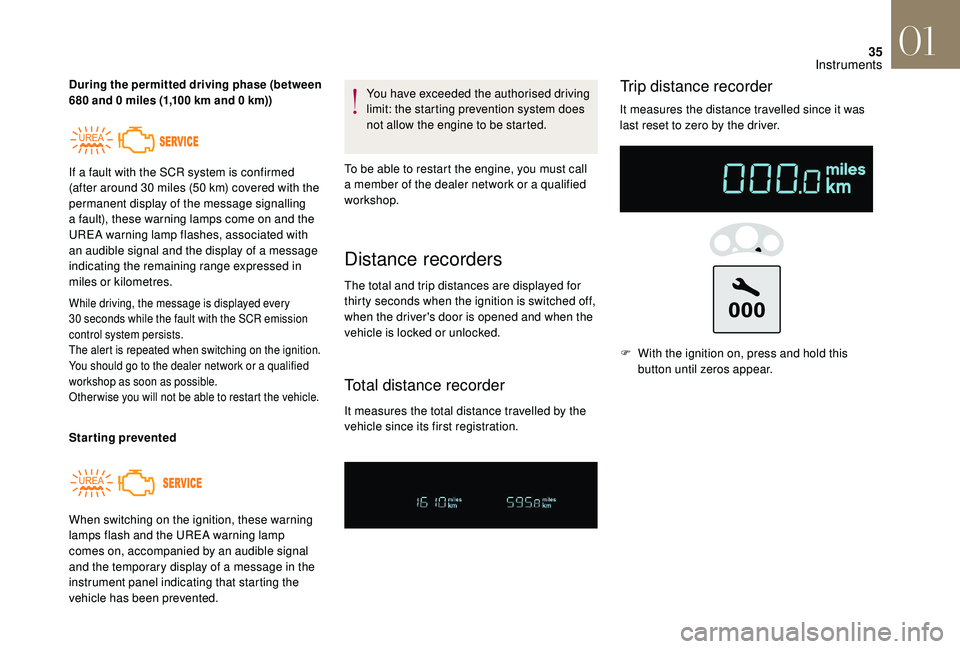
It measures the total distance travelled by the
vehicle since its first registration.
Trip distance recorder
It measures the distance travelled since it was
last reset to zero by the driver. F
W
ith the ignition on, press and hold this
button until zeros appear.
01
Instruments
Page 38 of 296
36
Manual test in the type 2
instrument panel central screen
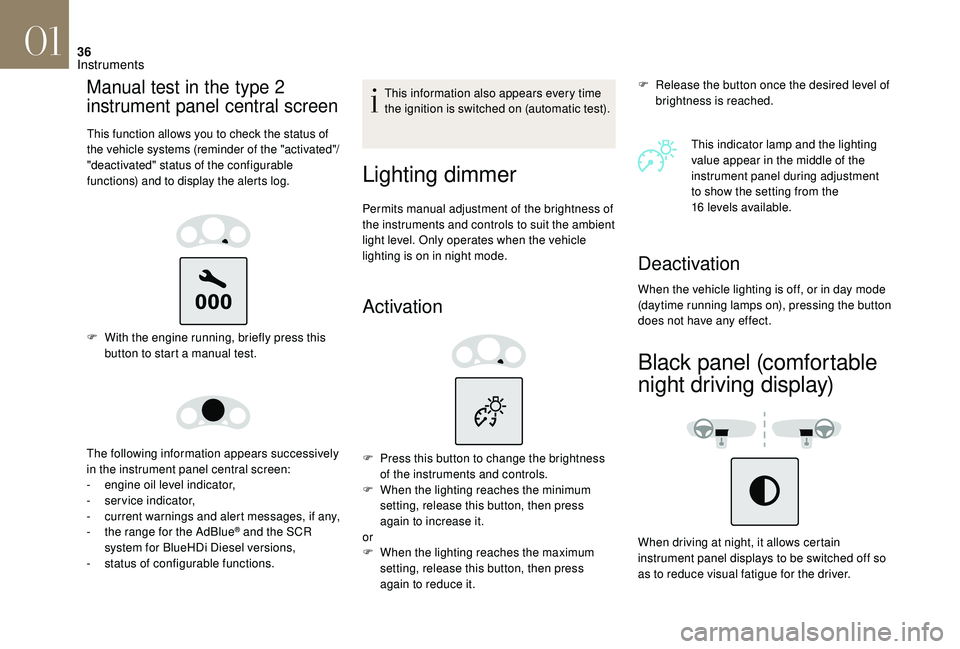
This function allows you to check the status of
the vehicle systems (reminder of the "activated"/
"deactivated" status of the configurable
functions) and to display the alerts log.
F With the engine running, briefly press this button to start a manual test.
The following information appears successively
in the instrument panel central screen:
-
e
ngine oil level indicator,
-
ser
vice indicator,
-
c
urrent warnings and alert messages, if any,
-
t
he range for the AdBlue
® and the SCR
system for BlueHDi Diesel versions,
-
s
tatus of configurable functions. This information also appears every time
the ignition is switched on (automatic test).
Lighting dimmer
Permits manual adjustment of the brightness of
the instruments and controls to suit the ambient
light level. Only operates when the vehicle
lighting is on in night mode.
Activation
F Release the button once the desired level of
brightness is reached.
This indicator lamp and the lighting
value appear in the middle of the
instrument panel during adjustment
to show the setting from the
16
levels available.
F
P
ress this button to change the brightness
of the instruments and controls.
F
W
hen the lighting reaches the minimum
setting, release this button, then press
again to increase it.
or
F
W
hen the lighting reaches the maximum
setting, release this button, then press
again to reduce it.
Deactivation
When the vehicle lighting is off, or in day mode
(daytime running lamps on), pressing the button
does not have any effect.
Black panel (comfortable
night driving display)
When driving at night, it allows certain
instrument panel displays to be switched off so
as to reduce visual fatigue for the driver.
01
Instruments
Page 47 of 296

45
Stop & Start time counter
or(minutes/seconds or hours/minutes)
Date and time adjustment
If your vehicle is fitted with Stop & Start, a time
counter adds up the time spent in STOP mode
during a journey.
It resets to zero every time the ignition is
switched on.
Monochrome screen C
F Press the MENU
button for access to the
main menu.
F
P
ress the " 7" or " 8" button to select the
"Personalisation-configuration" menu, then
press OK.
F
P
ress the " 7" or " 8" button to display the
"Display configuration" menu, then press
OK.
F
P
ress the " 5" or " 6" button to select the
"Date and time adjustment" button, then
press OK.
F
P
ress the " 7" or " 8" button to select the
setting to modify. Confirm by pressing OK ,
then modify the setting and confirm again to
save the modification.
F
A
djust the settings one by one, confirming
with the OK button.
F
P
ress the " 5" or " 6" button, then the OK
button to select the OK box and confirm or
the Back button to cancel.
With touch screen
Adjustment of the time and date is only
available if synchronisation with GPS is
deactivated. F
Sel
ect the "
Settings " menu.
F
P
ress the "
OPTIONS " button to go to the
secondary page.
F
Sel
ect "
Setting the time- date".
F
Sel
ect the "
Date" or "Time " tab.
F
A
djust the date and/or time using the
numeric keypad.
F
C
onfirm with "
OK".
Additional adjustments
You can choose:
-
T o change the display format of the date
and time (12h/24h).
-
T
o change the time zone.
-
T
o activate or deactivate synchronisation
with GPS (UTC).
The system does not automatically
manage the change between winter and
summer time (depending on country).
The change between winter and summer
time is done by changing the time zone.
01
Instruments