lock CITROEN DS4 2023 Owner's Manual
[x] Cancel search | Manufacturer: CITROEN, Model Year: 2023, Model line: DS4, Model: CITROEN DS4 2023Pages: 296, PDF Size: 9.91 MB
Page 60 of 296

58
The monitoring system is active: the indicator
lamp in the button flashes once per second
and the direction indicators come on for about
2 seconds.
Following a vehicle locking request, the
perimeter monitoring is activated after 5
seconds and the interior volumetric and anti-tilt
monitoring after 45 seconds.
If an opening (door, boot...) is not fully closed,
the vehicle will not be locked but the exterior
perimeter monitoring will be activated after
45 seconds, at the same time as the interior
volumetric and anti-tilt monitoring.
Deactivation
F Press the unlocking button on the remote control.
or
F
U
nlock the vehicle with the "Keyless Entry
and Starting" system.
The monitoring system is deactivated: the
indicator lamp in the button goes off and the
direction indicators flash for about 2 seconds. If the vehicle locks itself again
automatically (which occurs 30 seconds
after unlocking, if a door or the boot is
not opened), the monitoring system is not
reactivated automatically. To reactivate it,
the vehicle must be unlocked and locked
again, using the remote control or the
"Keyless Entry and Starting" system.
Locking the vehicle with
exterior perimeter monitoring
only
Deactivate the interior volumetric and anti-tilt
monitoring to avoid unwanted triggering of the
alarm in certain cases such as:
-
l
eaving a pet in the vehicle,
-
l
eaving a window partially open,
-
w
ashing your vehicle,
-
c
hanging a wheel,
-
h
aving your vehicle towed,
-
t
ransportation by sea.
Deactivating the interior volumetric
and anti-tilt monitoring
F Switch off the ignition and within ten seconds, press the button until the indicator
lamp is on continuously.
F
G
et out of the vehicle.
F
I
mmediately lock the vehicle using the
remote control or the Keyless Entry and
Starting system.
The exterior perimeter monitoring alone is
activated: the indicator lamp in the button
flashes once per second.
To be effective, this deactivation must
be carried out each time the ignition is
switched off.
02
Access
Page 61 of 296
59
Reactivating the interior volumetric
and anti-tilt monitoring
F Deactivate the perimeter monitoring by unlocking the vehicle with the remote
control or the "Keyless Entry and Starting"
system.
The indicator lamp in the button goes off.
F
R
eactivate all monitoring by locking the
vehicle with the remote control or the
"Keyless Entry and Starting" system.
The indicator lamp in the button flashes once per second again.
Triggering the alarm
This results in sounding the siren and flashing
the direction indicators for thirty seconds.
The monitoring functions remain active until
the alarm has been triggered eleven times in
succession.
When the vehicle is unlocked using the remote
control or the "Keyless Entry and Starting"
system, rapid flashing of the indicator lamp
in the button informs you that the alarm was
triggered during your absence. Upon ignition,
this flashing stops immediately.
Remote control failure
To deactivate the monitoring functions:
F u nlock the vehicle using the key (integral to
the remote control) in the driver's door lock,
F
o
pen the door; the alarm is triggered,
F
s
witch on the ignition; the alarm stops; the
indicator lamp in the button goes off.
Locking the vehicle without
activating the alarm
F Lock or deadlock the vehicle using the key (integral to the remote control) in the driver's
door lock.
Malfunction
When the ignition is switched on, fixed
illumination of the indicator lamp indicates a
fault in the system.
Have it checked in the dealer network or by a
qualified workshop.
Doors
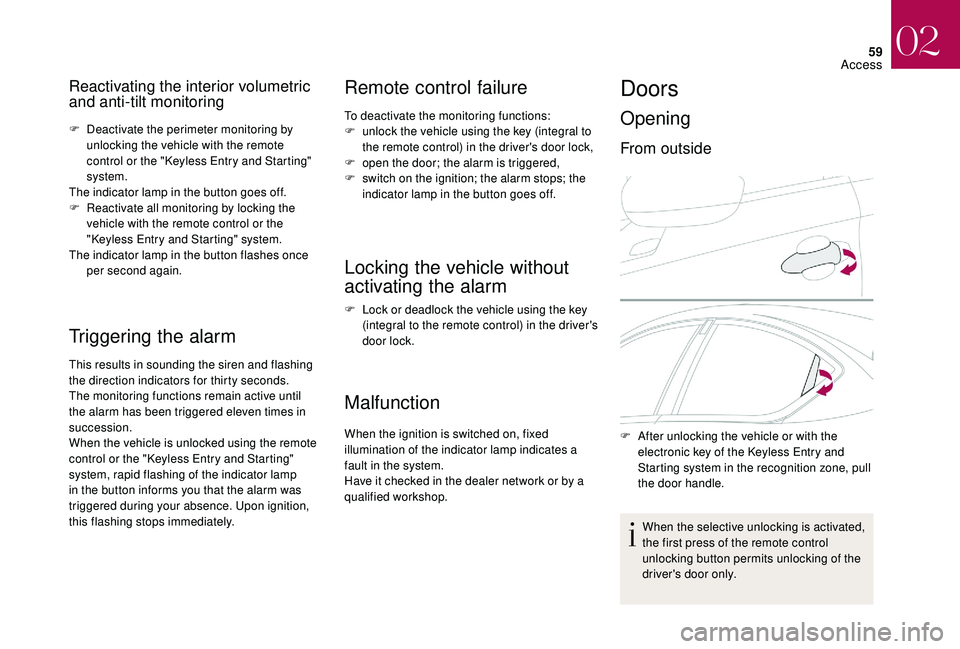
Opening
From outside
F After unlocking the vehicle or with the electronic key of the Keyless Entry and
Starting system in the recognition zone, pull
the door handle.
When the selective unlocking is activated,
the first press of the remote control
unlocking button permits unlocking of the
driver's door only.
02
Access
Page 62 of 296

60
From inside
With the selective unlocking activated:
- o pening the driver's door unlocks the
driver's door only (if the vehicle has not
already been completely unlocked),
-
o
pening one of the passenger doors
unlocks the rest of the vehicle.
The interior door controls do
not operate when the vehicle is
deadlocked.
Closing
F Pull the interior control lever of a door; this unlocks the vehicle completely. -
w
ith the engine running or the
vehicle moving (speed below
6 mph (10 km/h)), this warning lamp
comes on, accompanied by an
alert message displayed for a few
seconds.
-
w
ith the vehicle moving (speed
above 6 mph (10 km/h)), in addition
to the warning lamp and alert
message, an audible signal sounds
for a few seconds.
When a door is not closed correctly:
Boot
Opening
The vehicle or the boot only is unlocked,
depending on the setting.
Complete unlocking
F After unlocking the vehicle or the boot with
the Keyless Entry and Starting system
electronic key on your person in the
recognition zone A , press the boot opening
control then raise the tailgate. In case of malfunction or difficulties in
opening or closing, have it checked by the
dealer network or a qualified workshop to
ensure that this inconvenience does not
get worse, making it drop and causing a
serious injury.
02
Access
Page 63 of 296

61
When unlocking of the boot only is activated:
F W ith the electronic key on your person and
in the recognition zone A , press the boot
unlocking control to unlock just the boot,
then raise the tailgate.
Unlocking is signalled by rapid flashing of the
direction indicators for a few seconds.
Closing
F Lower the tailgate using one of the interior grab handles.
If the tailgate is not fully closed:
-
w
ith the engine running or the
vehicle moving (speed below
6
mph (10 km/h)), this warning lamp
comes on, accompanied by an alert
message for a few seconds.
-
w
ith the vehicle moving (speed
above 6 mph (10 km/h), in addition
to the warning lamp and alert
message, there is an audible signal
for a few seconds.
Back-up control
System allowing the mechanical unlocking
of the boot in the event of a battery or central
locking system malfunction.
Unlocking
F Fold the rear seats to gain access to the lock from inside the boot.
Locking after closing
If the fault persists after closing again, the boot
will remain locked. F
I
nsert a small screwdriver into hole A of the
lock to unlock the tailgate.
F
M
ove the latch to the left.
Electric windows
Fitted with a safety anti-pinch system.
1.
Driver.
2. Pa s se n g e r.
Manual operation
F Press or pull the control, without
passing the point of resistance.
The window stops as soon as the control is
released.
Selective unlocking
The complete or selective boot
unlocking parameter is set via the
vehicle configuration menu.
02
Access
Page 64 of 296

62
Automatic operation
F Press or pull the switch fully, beyond the resistance point.
The window opens or closes
completely when the switch is
released.
F
P
ressing the switch again stops
the movement of the window.
The electric window controls remain
operational for approximately 45 seconds
after the ignition has been switched off
or, if a door has been opened, until the
vehicle is locked.
If the passenger 's window cannot be
operated from the driver's door control
panel, carry out the operation from the
passenger's door control panel, and vice
versa.
Safety anti-pinch
When the window rises and meets an obstacle,
it stops and partially lowers again.
If the window cannot be closed (for
example, in the presence of ice), once
the
window has lowered:
F
p
ress and hold the control until the
window opens fully,
F
t
hen pull the control immediately and
hold it until the window closes,
F
c
ontinue to hold the control for
approximately one second after the
window has closed.
The safety anti-pinch function is not
effective during these operations.
Reinitialisation
If a window does not rise automatically, its
operation must be reinitialised:
F
p
ull the control until the window stops,
F
r
elease the control and pull it again until the
window closes fully,
F
c
ontinue to hold the switch for
approximately one second after the window
has closed, In the event of contact (pinching) during
operation of the windows, you must
reverse the movement of the window. To
do this, press the corresponding switch.
When the driver operates the passenger's
electric window control, they must ensure
that nothing is preventing the windows
from closing correctly.
The driver must ensure that all
passengers make correct use of electric
windows.
Be particularly aware of children when
operating the windows.
Be aware of passengers and/or other
persons present when closing the
windows with the key or the "Keyless
Entry and Starting" system.
Always remove the key from the ignition
when leaving the vehicle, even for a short
time.
In order to avoid damaging the electric
window motor, a protection device
activates after ten full opening/closing
manoeuvres of the window in succession,
allowing only the closing the window.
Once the window is closed, the controls
will become available again after
approximately 40 minutes. F
p
ress the control to lower the window
automatically to the open position,
F
w
hen the window has reached the open
position, press the control again for
approximately one second.
The safety anti-pinch function is not
operational during these operations.
02
Access
Page 66 of 296

64
Front seats
Correct driving position
Before taking to the road and to make the most of the
ergonomic layout of the instruments and controls, carry out
these adjustments in the following order:
-
t
he height of the head restraint,
-
t
he seat backrest angle,
-
t
he seat cushion height,
-
t
he longitudinal (forwards-backwards) position of the seat,
-
t
he height of the steering wheel,
-
t
he rear view mirror and door mirrors.
Once these adjustments have been made,
check the instrument panel can be viewed
correctly from your driving position.
Manual adjustments
Forwards-backwards
F Raise the control and slide the seat forwards or backwards.
F
R
elease the control to lock the position. Before moving the seat backwards,
ensure that there is no object or person in
the way, preventing full travel of the seat.
There is a risk of trapping or pinching
passengers if present in the rear seats
or jamming the seat if large objects are
placed on the floor behind the seat.
Seat height
F Pull the control upwards to raise or push
it downwards to lower, as many times as
necessary, to obtain the position required.
As a safety measure, adjustments to the
driver's seat must only be done when
stationary.
03
Ease of use and comfort
Page 71 of 296

69
Rear seats
Bench seat with fixed one-piece cushion and
split backrest (2/3 – 1/3) which can be folded
individually to adapt the load space in the boot.
Rear head restraints
These have one position for use (up) and a
stowed position (down).
They can also be removed.
To remove a head restraint:
F
r
elease the backrest using the control 1 ,
F
t
ilt the backrest 2 slightly forwards,
Folding the backrest
F Move the corresponding front seat for wards if necessary.
F
p
ull the head restraint upwards to the stop,
F
t
hen, press the lug A .
Never drive with the head restraints
removed; they must be fitted and correctly
adjusted. F
P
lace the head restraints in the low position.
F
P
osition the seat belt between the outer and
centre head restraints to avoid trapping the
belt when repositioning the seat backrest.
F
P
ull control 1 for wards to release the seat
backrest 2 .
Returning the backrest to the normal position
F Put the seat backrest in the upright position
and lock it in place.
F
C
heck that the red indicator, located next to
the seat control, is no longer visible.
F
P
ut the seat belt back in place on the side of
the seat backrest.
When repositioning the seat backrest,
take care not to trap the seat belts.
F
F
old the seat backrest 2 on to the cushion.
03
Ease of use and comfort
Page 72 of 296

70
Steering wheel adjustment
F When stationary, pull the control lever to
release the steering wheel.
F
A
djust the height and reach to suit your
driving position.
F
P
ush the control lever to lock the steering
wheel.
As a safety precaution, these operations
should only be carried out while the
vehicle is stationary.
MirrorsAdjustment
Door mirrors
Each fitted with an adjustable mirror glass
permitting the lateral rearward vision necessary
for overtaking or parking.
They can also be folded for parking in confined
spaces.
Demisting/Defrosting
If your vehicle is fitted with heated
mirrors, the demisting-defrosting
operates by switching on the heated
rear screen.
For more information on Rear screen demist -
defrost, refer to the corresponding section. F
M
ove control A to the right or to the left to
select the corresponding mirror.
F
M
ove control B in any of the four directions
to adjust.
F
R
eturn control A to the central position.
The objects obser ved are, in reality, closer
than they appear.
Take this into account in order to
correctly judge the distance of vehicles
approaching from behind.
As a safety measure, the mirrors should
be adjusted to reduce the "blind spots".
03
Ease of use and comfort
Page 73 of 296

71
Folding
F From outside: lock the vehicle using the remote control or the key.
F
F
rom inside: with the ignition on, pull the
control A in the central position rearwards.
If the mirrors are folded using control A ,
they will not unfold when the vehicle is
unlocked. Pull again on control A .
Unfolding
F From outside: unlock the vehicle using the
remote control or the key.
F
F
rom inside: with the ignition on, pull the
control A in the central position rearwards.
The folding and unfolding of the door
mirrors using the remote control can be
deactivated in the dealer network or a
qualified workshop.
If necessary, the mirrors can be folded
manually.
Automatic tilting in reverse gear
System which provides a view of the ground
during parking manoeuvres in reverse gear.
Memorisation
F With the engine running, engage reverse g e a r.
F
S
elect and adjust the left-hand and right-
hand mirrors in succession.
The adjustment is stored immediately.
Operation
F With the engine running, engage reverse g e a r.
F
M
ove control A to the right or to the left to
select the corresponding mirror.
The glass of the selected mirror tilts
downwards, in accordance with its
memorisation.
Switching off
F Exit reverse gear and wait ten seconds.
or
F
R
eturn control A to the central position.
The mirror glass returns to its initial position.
Rear view mirror
Equipped with an anti-dazzle system, which
darkens the mirror glass and reduces the
nuisance to the driver caused by the sun,
headlamps from other vehicles, etc.
Manual model
Adjustment
F Adjust the mirror so that the glass is directed correctly in the "day" position.
It also returns to its initial position:
-
i
f the speed exceeds 6 mph (10 km/h),
-
i
f the engine is stopped.
03
Ease of use and comfort
Page 78 of 296
76
Adjusting the air distribution
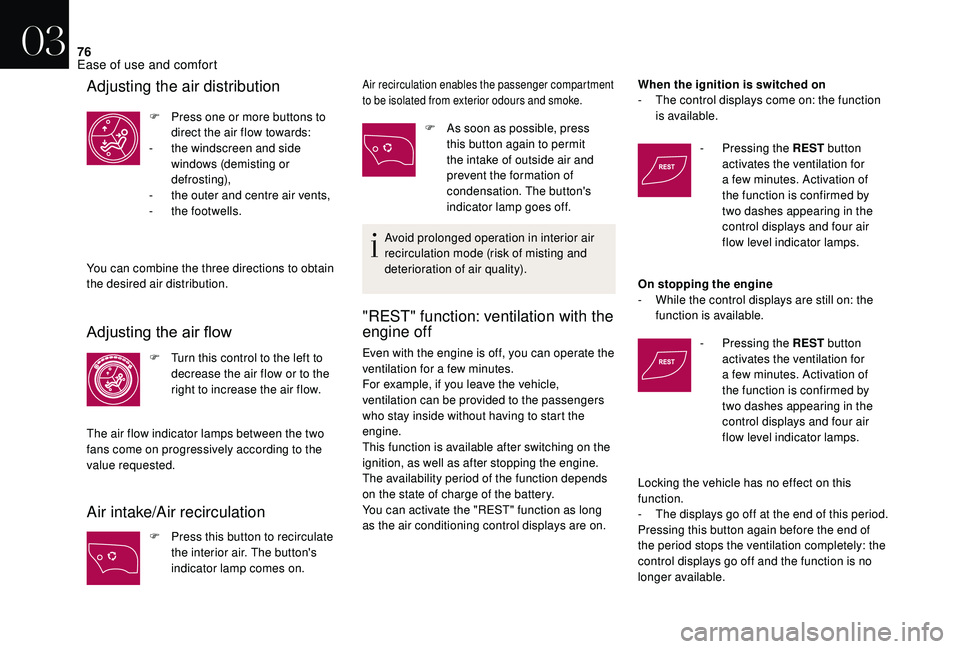
F Press one or more buttons to direct the air flow towards:
-
t
he windscreen and side
windows (demisting or
def r o st ing),
-
t
he outer and centre air vents,
-
t
he footwells.
You can combine the three directions to obtain
the desired air distribution.
Adjusting the air flow
F Turn this control to the left to decrease the air flow or to the
right to increase the air flow.
The air flow indicator lamps between the two
fans come on progressively according to the
value requested.
Air intake/Air recirculation
F Press this button to recirculate the interior air. The button's
indicator lamp comes on.
Air recirculation enables the passenger compartment
to be isolated from exterior odours and smoke.
F As soon as possible, press this button again to permit
the intake of outside air and
prevent the formation of
condensation. The button's
indicator lamp goes off.
Avoid prolonged operation in interior air
recirculation mode (risk of misting and
deterioration of air quality).
"REST" function: ventilation with the
engine off
Even with the engine is off, you can operate the
ventilation for a few minutes.
For example, if you leave the vehicle,
ventilation can be provided to the passengers
who stay inside without having to start the
engine.
This function is available after switching on the
ignition, as well as after stopping the engine.
The availability period of the function depends
on the state of charge of the battery.
You can activate the "REST" function as long
as the air conditioning control displays are on. When the ignition is switched on
-
T
he control displays come on: the function
is available.
-
P
ressing the REST
button
activates the ventilation for
a few minutes. Activation of
the function is confirmed by
two dashes appearing in the
control displays and four air
flow level indicator lamps.
On stopping the engine
-
W
hile the control displays are still on: the
function is available.
- P ressing the REST
button
activates the ventilation for
a few minutes. Activation of
the function is confirmed by
two dashes appearing in the
control displays and four air
flow level indicator lamps.
Locking the vehicle has no effect on this
function.
-
T
he displays go off at the end of this period.
Pressing this button again before the end of
the period stops the ventilation completely: the
control displays go off and the function is no
longer available.
03
Ease of use and comfort