ignition Citroen DS5 2011 1.G Repair Manual
[x] Cancel search | Manufacturer: CITROEN, Model Year: 2011, Model line: DS5, Model: Citroen DS5 2011 1.GPages: 348, PDF Size: 10.33 MB
Page 271 of 348
8
06
7
269
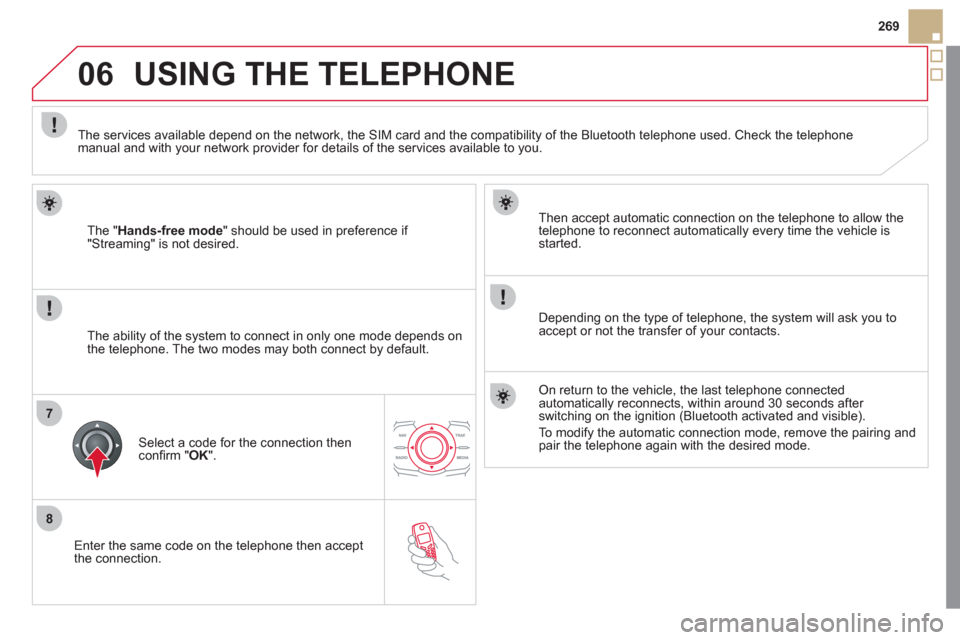
Enter the same code on the telephone then accept
th
e connection.
Then accept automatic connection on the telephone to allow the
telephone to reconnect automaticall
y every time the vehicle is started.
Dependin
g on the type of telephone, the system will ask you to
accept or not the transfer of your contacts.
USING THE TELEPHONE
The "Hands-free mode" should be used in preference if "Streaming" is not desired.
The services available depend on the network, the
SIM card and the compatibility of the Bluetooth telephone used. Check the telephone manual and with your network provider for details of the services available to you.
The ability o
f the system to connect in only one mode depends on
the telephone. The two modes may both connect by default.
Select a code for the connection then confi rm " OK
".
On return to the vehicle, the last telephone connected
automatically reconnects, within around 30 seconds after switching on the ignition (Bluetooth activated and visible).
To modif
y the automatic connection mode, remove the pairing andpair the telephone again with the desired mode.
Page 285 of 348
09
1
2
SRC/
283
MUSIC MEDIA PLAYERS
CD, MP3 CD, USB PLAYER
Insert the CD in the player, insert the USB memorystick in the USB player or connect the USBperipheral to the USB port using a suitable cable (not supplied)
The system builds playlists (in temporary memory),
an operation which can take from a few seconds to several minutes at the fi rst connection.
R
educe the number of non-music fi les and the number of folders to reduce the waiting time.
The pla
ylists are updated every time the ignition isswitched off or connection of a USB memory stick. However, the system memorises these lists and
if they are not modifi ed, the loading time will be shorter.
Pla
y starts automatically after a period which
depends on the capacity of the USB memory stick.
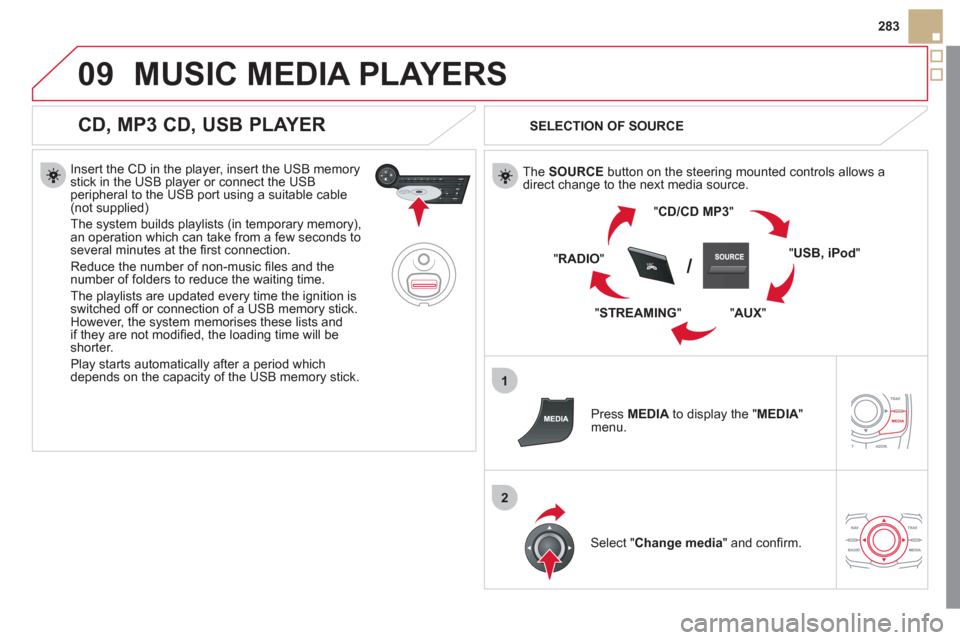
SELECTION OF SOURCE
The SOURCE
button on the steering mounted controls allows a
direct change to the next media source.
"CD/CD MP
3"
" USB, iPod "
"
AUX"
" STREAMING" "RADI
O"
Pr
ess MEDIAto display the "MEDIA
"
menu.
Select "Change media" and confi rm.
Page 290 of 348
11
1
2
3a
3b
1
2
3
4
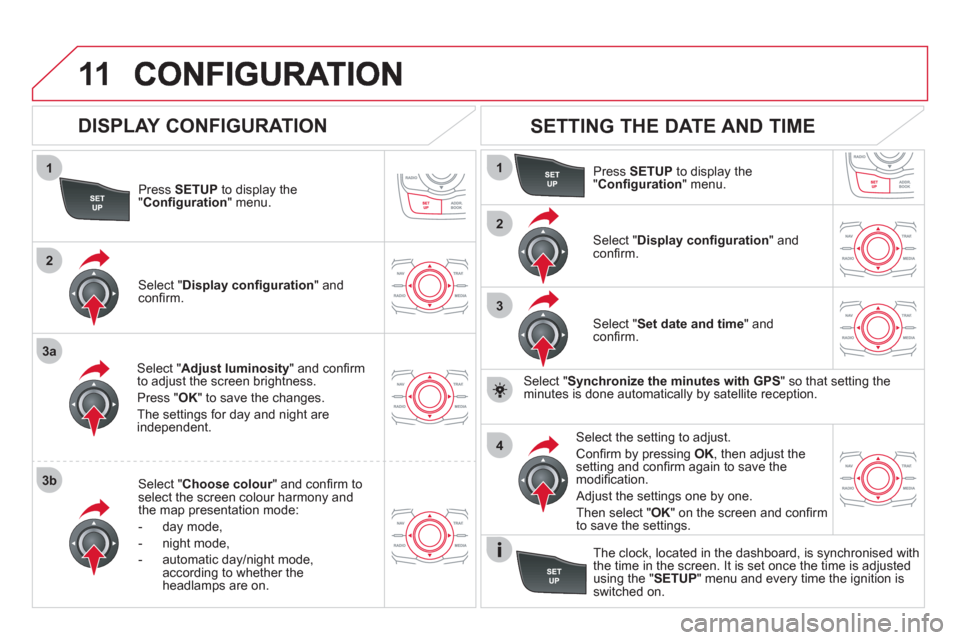
Press SETUP
to display the"Confi guration " menu.
Select " Adjust luminosity" and confi rm
to adjust the screen brightness.
Pr
ess "OK" to save the changes.
The settin
gs for day and night areindependent.
Select " Choose colour" and confi rm torselect the screen colour harmony and
the map presentation mode:
-
day mode,
- n
ight mode,
- automatic day
/night mode,
according to whether the headlamps are on.
SETTING THE DATE AND TIME
Select "Set date and time " and confi rm.
Select the setting to adjust.
Confi rm by pressing OK
, then adjust the setting and confi rm again to save themodifi cation.
Select " Display confi guration" andconfi rm.
Pr
ess SETUPto display the
"Confi guration" menu.
Select "Display confi guration " andconfi rm.
Adjust the settings one by one.
Then select "OK" on the screen and confi rm
to save the settings.
DISPLAY CONFIGURATION
Select " Synchronize the minutes with GPS" so that setting theminutes is done automatically by satellite reception.
The clock, located in the dashboard, is synchronised withthe time in the screen. It is set once the time is adjusted using the "SETUP" menu and every time the ignition isswitched on.
Page 310 of 348
04
1
3
2
4
5
CD, USB
AUDIO
PLAYING A COMPILATION
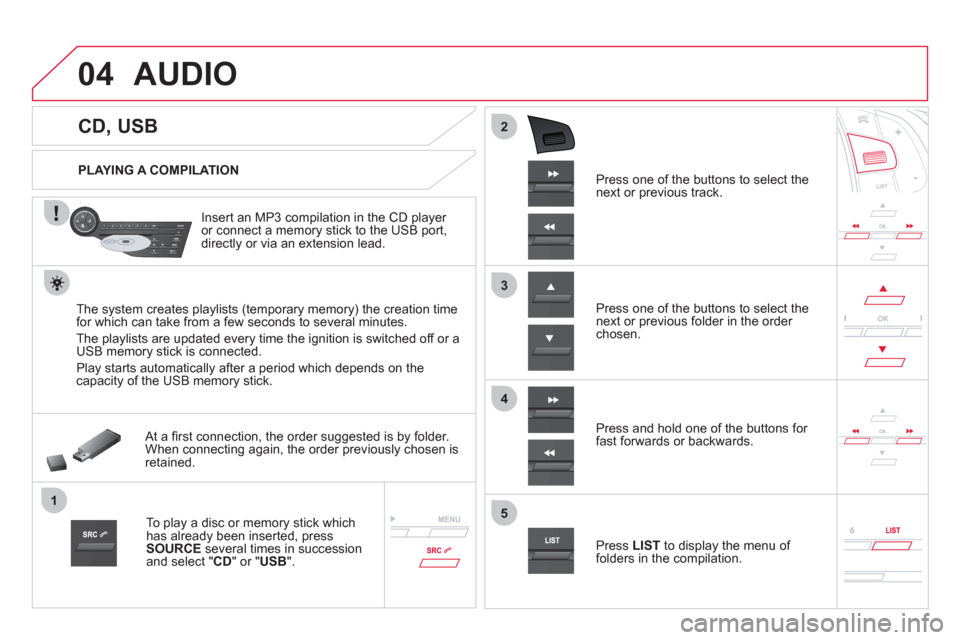
Insert an MP3 compilation in the
CD player or connect a memory stick to the USB port,
directly or via an extension lead.
The s
ystem creates playlists (temporary memory) the creation time
for which can take from a few seconds to several minutes.
The pla
ylists are updated every time the ignition is switched off or aUSB memory stick is connected.
Pla
y starts automatically after a period which depends on the capacity of the USB memory stick.
At a fi rst connection, the order suggested is by folder.When connecting again, the order previously chosen is retained.
To play a disc or memory stick whichhas already been inserted, press
SOURCE
several times in successionand select " CD" or "USB".
Pr
ess one of the buttons to select the next or previous track.
Pr
ess one of the buttons to select the next or previous folder in the order chosen.
Pr
ess and hold one of the buttons for
fast forwards or backwards.
Press LISTto display the menu of folders in the compilation.
Page 315 of 348
05
1
2
5
3
4
6
313
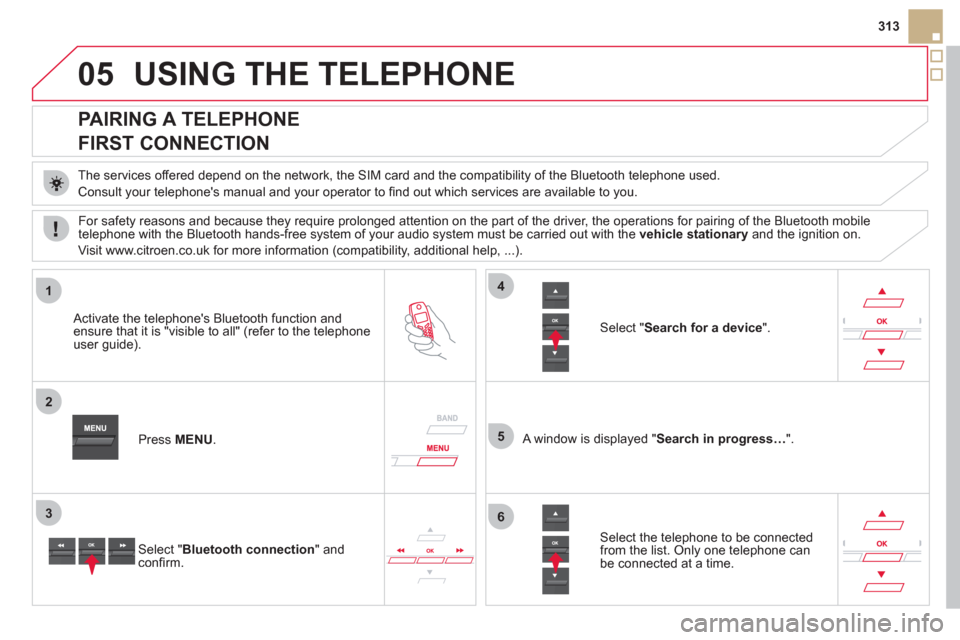
USING THE TELEPHONE
PAIRING A TELEPHONE
FIRST CONNECTION
The services offered depend on the network, the SIM card and the compatibility of the Bluetooth telephone used.
Consult
your telephone's manual and your operator to fi nd out which services are available to you.
Activate the telephone's Bluetooth function andensure that it is "visible to all" (refer to the telephone
user guide).
Pr
ess MENU . A window is displayed "Search in progress…".
Select the tele
phone to be connected from the list. Only one telephone can be connected at a time.
Select " Search for a device".
For safet
y reasons and because they require prolonged attention on the part of the driver, the operations for pairing of the Bluetooth mobile
telephone with the Bluetooth hands-free system of your audio system must be carried out with the vehicle stationaryand the ignition on.
Visit www.citroen.co.uk
for more information (compatibility, additional help, ...).
Select " Bluetooth connection" andconfi rm.
Page 326 of 348
08TRIP COMPUTER
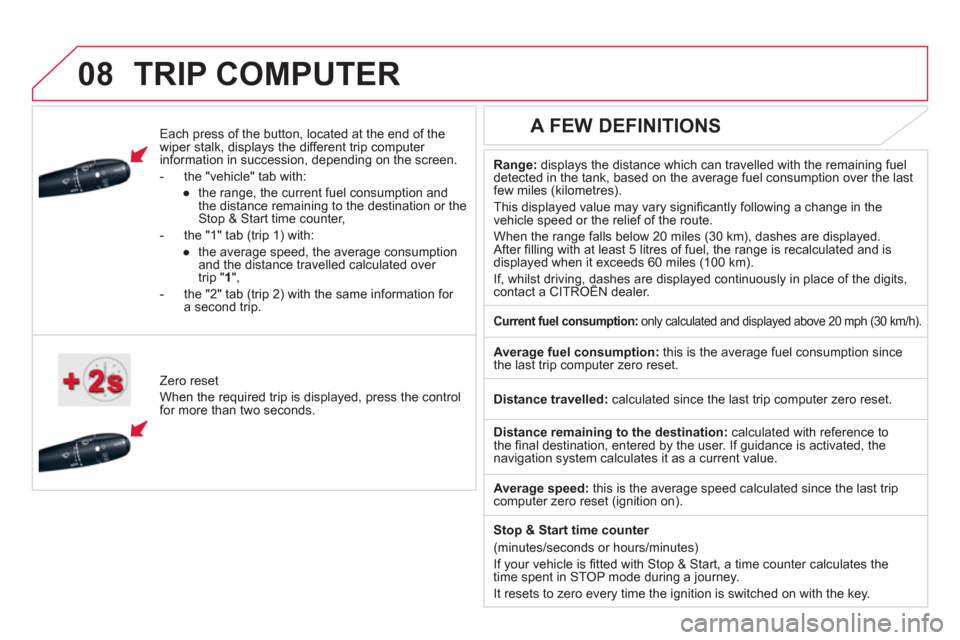
Each press of the button, located at the end of the
wiper stalk, displays the different trip computer
information in succession, depending on the screen.
- th
e "vehicle
" tab with:
●
the ran
ge, the current fuel consumption and
the distance remaining to the destination or the Stop & Start time counter,
- the "1" tab
(trip 1) with:
●
t
he average speed, the average consumptionand the distance travelled calculated over
trip " 1 ",
- the "2" tab
(trip 2) with the same information for a second trip.
Z
ero reset
When the required trip is displa
yed, press the control
for more than two seconds.
Range:displays the distance which can travelled with the remaining fuel
detected in the tank, based on the average fuel consumption over the last few miles (kilometres).
This displa
yed value may vary signifi cantly following a change in the
vehicle speed or the relief of the route.
When the ran
ge falls below 20 miles (30 km), dashes are displayed.After fi lling with at least 5 litres of fuel, the range is recalculated and is
displayed when it exceeds 60 miles (100 km).
If, whilst driving, dashes are displayed continuously in place of the digits, contact a CITROËN dealer. ,g,
A FEW DEFINITIONS
Current fuel consumption:only calculated and displayed above 20 mph (30 km/h).
Average fuel consumption:
this is the average fuel consumption since
the last trip computer zero reset.
Distance travelled:calculated since the last trip computer zero reset.
Distance remaining to the destination: calculated with reference to
the fi nal destination, entered by the user. If guidance is activated, the navigation system calculates it as a current value.
Avera
ge speed: this is the average speed calculated since the last tripcomputer zero reset (ignition on).
Sto
p & Start time counter
(minutes/seconds or hours/minutes)
I
f your vehicle is fi tted with Stop & Start, a time counter calculates the
time spent in STOP mode during a journey.
It resets to zero ever
y time the ignition is switched on with the key.
Page 338 of 348
Jack.............................................................186JACK socket..................................80, 286, 311
J
Markings,identification.............................................239Massage function.........................................72Mat................................................................79Menu, main.................................................302Mini fuel level ....................................19, 36, 64Mirror, rear view............................................77Mirrors, door..................................................r76Misfuel prevention.........................................64Motorway function(direction indicators).................................164Mountings for ISOFIXseats.........................................................158MP3 CD .......................................282, 307, 308Music media players ...........................281, 307
Navigation...................................................251Number plate lamps ....................................200
N
Labels, identification...................................239Lamps, warning and indicator.................r29-37Lane Depar ture Warning System(LDWS).....................................................119LED daytime running lamps........................135Level, brake fluid.........................................224Level, headlamp wash................................225Level, power steering fluid ..........................224
Levels and checks...............................220-228Lighting................................................147,148Lighting, guide-me home ....................136, 138Lighting, interior..................................r147,148Lighting bulbs (replacement)..............193-200Lighting control stalk............................132-138Lighting dimmer............................................r42Lighting on reminder...................................r135Loading..................................................24, 212
Load reduction mode ..................................206Localised assistance call............................243Localised emergency call...........................243Locating your vehicle....................................55Locking from the inside.................................55Locking the doors...................................50, 55Long objects, transpor ting............................81
L
Identification plates.....................................239Ignition on................................................51, 95Indicator lamps, status............................29-37Indicators, direction....................................164
Inflating accessories (using the kit)............185Inflating tyres ..............................................239Inputs for audio system .................80, 286, 311Instrument panel lighting..............................42Instrument panels.........................................28Instrument panel screen...............................28Intelligent Traction Control..........................168Interior fittings...............................................78Interior mood lighting..................................148ISOFIX child seats ...............................159-160ISOFIX mountings.......................................158
Keeping children safe...........152-161, 172 , 174Key..........................................................52-53Key, electronic ......................................... 48-54Keyless Entry and Starting...31, 49-51, 94, 95
K
Main beam.............................30, 132, 193-195Maintenance..................................................24Map reading lamps.....................................147
MOil filter........................................................r227Oil level..................................................41, 223Opening the boot..............................48,49,56Opening the doors..................................48,49Operation indicator lamps .......................29-37
O I
Page 339 of 348
337
Alphabetical index
Paint colour code........................................239Parking brake, electric...................97-10 4, 228
Parking lamps .............................................138Parking sensors, front .................................128Parking sensors, rear..................................r127Particle emission filter........................r225,227Passenger compartment filter....................r227Player, CD MP3...........................282,307,308Port, USB.....................................80, 282,309Priming the fuel system..............................222Protecting children................152-161, 172, 174Puncture......................................................180
P
R
Radio ...................................................278,303Rear foglamp ...............................134, 198, 199Rear screen (demisting)................................90Recharging the battery...............................205Reduction of electrical load........................206Reinitialising the remote control...................53Remote control ........................................48-54Removing a wheel......................................189Removing the mat.........................................79Repair kit, puncture ..................................... 180Replacing bulbs .................................. 193-200Replacing fuses...................................201-203Replacing the air filter.................................r227Replacing the oil filter.................................r227Replacing the particle emission filter.........r227
T
Replacing the passenger compartment filter....................................r227Replacing wiper blades .......................146,208Resetting the service indicator.....................r40Resetting the trip recorder............................r42Reversing camera ....................................... 129Reversing lamp...........................................198Roof bars.....................................................212Routine checks...................................223-228Running out of fuel (Diesel)........................222
Table of weights..................................233, 236Ta b l e s o f e ngines ................................232, 235Tables of fuses............................................201Tank, fuel .......................................................64Technical data .....................................232-238
Te l ephone........................................... 268, 313
Short-cut menus.........................................250Sidelamps...........................13 3,193, 196, 198Side repeater...............................................197Ski flap..........................................................81Spare wheel ................................................186Speed limiter.......................................r122, 123Spotlamps, side .................................. 139,197Stability control (DSC)................................169Starting the vehicle.................94, 96,108,112Steering mounted controls,audio.................................................248,301Stopping the vehicle ...............94, 96,108,112Stop & Start........................45, 63,87,90,116,204,219,226, 324Storage..............................................78, 80-82Storing driving positions ...............................70Stowing rings................................................82Switching on the ignition.........................51,95Synchronising the remote control.................53Synthesiser, voice.......................................262System, navigation ......................................251Systems, ASR and DSC .............................169
S
Safety for children.................152-161, 172, 174Screen, colour and mapping ....................... 249Screen, instrument panel..............................28Screen, monochrome.........................302, 325Screen, multifunction (with audio equipment).............................302Screen-wash reservoir................................225Screen menu map ...............................290, 325Screenwash, front.......................................144Screenwash fluid level ................................225Seat, rear bench .....................................73, 75Seat adjustment......................................68,69Seat belts.............................................170-172Seats, rear...............................................r73, 75Serial number, vehicle................................239Ser vice indicator...........................................r39Servicing .................................................24, 39Setting the clock ..........................43, 288, 323
Page 343 of 348
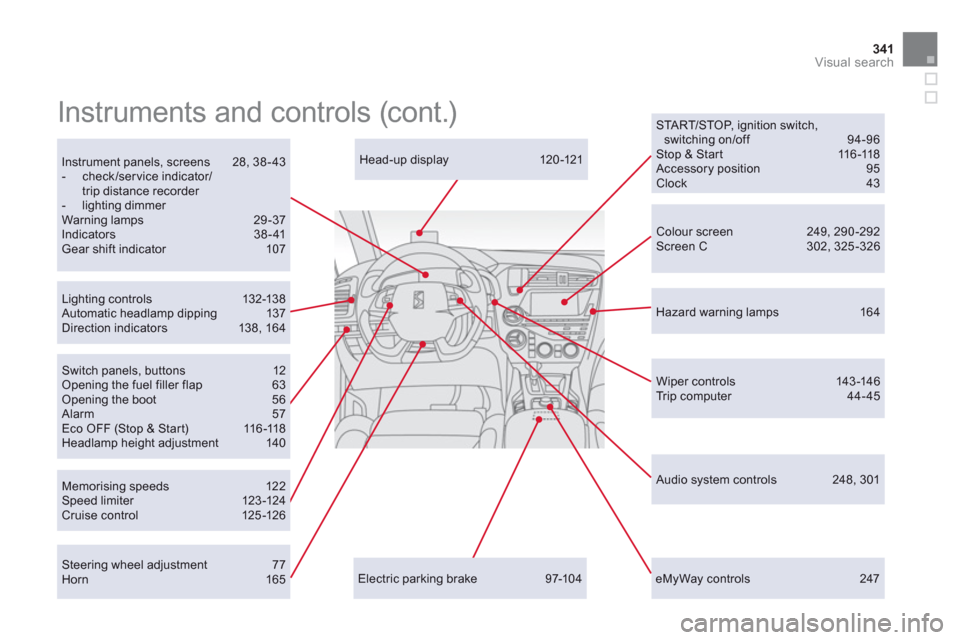
341Visual search
eMyWay controls 247
Head-up display 120 -121
Memorising speeds 12 2Speed limiter 123 -124Cr uise c ontrol 125 -126
Lighting c ontrols 132-13 8 Automatic headlamp dipping 137Direction indicators 138, 16 4
Wiper c ontrols 143 -146 Tr i p c o m p u t e r 4 4 - 4 5
Instrument panels, screens 28, 38-43 - check/ser vice indicator/trip distance recorder - lighting dimmer
Warning lamps 29-37Indicators 38-41Gear shift indicator 107
Colour screen 249, 290 -292 Screen C 302, 325-326
Instruments and controls (cont.)
Electric parking brake 97-104
START/STOP, ignition switch,switching on/off 94-96 Stop & Start 116-118 Accessory position 95 Clock 43
Hazard warning lamps 164
Audio system controls 248, 301
Steering wheel adjustment 77 Horn 165
Switch panels, buttons 12Opening the fuel filler flap 63Opening the boot 56 Alarm 57 Eco OFF (Stop & Start) 11 6 -11 8Headlamp height adjustment 140