phone CITROEN DS5 2017 User Guide
[x] Cancel search | Manufacturer: CITROEN, Model Year: 2017, Model line: DS5, Model: CITROEN DS5 2017Pages: 403, PDF Size: 15.62 MB
Page 287 of 403
285
DS5_en_Chap11c_SMEGplus_ed01-2015
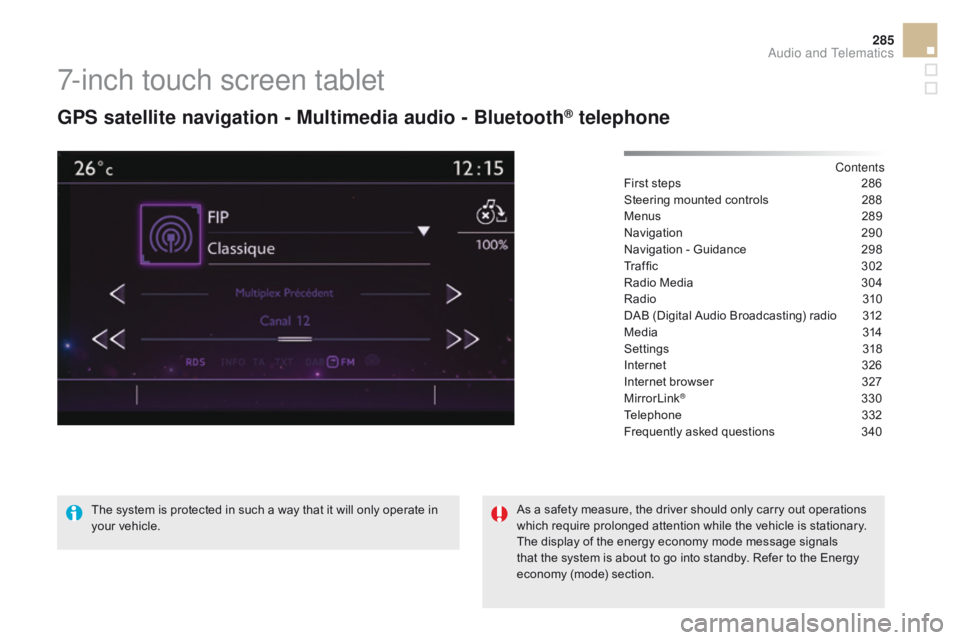
7-inch touch screen tablet
GPS satellite navigation - Multimedia audio - Bluetooth® telephone
Contents
First steps
2 86
Steering mounted controls
2
88
Menus
28
9
Navigation
2
90
Navigation - Guidance
2
98
Tr a f fi c
3
0 2
Radio Media
3
04
Radio
31
0
DAB (Digital Audio Broadcasting) radio
3
12
Media
3
14
Settings
3
18
Internet
3
26
Internet browser
3
27
MirrorLink
® 330
Telephone
3
32
Frequently asked questions
3
40
The system is protected in such a way that it will only operate in
your vehicle. As a safety measure, the driver should only carry out operations
which require prolonged attention while the vehicle is stationary.
The display of the energy economy mode message signals
that the system is about to go into standby. Refer to the Energy
economy (mode) section.
Audio and Telematics
Page 289 of 403
287
DS5_en_Chap11c_SMEGplus_ed01-2015
With the engine running, press to
mute the sound.
With the ignition off, press to switch
the system on.
Volume adjustment (each source
is independent, including traffic
announcements (TA) and navigation
instructions).
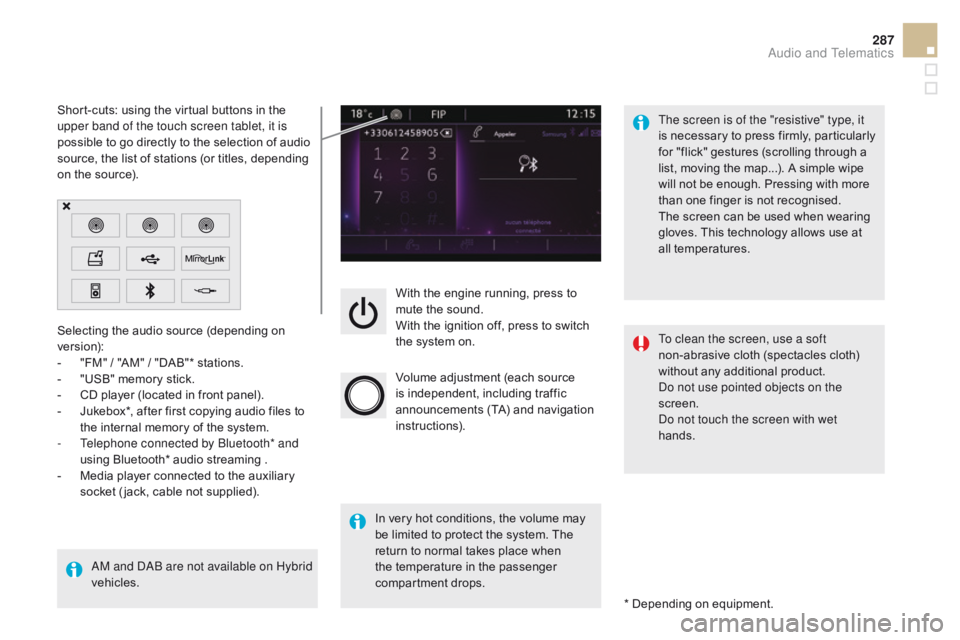
Selecting the audio source (depending on
version):
-
"
FM"
/ "AM"
/ "DAB"* stations.
-
"
USB" memory stick.
-
C
D player (located in front panel).
-
J
ukebox*, after first copying audio files to
the internal memory of the system.
-
T
elephone connected by Bluetooth* and
using Bluetooth* audio streaming .
-
M
edia player connected to the auxiliary
socket ( jack, cable not supplied).
AM and DAB are not available on Hybrid
vehicles. * Depending on equipment.
Short-cuts: using the virtual buttons in the
upper band of the touch screen tablet, it is
possible to go directly to the selection of audio
source, the list of stations (or titles, depending
on the source).
The screen is of the "resistive" type, it
is necessary to press firmly, particularly
for "flick" gestures (scrolling through a
list, moving the map...). A simple wipe
will not be enough. Pressing with more
than one finger is not recognised.
The screen can be used when wearing
gloves. This technology allows use at
all temperatures.
In very hot conditions, the volume may
be limited to protect the system. The
return to normal takes place when
the temperature in the passenger
compartment drops. To clean the screen, use a soft
non-abrasive cloth (spectacles cloth)
without any additional product.
Do not use pointed objects on the
screen.
Do not touch the screen with wet
hands.
Audio and Telematics
Page 290 of 403
DS5_en_Chap11c_SMEGplus_ed01-2015
Steering mounted controls
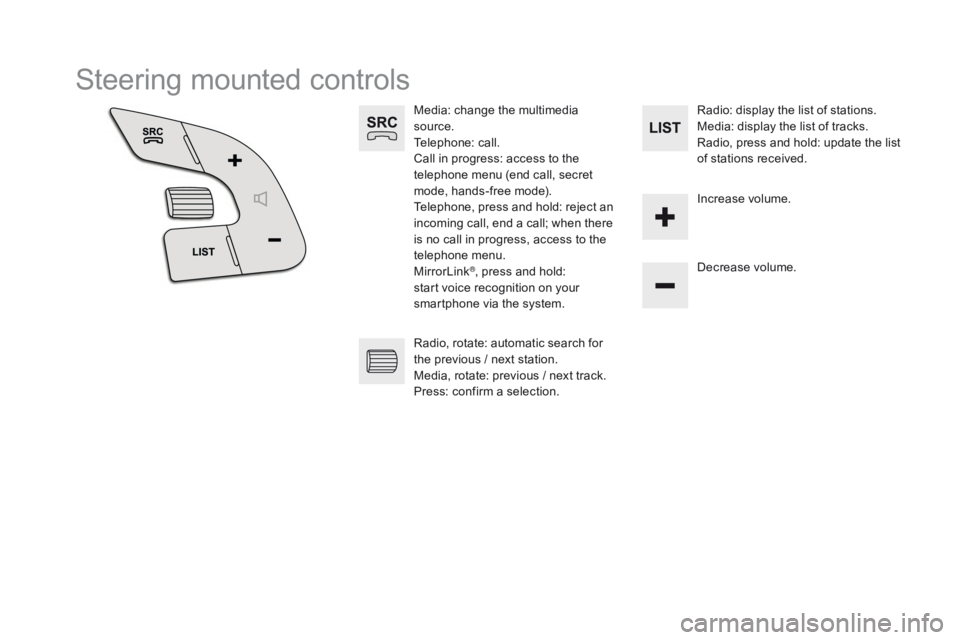
Media: change the multimedia
source.
Telephone: call.
Call in progress: access to the
telephone menu (end call, secret
mode, hands-free mode).
Telephone, press and hold: reject an
incoming call, end a call; when there
is no call in progress, access to the
telephone menu.
MirrorLink
®, press and hold:
start voice recognition on your
smartphone via the system. Decrease volume.
Radio, rotate: automatic search for
the previous
/ next station.
Media, rotate: previous
/ next track.
Press: confirm a selection. Radio: display the list of stations.
Media: display the list of tracks.
Radio, press and hold: update the list
of stations received.
Increase volume.
Page 291 of 403
289
DS5_en_Chap11c_SMEGplus_ed01-2015
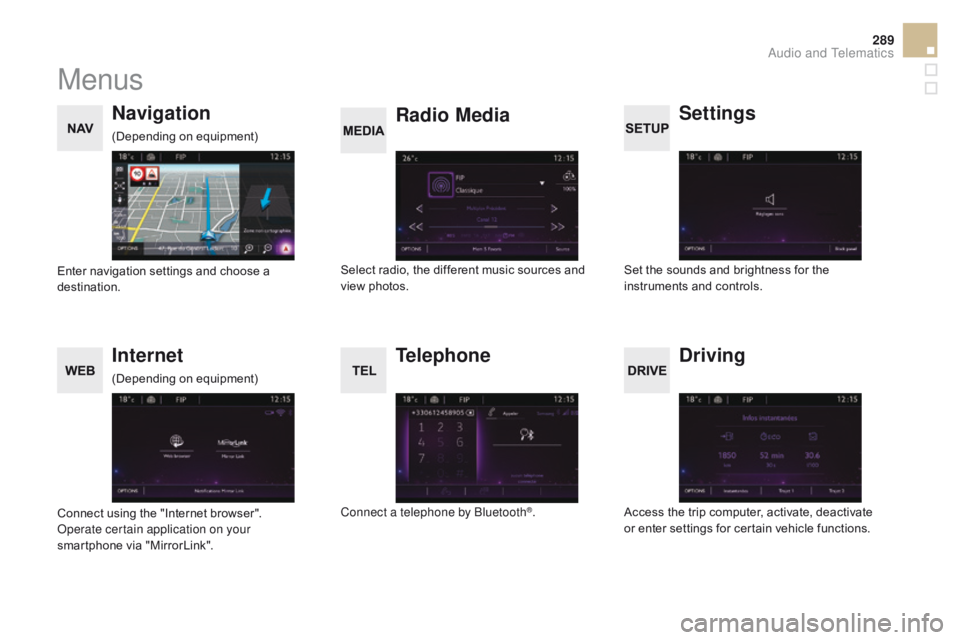
Menus
Settings
Radio Media
Navigation
dr
iving
Internet Telephone
Set the sounds and brightness for the
instruments and controls.
Select radio, the different music sources and
view photos.
Enter navigation settings and choose a
destination.
Access the trip computer, activate, deactivate
or enter settings for certain vehicle functions.
Connect using the "Internet browser".
Operate certain application on your
smartphone via "MirrorLink". Connect a telephone by Bluetooth
®.
(Depending on equipment)
(Depending on equipment)
Audio and Telematics
Page 294 of 403
1
27
12
38
13
49
14
510
15
611
DS5_en_Chap11c_SMEGplus_ed01-2015
Level 1Level 2Level 3
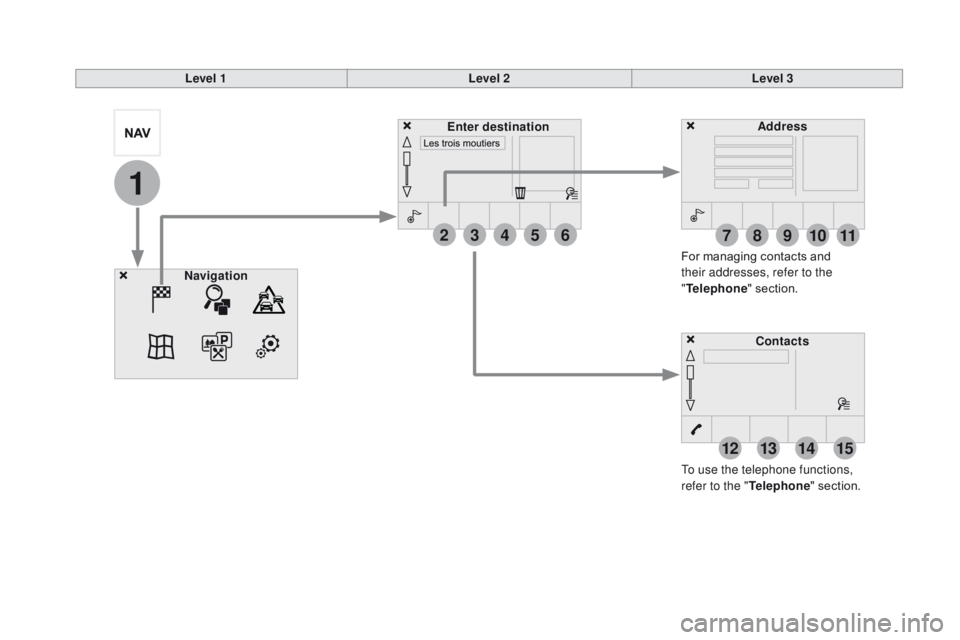
To use the telephone functions,
refer to the " Telephone" section.
For managing contacts and
their addresses, refer to the
"
Telephone " section.
Navigation Address
Enter destination
c
ontacts
Page 318 of 403
DS5_en_Chap11c_SMEGplus_ed01-2015
Bluetooth® audio streaming
Streaming allows audio files on your telephone
to be played through the vehicle's speakers.
Connect the telephone: see the "Telephone"
section, then " Bluetooth".
Choose the " Audio" or "All" profile.
If play does not start automatically, it may be
necessary to start the audio playback from the
telephone.
Control is from the peripheral device or by
using the audio system buttons.
Once connected in streaming mode,
the telephone is considered to be a
media source.
It is recommended that you activate
"Repeat " on the Bluetooth peripheral.
connecting Apple® players
Connect the Apple® player to the USB port
using a suitable cable (not supplied).
Play starts automatically.
Control is via the audio system. The classifications available are those
of the portable device connected
(artists
/ albums / genres / playlists /
audiobooks / podcasts).
The default classification used is by
artist. To modify the classification used,
return to the first level of the menu
then select the desired classification
(playlists for example) and confirm
to go down through the menu to the
desired track.
The version of software in the audio system
may not be compatible with the generation of
your Apple
® player.
Page 321 of 403
2
3
4
5
6
7
319
DS5_en_Chap11c_SMEGplus_ed01-2015
Level 1Level 2 Level 3co mments
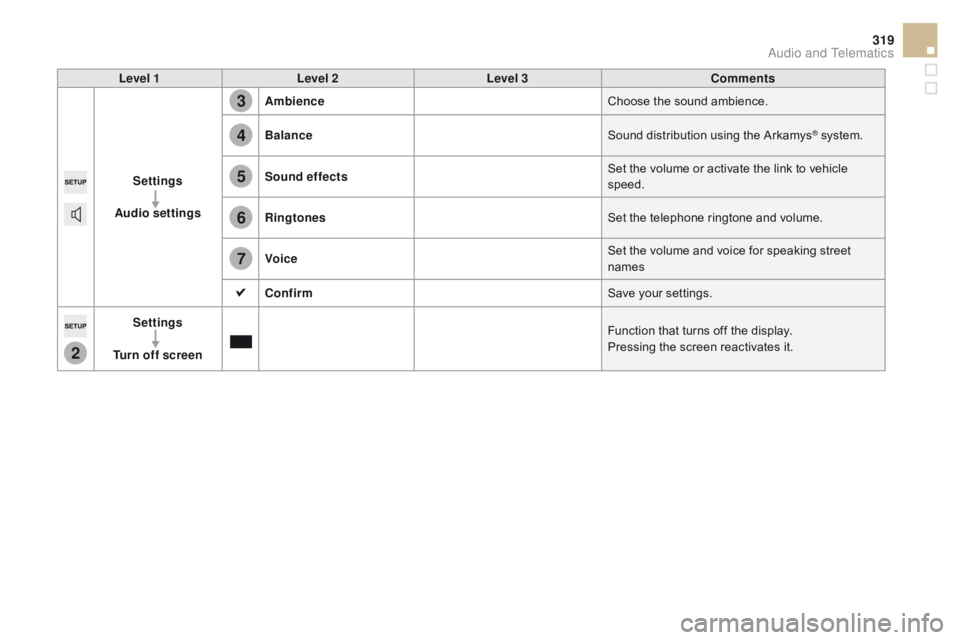
Settings
Audio settings Ambience
Choose the sound ambience.
Balance Sound distribution using the Arkamys
® system.
Sound effects Set the volume or activate the link to vehicle
speed.
Ringtones Set the telephone ringtone and volume.
voic
e Set the volume and voice for speaking street
names
c
onfirm Save your settings.
Settings
Turn off screen Function that turns off the display.
Pressing the screen reactivates it.
Audio and Telematics
Page 329 of 403
327
DS5_en_Chap11c_SMEGplus_ed01-2015
Internet browser
Authentication for Internet browsing via
a smartphone is done using the Dial-Up
Networking (DUN) standard.Press on "
Internet browser " to
displays the browser's home page;
first connect your smartphone by
Bluetooth, option "Internet", see the
" Telephone " section.
Some smartphones of the latest
generation do not support this
standard. Press on Internet
to display the
primary page.
Audio and Telematics
Page 331 of 403
1
1
1
2
3
4
5
6
7
8
9
10
11
329
DS5_en_Chap11c_SMEGplus_ed01-2015
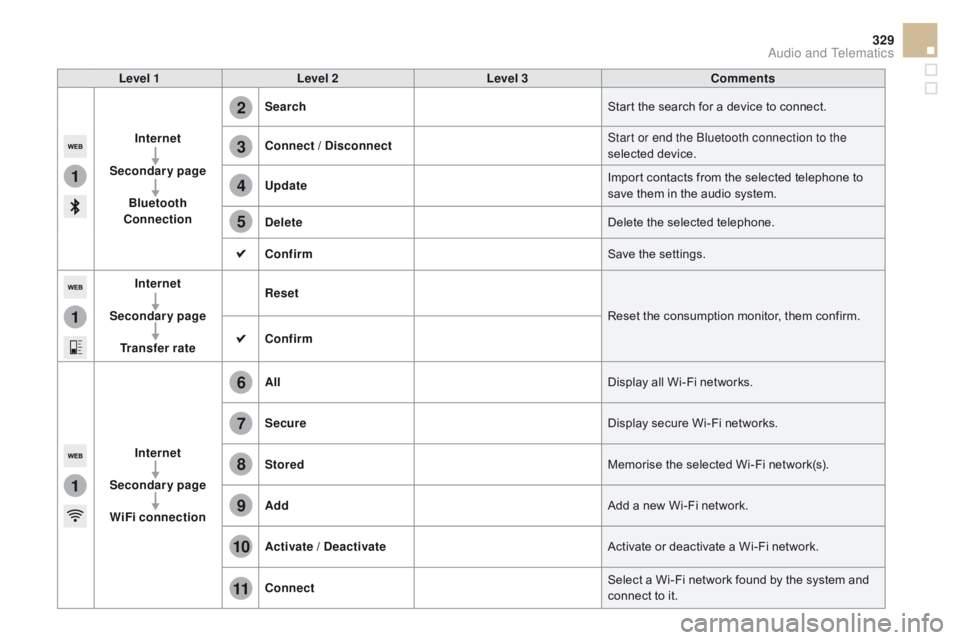
Level 1Level 2 Level 3co mments
Internet
Secondary page Bluetooth
co
nnection Search
Start the search for a device to connect.
co
nnect / d
i
sconnect Start or end the Bluetooth connection to the
selected device.
Update Import contacts from the selected telephone to
save them in the audio system.
de
lete Delete the selected telephone.
c
onfirm Save the settings.
Internet
Secondary page Transfer rate Reset
Reset the consumption monitor, them confirm.
c
onfirm
Internet
Secondary page WiFi connection All
Display all Wi-Fi networks.
Secure Display secure Wi-Fi networks.
Stored Memorise the selected Wi-Fi network(s).
Add Add a new Wi-Fi network.
Activate /
d
e
activate Activate or deactivate a Wi-Fi network.
c
onnect Select a Wi-Fi network found by the system and
connect to it.
Audio and Telematics
Page 333 of 403
331
DS5_en_Chap11c_SMEGplus_ed01-2015
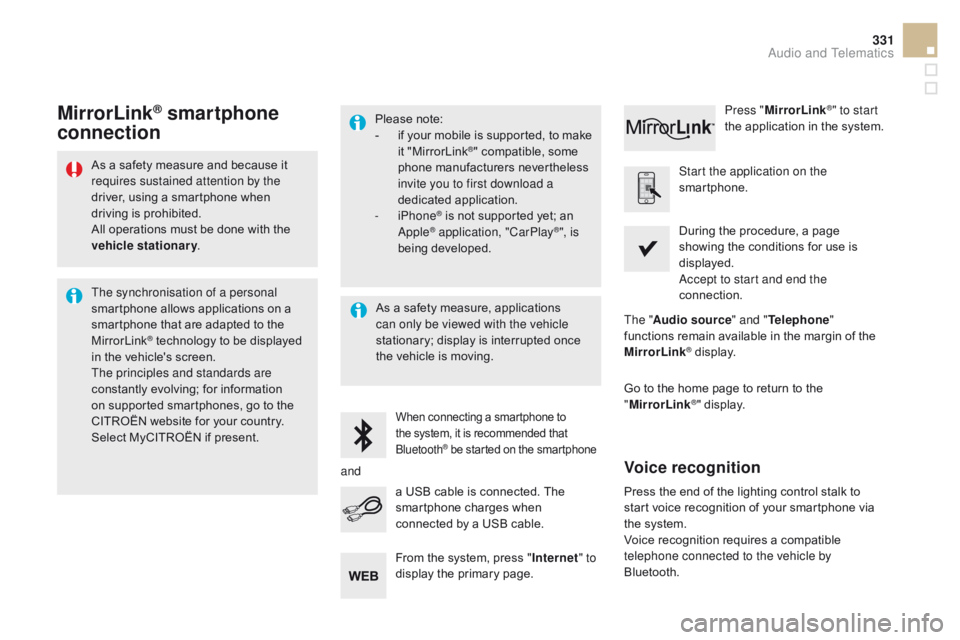
As a safety measure and because it
requires sustained attention by the
driver, using a smartphone when
driving is prohibited.
All operations must be done with the
vehicle stationary.
The synchronisation of a personal
smartphone allows applications on a
smartphone that are adapted to the
MirrorLink
® technology to be displayed
in the vehicle's screen.
The principles and standards are
constantly evolving; for information
on supported smartphones, go to the
CITROËN website for your country.
Select MyCITROËN if present. Please note:
-
i
f your mobile is supported, to make
it "MirrorLink
®" compatible, some
phone manufacturers nevertheless
invite you to first download a
dedicated application.
-
iPhone
® is not supported yet; an
Apple® application, "CarPlay®", is
being developed.
When connecting a smartphone to
the system, it is recommended that
Bluetooth
® be started on the smartphone
Start the application on the
smartphone.
Go to the home page to return to the
" MirrorLink
®" display.
During the procedure, a page
showing the conditions for use is
displayed.
Accept to start and end the
connection.
a USB cable is connected. The
smartphone charges when
connected by a USB cable. Press "
MirrorLink
®" to start
the application in the system.
The " Audio source " and "Telephone "
functions remain available in the margin of the
MirrorLink
® display.
MirrorLink® smartphone
connection
Press the end of the lighting control stalk to
start voice recognition of your smartphone via
the system.
Voice recognition requires a compatible
telephone connected to the vehicle by
Bluetooth.
voice recognition
As a safety measure, applications
can only be viewed with the vehicle
stationary; display is interrupted once
the vehicle is moving.
and From the system, press " Internet" to
display the primary page.
Audio and Telematics