mirror CITROEN DS5 2017 Owner's Manual
[x] Cancel search | Manufacturer: CITROEN, Model Year: 2017, Model line: DS5, Model: CITROEN DS5 2017Pages: 403, PDF Size: 15.62 MB
Page 159 of 403
157
DS5_en_Chap05_visibilite_ed01-2015
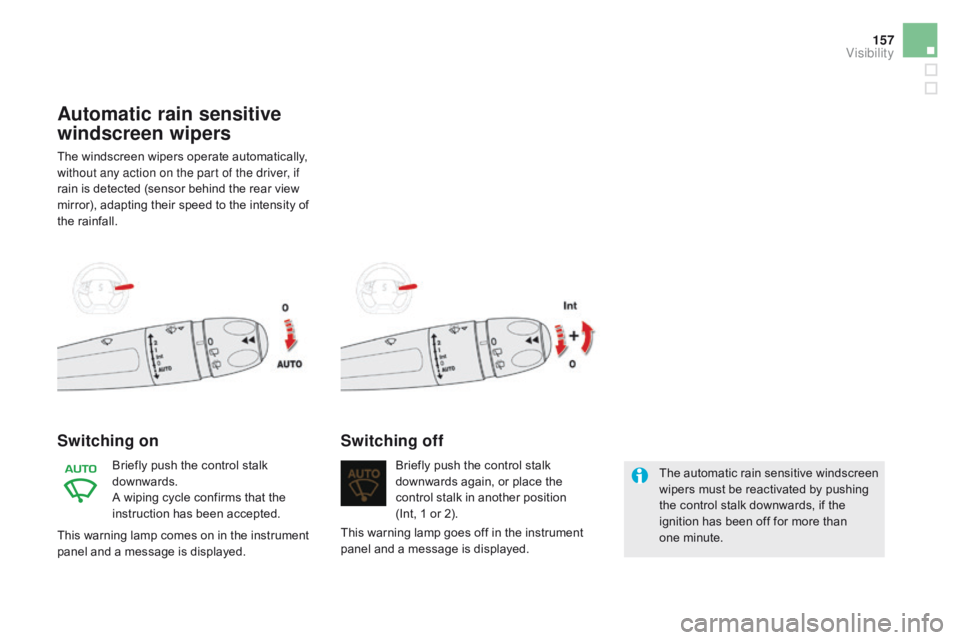
Automatic rain sensitive
windscreen wipers
The windscreen wipers operate automatically,
without any action on the part of the driver, if
rain is detected (sensor behind the rear view
mirror), adapting their speed to the intensity of
the rainfall.
Switching on
Briefly push the control stalk
downwards.
A wiping cycle confirms that the
instruction has been accepted.Briefly push the control stalk
downwards again, or place the
control stalk in another position
(Int, 1 or 2).
Switching off
The automatic rain sensitive windscreen
wipers must be reactivated by pushing
the control stalk downwards, if the
ignition has been off for more than
one minute.
This warning lamp goes off in the instrument
panel and a message is displayed.
This warning lamp comes on in the instrument
panel and a message is displayed.
visibility
Page 160 of 403
DS5_en_Chap05_visibilite_ed01-2015
Do not cover the rain sensor, linked with
the sunshine sensor and located in the
centre of the windscreen behind the rear
view mirror.
Switch off the automatic rain sensitive
wipers when using an automatic car wash.
In winter, it is advisable to wait until the
windscreen is completely clear of ice
before activating the automatic rain
sensitive wipers.
Operating fault
If a fault occurs with the automatic rain
sensitive wipers, the wipers will operate in
intermittent mode.
Have it checked by CITROËN dealer or a
qualified workshop.
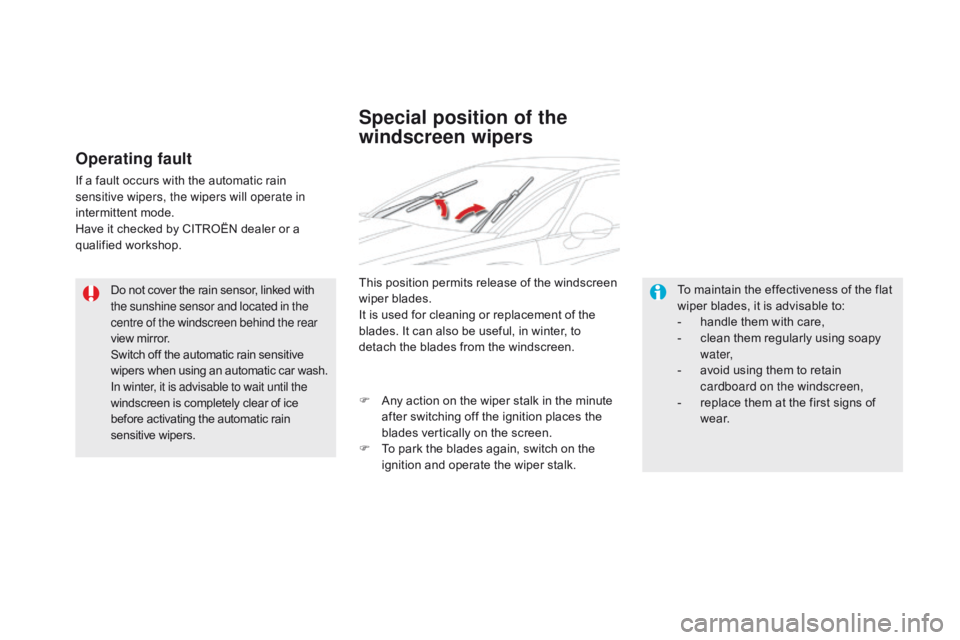
Special position of the
windscreen wipers
This position permits release of the windscreen
wiper blades.
It is used for cleaning or replacement of the
blades. It can also be useful, in winter, to
detach the blades from the windscreen.To maintain the effectiveness of the flat
wiper blades, it is advisable to:
-
h
andle them with care,
-
c
lean them regularly using soapy
water,
-
a
void using them to retain
cardboard on the windscreen,
-
r
eplace them at the first signs of
w e a r.
F
A
ny action on the wiper stalk in the minute
after switching off the ignition places the
blades vertically on the screen.
F
T
o park the blades again, switch on the
ignition and operate the wiper stalk.
Page 219 of 403
217
DS5_en_Chap08_info-pratiques_ed01-2015
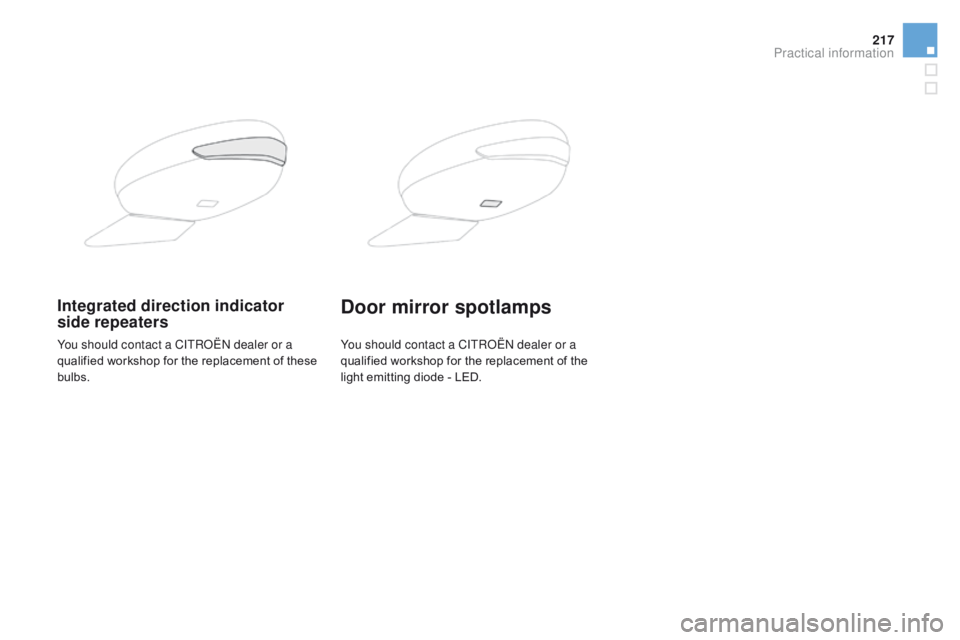
Integrated direction indicator
side repeatersdoor mirror spotlamps
You should contact a CITROËN dealer or a
qualified workshop for the replacement of these
bulbs.You should contact a CITROËN dealer or a
qualified workshop
for the replacement of the
light emitting diode - LED.
Practical information
Page 224 of 403
DS5_en_Chap08_info-pratiques_ed01-2015
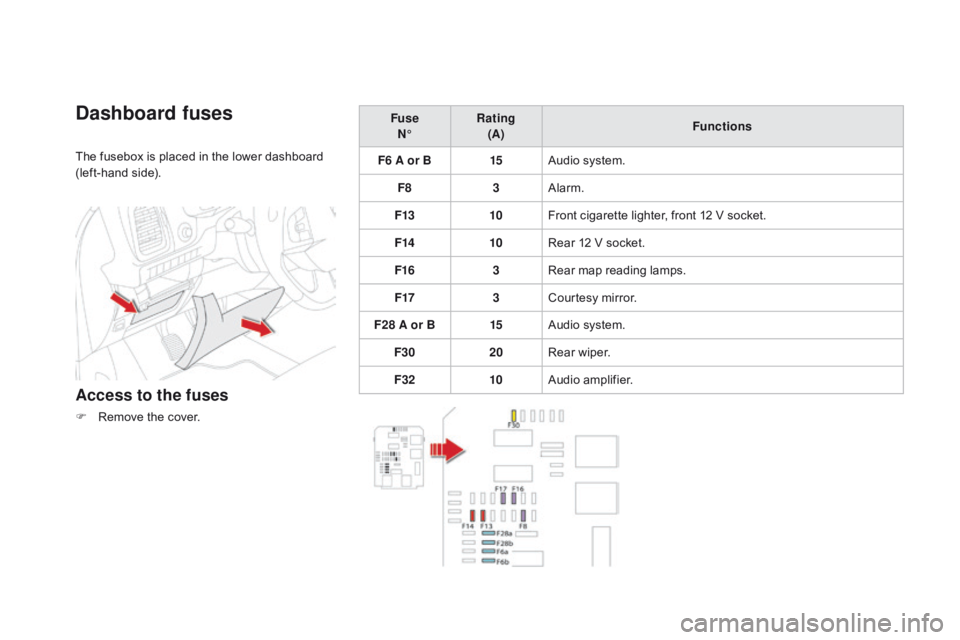
dashboard fuses
The fusebox is placed in the lower dashboard
(left-hand side).
Access to the fuses
F Remove the cover.Fuse
N° Rating
(A) Functions
F6 A or B 15Audio system.
F8 3Alarm.
F13 10Front cigarette lighter, front 12 V socket.
F14 10Rear 12 V socket.
F16 3Rear map reading lamps.
F17 3Courtesy mirror.
F28 A or B 15Audio system.
F30 20Rear wiper.
F32 10Audio amplifier.
Page 237 of 403
235
DS5_en_Chap08_info-pratiques_ed01-2015
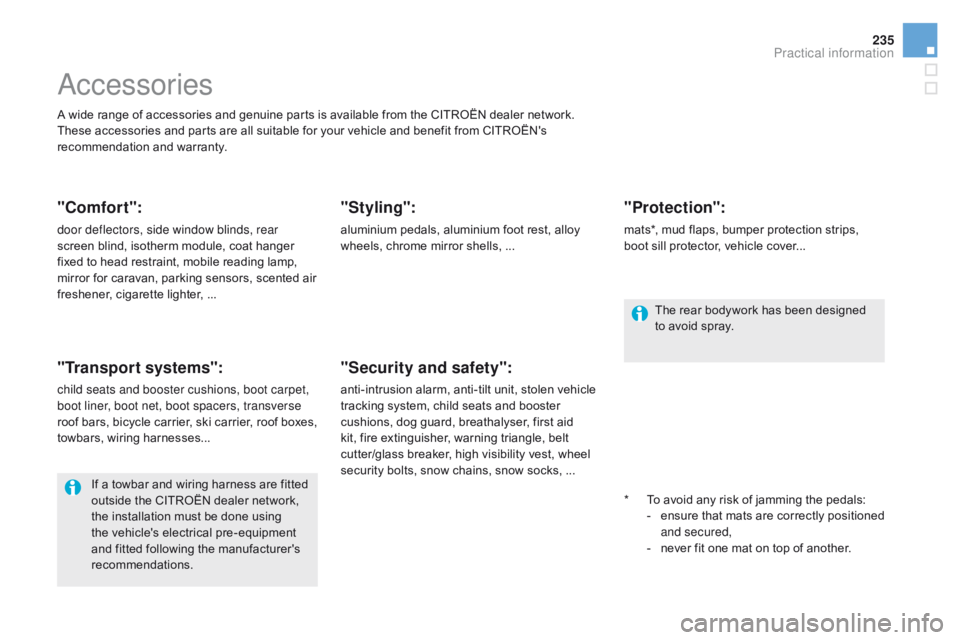
Accessories
A wide range of accessories and genuine parts is available from the CITROËN dealer network.
These accessories and parts are all suitable for your vehicle and benefit from CITROËN's
recommendation and warranty.
"comfort":
door deflectors, side window blinds, rear
screen blind, isotherm module, coat hanger
fixed to head restraint, mobile reading lamp,
mirror for caravan, parking sensors, scented air
freshener, cigarette lighter, ...
"Transport systems":
child seats and booster cushions, boot carpet,
boot liner, boot net, boot spacers, transverse
roof bars, bicycle carrier, ski carrier, roof boxes,
towbars, wiring harnesses...
"Styling":
aluminium pedals, aluminium foot rest, alloy
wheels, chrome mirror shells, ...*
T
o avoid any risk of jamming the pedals:
-
e
nsure that mats are correctly positioned
and secured,
-
n
ever fit one mat on top of another.
"Security and safety":
anti-intrusion alarm, anti-tilt unit, stolen vehicle
tracking system, child seats and booster
cushions, dog guard, breathalyser, first aid
kit, fire extinguisher, warning triangle, belt
cutter/glass breaker, high visibility vest, wheel
security bolts, snow chains, snow socks, ...
"Protection":
mats*, mud flaps, bumper protection strips,
boot sill protector, vehicle cover...
If a towbar and wiring harness are fitted
outside the CITROËN dealer network,
the installation must be done using
the vehicle's electrical pre-equipment
and fitted following the manufacturer's
recommendations. The rear bodywork has been designed
to avoid spray.
Practical information
Page 287 of 403
285
DS5_en_Chap11c_SMEGplus_ed01-2015
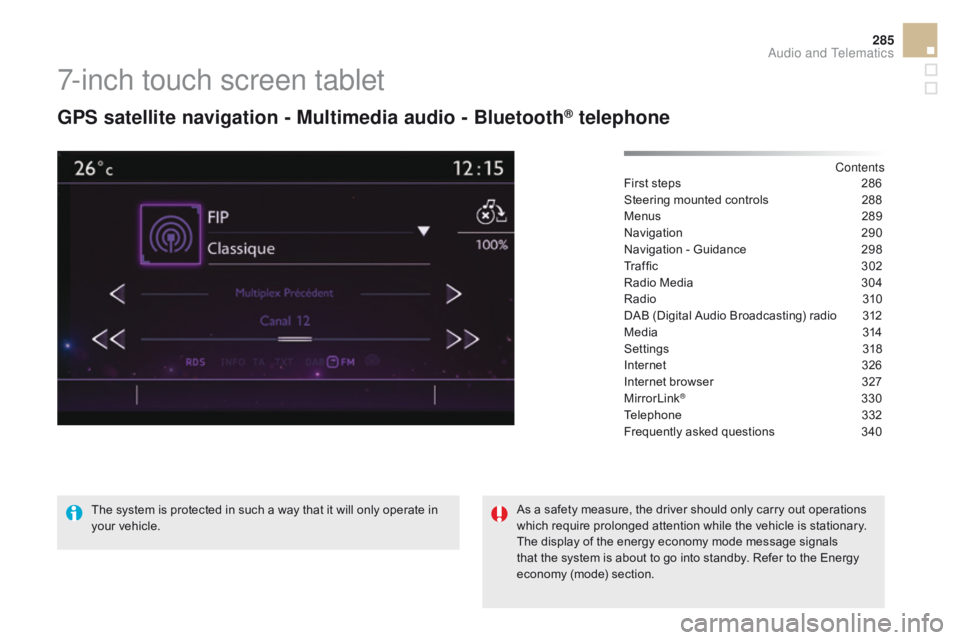
7-inch touch screen tablet
GPS satellite navigation - Multimedia audio - Bluetooth® telephone
Contents
First steps
2 86
Steering mounted controls
2
88
Menus
28
9
Navigation
2
90
Navigation - Guidance
2
98
Tr a f fi c
3
0 2
Radio Media
3
04
Radio
31
0
DAB (Digital Audio Broadcasting) radio
3
12
Media
3
14
Settings
3
18
Internet
3
26
Internet browser
3
27
MirrorLink
® 330
Telephone
3
32
Frequently asked questions
3
40
The system is protected in such a way that it will only operate in
your vehicle. As a safety measure, the driver should only carry out operations
which require prolonged attention while the vehicle is stationary.
The display of the energy economy mode message signals
that the system is about to go into standby. Refer to the Energy
economy (mode) section.
Audio and Telematics
Page 290 of 403
DS5_en_Chap11c_SMEGplus_ed01-2015
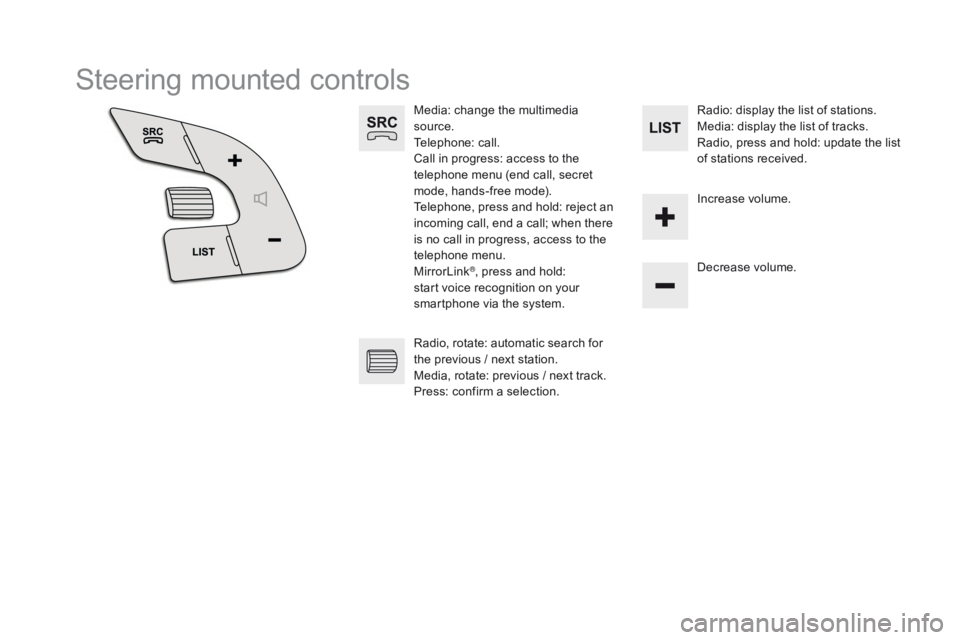
Steering mounted controls
Media: change the multimedia
source.
Telephone: call.
Call in progress: access to the
telephone menu (end call, secret
mode, hands-free mode).
Telephone, press and hold: reject an
incoming call, end a call; when there
is no call in progress, access to the
telephone menu.
MirrorLink
®, press and hold:
start voice recognition on your
smartphone via the system. Decrease volume.
Radio, rotate: automatic search for
the previous
/ next station.
Media, rotate: previous
/ next track.
Press: confirm a selection. Radio: display the list of stations.
Media: display the list of tracks.
Radio, press and hold: update the list
of stations received.
Increase volume.
Page 291 of 403
289
DS5_en_Chap11c_SMEGplus_ed01-2015
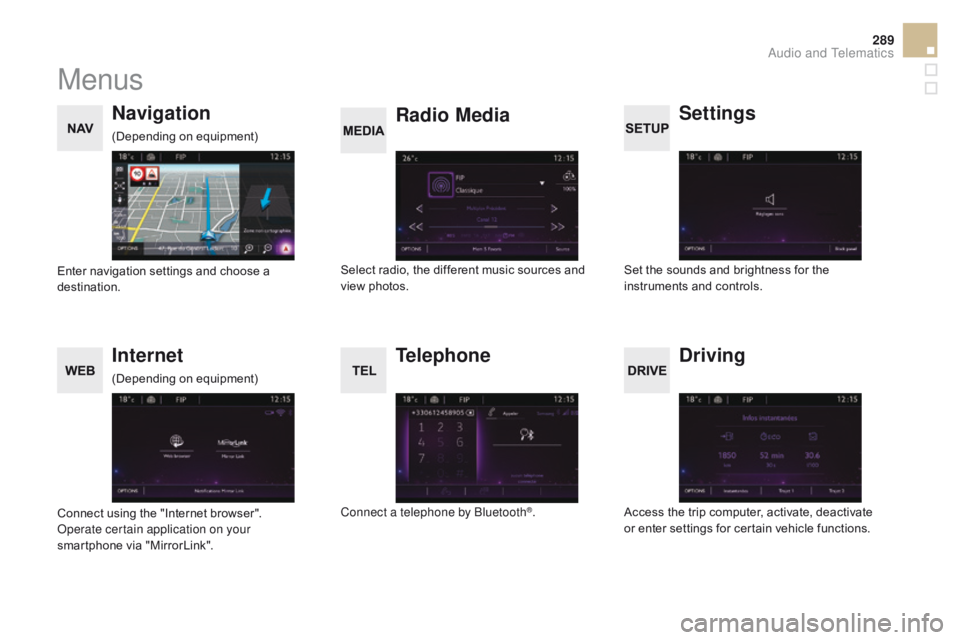
Menus
Settings
Radio Media
Navigation
dr
iving
Internet Telephone
Set the sounds and brightness for the
instruments and controls.
Select radio, the different music sources and
view photos.
Enter navigation settings and choose a
destination.
Access the trip computer, activate, deactivate
or enter settings for certain vehicle functions.
Connect using the "Internet browser".
Operate certain application on your
smartphone via "MirrorLink". Connect a telephone by Bluetooth
®.
(Depending on equipment)
(Depending on equipment)
Audio and Telematics
Page 307 of 403
3
2
305
DS5_en_Chap11c_SMEGplus_ed01-2015
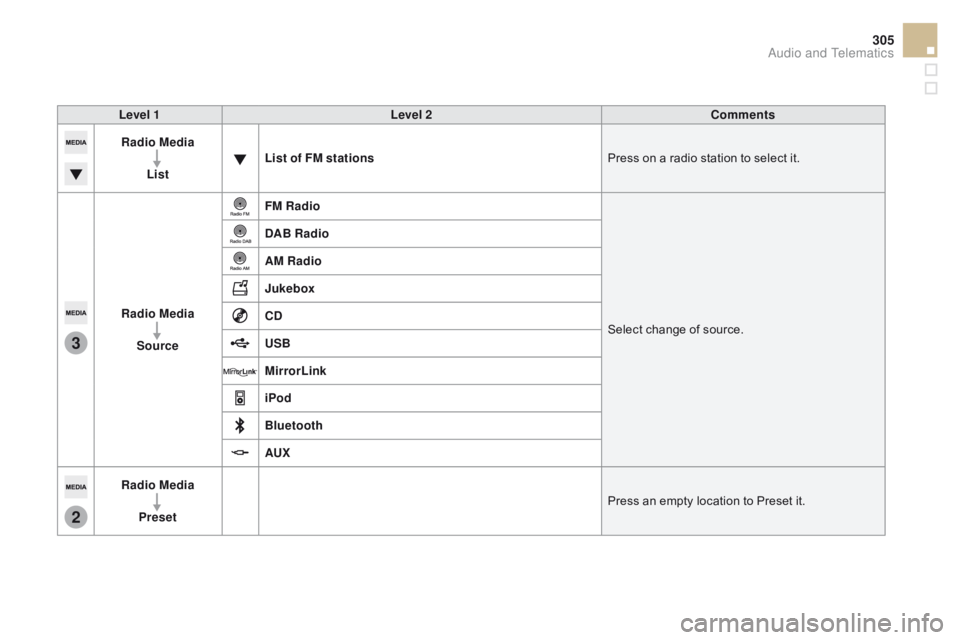
Level 1Level 2co mments
Radio Media
List List of FM stations
Press on a radio station to select it.
Radio Media Source FM Radio
Select change of source.
d
AB Radio
AM Radio
Jukebox
cd
US
B
MirrorLink
iPod
Bluetooth
AUX
Radio Media
Preset Press an empty location to Preset it.
Audio and Telematics
Page 332 of 403
DS5_en_Chap11c_SMEGplus_ed01-2015
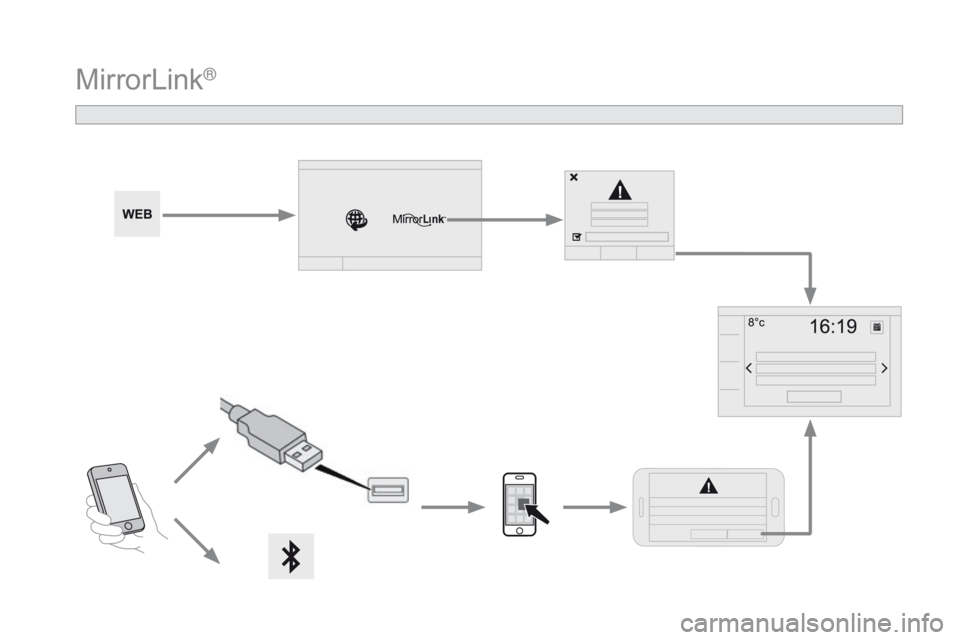
MirrorLink®