snow CITROEN DS5 2018 Owners Manual
[x] Cancel search | Manufacturer: CITROEN, Model Year: 2018, Model line: DS5, Model: CITROEN DS5 2018Pages: 403, PDF Size: 15.62 MB
Page 10 of 403
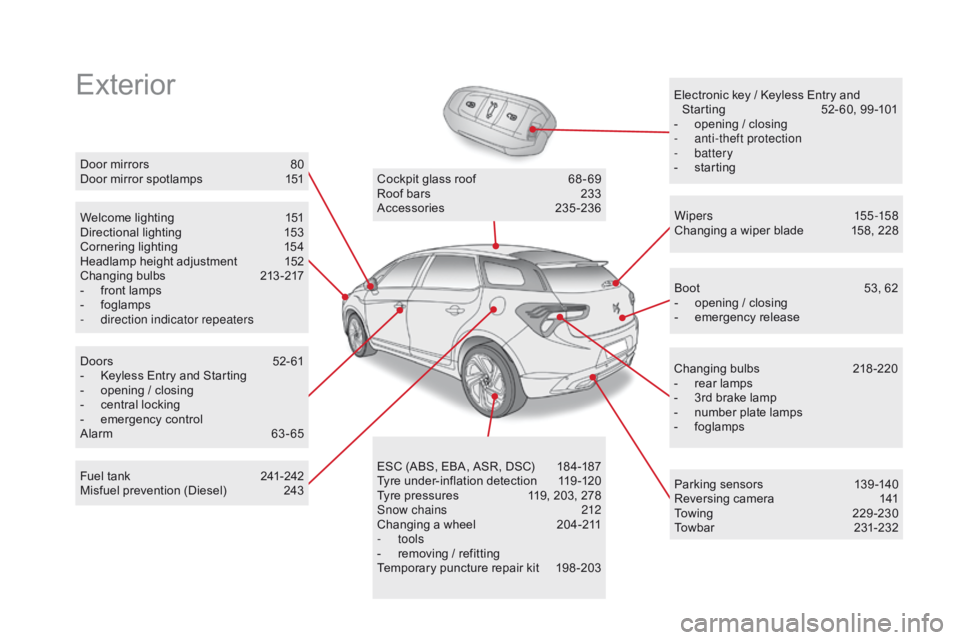
ExteriorElectronic key / Keyless Entry and Starting 5 2- 60, 99 -101
-
o
pening / closing
-
a
nti-theft protection
-
battery
-
s
tarting
Welcome lighting
1
51
Directional lighting
1
53
Cornering lighting
1
54
Headlamp height adjustment
1
52
Changing bulbs
2
13-217
-
f
ront lamps
-
fo
glamps
-
d
irection indicator repeaters Wipers
155 -15 8
Changing a wiper blade
1
58, 228
Doors
5
2- 61
-
K
eyless Entry and Starting
-
o
pening / closing
-
c
entral locking
-
em
ergency control
Alarm
6
3-65 Cockpit glass roof
6
8 - 69
Roof bars
2
33
Accessories
23
5-236
ESC (ABS, EBA, ASR, DSC)
1
84-187
Tyre under-inflation detection
1
19 -120
Tyre pressures
1
19, 203, 278
Snow chains
2
12
Changing a wheel
2
04-211
-
tools
-
r
emoving / refitting
Temporary puncture repair kit
1
98 -203 Boot
5
3, 62
-
o
pening / closing
-
em
ergency release
Changing bulbs
2
18-220
-
r
ear lamps
-
3
rd brake lamp
-
n
umber plate lamps
-
fo
glamps
Door mirrors
8
0
Door mirror spotlamps
1
51
Fuel tank
2
41-242
Misfuel prevention (Diesel)
2
43 Parking sensors
1
39 -140
Reversing camera
1
41
To w i n g
2
2 9 - 2 3 0
Towbar
23
1-232
DS5_en_Chap00b_vue-ensemble_ed01-2015
Page 17 of 403
15
DS5_en_Chap00c_eco-conduite_ed01-2015
Limit the causes of excess consumption
Spread loads throughout the vehicle; place the heaviest items in the
bottom of the boot, as close as possible to the rear seats.
Limit the loads carried in the vehicle and reduce wind resistance
(roof bars, roof rack, bicycle carrier, trailer...). Use a roof box in preference.
Remove roof bars and roof racks after use.
At the end of winter, remove snow tyres and refit your summer tyres.
Observe the recommendations on maintenance
Check the tyre pressures regularly, when cold, referring to the label in
the door aperture, driver's side.
Carry out this check in particular:
-
b
efore a long journey,
-
a
t each change of season,
-
a
fter a long period out of use.
Don't forget the spare wheel and the tyres on any trailer or caravan.
Have your vehicle serviced regularly (engine oil, oil filter, air filter,
passenger compartment filter...) and observe the schedule of
operations recommended in the manufacturer's service schedule.
With a BlueHDi Diesel engine, if the SCR system is faulty your vehicle
becomes polluting; go to a CITROËN dealer or a qualified workshop
without delay to have the emissions of nitrous oxides brought back to
the legal level.
When refuelling, do not continue after the third cut-off of the nozzle to
avoid any over flow.
At the wheel of your new vehicle, it is only after the first 1 800 miles
(3 000 kilometres) that you will see the fuel consumption settle down to
a consistent average.
Eco-driving
Page 45 of 403
43
DS5_en_Chap01_controle-de-marche_ed01-2015
Touch screen tablet
This system gives access to:
- m enus for adjusting settings for vehicle
functions and systems,
-
a
udio and display settings menus,
-
a
udio system and telephone controls and
the display of associated information.
-
t
he display of the ambient temperature
(a blue snowflake appears if there is a risk
of ice),
-
t
he display of visual parking sensor
information,
-
t
he controls for the navigation system
and Internet services and the display of
associated information.
As a safety measure, the driver
should only carr y out operations
that require close attention, with the
vehicle stationary.
Some functions are not accessible
when driving.General operation
Recommendations
It is necessary to press firmly, particularly for
"flick" gestures (scrolling through lists, moving
the map...). Just a light touch is not enough.
The screen does not recognise pressing with
more than one finger.
This technology allows use at all temperatures
and when wearing gloves.
Do not use pointed objects on the touch screen
tablet.
Do not touch the touch screen tablet with wet
hands.
Uses a soft clean cloth to clean the touch
screen tablet.
Principles
Press the virtual buttons in the touch screen
tablet.
Each menu is displayed over one or two pages
(primary page and secondary page).
Use the "Options" button to go to the
secondary page.
After a few moments with no action on
the secondary page, the primary page
is displayed automatically.
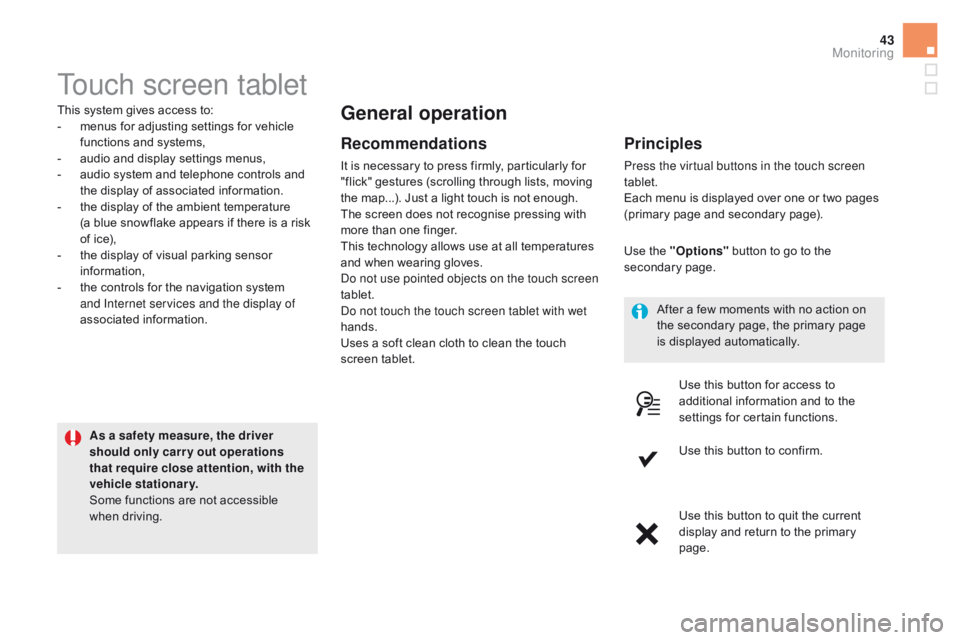
Use this button for access to
additional information and to the
settings for certain functions.
Use this button to confirm.
Use this button to quit the current
display and return to the primary
page.
Monitoring
Page 112 of 403
DS5_en_Chap04_conduite_ed01-2015
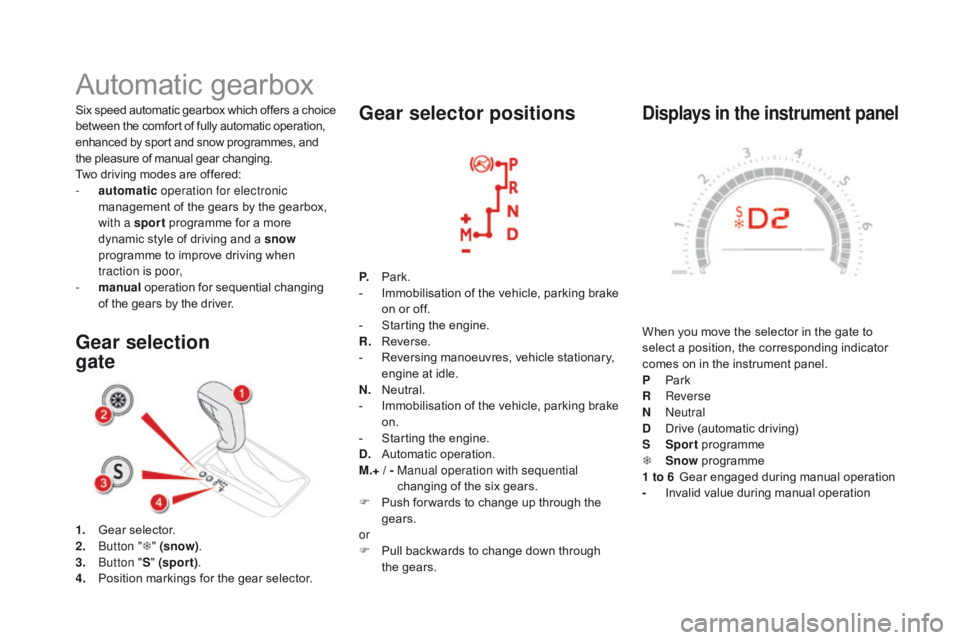
displays in the instrument panel
When you move the selector in the gate to
select a position, the corresponding indicator
comes on in the instrument panel.
P
Pa
rk
R
Reverse
N
Neutral
d
D
rive (automatic driving)
S
Sp
ort programme
T
S
now programme
1 to 6
G
ear engaged during manual operation
-
I
nvalid value during manual operation
Six speed automatic gearbox which of fers a choice
between the comfort of fully automatic operation,
enhanced by sport and snow programmes, and
the pleasure of manual gear changing.
Two driving modes are offered:
-
a
utomatic
operation for electronic
management of the gears by the gearbox,
with a sport programme for a more
dynamic style of driving and a snow
programme to improve driving when
traction is poor,
-
m
anual
operation for sequential changing
of the gears by the driver.
Automatic gearbox
1. Gear selector.
2. B utton " T" (snow) .
3.
B
utton " S" (spor t) .
4.
P
osition markings for the gear selector.
Gear selection
gate Gear selector positions
P. Park.
-
I mmobilisation of the vehicle, parking brake
on or off.
-
S
tarting the engine.
R.
R
everse.
-
R
eversing manoeuvres, vehicle stationary,
engine at idle.
N.
N
eutral.
-
I
mmobilisation of the vehicle, parking brake
on.
-
S
tarting the engine.
d
.
A
utomatic operation.
M.+ / -
M
anual operation with sequential
changing of the six gears.
F
P
ush for wards to change up through the
gears.
or
F
P
ull backwards to change down through
the gears.
Page 114 of 403
DS5_en_Chap04_conduite_ed01-2015
Manual operation
F Select position M for sequential changing
of the six gears.
F
P
ush the selector towards the + sign to
change up a gear.
F
P
ull the selector towards the - sign to
change down a gear.
It is only possible to change from one gear to
another if the vehicle speed and engine speed
permit; other wise, the gearbox will operate
temporarily in automatic mode.
d
disappears and the gears engaged
appear in succession on the
instrument panel.
If the engine speed is too low or too high, the
gear selected flashes for a few seconds, then
the actual gear engaged is displayed.
When the vehicle is stationary or moving
very slowly, the gearbox selects gear 1
automatically.
It is not necessary to release the accelerator
when changing gear.
It is possible to change from position
d
(automatic) to position M (manual) at any time.
The sport and snow programmes do not
operate in manual mode.
Sport and snow programmes
Sport programme "S"
F Press button "S" , after starting the engine.
The gearbox automatically favours a dynamic
style of driving.
S appears in the instrument panel.
Snow programme " T"
F Press button " T", after starting the engine.
The gearbox adapts to driving on slippery
roads.
This programme improves starting and drive
when traction is poor.
T appears in the instrument panel.
Return to auto-adaptive
mode
F At any time, press the button selected again to leave the special programme
engaged and return to auto-adaptive mode.
These two special programmes supplement the
automatic operation in very specific conditions
of use.
Page 122 of 403
DS5_en_Chap04_conduite_ed01-2015
Under-inflation alert
The alert is given by the fixed illumination
of this warning lamp, accompanied by
an audible signal, and depending on
equipment, the display of a message.
In the event of a problem on one of the tyres ,
the symbol or the message appears, according
to equipment, to identify it.
F
R
educe speed, avoid sudden steering
movements or harsh brake applications.
F
S
top as soon as it is safe to do so. The alert is maintained until the tyre or
tyres concerned is reinflated, repaired
or replaced.
The spare wheel (space-saver type or a
steel rim) does not have a sensor.
The loss of pressure detected does not
always lead to visible deformation of the
tyre. Do not rely on just a visual check.
Operating fault
The flashing and then fixed
illumination of the under-inflation
warning lamp accompanied by the
illumination of the service warning
lamp indicates a fault with the system.
This alert is also displayed when one or
more wheels is not fitted with a sensor
(for example, a space-saver or steel
spare wheel).
Go to a CITROËN dealer or a qualified
workshop
to have the system checked or,
following the repair of a puncture, to have the
original wheel, equipped with a sensor, refitted. In this case, monitoring of the tyre pressures is
not assured.
F
I
f you have a compressor (the one in the
temporary puncture repair kit for example),
check the four tyre pressures when cold.
I
f it is not possible to check the tyre
pressures at the time, drive carefully at
reduced speed.
or
F
I
n the event of a puncture, use the
temporary puncture repair kit or the spare
wheel (according to equipment). Any tyre repair or replacement on a wheel
fitted with this system must be carried out by a
CITROËN dealer or a qualified workshop.
If after changing a tyre, a wheel is not detected
by your vehicle (fitting snow tyres for example),
you must have the system reinitialised by a
CITROËN dealer or a qualified workshop.
Page 127 of 403
125
DS5_en_Chap04_conduite_ed01-2015
Lane departure warning system
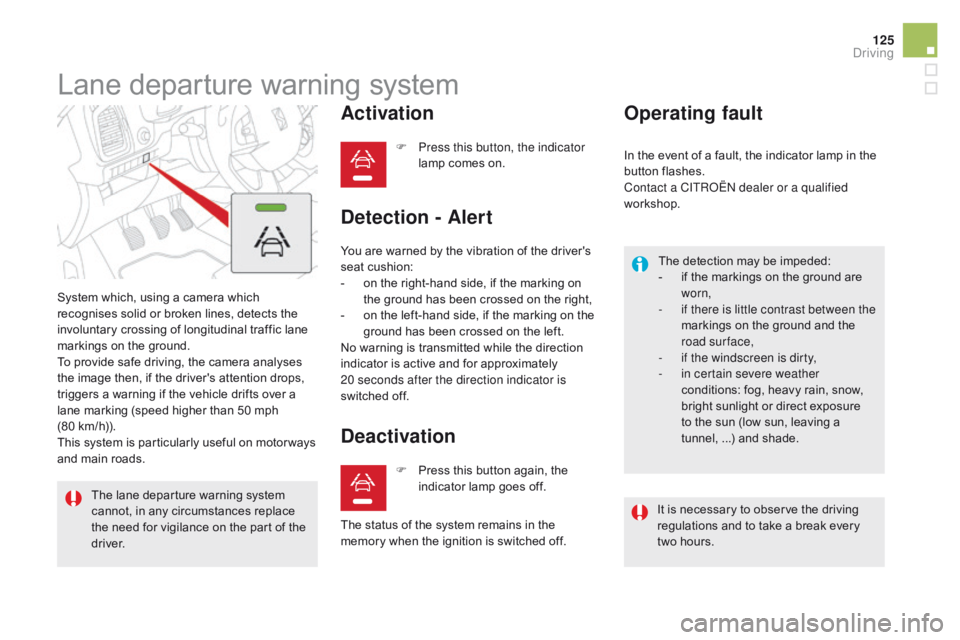
System which, using a camera which
recognises solid or broken lines, detects the
involuntary crossing of longitudinal traffic lane
markings on the ground.
To provide safe driving, the camera analyses
the image then, if the driver's attention drops,
triggers a warning if the vehicle drifts over a
lane marking (speed higher than 50 mph
(80 km/h)).
This system is particularly useful on motor ways
and main roads.
Activation
F Press this button, the indicator lamp comes on.
The lane departure warning system
cannot, in any circumstances replace
the need for vigilance on the part of the
driver.
deactivation
You are warned by the vibration of the driver's
seat cushion:
-
o
n the right-hand side, if the marking on
the ground has been crossed on the right,
-
o
n the left-hand side, if the marking on the
ground has been crossed on the left.
No warning is transmitted while the direction
indicator is active and for approximately
20 seconds after the direction indicator is
switched
off.
detection - Alert Operating fault
The detection may be impeded:
-
i f the markings on the ground are
worn,
-
i
f there is little contrast between the
markings on the ground and the
road surface,
-
i
f the windscreen is dirty,
-
i
n certain severe weather
conditions: fog, heavy rain, snow,
bright sunlight or direct exposure
to the sun (low sun, leaving a
tunnel,
...) and shade.
F
P
ress this button again, the
indicator lamp goes off. In the event of a fault, the indicator lamp in the
button flashes.
Contact a CITROËN dealer or a qualified
workshop.
The status of the system remains in the
memory when the ignition is switched off. It is necessary to observe the driving
regulations and to take a break every
two hours.
driving
Page 130 of 403
DS5_en_Chap04_conduite_ed01-2015
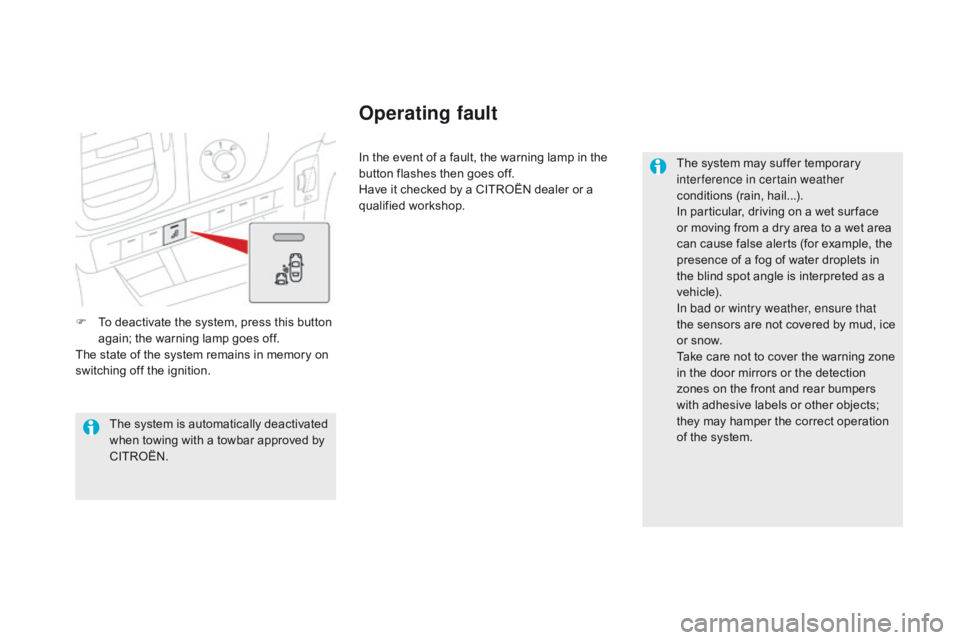
F To deactivate the system, press this button again; the warning lamp goes off.
The state of the system remains in memory on
switching off the ignition. In the event of a fault, the warning lamp in the
button flashes then goes off.
Have it checked by a CITROËN dealer or a
qualified workshop.
The system may suffer temporary
interference in certain weather
conditions (rain, hail...).
In particular, driving on a wet sur face
or moving from a dry area to a wet area
can cause false alerts (for example, the
presence of a fog of water droplets in
the blind spot angle is interpreted as a
vehicle).
In bad or wintry weather, ensure that
the sensors are not covered by mud, ice
or snow.
Take care not to cover the warning zone
in the door mirrors or the detection
zones on the front and rear bumpers
with adhesive labels or other objects;
they may hamper the correct operation
of the system.
The system is automatically deactivated
when towing with a towbar approved by
CITROËN.
Operating fault
Page 132 of 403
DS5_en_Chap04_conduite_ed01-2015
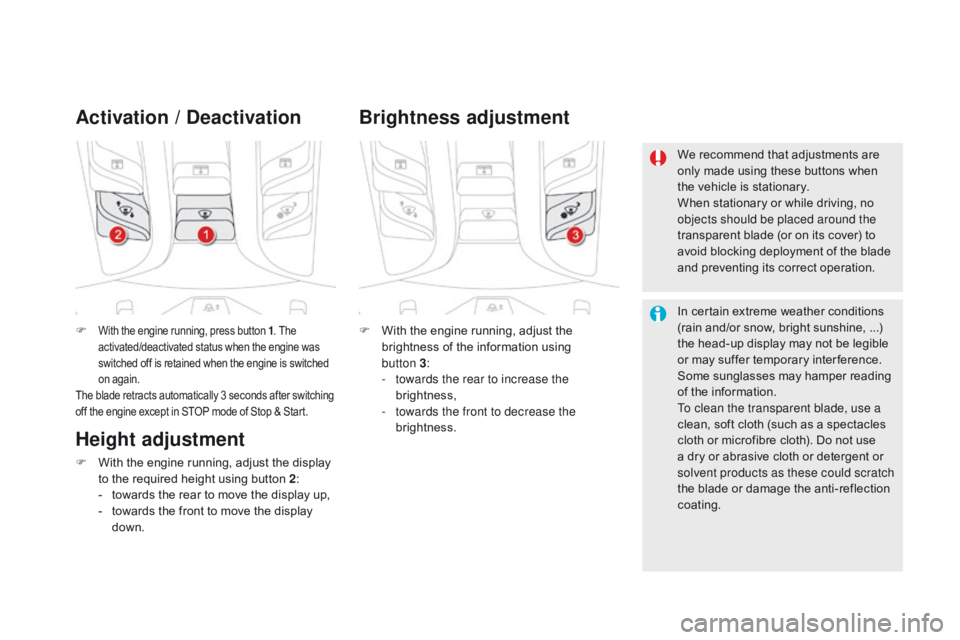
F With the engine running, press button 1. The
activated/deactivated status when the engine was
switched off is retained when the engine is switched
on again.
The blade retracts automatically 3 seconds after switching
off the engine except in STOP mode of Stop & Start.
Activation / de activation
F With the engine running, adjust the
brightness of the information using
button
3:
-
t
owards the rear to increase the
brightness,
-
t
owards the front to decrease the
brightness.
Brightness adjustment
We recommend that adjustments are
only made using these buttons when
the vehicle is stationary.
When stationary or while driving, no
objects should be placed around the
transparent blade (or on its cover) to
avoid blocking deployment of the blade
and preventing its correct operation.
In certain extreme weather conditions
(rain and/or snow, bright sunshine, ...)
the head-up display may not be legible
or may suffer temporary inter ference.
Some sunglasses may hamper reading
of the information.
To clean the transparent blade, use a
clean, soft cloth (such as a spectacles
cloth or microfibre cloth). Do not use
a dry or abrasive cloth or detergent or
solvent products as these could scratch
the blade or damage the anti-reflection
coating.
Height adjustment
F With the engine running, adjust the display to the required height using button 2 :
-
t
owards the rear to move the display up,
-
t
owards the front to move the display
down.
Page 140 of 403
DS5_en_Chap04_conduite_ed01-2015
Only activate the cruise control if the
traffic conditions will allow you to drive
for a certain time at a steady speed
and at a safe distance from the vehicle
ahead.
Do not activate the cruise control in
urban areas, in heavy traffic, on winding
or steep roads, on slippery or flooded
roads, or in conditions of poor visibility
(heavy rain, fog, falling snow...).
In some circumstances, it may not
be possible to maintain or reach the
programmed speed: towing, vehicle
heavily loaded, steep climb.
Switching off
You may have to brake to control the speed of
your vehicle. In this case, the cruise control is
automatically paused.
To activate the system again, press button 4.Temporarily exceeding the
programmed speed
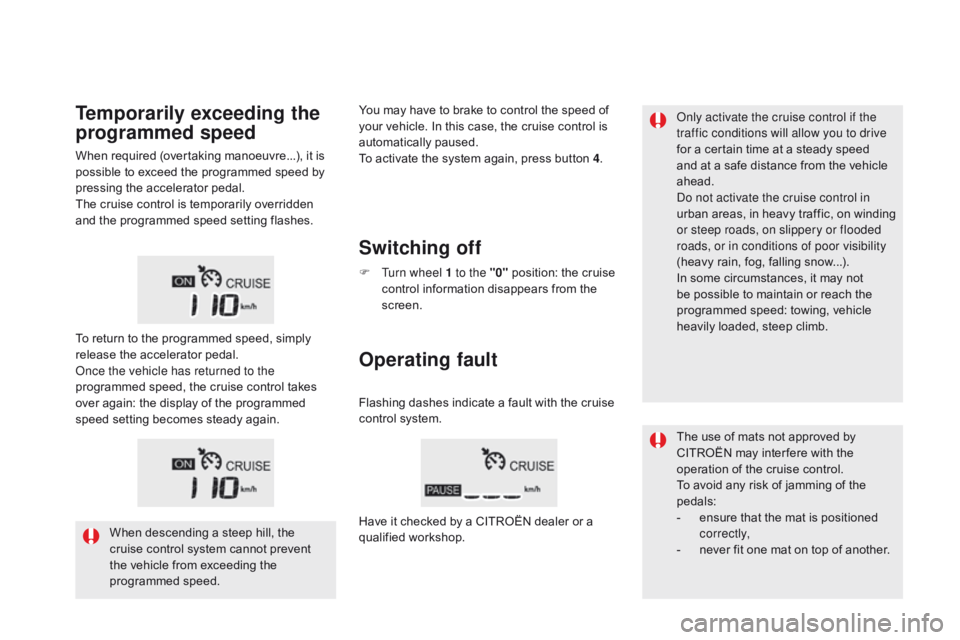
F Turn wheel 1 to the "0" position: the cruise
control information disappears from the
screen.
When required (overtaking manoeuvre...), it is
possible to exceed the programmed speed by
pressing the accelerator pedal.
The cruise control is temporarily overridden
and the programmed speed setting flashes.
To return to the programmed speed, simply
release the accelerator pedal.
Once the vehicle has returned to the
programmed speed, the cruise control takes
over again: the display of the programmed
speed setting becomes steady again.
When descending a steep hill, the
cruise control system cannot prevent
the vehicle from exceeding the
programmed speed.
Operating fault
Flashing dashes indicate a fault with the cruise
control system.
Have it checked by a CITROËN dealer or a
qualified workshop. The use of mats not approved by
CITROËN may inter fere with the
operation of the cruise control.
To avoid any risk of jamming of the
pedals:
-
e
nsure that the mat is positioned
c o r r e c t l y,
-
n
ever fit one mat on top of another.