instrument panel Citroen DS5 HYBRID4 2013 1.G Owner's Guide
[x] Cancel search | Manufacturer: CITROEN, Model Year: 2013, Model line: DS5 HYBRID4, Model: Citroen DS5 HYBRID4 2013 1.GPages: 364, PDF Size: 10.21 MB
Page 132 of 364
For safety reasons, you must contact a
CITROËN dealer as soon as possible to replace the protective cover. Ta k e care not to allow moisture or dust in the proximity of the protective cover.
Following an emergency unlocking, immobilisation of the vehicle is no longer guaranteed once the manualemergency release has been deployed and the manual control does not allow the re-application of your parking brake. Take no action, either on the controllever A, or stopping or star ting the engine while the release device is engaged.
To r e - e ngage the electric parking brake(after correction of the fault or battery problem), make a long pull on the control lever A
until the parking brake warning lamp in the instrument panel flashes then make a second long pulluntil this warning lamp comes on fixed. Front left seat moved back full
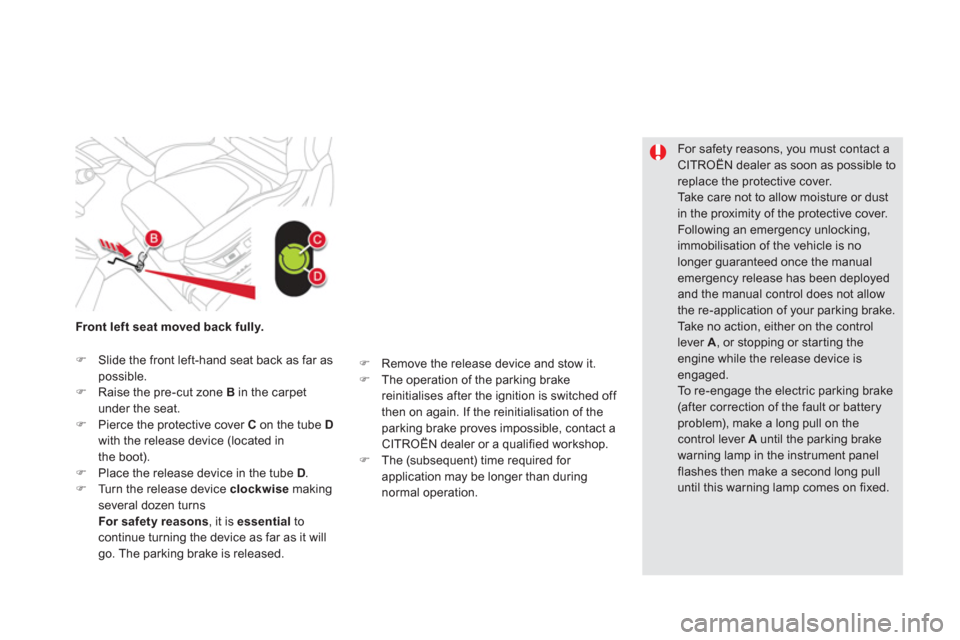
y.
)Slide the front left-hand seat back as far aspossible. )Raise the pre-cut zone B in the carpetunder the seat.)Pierce the protective cover Con the tube Dwith the release device (located in
the boot).)Place the release device in the tube D.)Turn the release device clockwisemaking several dozen turnsFor safety reasons, it is essential
to
continue turning the device as far as it will go. The parking brake is released.
)
Remove the release device and stow it. )
The operation of the parking brake
reinitialises after the ignition is switched off
then on again. If the reinitialisation of the
parking brake proves impossible, contact a
CITROËN dealer or a qualified workshop.) The (subsequent) time required for
application may be longer than during
normal operation.
Page 135 of 364
133Driving
Special situations
In the event of a malfunction of the parkingbrake in the on position
or a battery failure,manual release remains possible. To ensure correct operation, and soyour safety, the number of successive applications and releases of the parking brake is limited to eight cycles.
If used excessively, you are aler ted by the message "parking brake faulty" and aflashing warning lamp.
In some circumstances (engine start...),the parking brake may adjust the level of application itself. This is normal operation.
To m o v e your vehicle a few centimetres without starting the engine, with the ignitionon, press the brake pedal and release the parking brake by pullingthen releasingthe control lever A
. Complete release of theparking brake is indicated by the warninglamps in the control lever Aand in theinstrument panel going off and by the display of the message "Parking brake off".
Page 138 of 364
Engagement of reverse gear is accompanied by an audible signal.
If you leave the vehicle, place the gear selector in position Nand then you muststop the hybrid system by switching off the ignition (Ready
lamp off).
If the gear selector is not in position Non starting, Nflashes in the instrumentpanel, accompanied by an audible signal and a message in the instrument panel screen.Foot on brake
flashes on theinstrument panel, accompanied by anaudible signal and a message in theinstrument panel screen, if the brakepedal is not pressed on star ting.
When the engine is idling with the
brakes off, if position R, Aor M
is selected, the vehicle will move off on its own without any action on theaccelerator.
Displays in the instrument panel
NNeutral RReverse1, 2, 3, 4, 5, 6
Gears in manual mode AThis comes on when automated mode is
selected. It goes off on changing to manual mode.
)Place your foot on the brakewhen a message appears in the
instrument panel screen.
Moving off
)
Select position N
. )
Press the brake pedal down fully.)
Star t the hybrid system.
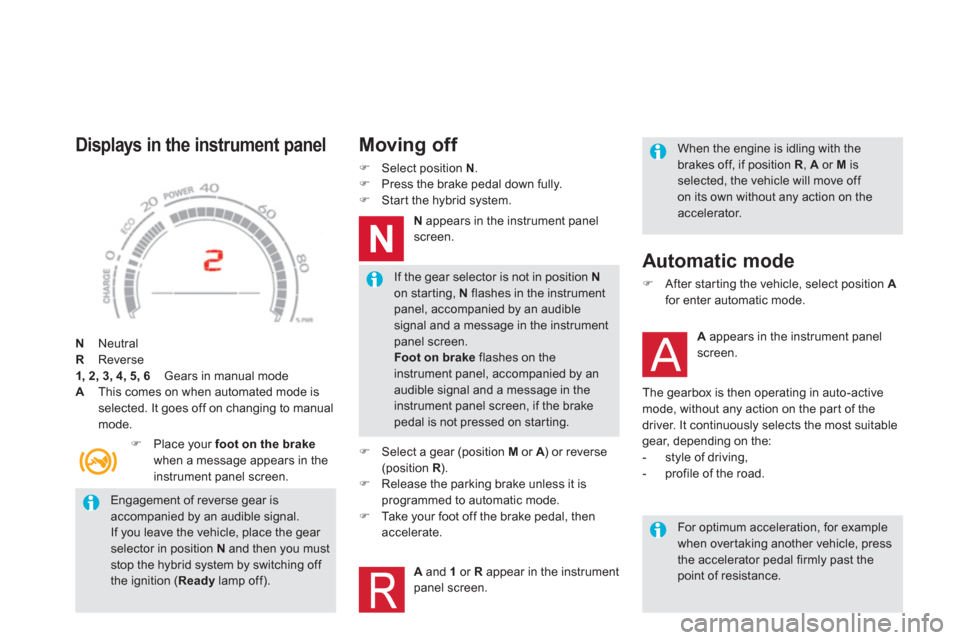
Nappears in the instrument panel
screen.
)
Select a gear (position M
or A) or reverse A(position R
).R)
Release the parking brake unless it is
programmed to automatic mode. ) Ta k e your foot off the brake pedal, thenaccelerate.
Aand 1
or Rappear in the instrument panel screen.
Automatic mode
)After star ting the vehicle, select position Afor enter automatic mode.
A
appears in the instrument panel screen.
The
gearbox is then operating in auto-active mode, without any action on the par t of thedriver. It continuously selects the most suitable gear, depending on the:
- style of driving,
- profile of the road.
For optimum acceleration, for example when overtaking another vehicle, press the accelerator pedal firmly past the point of resistance.
Page 139 of 364
137
Driving
Manual gear changing
)
When the vehicle has moved off, selectposition M
to change to manual mode. )
Operate the +or -steering mounted control
paddles.
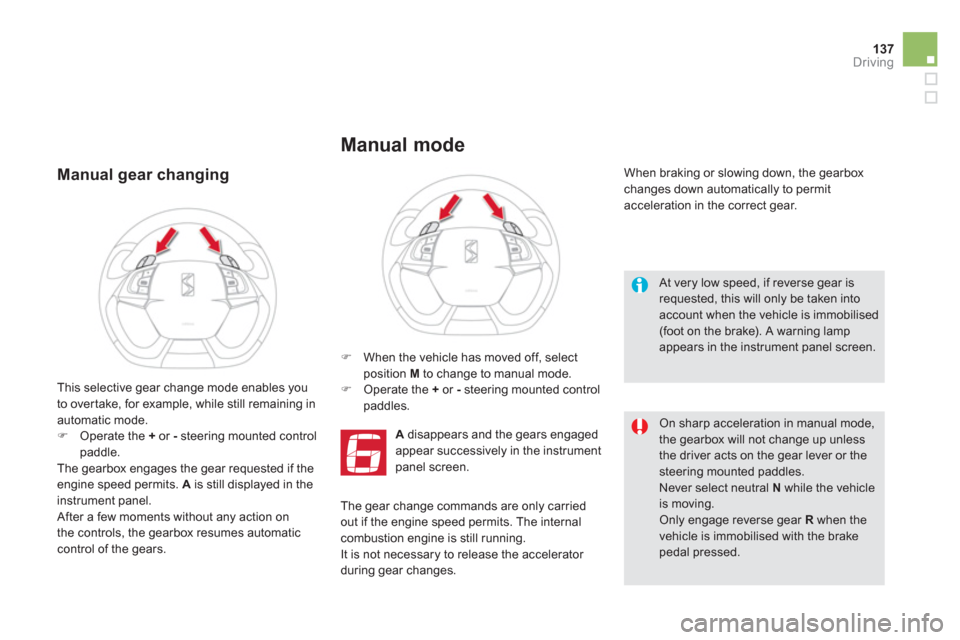
Adisappears and the gears engaged
appear successively in the instrument
panel screen.
When braking or slowing down, the gearbox changes down automatically to permit
acceleration in the correct gear.
This selective
gear change mode enables you
to over take, for example, while still remaining in automatic mode.)Operate the + or -
steering mounted controlpaddle.
The gearbox engages the gear requested if the engine speed permits. A
is still displayed in theinstrument panel.
After a few moments without any action on
the controls, the gearbox resumes automaticcontrol of the gears.
Manual mode
At very low speed, if reverse gear is requested, this will only be taken intoaccount when the vehicle is immobilised(foot on the brake). A warning lamp appears in the instrument panel screen.
On sharp acceleration in manual mode,
the gearbox will not change up unless the driver acts on the gear lever or thesteering mounted paddles.
Never select neutral N
while the vehicleis moving. Only engage reverse gear Rwhen thevehicle is immobilised with the brake pedal pressed.
The gear change commands are only carriedout if the engine speed permits. The internal combustion engine is still running.
It is not necessary to release the accelerator
during gear changes.
Page 140 of 364
When immobilising the vehicle, with the hybrid system active, you must place the gear selector in neutral N.Before carrying out any work in the
engine compar tment, check that the gear selector is in neutral N and that the parking brake is applied.
Stopping the vehicle
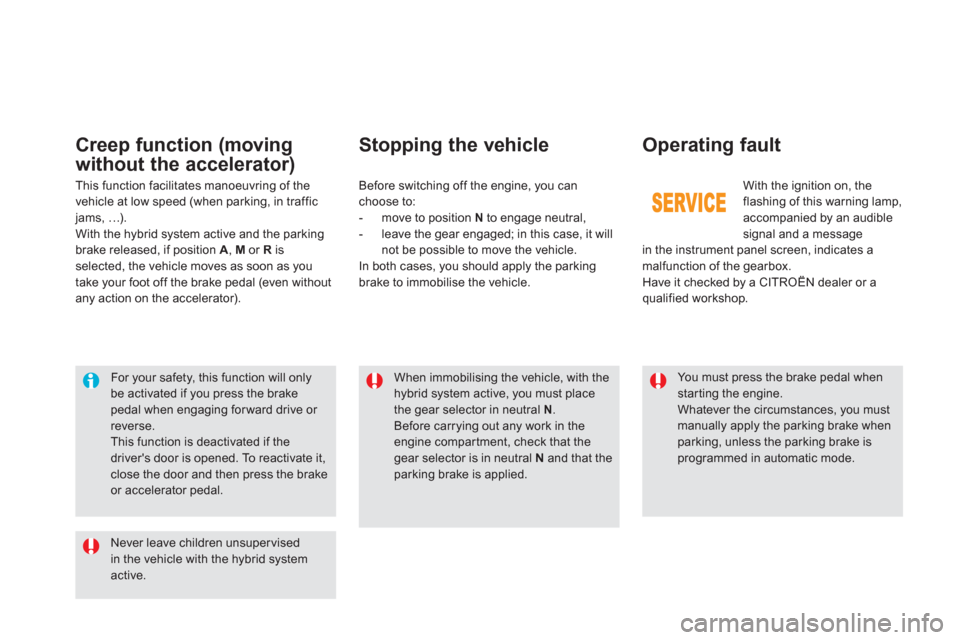
With the ignition on, the flashing of this warning lamp,
accompanied by an audible
signal and a message
in the instrument panel screen, indicates a
malfunction of the gearbox.
Have it checked by a CITROËN dealer or a qualified workshop. Be
fore switching off the engine, you can choose to:
- move to position N
to engage neutral,
- leave the gear engaged; in this case, it will
not be possible to move the vehicle.
In both cases, you should apply the parkingbrake to immobilise the vehicle.
Operating fault
You must press the brake pedal when star ting the engine.
Whatever the circumstances, you must manually apply the parking brake when
parking, unless the parking brake isprogrammed in automatic mode.
Never leave children unsupervised in the vehicle with the hybrid system active.
For your safety, this function will only be activated if you press the brakepedal when engaging for ward drive or reverse.
This function is deactivated if thedriver's door is opened. To reactivate it, close the door and then press the brake or accelerator pedal.
Creep function (moving
without the accelerator
)
This function facilitates manoeuvring of the
vehicle at low speed (when parking, in traffic jams, …).
With the hybrid system active and the parking
brake released, if position A, M or R
is selected, the vehicle moves as soon as you
take your foot off the brake pedal (even without any action on the accelerator).
Page 144 of 364
Memorising speeds
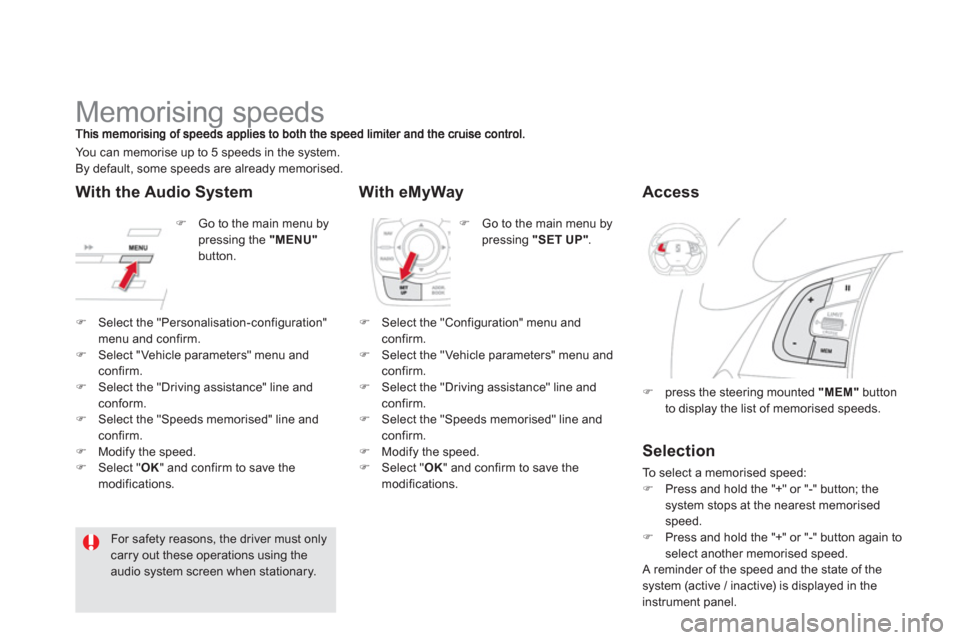
)
Go to the main menu bypressing the "MENU"button. You can memorise up to 5 speeds in the s
ystem.
By default, some speeds are already memorised.
For safety reasons, the driver must only carry out these operations using the audio system screen when stationary.
)
Go to the main menu by pressing "SET UP".
With the Audio System With eMyWay
)Select the "Personalisation-configuration" menu and confirm. )Select "Vehicle parameters" menu andconfirm. )Select the "Driving assistance" line and conform.)Select the "Speeds memorised" line andconfirm. )Modify the speed. )Select "OK
" and confirm to save themodifications.
)
Select the "Configuration" menu andconfirm.)
Select the "Vehicle parameters" menu andconfirm.)
Select the "Driving assistance" line and confirm.)
Select the "Speeds memorised" line and confirm.)
Modify the speed.)
Select " OK" and confirm to save the
modifications.
Access
)press the steering mounted "MEM"button
to display the list of memorised speeds.
Selection
To select a memorised speed:)Press and hold the "+" or "-" button; thesystem stops at the nearest memorised speed. )Press and hold the "+" or "-" button again to select another memorised speed.
A reminder of the speed and the state of thesystem (active / inactive) is displayed in the
instrument panel.
Page 145 of 364
143Driving
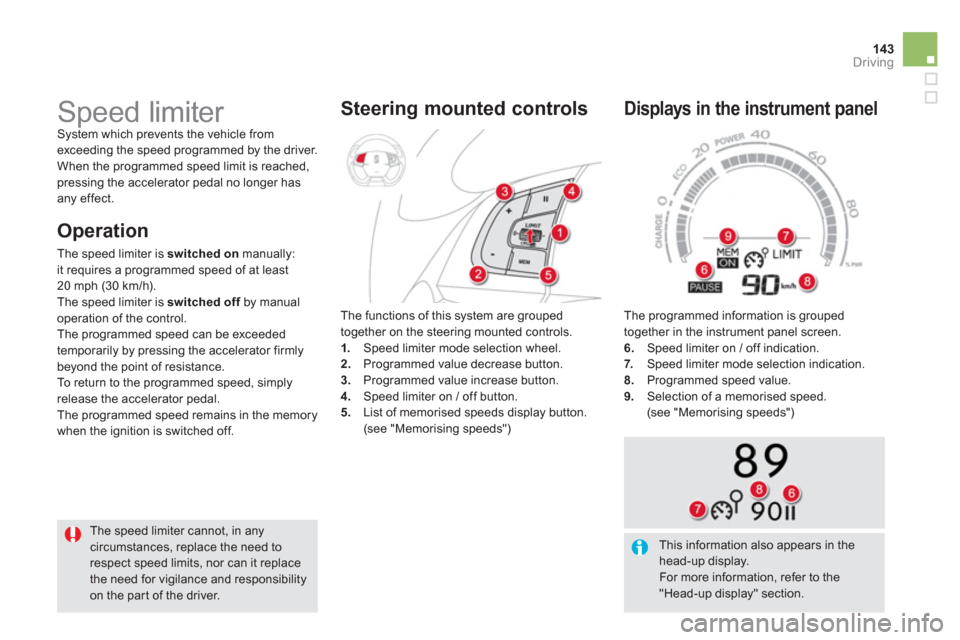
The programmed information is grouped
together in the instrument panel screen.
6. Speed limiter on / off indication. 7.Speed limiter mode selection indication. 8.
Programmed speed value.9.Selection of a memorised speed.
(see "Memorising speeds")
Displays in the instrument panel
Speed limiter System which prevents the vehicle fromexceeding the speed programmed by the driver.
When the programmed speed limit is reached, pressing the accelerator pedal no longer has
any effect.
The speed limiter cannot, in any
circumstances, replace the need to respect speed limits, nor can it replace the need for vigilance and responsibilityon the par t of the driver.The functions of this s
ystem are grouped
together on the steering mounted controls. 1.Speed limiter mode selection wheel. 2. Programmed value decrease button. 3.
Programmed value increase button.
4. Speed limiter on / off button.
5. List of memorised speeds display button. (see "Memorising speeds")
Steering mounted controls
O
peration
The speed limiter is switched onmanually:
it requires a programmed speed of at least
20 mph (30 km/h).
The speed limiter is switched offby manual foperation of the control.
The programmed speed can be exceeded
temporaril
y by pressing the accelerator firmlybeyond the point of resistance.
To return to the programmed speed, simply
release the accelerator pedal.
The pro
grammed speed remains in the memory
when the i
gnition is switched off.
This information also appears in thehead-up display.
For more information, refer to the "Head-up display" section.
Page 147 of 364
145
Driving
The cruise control system cannot, in anycircumstances, replace the need to respect speedlimits, nor can it replace the need for vigilance andresponsibility on the par t of the driver.
You are advised to keep your feet near the pedals at all times.
Cruise control
System which automatically maintains thespeed of the vehicle at the value programmed
by the driver, without any action on the
accelerator
pedal.
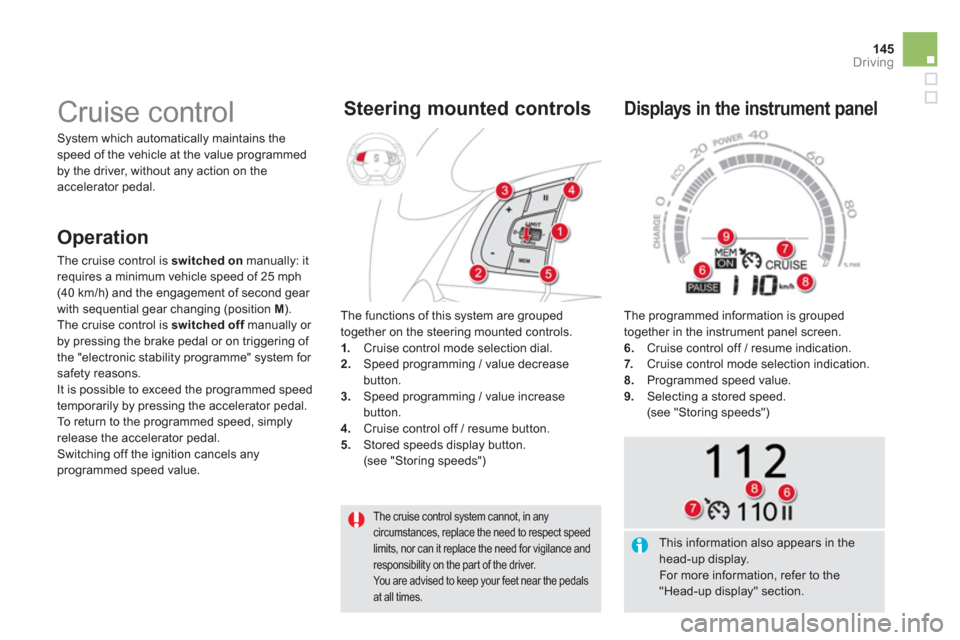
The functions of this s
ystem are grouped
together on the steering mounted controls. 1.Cruise control mode selection dial.2. Speed programming / value decreasebutton.3.
Speed programming / value increasebutton.4.
Cruise control off / resume button.
5. Stored speeds display button.(see "Storing speeds")
Steering mounted controls
The programmed information is grouped
together in the instrument panel screen.
6. Cruise control off / resume indication. 7.Cruise control mode selection indication. 8.
Programmed speed value.9.Selecting a stored speed.
(see "Storing speeds")
Displays in the instrument panel
Operation
The cruise control is switched on
manually: it
requires a minimum vehicle speed of 25 mph (40 km/h) and the engagement of second gear
with sequential gear changing (position M ).
The cruise control is switched off
manually or fby pressing the brake pedal or on triggering of
the "electronic stability programme" system for safety reasons.
It is possible to exceed the programmed speed
temporarily by pressing the accelerator pedal.
To return to the programmed speed, simply
release the accelerator pedal.
Switching off the ignition cancels any programmed speed value.
This information also appears in thehead-up display.
For more information, refer to the "Head-up display" section.
Page 150 of 364
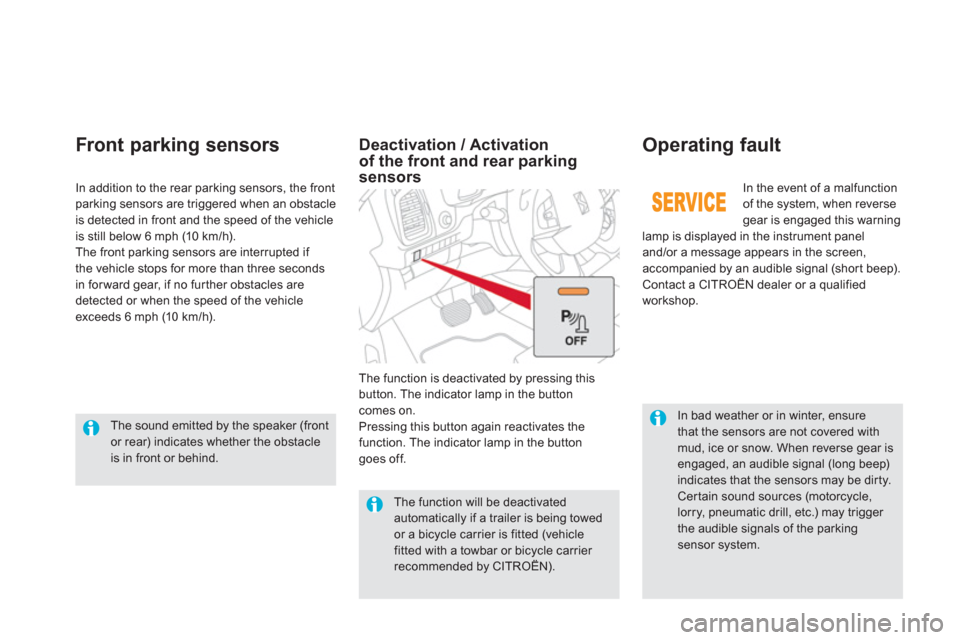
In bad weather or in winter, ensure that the sensors are not covered with mud, ice or snow. When reverse gear isengaged, an audible signal (long beep)indicates that the sensors may be dirty. Cer tain sound sources (motorcycle,lorry, pneumatic drill, etc.) may trigger the audible signals of the parkingsensor system.
In th
e event of a malfunctionof the system, when reverse gear is engaged this warning
lamp is displayed in the instrument paneland/or a message appears in the screen,
accompanied by an audible signal (short beep).
Contact a CITROËN dealer or a qualified
workshop.
Operating fault
In addition to the rear parking sensors, the front parking sensors are triggered when an obstacle
is detected in front and the speed of the vehicle
is still below 6 mph (10 km/h).
The front parking sensors are interrupted if
the vehicle stops for more than three seconds
in for ward
gear, if no fur ther obstacles are
detected or when the speed of the vehicle
exceeds 6 mph (10 km/h).
Front par king sensors
The function will be deactivated automatically if a trailer is being towed or a bicycle carrier is fitted (vehicle fitted with a towbar or bicycle carrier recommended by CITROËN).
Deactivation / Activationof the front and rear parking sensors
The function is deactivated by pressing thisbutton. The indicator lamp in the button comes on.
Pressing this button again reactivates the
function. The indicator lamp in the button
goes off.
The sound emitted by the speaker (front
or rear) indicates whether the obstacle is in front or behind.
Page 155 of 364
153Visibility
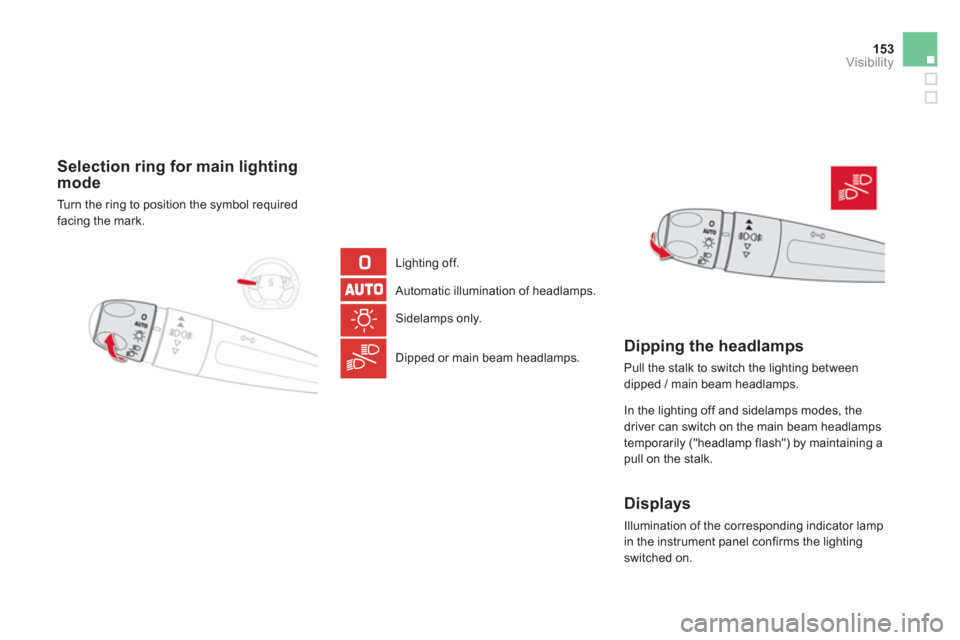
Selection ring for main lighting mode
Turn the ring to position the symbol required
facing the mark.
Lighting o
ff.
Automatic illumination of headlamps.
Sidelamps onl
y.
Dipped or main beam headlamps.
Dipping the headlamps
Pull the stalk to switch the lighting between
dipped / main beam headlamps.
In the li
ghting off and sidelamps modes, the
driver can switch on the main beam headlamps
temporarily ("headlamp flash") by maintaining a
pull on the stalk.
Displays
Illumination of the corresponding indicator lamp
in the instrument panel confirms the lighting switched on.