service Citroen DS5 RHD 2014 1.G Owner's Manual
[x] Cancel search | Manufacturer: CITROEN, Model Year: 2014, Model line: DS5 RHD, Model: Citroen DS5 RHD 2014 1.GPages: 400, PDF Size: 37.32 MB
Page 2 of 400
On-line owner's handbook
Referring to the owner's handbook on-line also gives you
access to the latest information available, easily identifi ed by
the bookmark, associated with this symbol:
If the "MyCitroën" function is not available on the CITROËN public
website for your country, you can fi nd your handbook at the following
address:
http://service.citroen.com
Select:
You can fi nd your handbook on the CITROËN website, under
"MyCitroën".
This personal and customisable space allows you to establish direct
and special contact with CITROËN.
The Vehicle documentation link in the home page
(no registration is needed),
the language,
the vehicle, its body style,
the print edition of your handbook appropriate for the date of
registration of your vehicle.
You have access to your handbook on line, together with the latest
information, identifi ed by the symbol:
Page 39 of 400
37Monitoring
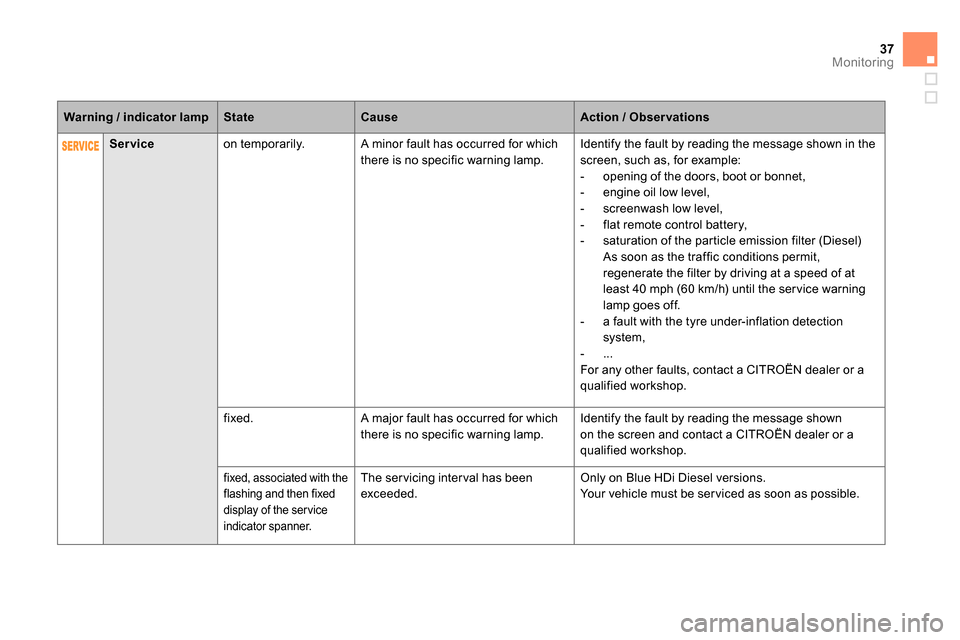
Service
on temporarily. A minor fault has occurred for which
there is no specific warning lamp. Identify the fault by reading the message shown in the
screen, such as, for example:
- opening of the doors, boot or bonnet,
- engine oil low level,
- screenwash low level,
- flat remote control battery,
- saturation of the particle emission filter (Diesel)
As soon as the traffic conditions permit,
regenerate the filter by driving at a speed of at
least 40 mph (60 km/h) until the ser vice warning
lamp goes off.
- a fault with the tyre under-inflation detection
system,
- ...
For any other faults, contact a CITROËN dealer or a
qualified workshop.
fixed. A major fault has occurred for which
there is no specific warning lamp. Identify the fault by reading the message shown
on the screen and contact a CITROËN dealer or a
qualified workshop.
fixed, associated with the
flashing and then fixed
display of the ser vice
indicator spanner.
The ser vicing inter val has been
exceeded. Only on Blue HDi Diesel versions.
Your vehicle must be ser viced as soon as possible.
Warning / indicator lamp
State
Cause
Action / Observations
Page 45 of 400

43Monitoring
Service indicator
More than 1 800 miles (3 000 km)
remain before the next service is due
When the ignition is switched on, no ser vice
information appears in the screen. System which informs the driver when the
next ser vice is due, in accordance with the
manufacturer's ser vicing schedule.
The point at which the ser vice is due is
calculated from the last indicator zero reset. It
is determined by two parameters:
- the distance travelled,
- the time elapsed since the last ser vice.
Between 600 miles (1 000 km)
and 1 800 miles (3 000 km) remain
before the next service is due
For 5 seconds after the ignition is switched on, the
spanner symbolising the ser vice operations comes
on. The distance recorder display line indicates the
distance remaining before the next ser vice is due.
Example:
1 700 miles (2 800 km) remain
before the next ser vice is due.
For 5 seconds after the ignition is switched on,
the screen indicates:
5 seconds after the ignition is switched on,
the spanner goes off
; the distance recorder
resumes its normal operation. The screen then
indicates the total and trip distances.
Less than 600 miles (1 000 km)
remain before the next service is due
Example:
560 miles (900 km) remain before
the next ser vice is due.
For 5 seconds after the ignition is switched on,
the screen indicates:
5 seconds after the ignition is switched on,
the distance recorder resumes its normal
operation. The spanner remains on
to
indicate that a ser vice must be carried out
soon.
Illumination of the key is accompanied
by a message in the instrument panel
screen.
Page 46 of 400
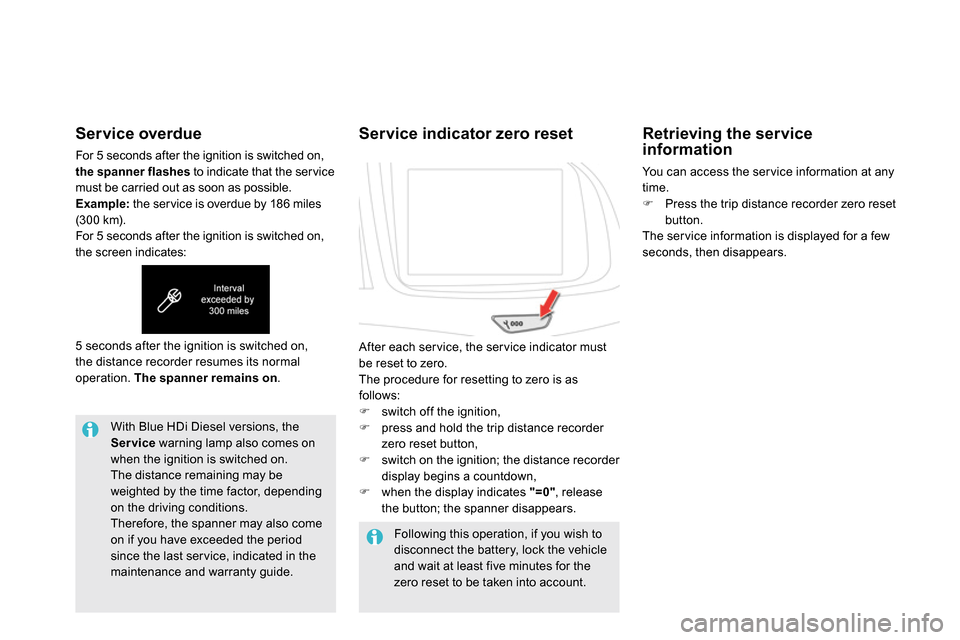
Service overdue
For 5 seconds after the ignition is switched on,
the spanner flashes
to indicate that the ser vice
must be carried out as soon as possible.
Example:
the ser vice is overdue by 186 miles
(300 km).
For 5 seconds after the ignition is switched on,
the screen indicates:
With Blue HDi Diesel versions, the
Service
warning lamp also comes on
when the ignition is switched on.
The distance remaining may be
weighted by the time factor, depending
on the driving conditions.
Therefore, the spanner may also come
on if you have exceeded the period
since the last ser vice, indicated in the
maintenance and warranty guide.
Following this operation, if you wish to
disconnect the battery, lock the vehicle
and wait at least five minutes for the
zero reset to be taken into account. 5 seconds after the ignition is switched on,
the distance recorder resumes its normal
operation. The spanner remains on
.
Service indicator zero reset
After each ser vice, the ser vice indicator must
be reset to zero.
The procedure for resetting to zero is as
follows:
switch off the ignition,
press and hold the trip distance recorder
zero reset button,
switch on the ignition; the distance recorder
display begins a countdown,
when the display indicates "=0"
, release
the button; the spanner disappears.
Retrieving the service
information
You can access the ser vice information at any
time.
Press the trip distance recorder zero reset
button.
The ser vice information is displayed for a few
seconds, then disappears.
Page 67 of 400
OFF
65Access
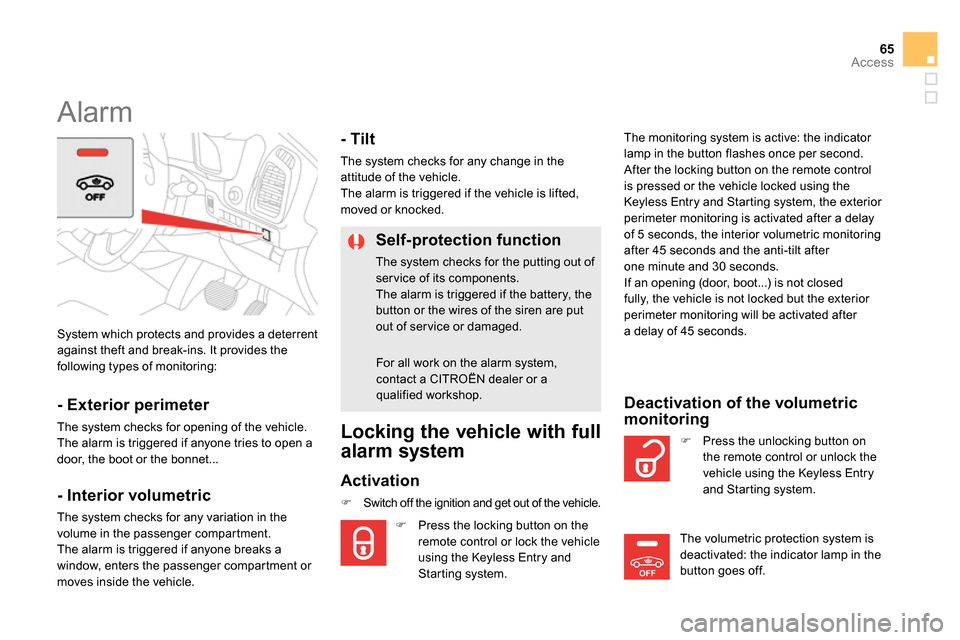
System which protects and provides a deterrent
against theft and break-ins. It provides the
following types of monitoring:
Alarm
- Exterior perimeter
The system checks for opening of the vehicle.
The alarm is triggered if anyone tries to open a
door, the boot or the bonnet...
- Interior volumetric
The system checks for any variation in the
volume in the passenger compartment.
The alarm is triggered if anyone breaks a
window, enters the passenger compartment or
moves inside the vehicle.
- Tilt
The system checks for any change in the
attitude of the vehicle.
The alarm is triggered if the vehicle is lifted,
moved or knocked.
Self-protection function
The system checks for the putting out of
ser vice of its components.
The alarm is triggered if the battery, the
button or the wires of the siren are put
out of service or damaged.
For all work on the alarm system,
contact a CITROËN dealer or a
qualified workshop.
Locking the vehicle with full
alarm system
Activation
Switch off the ignition and get out of the vehicle.
Press the locking button on the
remote control or lock the vehicle
using the Keyless Entry and
Starting system. The monitoring system is active: the indicator
lamp in the button flashes once per second.
After the locking button on the remote control
is pressed or the vehicle locked using the
Keyless Entry and Starting system, the exterior
perimeter monitoring is activated after a delay
of 5 seconds, the interior volumetric monitoring
after 45 seconds and the anti-tilt after
one minute and 30 seconds.
If an opening (door, boot...) is not closed
fully, the vehicle is not locked but the exterior
perimeter monitoring will be activated after
a delay of 45 seconds.
Press the unlocking button on
the remote control or unlock the
vehicle using the Keyless Entry
and Starting system.
Deactivation of the volumetric
monitoring
The volumetric protection system is
deactivated: the indicator lamp in the
button goes off.
Page 238 of 400

TOTAL & CITROËN
Par tners in per formance
and protecting the environment
Innovation in the search
for performance
For over 40 year, the TOTAL Research and
Development departments have developed for
CITROËN, lubricants to match the latest technical
innovations on CITROËN vehicles, both for
competition and for everyday motoring.
For you, this is an assurance that you will obtain of
the best per formance for your engine.
Optimum protection for
your engine
By having your CITROËN vehicle
serviced with TOTAL lubricants, you
are contributing towards improving the
life and per formances of your engine,
while also protecting the environment.
prefers
Page 267 of 400
265
EMERGENCY OR ASSISTANCE CALL
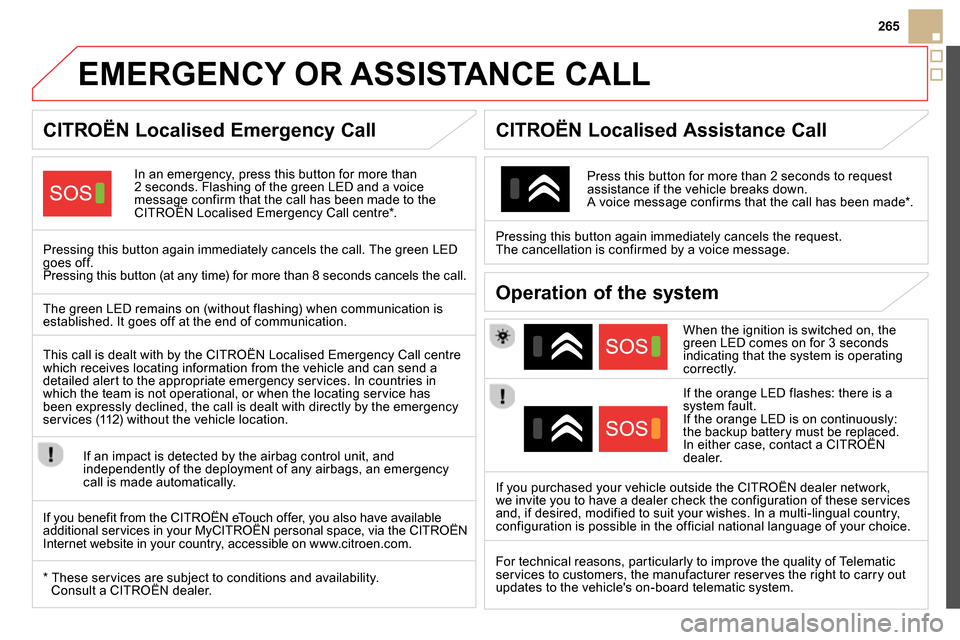
CITROËN Localised Emergency Call
In an emergency, press this button for more than
2 seconds. Flashing of the green LED and a voice
message confirm that the call has been made to the
CITROËN Localised Emergency Call centre * .
Pressing this button again immediately cancels the call. The green LED
goes off.
Pressing this button (at any time) for more than 8 seconds cancels the call.
CITROËN Localised Assistance Call
When the ignition is switched on, the
green LED comes on for 3 seconds
indicating that the system is operating
correctly.
If the orange LED flashes: there is a
system fault.
If the orange LED is on continuously:
the backup battery must be replaced.
In either case, contact a CITROËN
dealer.
Pressing this button again immediately cancels the request.
The cancellation is confirmed by a voice message.
Press this button for more than 2 seconds to request
assistance if the vehicle breaks down.
A voice message confirms that the call has been made * .
Operation of the system
The green LED remains on (without flashing) when communication is
established. It goes off at the end of communication.
If you purchased your vehicle outside the CITROËN dealer network,
we invite you to have a dealer check the configuration of these services
and, if desired, modified to suit your wishes. In a multi-lingual country,
configuration is possible in the official national language of your choice.
This call is dealt with by the CITROËN Localised Emergency Call centre
which receives locating information from the vehicle and can send a
detailed alert to the appropriate emergency services. In countries in
which the team is not operational, or when the locating service has
been expressly declined, the call is dealt with directly by the emergency
services (112) without the vehicle location.
If an impact is detected by the airbag control unit, and
independently of the deployment of any airbags, an emergency
call is made automatically.
*
These services are subject to conditions and availability.
Consult a CITROËN dealer.
If you benefit from the CITROËN eTouch offer, you also have available
additional services in your MyCITROËN personal space, via the CITROËN
Internet website in your country, accessible on www.citroen.com.
For technical reasons, particularly to improve the quality of Telematic
services to customers, the manufacturer reserves the right to carry out
updates to the vehicle's on-board telematic system.
Page 279 of 400
04
277
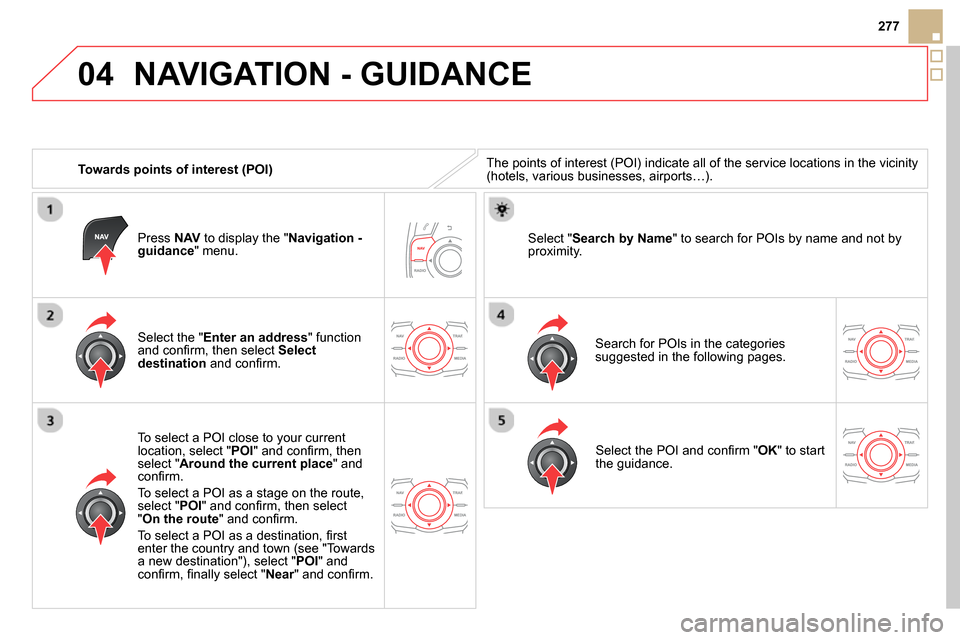
Towards points of interest (POI)
NAVIGATION - GUIDANCE
The points of interest (POI) indicate all of the service locations in the vicinity
(hotels, various businesses, airports…).
Select the " Enter an address
" function
and confi rm, then select Select
destination
and confi rm.
To select a POI close to your current
location, select " POI
" and confi rm, then
select " Around the current place
" and
confi rm.
To select a POI as a stage on the route,
select " POI
" and confi rm, then select
" On the route
" and confi rm.
To select a POI as a destination, fi rst
enter the country and town (see "Towards
a new destination"), select " POI
" and
confi rm, fi nally select " Near
" and confi rm.
Search for POIs in the categories
suggested in the following pages.
Select " Search by Name
" to search for POIs by name and not by
proximity.
Press NAV
to display the " Navigation -
guidance
" menu.
Select the POI and confi rm " OK
" to start
the guidance.
Page 280 of 400
04 NAVIGATION - GUIDANCE
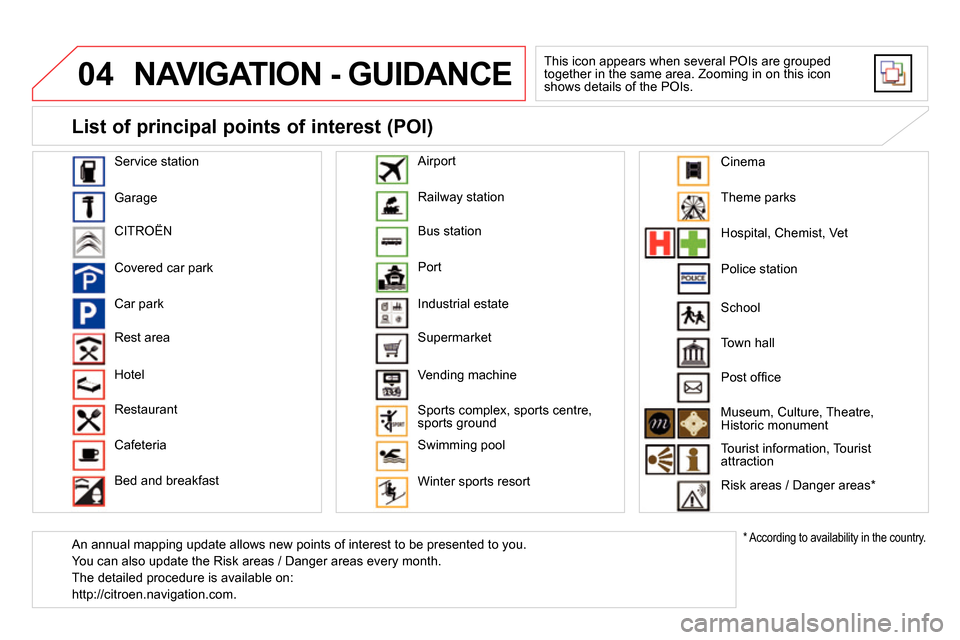
This icon appears when several POIs are grouped
together in the same area. Zooming in on this icon
shows details of the POIs.
Service station
Garage
CITROËN
Covered car park
Car park
Rest area
Hotel
Restaurant
Cafeteria
Bed and breakfast Railway station
Bus station
Port
Industrial estate
Supermarket
Vending machine
Sports complex, sports centre,
sports ground
Swimming pool
Winter sports resort
Airport
Theme parks
Hospital, Chemist, Vet
Police station
Town hall
Post offi ce
Museum, Culture, Theatre,
Historic monument
Tourist information, Tourist
attraction
Risk areas / Danger areas *
List of principal points of interest (POI)
*
According to availability in the country.
School
An annual mapping update allows new points of interest to be presented to you.
You can also update the Risk areas / Danger areas every month.
The detailed procedure is available on:
http://citroen.navigation.com.
Cinema
Page 292 of 400
06
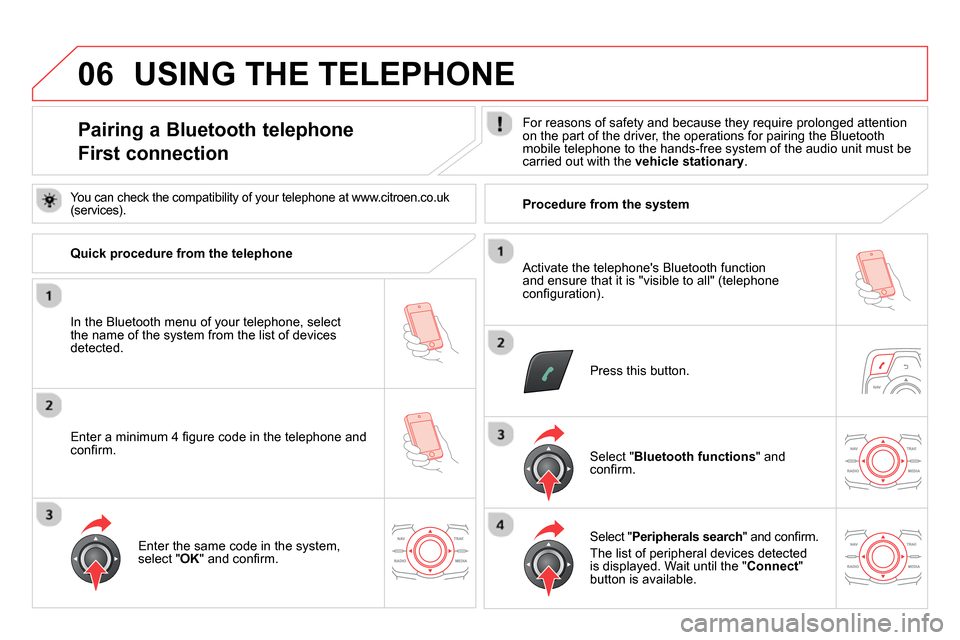
Pairing a Bluetooth telephone
First connection
For reasons of safety and because they require prolonged attention
on the part of the driver, the operations for pairing the Bluetooth
mobile telephone to the hands-free system of the audio unit must be
carried out with the vehicle stationary
.
Press this button.
Select " Bluetooth functions
" and
confi rm.
Select " Peripherals search
" and confi rm.
The list of peripheral devices detected
is displayed. Wait until the " Connect
"
button is available.
Enter the same code in the system,
select " OK
" and confi rm.
USING THE TELEPHONE
You can check the compatibility of your telephone at www.citroen.co.uk
(services).
Quick procedure from the telephone
In the Bluetooth menu of your telephone, select
the name of the system from the list of devices
detected.
Enter a minimum 4 fi gure code in the telephone and
confi rm.
Activate the telephone's Bluetooth function
and ensure that it is "visible to all" (telephone
confi guration).
Procedure from the system