ignition CITROEN DS7 CROSSBACK 2017 Owners Manual
[x] Cancel search | Manufacturer: CITROEN, Model Year: 2017, Model line: DS7 CROSSBACK, Model: CITROEN DS7 CROSSBACK 2017Pages: 244, PDF Size: 6.87 MB
Page 201 of 244
199
DS IRIS SYSTEM - 12" touch screen Infotainment system10
From any page, press the touch screen
with three or more fingers to display the
applications wall.
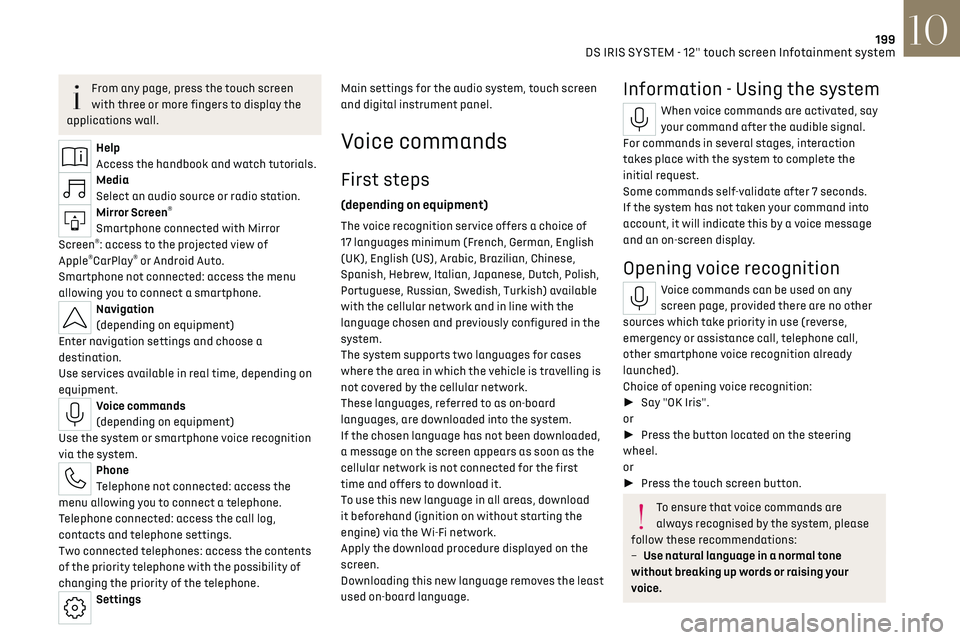
Help
Access the handbook and watch tutorials.
Media
Select an audio source or radio station.
Mirror Screen®
Smartphone connected with Mirror
Screen®: access to the projected view of
Apple®CarPlay® or Android Auto.
Smartphone not connected: access the menu
allowing you to connect a smartphone.
Navigation
(depending on equipment)
Enter navigation settings and choose a
destination.
Use services available in real time, depending on
equipment.
Voice commands
(depending on equipment)
Use the system or smartphone voice recognition
via the system.
Phone
Telephone not connected: access the
menu allowing you to connect a telephone.
Telephone connected: access the call log,
contacts and telephone settings.
Two connected telephones: access the contents
of the priority telephone with the possibility of
changing the priority of the telephone.
Settings Main settings for the audio system, touch screen
and digital instrument panel.
Voice commands
First steps
(depending on equipment)
The voice recognition service offers a choice of
17 languages
minimum (F rench, German, English
(UK), English (US), Arabic, Brazilian, Chinese,
Spanish, Hebrew, Italian, Japanese, Dutch, Polish,
Portuguese, Russian, Swedish, Turkish) available
with the cellular network and in line with the
language chosen and previously configured in the
system.
The system supports two languages
for c
ases
where the area in which the vehicle is travelling is
not covered by the cellular network.
These languages, referred to as on-board
languages,
are do
wnloaded into the system.
If the chosen language has not been downloaded,
a message on the screen appears as soon as the
cellular network is not connected for the first
time and offers to download it.
To use this new language in all areas, download
it beforehand (ignition on without starting the
engine) via the Wi-Fi network.
Apply the download procedure displayed on the
screen.
Downloading this new language removes the least
used on-board language.
Information - Using the system
When voice commands are activated, say
your command after the audible signal.
For commands in several stages, interaction
takes place with the system to complete the
initial request.
Some commands self-validate after 7 seconds.
If the system has not taken your command into
account, it will indicate this by a voice message
and an on-screen display.
Opening voice recognition
Voice commands can be used on any
screen page, provided there are no other
sources which take priority in use (reverse,
emergency or assistance call, telephone call,
other smartphone voice recognition already
launched).
Choice of opening voice recognition:
► Say "OK Iris".
or
► Press the button located on the steering
wheel.
or
► Press the touch screen button.
To ensure that voice commands are
always recognised by the system, please
follow these recommendations:
–
Use natural language in a normal tone
without breaking up w
ords or raising your
voice.
Page 204 of 244
202
DS IRIS SYSTEM - 12" touch screen Infotainment system10
Select "My Devices".
Select the name of the mobile device that
you want to connect, from:
–
The list o
f known devices (if the device has
already been connected to the system).
or
–
The list o
f detected devices (if the device has
never been connected to the system or previously
deleted from the system).
A mobile device already connected to the
system will be able to reconnect
automatically when the vehicle is started,
once the user profile has been selected.
Automatic reconnection is put on hold as soon
as the "My Devices" menu is opened. This is to
allow the system to make its Bluetooth
® visible
for the connection of a new device.
The system is disconnected when the driver’s
door is opened and the ignition is switched off.
Automatic reconnection
The system allows automatic reconnection of
devices already connected and detected when a
user profile is selected.
The priority reconnected devices are those which
have been linked to the selected user profile or,
failing this, the last connected devices.
Wi-Fi connection
The system has an external Wi-Fi connection
mode for performing system updates.
Press the "Settings" application.
In the list, select the "Connectivity" tab.
Select "Wi-Fi".
Activate/Deactivate "Wi-Fi".
The system starts a search for
nearby Wi-Fi networks. This may take a few
seconds.
Select the Wi-Fi network to connect to and enter
its password.
To protect your system, only networks
with a sufficient level of security are
allowed to connect. WPA2 encryption level,
equivalent to a domestic level, is required.
Any network already connected to the
system will reconnect automatically as
soon as it is detected by the system and after
having previously activated the Wi-Fi function.
The Wi-Fi connection of the system to a
device already connected using a Mirror
Screen
® wireless connection is not possible. In
this case, favour a Mirror Screen® connection
using the USB socket.
Device management
For each device already connected to the
system using a wireless connection (Bluetooth®
or wireless Mirror Screen® connection), it is
possible to determine a preferred connection
mode (depending on the functions the device can
support). It is therefore possible to determine
whether the device should be connected using
a wireless Bluetooth
® connection or a wireless
Mirror Screen® connection each time the system
is started once the profile is chosen.
Press the "Settings" application.
In the list, select the "Connectivity".
Select "My Devices" to display the list of
paired devices.
Press this button to manage the
connection of a device.
Choose a connection type then confirm this
choice by pressing “APPLY".
Deleting a device
Press the "Settings" application.
In the list, select the "Connectivity".
Select "My Devices" to display the list of
paired devices.
Press this button.
Press "DELETE".
Confirm by pressing “YES”.
Some devices that have just been deleted
from the system request a connection,
refuse this request.
Page 217 of 244
215Alphabetical index
Emergency call 77–78
Emergency switching off
99
Emergency warning lamps
76, 170
Emissions control system, SCR
20, 165
Energy economy (mode)
159
Energy economy mode
159
Energy flows
24
Energy recovery
20, 105
Engine
165
Engine compartment
160–161
Engine, Diesel
143, 161, 170, 191
Engine, petrol
107, 161, 190
Engines
189–191
Environment
8, 31
e-Save function (energy reserve)
24
ESC (electronic stability control)
79
Expanded traffic sign recognition
116
Exterior lighting
66
F
Fatigue detection 131–132
Favourite driving functions
113
Filling the AdBlue® tank
163, 166
Filling the fuel tank
143–144
Filter, air
163
Filter, oil
163
Filter, particle
163
Filter, passenger compartment
50, 163
Fitting a wheel
175, 177
Fitting roof bars 157–158
Fittings, boot
60
Fittings, interior
56–57
Fittings, rear
60
Flap, charging
155
Flap, fuel filler
143–144
Flap, ski
60
Flashing indicators
64
Flat bed (towing)
186
Floor, boot, adjustable
62
Fluid, brake
162
Fluid, engine coolant
162
Foglamps, rear
63
Folding the rear seats
48–49
Folding/unfolding the door mirrors
47
Four-wheel drive (4WD)
108, 159
Frequency (radio)
205
Fuel
8, 143
Fuel consumption
8, 20
Fuel level, low
143
Fuel (tank)
143–144
Fuses
180
G
Gauge, fuel 143
Gearbox, automatic
101–104, 108, 164, 181
Gearbox, manual
108
Gear shift indicator
109
Glove box
56
Grab handles 56
H
Hands-free access 35–36
Hands-free tailgate
35–36
Hazard warning lamps
76, 170
Headlamps (adjustment)
65
Headlamps, automatic dipping
66–67
Headlamps, automatic operation
65
Headlamps, dipped beam
179
Headlamps, halogen
65
Headlamps, main beam
66, 179
Head restraints, front
43
Head restraints, rear
48–49
Heated and ventilated seats
45
Heating
49
Heating, programmable
25, 54
Hi-Fi system
58
High voltage
145
Hill start assist
108
Histogramme, fuel consumption
24–25
Horn
77
I
Ignition 99, 207
Ignition on
99
Immobiliser, electronic
97