air conditioning CITROEN DS7 CROSSBACK 2017 User Guide
[x] Cancel search | Manufacturer: CITROEN, Model Year: 2017, Model line: DS7 CROSSBACK, Model: CITROEN DS7 CROSSBACK 2017Pages: 244, PDF Size: 6.87 MB
Page 56 of 244
54
Ease of use and comfort03
In wintry conditions, before moving off, it
is essential to remove any snow or ice
from the windscreen around the camera.
Otherwise, the operation of the equipment
using the camera may be affected.
Rear screen demisting/
defrosting
This demisting/de-icing only works with the
engine running.
Depending on version, it also demists/de-ices the
door mirrors.
► Press this button to activate/
deactivate the function (confirmed by the
indicator lamp coming on/switching off).
Demisting/defrosting switches off automatically
to prevent an excessive consumption of electrical
current.
Switch off demisting/defrosting when
you no longer need it; reducing electrical
consumption in turn decreases energy
consumption.
Heated windscreen
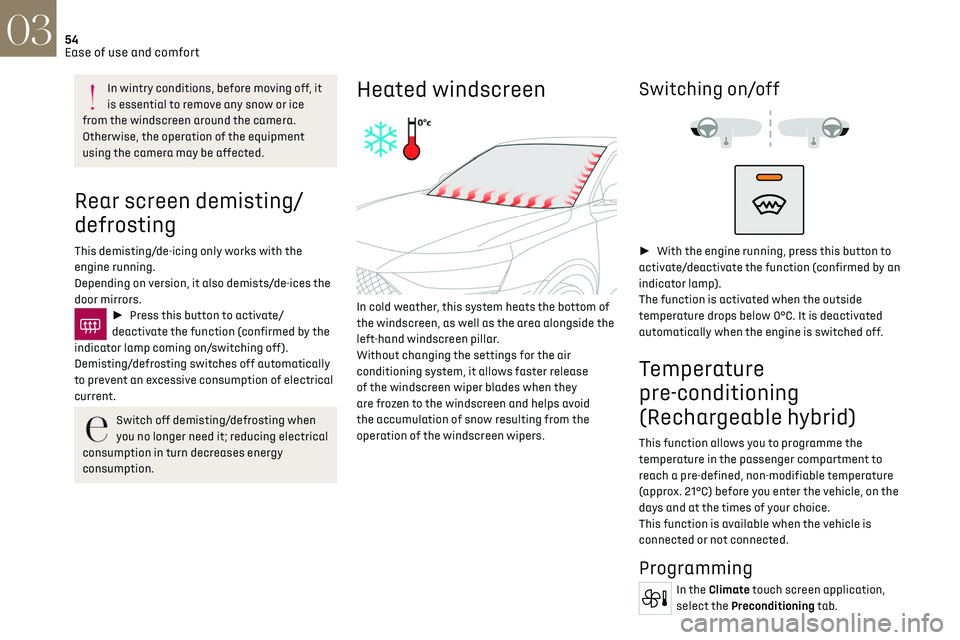
In cold weather, this system heats the bottom of
the windscreen, as well as the area alongside the
left-hand windscreen pillar.
Without changing the settings for the air
conditioning system, it allows faster release
of the windscreen wiper blades when they
are frozen to the windscreen and helps avoid
the accumulation of snow resulting from the
operation of the windscreen wipers.
Switching on/off
► With the engine running, press this button to
activate/deactivate the function (confirmed by an
indicator lamp).
The function is activated when the outside
temperature drops below 0°C. It is deactivated
automatically when the engine is switched off.
Temperature
pre-conditioning
(Rechargeable hybrid)
This function allows you to programme the
temperature in the passenger compartment to
reach a pre-defined, non-modifiable temperature
(approx. 21°C) before you enter the vehicle, on the
days and at the times of your choice.
This function is available when the vehicle is
connected or not connected.
Programming
In the Climate touch screen application,
select the Preconditioning tab.
Page 108 of 244
106
Driving06
The system uses a computer and sensors, which
determine the optimal level of shock absorption
to be applied to each shock absorber.
The system is also associated with a camera,
located at the top of the windscreen, constantly
monitoring the road condition. Based on the
information transmitted by the camera, the
system anticipates possible road defects.
The operation of the system depends on the
driving mode selected (depending on equipment).
For more information on the Driving modes,
please refer to the corresponding section.
Malfunction
In the event of a malfunction, this warning
lamp lights up on the instrument panel.
Have it checked by a dealer or a qualified
workshop.
Driving modes
The driving modes available depend on the engine
and equipment of the vehicle.
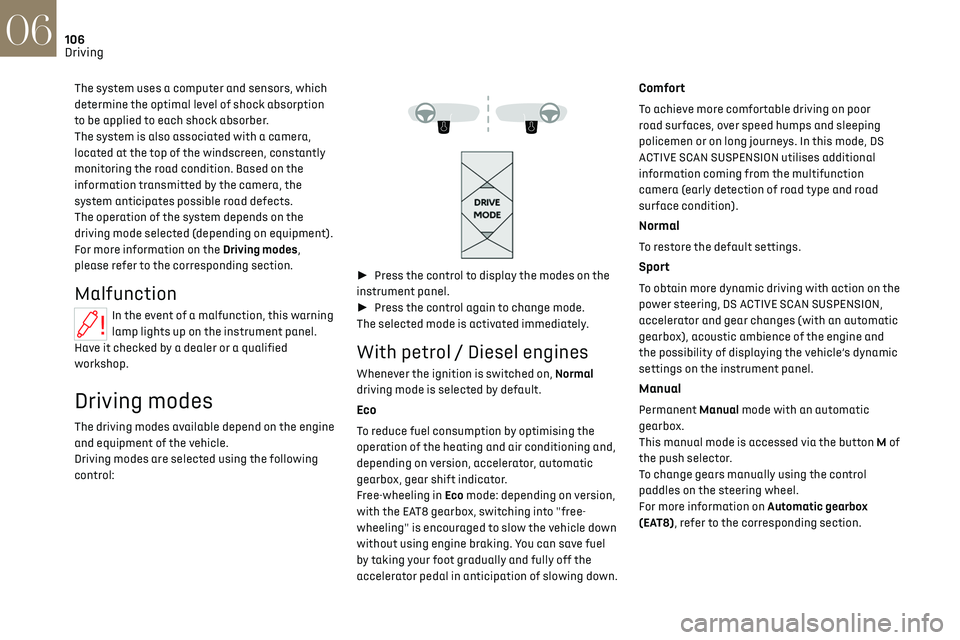
Driving modes are selected using the following
control:
► Press the control to display the modes on the
instrument panel.
► Press the control again to change mode.
The selected mode is activated immediately.
With petrol / Diesel engines
Whenever the ignition is switched on, Normal
driving mode is selected by default.
Eco
To reduce fuel consumption by optimising the
operation of the heating and air conditioning and,
depending on version, accelerator, automatic
gearbox, gear shift indicator.
Free-wheeling in Eco mode: depending on version,
with the EAT8 gearbox, switching into "free-
wheeling" is encouraged to slow the vehicle down
without using engine braking. You can save fuel
by taking your foot gradually and fully off the
accelerator pedal in anticipation of slowing down.
Comfort
To achieve more comfortable driving on poor
road surfaces, over speed humps and sleeping
policemen or on long journeys. In this mode, DS
ACTIVE SCAN SUSPENSION utilises additional
information coming from the multifunction
camera (early detection of road type and road
surface condition).
Normal
To restore the default settings.
Sport
To obtain more dynamic driving with action on the
power steering, DS ACTIVE SCAN SUSPENSION,
accelerator and gear changes (with an automatic
gearbox), acoustic ambience of the engine and
the possibility of displaying the vehicle’s dynamic
settings on the instrument panel.
Manual
Permanent Manual mode with an automatic
gearbox.
This manual mode is accessed via the button M of
the push selector.
To change gears manually using the control
paddles on the steering wheel.
For more information on Automatic gearbox
(EAT8), refer to the corresponding section.
Page 152 of 244
150
Practical information07
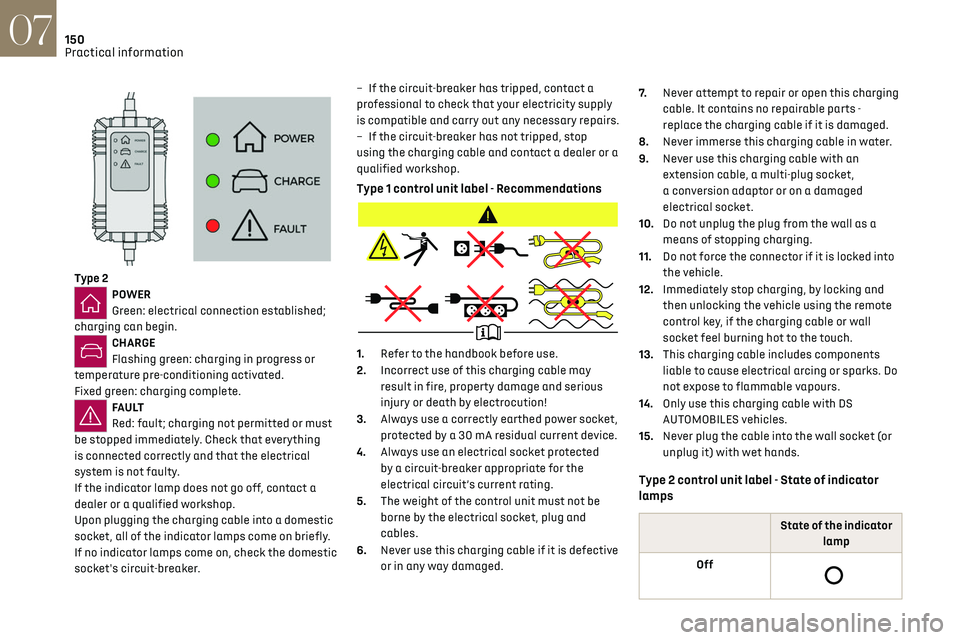
Type 2POWER
Green: electrical connection established;
charging can begin.
CHARGE
Flashing green: charging in progress or
temperature pre-conditioning activated.
Fixed green: charging complete.
FA U LT
Red: fault; charging not permitted or must
be stopped immediately. Check that everything
is connected correctly and that the electrical
system is not faulty.
If the indicator lamp does not go off, contact a
dealer or a qualified workshop.
Upon plugging the charging cable into a domestic
socket, all of the indicator lamps come on briefly.
If no indicator lamps come on, check the domestic
socket's circuit-breaker. –
If the circ
uit-breaker has tripped, contact a
professional to check that your electricity supply
is compatible and carry out any necessary repairs.
–
If the circ
uit-breaker has not tripped, stop
using the charging cable and contact a dealer or a
qualified workshop.
Type 1 control unit label - Recommendations
1. Refer to the handbook before use.
2. Incorrect use of this charging cable may
result in fire, property damage and serious
injury or death by electrocution!
3. Always use a correctly earthed power socket,
protected by a 30 mA residual current device.
4. Always use an electrical socket protected
by a circuit-breaker appropriate for the
electrical circuit’s current rating.
5. The weight of the control unit must not be
borne by the electrical socket, plug and
cables.
6. Never use this charging cable if it is defective
or in any way damaged. 7.
Never attempt to repair or open this charging
cable. It contains no repairable parts -
replace the charging cable if it is damaged.
8. Never immerse this charging cable in water.
9. Never use this charging cable with an
extension cable, a multi-plug socket,
a conversion adaptor or on a damaged
electrical socket.
10. Do not unplug the plug from the wall as a
means of stopping charging.
11. Do not force the connector if it is locked into
the vehicle.
12. Immediately stop charging, by locking and
then unlocking the vehicle using the remote
control key, if the charging cable or wall
socket feel burning hot to the touch.
13. This charging cable includes components
liable to cause electrical arcing or sparks. Do
not expose to flammable vapours.
14. Only use this charging cable with DS
AUTOMOBILES vehicles.
15. Never plug the cable into the wall socket (or
unplug it) with wet hands.
Type 2 control unit label - State of indicator
lamps
State of the indicator
lamp
Off
Page 161 of 244
159
Practical information07
For more information, contact a dealer or a
qualified workshop.
Installation tips
► To fit the snow chains during a journey, stop
the vehicle on a flat surface at the side of the
road.
► Apply the parking brake and position any
wheel chocks under the wheels to prevent
movement of the vehicle.
► Fit the snow chains following the instructions
provided by the manufacturer.
► Move off gently and drive for a few moments,
without exceeding 31 mph (50 km/h).
► Stop the vehicle and check that the snow
chains are correctly tightened.
It is strongly recommended that you
practise fitting the snow chains on a level
and dry surface before setting off.
Avoid driving with snow chains on roads
that have been cleared of snow to avoid
damaging the vehicle's tyres and the road
surface. If the vehicle is fitted with alloy
wheels, check that no part of the chain or its
fixings is in contact with the wheel rim.
Rechargeable hybrid vehicles
The use of snow chains is only authorised
on the front wheels.
The driving mode selector must be on the 4WD
position (depending on version).
Energy economy mode
This system manages the duration of use of
certain functions, in order to conserve a sufficient
level of charge in the battery with the ignition off.
After switching off the engine and for a maximum
cumulative period of around 30 minutes, you can
continue to use functions such as the audio and
telematics system, dipped beam headlamps or
courtesy lamps.
Selecting the mode
A confirmation message is displayed when
energy economy mode is entered, and the active
functions are placed on standby.
If a telephone call is in progress at the
time, it will be maintained for around 10
minutes via the audio system’s hands-free
system.
Exiting the mode
These functions are automatically reactivated the
next time the vehicle is used.
To restore the use of these functions immediately,
start the engine and let it run:
–
For le
ss than 10 minutes, to use the equipment
for approximately 5 minutes.
–
For more than 10 minut
es, to use the equipment
for approximately 30 minutes.
Let the engine run for the specified duration to
ensure that the battery charge is sufficient.
To recharge the battery, avoid repeatedly or
continuously restarting the engine.
A flat battery prevents the engine from
starting.
For more information on the 12 V battery, refer
to the corresponding section.
Load reduction mode
This system manages the use of certain functions
according to the level of charge remaining in the
battery.
When the vehicle is being driven, the load
reduction function temporarily deactivates
certain functions, such as the air conditioning
and the heated rear screen.
The deactivated functions are reactivated
automatically as soon as conditions permit.
Bonnet
Stop & Start
Before doing anything under the bonnet,
you must switch off the ignition to avoid any
risk of the engine restarting automatically.
Take care with objects or clothing that could
be caught in the blades of the cooling fan
Page 165 of 244
163
Practical information07
appropriate for the temperature conditions
must be used in order to protect the system's
components (pump, tank, ducts, jets).
Filling with pure water is prohibited in all
circumstances (risk of freezing, limescale,
etc.).
Diesel fuel additive (Diesel with
particle filter)
On reaching the minimum level in the
particle filter additive tank, this warning
lamp comes on fixed, accompanied by an audible
signal and a warning message.
Topping up
The topping up of this additive must be carried
out quickly.
Visit a dealer or a qualified workshop.
AdBlue® (BlueHDi)
An alert is triggered when the reserve level is
reached.
For more information on the Indicators and in
particular the AdBlue range indicators, refer to
the corresponding section.
To avoid the vehicle being immobilised in
accordance with regulations, you must top up the
AdBlue tank.
For more information on AdBlue
® (BlueHDi), and
in particular the supply of AdBlue, refer to the
corresponding section.
Checks
Unless otherwise indicated, check these
components in accordance with the
Manufacturer's service schedule and according to
your engine.
Otherwise, have them checked by a dealer or a
qualified workshop.
Only use products recommended by the
Manufacturer or products of equivalent
quality and specification.
In order to optimise the operation of
components as important as those in the
braking system, the Manufacturer selects and
offers very specific products.
12 V battery
The battery does not require any
maintenance.
Check regularly that the terminals are correctly
tightened (versions without quick-release
terminals) and that the connections are clean.
For more information on the precautions
to take before any work on the 12 V
battery, refer to the corresponding section.
Versions equipped with Stop & Start are
fitted with a 12 V lead-acid battery with
special technology and specifications.
Its replacement should be carried out only by a
dealer or a qualified workshop.
Passenger compartment filter
Depending on the environment and the use
of the vehicle (e.g. dusty atmosphere, city
driving), change it twice as often, if necessary.
A clogged passenger compartment filter
can adversely affect air conditioning
system performance and generate undesirable
odours.
Air filter
Depending on the environment and the use
of the vehicle (e.g. dusty atmosphere, city
driving), change it twice as often, if necessary.
Oil filter
Change the oil filter each time the engine
oil is changed.
Particle filter (Diesel)
The start of clogging of the particle filter is
indicated by the temporary lighting of this
warning lamp, accompanied by an alert message.
As soon as traffic conditions allow, regenerate
the filter by driving at a speed of at least 37 mph
(60 km/h), with an engine speed above 2,500
rpm, for about 15 minutes (until the warning lamp
goes out).
If it is not possible to reach 37 mph (60 km/h),
leave the engine running at idle for about 15
minutes, then drive with an engine speed above
2,500 rpm for 15 minutes.
Page 196 of 244
194DS IRIS SYSTEM - 12" touch screen Infotainment system10
DS IRIS SYSTEM - 12" touch
screen Infotainment
system
GPS navigation - Applications
- Multimedia audio system -
Bluetooth
® telephone
The functions and settings described vary
according to the version and
configuration of the vehicle, and according to
the country of sale.
For safety reasons and because they
require continued attention on the part of
the driver, the following operations must be
carried out with the vehicle stationary and the
ignition on:
–
Pairing the smartphone with the s
ystem via
Bluetooth
®.
–
U
sing the smartphone.
–
Connecting t
o Mirror Screen (Apple
®CarPlay®
or Android Auto).
–
C
hanging the system settings and
configuration.
The message Energy economy mode is
displayed when the system is about to go
into standby.
For more information on Energy economy
mode, refer to the "Practical information"
section.
Warning
Navigation is a driving aid. It cannot
replace the driver. All guidance instructions
should be carefully checked by the user.
By using the navigation, you accept the
following terms and conditions:
https://www.tomtom.com/en_gb/legal/
eula-automotive/?388448
First steps
The system starts when the ignition is
switched on.
Short press, ignition off: system on/off.
Short press, ignition on: mute/restore sound.
Long press, ignition on: start standby mode (mute
sound, screens and clock display off).
► Increase or decrease the volume using the
knob or the "plus" or "minus" buttons (depending
on equipment).
Information
This system gives access to the following
elements: –
Audio equipmen
t and telephone controls with
display of associated information.
–
Connect
ed services and display of associated
information.
–
Na
vigation system controls and display
of associated information (depending on
equipment).
–
V
oice recognition (depending on equipment).
–
Time and outside t
emperature.
–
Hea
ting/air conditioning system controls and
reminders of settings.
–
Settings for driving aid functions, c
omfort
and safety functions, extended head-up display
(depending on equipment and version), audio
equipment and digital instrument panel.
–
Settings for functions specific t
o rechargeable
hybrid vehicles.
–
Displa
y of visual manoeuvring aid functions.
–
In
teractive handbook.
–
Video t
utorials (e.g. screen management,
driving aids, voice recognition).
Upper banner
Certain information is displayed permanently in
the upper banner of the touch screen:
–
O
utside temperature from the vehicle's sensors
(associated with a blue symbol if there is a risk
of ice).
–
T
emperature setting reminder for the air
conditioning on the driver's and passenger sides.
–
C
harge level of the connected smartphone.
–
Sy
stem connection status (Bluetooth
®, Wi-Fi,
mobile telephone network).
Page 202 of 244
200
DS IRIS SYSTEM - 12" touch screen Infotainment system10
– After opening voice recognition with
the steering wheel-mounted button or the
button on the touch screen, always wait for
the "beep” (audible signal) before talking.
No "beep" sounds when voice recognition is
opened using "OK Iris".
–
For optimal opera
tion, it is recommended
that you close the windows and the sunroof
(depending on equipment) to avoid any
external interference, and switch the
ventilation off.
–
Before speaking the v
oice commands, ask
the other passengers not to speak.
Voice command example for air
conditioning:
"raise the fan speed"
"Turn on air conditioning"
"i'm too hot"
Voice command example for radio and
media:
"I want to listen to michael jackson"
"switch to radio"
"tune to 88.5"
Media voice commands are only available
with a USB connection.
Voice command example for navigation:
"navigate home"
"Navigate me to gabrielle's house"
"search for public parking nearby"
Depending on the country, give
destination (address) instructions in the
language configured for the system.
Voice command example for telephone:
"Call Matthew's mobile"
"call 0113 345 9869"
"Call jonathan"
If there is no telephone connected by
Bluetooth®, a voice message announces:
"Connect a telephone by Bluetooth®", and the
voice session will be closed.
Voice command example for the weather:
"do i need a raincoat"
"how is the weather tonight"
"what is today's humidity level"
Navigation
Navigation home screen
(depending on equipment)
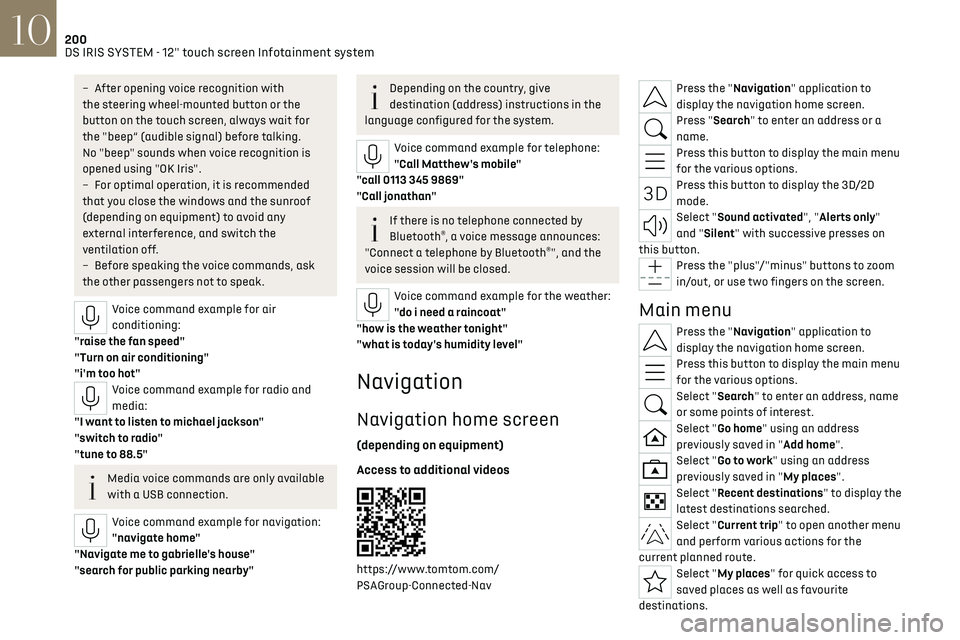
Access to additional videos
https://www.tomtom.com/
PSAGroup-Connected-Nav
Press the "Navigation" application to
display the navigation home screen.
Press "Search" to enter an address or a
name.
Press this button to display the main menu
for the various options.
Press this button to display the 3D/2D
mode.
Select "Sound activated", "Alerts only"
and "Silent" with successive presses on
this button.
Press the "plus"/"minus" buttons to zoom
in/out, or use two fingers on the screen.
Main menu
Press the "Navigation" application to
display the navigation home screen.
Press this button to display the main menu
for the various options.
Select "Search" to enter an address, name
or some points of interest.
Select "Go home" using an address
previously saved in "Add home".
Select "Go to work" using an address
previously saved in "My places".
Select "Recent destinations" to display the
latest destinations searched.
Select "Current trip" to open another menu
and perform various actions for the
current planned route.
Select "My places" for quick access to
saved places as well as favourite
destinations.
Page 213 of 244
211
Vehicle data recording and privacy11
Depending on the vehicle's equipment level, this
may include:
–
Sea
t and steering wheel position settings.
–
C
hassis and air conditioning settings.
–
Personalised settings such as the in
terior
lighting.
You can enter your own data into the functions of
your vehicle's audio and telematic system, as part
of the selected functionalities.
Depending on the vehicle's equipment level, this
may include:
–
Multimedia da
ta such as music, videos or
photos to be read by an integrated multimedia
system.
–
Addre
ss book data to be used with an
integrated hands-free system or with an
integrated navigation system.
–
En
tered destinations.
–
Da
ta regarding the use of online services.
This data for the comfort and infotainment
functions may be stored locally in the vehicle or
saved to a device that you have connected to the
vehicle (e.g. smartphone, USB memory stick or
MP3 player). Data that you have entered yourself
may be deleted at any time.
This data may also be transmitted outside the
vehicle at your request, particularly when using
online services in line with the settings that you
have selected. Smartphone integration
(e.g. Android Auto
® or
Apple
®CarPlay®)
If your vehicle is equipped accordingly, you can
connect your smartphone or another mobile
device to the vehicle in order to operate it using
the vehicle's integrated controls. Images and
sounds from the smartphone can be transmitted
through the audio and telematics system.
Specific information is simultaneously sent
to your smartphone. Depending on the type
of integration, this includes data such as location,
day/night mode and other general information
about the vehicle. For more information, please
refer to the user instructions for the vehicle or the
audio and telematics system.
Integrating a smartphone allows you to use
its applications, such as a navigation app or
music player. No other integration between
the smartphone and the vehicle is possible, in
particular active access to vehicle data. How the
data is processed subsequently is determined
by the supplier of the application being used.
The ability the change settings depends on the
application in question and on the operating
system installed on your smartphone.
Online services
If your vehicle is connected to a wireless network,
data can be exchanged between your vehicle and
other systems. Connection to a wireless network
is made possible via a transmitter located in your vehicle or a mobile device that you have provided
(e.g. smartphone). The online services can be
used via this wireless connection. These include
online services and applications (apps) provided
to you by the Manufacturer or other suppliers.
Exclusive services
As regards the Manufacturer's online services,
the corresponding functions are described by
the Manufacturer in an appropriate medium
(e.g. handbook, Manufacturer's website) and the
information about data protection is provided.
Personal data may be used for online services.
The exchange of data for this purpose takes place
over a secure connection, using for example the
Manufacturer's dedicated computer systems.
The collection, processing and use of personal
data for the development of services are carried
out solely on the basis of a legal authorisation,
for example in the case of a legal emergency call
system or a contractual agreement or else under
a consent agreement.
You can activate or deactivate the services and
functions (some may be chargeable) and, in
some cases, the vehicle's entire connection to
the wireless network. This does not include the
statutory functions and services such as the
emergency or assistance call system.
Third-party services
If you use online services provided by other (third-
party) suppliers, these services are subject to the
responsibility, the data protection and the terms
Page 215 of 244
213Alphabetical index
360 Vision 140
A
ABS 79
Accelerated charging unit (Wallbox)
147–148
Accessories
76
Active LED Vision
65
Active Safety Brake
128, 130
Active Scan Suspension
105
Active suspension
105
Adaptive headlamp lighting
67
AdBlue®
19, 165
AdBlue® tank
166
Additive, Diesel
163
Adjusting headlamps
65
Adjusting head restraints
43
Adjusting seat
43–44
Adjusting the air distribution
50, 52
Adjusting the air flow
50, 52
Adjusting the headlamp beam height
65
Adjusting the height and reach
of the steering wheel
46
Adjusting the seat angle
44
Adjusting the seat belt height
82
Adjusting the temperature
51
Adjusting the time
23, 208
Advice on care and maintenance
146, 167
Advice on driving
8, 96–97
Airbags
83–87
Airbags, curtain 85–86
Airbags, front
84–85, 88
Airbags, lateral
84–85
Air conditioning
50–51
Air conditioning, automatic
53
Air conditioning, dual-zone automatic
51
Air intake
52–53
Air vents
49
Alarm
37–38
Amplifier, audio
58
Anti-lock braking system (ABS)
79
Antitheft / Immobiliser
27
Applications
24
Armrest, front
58
Armrest, rear
60
Assistance call
77–78
Assistance, emergency braking
80, 130
Audio streaming (Bluetooth)
205
B
Battery, 12 V 159, 163, 181–185
Battery, ancillaries
181
Battery, charging
181–182, 184
Battery, remote control
31
Blanking screen (snow shield)
158
Blind
40–41
Blind spot monitoring
135
BlueHDi
19, 163, 170
Bluetooth (hands-free)
202
Bluetooth (telephone) 202
Bodywork
168
Bonnet
160
Boot
32–34, 62
Brake discs
164
Brake lamps
179
Brakes
164
Braking
105
Braking assistance system
79–80
Braking, automatic emergency
128, 130
Braking, dynamic emergency
100–101
Bulbs (changing)
178–179
C
Capacity, fuel tank 143
Care of the bodywork
168
Central locking
29–30
Changing a bulb
178–179
Changing a fuse
180
Changing a wheel
171, 175
Changing a wiper blade
73–74
Changing the remote control battery
31
Changing to free-wheeling
166
Charge level indicator (Rechargeable hybrid)
21
Charger, induction
57
Charger, wireless
57
Charging cable
149
Charging cable
(Rechargeable hybrid)
147–148, 154
Page 219 of 244
217Alphabetical index
Night Vision 70
O
Obstacle detection 137
Oil change
161
Oil consumption
161
Oil, engine
161
On-board tools
62, 170–172
Opening the bonnet
160
Opening the boot
28, 32
Opening the doors
28, 32
P
Pads, brake 164
Paint
168, 193
Paint colour code
193
Parcel shelf, rear
60
Parking brake, electric
99–101, 164
Parking (sensors)
137
Parking sensors, audible and visual
137
Parking sensors, front
137
Parking sensors, rear
137
Parking sensors, side
138
Passenger compartment temperature
pre-conditioning (Rechargeable hybrid)
25, 54
Pedestrian horn (Rechargeable hybrid)
77
Personalisation
10
Plates, identification 193
Port, USB
56, 60
Power
20
Power indicator (Rechargeable hybrid)
8, 20
Pressures, tyres
164, 173–174, 193
Pre-tensioning (seat belts)
83
Priming the fuel system
170
Profiles
195
Programmable cruise control
119
Protecting children
84, 86–91, 94
Puncture
172–173, 175
R
Radar (warnings) 112
Radio
204–205
Range, AdBlue®
19, 163
Reading lamps, touch-sensitive
59
READY (warning lamp)
160
Rear air blower
53
Rear screen (demisting)
54
Rechargeable
hybrid engine
8, 24, 159–160, 186, 192
Rechargeable
hybrid system
6, 8, 24, 98, 107, 145
Recharging the battery
181–182, 184
Recharging the traction battery
149
Recharging the traction battery
(Rechargeable hybrid)
145, 153–154
Recirculation, air
52–53
Recorder, trip distance 21
Reduction of electrical load (mode)
159
Regeneration of the particle filter
163
Regenerative braking
(deceleration by engine braking)
105
Reinitialising the remote control
32
Reinitialising the under-inflation
detection system
111
Reminder, lighting on
63–64
Remote control
26–30
Remote functions
155
Remotely operable functions
(Rechargeable hybrid)
24–25, 54
Removing a wheel
175–177
Removing the mat
59
Replacing bulbs
178–179
Replacing fuses
180
Replacing the air filter
163
Replacing the oil filter
163
Replacing the passenger
compartment filter
163
Reservoir, screenwash
162
Resetting the trip
22
Reversing camera
112, 138–140
Reversing lamps
179
Roof bars
157–158
Running out of fuel (Diesel)
170