stop CITROEN DS7 CROSSBACK 2020 Owner's Manual
[x] Cancel search | Manufacturer: CITROEN, Model Year: 2020, Model line: DS7 CROSSBACK, Model: CITROEN DS7 CROSSBACK 2020Pages: 244, PDF Size: 6.87 MB
Page 52 of 244
50
Ease of use and comfort03
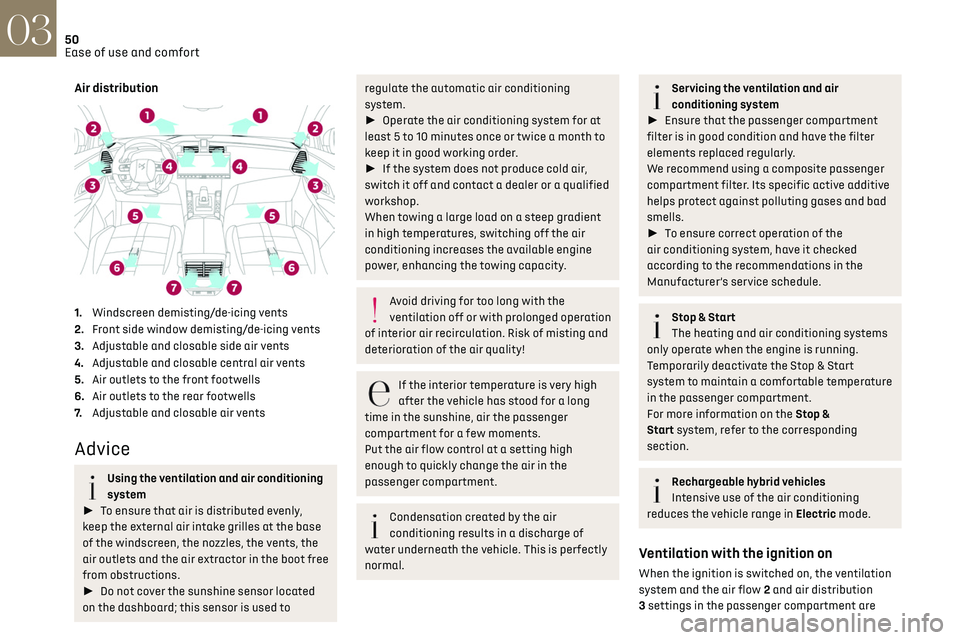
Air distribution
1.Windscreen demisting/de-icing vents
2. Front side window demisting/de-icing vents
3. Adjustable and closable side air vents
4. Adjustable and closable central air vents
5. Air outlets to the front footwells
6. Air outlets to the rear footwells
7. Adjustable and closable air vents
Advice
Using the ventilation and air conditioning
system
► To ensure that air is distributed evenly,
keep the external air intake grilles at the base
of the windscreen, the nozzles, the vents, the
air outlets and the air extractor in the boot free
from obstructions.
► Do not cover the sunshine sensor located
on the dashboard; this sensor is used to
regulate the automatic air conditioning
system.
► Operate the air conditioning system for at
least 5 to 10 minutes once or twice a month to
keep it in good working order.
► If the system does not produce cold air,
switch it off and contact a dealer or a qualified
workshop.
When towing a large load on a steep gradient
in high temperatures, switching off the air
conditioning increases the available engine
power, enhancing the towing capacity.
Avoid driving for too long with the
ventilation off or with prolonged operation
of interior air recirculation. Risk of misting and
deterioration of the air quality!
If the interior temperature is very high
after the vehicle has stood for a long
time in the sunshine, air the passenger
compartment for a few moments.
Put the air flow control at a setting high
enough to quickly change the air in the
passenger compartment.
Condensation created by the air
conditioning results in a discharge of
water underneath the vehicle. This is perfectly
normal.
Servicing the ventilation and air
conditioning system
► Ensure that the passenger compartment
filter is in good condition and have the filter
elements replaced regularly.
We recommend using a composite passenger
compartment filter. Its specific active additive
helps protect against polluting gases and bad
smells.
► To ensure correct operation of the
air conditioning system, have it checked
according to the recommendations in the
Manufacturer’s service schedule.
Stop & Start
The heating and air conditioning systems
only operate when the engine is running.
Temporarily deactivate the Stop & Start
system to maintain a comfortable temperature
in the passenger compartment.
For more information on the Stop &
Start system, refer to the corresponding
section.
Rechargeable hybrid vehicles
Intensive use of the air conditioning
reduces the vehicle range in Electric mode.
Ventilation with the ignition on
When the ignition is switched on, the ventilation
system and the air flow 2 and air distribution
3 settings in the passenger compartment are
Page 54 of 244
52
Ease of use and comfort03
limit the delivery of cold air into the passenger
compartment.
On entering the vehicle, if the interior
temperature is much colder or warmer than
the comfort setting requested, there is no need
to alter the value displayed to more quickly
reach the required level of comfort. The system
automatically corrects the temperature
difference as quickly as possible.
Automatic air conditioning
manual settings
It is possible to manually adjust one or more
of these functions, while the system retains
automatic control of the other functions:
–
air flo
w.
–
air distribution
.
The indicator lamp in the "AUTO” button goes out
if a setting is changed.
► Press button 5-AUTO again to reactivate
automatic air conditioning.
Adjusting the air flow
► Press one of the buttons 2 (fan) or drag
horizontally to increase or decrease air flow.
It is also possible to directly press one of the
values.
Switching off the air conditioning system
When the air flow is reduced to a
minimum, ventilation stops.
“OFF" is displayed alongside the fan.
Adjusting the air distribution
► Press the buttons 3 to adjust the air flow
distribution inside the passenger compartment.
Windscreen and side windows
Central and side air vents
Footwells
A symbol is activated to display the presence of
blown air in the direction indicated.
It is possible to activate all three buttons
simultaneously, for uniform distribution
throughout the passenger compartment.
Clean Cabin function
It includes the AQS (Air Quality System) and Clean
Air functions.
► To activate/deactivate the function, press
button 7.
AQS function
Using an exterior pollution sensor, this function
automatically activates the recirculation of
interior air when a certain level of pollutants in
the exterior air is detected.
When the air quality returns to a satisfactory
level, recirculation of interior air is automatically
deactivated.
This function is not designed to detect unpleasant
odours. Recirculation is automatically activated when the
windscreen wash is used or when reverse gear is
engaged.
The function is inactive if the outside temperature
is below 5°C to prevent the risk of misting on the
windscreen and side windows.
Clean Air function
Using an interior pollution sensor, this function
detects fine particles (e.g. cigarette smoke,
mould, bacteria).
The management of the recirculation of interior
air makes it possible to return to a purified
passenger compartment in just a few minutes,
thanks to the passage of air through the high-
performance passenger compartment filter.
If the air quality appears to be reduced, contact a
dealer or a qualified workshop to change the high-
performance passenger compartment filter.
Air conditioning on/off
The air conditioning system is designed to
operate effectively in all seasons, with the
windows closed:
–
It lo
wers the temperature in summer.
–
It increase the effectiv
eness of the demisting,
in winter, above 3°C.
► Press button 4-A/C to switch the air
conditioning on/off.
When the function is switched on, "A/C " changes
colour.
Page 55 of 244

53
Ease of use and comfort03
Air conditioning does not operate when
the air flow is deactivated.
To obtain cool air more quickly, enable interior
air recirculation for a brief period. Then return
to the intake of exterior air.
Switching off the air conditioning may result in
some discomfort (humidity or misting).
"Rear" function
Activating the function switches on the blower in
the rear air vents.
► In the Climate touch screen
application, select the Rear tab.
► Press the line "Activate rear climate" to
activate/deactivate the function.
Remote settings controls
With the "Rear" function activated and the
remote settings controls unlocked, the rear
passengers can take control of the main air
conditioning system settings using the touch
control panel located at the rear of the centre
console. The settings displayed on the screen are
modified accordingly.
1. Adjusting the air flow
2. Automatic Comfort programme
3. Adjusting the temperature
Locking the remote settings controls
It is possible to prevent the rear passengers from
accessing these settings.
► In the Climate touch screen
application, select the Rear tab.
► Press the line "Lock rear climate controls" to
lock/unlock the remote settings controls.
A padlock appears on the rear air conditioning
screen.
Switching off the air
conditioning system
► Press button 12-OFF.
Its indicator lamp lights up and all the other
indicator lamps of the air conditioning system
go off.
This action deactivates all of the functions of the
air conditioning system.
The temperature is no longer regulated. A slight
flow of air can still be felt, due to the forward
movement of the vehicle.
Interior air recirculation
The intake of exterior air prevents the formation
of mist on the windscreen and side windows.
Recirculating the interior air isolates the
passenger compartment from outside odours
and fumes and allows the desired passenger
compartment temperature to be achieved more
rapidly.
► Press this button to activate/
deactivate the function (confirmed by the
illumination/extinction of the indicator lamp).
This function is activated automatically
when the front screenwash is used or
reverse gear is engaged.
Front
demisting/defrosting
This mode allows the windscreen and side
windows to be demisted or defrosted as quickly
as possible.
► Press this button to activate/
deactivate the mode (confirmed by the
illumination/extinction of the indicator lamp).
The mode automatically manages the air
conditioning, air flow, air intake and distributes
ventilation optimally to the windscreen and side
windows.
The air flow can be changed manually without
deactivating this mode.
With Stop & Start, when demisting has
been activated, STOP mode is not
available.
Page 59 of 244
57
Ease of use and comfort03
When the USB socket is used, the portable
device charges automatically.
While charging, a message is displayed if the
power drawn by the portable device exceeds
the current supplied by the vehicle.
For more information about how to use this
equipment, refer to the sections describing the
audio and telematics systems.
Storage compartment
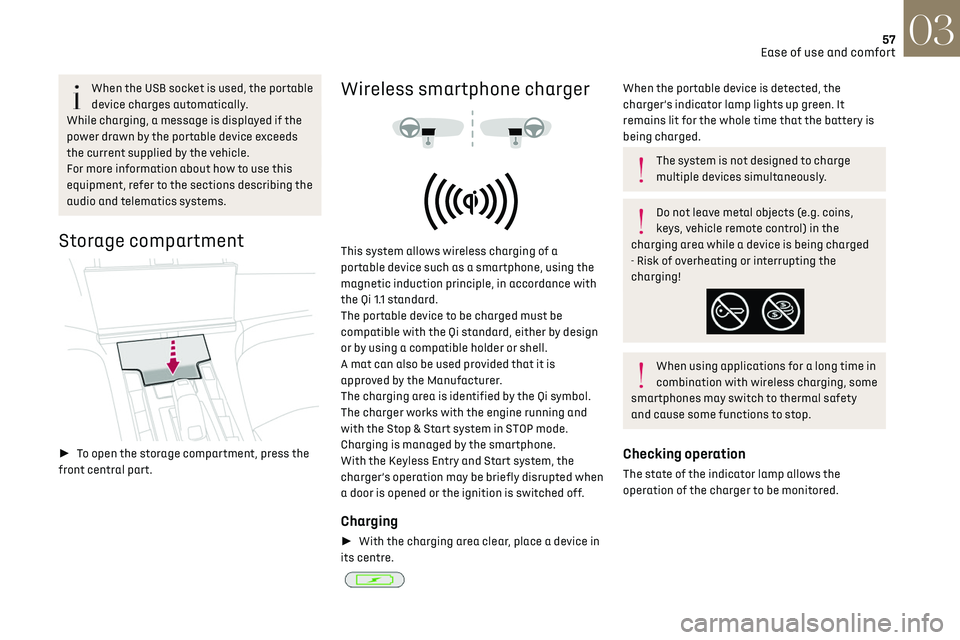
► To open the storage compartment, press the
front central part.
Wireless smartphone charger
This system allows wireless charging of a
portable device such as a smartphone, using the
magnetic induction principle, in accordance with
the Qi 1.1 standard.
The portable device to be charged must be
compatible with the Qi standard, either by design
or by using a compatible holder or shell.
A mat can also be used provided that it is
approved by the Manufacturer.
The charging area is identified by the Qi symbol.
The charger works with the engine running and
with the Stop & Start system in STOP mode.
Charging is managed by the smartphone.
With the Keyless Entry and Start system, the
charger’s operation may be briefly disrupted when
a door is opened or the ignition is switched off.
Charging
► With the charging area clear, place a device in
its centre.
When the portable device is detected, the
charger’s indicator lamp lights up green. It
remains lit for the whole time that the battery is
being charged.
The system is not designed to charge
multiple devices simultaneously.
Do not leave metal objects (e.g. coins,
keys, vehicle remote control) in the
charging area while a device is being charged
- Risk of overheating or interrupting the
charging!
When using applications for a long time in
combination with wireless charging, some
smartphones may switch to thermal safety
and cause some functions to stop.
Checking operation
The state of the indicator lamp allows the
operation of the charger to be monitored.
Page 64 of 244
62
Ease of use and comfort03
The connection of an electrical device not
approved by the Manufacturer, such as a
USB charger, may adversely affect the
operation of vehicle electrical systems,
causing faults such as poor radio reception or
interference with displays in the screens.
2-position boot floor
(Depending on version)
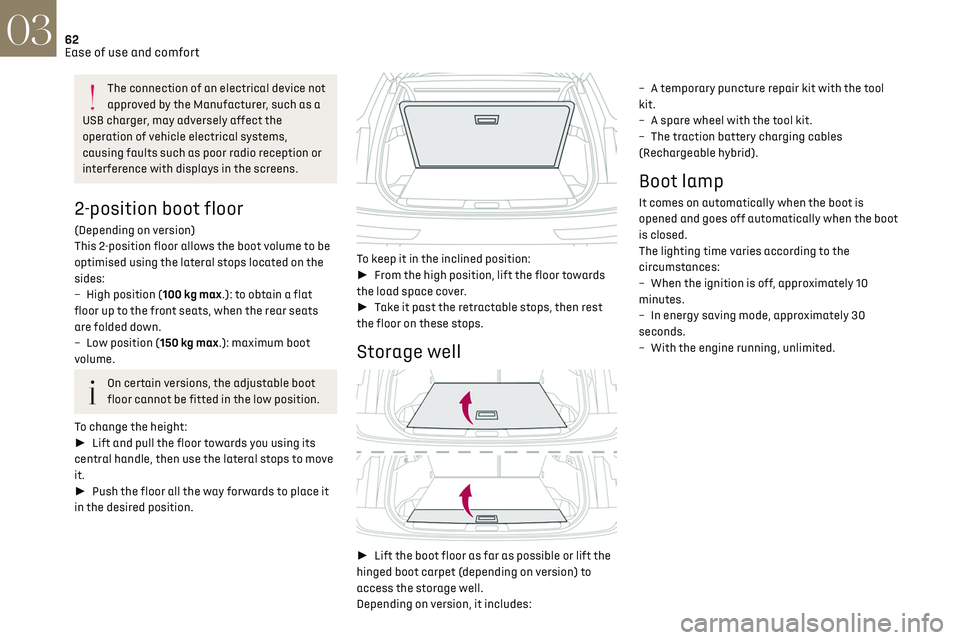
This 2-position floor allows the boot volume to be
optimised using the lateral stops located on the
sides:
–
High po
sition (100 kg max.): to obtain a flat
floor up to the front seats, when the rear seats
are folded down.
–
Lo
w position (150 kg max.): maximum boot
volume.
On certain versions, the adjustable boot
floor cannot be fitted in the low position.
To change the height:
► Lift and pull the floor towards you using its
central handle, then use the lateral stops to move
it.
► Push the floor all the way forwards to place it
in the desired position.
To keep it in the inclined position:
► From the high position, lift the floor towards
the load space cover.
► Take it past the retractable stops, then rest
the floor on these stops.
Storage well
► Lift the boot floor as far as possible or lift the
hinged boot carpet (depending on version) to
access the storage well.
Depending on version, it includes: –
A t
emporary puncture repair kit with the tool
kit.
–
A spare wheel with the t
ool kit.
–
The traction ba
ttery charging cables
(Rechargeable hybrid).
Boot lamp
It comes on automatically when the boot is
opened and goes off automatically when the boot
is closed.
The lighting time varies according to the
circumstances:
–
When the ignition is o
ff, approximately 10
minutes.
–
In energy sa
ving mode, approximately 30
seconds.
–
With the engine running, unlimit
ed.
Page 73 of 244

71
Lighting and visibility04
all dangers or, conversely, it may give false
warnings (e.g. engines of lorries parked by the
side of the road).
Conditions for operation
– With the engine running and in St op mode
of Stop & Start.
–
V
ery low light conditions with dipped beam
headlamps on and in good working order.
–
T
emperature between -30°C and +28°C.
–
Speed belo
w 99 mph (160 km/h).
–
Det
ection of animals taller than 0.50 m.
Activation/Deactivation
It is configured in the ADAS touch screen
application.
Operation
If the function is selected but the display
on the instrument panel and the alerts are
not available (in "Night Vision"mode), the
indicator lamp comes on in grey.
If all operating conditions are met, the
indicator lamp comes on in green: the
display on the instrument panel (with "Night
Vision" mode selected) and the triggering of
alerts are available.
If certain operating conditions (speed or
temperature) are not met, the indicator
lamp comes on in orange: only the display on the
instrument panel is available (in "Night Vision"
mode). Whilst the exterior light is too bright or the dipped
beam headlamps have not been switched on, the
alerts are not available.
The camera detection range is between 15 m (for
pedestrians) and 200 m, depending on visibility
conditions.
The image provided by the camera is displayed
in shades of grey in the instrument panel; warm
objects appear brighter than cold objects. If pedestrians or animals are detected, they
appear in yellow frames.
If the system detects a risk of
collision with pedestrians or
animals, it triggers an alert: a symbol appears in
the middle of the display window. The silhouette
of pedestrians or animals is framed in red.
If the "Night Vision" display mode has not been
selected, the alert is triggered in the form of a
temporary window.
In the event of an alert, the driver may act by
making an avoiding manoeuvre or by braking.
Operating limits
The following situations may interfere with
the operation of the system or prevent it from
working:
–
Poor visibility c
onditions (falling snow, heavy
rain, thick fog).
–
Camera mask
ed by snow, mud or dust.
–
Camera scra
tched after going through roller car
washes repeatedly.
–
V
ery high outside temperature.
–
A
t the top or bottom of a steep slope.
–
O
n a very winding road.
–
In a bend.
–
A
fter an impact which may have impaired the
camera settings or damaged it.
–
A
fter repainting of the grille outside of the
dealer network or a qualified workshop.
Page 81 of 244
79
Safety05
DS ASSISTANCE
► If the vehicle breaks down, press button 2
for more than 2 seconds to request assistance
(confirmed by a voice message*).
► Pressing again immediately cancels the
request.
Privacy mode allows you to manage the
level of sharing (data and/or location)
between your vehicle and DS AUTOMOBILES.
It can be configured in the Settings touch
screen application.
If you purchased your vehicle outside the
dealer network, you are invited to have a
dealer check the configuration of these
services and, if desired, modify it as required.
In a multilingual country, services can be
configured to use the official national
language of your choice.
For technical reasons and in particular to
improve the quality of telematics services
provided to customers, the Manufacturer
reserves the right to carry out updates to the
vehicle's on-board telematics system at any
time.
* Depending on the geographic c overage of the "eCall (SOS)" and "DS ASSISTANCE" systems and the official national language chosen by the owner of the
vehicle.
The list of countries covered and the telematic services provided is available from dealers or on the website for your country.
During an update to the vehicle's on-board
telematics system, the DS ASSISTANCE
system will be unavailable.
If you benefit from the DS CONNECT BOX
offer with the SOS and Assistance Pack
included, there are additional services
available to you in your personal space, via the
website for your country.
For information about the SOS and Assistance
Pack, please refer to the general conditions for
these services.
Electronic stability control
(ESC)
The electronic stability control programme
includes the following systems:
–
An
ti-lock braking system (ABS) and Electronic
brake force distribution (EBFD).
–
Emergenc
y braking assistance (EBA).
–
An
ti-slip regulation (ASR).
–
Dynamic st
ability control (DSC).
–
Trailer st
ability assist (TSA).
Anti-lock braking system
(ABS)/Electronic brake force
distribution (EBFD)
These systems enhance the vehicle’s stability
and handling during braking, and enable greater
control while cornering, particularly on poor or
slippery road surfaces.
ABS prevents wheel locking in the event of
emergency braking.
Electronic brake force distribution (EBFD)
manages overall braking pressure on each
individual wheel.
► When braking in an emergency, depress the
pedal very firmly and maintain this pressure.
Normal operation of the ABS may make
itself felt by slight vibrations of the brake
pedal.
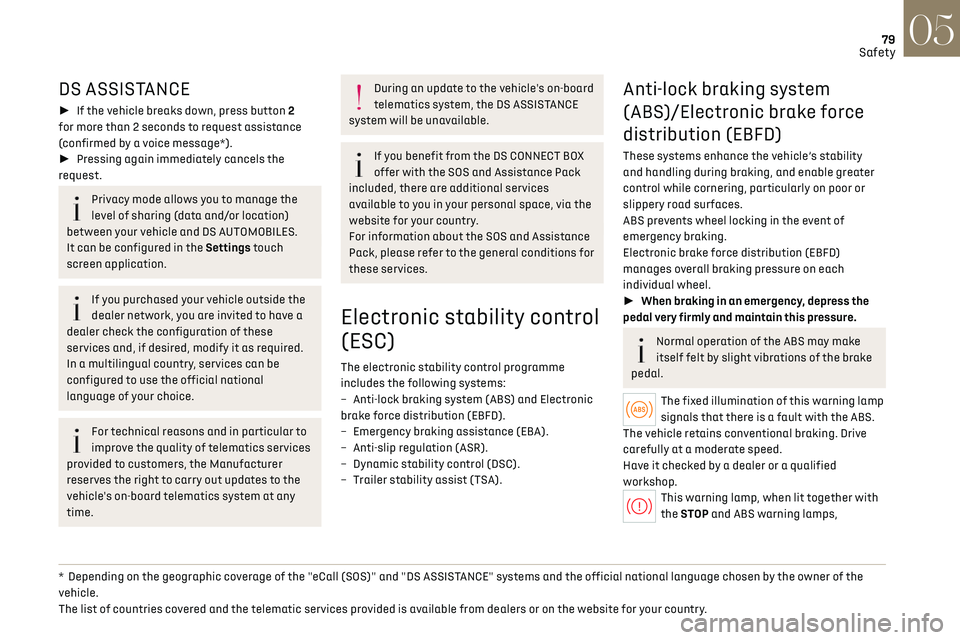
The fixed illumination of this warning lamp
signals that there is a fault with the ABS.
The vehicle retains conventional braking. Drive
carefully at a moderate speed.
Have it checked by a dealer or a qualified
workshop.
This warning lamp, when lit together with
the STOP and ABS warning lamps,
Page 82 of 244
80
Safety05
accompanied by a message and an audible signal,
indicates an EBFD malfunction.
You must stop the vehicle.
Stop as soon as it is safe to do so and switch off
the ignition.
Contact a dealer or a qualified workshop.
When changing wheels (tyres and rims),
ensure that these are approved for your
vehicle.
After an impact
Have it checked by a dealer or a qualified
workshop.
Emergency braking assistance
(EBA)
This system reduces the emergency stopping
distance, by optimising the braking pressure.
It is triggered in relation to the speed at which
the brake pedal is depressed. The effect of this is
a reduction in the resistance of the pedal and an
increase in braking efficiency.
Anti-slip regulation (ASR) /
Dynamic stability control (DSC)
Anti-slip regulation (or traction control) optimises
traction by using engine braking and by applying
the brakes on the driving wheels to avoid one
or more wheels spinning. It also enhances the
vehicle's directional stability.
If there is a difference between the vehicle’s
trajectory and the path desired by the driver, the
dynamic stability control system automatically
uses engine braking and the brakes on one or
more wheels to return the vehicle to the desired
path, within the limits of the laws of physics.
These systems are activated automatically every
time the vehicle is started.
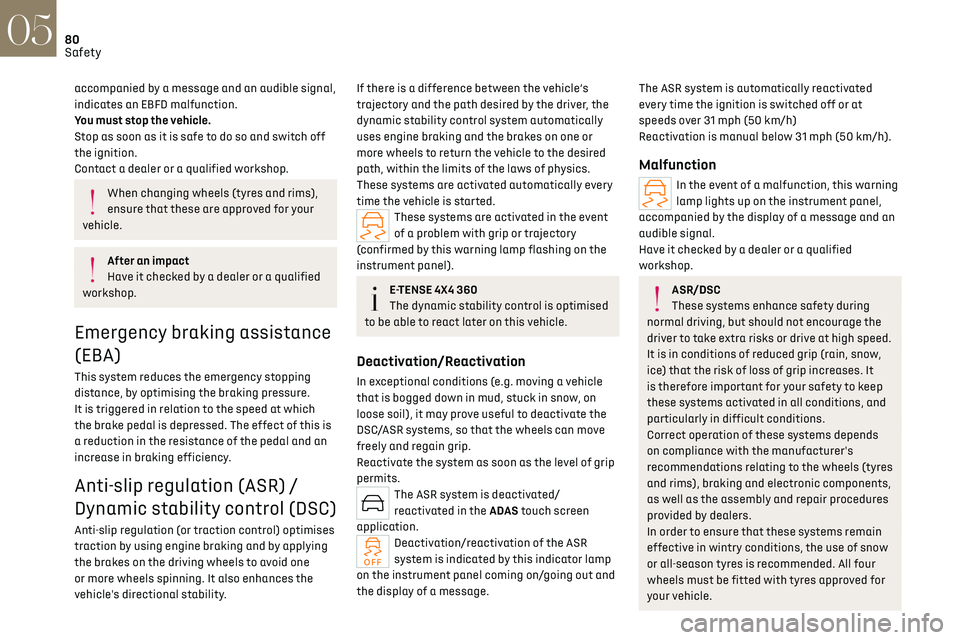
These systems are activated in the event
of a problem with grip or trajectory
(confirmed by this warning lamp flashing on the
instrument panel).
E-TENSE 4X4 360
The dynamic stability control is optimised
to be able to react later on this vehicle.
Deactivation/Reactivation
In exceptional conditions (e.g. moving a vehicle
that is bogged down in mud, stuck in snow, on
loose soil), it may prove useful to deactivate the
DSC/ASR systems, so that the wheels can move
freely and regain grip.
Reactivate the system as soon as the level of grip
permits.
The ASR system is deactivated/
reactivated in the ADAS touch screen
application.
Deactivation/reactivation of the ASR
system is indicated by this indicator lamp
on the instrument panel coming on/going out and
the display of a message.
The ASR system is automatically reactivated
every time the ignition is switched off or at
speeds over 31 mph (50 km/h)
Reactivation is manual below 31 mph (50 km/h).
Malfunction
In the event of a malfunction, this warning
lamp lights up on the instrument panel,
accompanied by the display of a message and an
audible signal.
Have it checked by a dealer or a qualified
workshop.
ASR/DSC
These systems enhance safety during
normal driving, but should not encourage the
driver to take extra risks or drive at high speed.
It is in conditions of reduced grip (rain, snow,
ice) that the risk of loss of grip increases. It
is therefore important for your safety to keep
these systems activated in all conditions, and
particularly in difficult conditions.
Correct operation of these systems depends
on compliance with the manufacturer's
recommendations relating to the wheels (tyres
and rims), braking and electronic components,
as well as the assembly and repair procedures
provided by dealers.
In order to ensure that these systems remain
effective in wintry conditions, the use of snow
or all-season tyres is recommended. All four
wheels must be fitted with tyres approved for
your vehicle.
Page 98 of 244
96Driving06
Driving recommendations
► Observe the driving regulations and remain
vigilant whatever the traffic conditions.
► Monitor your environment and keep your
hands on the wheel to be able to react to anything
that may happen any time.
► Drive smoothly, anticipate the need for braking
and maintain a longer safety distance, especially
in bad weather.
► Stop the vehicle before performing operations
that require sustained attention (e.g. settings).
► During long trips, take a break every 2 hours.
Important!
Never leave the engine running in a closed
space without sufficient ventilation.
Internal combustion engines emit toxic
exhaust gases such as carbon monoxide.
Danger of poisoning and death!
In very severe wintry conditions
(temperature below -23°C), let the engine
run for 4 minutes before moving off, to ensure
the correct operation and durability of the
mechanical components of your vehicle
(engine and gearbox).
Never drive with the parking brake
applied. Risk of overheating and
damaging the braking system!
Never park the vehicle and never leave the
engine running on a flammable surface
(e.g. dry grass, dead leaves).The vehicle
exhaust system is very hot, even several
minutes after the engine stops. Risk of fire!
Never drive on surfaces covered with
vegetation (e.g. tall grass, accumulated
dead leaves, crops, debris) such as a field, a
country lane overgrown with bushes or a
grassy verge.
This vegetation could come into contact with
the vehicle's exhaust system or other systems
which are very hot. Risk of fire!
Make sure you do not leave any item in the
passenger compartment which could act
like a magnifying glass under the effect of the
sun's rays and cause a fire. Risk of fire or
damage to interior surfaces!
Never leave the vehicle unattended, with
the engine running. If you have to leave
your vehicle with the engine running, apply the
parking brake and put the automatic gearbox
into position N or P.
Never leave children inside the vehicle
unsupervised.
E-TENSE 4X4 360
Repeated hard braking in this vehicle
can generate loud banging noises which are
completely normal.
Continue driving but with lighter braking so
that the braking system can cool down.
The performance of the braking system
remains unaffected.
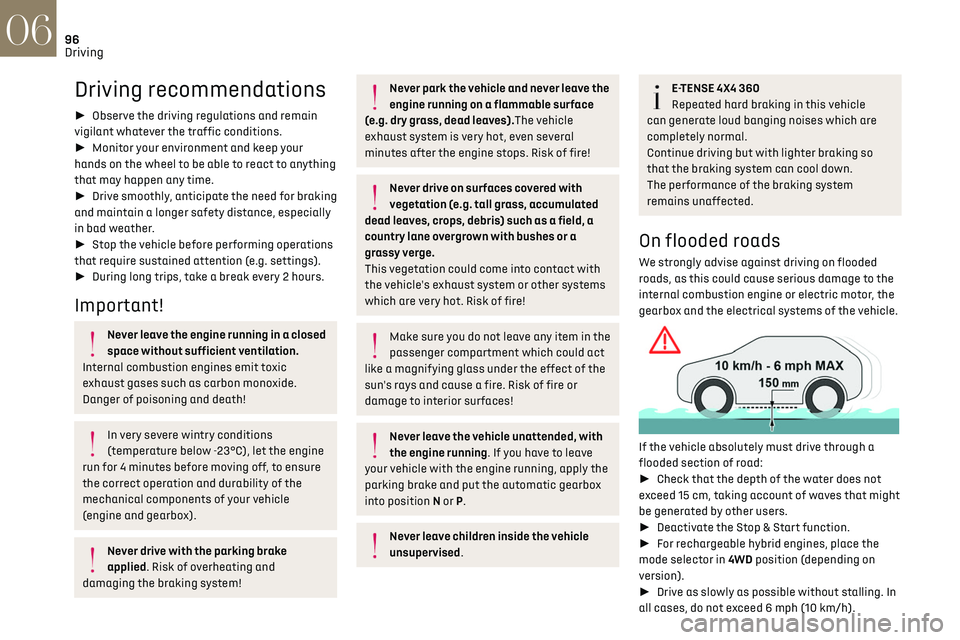
On flooded roads
We strongly advise against driving on flooded
roads, as this could cause serious damage to the
internal combustion engine or electric motor, the
gearbox and the electrical systems of the vehicle.
If the vehicle absolutely must drive through a
flooded section of road:
► Check that the depth of the water does not
exceed 15 cm, taking account of waves that might
be generated by other users.
► Deactivate the Stop & Start function.
► For rechargeable hybrid engines, place the
mode selector in 4WD position (depending on
version).
► Drive as slowly as possible without stalling. In
all cases, do not exceed 6 mph (10 km/h).
Page 99 of 244
97Driving06
► Do not stop and do not switch off the engine.
On leaving the flooded road, as soon as safety
conditions allow, make several light brake
applications to dry the brake discs and pads.
If in doubt about the state of your vehicle, contact
a dealer or a qualified workshop.
Towing
Driving with a trailer places greater
demands on the towing vehicle and
particular care must be taken.
Do not exceed the maximum towable
weights.
At altitude: reduce the maximum load by 10%
per 1,000 metres of altitude; the lower air
density at high altitudes decreases engine
performance.
New vehicle: do not tow a trailer until the
vehicle has driven at least 620 miles
(1,000 kilometres).
If the outside temperature is high, let the
engine idle for 1 to 2 minutes after the
vehicle comes to a stop, to help it to cool.
Before setting off
Nose weight
► Distribute the load in the trailer so that the
heaviest items are as close as possible to the axle
and the nose weight (at the point where it joins
your vehicle) approaches the maximum permitted
without exceeding it.
Tyres
► Check the tyre pressures of the towing vehicle
and of the trailer, observing the recommended
pressures.
Lighting
► Check the electrical signalling on the trailer
and the headlamp beam height of your vehicle.
If a genuine towing device is used, the
rear parking sensors will be deactivated
automatically to avoid the audible signal.
When driving
Cooling
Towing a trailer uphill causes the coolant
temperature to increase. The maximum towable
load depends on the gradient and the exterior
temperature. The fan’s cooling capacity does not
increase with engine speed.
► Reduce speed and lower the engine speed to
limit the amount of heating produced.
► Pay constant attention to the coolant
temperature.
If this warning lamp and the STOP
warning lamp come on, stop the
vehicle and switch off the engine as soon as
possible.
Brakes
Using the engine brake is recommended to limit
the overheating of the brakes. Braking distances
are increased when towing a trailer.
Side wind
Bear in mind that the vehicle will be more
susceptible to wind when towing.
Anti-theft protection
Electronic immobiliser
The keys contain a code, which must be
recognised by the vehicle before starting is
possible.
If the system malfunctions, indicated by the
display of a message, the engine will not start.
Contact a dealer.
Starting/switching off the
engine
The electronic key must be present in the
passenger compartment.
If the electronic key is not detected, a message
is displayed.