ECU CITROEN E-MEHARI 2023 User Guide
[x] Cancel search | Manufacturer: CITROEN, Model Year: 2023, Model line: E-MEHARI, Model: CITROEN E-MEHARI 2023Pages: 84, PDF Size: 3.48 MB
Page 52 of 84
50
Driving recommendations
Observe the driving regulations and remain
vigilant whatever the traffic conditions.
Pay close attention to the traffic and keep your
hands on the wheel so that you are ready to
react at any time to any eventuality.
As a safety measure, the driver must only carry
out any operations that require close attention
when the vehicle is stationary.
On a
long journey, a break every two hours is
strongly recommended.
In bad weather, drive smoothly, anticipate the
need to brake and increase the distance from
other vehicles.
Important!
Never drive with the parking brake applied
– Risk of overheating and damage to the
braking system!
Never leave a
vehicle unsuper vised with
the motor running. If you have to leave
your vehicle with the motor running,
apply the parking brake and put the drive
selector into position N or P .
Driving on flooded roads
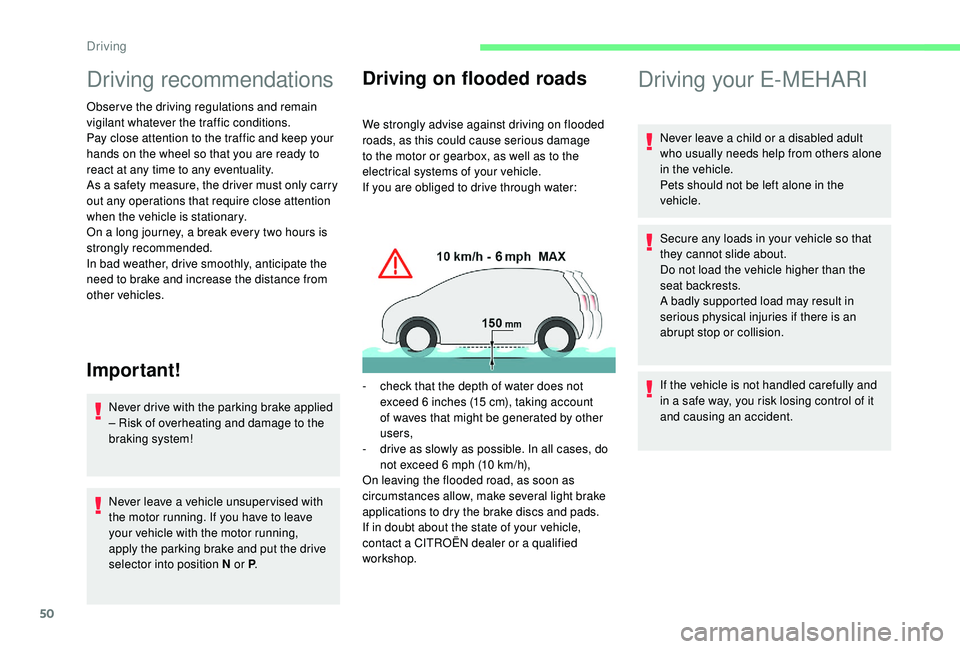
We strongly advise against driving on flooded
roads, as this could cause serious damage
to the motor or gearbox, as well as to the
electrical systems of your vehicle.
If you are obliged to drive through water:
-
c
heck that the depth of water does not
exceed 6
inches (15 cm), taking account
of waves that might be generated by other
users,
-
d
rive as slowly as possible. In all cases, do
not exceed 6
mph (10 km/h),
On leaving the flooded road, as soon as
circumstances allow, make several light brake
applications to dry the brake discs and pads.
If in doubt about the state of your vehicle,
contact a
CITROËN dealer or a qualified
workshop.
Driving your E-MEHARI
Never leave a child or a disabled adult
w ho usually needs help from others alone
in the vehicle.
Pets should not be left alone in the
vehicle.
Secure any loads in your vehicle so that
they cannot slide about.
Do not load the vehicle higher than the
seat backrests.
A badly supported load may result in
serious physical injuries if there is an
abrupt stop or collision.
If the vehicle is not handled carefully and
in a
safe way, you risk losing control of it
and causing an accident.
Driving
Page 54 of 84
52
Starting the vehicle
To start your E-MEHARI, you should:
1.Unlock your E-MEHARI using your
personal RFID key ring.
2. Insert the key in the starting switch then
turn it to the MAR position. The welcome
screen appears.
3. When you are invited to do so, turn
the key to the AV V position, holding it
until you hear an audible signal (beep).
Release the key, the switch automatically
returns to the MAR position. The
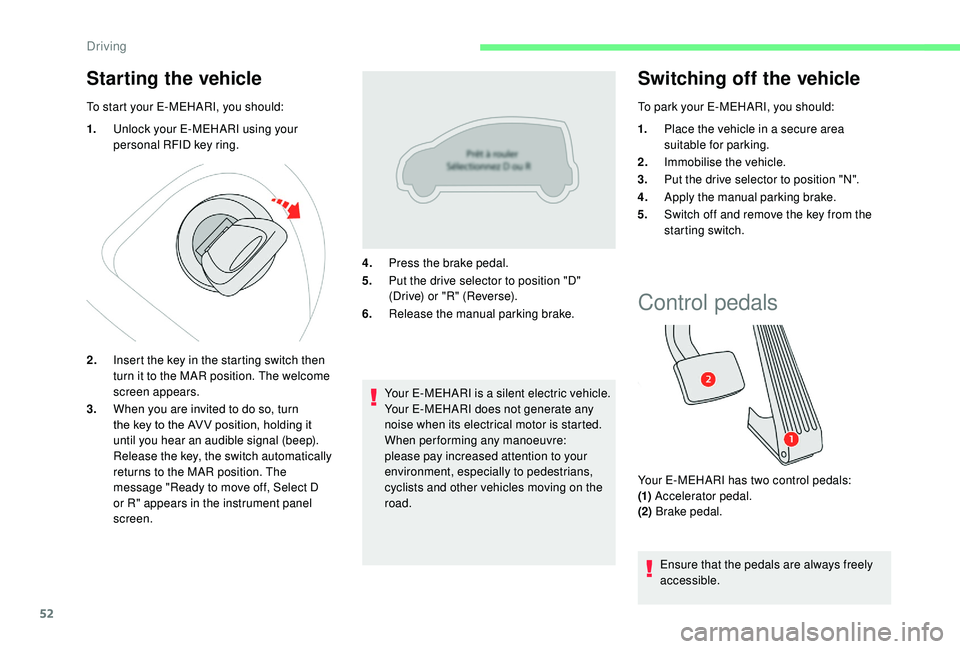
message "Ready to move off, Select D
or R" appears in the instrument panel
screen. 4.
Press the brake pedal.
5. Put the drive selector to position "D"
(Drive) or "R" (Reverse).
6. Release the manual parking brake.
Your E-MEHARI is a silent electric vehicle.
Your E-MEHARI does not generate any
noise when its electrical motor is started.
When performing any manoeuvre:
please pay increased attention to your
environment, especially to pedestrians,
cyclists and other vehicles moving on the
road.
Switching off the vehicle
To park your E-MEHARI, you should:
1. Place the vehicle in a
secure area
suitable for parking.
2. Immobilise the vehicle.
3. Put the drive selector to position "N".
4. Apply the manual parking brake.
5. Switch off and remove the key from the
starting switch.
Control pedals
Your E-MEHARI has two control pedals:
(1) Accelerator pedal.
(2) Brake pedal.
Ensure that the pedals are always freely
accessible.
Driving
Page 64 of 84
62
Stopping the charge
The charging nozzle will only disconnect if
your E-MEHARI is unlocked using the personal
RFID key ring.
1.Press the charging shut-off button in
the charging socket panel, wait until the
charging nozzle is unlocked then pull it
out. If you do not remove the charging
nozzle within the next 10
seconds, the
vehicle star ts charging again. You will
then have to star t the operation again.
2. Refit the protective cover on the charging
nozzle.
3. Disconnect the plug from the power point.
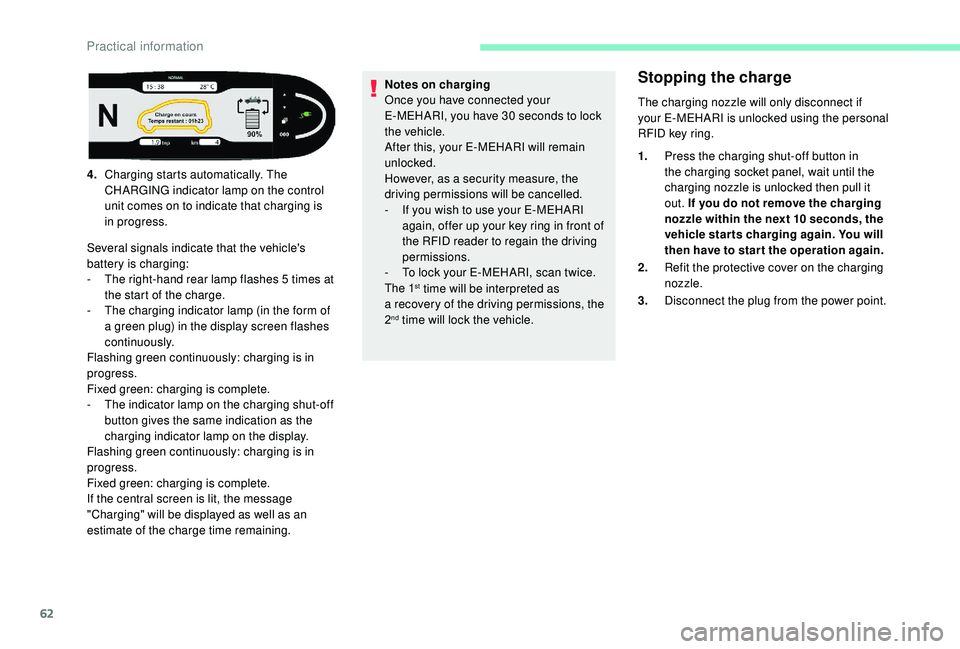
4.
Charging starts automatically. The
CHARGING indicator lamp on the control
unit comes on to indicate that charging is
in progress.
Several signals indicate that the vehicle's
battery is charging:
-
T
he right-hand rear lamp flashes 5
times at
the start of the charge.
-
T
he charging indicator lamp (in the form of
a
green plug) in the display screen flashes
continuously.
Flashing green continuously: charging is in
progress.
Fixed green: charging is complete.
-
T
he indicator lamp on the charging shut-off
button gives the same indication as the
charging indicator lamp on the display.
Flashing green continuously: charging is in
progress.
Fixed green: charging is complete.
If the central screen is lit, the message
"Charging" will be displayed as well as an
estimate of the charge time remaining. Notes on charging
Once you have connected your
E-MEHARI, you have 30
seconds to lock
the vehicle.
After this, your E-MEHARI will remain
unlocked.
However, as a
security measure, the
driving permissions will be cancelled.
-
I
f you wish to use your E-MEHARI
again, offer up your key ring in front of
the RFID reader to regain the driving
permissions.
-
T
o lock your E-MEHARI, scan twice.
The 1
st time will be interpreted as
a
recovery of the driving permissions, the
2
nd time will lock the vehicle.
Practical information
Page 66 of 84
64
Under the bonnet
The underbonnet of the vehicle is
a dangerous area that could cause
serious injuries.
Under the bonnet of your E-MEHARI there
are the vehicle's drive train and the reser voirs
containing the fluids needed for the correct
operation of your E-MEHARI (brake fluid,
coolant and screenwash fluid).
The drive train is directly powered by the
LMP
® battery fitted to your E-MEHARI.
Never try to do anything to the high
voltage components of your vehicle.
Incorrect handling of these components
could cause an electric shock and serious
or fatal injuries.
Always keep children well away from
the underbonnet and never leave them
unsupervised.
Opening the bonnet
Your E-MEHARI's bonnet is opened in two
steps:
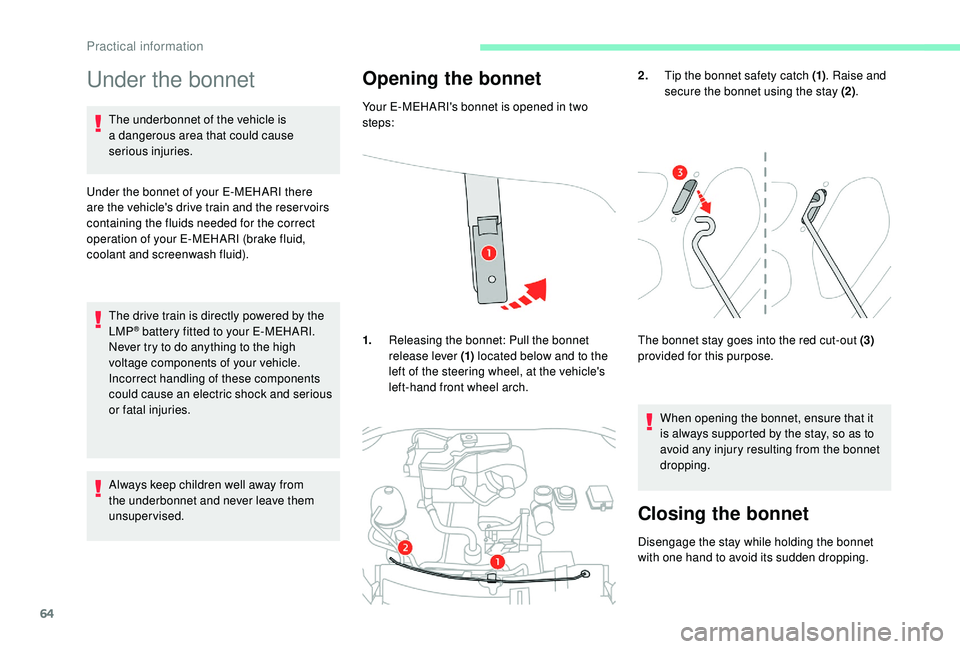
1. Releasing the bonnet: Pull the bonnet
release lever (1) located below and to the
left of the steering wheel, at the vehicle's
left-hand front wheel arch. 2.
Tip the bonnet safety catch (1) . Raise and
secure the bonnet using the stay (2) .
The bonnet stay goes into the red cut-out (3)
provided for this purpose.
When opening the bonnet, ensure that it
is always supported by the stay, so as to
avoid any injury resulting from the bonnet
dropping.
Closing the bonnet
Disengage the stay while holding the bonnet
with one hand to avoid its sudden dropping.
Practical information
Page 73 of 84
71
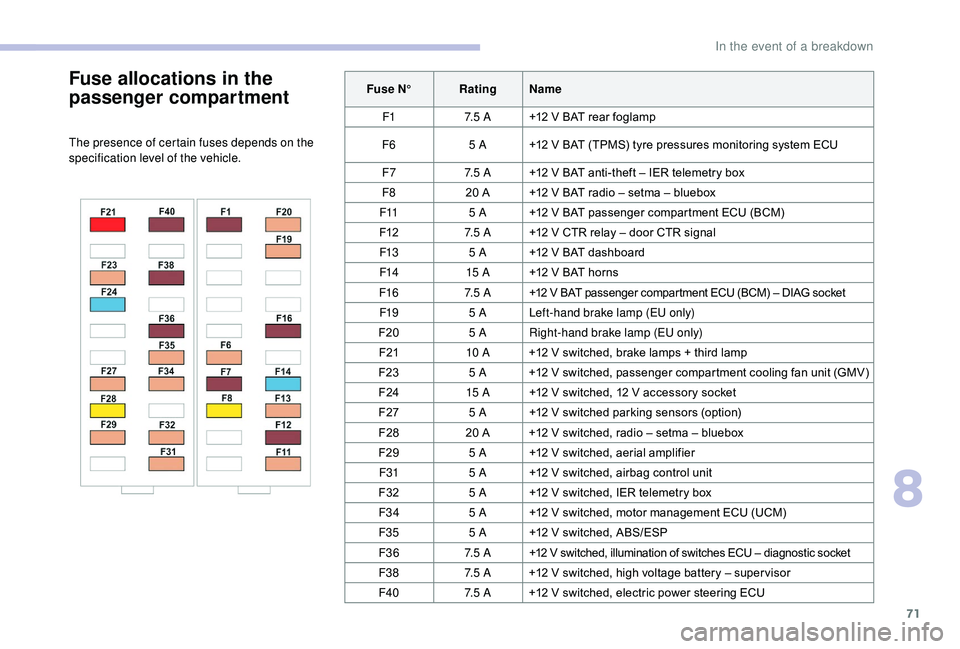
Fuse allocations in the
passenger compartment
The presence of certain fuses depends on the
specification level of the vehicle.Fuse N°
RatingName
F1 7. 5 A+12 V BAT rear foglamp
F6 5 A+12 V BAT (TPMS) tyre pressures monitoring system ECU
F7 7. 5 A+12 V BAT anti-theft – IER telemetry box
F8 20 A +12 V BAT radio – setma – bluebox
F11 5 A+12 V BAT passenger compartment ECU (BCM)
F12 7. 5 A+12 V CTR relay – door CTR signal
F13 5 A+12 V BAT dashboard
F14 15 A+12 V BAT horns
F16 7. 5 A+12 V BAT passenger compartment ECU (BCM) – DIAG socket
F19 5 ALeft-hand brake lamp (EU only)
F20 5 ARight-hand brake lamp (EU only)
F21 10 A+12 V switched, brake lamps + third lamp
F23 5 A+12 V switched, passenger compar tment cooling fan unit (GMV)
F24 15 A+12 V switched, 12 V accessory socket
F27 5 A+12 V switched parking sensors (option)
F28 20 A +12 V switched, radio – setma – bluebox
F29 5 A+12 V switched, aerial amplifier
F31 5 A+12 V switched, airbag control unit
F32 5 A+12 V switched, IER telemetry box
F34 5 A+12 V switched, motor management ECU (UCM)
F35 5 A+12 V switched, ABS/ESP
F36 7. 5 A+12 V switched, illumination of switches ECU – diagnostic socket
F38 7. 5 A+12 V switched, high voltage battery – super visor
F40 7. 5 A+12 V switched, electric power steering ECU
8
In the event of a breakdown