instrument panel CITROEN JUMPER 2011 User Guide
[x] Cancel search | Manufacturer: CITROEN, Model Year: 2011, Model line: JUMPER, Model: CITROEN JUMPER 2011Pages: 184, PDF Size: 4.98 MB
Page 46 of 184
44
Steering mounted controls
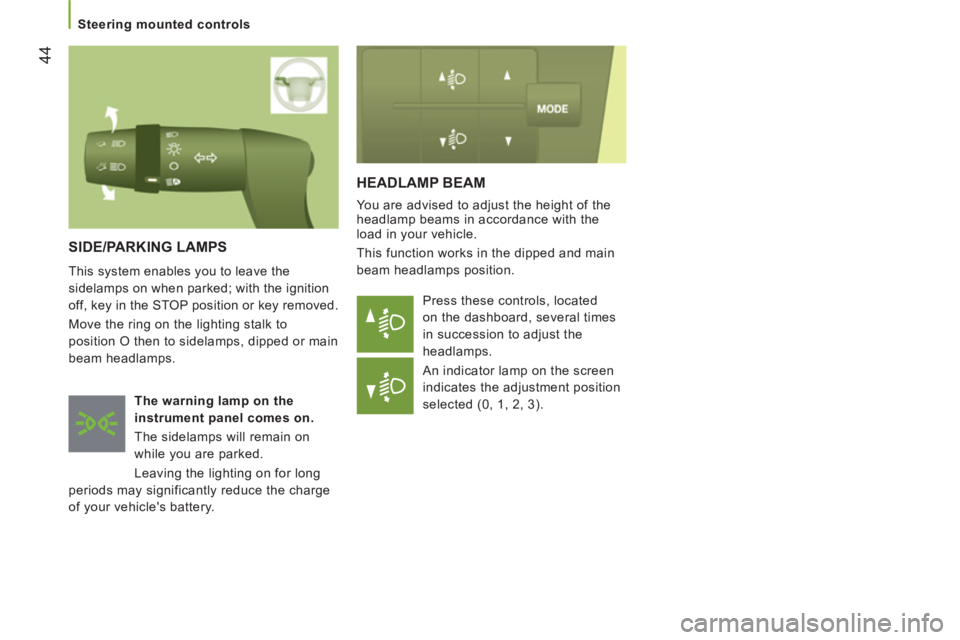
HEADLAMP BEAM
You are advised to adjust the height of the
headlamp beams in accordance with the
load in your vehicle.
This function works in the dipped and main
beam headlamps position.
Press these controls, located
on the dashboard, several times
in succession to adjust the
headlamps.
An indicator lamp on the screen
indicates the adjustment position
selected (0, 1, 2, 3).
SIDE/PARKING LAMPS
This system enables you to leave the
sidelamps on when parked; with the ignition
off, key in the STOP position or key removed.
Move the ring on the lighting stalk to
position O then to sidelamps, dipped or main
beam headlamps.
The warning
lamp
on the
instrument panel comes on.
The sidelamps will remain on
while you are parked.
Leaving the lighting on for long
periods may significantly reduce the charge
of your vehicle's battery.
Page 48 of 184
46
Steering mounted controls
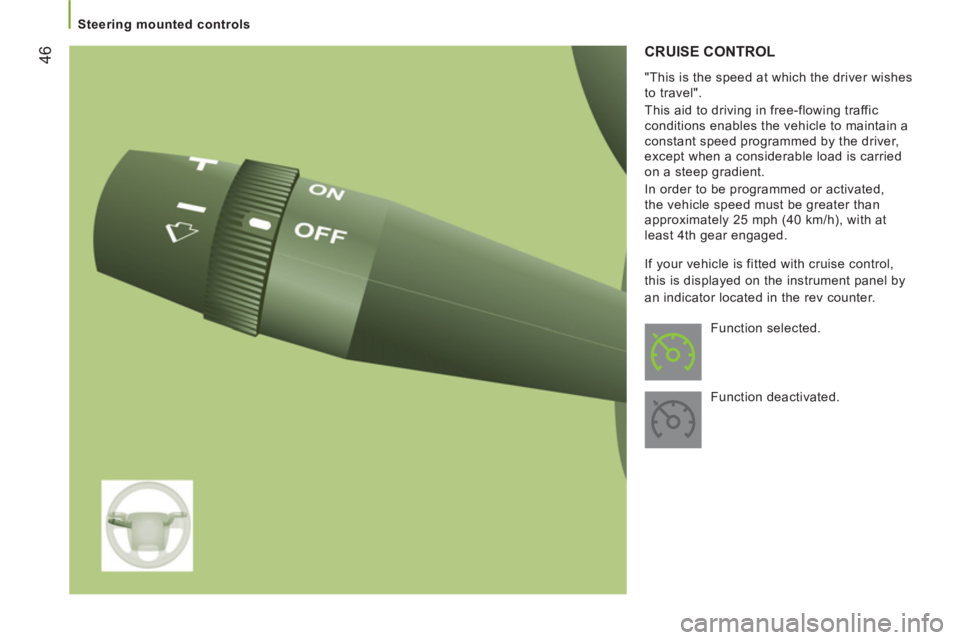
CRUISE CONTROL
"This is the speed at which the driver wishes
to travel".
This aid to driving in free-flowing traffic
conditions enables the vehicle to maintain a
constant speed programmed by the driver,
except when a considerable load is carried
on a steep gradient.
In order to be programmed or activated,
the vehicle speed must be greater than
approximately 25 mph (40 km/h), with at
least 4th gear engaged.
Function selected.
Function deactivated. If your vehicle is fitted with cruise control,
this is displayed on the instrument panel by
an indicator located in the rev counter.
Page 77 of 184

miles
75
4
TECHNOLOGY ON BOAR
D
Mode
MODE
Confi
guration - Personalisation
If your vehicle is fitted with the control
panel located to the right of the steering
wheel, this provides access to menus which
permit the personalisation of some of your
equipment.
Seven languages are offered: Italian,
English, German, French, Spanish,
Portuguese, Dutch.
As a safety precaution, some menus can
only be accessed when the ignition is off.
Instrument panel screen 1
If your vehicle is fi tted with this screen, you have
access to the menus 1 (Speed), 4 (Hour), 8 (Unit),
10 (Buzz), 13 (Bag P) and 14.
- scroll up through a menu,
- increase a value.
- scroll down through a menu,
- decrease a value.
Instrument panel screen 2
If your vehicle is fitted with this screen,
you have access to all of the menus.
This MODE button enables you to:
- access the menus and sub-menus,
- confirm your selections, within a
menu,
- exit from the menus.
A long press enables you to return to
the welcome screen.
This button enables you to:
This button enables you to:
Page 80 of 184
kmCITY
Parking sensors
78
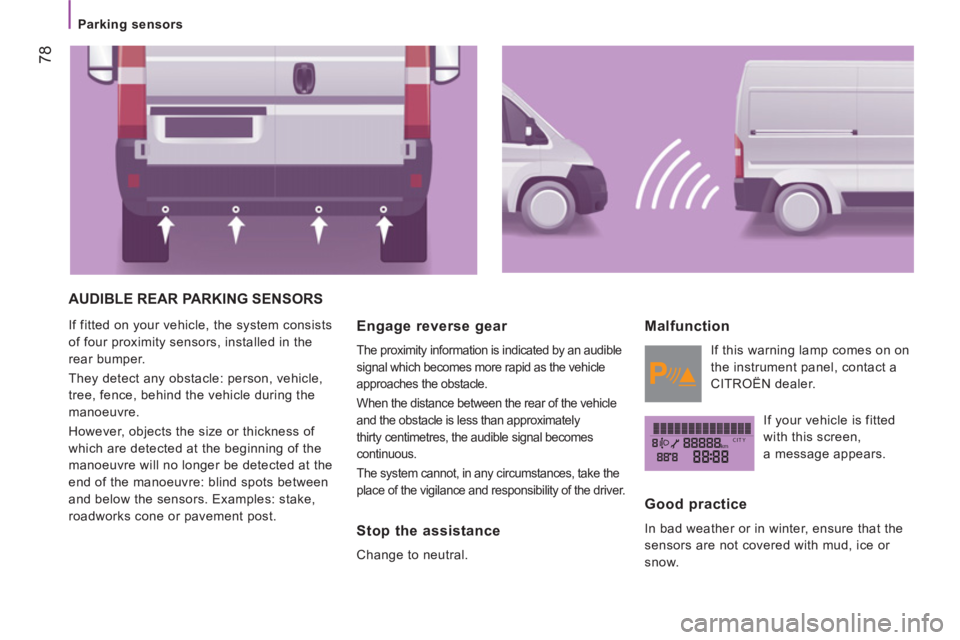
AUDIBLE REAR PARKING SENSORS
If fitted on your vehicle, the system consists
of four proximity sensors, installed in the
rear bumper.
They detect any obstacle: person, vehicle,
tree, fence, behind the vehicle during the
manoeuvre.
However, objects the size or thickness of
which are detected at the beginning of the
manoeuvre will no longer be detected at the
end of the manoeuvre: blind spots between
and below the sensors. Examples: stake,
roadworks cone or pavement post. Engage reverse gear
The proximity information is indicated by an audible
signal which becomes more rapid as the vehicle
approaches the obstacle.
When the distance between the rear of the vehicle
and the obstacle is less than approximately
thirty centimetres, the audible signal becomes
continuous.
The system cannot, in any circumstances, take the
place of the vigilance and responsibility of the driver.
Stop the assistance
Change to neutral.
Malfunction
If this warning lamp comes on on
the instrument panel, contact a
CITROËN dealer.
If your vehicle is fitted
with this screen,
a message appears.
Good practice
In bad weather or in winter, ensure that the
sensors are not covered with mud, ice or
snow.
Page 83 of 184
81
4
TECHNOLOGY ON BOAR
D
Pneumatic suspension
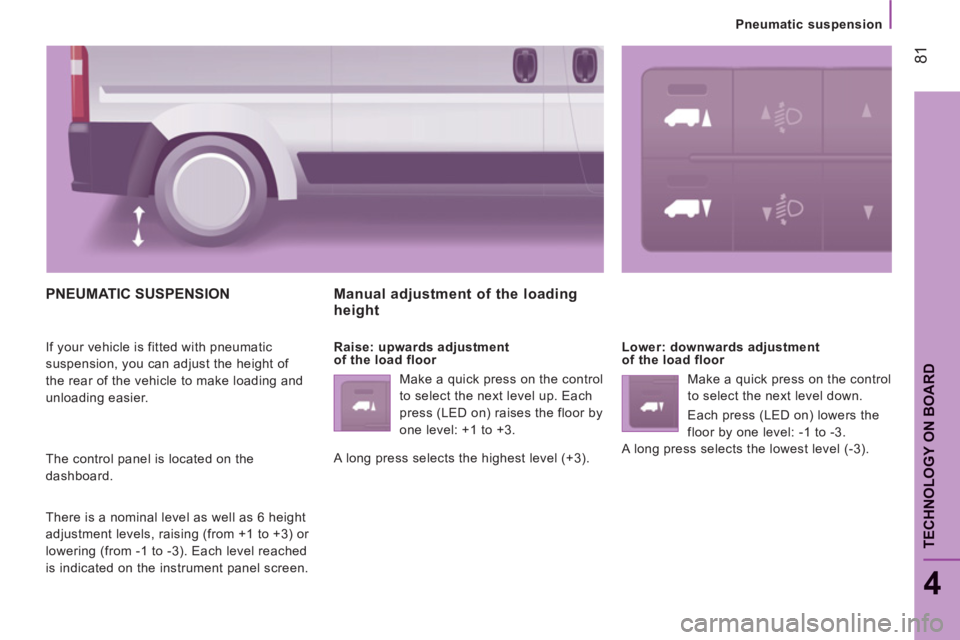
PNEUMATIC SUSPENSION
If your vehicle is fitted with pneumatic
suspension, you can adjust the height of
the rear of the vehicle to make loading and
unloading easier.
The control panel is located on the
dashboard.
There is a nominal level as well as 6 height
adjustment levels, raising (from +1 to +3) or
lowering (from -1 to -3). Each level reached
is indicated on the instrument panel screen.
Manual adjustment of the loadingheight
Raise: upwards adjustment
of the load floor
Make a quick press on the control
to select the next level up. Each
press (LED on) raises the floor by
one level: +1 to +3.
A long press selects the highest level (+3).
Lower: downwards adjustment
of the load floor
Make a quick press on the control
to select the next level down.
Each press (LED on) lowers the
floor by one level: -1 to -3.
A long press selects the lowest level (-3).
Page 95 of 184
93
TECHNOLOGY ON BOAR
D
Bluetooth hands-free system
4
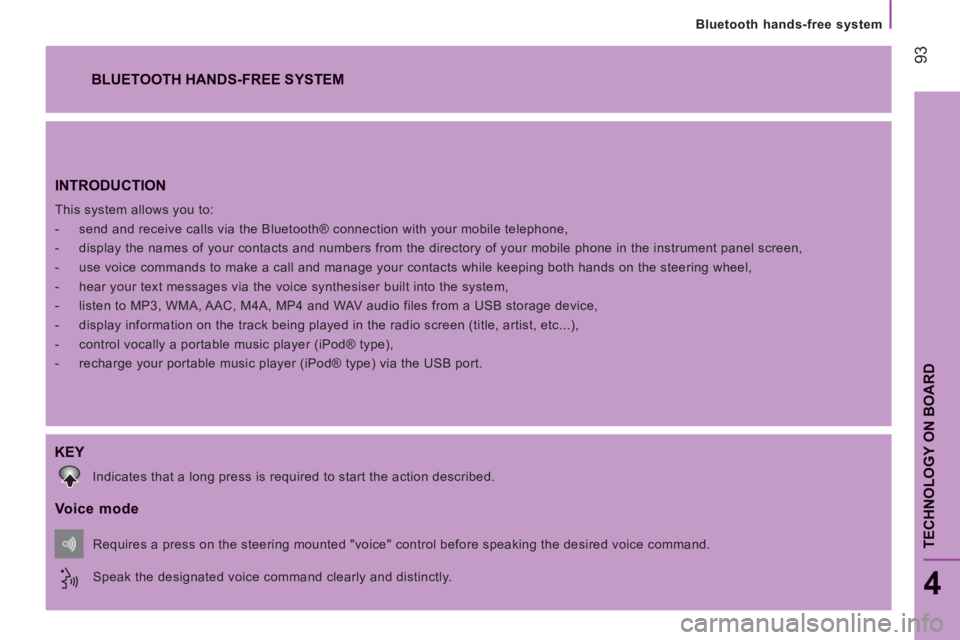
INTRODUCTION
This system allows you to:
- send and receive calls via the Bluetooth® connection with your mobile telephone,
- display the names of your contacts and numbers from the directory of your mobile phone in the instrument panel screen,
- use voice commands to make a call and manage your contacts while keeping both hands on the steering wheel,
- hear your text messages via the voice synthesiser built into the system,
- listen to MP3, WMA, AAC, M4A, MP4 and WAV audio files from a USB storage device,
- display information on the track being played in the radio screen (title, artist, etc...),
- control vocally a portable music player (iPod® type),
- recharge your portable music player (iPod® type) via the USB port.
BLUETOOTH HANDS-FREE SYSTEM
KEY
Indicates that a long press is required to start the action described.
Voice mode
Speak the designated voice command clearly and distinctly. Requires a press on the steering mounted "voice" control before speaking the desired voice command.
Page 99 of 184
TECHNOLOGY ON BOAR
D
Bluetooth hands-free system
4
When prompted by the telephone, enter the
PIN displayed in the instrument panel.
If the pairing has been successful, the
system announces "Connecting".
The name of the telephone identified
appears in the instrument panel screen,
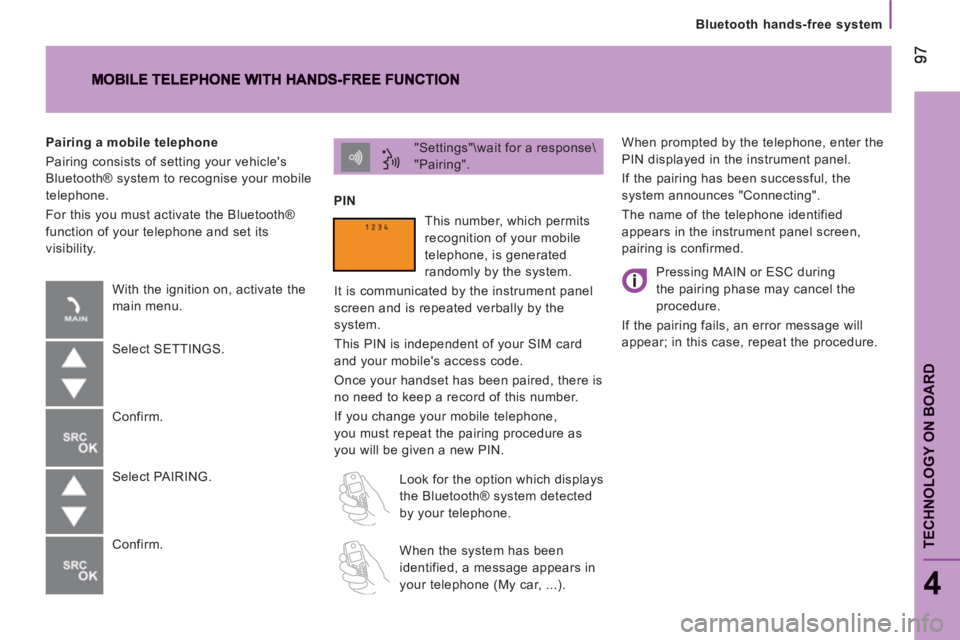
pairing is confirmed. "Settings"\wait for a response\
"Pairing".
PIN
Pairing a mobile telephone
Pairing consists of setting your vehicle's
Bluetooth® system to recognise your mobile
telephone.
For this you must activate the Bluetooth®
function of your telephone and set its
visibility.
With the ignition on, activate the
main menu.
Select SETTINGS.
Confirm.
Select PAIRING.
Confirm. This number, which permits
recognition of your mobile
telephone, is generated
randomly by the system.
It is communicated by the instrument panel
screen and is repeated verbally by the
system.
This PIN is independent of your SIM card
and your mobile's access code.
Once your handset has been paired, there is
no need to keep a record of this number.
If you change your mobile telephone,
you must repeat the pairing procedure as
you will be given a new PIN.
Look for the option which displays
the Bluetooth® system detected
by your telephone.
When the system has been
identified, a message appears in
your telephone (My car, ...).
Pressing MAIN or ESC during
the pairing phase may cancel the
procedure.
If the pairing fails, an error message will
appear; in this case, repeat the procedure.
Page 106 of 184
104
Bluetooth hands-free system
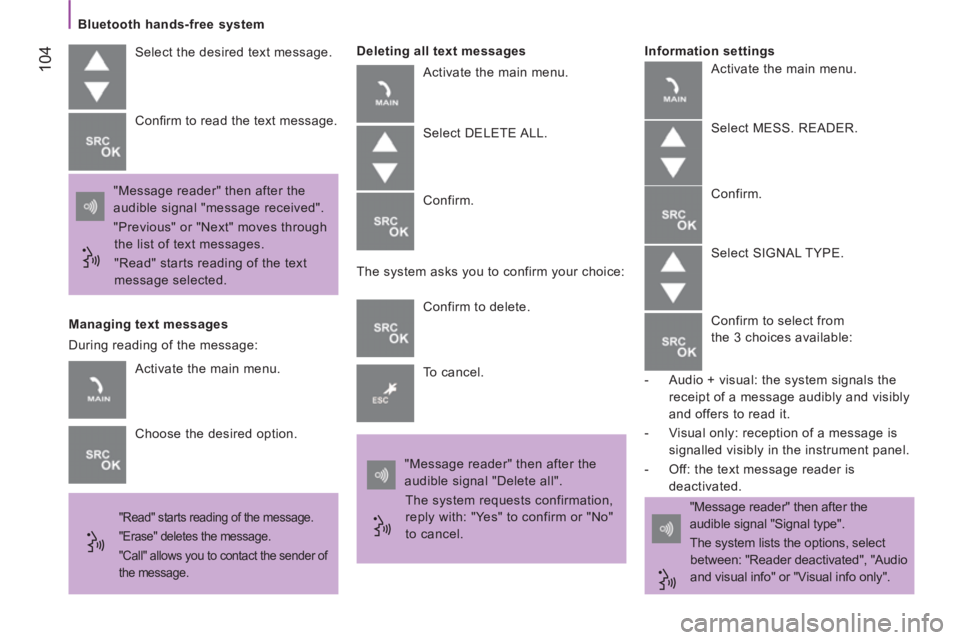
Select the desired text message.
"Message reader" then after the
audible signal "message received".
"Previous" or "Next" moves through
the list of text messages.
"Read" starts reading of the text
message selected. Confi rm to read the text message.
Managing text messages
"Read" starts reading of the message.
"Erase" deletes the message.
"Call" allows you to contact the sender of
the message.
Deleting all text messages
Activate the main menu.
Select DELETE ALL.
Confirm.
The system asks you to confirm your choice:
Confirm to delete.
To cancel.
"Message reader" then after the
audible signal "Delete all".
The system requests confirmation,
reply with: "Yes" to confirm or "No"
to cancel. "Message reader" then after the
audible signal "Signal type".
The system lists the options, select
between: "Reader deactivated", "Audio
and visual info" or "Visual info only".
Information settings
Activate the main menu.
Choose the desired option. During reading of the message: Activate the main menu.
Select MESS. READER.
Confirm.
Select SIGNAL TYPE.
Confirm to select from
the 3 choices available:
- Audio + visual: the system signals the
receipt of a message audibly and visibly
and offers to read it.
- Visual only: reception of a message is
signalled visibly in the instrument panel.
- Off: the text message reader is
deactivated.
Page 108 of 184

106
Bluetooth hands-free system
Level 1
Level 2
Level 3
Actions
Read messages/
Messages Type of info/Info
Activation of the MESS. READER menu.
Deactivation of the info settings function.
Deactivate reader/
Reader not active/
Reader off Deactivates the reading of text messages.
Visual and audible
info/Visual and
audible/Visual plus
audible/Audible Reception of a text message is signalled in the instrument panel
screen and by an audible signal.
Visual info only/
Only visual/
Visual Reception of a text message is signalled only in the instrument
panel screen.
Page 113 of 184
111
5
Driving safely
SAFETY
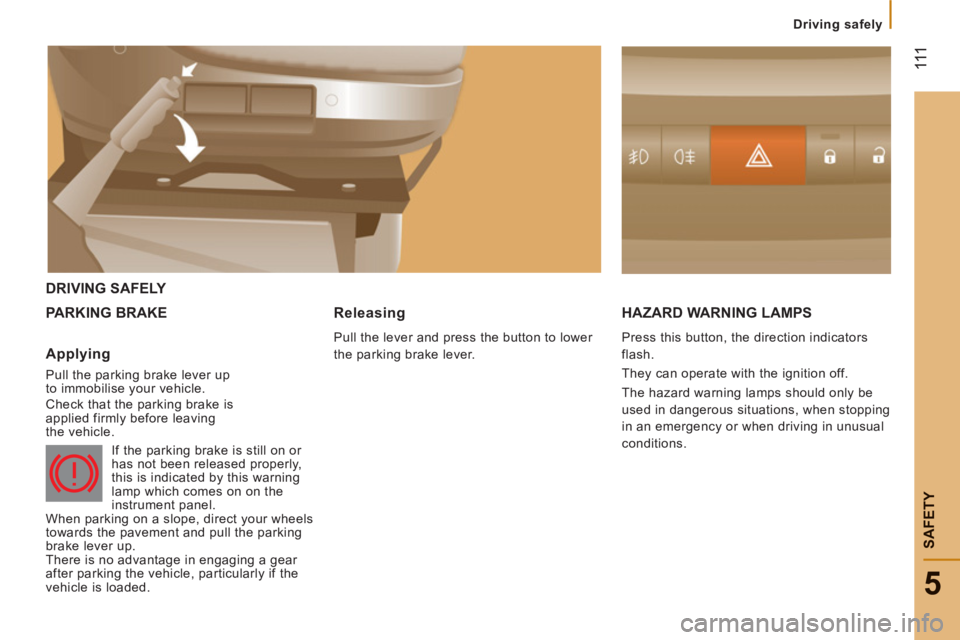
DRIVING SAFELY
PARKING BRAKE HAZARD WARNING LAMP
S
Press this button, the direction indicators
flash.
They can operate with the ignition off.
The hazard warning lamps should only be
used in dangerous situations, when stopping
in an emergency or when driving in unusual
conditions.
Applying
Pull the parking brake lever up
to immobilise your vehicle.
Check that the parking brake is
applied firmly before leaving
the vehicle.
If the parking brake is still on or
has not been released properly,
this is indicated by this warning
lamp which comes on on the
instrument panel.
When parking on a slope, direct your wheels
towards the pavement and pull the parking
brake lever up.
There is no advantage in engaging a gear
after parking the vehicle, particularly if the
vehicle is loaded.
Releasing
Pull the lever and press the button to lower
the parking brake lever.