key CITROEN JUMPER 2011 User Guide
[x] Cancel search | Manufacturer: CITROEN, Model Year: 2011, Model line: JUMPER, Model: CITROEN JUMPER 2011Pages: 184, PDF Size: 4.98 MB
Page 41 of 184
Starting and stopping
39
2
READY TO G
O
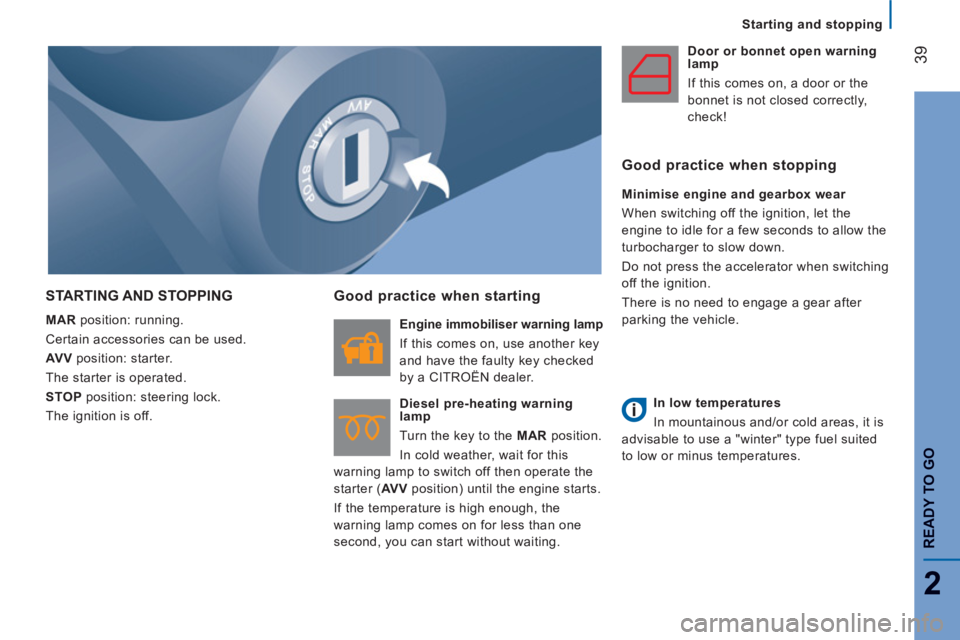
STARTING AND STOPPING
MAR
position: running.
Certain accessories can be used.
AV V
position: starter.
The starter is operated.
STOP
position: steering lock.
The ignition is off.
Good practice when starting
Engine immobiliser warning lamp
If this comes on, use another key
and have the faulty key checked
by a CITROËN dealer.
Diesel pre-heating warning
lamp
Turn the key to the MAR
position.
In cold weather, wait for this
warning lamp to switch off then operate the
starter ( AV V
position) until the engine starts.
If the temperature is high enough, the
warning lamp comes on for less than one
second, you can start without waiting.
Door or bonnet open warning
lamp
If this comes on, a door or the
bonnet is not closed correctly,
check!
Good practice when stopping
Minimise engine and gearbox wear
When switching off the ignition, let the
engine to idle for a few seconds to allow the
turbocharger to slow down.
Do not press the accelerator when switching
off the ignition.
There is no need to engage a gear after
parking the vehicle.
In low temperatures
In mountainous and/or cold areas, it is
advisable to use a "winter" type fuel suited
to low or minus temperatures.
Page 45 of 184
43
3
EASE OF USE AND COMFOR
T
Steering mounted controls
AUTOMATIC ILLUMINATION OF HEADLAMPS
If your vehicle is fitted with this function, the
sidelamps and dipped beam headlamps are
switched on automatically if the light is poor.
In fog or snow, the sunshine sensor may
detect sufficient light. Therefore, the lamps
will not be switched on automatically. If
necessary, you must switch on the dipped
beam headlamps manually.
They are switched off when the light returns
to a sufficient level.
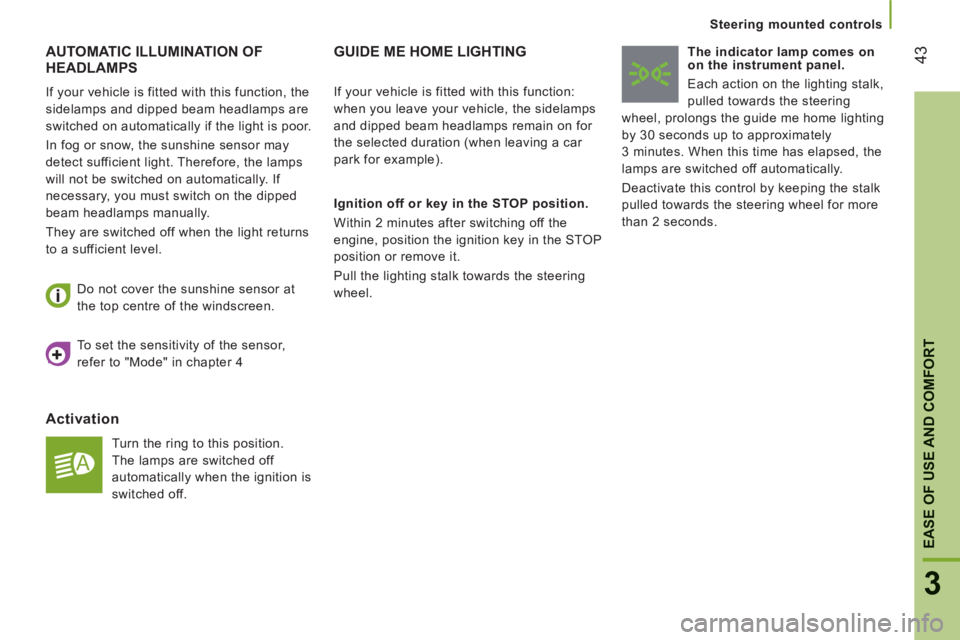
Activation
Turn the ring to this position.
The lamps are switched off
automatically when the ignition is
switched off. Do not cover the sunshine sensor at
the top centre of the windscreen.
GUIDE ME HOME LIGHTING
Ignition off or key in the STOP position.
Within 2 minutes after switching off the
engine, position the ignition key in the STOP
position or remove it.
Pull the lighting stalk towards the steering
wheel.
The indicator lamp comes on
on the instrument panel.
Each action on the lighting stalk,
pulled towards the steering
wheel, prolongs the guide me home lighting
by 30 seconds up to approximately
3 minutes. When this time has elapsed, the
lamps are switched off automatically.
Deactivate this control by keeping the stalk
pulled towards the steering wheel for more
than 2 seconds.
If your vehicle is fitted with this function:
when you leave your vehicle, the sidelamps
and dipped beam headlamps remain on for
the selected duration (when leaving a car
park for example).
To set the sensitivity of the sensor,
refer to "Mode" in chapter 4
Page 46 of 184
44
Steering mounted controls
HEADLAMP BEAM
You are advised to adjust the height of the
headlamp beams in accordance with the
load in your vehicle.
This function works in the dipped and main
beam headlamps position.
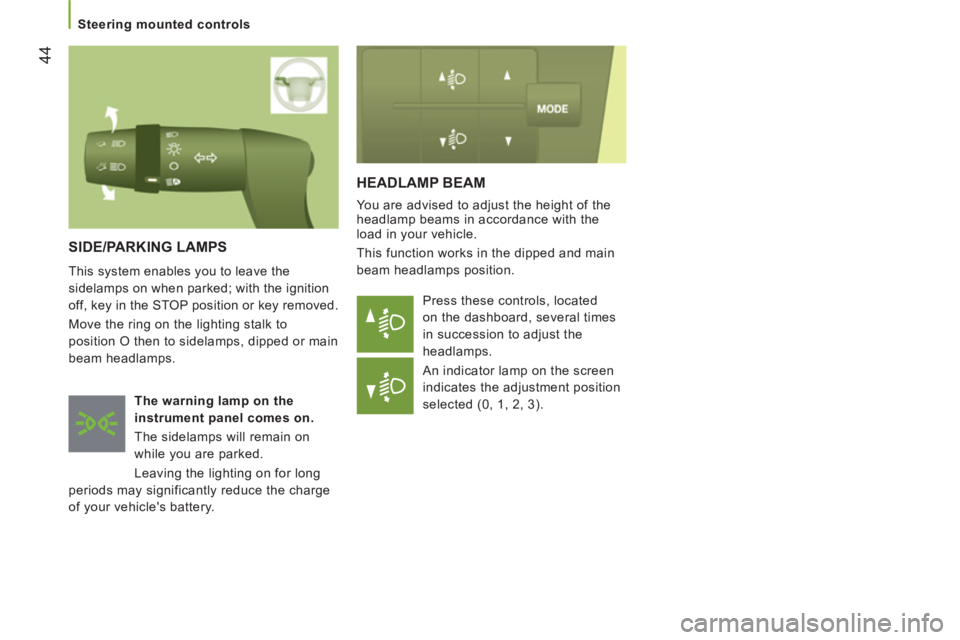
Press these controls, located
on the dashboard, several times
in succession to adjust the
headlamps.
An indicator lamp on the screen
indicates the adjustment position
selected (0, 1, 2, 3).
SIDE/PARKING LAMPS
This system enables you to leave the
sidelamps on when parked; with the ignition
off, key in the STOP position or key removed.
Move the ring on the lighting stalk to
position O then to sidelamps, dipped or main
beam headlamps.
The warning
lamp
on the
instrument panel comes on.
The sidelamps will remain on
while you are parked.
Leaving the lighting on for long
periods may significantly reduce the charge
of your vehicle's battery.
Page 47 of 184
45
3
EASE OF USE AND COMFOR
T
Steering mounted controls
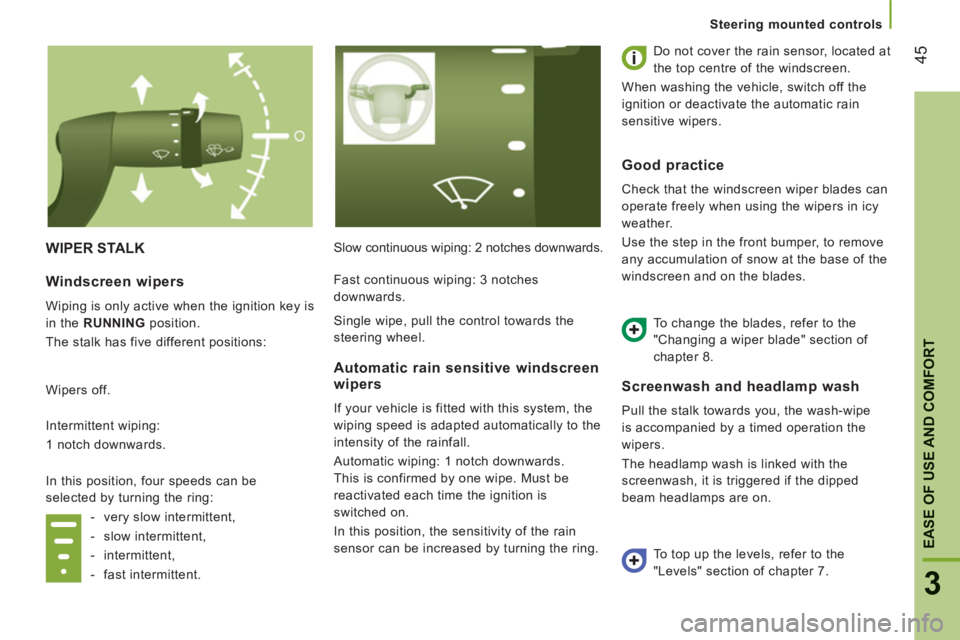
WIPER STALK
Slow continuous wiping: 2 notches downwards. Do not cover the rain sensor, located at
the top centre of the windscreen.
When washing the vehicle, switch off the
ignition or deactivate the automatic rain
sensitive wipers.
Screenwash
and headlamp wash
Pull the stalk towards you, the wash-wipe
is accompanied by a timed operation the
wipers.
The headlamp wash is linked with the
screenwash, it is triggered if the dipped
beam headlamps are on.
Windscreen wipers
Wiping is only active when the ignition key is
in the RUNNING
position.
The stalk has five different positions:
Wipers off.
Intermittent wiping:
1 notch downwards.
In this position, four speeds can be
selected by turning the ring:
- very slow intermittent,
- slow intermittent,
- intermittent,
- fast intermittent.
Automatic rain sensitive windscreen
wipers
If your vehicle is fitted with this system, the
wiping speed is adapted automatically to the
intensity of the rainfall.
Automatic wiping: 1 notch downwards.
This is confirmed by one wipe. Must be
reactivated each time the ignition is
switched on.
In this position, the sensitivity of the rain
sensor can be increased by turning the ring.
Good practice
Check that the windscreen wiper blades can
operate freely when using the wipers in icy
weather.
Use the step in the front bumper, to remove
any accumulation of snow at the base of the
windscreen and on the blades.
To change the blades, refer to the
"Changing a wiper blade" section of
chapter 8.
To top up the levels, refer to the
"Levels" section of chapter 7. Fast continuous wiping: 3 notches
downwards.
Single wipe, pull the control towards the
steering wheel.
Page 75 of 184
73
3
EASE OF USE AND COMFOR
T
Mirrors and windows
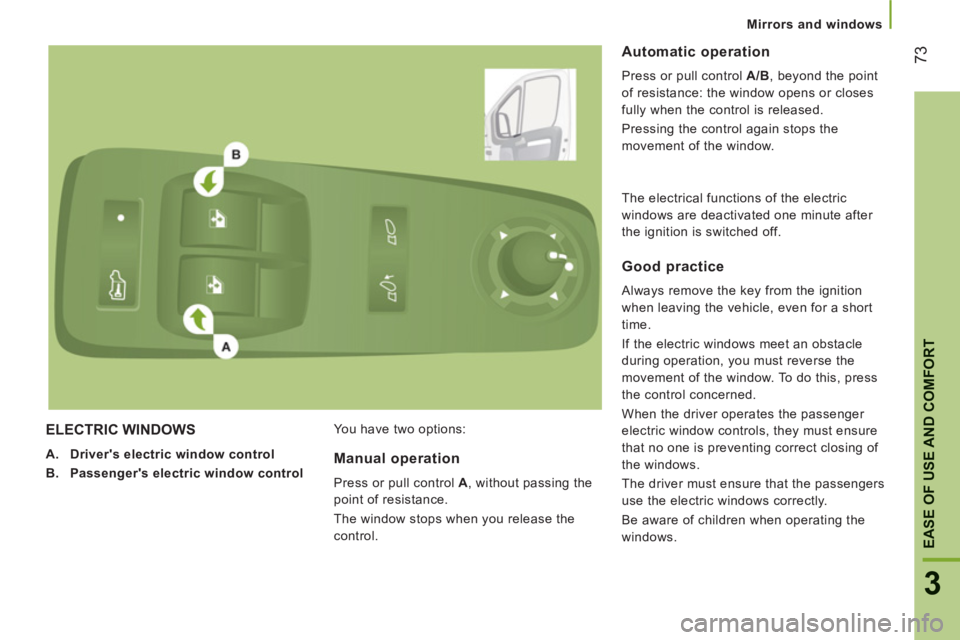
ELECTRIC WINDOWS
A.
Driver's electric window control
B.
Passenger
's
electric window control
You have two options:
Automatic operation
Press or pull control A/B
, beyond the point
of resistance: the window opens or closes
fully when the control is released.
Pressing the control again stops the
movement of the window.
Manual operation
Press or pull control A
, without passing the
point of resistance.
The window stops when you release the
control.
Good practice
Always remove the key from the ignition
when leaving the vehicle, even for a short
time.
If the electric windows meet an obstacle
during operation, you must reverse the
movement of the window. To do this, press
the control concerned.
When the driver operates the passenger
electric window controls, they must ensure
that no one is preventing correct closing of
the windows.
The driver must ensure that the passengers
use the electric windows correctly.
Be aware of children when operating the
windows. The electrical functions of the electric
windows are deactivated one minute after
the ignition is switched off.
Page 81 of 184
79
4
TECHNOLOGY ON BOAR
D
Reversing camera
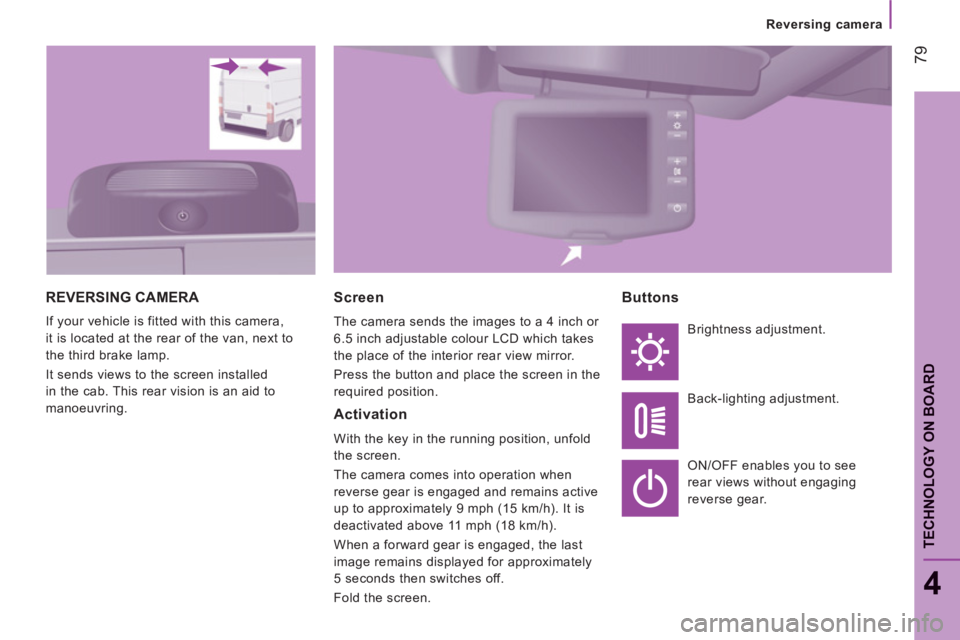
REVERSING CAMERA
If your vehicle is fitted with this camera,
it is located at the rear of the van, next to
the third brake lamp.
It sends views to the screen installed
in the cab. This rear vision is an aid to
manoeuvring.
Screen
The camera sends the images to a 4 inch or
6.5 inch adjustable colour LCD which takes
the place of the interior rear view mirror.
Press the button and place the screen in the
required position.
Activation
With the key in the running position, unfold
the screen.
The camera comes into operation when
reverse gear is engaged and remains active
up to approximately 9 mph (15 km/h). It is
deactivated above 11 mph (18 km/h).
When a forward gear is engaged, the last
image remains displayed for approximately
5 seconds then switches off.
Fold the screen.
Buttons
Brightness adjustment.
Back-lighting adjustment.
ON/OFF enables you to see
rear views without engaging
reverse gear.
Page 90 of 184
Audio equipment
88
Scroll the
display
Select
Display
Select
Display
Select
Display
Select
Display
Enables you
to…
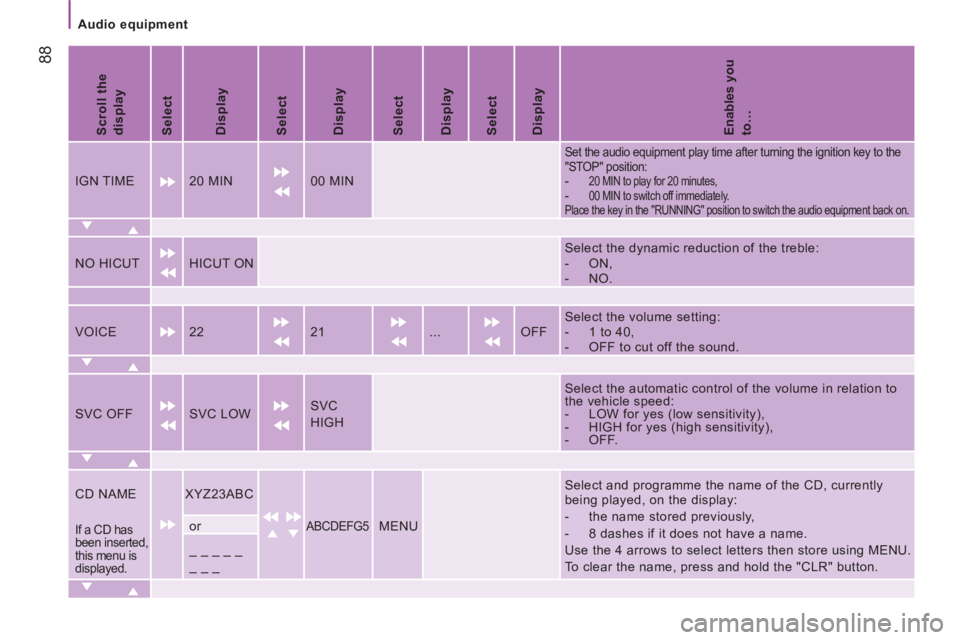
IGN TIME 20 MIN 00 MIN
Set the audio equipment play time after turning the ignition key to the
"STOP" position:
- 20 MIN to play for 20 minutes,
- 00 MIN to switch off immediately.
Place the key in the "RUNNING" position to switch the audio equipment back on.
NO HICUT HICUT ON
Select the dynamic reduction of the treble:
- ON,
- NO.
VOICE 22 21 ... OFF Select the volume setting:
- 1 to 40,
- OFF to cut off the sound.
SVC OFF SVC LOW SVC
HIGH
Select the automatic control of the volume in relation to
the vehicle speed:
- LOW for yes (low sensitivity),
- HIGH for yes (high sensitivity),
- OFF.
CD NAME
XYZ23ABC
ABCDEFG5
MENU
Select and programme the name of the CD, currently
being played, on the display:
- the name stored previously,
- 8 dashes if it does not have a name.
Use the 4 arrows to select letters then store using MENU.
To clear the name, press and hold the "CLR" button.
If a CD has
been inserted,
this menu is
displayed. or
_ _ _ _ _
_ _ _
Page 95 of 184
93
TECHNOLOGY ON BOAR
D
Bluetooth hands-free system
4
INTRODUCTION
This system allows you to:
- send and receive calls via the Bluetooth® connection with your mobile telephone,
- display the names of your contacts and numbers from the directory of your mobile phone in the instrument panel screen,
- use voice commands to make a call and manage your contacts while keeping both hands on the steering wheel,
- hear your text messages via the voice synthesiser built into the system,
- listen to MP3, WMA, AAC, M4A, MP4 and WAV audio files from a USB storage device,
- display information on the track being played in the radio screen (title, artist, etc...),
- control vocally a portable music player (iPod® type),
- recharge your portable music player (iPod® type) via the USB port.
BLUETOOTH HANDS-FREE SYSTEM
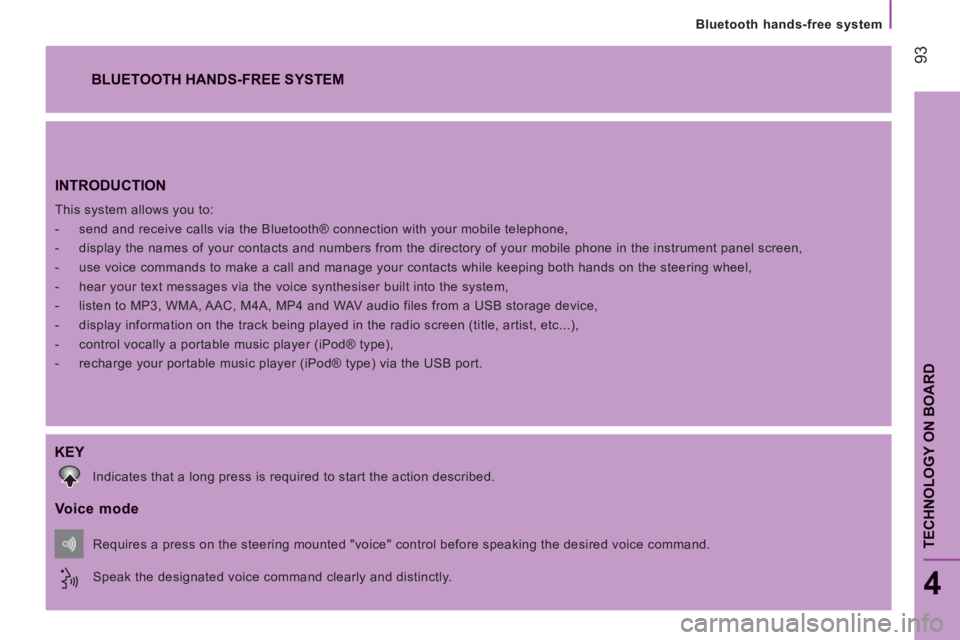
KEY
Indicates that a long press is required to start the action described.
Voice mode
Speak the designated voice command clearly and distinctly. Requires a press on the steering mounted "voice" control before speaking the desired voice command.
Page 102 of 184
100
Bluetooth hands-free system
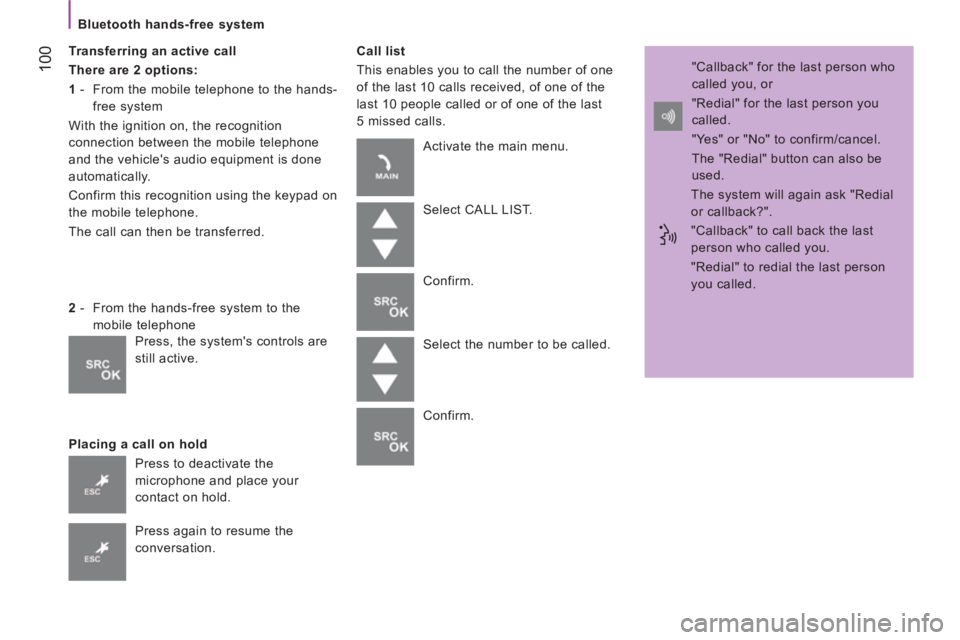
Transferring an active call
There are 2 options:
1
- From the mobile telephone to the hands-
free system
With the ignition on, the recognition
connection between the mobile telephone
and the vehicle's audio equipment is done
automatically.
Confirm this recognition using the keypad on
the mobile telephone.
The call can then be transferred.
Placing a call on hold
Call list
This enables you to call the number of one
of the last 10 calls received, of one of the
last 10 people called or of one of the last
5 missed calls.
2
- From the hands-free system to the
mobile telephone
Press to deactivate the
microphone and place your
contact on hold.
Press again to resume the
conversation. Activate the main menu.
Select CALL LIST.
Confirm.
Select the number to be called.
Confirm. "Callback" for the last person who
called you, or
"Redial" for the last person you
called.
"Yes" or "No" to confirm/cancel.
The "Redial" button can also be
used.
The system will again ask "Redial
or callback?".
"Callback" to call back the last
person who called you.
"Redial" to redial the last person
you called.
Press, the system's controls are
still active.
Page 103 of 184
101
TECHNOLOGY ON BOAR
D
Bluetooth hands-free system
4
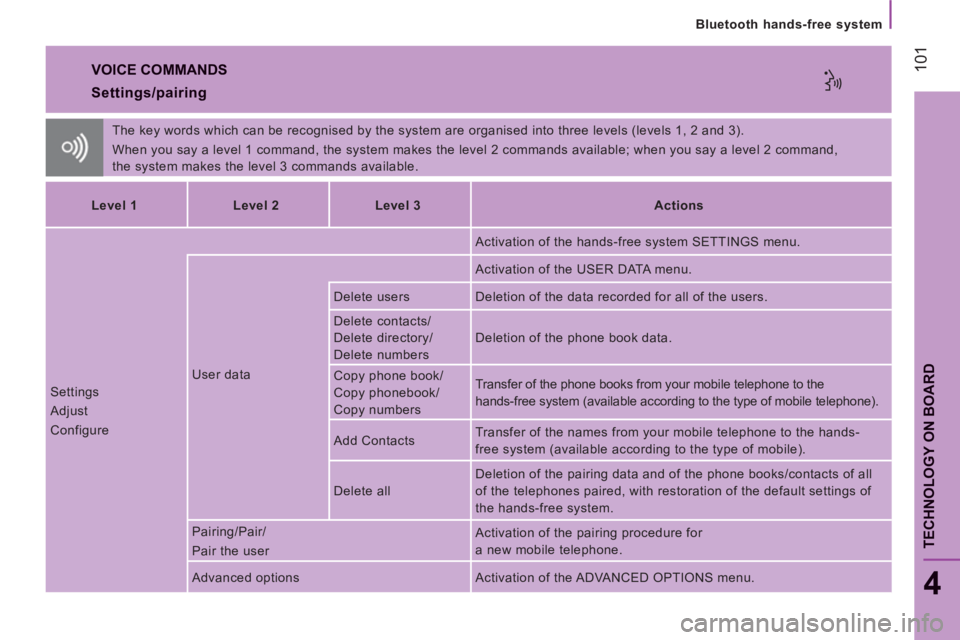
VOICE COMMANDS
The key words which can be recognised by the system are organised into three levels (levels 1, 2 and 3).
When you say a level 1 command, the system makes the level 2 commands available; when you say a level 2 command,
the system makes the level 3 commands available.
Settings/pairing
Level 1
Level 2
Level 3
Actions
Settings
Adjust
Configure User data Activation of the hands-free system SETTINGS menu.
Activation of the USER DATA menu.
Delete users Deletion of the data recorded for all of the users.
Delete contacts/
Delete directory/
Delete numbers Deletion of the phone book data.
Copy phone book/
Copy phonebook/
Copy numbers Transfer of the phone books from your mobile telephone to the
hands-free system (available according to the type of mobile telephone).
Add Contacts Transfer of the names from your mobile telephone to the hands-
free system (available according to the type of mobile).
Delete all Deletion of the pairing data and of the phone books/contacts of all
of the telephones paired, with restoration of the default settings of
the hands-free system.
Pairing/Pair/
Pair the user Activation of the pairing procedure for
a new mobile telephone.
Advanced options Activation of the ADVANCED OPTIONS menu.