light Citroen JUMPER 2016 2.G User Guide
[x] Cancel search | Manufacturer: CITROEN, Model Year: 2016, Model line: JUMPER, Model: Citroen JUMPER 2016 2.GPages: 276, PDF Size: 8.93 MB
Page 45 of 276
43
jumper_en_Chap02_Pret-a-Partir_ed01-2015
drIVInG rEcOMMEndAtIO n S
observe the driving regulations and remain
vigilant whatever the traf fic conditions.
Pay close attention to the traffic and keep
your hands on the wheel so that you are
ready to react at any time to any eventuality.
o
n a long journey, a break every two hours
is strongly recommended.
i
n difficult weather, drive smoothly, anticipate
the need to brake and increase the distance
from other vehicles.
driving on flooded roads
We strongly advise against driving on
flooded roads, as this could cause serious
damage to the engine or gearbox, as well as
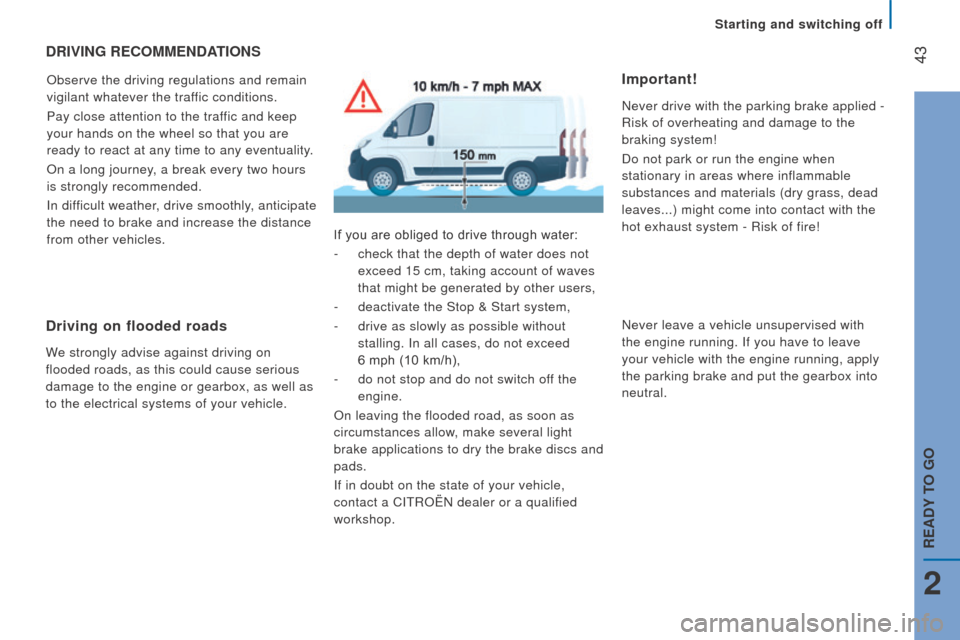
to the electrical systems of your vehicle. If you are obliged to drive through water:
-
check that the depth of water does not
exceed 15 cm, taking account of waves
that might be generated by other users,
-
deactivate the Stop & Start system,
-
drive as slowly as possible without
stalling. i n all cases, do not exceed
6 mph (10 km/h),
-
do not stop and do not switch of
f the
engine.
o
n leaving the flooded road, as soon as
circumstances allow, make several light
brake applications to dry the brake discs and
pads.
i
f in doubt on the state of your vehicle,
contact a C
i T roën dealer or a qualified
workshop.
Important!
never drive with the parking brake applied -
r
isk of overheating and damage to the
braking system!
Do not park or run the engine when
stationary in areas where inflammable
substances and materials (dry grass, dead
leaves...) might come into contact with the
hot exhaust system -
r isk of fire!
n
ever leave a vehicle unsupervised with
the engine running.
i f you have to leave
your vehicle with the engine running, apply
the parking brake and put the gearbox into
neutral.
Starting and switching off
2
rEAdY tO GO
Page 47 of 276
45
jumper_en_Chap03_Ergo-et-confort_ed01-2015
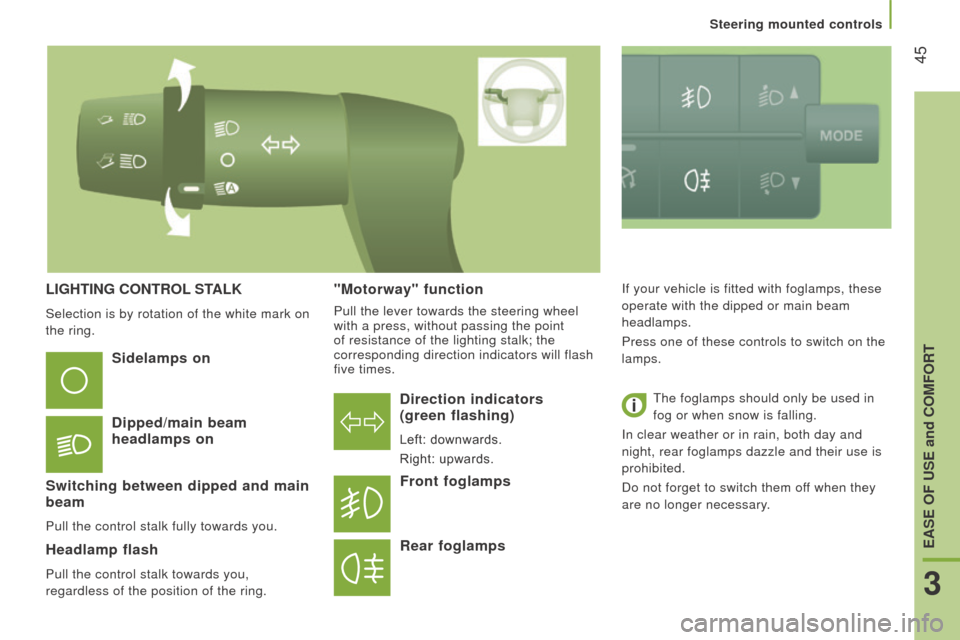
LIGHtInG cOntrOL StALK
Selection is by rotation of the white mark on
the ring.
direction indicators
(green flashing)
Left: downwards.
Right: upwards.
Sidelamps on
d
ipped/main beam
headlamps on
Switching between dipped and main
beam
Pull the control stalk fully towards you.
Headlamp flash
Pull the control stalk towards you,
regardless of the position of the ring.
Front foglamps
r
ear foglamps
if your vehicle is fitted with foglamps, these
operate with the dipped or main beam
headlamps.
Press one of these controls to switch on the
lamps.
The foglamps should only be used in
fog or when snow is falling.
i
n clear weather or in rain, both day and
night, rear foglamps dazzle and their use is
prohibited.
Do not forget to switch them off when they
are no longer necessary."Motorway" function
Pull the lever towards the steering wheel
with a press, without passing the point
of resistance of the lighting stalk; the
corresponding direction indicators will flash
five times.
3
EASE OF uSE and cOMFOrt
Steering mounted controls
Page 48 of 276
46
jumper_en_Chap03_Ergo-et-confort_ed01-2015
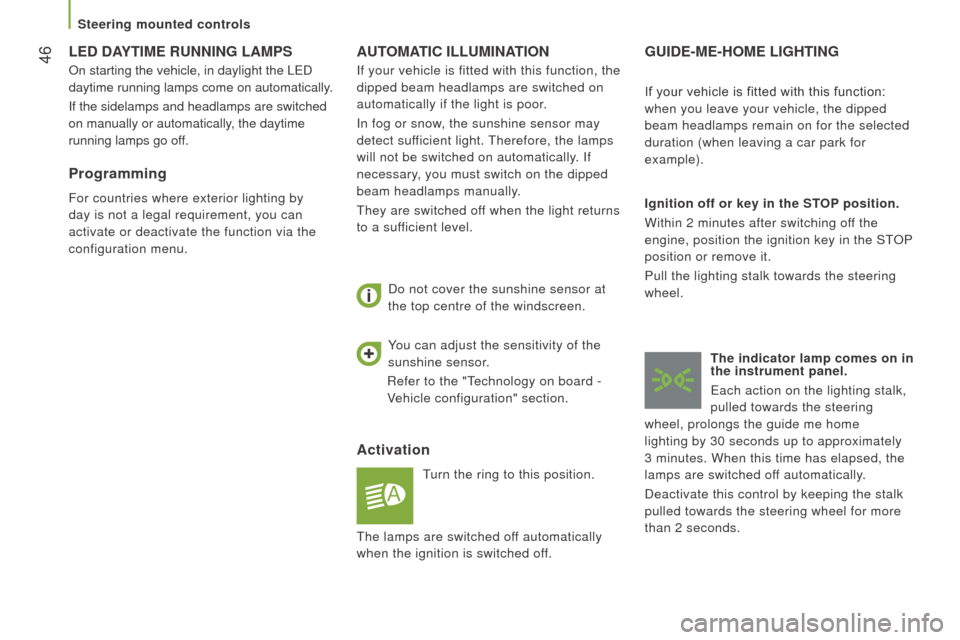
AutOMAtI c ILL u MI n At IO n
Activation
Turn the ring to this position.
Do not cover the sunshine sensor at
the top centre of the windscreen.
GuIdE-ME-HOME LIGHtInG
Ignition off or key in the StOP
position.
Within 2 minutes after switching off the
engine, position the ignition key in the ST
o
P
position or remove it.
Pull the lighting stalk towards the steering
wheel.
t
he indicator lamp comes on in
the instrument panel.
Each action on the lighting stalk,
pulled towards the steering
wheel, prolongs the guide me home
lighting by 30 seconds up to approximately
3
minutes. When this time has elapsed, the
lamps are switched off automatically.
Deactivate this control by keeping the stalk
pulled towards the steering wheel for more
than 2 seconds. If your vehicle is fitted with this function:
when you leave your vehicle, the dipped
beam headlamps remain on for the selected
duration (when leaving a car park for
example).
You can adjust the sensitivity of the
sunshine sensor.
r
efer to the "Technology on board -
Vehicle configuration" section.
i
f your vehicle is fitted with this function, the
dipped beam headlamps are switched on
automatically if the light is poor.
i
n fog or snow, the sunshine sensor may
detect sufficient light. Therefore, the lamps
will not be switched on automatically.
i
f
necessary, you must switch on the dipped
beam headlamps manually.
They are switched off when the light returns
to a sufficient level.
LEd dAYtIME runnInG LAMPS
on starting the vehicle, in daylight the LED
daytime running lamps come on automatically .
i
f the sidelamps and headlamps are switched
on manually or automatically, the daytime
running lamps go off.
Programming
For countries where exterior lighting by
day is not a legal requirement, you can
activate or deactivate the function via the
configuration menu.
The lamps are switched off automatically
when the ignition is switched off.
Steering mounted controls
Page 49 of 276
47
jumper_en_Chap03_Ergo-et-confort_ed01-2015
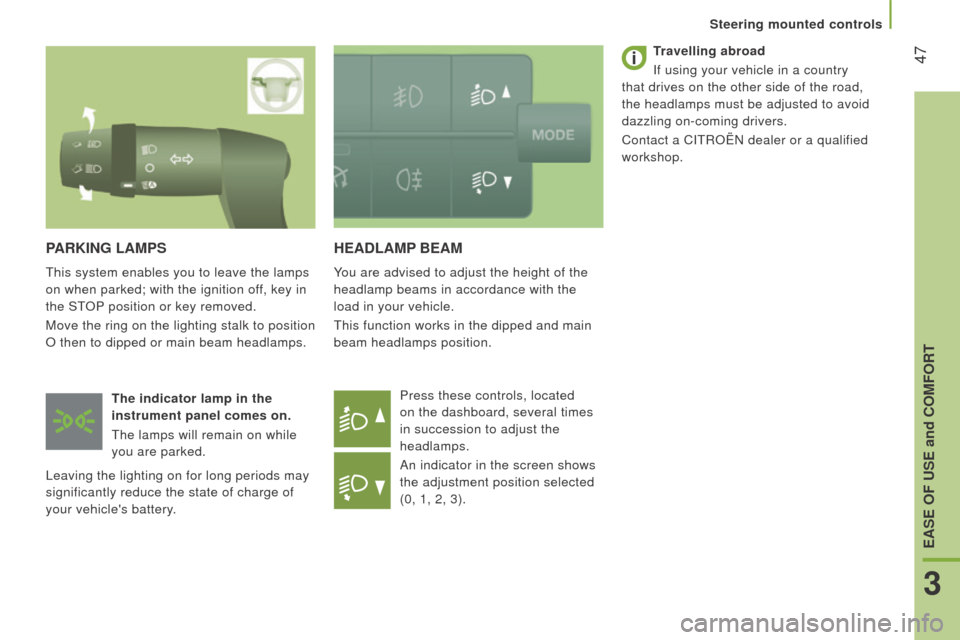
HEAdLAMP BEAM
You are advised to adjust the height of the
headlamp beams in accordance with the
load in your vehicle.
This function works in the dipped and main
beam headlamps position.Press these controls, located
on the dashboard, several times
in succession to adjust the
headlamps.
An indicator in the screen shows
the adjustment position selected
(0, 1, 2, 3).
PArKInG LAMPS
This system enables you to leave the lamps
on when parked; with the ignition off, key in
the ST
o
P position or key removed.
Move the ring on the lighting stalk to position
o
then to dipped or main beam headlamps.
t
he indicator lamp in the
instrument panel comes on.
The lamps will remain on while
you are parked.
Leaving the lighting on for long periods may
significantly reduce the state of charge of
your vehicle's battery.
travelling abroad
i
f using your vehicle in a country
that drives on the other side of the road,
the headlamps must be adjusted to avoid
dazzling on-coming drivers.
Contact a C i T roën dealer or a qualified
workshop.
3
EASE OF uSE and cOMFOrt
Steering mounted controls
Page 81 of 276
79
jumper_en_Chap03_Ergo-et-confort_ed01-2015
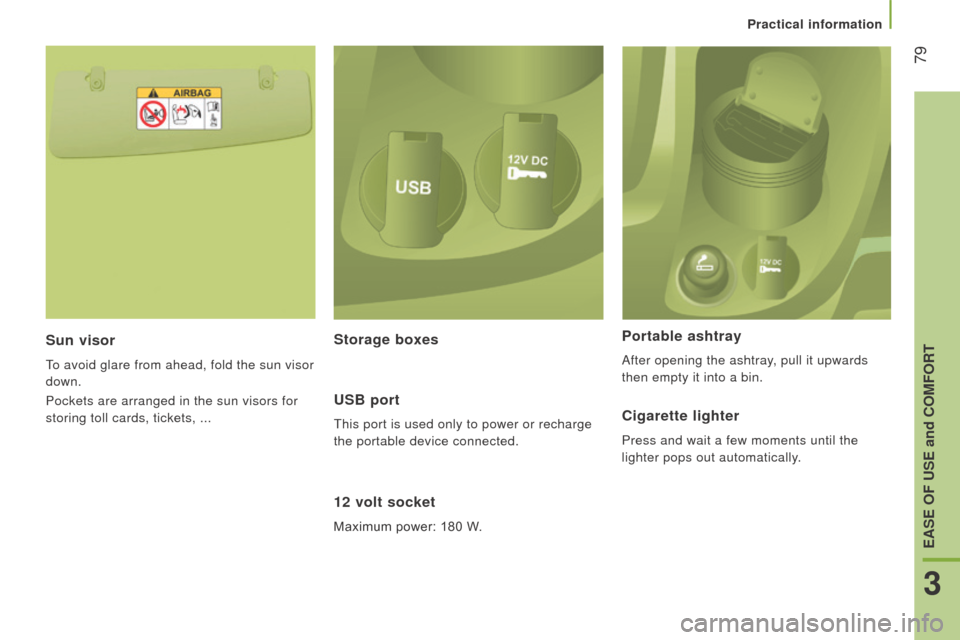
Sun visor
To avoid glare from ahead, fold the sun visor
down.
Pockets are arranged in the sun visors for
storing toll cards, tickets, ...
12 volt socket
Maximum power: 180 W.
Portable ashtray
After opening the ashtray, pull it upwards
then empty it into a bin.
Storage boxes
u
SB port
This port is used only to power or recharge
the portable device connected.cigarette lighter
Press and wait a few moments until the
lighter pops out automatically.
Practical information
3
EASE OF uSE and cOMFOrt
Page 84 of 276
82
jumper_en_Chap03_Ergo-et-confort_ed01-2015
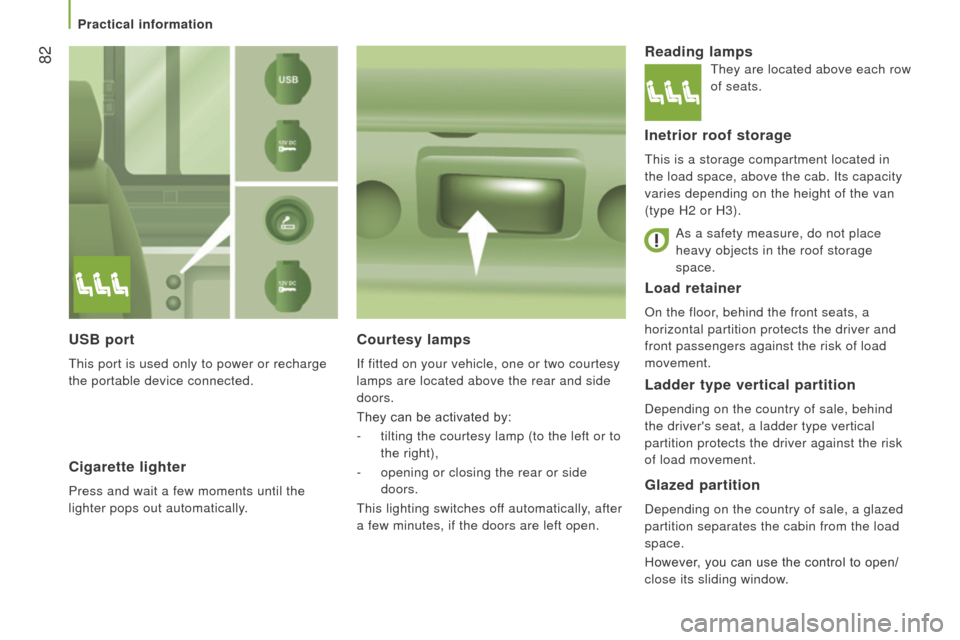
Load retainer
on the floor, behind the front seats, a
horizontal partition protects the driver and
front passengers against the risk of load
movement.
courtesy lamps
if fitted on your vehicle, one or two courtesy
lamps are located above the rear and side
doors.
They can be activated by:
-
tilting the courtesy lamp (to the left or to
the right),
-
opening or closing the rear or side
doors.
This lighting switches off automatically, after
a few minutes, if the doors are left open.
reading lamps
Inetrior roof storage
This is a storage compartment located in
the load space, above the cab. i ts capacity
varies depending on the height of the van
(type H2 or H3).
Ladder type vertical partition
Depending on the country of sale, behind
the driver's seat, a ladder type vertical
partition protects the driver against the risk
of load movement.
Glazed partition
Depending on the country of sale, a glazed
partition separates the cabin from the load
space.
However, you can use the control to open/
close its sliding window.
uSB port
This port is used only to power or recharge
the portable device connected.
cigarette lighter
Press and wait a few moments until the
lighter pops out automatically. As a safety measure, do not place
heavy objects in the roof storage
space.
They are located above each row
of seats.
Practical information
Page 85 of 276
83
jumper_en_Chap03_Ergo-et-confort_ed01-2015
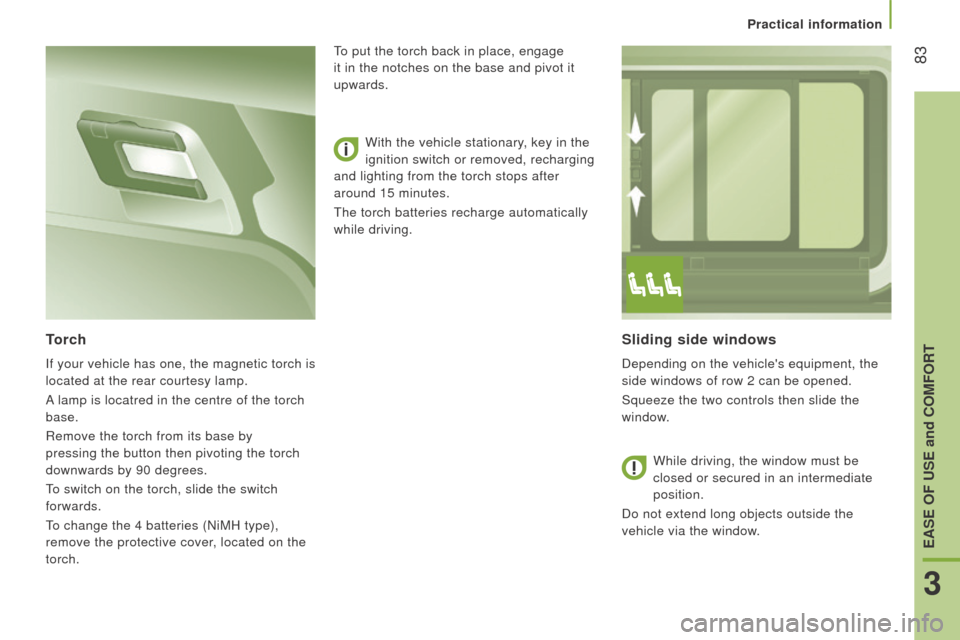
Sliding side windows
Depending on the vehicle's equipment, the
side windows of row 2 can be opened.
Squeeze the two controls then slide the
window.
torch
if your vehicle has one, the magnetic torch is
located at the rear courtesy lamp.
A
lamp is locatred in the centre of the torch
base.
r
emove the torch from its base by
pressing the button then pivoting the torch
downwards by 90 degrees.
To switch on the torch, slide the switch
forwards.
To change the 4 batteries (
n iMH type),
remove the protective cover, located on the
torch. With the vehicle stationary, key in the
ignition switch or removed, recharging
and lighting from the torch stops after
around 15 minutes.
The torch batteries recharge automatically
while driving. To put the torch back in place, engage
it in the notches on the base and pivot it
upwards.
While driving, the window must be
closed or secured in an intermediate
position.
Do not extend long objects outside the
vehicle via the window.
Practical information
3
EASE OF uSE and cOMFOrt
Page 92 of 276
90
jumper_en_Chap04_Technologie-a-bord_ed01-2015
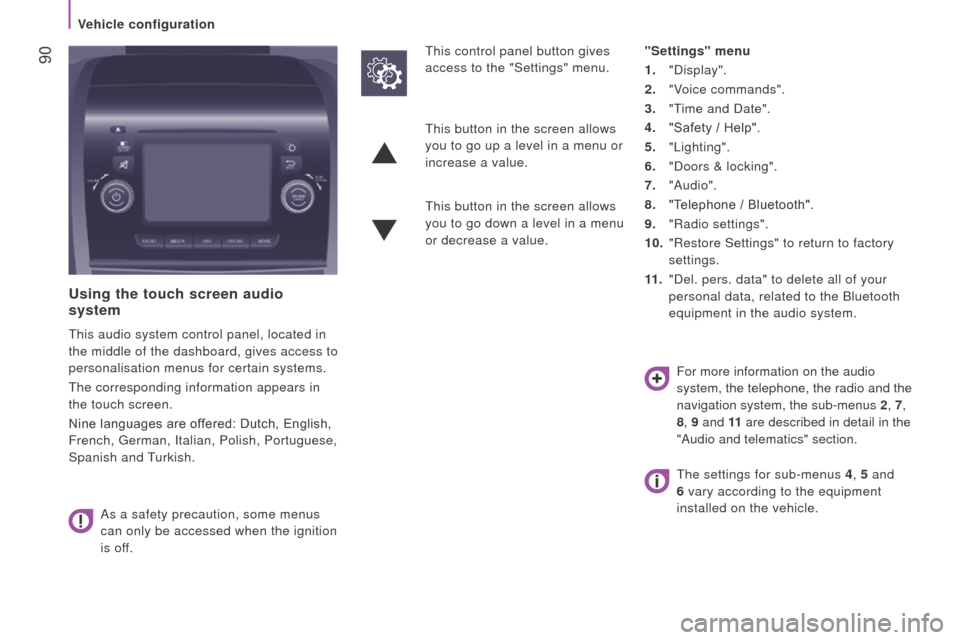
using the touch screen audio
system
This audio system control panel, located in
the middle of the dashboard, gives access to
personalisation menus for certain systems.
The corresponding information appears in
the touch screen.
Nine languages are offered: Dutch, English,
French, German,
i talian, Polish, Portuguese,
Spanish and Turkish.
As a safety precaution, some menus
can only be accessed when the ignition
is off. This control panel button gives
access to the "Settings" menu.
"Settings" menu
1. "Display".
2.
"V
oice commands".
3.
"T
ime and Date".
4.
"Safety / Help".
5.
"Lighting".
6.
"Doors & locking".
7.
"Audio".
8.
"T
elephone / Bluetooth".
9.
"
r adio settings".
10.
"
r estore Settings" to return to factory
settings.
11 .
"Del. pers. data" to delete all of your
personal data, related to the Bluetooth
equipment in the audio system.
This button in the screen allows
you to go up a level in a menu or
increase a value.
This button in the screen allows
you to go down a level in a menu
or decrease a value.
For more information on the audio
system, the telephone, the radio and the
navigation system, the sub-menus 2, 7,
8 , 9 and 11 are described in detail in the
"Audio and telematics" section.
The settings for sub-menus 4 , 5 and
6 vary according to the equipment
installed on the vehicle.
Vehicle configuration
Page 93 of 276
91
jumper_en_Chap04_Technologie-a-bord_ed01-2015
From the "Safety / Help" sub menu, you can:
-
select "Parkview Camera", then
"
r eversing camera" to activate or
deactivate its use (
o n, o ff),
-
select "Parkview Camera", then "Camera
delay" to activate or deactivate the
maintaining of the display for 10 seconds
or up to 11 mph (18 km/h) (On, Off),
-
select "Passenger airbag" to activate or
deactivate its use (
o n, o ff).
From the "Lighting" sub-menu, you can:
-
select "Day lamps" to activate or
deactivate their use (
o n, o ff),
-
select "Headlamp sensor" to adjust its
sensitivity (1, 2, 3).
From the "Doors & locking", you can:
-
select "Autoclose" to activate or
deactivate its use (
o n, o ff).
From the "Display" sub-menu, you can:
-
select "Languages" and choose one of
the languages listed above,
-
select "Units of measurement" to
choose the units for fuel consumption
(l/100
km, mpg), distance (miles, km)
and temperature (°C, °F),
-
select "Display
Trip B" to switch trip B
o
n or
o
ff in the trip computer.
From the "Time and Date" sub-menu, you
can:
-
select "Adjust time and format" to set the
hour, minutes and seconds and choose
the format (24 h, 12 h with am or pm),
-
select "Adjust Date" to set the day
,
month and year.
To set the time manually, "Synch Time"
must be
o
ff.
Vehicle configuration
4
TECHnoLoGY on BoArD
Page 100 of 276
98
jumper_en_Chap05_Securite_ed01-2015
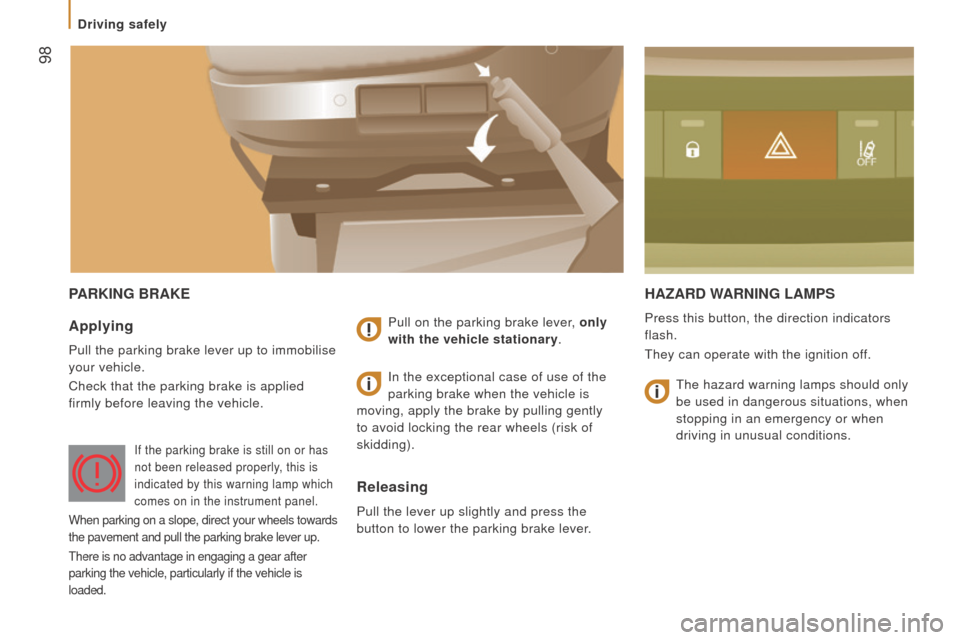
PAr KI n G B r AKEH A z A rd WA rn I n G LAMPS
Press this button, the direction indicators
flash.
They can operate with the ignition off.Applying
Pull the parking brake lever up to immobilise
your vehicle.
Check that the parking brake is applied
firmly before leaving the vehicle.Pull on the parking brake lever, only
with the vehicle stationary.
releasing
Pull the lever up slightly and press the
button to lower the parking brake lever.
i
n the exceptional case of use of the
parking brake when the vehicle is
moving, apply the brake by pulling gently
to avoid locking the rear wheels (risk of
skidding).
if the parking brake is still on or has
not been released properly , this is
indicated by this warning lamp which
comes on in the instrument panel.
When parking on a slope, direct your wheels towards
the pavement and pull the parking brake lever up.
There is no advantage in engaging a gear after
parking the vehicle, particularly if the vehicle is
loaded.
The hazard warning lamps should only
be used in dangerous situations, when
stopping in an emergency or when
driving in unusual conditions.
Driving safely