auxiliary CITROEN JUMPY 2015 Owners Manual
[x] Cancel search | Manufacturer: CITROEN, Model Year: 2015, Model line: JUMPY, Model: CITROEN JUMPY 2015Pages: 252, PDF Size: 12.15 MB
Page 11 of 252
9
Interior
FAMILIARISATION
1
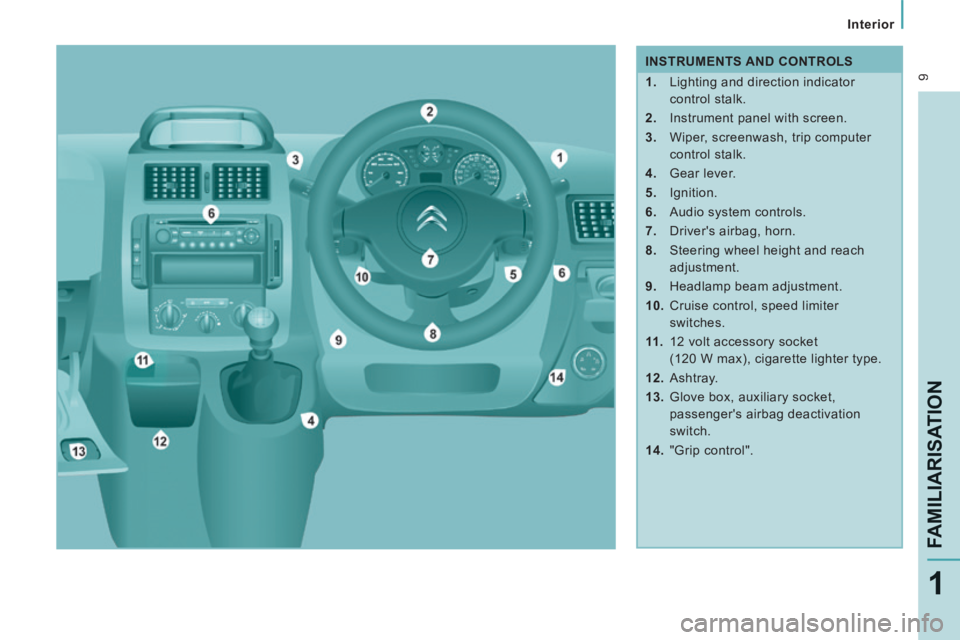
INSTRUMENTS AND CONTROLS
1. Lighting and direction indicator control stalk.
2. Instrument panel with screen.
3. Wiper, screenwash, trip computer control stalk.
4. Gear lever.
5. Ignition.
6. Audio system controls.
7. Driver's airbag, horn.
8. Steering wheel height and reach adjustment.
9. Headlamp beam adjustment.
10. Cruise control, speed limiter switches.
11 . 12 volt accessory socket
(120 W max), cigarette lighter type.
12. Ashtray.
13. Glove box, auxiliary socket, passenger's airbag deactivation
switch.
14. "Grip control".
Page 197 of 252
9.43
09 MUSIC MEDIA PLAYERS
CD, MP3 CD / USB PLAYER
The audio equipment will only play audio fi les with ".wma, .aac, .fl ac, .ogg and .mp3" fi le extensions and with a bit rate of between 32 Kbps and 320 Kbps.
It also supports VBR (Variable Bit Rate) mode.
No other type of fi le (.mp4, .m3u...) can be played.
WMA fi les must be of the standard wma 9 type.
The sampling rates supported are 11, 22, 44 and 48 KHz.
It is advisable to restrict fi le names to 20 characters, without using of special characters (e.g.: " " ? ; ù) to avoid any playing and displ\
aying problems.
In order to be able to play a recorded CDR or CDRW, when recording it is preferable to select the ISO 9660 level 1, 2 or Joliet standard.
If the disc is recorded in another format it may not be played correctly\
.
It is recommended that the same recording standard is always used for an individual disc, with as low a speed as possible (4x maximum) for optimum sound quality.
In the particular case of a multi-session CD, the Joliet standard is recommended.
INFORMATION AND ADVICE
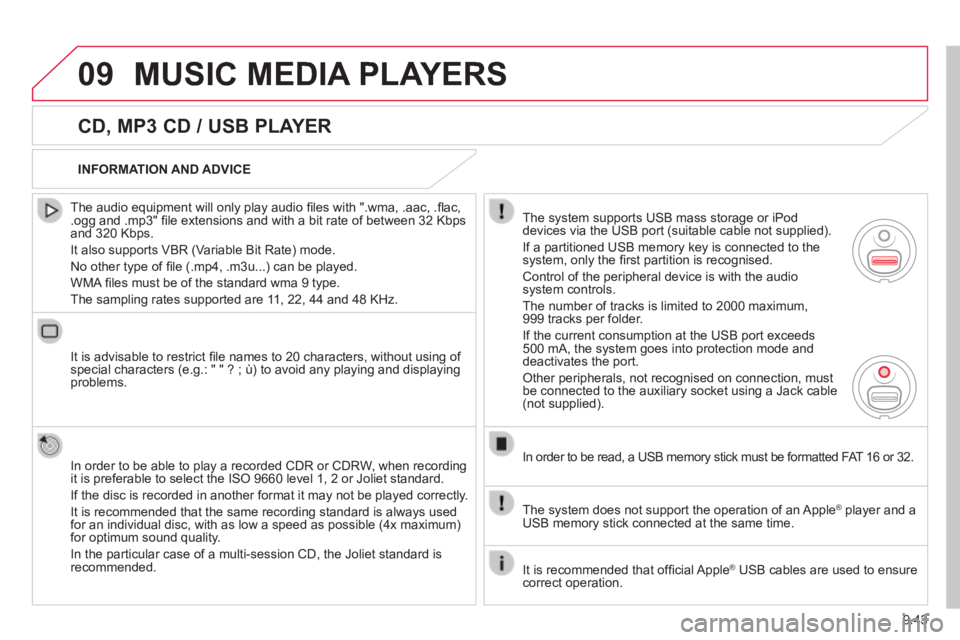
The system supports USB mass storage or iPod devices via the USB port (suitable cable not supplied).
If a partitioned USB memory key is connected to the system, only the fi rst partition is recognised.
Control of the peripheral device is with the audio system controls.
The number of tracks is limited to 2000 maximum, 999 tracks per folder.
If the current consumption at the USB port exceeds 500 mA, the system goes into protection mode and deactivates the port.
Other peripherals, not recognised on connection, must be connected to the auxiliary socket using a Jack cable (not supplied).
In order to be read, a USB memory stick must be formatted FAT 16 or 32.
The system does not support the operation of an Apple ® player and a ® player and a ®
USB memory stick connected at the same time.
It is recommended that offi cial Apple ® USB cables are used to ensure ® USB cables are used to ensure ®
correct operation.
Page 201 of 252

9.47
09 MUSIC MEDIA PLAYERS
USING THE AUXILIARY INPUT (AUX)
JACK AUDIO/USB CABLE NOT SUPPLIED
Connect the portable device (MP3, WMA player…) to the JACK auxiliary audio socket or USB port using a suitable cable.
Press MUSIC to display the " MUSIC " menu.
Select " Activate / Deactivate AUX input " and confi rm.
First adjust the volume of your portable device (to a high level). Then adjust the volume of your audio system.
Display and management of the controls are via the portable device.
Page 224 of 252

9.70
05 USB BOX
The system puts together playlists (temporary memory) created over a period which depends on the capacity of the USB device.
The other sources are available during this time.
The playlists are updated each time the ignition is switched off or each time a USB memory stick is connected.
When connecting for the fi rst time, the classifi cation suggested is by folder. When you reconnect, the classifi cation selected previously is retained.
Connect the memory stick to the port, directly or using a lead. If the audio equipment is switched on, the USB source is detected as soon as it is connected. Play begins automatically after a delay which depends on the capacity of the USB memory stick.
The fi le formats supported are .mp3 (mpeg1 layer 3 only) and .wma (standard 9 only, 128 kbits/sec compression).
Certain playlist formats are supported (.m3u, ...)
On reconnection of the previous memory stick used, play is resumed automatically with the last track played.
This unit consists of a USB port and an auxiliary Jack socket * . The audio fi les are transmitted from a portable device - digital player or a USB memory stick - to your Audio system and heard via the vehicle's speakers.
USB memory stick (1.1, 1.2 and 2.0) or Apple ®
player of generation 5 or later:
- USB memory sticks should be formatted FAT or FAT 32 (NTFS not supported),
- the Apple ® player lead is essential, ® player lead is essential, ®
- navigation through the fi le database is also possible by means of the steering mounted controls.
The list of compatible equipment and the compression rates supported are available from CITROËN dealers. The list of compatible equipment and the compression rates supported are available from CITROËN dealers. The list of compatible equipment and the compression rates supported USING THE USB BOX
CONNECTING A USB MEMORY STICK
Other Apple ® players of earlier generations and ® players of earlier generations and ®
players using the MTP protocol * :
- play via Jack-Jack lead only (not supplied),
- navigation through the fi le database is from the portable device.
* According to vehicle.
Page 226 of 252

9.72
05
The display and control is via the portable device.
First adjust the volume of your portable device.
Then adjust the volume of your audio system.
USING THE AUXILIARY INPUT (AUX) ADJUSTING THE VOLUME OF
THE AUXILIARY SOURCE JACK socket or USB port (according to vehicle)
USB BOX
Do not connect a device to both the JACK socket and the USB port at the same time.
Connect the portable device (MP3 player…) to the JACK socket or to the USB port, using a suitable cable (not supplied).
Press the SOURCE button several times in succession and select AUX.
The auxiliary input, JACK or USB, allows the connection of a portable device (MP3 player...).