phone Citroen JUMPY RHD 2012 2.G Owner's Guide
[x] Cancel search | Manufacturer: CITROEN, Model Year: 2012, Model line: JUMPY RHD, Model: Citroen JUMPY RHD 2012 2.GPages: 270, PDF Size: 9.6 MB
Page 237 of 270

9.87
02STEERING MOUNTED CONTROLS
Radio: select the previous/next pre-setstation.
U
SB: select genre / artist / folder from the classifi cation list.
Select the previous/next item in a menu.
Chan
ge audio source.
Confi rm a selection.
Call/end call on the telephone.
Pr
ess for more than 2 seconds:
telephone main menu.
R
adio: automatic search for a lower
frequency.
CD / MP3 / USB: selection of theprevious track.
CD / USB: continuous press: fastreverse.
M
ove in the list.
Radio: automatic search for a hi
gher
frequency.
CD / MP3 / USB: selection of the next
track.
CD / USB: continuous press: fastforwards play.
M
ove in the list.
V
olume increase.
V
olume decrease.
Mute: press the volume increase and decrease buttons simultaneously.
The sound is restored by
pressing one of the two
volume buttons.
Page 238 of 270
9.88
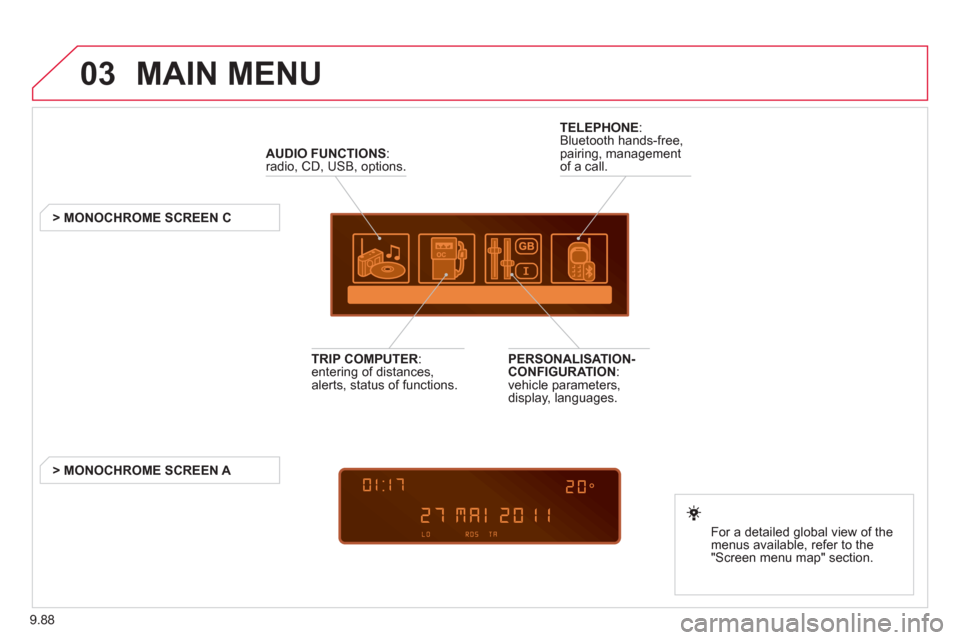
03 MAIN MENU
AUDIO FUNCTIONS
:radio, CD, USB, options.
> MONOCHROME SCREEN C
For a detailed
global view of the
menus available, refer to the
"Screen menu ma
p" section.
TELEPHONE
:
Bluetooth hands-free,
pairing, managementof a call.
PERSONALISATION-
CONFIGURATION:
vehicle parameters,
display, languages.
TRIP COMPUTER: entering of distances,alerts, status of functions.
> MONOCHROME
SCREEN A
Page 245 of 270
9.95
06
1
2
3
4
5
6
7
8
9
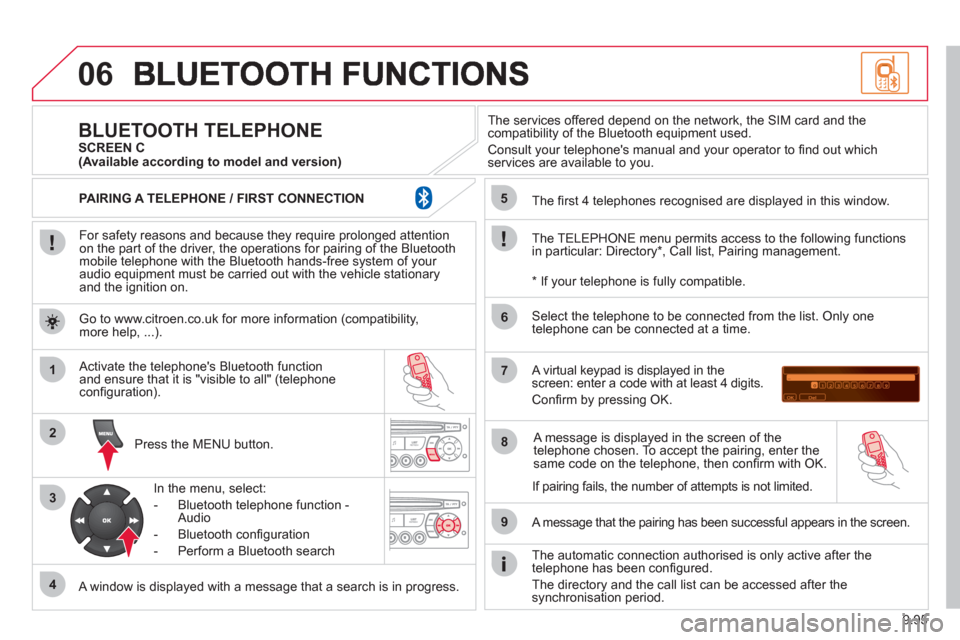
For safety reasons and because they require prolonged attentionon the part of the driver, the operations for pairing of the Bluetooth mobile telephone with the Bluetooth hands-free system of your
audio equipment must be carried out with the vehicle stationary
and the ignition on.
Pr
ess the MENU button.
A window is displayed with a message that a search is in progress.
Activate the telephone's Bluetooth
function
and ensure that it is "visible to all" (telephone confi guration).
In the menu, select:
- Bluetooth telephone
function -
Audio
- Bluetooth confi
guration
- P
erform a Bluetooth search
The services o
ffered depend on the network, the SIM card and thecompatibility of the Bluetooth equipment used.
Consult your telephone's manual and your operator to fi nd out which
services are available to you.
BLUETOOTH TELEPHONE SCREEN C
The TELEPH
ONE menu permits access to the following functions
in particular: Directory * , Call list, Pairing management.
The
fi rst 4 telephones recognised are displayed in this window.
A virtual ke
ypad is displayed in thescreen: enter a code with at least 4 digits.
Confi rm by pressing OK.
A messa
ge that the pairing has been successful appears in the screen.
Select the telephone to be connected from the list. Only one
telephone can be connected at a time.
A messa
ge is displayed in the screen of the
telephone chosen. To accept the pairing, enter the same code on the telephone, then confi rm with OK.
The automatic connection authorised is onl
y active after the
telephone has been confi gured.
The directory and the call list can be accessed a
fter thesynchronisation period.
(Available according to model and version)
*
If your telephone is fully compatible.
I
f pairing fails, the number of attempts is not limited. Go to www.citroen.co.uk for more information
(compatibility,more help, ...).
PAIRING A TELEPHONE / FIR
ST CONNECTION
Page 246 of 270
9.96
06
1
2
1
2
1
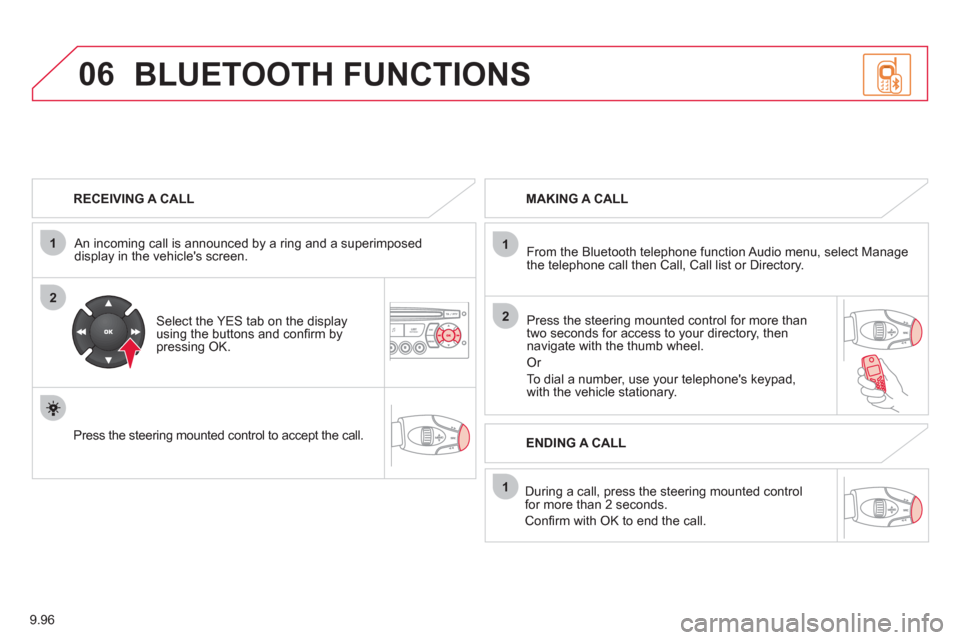
RECEIVING A CALL
An incomin
g call is announced by a ring and a superimposed
display in the vehicle's screen.
Select the YES tab on the display
using the buttons and confi rm bypressing OK.
Press the steerin
g mounted control to accept the call.
MAKING A CALL
From the Bluetooth telephone
function Audio menu, select Manage
the telephone call then Call, Call list or Directory.
Press the steerin
g mounted control for more than
two seconds for access to your directory, then navigate with the thumb wheel.
Or
To dial a number, use your telephone's keypad,with the vehicle stationary.
Durin
g a call, press the steering mounted control
for more than 2 seconds.
Confi rm with OK to end the call.
BLUETOOTH FUNCTIONS
ENDING A CALL
Page 247 of 270
9.97
1
2
3
06
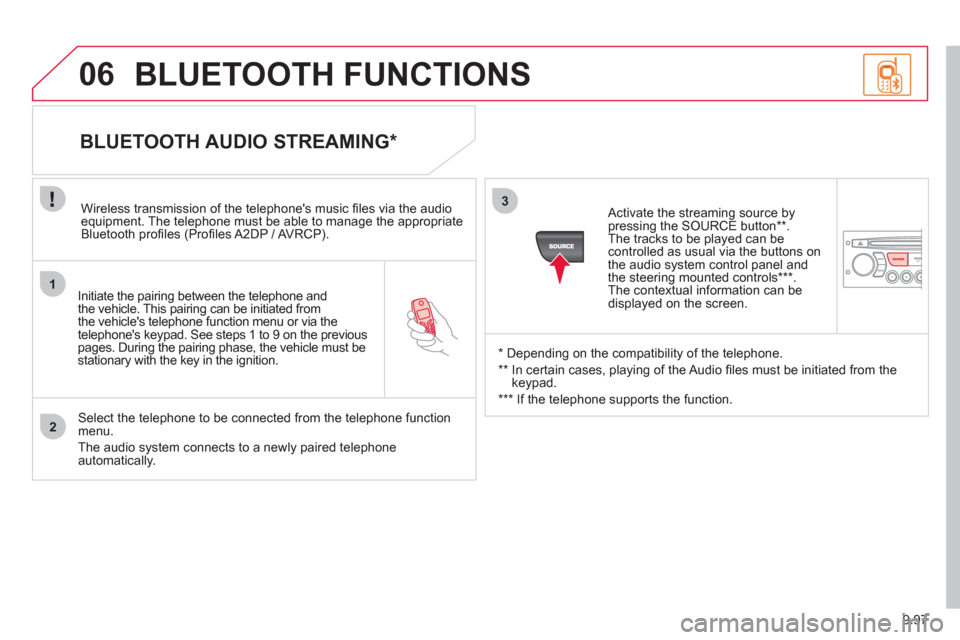
Initiate the pairing between the telephone and
the vehicle. This pairing can be initiated from
the vehicle's telephone function menu or via the
telephone's ke
ypad. See steps 1 to 9 on the previouspages. During the pairing phase, the vehicle must bestationary with the key in the ignition.
Select the telephone to be connected from the telephone function
menu.
The audio system connects to a newly paired telephone automatically.
BLUETOOTH AUDIO STREAMING *
Wireless transmission of the telephone's music fi les via the audioequipment. The telephone must be able to manage the appropriate
Bluetooth profi les (Profi les A2DP / AV RCP).
*
Depending on the compatibility of the telephone.
**
In certain cases, playing of the Audio fi les must be initiated from the
keypad.
*** If the tele
phone supports the function.
Activate the streamin
g source by
pressing the SOURCE button ** .The tracks to be played can becontrolled as usual via the buttons on
the audio system control panel andthe steering mounted controls *** .
The contextual information can bedisplayed on the screen.
BLUETOOTH FUNCTIONS
Page 255 of 270

9.105
09SCREEN MENU MAP
BLUETOOTH TELEPHONE
Connect/Disconnect a device
Consult the paired device
BLUETOOTH CONFIGURATION
Telephone function
Audio Streamin
g function
Delete a
paired device
P
erform a Bluetooth search
Calls lis
t
CALL
Directory
Terminate the current call
MANAGE THE TELEPHONE CALL
Activate private mode
1
2
3
3
3
4
4
4
2
3
4
2
3
3
video brightness adjustment
DISPLAY CONFIGURATION
DEFINE THE VEHICLE PARAMETERS *
PERSONALISATION-CONFIGURATION
normal video
inverse video
bri
ghtness (- +) adjustment
date and time adjustment
day/month/year adjustment
hour
/minute adjustment
choice of 12 h / 24 h mode
choice of units
l/100 km - mpg - km/l
°
Celsius / °Fahrenheit
CHOICE OF LANGUAGE
1
2
4
3
2
4
4
3
4
4
2
3
4
4
4
*
The parameters vary according to vehicle.