wheel Citroen NEMO 2015 1.G Owner's Guide
[x] Cancel search | Manufacturer: CITROEN, Model Year: 2015, Model line: NEMO, Model: Citroen NEMO 2015 1.GPages: 192, PDF Size: 7.84 MB
Page 60 of 192
58GEAR SHIFT INDICATOR*
* According to engine.
Operation
The system intervenes only when driving
economically.
The gear change recommendations must
not be considered compulsory, as the
configuration of the road, the volume of
traffic and safety remain determining factors
when choosing the best gear. Therefore,
the driver remains responsible for deciding
whether or not to follow the advice given by
the system.
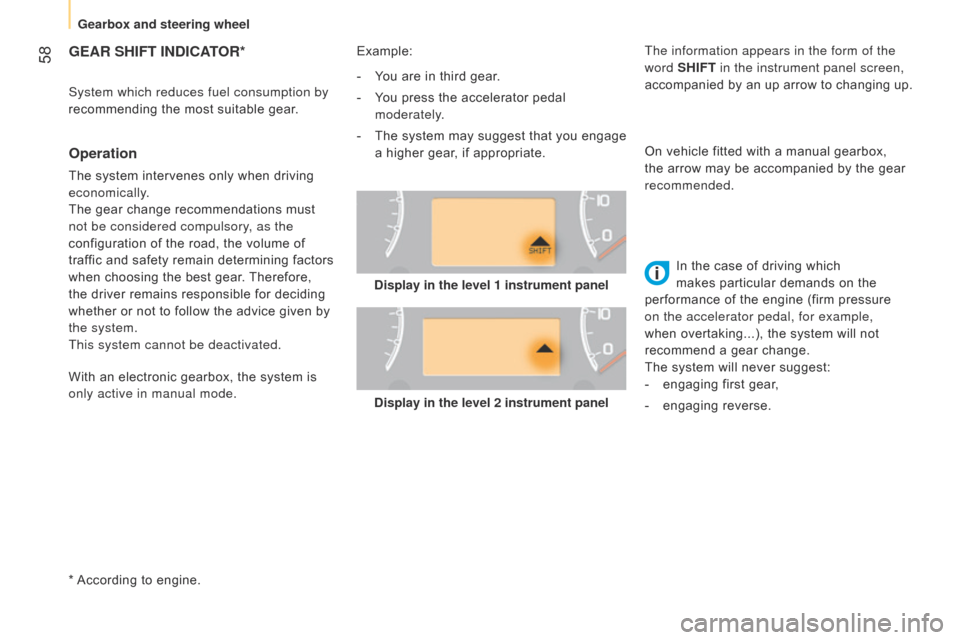
This system cannot be deactivated.Example:
System which reduces fuel consumption by
recommending the most suitable gear.
Display in the level 2 instrument panelIn the case of driving which
makes particular demands on the
performance of the engine (firm pressure
on the accelerator pedal, for example,
when overtaking...), the system will not
recommend a gear change.
The system will never suggest:
-
engaging first gear
,
-
engaging reverse.
-
Y
ou are in third gear.
-
Y
ou press the accelerator pedal
moderately.
-
The
system may suggest that you engage
a higher gear, if appropriate. On vehicle fitted with a manual gearbox,
the arrow may be accompanied by the gear
recommended.
With an electronic gearbox, the system is
only active in manual mode. The information appears in the form of the
word
SHIFT in the instrument panel screen,
accompanied by an up arrow to changing up.
Display in the level 1 instrument panel
Gearbox and steering wheel
Page 64 of 192
62Special cases: START invoked
automatically
The START mode is invoked automatically
when:
-
the vehicle's is free wheeling on a slope,
-
the engine has been stopped for around
3 minutes with Stop & Start,
-
some special conditions (battery charge,
engine temperature, braking assistance,
ambient temperature...) where the engine
is needed to assure control of a system. Good practice
With a manual gearbox in STOP mode, if a
gear is engaged without fully depressing the
clutch pedal, restarting may not take place.
A warning lamp or message is displayed
in the instrument panel asking you to fully
depress the clutch pedal to allow restarting.
With the engine stopped in STOP mode,
if the driver unfasten's their seat belt and
opens a front door, the engine can only
be restarted using the ignition key. This is
indicated by an audible signal, accompanied
by flashing of the service warning lamp and
a message in the instrument panel screen.
If following an automatic restart in START
mode, the driver takes no action on the
the vehicle during the next
3 minutes, the
system stops the engine definitively. The
engine can then only be restarted using the
key.
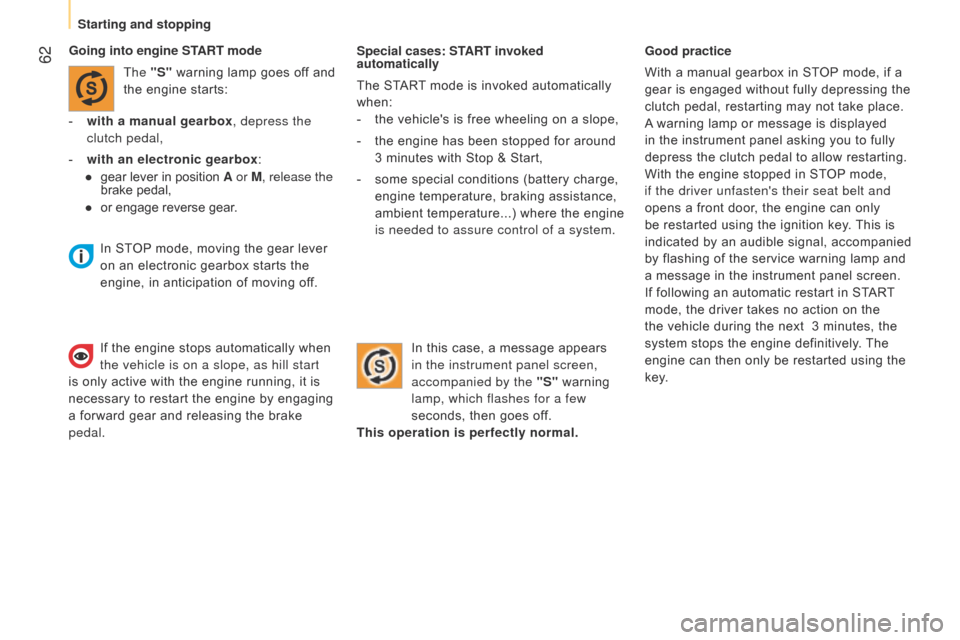
Going into engine START mode
The "S" warning lamp goes off and
the engine starts:
-
with a manual gearbox
, depress the
clutch pedal,
-
with an electronic gearbox
:
●
gear lever in position
A or M, release the
brake pedal,
●
or engage rever
se gear. In this case, a message appears
in the instrument panel screen,
accompanied by the "S" warning
lamp, which flashes for a few
seconds, then goes off.
This operation is perfectly normal.
In STOP mode, moving the gear lever
on an electronic gearbox starts the
engine, in anticipation of moving off.
If the engine stops automatically when
the vehicle is on a slope, as hill start
is only active with the engine running, it is
necessary to restart the engine by engaging
a forward gear and releasing the brake
pedal.
Starting and stopping
Page 86 of 192

84
Level 1 screen
- Speed (speed beep).
-
T
ime (Setting the time).
-
Buzz (V
olume for announcements).
-
Unit (Units of measurement).
-
Bag p (Passenger's airbag).
Refer to the corresponding line of the
configuration - personalisation table on the
following pages.
CONFIGURATION /
P ERSONALISATION OF THE VEHICLE
Level 2 screen
Refer to the corresponding line of the
configuration - personalisation table on the
following pages.
Control panel
The side control panel located beside the
steering wheel provides access to screen
menus allowing personalisation of some of
your systems.
Eight languages are available: Italian,
English, German, French, Spanish,
Portuguese, Dutch and Turkish.
a
s a safety precaution, the menus can
only be accessed when the ignition is
off (engine off).
Vehicle configuration
Page 95 of 192
93
INTRODUCTION
This system allows you to:-
send and receive calls via the Bluetooth® connection with your mobile telephone,
-
display the names of your contacts and numbers from the directo
ry of your mobile phone in the instrument panel screen,
-
use voice commands to make a call and manage your contacts whil
e keeping both hands on the steering wheel,
-
hear your text messages via the voice synthesiser built into th
e system,
-
listen to MP3, WMA,
AAC, M4A, MP4 and WAV audio files from a USB storage device,
-
display information on the track being played in the radio scre
en (title, artist, etc...),
-
control vocally a portable music player (iPod® type),
-
recharge your portable music player (iPod® type) via the USb port.
BLUETOOTH HANDS-FREE SYSTEM
K
EY
Indicates that a long press is required to start the action described.
Voice mode
Speak the designated voice command clearly and distinctly. Requires a press on the steering mounted "voice" control before speaking the desired voice command.
TECHnoLoGY on boaRd
bluetooth hands-free system
5
Page 113 of 192
111
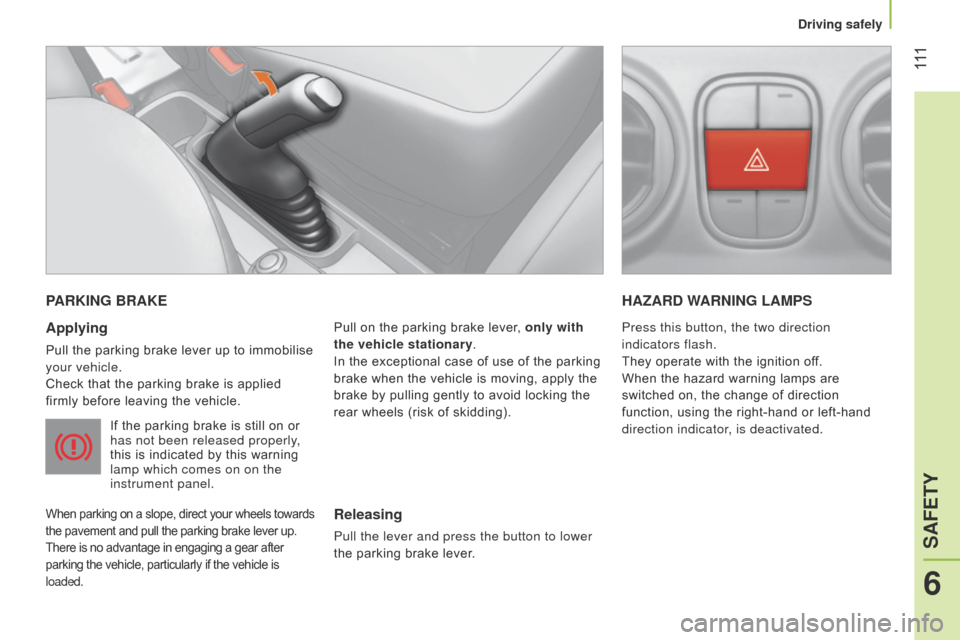
PARKING BRAKE
Applying
Pull the parking brake lever up to immobilise
your vehicle.
Check that the parking brake is applied
firmly before leaving the vehicle.
If the parking brake is still on or
has not been released properly,
this is indicated by this warning
lamp which comes on on the
instrument panel.
When parking on a slope, direct your wheels towards
the pavement and pull the parking brake lever up.
There is no advantage in engaging a gear after
parking the vehicle, particularly if the vehicle is
loaded.
Pull on the parking brake lever, only with
the vehicle stationary.
In the exceptional case of use of the parking
brake when the vehicle is moving, apply the
brake by pulling gently to avoid locking the
rear wheels (risk of skidding).
HAZARD WARNING LAMPS
Releasing
Pull the lever and press the button to lower
the parking brake lever. Press this button, the two direction
indicators flash.
They operate with the ignition off.
When the hazard warning lamps are
switched on, the change of direction
function, using the right-hand or left-hand
direction indicator, is deactivated.
6
SAFETY
Driving safely
Page 114 of 192
11 2
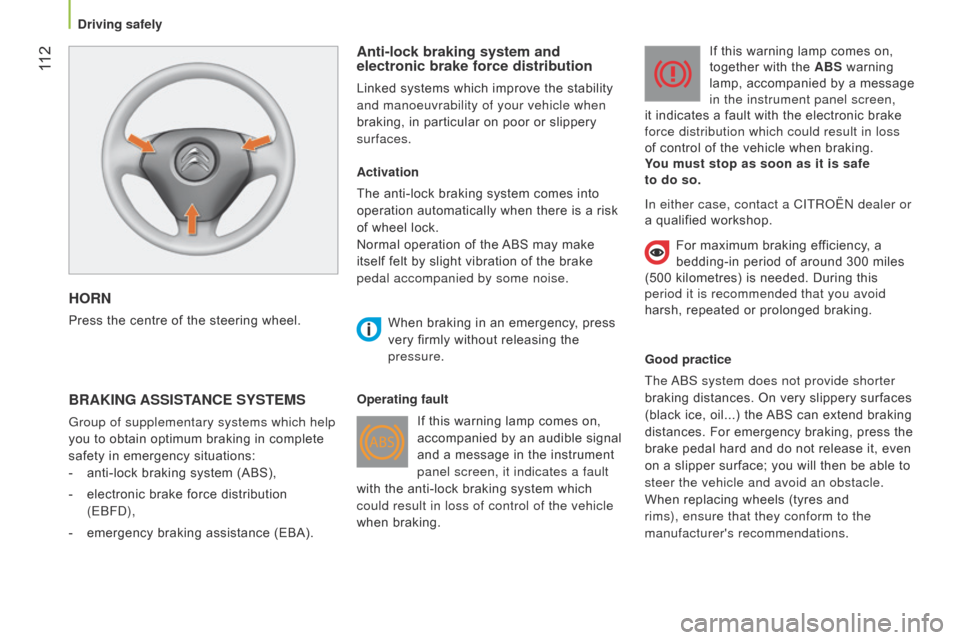
HORN
Press the centre of the steering wheel.
Anti-lock braking system and
electronic brake force distribution
Linked systems which improve the stability
and manoeuvrability of your vehicle when
braking, in particular on poor or slippery
surfaces.
BRAKING ASSISTANCE SYSTEMS
Group of supplementary systems which help
you to obtain optimum braking in complete
safety in emergency situations:
-
anti-lock braking system (ABS),
-
electronic brake force distribution
(E
b F d ),
-
emergency braking assistance (EBA). Activation
The anti-lock braking system comes into
operation automatically when there is a risk
of wheel lock.
Normal operation of the ABS may make
itself felt by slight vibration of the brake
pedal accompanied by some noise.
When braking in an emergency
, press
very firmly without releasing the
pressure.
Operating fault If this warning lamp comes on,
accompanied by an audible signal
and a message in the instrument
panel screen, it indicates a fault
with the anti-lock braking system which
could result in loss of control of the vehicle
when braking. If this warning lamp comes on,
together with the ABS warning
lamp, accompanied by a message
in the instrument panel screen,
it indicates a fault with the electronic brake
force distribution which could result in loss
of control of the vehicle when braking.
You must stop as soon as it is safe
to do so.
Good practice
The
ab
S system does not provide shorter
braking distances. On very slippery surfaces
(black ice, oil...) the ABS can extend braking
distances. For emergency braking, press the
brake pedal hard and do not release it, even
on a slipper surface; you will then be able to
steer the vehicle and avoid an obstacle.
When replacing wheels (tyres and
rims), ensure that they conform to the
manufacturer's recommendations. In either case, contact a CITR o Ë n dealer or
a qualified workshop.
For maximum braking efficiency, a
bedding-in period of around 300 miles
(500 kilometres) is needed. During this
period it is recommended that you avoid
harsh, repeated or prolonged braking.
Driving safely
Page 115 of 192
11 3
Emergency braking assistance*
System which, in an emergency, enables
you to reach the optimum braking pressure
more quickly, thus reducing the stopping
distance. The emergency braking assistance
is an integral part of the DSC system.
Activation
It is brought into play by the speed at which
the brake pedal is pressed.
The effect of this is a reduction in the
resistance of the pedal and an increase in
braking efficiency.
When braking in an emergency, press firmly
without releasing the pressure.
Good practice
This system cannot be deactivated by the
driver.
* Depending on country of sale.
TRAJECTORY CONTROL SYSTEMS
Dynamic stability control
(DSC)
The dynamic stability control system acts on
the brake of one or more wheels and on the
engine to keep the vehicle on the trajectory
required by the driver, within the limits of the
laws of physics.
Activation
This system is activated automatically each
time the vehicle is started and cannot be
deactivated.
It comes into operation in the event of a grip
or trajectory problem.
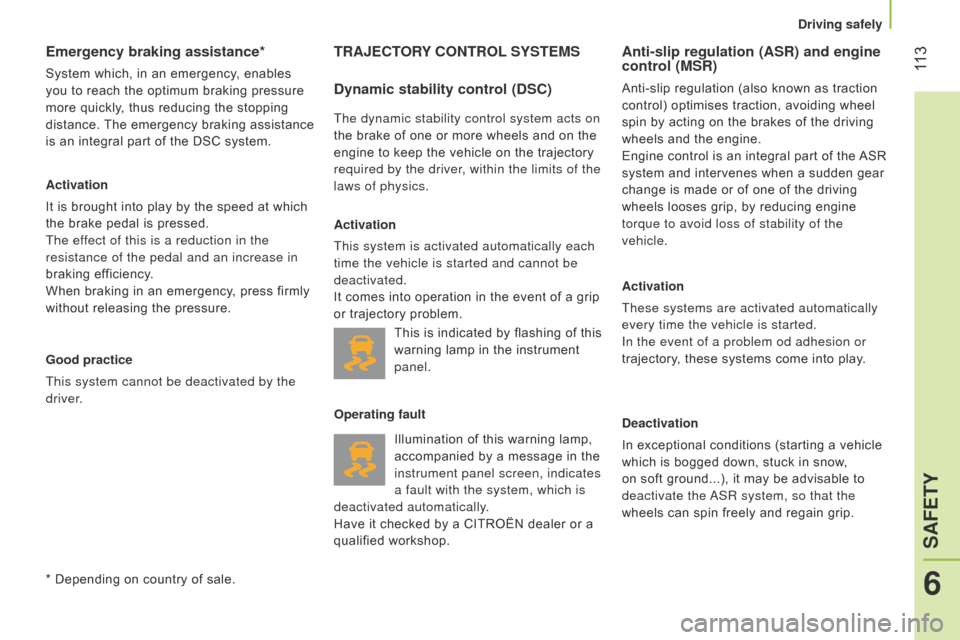
Illumination of this warning lamp,
accompanied by a message in the
instrument panel screen, indicates
a fault with the system, which is
deactivated automatically.
Have it checked by a CITROËN dealer or a
qualified workshop.
Anti-slip regulation (ASR) and engine
control (MSR)
Anti-slip regulation (also known as traction
control) optimises traction, avoiding wheel
spin by acting on the brakes of the driving
wheels and the engine.
Engine control is an integral part of the ASR
system and intervenes when a sudden gear
change is made or of one of the driving
wheels looses grip, by reducing engine
torque to avoid loss of stability of the
vehicle.
Activation
These systems are activated automatically
every time the vehicle is started.
In the event of a problem od adhesion or
trajectory, these systems come into play.
Deactivation
In exceptional conditions (starting a vehicle
which is bogged down, stuck in snow,
on soft ground...), it may be advisable to
deactivate the
a
SR system, so that the
wheels can spin freely and regain grip.
This is indicated by flashing of this
warning lamp in the instrument
panel.
Operating fault
6
SAFETY
Driving safely
Page 116 of 192

11 4
Reactivation
The
a
SR system is reactivated automatically
every time the ignition is switched back on.
F
Press the
"ASR OFF" button again to
reactivate the system manually. Operating fault
The illumination of this warning
lamp, coupled with the ASR OFF
warning lamp, accompanied by
a message in the instrument
panel screen, indicates a fault with the
a
SR
system, which is deactivated automatically.
Have the system checked by a CITROËN
dealer or a qualified workshop. Good practice
The d SC and
a
SR system offers exceptional
safety in normal driving, but this should not
encourage the driver to take extra risks or
drive at high speed.
The correct functioning of this system
depends on observation of the
manufacturer's recommendations regarding
the wheels (tyres and rims), the braking
components, the electronic components and
assembly and repair procedures.
a
fter an impact, have these systems
checked by a CITROËN dealer or a qualified
workshop.
F
Press the
"ASR OFF" button in the side
control panel alongside the steering
wheel.
Illumination of this warning lamp,
accompanied by a message in
the screen, indicates that the
a
SR
system is deactivated.
Driving safely
Page 117 of 192
11 5
Intelligent Traction Control
System to improve traction on slippery
surfaces (snow, black ice, mud...).
This system checks for situations of difficult
surface adhesion that could make it difficult
to move off or make progress.
In these situations, Intelligent Traction
Control takes over from the ASR system,
by transferring drive to the wheel with the
best grip on the ground to provide the best
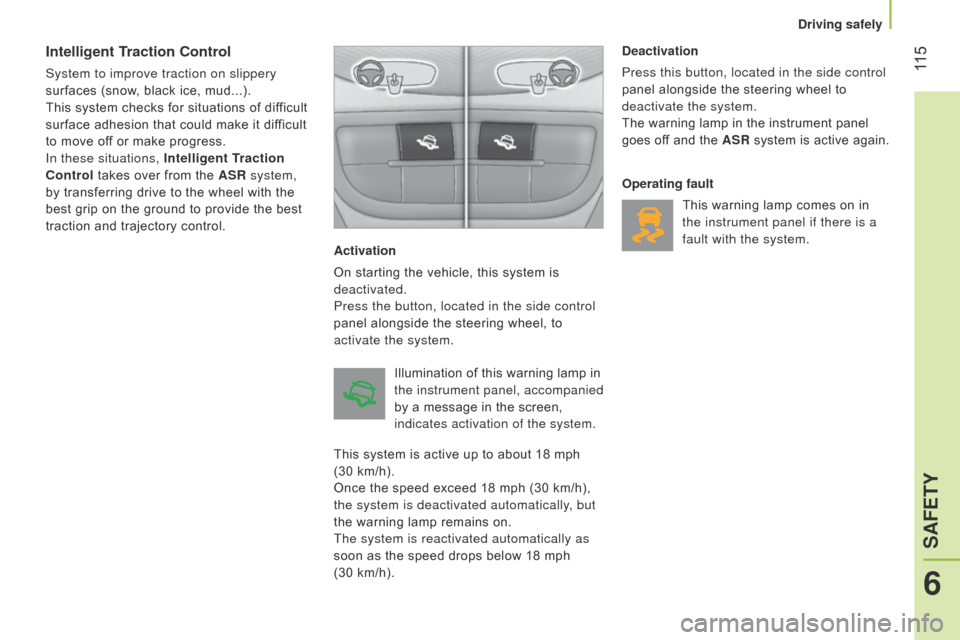
traction and trajectory control.Activation
On starting the vehicle, this system is
deactivated.
Press the button, located in the side control
panel alongside the steering wheel, to
activate the system.Deactivation
Press this button, located in the side control
panel alongside the steering wheel to
deactivate the system.
The warning lamp in the instrument panel
goes off and the ASR system is active again.
Operating fault
This warning lamp comes on in
the instrument panel if there is a
fault with the system.
Illumination of this warning lamp in
the instrument panel, accompanied
by a message in the screen,
indicates activation of the system.
This system is active up to about 18 mph
(30 km/h).
Once the speed exceed 18 mph (30 km/h),
the system is deactivated automatically, but
the warning lamp remains on.
The system is reactivated automatically as
soon as the speed drops below 18 mph
(30 km/h).
6
SAFETY
Driving safely
Page 118 of 192
11 6
TYRE UNDER-INFLATION DETECTION
System which automatically checks the
pressure of the tyres while driving.
The system monitors the pressures on the
four tyres, once the vehicle is moving.
It compares the information given by the
four wheel speed sensors with reference
values, which must be reinitialised every
time the tyre pressures are adjusted or a
wheel changed.
The system triggers an alert as soon as it
detects a drop in the inflation pressure of
one or more tyres.
The under-inflation detection system
does not replace the vigilance or the
responsibility of the driver.
This system does not avoid the need to
check the tyre pressures (including the
spare wheel) every month as well as before
a long journey.
Driving with under-inflated tyres impairs
road holding, extends braking distances and
causes premature tyre wear, particularly
under arduous condition (high loading, high
speed, long journey).
Driving with under-inflated tyres increases
fuel consumption.
The inflation pressures defined for
your vehicle can be found on the tyre
pressure label.
See the "Identification markings" section.
Tyre pressures should be checked when the
tyres are "cold" (vehicle stopped for 1 hour
or after a journey of less than 6 miles
(10 km) at moderate speeds).
Otherwise (when hot), add 0.3 bar to the
pressures shown on the label.
Under-inflation alert
This is given by fixed
illumination of this warning lamp,
accompanied the display of a
message,depending on equipment.
F
Reduce speed immediately
, avoid
excessive steering movements and
sudden braking
F
Stop the vehicle as soon as it is safe to
do so.
The loss of pressure detected does
not always cause visible bulging of the
tyre. Do not satisfy yourself with just a visual
check.
F
In the event of a puncture, use the
temporary puncture repair kit or the spare
wheel (depending on equipment),
or
F
if you have a compressor
, such as the
one in the temporary puncture repair kit,
check the pressures of the four tyres
when cold,
or
F
if it is not possible to make this check
immediately, drive carefully at reduced
speed.
The alert is maintained until the system
is reinitialised.
Driving safely