lock Citroen NEMO DAG 2008 1.G User Guide
[x] Cancel search | Manufacturer: CITROEN, Model Year: 2008, Model line: NEMO DAG, Model: Citroen NEMO DAG 2008 1.GPages: 131, PDF Size: 1.94 MB
Page 34 of 131
30
Accesses
Deactivation using the remote control
When this button is pressed, the
alarm is deactivated when the
vehicle is unlocked.
Deactivation using the key
Unlock the doors using the key and enter
the vehicle. Switch on the ignition to the
RUNNING position, identification of the key
code will switch off the alarm.
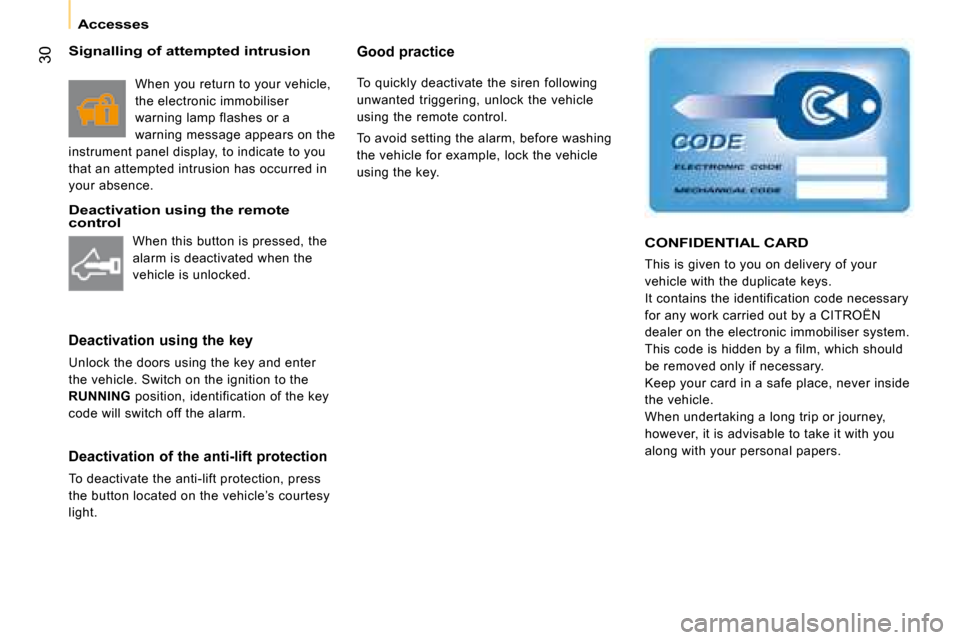
CONFIDENTIAL CARD
This is given to you on delivery of your
vehicle with the duplicate keys.
It contains the identification code necessary
for any work carried out by a CITROËN
dealer on the electronic immobiliser system.
This code is hidden by a film, which should
be removed only if necessary.
Keep your card in a safe place, never inside
the vehicle.
When undertaking a long trip or journey,
however, it is advisable to take it with you
along with your personal papers.
Deactivation of the anti-lift protection
To deactivate the anti-lift protection, press
the button located on the vehicle’s courtesy
light.
Good practice
To quickly deactivate the siren following
unwanted triggering, unlock the vehicle
using the remote control.
To avoid setting the alarm, before washing
the vehicle for example, lock the vehicle
using the key.
Signalling of attempted intrusion
When you return to your vehicle,
the electronic immobiliser
warning lamp flashes or a
warning message appears on the
instrument panel display, to indicate to you
that an attempted intrusion has occurred in
your absence.
Page 35 of 131
30
Accesses
Deactivation using the remote control
When this button is pressed, the
alarm is deactivated when the
vehicle is unlocked.
Deactivation using the key
Unlock the doors using the key and enter
the vehicle. Switch on the ignition to the
RUNNING position, identification of the key
code will switch off the alarm.
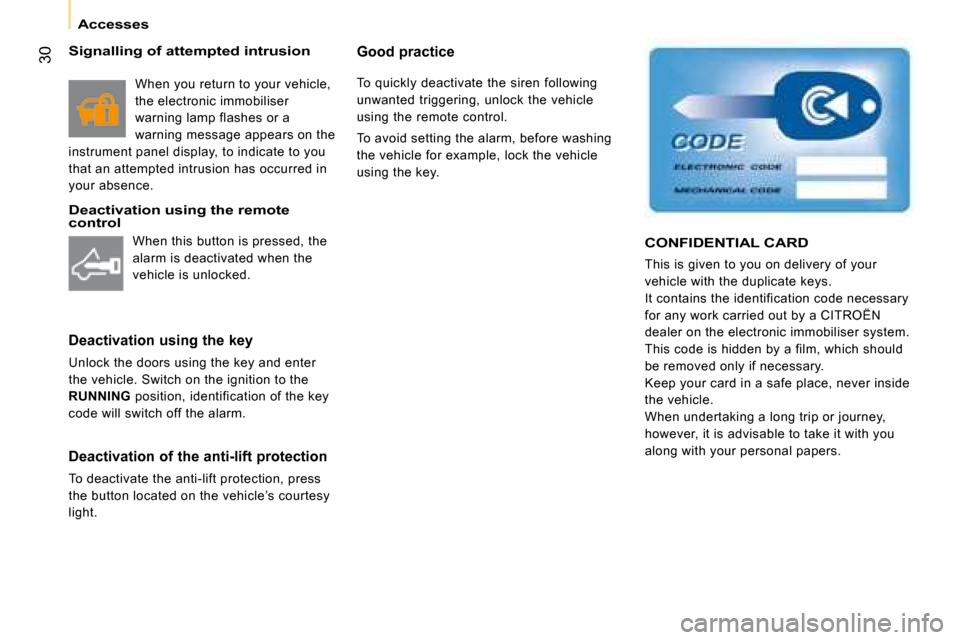
CONFIDENTIAL CARD
This is given to you on delivery of your
vehicle with the duplicate keys.
It contains the identification code necessary
for any work carried out by a CITROËN
dealer on the electronic immobiliser system.
This code is hidden by a film, which should
be removed only if necessary.
Keep your card in a safe place, never inside
the vehicle.
When undertaking a long trip or journey,
however, it is advisable to take it with you
along with your personal papers.
Deactivation of the anti-lift protection
To deactivate the anti-lift protection, press
the button located on the vehicle’s courtesy
light.
Good practice
To quickly deactivate the siren following
unwanted triggering, unlock the vehicle
using the remote control.
To avoid setting the alarm, before washing
the vehicle for example, lock the vehicle
using the key.
Signalling of attempted intrusion
When you return to your vehicle,
the electronic immobiliser
warning lamp flashes or a
warning message appears on the
instrument panel display, to indicate to you
that an attempted intrusion has occurred in
your absence.
Page 36 of 131
31
1
READY TO SET OFF
Accesses
OPENING FROM THE OUTSIDE
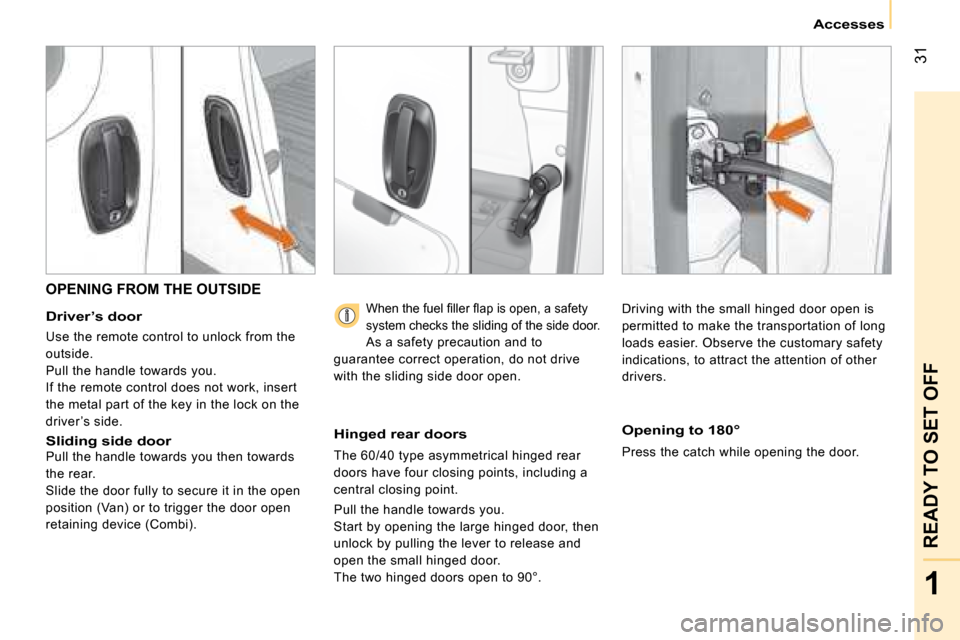
Driver’s door
Use the remote control to unlock from the
outside.
Pull the handle towards you.
If the remote control does not work, insert
the metal part of the key in the lock on the
driver ’s side.
Sliding side door Pull the handle towards you then towards
the rear.
Slide the door fully to secure it in the open
position (Van) or to trigger the door open
retaining device (Combi).
Hinged rear doors
The 60/40 type asymmetrical hinged rear
doors have four closing points, including a
central closing point.
Pull the handle towards you.
Start by opening the large hinged door, then
unlock by pulling the lever to release and
open the small hinged door.
The two hinged doors open to 90°.
Opening to 180°
Press the catch while opening the door.
When the fuel fi ller fl ap is open, a safety
system checks the sliding of the side door.
As a safety precaution and to
guarantee correct operation, do not drive
with the sliding side door open. Driving with the small hinged door open is
permitted to make the transportation of long
loads easier. Observe the customary safety
indications, to attract the attention of other
drivers.
Page 37 of 131
32
Accesses
Sliding side door
Good practice
When opening, take care not to obstruct the
guide space on the floor to allow the door to
slide correctly.
Do not block traffic.
OPENING FROM THE INSIDE
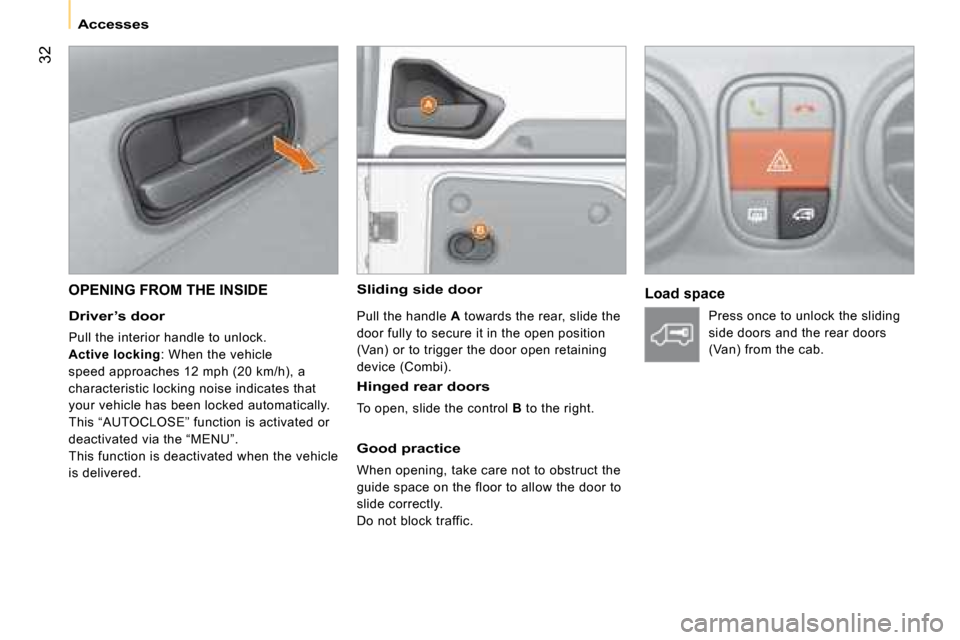
Driver’s door
Pull the interior handle to unlock.
Active locking : When the vehicle
speed approaches 12 mph (20 km/h), a
characteristic locking noise indicates that
your vehicle has been locked automatically.
This “AUTOCLOSE” function is activated or
deactivated via the “MENU”.
This function is deactivated when the vehicle
is delivered.
Pull the handle A towards the rear, slide the
door fully to secure it in the open position
(Van) or to trigger the door open retaining
device (Combi).
Hinged rear doors
To open, slide the control B to the right.
Load space
Press once to unlock the sliding
side doors and the rear doors
(Van) from the cab.
Page 38 of 131

33
1
READY TO SET OFF
Accesses
CLOSING FROM INSIDE
Central locking
Push the interior handle to lock the entire
vehicle or the door concerned. However,
if one of the doors is open or is not closed
correctly, the central locking does not work. Always remove the key from the
ignition when leaving the vehicle, even
for a short time.
Closing from 180°
The check strap will re-attach automatically
when the hinged doors are closed, the small
door being closed first.
Load space
Protection against attack
When the vehicle is started, the system
locks the cab and load space doors
automatically when you reach approximately
12 mph (20 km/h).
This “AUTOCLOSE” function is activated or
deactivated via the “MENU”.
If none of the doors are opened during the
journey, the locking remains active.
This function is deactivated when the vehicle
is delivered.
Press to lock the sliding side
doors and the rear doors (Van)
from the cab.
Page 39 of 131
34
Accesses
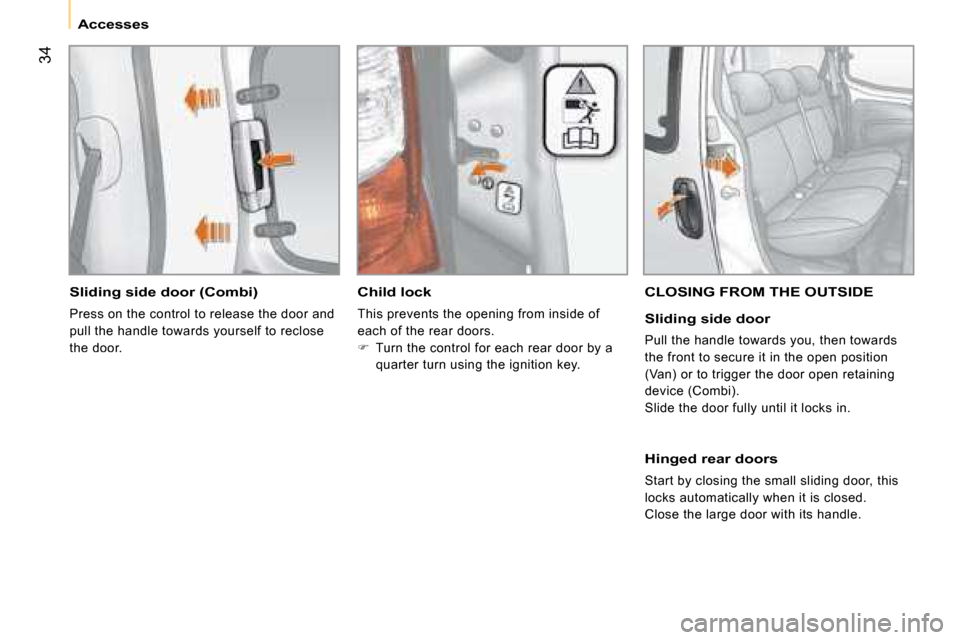
Sliding side door (Combi)
Press on the control to release the door and
pull the handle towards yourself to reclose
the door.
Child lock
This prevents the opening from inside of
each of the rear doors.
Turn the control for each rear door by a
quarter turn using the ignition key.
CLOSING FROM THE OUTSIDE
Sliding side door
Pull the handle towards you, then towards
the front to secure it in the open position
(Van) or to trigger the door open retaining
device (Combi).
Slide the door fully until it locks in.
Hinged rear doors
Start by closing the small sliding door, this
locks automatically when it is closed.
Close the large door with its handle.
Page 40 of 131
34
Accesses
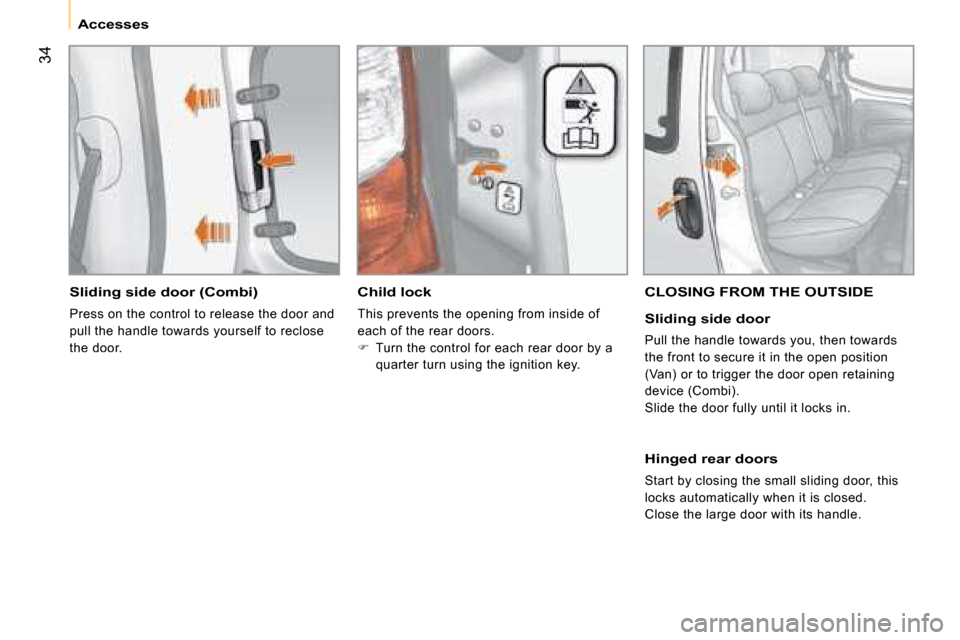
Sliding side door (Combi)
Press on the control to release the door and
pull the handle towards yourself to reclose
the door.
Child lock
This prevents the opening from inside of
each of the rear doors.
Turn the control for each rear door by a
quarter turn using the ignition key.
CLOSING FROM THE OUTSIDE
Sliding side door
Pull the handle towards you, then towards
the front to secure it in the open position
(Van) or to trigger the door open retaining
device (Combi).
Slide the door fully until it locks in.
Hinged rear doors
Start by closing the small sliding door, this
locks automatically when it is closed.
Close the large door with its handle.
Page 46 of 131
39
1
READY TO SET OFF
Mirrors and windows
ELECTRIC WINDOWS
Electric controls
The electric windows have a safety auto-
reverse function and are associated with
one-touch controls for lowering and raising.
From the driver ’s seat, the controls placed
on the door operate the vehicle’s front
windows.
On the passenger ’s side, the control
operates the passenger ’s front window.
One-touch controls
An extended press on the control raises or
lowers the window completely.
Press the control again to stop the window.
Press the control briefly to trigger the
movement of the window.
Manual controls
Turn the window winder located on the door
trim pad.
Good practice
Always remove the key from the ignition
when leaving the vehicle, even for a short
time.
If the electric window meets an obstacle
during operation, you must reverse the
movement of the window. To do this, press
the control concerned.
When the driver operates the passenger
electric window controls, he must ensure
that no one is preventing correct closing of
the windows.
The driver must ensure that the passenger
uses the electric window correctly.
Be aware of children when operating the
windows.
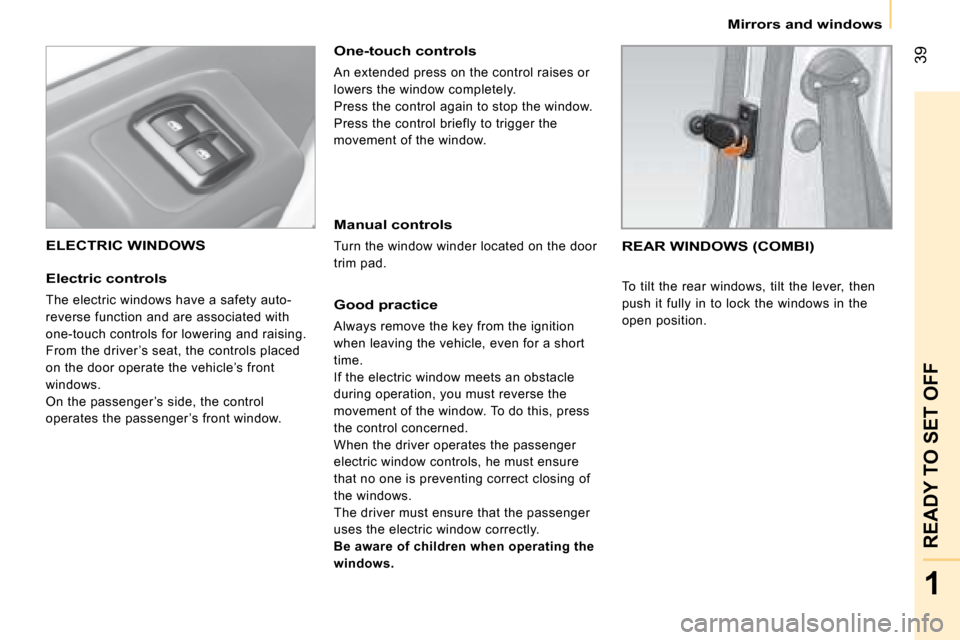
REAR WINDOWS (COMBI)
To tilt the rear windows, tilt the lever, then
push it fully in to lock the windows in the
open position.
Page 49 of 131
42
Gearbox and steering wheel
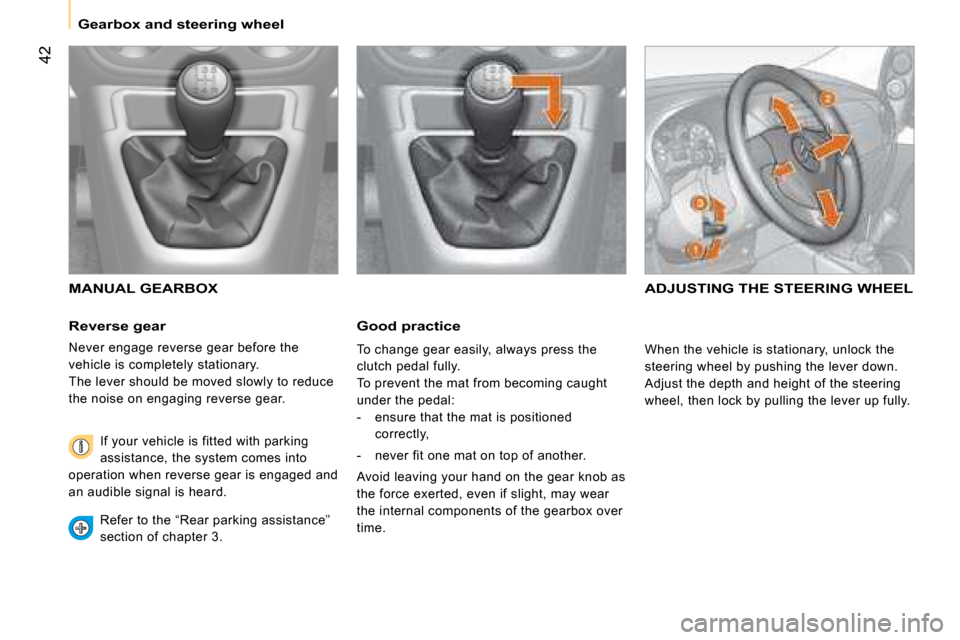
Reverse gear
Never engage reverse gear before the
vehicle is completely stationary.
The lever should be moved slowly to reduce
the noise on engaging reverse gear. If your vehicle is fitted with parking
assistance, the system comes into
operation when reverse gear is engaged and
an audible signal is heard.
Refer to the “Rear parking assistance”
section of chapter 3.
ADJUSTING THE STEERING WHEEL MANUAL GEARBOX
Good practice
When the vehicle is stationary, unlock the
steering wheel by pushing the lever down.
Adjust the depth and height of the steering
wheel, then lock by pulling the lever up fully.
To change gear easily, always press the
clutch pedal fully.
To prevent the mat from becoming caught
under the pedal:
- ensure that the mat is positioned
correctly,
- never fit one mat on top of another.
Avoid leaving your hand on the gear knob as
the force exerted, even if slight, may wear
the internal components of the gearbox over
time.
Page 61 of 131
55
3
IN-CAR TECHNOLOGY
Menu
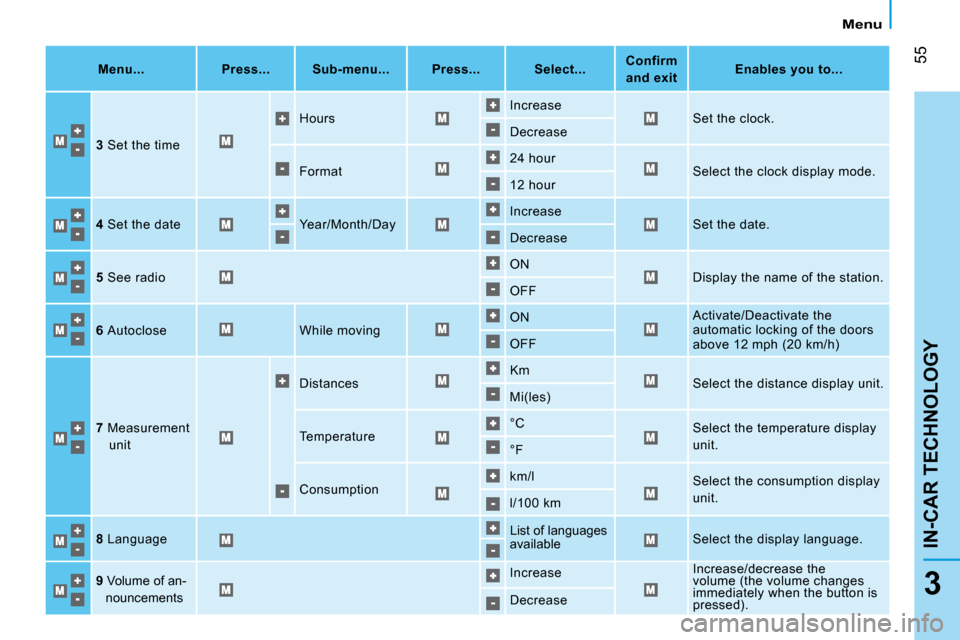
Menu...
Press... Sub-menu... Press... Select...
Confirm
and exit
Enables you to...
3 Set the time Hours
Increase
Set the clock.
Decrease
Format 24 hour
Select the clock display mode.
12 hour
4 Set the date Year/Month/Day Increase
Set the date.
Decrease
5 See radio ON
Display the name of the station.
OFF
6 Autoclose While moving ON
Activate/Deactivate the
automatic locking of the doors
above 12 mph (20 km/h)
OFF
7 Measurement
unit Distances
Km
Select the distance display unit.
Mi(les)
Temperature °C
Select the temperature display
unit.
°F
Consumption km/l
Select the consumption display
unit.
l/100 km
8 Language List of languages
available
Select the display language.
9 Volume of an-
nouncements Increase
Increase/decrease the
volume (the volume changes
immediately when the button is
pressed).
Decrease