key Citroen XSARA PICASSO DAG 2005.5 1.G Owner's Manual
[x] Cancel search | Manufacturer: CITROEN, Model Year: 2005.5, Model line: XSARA PICASSO DAG, Model: Citroen XSARA PICASSO DAG 2005.5 1.GPages: 151, PDF Size: 3.32 MB
Page 28 of 151
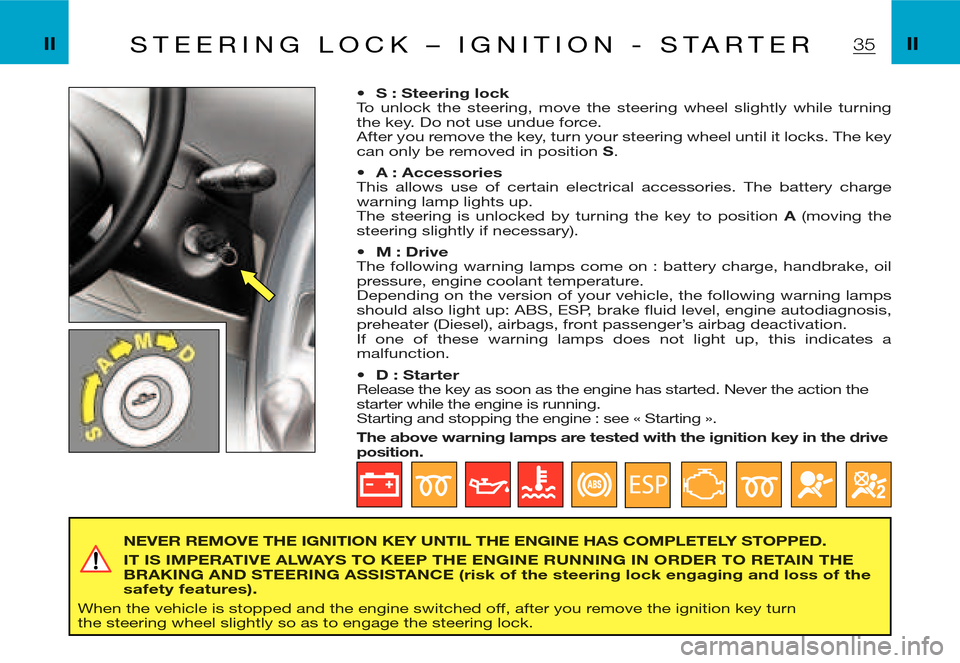
35S T E E R I N G L O C K – I G N I T I O N - S T A R T E R
NEVER REMOVE THE IGNITION KEY UNTIL THE ENGINE HAS COMPLETELY STOPPED.
IT IS IMPERATIVE ALWAYS TO KEEP THE ENGINE RUNNING IN ORDER TO RETAIN THE BRAKING AND STEERING ASSISTANCE (risk of the steering lock engaging and loss of the safety features).
When the vehicle is stopped and the engine switched off, after you remove the ignition key turn the steering wheel slightly so as to engage the steering lock.
Page 94 of 151
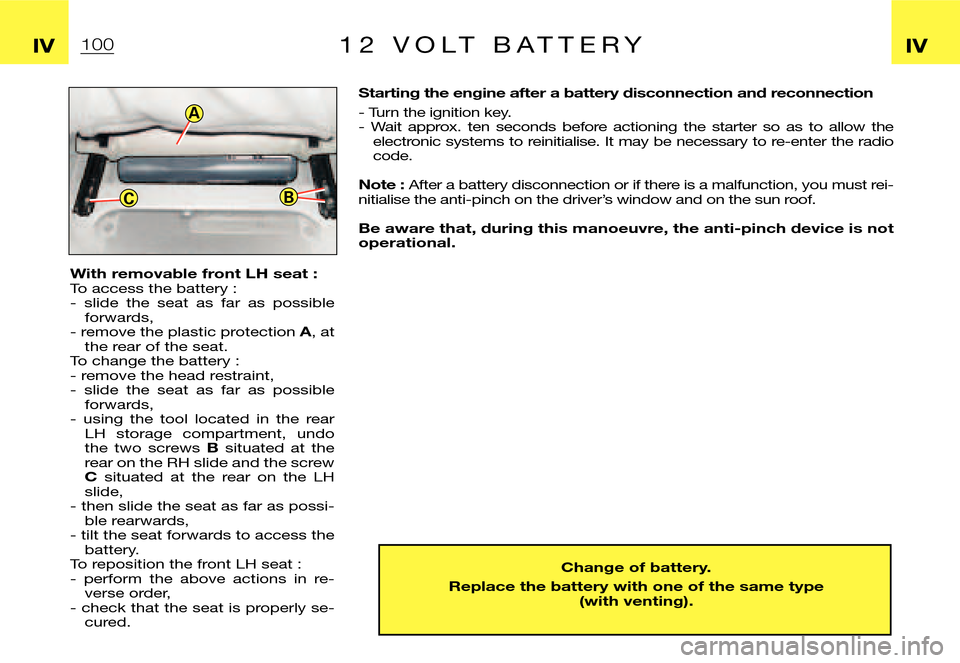
A
CB
Starting the engine after a battery disconnection and reconnection
- Turn the ignition key.- Wait approx. ten seconds before actioning the starter so as to allow the electronic systems to reinitialise. It may be necessary to re-enter the radio code.
Note : After a battery disconnection or if there is a malfunction, you must rei-nitialise the anti-pinch on the driver’s window and on the sun roof.
Be aware that, during this manoeuvre, the anti-pinch device is not operational.
With removable front LH seat : To access the battery : - slide the seat as far as possible forwards,- remove the plastic protection A, at the rear of the seat.To change the battery :- remove the head restraint,- slide the seat as far as possible forwards,- using the tool located in the rear LH storage compartment, undo the two screws B situated at the rear on the RH slide and the screw C situated at the rear on the LH slide,- then slide the seat as far as possi-ble rearwards,- tilt the seat forwards to access the battery.To reposition the front LH seat :- perform the above actions in re-verse order,- check that the seat is properly se-cured.
Change of battery.
Replace the battery with one of the same type (with venting).
1001 2 V O L T B A T T E R Y IVIV
Page 124 of 151
6
Enter street
Street:
Validate Correction List 3 City centreEnter city
Correction
City:RAMBOUILLET
List 37844 Change
Enter number
Number:
Validate Correction From 1 to 19
T H E O N - B O A R D N A V I G AT I O N S Y S T E M
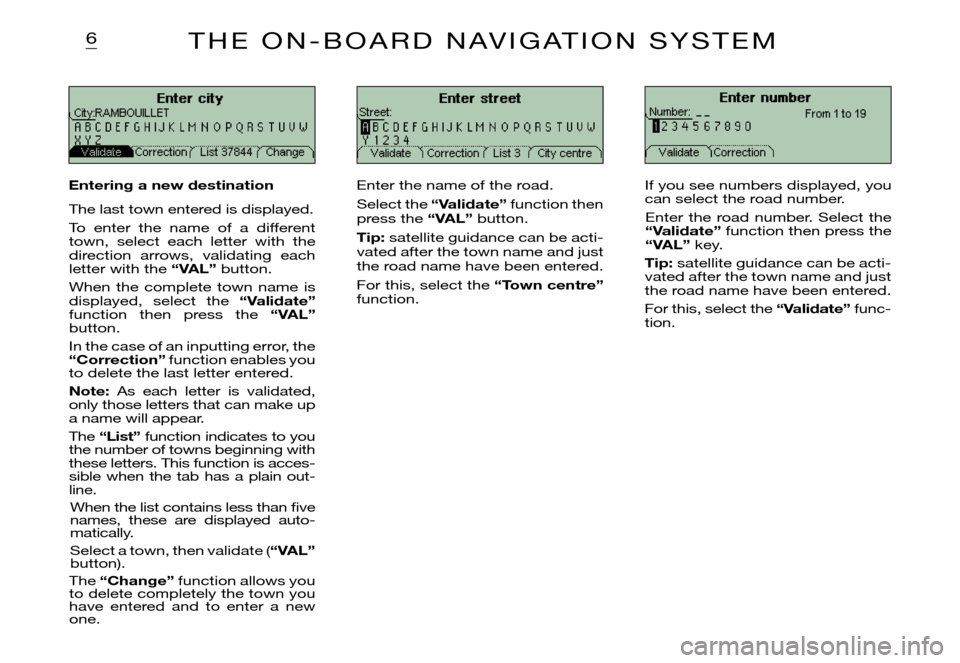
Entering a new destination
The last town entered is displayed.
To enter the name of a different town, select each letter with the direction arrows, validating each letter with the “VAL” button.
When the complete town name is displayed, select the “Validate” function then press the “VAL” button.
In the case of an inputting error, the “Correction” function enables you to delete the last letter entered.
Note: As each letter is validated, only those letters that can make up a name will appear.
The “List” function indicates to you the number of towns beginning with these letters. This function is acces-sible when the tab has a plain out-line.
When the list contains less than fi ve names, these are displayed auto-matically.
Select a town, then validate (“VAL” button).
The “Change” function allows you to delete completely the town you have entered and to enter a new one.
Enter the name of the road.
Select the “Validate” function then press the “VAL” button.
Tip: satellite guidance can be acti-vated after the town name and just the road name have been entered.
For this, select the “Town centre” function.
If you see numbers displayed, you can select the road number.
Enter the road number. Select the “Validate” function then press the “VAL” key.
Tip: satellite guidance can be acti-vated after the town name and just the road name have been entered.
For this, select the “Validate” func-tion.
Page 133 of 151
14G E N E R A L F U N C T I O N S
ON/OFF
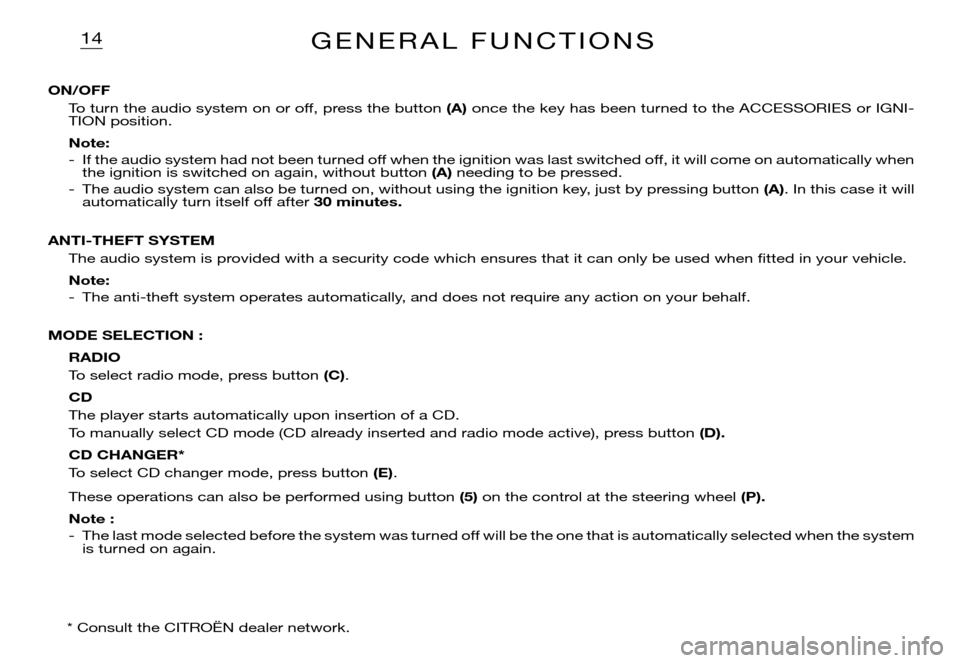
To turn the audio system on or off, press the button (A) once the key has been turned to the ACCESSORIES or IGNI-TION position.
Note:
- If the audio system had not been turned off when the ignition was last switched off, it will come on automatically when the ignition is switched on again, without button (A) needing to be pressed.
- The audio system can also be turned on, without using the ignition key, just by pressing button (A). In this case it will automatically turn itself off after 30 minutes.
ANTI-THEFT SYSTEM
The audio system is provided with a security code which ensures that it can only be used when fi tted in your vehicle.
Note:
- The anti-theft system operates automatically, and does not require any action on your behalf.
MODE SELECTION :
RADIO
To select radio mode, press button (C).
CD
The player starts automatically upon insertion of a CD.
To manually select CD mode (CD already inserted and radio mode active), press button (D).
CD CHANGER*
To select CD changer mode, press button (E).
These operations can also be performed using button (5) on the control at the steering wheel (P).
Note :
- The last mode selected before the system was turned off will be the one that is automatically selected when the system is turned on again.
* Consult the CITROËN dealer network.
Page 144 of 151

24G E N E R A L F U N C T I O N S
ON/OFF
To turn the audio system on or off, press the button (A) once the key has been turned to the ACCESSORIES or IGNI-TION position.
Note :
- If the audio system had not been turned off when the ignition was last switched off, it will come on automatically when the ignition is switched on again, without button (A) needing to be pressed.
- The audio system can also be turned on, without using the ignition key, just by pressing button (A). In this case it will automatically turn itself off after 30 minutes.
ANTI-THEFT SYSTEM
The audio system is provided with a security code which ensures that it can only be used when fi tted in your vehicle.
Note :
- The anti-theft system operates automatically, and does not require any action on your behalf.
MODE SELECTION :
RADIO
To select radio mode, press button (I).
CASSETTE
Playback starts automatically upon insertion of a cassette.
To manually select cassette mode (cassette already inserted and radio mode active), press button (I).
CD CHANGER*
To select CD changer mode, press button (I).
These operations can also be performed using button (5) on the control at the steering wheel (P).
Note :
- The last mode selected before the system was turned off will be the one that is automatically selected when the system is turned on again.
* Consult the CITROËN dealer network.