rear DACIA DUSTER 2012 Owner's Manual
[x] Cancel search | Manufacturer: DACIA, Model Year: 2012, Model line: DUSTER, Model: DACIA DUSTER 2012Pages: 244, PDF Size: 3.57 MB
Page 44 of 244

ENG_NU_1")
Downloaded from www.Manualslib.com manuals search engine JauneNoir Noir texte
1.38
ENG_UD35621_2
Sécurité enfants : désactivation/activation airbag passager ava\
nt (H79 Ph2 - H79 - Dacia)
ENG_NU_1079-3_H79Ph2_Dacia_1
Operating faults
It is forbidden to fit a rear-facing child
seat to the front passenger seat if the
air bag activation/deactivation system
is faulty.
Allowing any other passenger to sit in
that seat is not recommended.
Contact your approved dealer as soon
as possible.
Activation of the front
passenger air bag
(depending on vehicle)
You should reactivate the airbag as
soon as you remove the child seat from
the front passenger seat to ensure the
protection of the front passenger in the
event of an impact.
To reactivate the airbag: with the ve-
hicle at a standstill and with the ignition
switched off, press and turn button 1 to
the ON position.
With the ignition switched on, it is es-
sential to check that warning light 2 ,
], is off.
CHILD SAFETY: deactivating/activating the front passenger air bag (3/3)
2
1
2
The passenger air bag must
be activated or deactivated
with the ignition off.
If handled when the igni-
tion is on, the warning light
å
comes on.
Switch the ignition off then on again
to reset the air bag in accordance
with the lock position.
Page 45 of 244
Downloaded from www.Manualslib.com manuals search engine JauneNoir Noir texte
1.39
ENG_UD32122_1
Rétroviseurs (H79 Ph2 - Dacia)
ENG_NU_1079-3_H79Ph2_Dacia_1
REAR VIEW MIRRORS
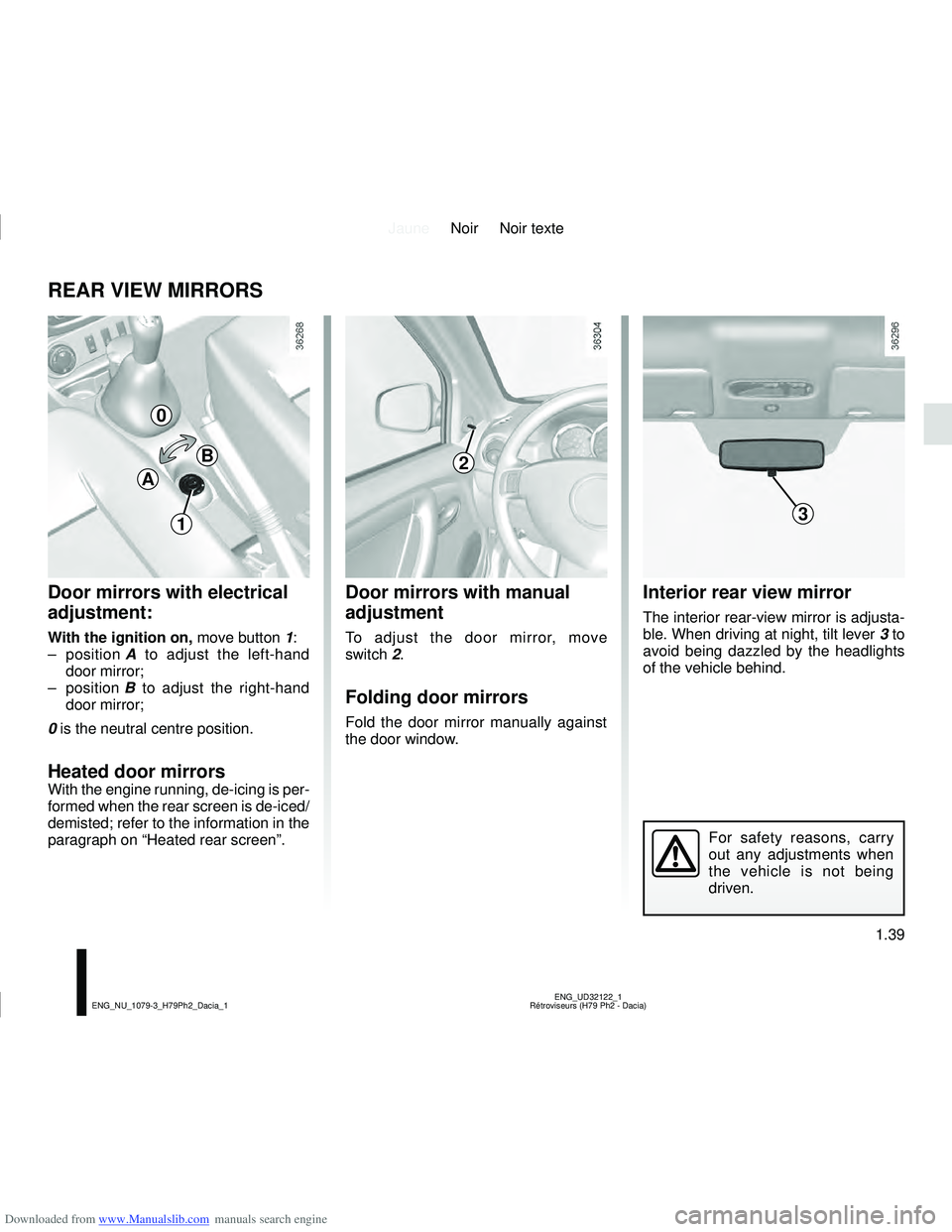
Door mirrors with electrical
adjustment:
With the ignition on, move button 1:
– position A to adjust the left-hand
door mirror;
– position B to adjust the right-hand
door mirror;
0 is the neutral centre position.
Heated door mirrors
With the engine running, de-icing is per-
formed when the rear screen is de-iced/
demisted; refer to the information in the
paragraph on “Heated rear screen”.
Interior rear view mirror
The interior rear-view mirror is adjusta-
ble. When driving at night, tilt lever 3 to
avoid being dazzled by the headlights
of the vehicle behind.
Door mirrors with manual
adjustment
To adjust the door mirror, move
switch 2.
Folding door mirrors
Fold the door mirror manually against
the door window.
For safety reasons, carry
out any adjustments when
the vehicle is not being
driven.
0
B
A
13
2
Page 47 of 244
Downloaded from www.Manualslib.com manuals search engine JauneNoir Noir texte
1.41
ENG_UD32123_1
Poste de conduite direction à gauche (H79 - Dacia)
ENG_NU_1079-3_H79Ph2_Dacia_1
DRIVING POSITION, LEFT-HAND DRIVE (2/2)
The fittings described DEPEND ON THE VEHICLE VERSION AND COUNTRY.
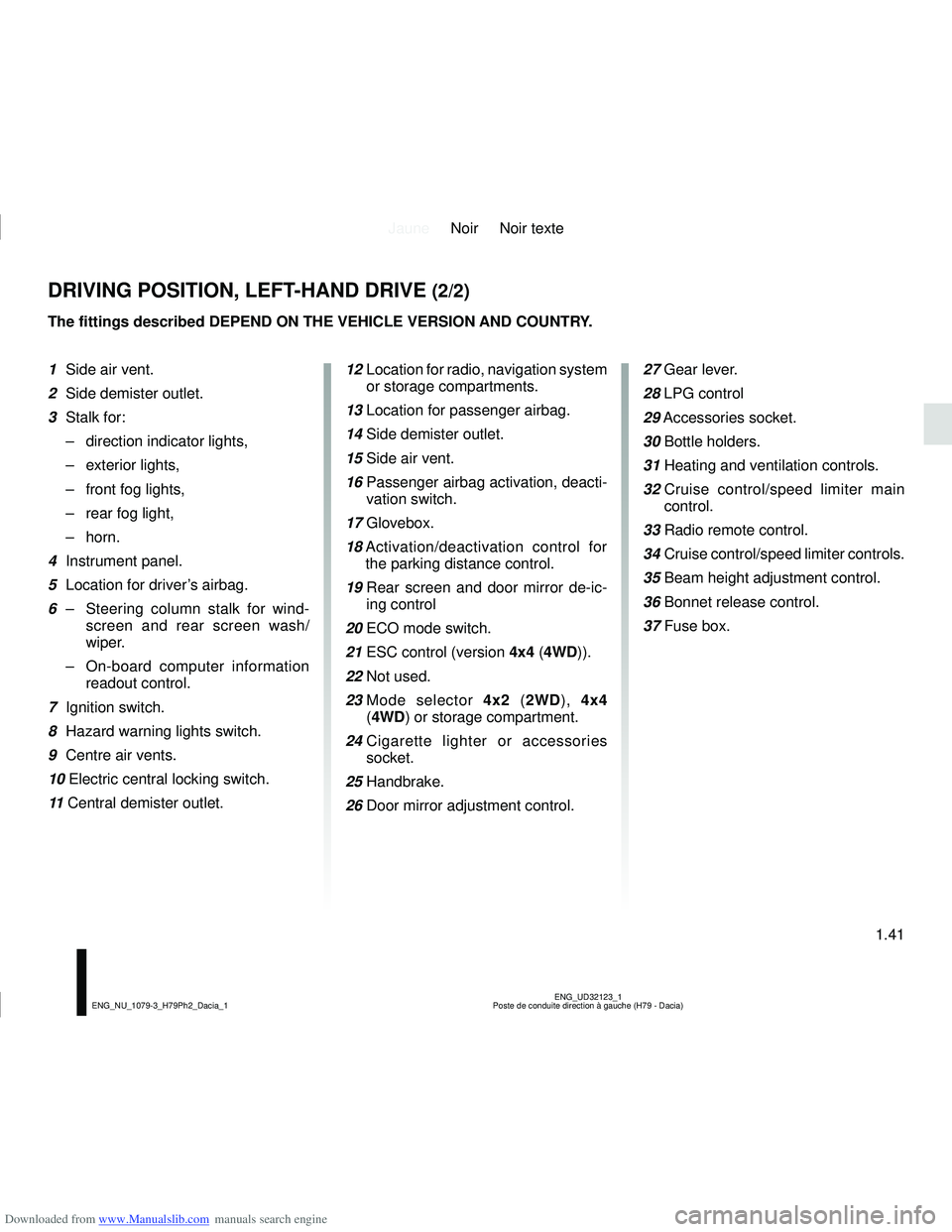
1 Side air vent.
2 Side demister outlet.
3 Stalk for:
– direction indicator lights,
– exterior lights,
– front fog lights,
– rear fog light,
– horn.
4 Instrument panel.
5 Location for driver’s airbag.
6 – Steering column stalk for wind-
screen and rear screen wash/
wiper.
– On-board computer information
readout control.
7 Ignition switch.
8 Hazard warning lights switch.
9 Centre air vents.
10 Electric central locking switch.
11 Central demister outlet. 12
Location for radio, navigation system
or storage compartments.
13 Location for passenger airbag.
14 Side demister outlet.
15 Side air vent.
16 Passenger airbag activation, deacti-
vation switch.
17 Glovebox.
18 Activation/deactivation control for
the parking distance control.
19 Rear screen and door mirror de-ic-
ing control
20 ECO mode switch.
21 ESC control (version 4x4 (4WD)).
22 Not used.
23 Mode selector 4x2 (2WD), 4x4
(4WD) or storage compartment.
24 Cigarette lighter or accessories
socket.
25 Handbrake.
26 Door mirror adjustment control. 27 Gear lever.
28 LPG control
29
Accessories socket.
30 Bottle holders.
31 Heating and ventilation controls.
32 Cruise control/speed limiter main
control.
33 Radio remote control.
34 Cruise control/speed limiter controls.
35 Beam height adjustment control.
36 Bonnet release control.
37 Fuse box.
Page 49 of 244
Downloaded from www.Manualslib.com manuals search engine JauneNoir Noir texte
1.43
ENG_UD32124_1
Poste de conduite direction à droite (H79 - Dacia)
ENG_NU_1079-3_H79Ph2_Dacia_1
DRIVING POSITION, RIGHT-HAND DRIVE (2/2)
The presence of the equipment DEPENDS ON THE VEHICLE VERSION AND COUNTRY.
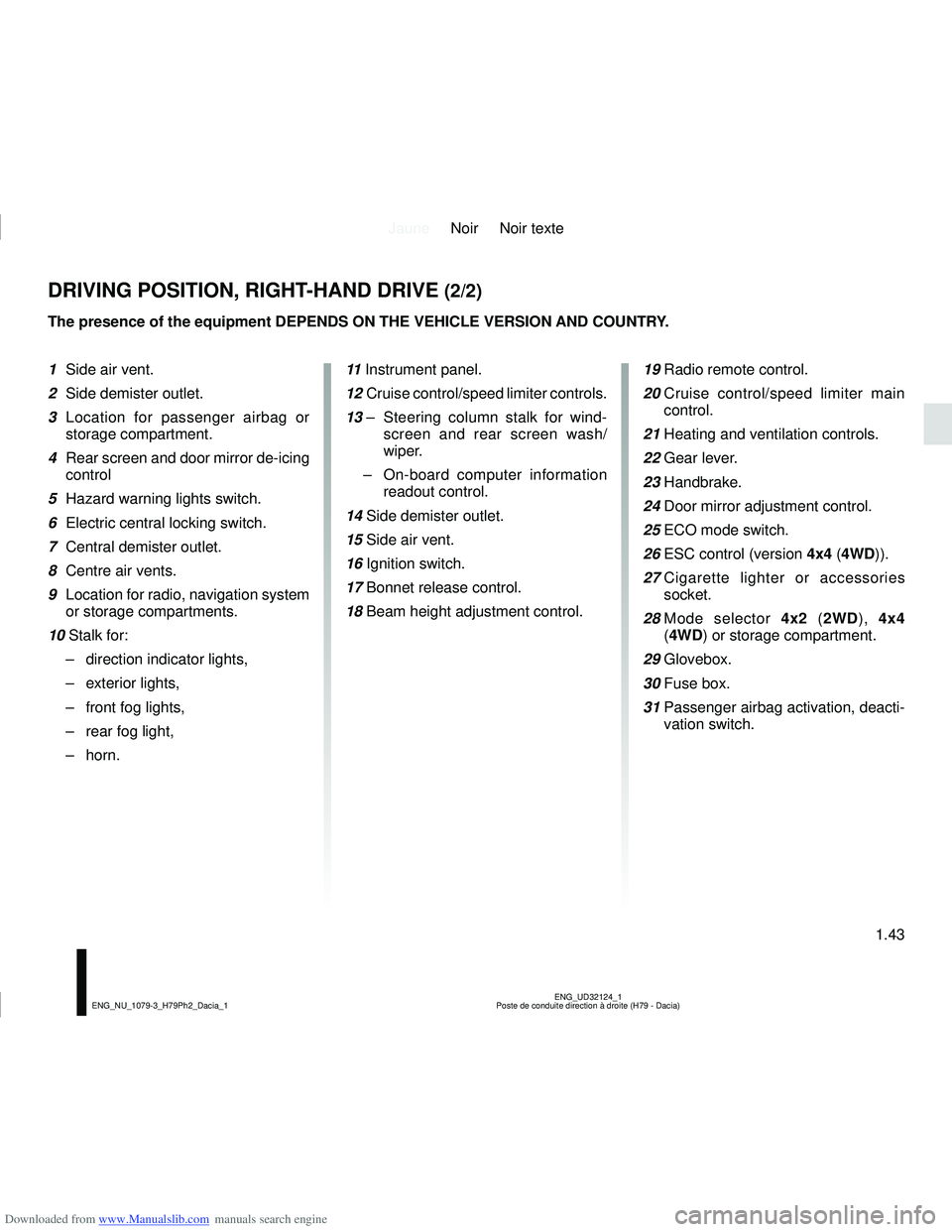
1 Side air vent.
2 Side demister outlet.
3 Location for passenger airbag or
storage compartment.
4 Rear screen and door mirror de-icing control
5 Hazard warning lights switch.
6 Electric central locking switch.
7 Central demister outlet.
8 Centre air vents.
9 Location for radio, navigation system or storage compartments.
10 Stalk for: – direction indicator lights,
– exterior lights,
– front fog lights,
– rear fog light,
– horn. 11
Instrument panel.
12 Cruise control/speed limiter controls.
13 – Steering column stalk for wind-
screen and rear screen wash/
wiper.
– On-board computer information
readout control.
14 Side demister outlet.
15 Side air vent.
16 Ignition switch.
17 Bonnet release control.
18 Beam height adjustment control.
19 Radio remote control.
20 Cruise control/speed limiter main
control.
21 Heating and ventilation controls.
22 Gear lever.
23 Handbrake.
24 Door mirror adjustment control.
25 ECO mode switch.
26 ESC control (version 4x4 (4WD)).
27 Cigarette lighter or accessories
socket.
28 Mode selector 4x2 (2WD), 4x4
(4WD) or storage compartment.
29 Glovebox.
30 Fuse box.
31 Passenger airbag activation, deacti-
vation switch.
Page 54 of 244
Downloaded from www.Manualslib.com manuals search engine JauneNoir Noir texte
1.48
ENG_UD34962_2
Témoins lumineux (H79 Ph2 - Dacia)
ENG_NU_1079-3_H79Ph2_Dacia_1
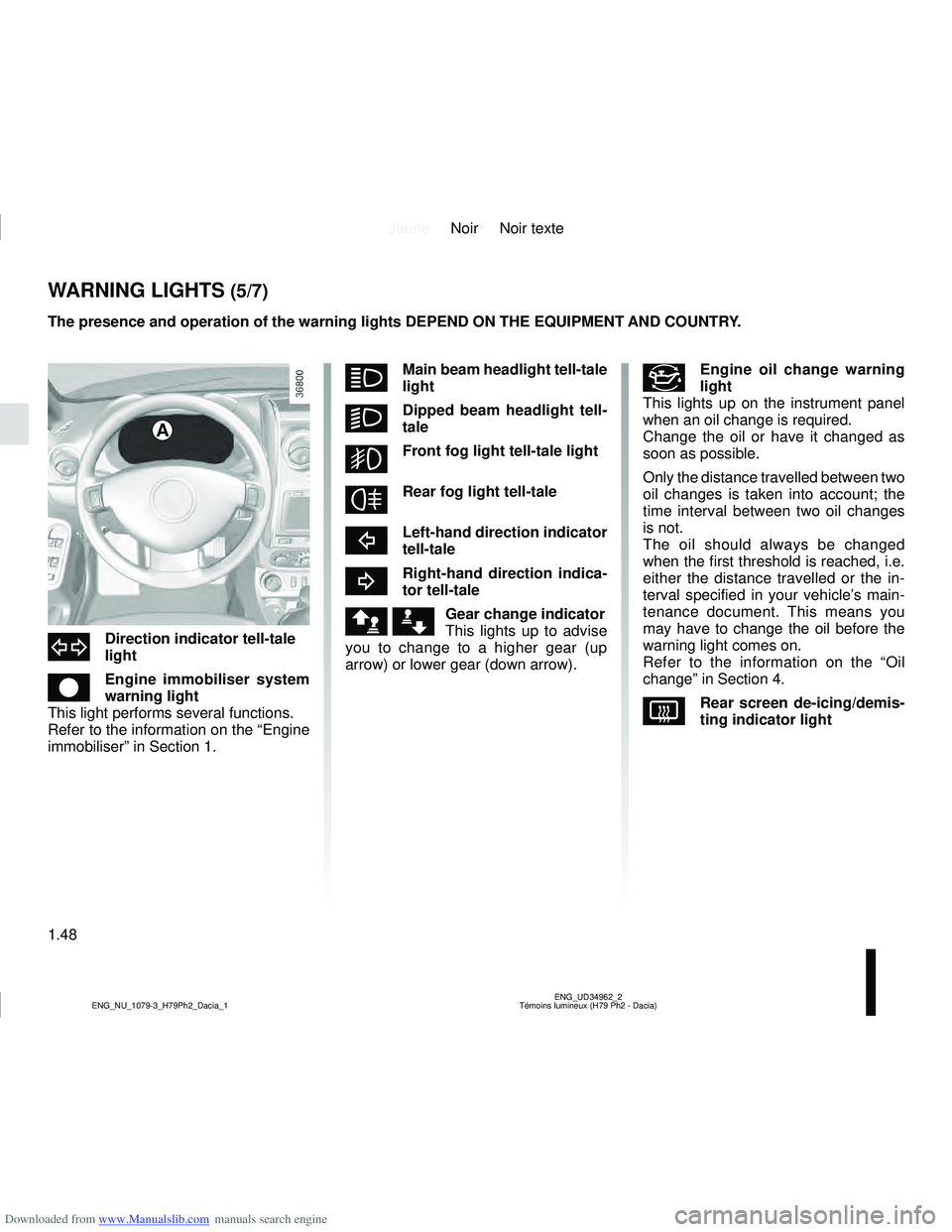
áMain beam headlight tell-tale
light
kDipped beam headlight tell-
tale
gFront fog light tell-tale light
fRear fog light tell-tale
cLeft-hand direction indicator
tell-tale
bRight-hand direction indica-
tor tell-tale
ä æGear change indicator
This lights up to advise
you to change to a higher gear (up
arrow) or lower gear (down arrow).
The presence and operation of the warning lights DEPEND ON THE EQUIPMENT\
AND COUNTRY.
A
#Engine oil change warning
light
This lights up on the instrument panel
when an oil change is required.
Change the oil or have it changed as
soon as possible.
Only the distance travelled between two
oil changes is taken into account; the
time interval between two oil changes
is not.
The oil should always be changed
when the first threshold is reached, i.e.
either the distance travelled or the in-
terval specified in your vehicle’s main-
tenance document. This means you
may have to change the oil before the
warning light comes on.
Refer to the information on the “Oil
change” in Section 4.
VRear screen de-icing/demis-
ting indicator light
dDirection indicator tell-tale
light
êEngine immobiliser system
warning light
This light performs several functions.
Refer to the information on the “Engine
immobiliser” in Section 1.
WARNING LIGHTS (5/7)
Page 71 of 244
Downloaded from www.Manualslib.com manuals search engine JauneNoir Noir texte
1.65
ENG_UD33916_2
Éclairages et signalisations extérieures (H79 Ph2 - Dacia)
ENG_NU_1079-3_H79Ph2_Dacia_1
EXTERIOR LIGHTING AND SIGNALS (2/2)
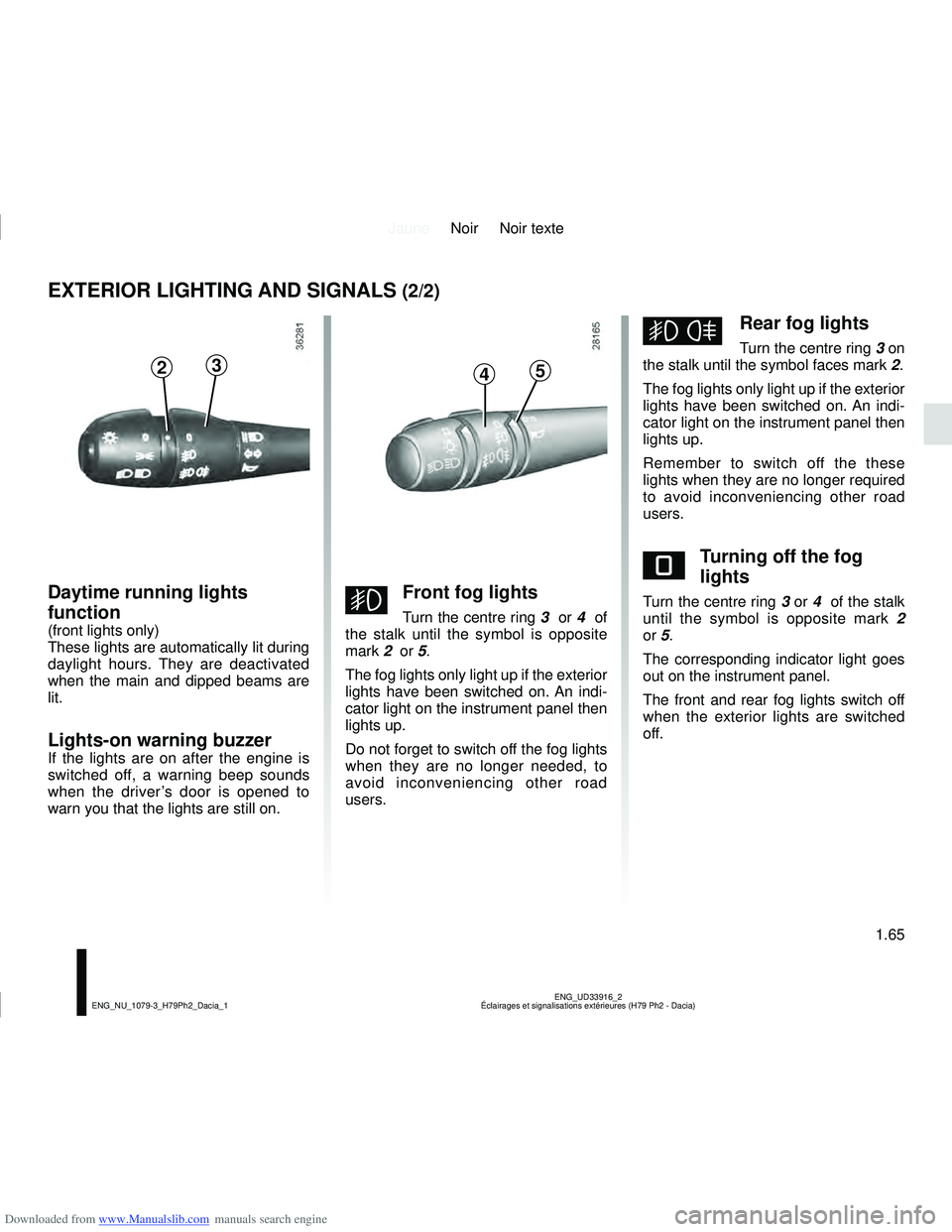
gFront fog lights
Turn the centre ring 3 or 4 of
the stalk until the symbol is opposite
mark 2 or 5.
The fog lights only light up if the exterior
lights have been switched on. An indi-
cator light on the instrument panel then
lights up.
Do not forget to switch off the fog lights
when they are no longer needed, to
avoid inconveniencing other road
users.
hRear fog lights
Turn the centre ring 3 on
the stalk until the symbol faces mark 2.
The fog lights only light up if the exterior
lights have been switched on. An indi-
cator light on the instrument panel then
lights up.
Remember to switch off the these
lights when they are no longer required
to avoid inconveniencing other road
users.
eTurning off the fog
lights
Turn the centre ring 3 or 4 of the stalk
until the symbol is opposite mark 2
or 5.
The corresponding indicator light goes
out on the instrument panel.
The front and rear fog lights switch off
when the exterior lights are switched
off.
2345
Daytime running lights
function
(front lights only)
These lights are automatically lit during
daylight hours. They are deactivated
when the main and dipped beams are
lit.
Lights-on warning buzzer
If the lights are on after the engine is
switched off, a warning beep sounds
when the driver’s door is opened to
warn you that the lights are still on.
Page 72 of 244
Downloaded from www.Manualslib.com manuals search engine JauneNoir Noir texte
1.66
ENG_UD36283_2
Réglage de la hauteur des faisceaux (H79 - H79 Ph2 - Dacia)
ENG_NU_1079-3_H79Ph2_Dacia_1
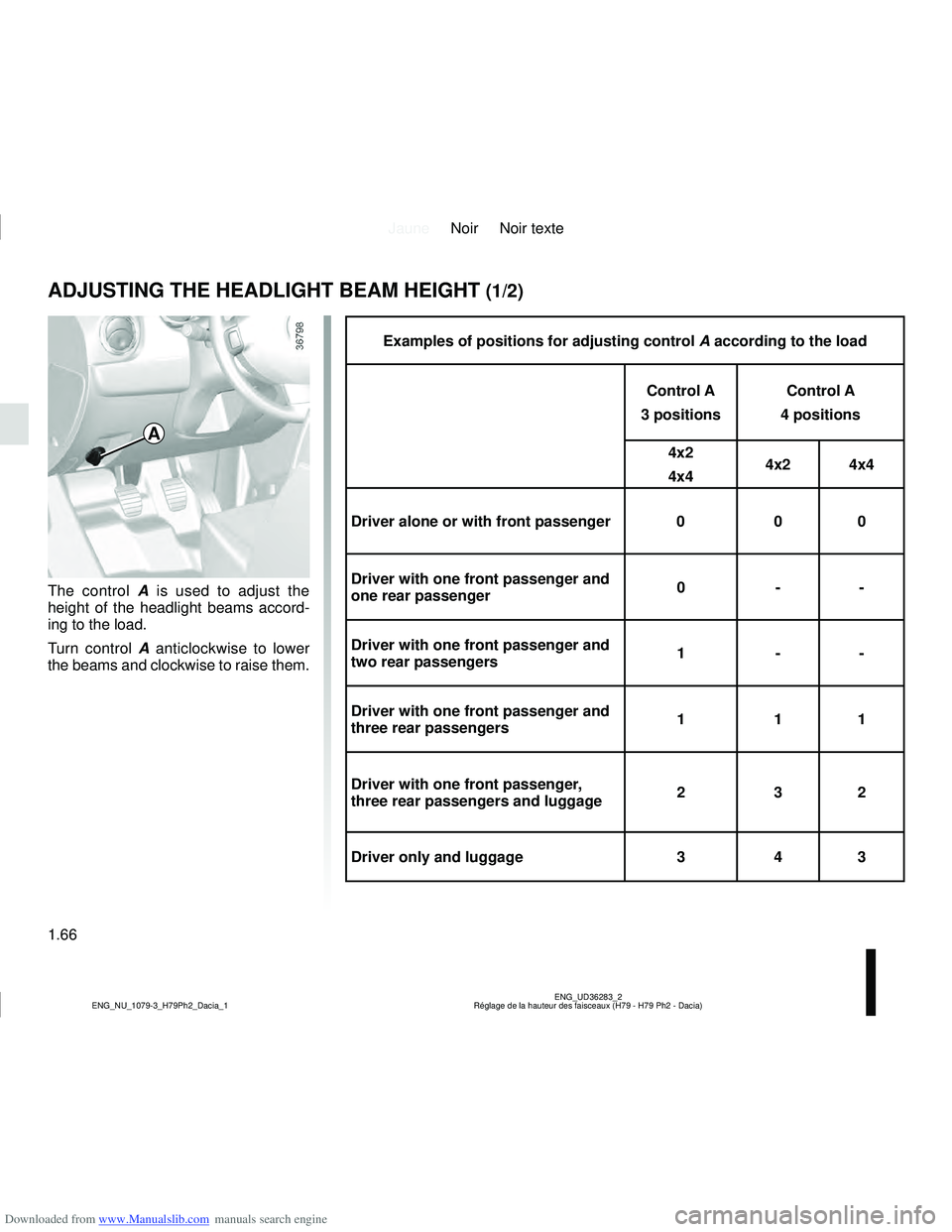
Examples of positions for adjusting control A according to the load
Control A
3 positions Control A
4 positions
4x2
4x4 4x2 4x4
Driver alone or with front passenger 0 0 0
Driver with one front passenger and
one rear passenger 0 --
Driver with one front passenger and
two rear passengers 1 --
Driver with one front passenger and
three rear passengers 1 11
Driver with one front passenger,
three rear passengers and luggage 2 32
Driver only and luggage 34 3
The control A is used to adjust the
height of the headlight beams accord-
ing to the load.
Turn control A anticlockwise to lower
the beams and clockwise to raise them.
ADJUSTING THE HEADLIGHT BEAM HEIGHT (1/2)
A
Page 75 of 244
Downloaded from www.Manualslib.com manuals search engine JauneNoir Noir texte
1.69
ENG_UD32133_1
Essuie-vitre /Lave-vitre/Dégivrage (H79 - Dacia)
ENG_NU_1079-3_H79Ph2_Dacia_1
WINDSCREEN WASH, WIPE (2/2)
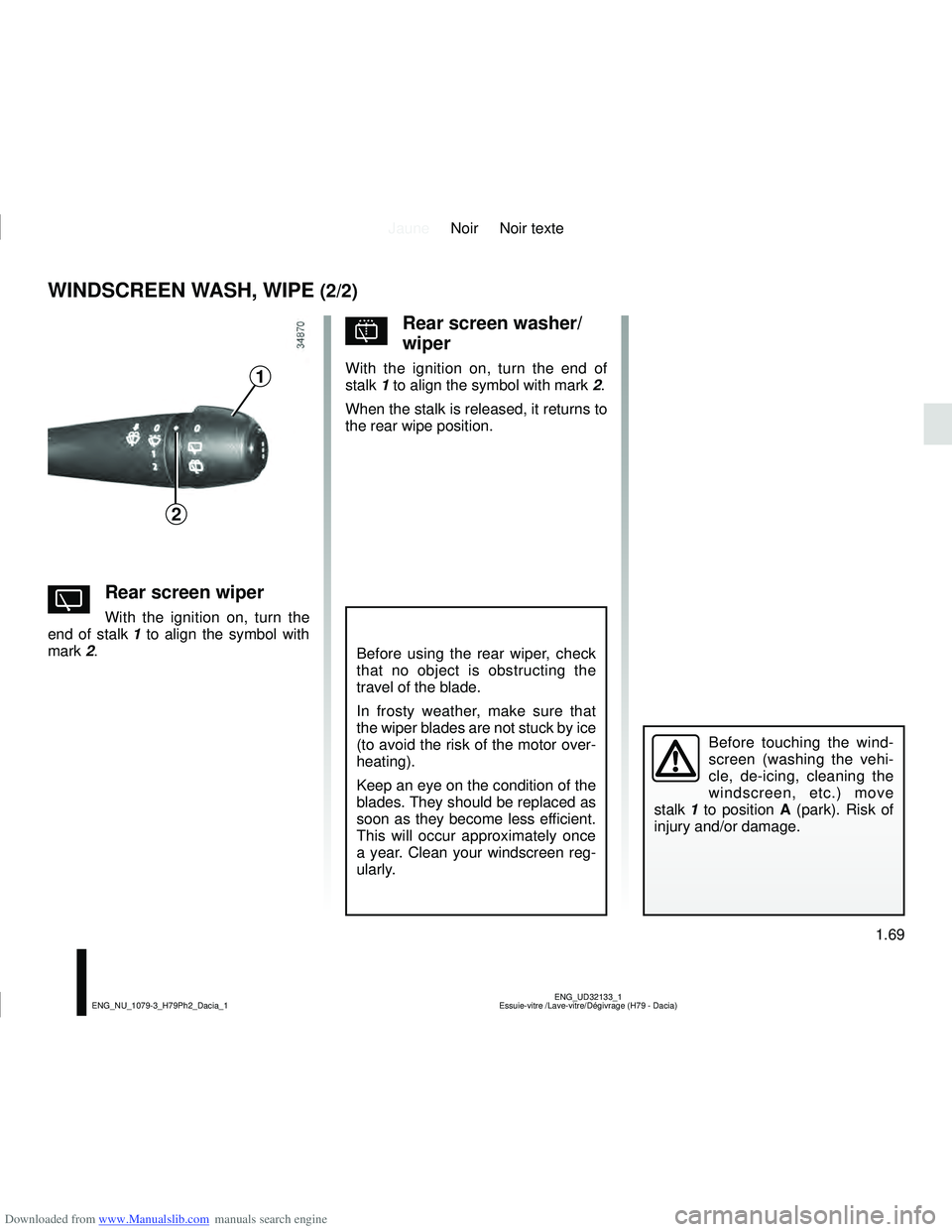
YRear screen wiper
With the ignition on, turn the
end of stalk 1 to align the symbol with
mark 2.
Before using the rear wiper, check
that no object is obstructing the
travel of the blade.
In frosty weather, make sure that
the wiper blades are not stuck by ice
(to avoid the risk of the motor over-
heating).
Keep an eye on the condition of the
blades. They should be replaced as
soon as they become less efficient.
This will occur approximately once
a year. Clean your windscreen reg-
ularly.
pRear screen washer/
wiper
With the ignition on, turn the end of
stalk 1 to align the symbol with mark 2.
When the stalk is released, it returns to
the rear wipe position.
Before touching the wind-
screen (washing the vehi-
cle, de-icing, cleaning the
windscreen, etc.) move
stalk 1 to position A (park). Risk of
injury and/or damage.
1
2
Page 102 of 244
Downloaded from www.Manualslib.com manuals search engine JauneNoir Noir texte
2.20
ENG_UD32144_1
Transmission : 4 roues motrices (4WD) (H79 - Dacia)
ENG_NU_1079-3_H79Ph2_Dacia_2
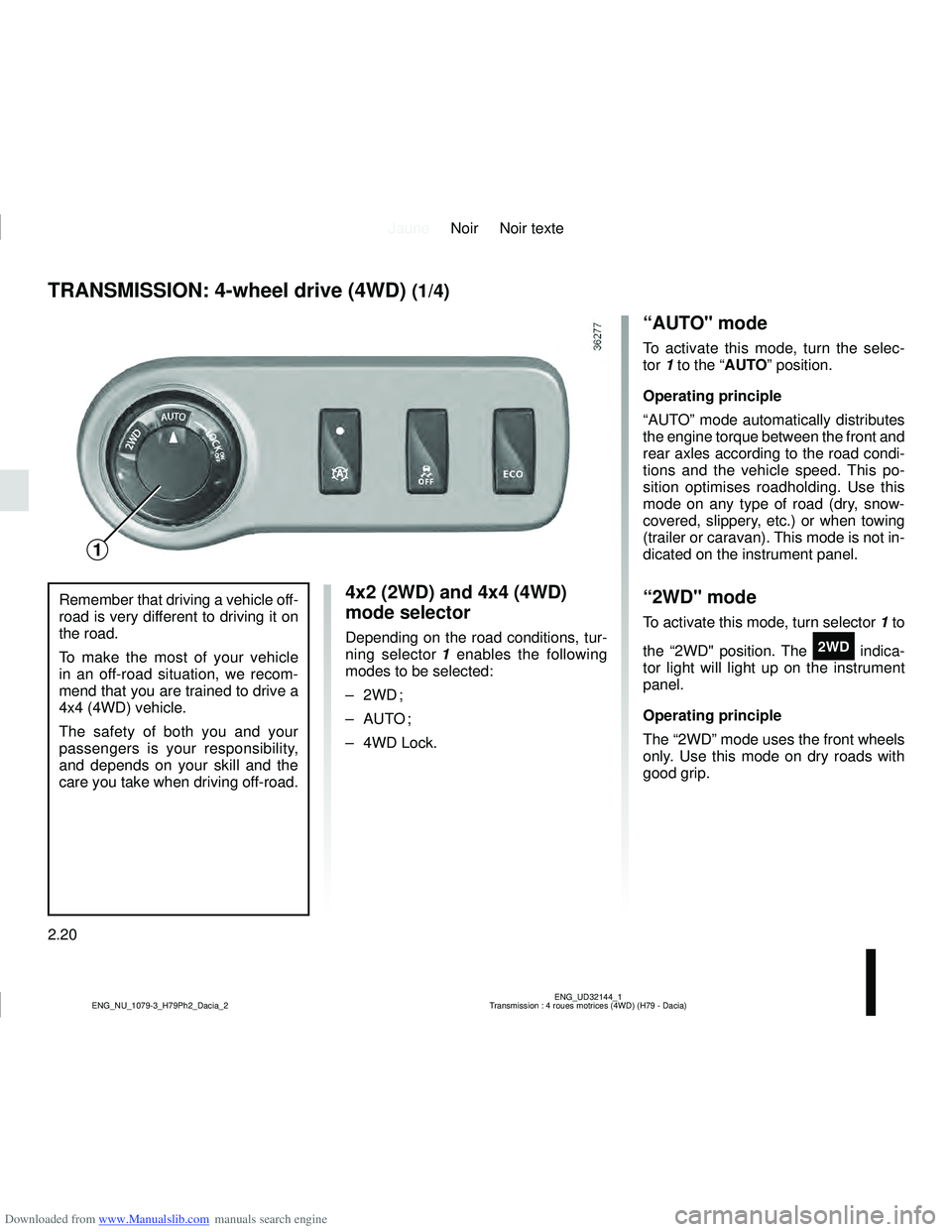
4x2 (2WD) and 4x4 (4WD)
mode selector
Depending on the road conditions, tur-
ning selector 1 enables the following
modes to be selected:
– 2WD ;
– AUTO ;
– 4WD Lock.
TRANSMISSION: 4-wheel drive (4WD) (1/4)
“AUTO" mode
To activate this mode, turn the selec-
tor 1 to the “AUTO” position.
Operating principle
“AUTO” mode automatically distributes
the engine torque between the front and
rear axles according to the road condi-
tions and the vehicle speed. This po-
sition optimises roadholding. Use this
mode on any type of road (dry, snow-
covered, slippery, etc.) or when towing
(trailer or caravan). This mode is not in-
dicated on the instrument panel.
“2WD" mode
To activate this mode, turn selector 1 to
the “2WD" position. The
‘ indica-
tor light will light up on the instrument
panel.
Operating principle
The “2WD” mode uses the front wheels
only. Use this mode on dry roads with
good grip.
Remember that driving a vehicle off-
road is very different to driving it on
the road.
To make the most of your vehicle
in an off-road situation, we recom-
mend that you are trained to drive a
4x4 (4WD) vehicle.
The safety of both you and your
passengers is your responsibility,
and depends on your skill and the
care you take when driving off-road.
1
Page 103 of 244
Downloaded from www.Manualslib.com manuals search engine JauneNoir Noir texte
2.21
ENG_UD32144_1
Transmission : 4 roues motrices (4WD) (H79 - Dacia)
ENG_NU_1079-3_H79Ph2_Dacia_2
TRANSMISSION: 4-wheel drive (4WD) (2/4)
This problem may be resolved by chan-
ging the tyres. Always use four identi-
cal tyres (same brand, profile, etc.) and
with similar wear.
In the event of excessive wheelspin,
the mechanical components may be
overheating.
If this happens:
– at first, the
’ warning light
flashes. “4WD Lock” mode is still
active, however we recommend that
you stop as soon as possible to allow
the system to cool down (until the
warning light stops flashing);
– if the wheels still spin, the system au- tomatically switches to “2WD” mode
to protect the mechanical compo-
nents.
The
‘ warning light flashes. The
mode cannot be changed while the
light is flashing.
After one minute, the system switches
to “2WD” or “AUTO” mode depending
on the position of the selector.
Note: if the vehicle speed exceeds
36 mph (60 km/h) in 4WD Lock mode,
the system automatically switches back
to AUTO mode. The
’ indicator
light goes out.
Special features of the
4-wheel drive transmission
The vehicle may make more noise when
the “AUTO" or "4WD Lock" modes are
activated. This is normal. If the system
detects a difference in the dimensions
of the front and rear wheels (eg. un-
derinflation, severe wear on an axle),
the system automatically switches to
"2WD" mode.
The
‘ and Ò warning lights on
the instrument panel come on. Drive as
soon as possible at a moderate speed
to an approved dealer.
To deactivate this mode, turn selector
1
to the “AUTO” position. The
‘ indi-
cator light on the instrument panel goes
out.
“4WD Lock" mode
To activate this mode, turn selector 1 to
the “4WD Lock” position. The selector
the returns to the “AUTO” position. The
’ indicator light will light up on the
instrument panel.
Operating principle
“4WD Lock” mode distributes the
engine torque between the front and
rear axles in order to optimise the per-
formance capacity of the vehicle in off-
road situations. This mode should only
be used in extreme driving conditions
(mud, steep slopes, sand).
To deactivate this mode, turn selector 1
to the “4WD Lock” position again. The
indicator light on the instrument panel
goes out. When the engine is switched
off, the system stays in “4WD Lock”
mode for one minute.