gearbox display DACIA DUSTER 2016 1.G Owners Manual
[x] Cancel search | Manufacturer: DACIA, Model Year: 2016, Model line: DUSTER, Model: DACIA DUSTER 2016 1.GPages: 254, PDF Size: 18.85 MB
Page 53 of 254
JauneNoir Noir texte
1.49
ENG_UD39216_3
Afficheur et indicateurs (H79 - H79 Ph2 - Dacia) ENG_NU_1079-6_H79Ph2_Dacia_1
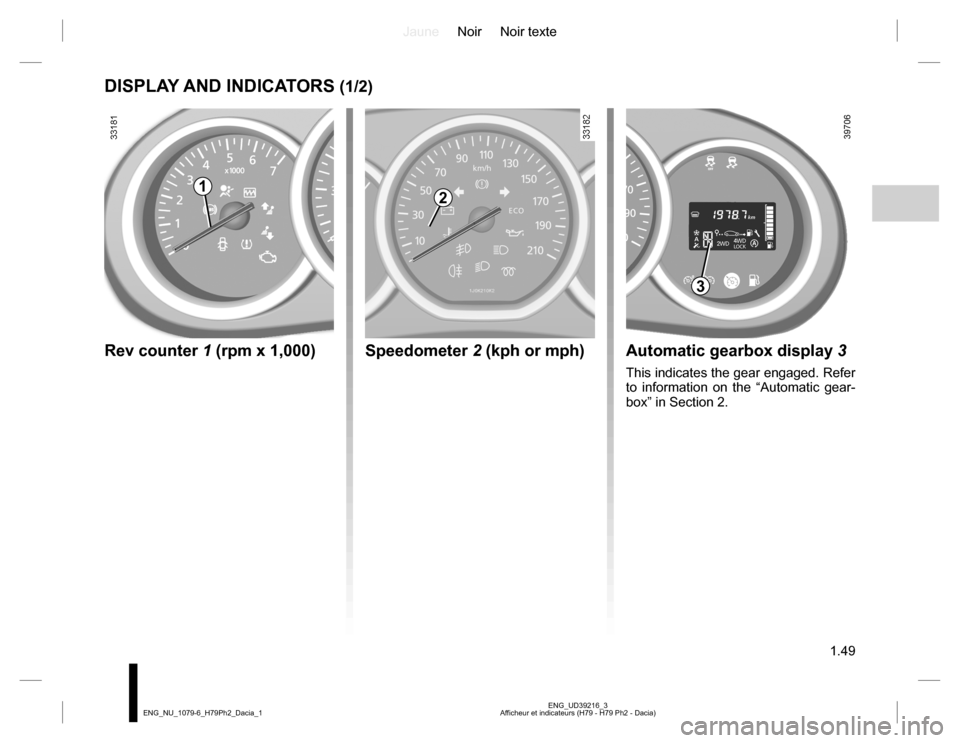
DISPLAY AND INDICATORS (1/2)
Speedometer 2 (kph or mph)
12
Rev counter 1 (rpm x 1,000)Automatic gearbox display 3
This indicates the gear engaged. Refer
to information on the “Automatic gear-
box” in Section 2.
3
Page 81 of 254
JauneNoir Noir texte
2.5
ENG_UD39254_4
Mise en route / Arrêt du moteur (H79 Ph2 - Dacia) ENG_NU_1079-6_H79Ph2_Dacia_2
STARTING, STOPPING THE ENGINE (3/4)
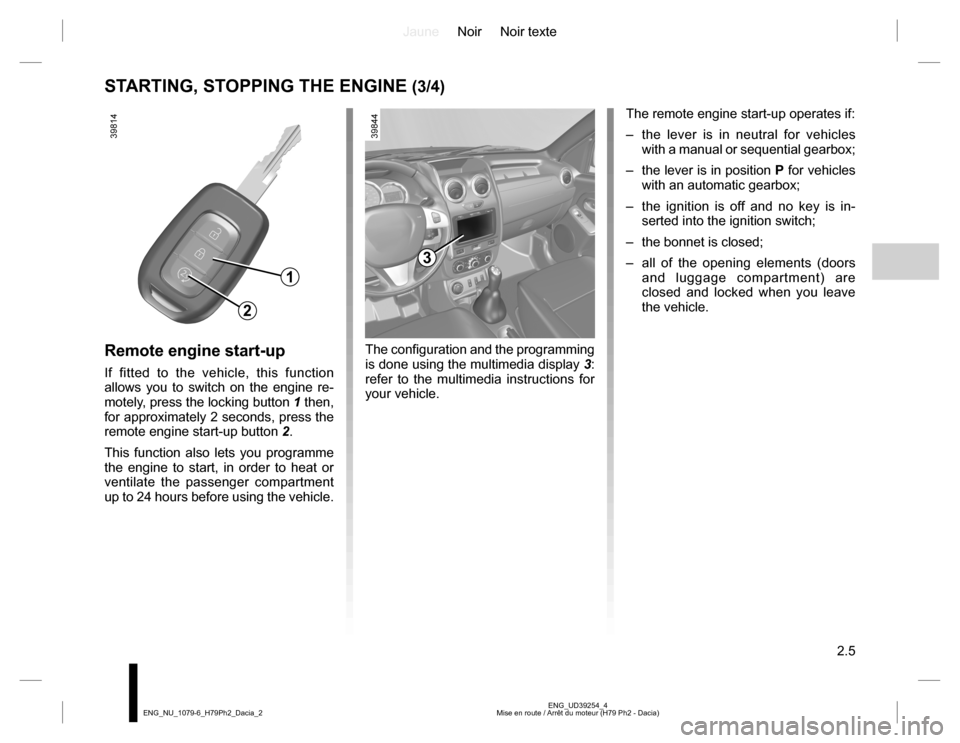
Remote engine start-up
If fitted to the vehicle, this function
allows you to switch on the engine re-
motely, press the locking button 1 then,
for approximately 2 seconds, press the
remote engine start-up button 2.
This function also lets you programme
the engine to start, in order to heat or
ventilate the passenger compartment
up to 24 hours before using the vehicle.
1
2
The remote engine start-up operates if:
– the lever is in neutral for vehicles
with a manual or sequential gearbox;
– the lever is in position P for vehicles
with an automatic gearbox;
– the ignition is off and no key is in-
serted into the ignition switch;
– the bonnet is closed;
– all of the opening elements (doors
and luggage compartment) are
closed and locked when you leave
the vehicle.
3
The configuration and the programming
is done using the multimedia display 3:
refer to the multimedia instructions for
your vehicle.
Page 121 of 254
JauneNoir Noir texte
2.45
ENG_UD39793_4
Boîte de vitesses automatique (H79 Ph2 - Dacia) ENG_NU_1079-6_H79Ph2_Dacia_2
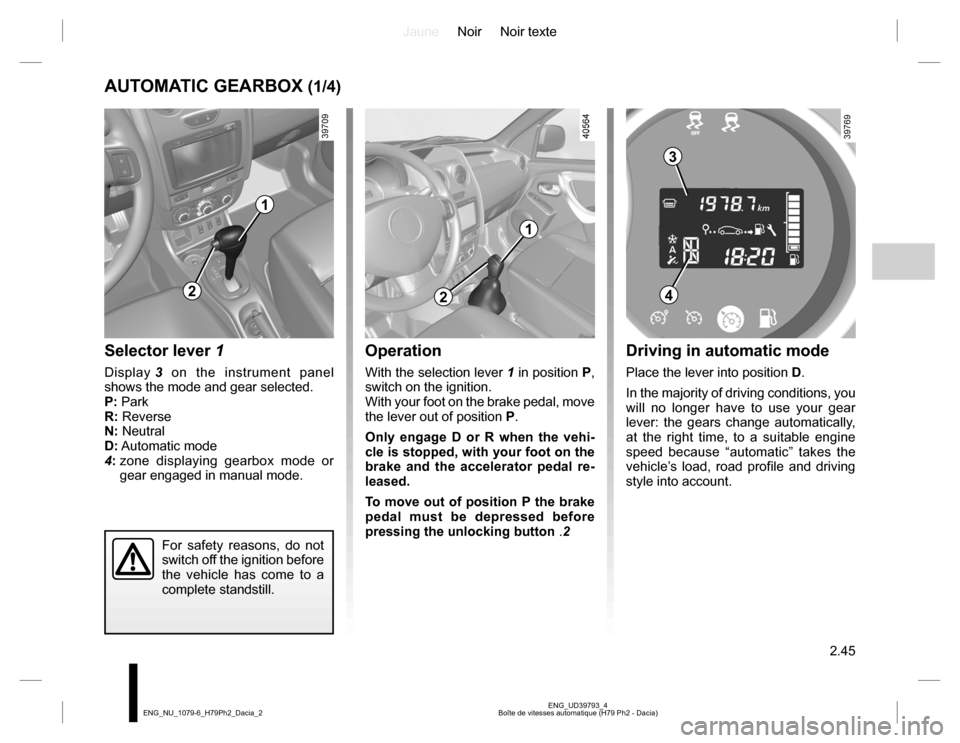
AUTOMATIC GEARBOX (1/4)
Selector lever 1
Display 3 on the instrument panel
shows the mode and gear selected.
P: Park
R: Reverse
N: Neutral
D: Automatic mode
4: zone displaying gearbox mode or
gear engaged in manual mode.
Operation
With the selection lever 1 in position P,
switch on the ignition.
With your foot on the brake pedal, move
the lever out of position P.
Only engage D or R when the vehi-
cle is stopped, with your foot on the
brake and the accelerator pedal re-
leased.
To move out of position P the brake
pedal must be depressed before
pressing the unlocking button .2
For safety reasons, do not
switch off the ignition before
the vehicle has come to a
complete standstill.
1
2
3
4
Driving in automatic mode
Place the lever into position D.
In the majority of driving conditions, you
will no longer have to use your gear
lever: the gears change automatically,
at the right time, to a suitable engine
speed because “automatic” takes the
vehicle’s load, road profile and driving
style into account.
2
1
Page 122 of 254
JauneNoir Noir texte
2.46
ENG_UD39793_4
Boîte de vitesses automatique (H79 Ph2 - Dacia) ENG_NU_1079-6_H79Ph2_Dacia_2
AUTOMATIC GEARBOX (2/4)
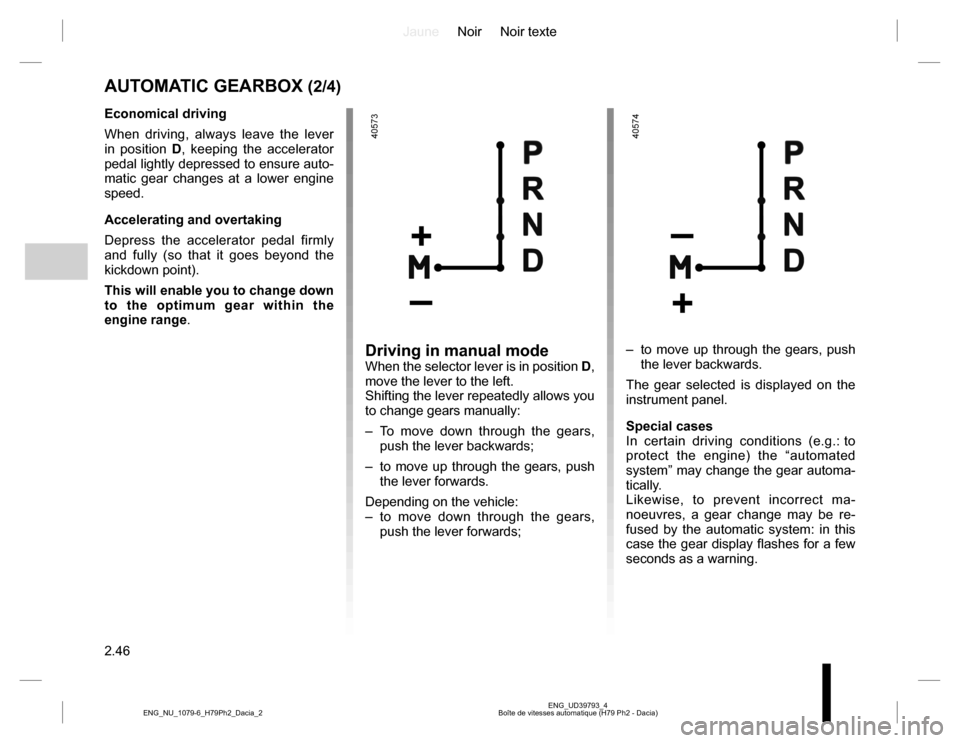
Driving in manual modeWhen the selector lever is in position D,
move the lever to the left.
Shifting the lever repeatedly allows you
to change gears manually:
– To move down through the gears,
push the lever backwards;
– to move up through the gears, push
the lever forwards.
Depending on the vehicle:
– to move down through the gears,
push the lever forwards;– to move up through the gears, push
the lever backwards.
The gear selected is displayed on the
instrument panel.
Special cases
In certain driving conditions (e.g.: to
protect the engine) the “automated
system” may change the gear automa-
tically.
Likewise, to prevent incorrect ma-
noeuvres, a gear change may be re-
fused by the automatic system: in this
case the gear display flashes for a few
seconds as a warning.
Economical driving
When driving, always leave the lever
in position D, keeping the accelerator
pedal lightly depressed to ensure auto-
matic gear changes at a lower engine
speed.
Accelerating and overtaking
Depress the accelerator pedal firmly
and fully (so that it goes beyond the
kickdown point).
This will enable you to change down
to the optimum gear within the
engine range.