mileage DACIA SANDERO 2013 2.G Owners Manual
[x] Cancel search | Manufacturer: DACIA, Model Year: 2013, Model line: SANDERO, Model: DACIA SANDERO 2013 2.GPages: 146, PDF Size: 6.4 MB
Page 44 of 146
fuel level ................................................................(current page)
1.40
ENG_UD5560_1Tableau de bord : afficheur et indicateur (B90 - Dacia)ENG_NU_817-2_NU_Dacia_1
INSTRUMENT PANEL: displays and indicators (continued)
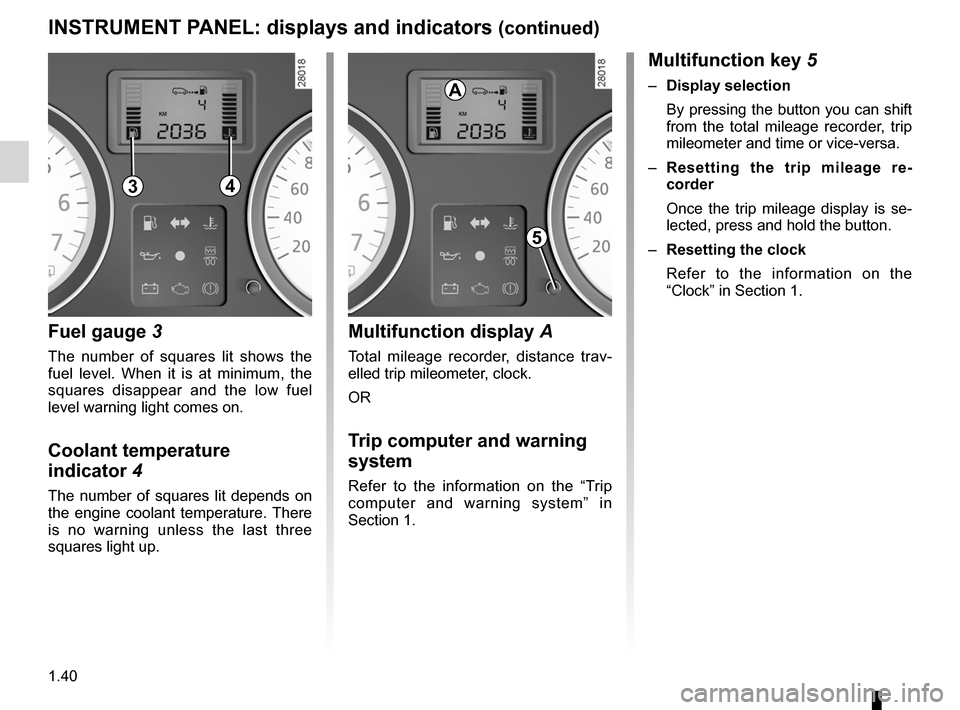
Fuel gauge
3
The number of squares lit shows the fuel level. When it is at minimum, the squares disappear and the low fuel level warning light comes on.
Coolant temperature
indicator
4
The number of squares lit depends on the engine coolant temperature. There is no warning unless the last three squares light up.
Multifunction display A
Total mileage recorder, distance trav- elled trip mileometer, clock.
OR
Trip computer and warning
system
Refer to the information on the “Trip computer and warning system” in Section 1.
Multifunction key 5
– Display selection
By pressing the button you can shift from the total mileage recorder, trip mileometer and time or vice-versa.
–
Resetting the trip mileage re- corder
Once the trip mileage display is se- lected, press and hold the button.
–
Resetting the clock
Refer to the information on the “Clock” in Section 1.
43
A
5
Page 45 of 146
control instruments ...............................(up to the end of the DU)trip computer and warning system........(up to the end of the DU)warning lights........................................(up to the end of the DU)
1.41
ENG_UD5561_1Ordinateur de bord (B90 - Dacia)ENG_NU_817-2_NU_Dacia_1
Ordinateur de bord
TRIP COMPUTER AND w ARNING SYSTEM
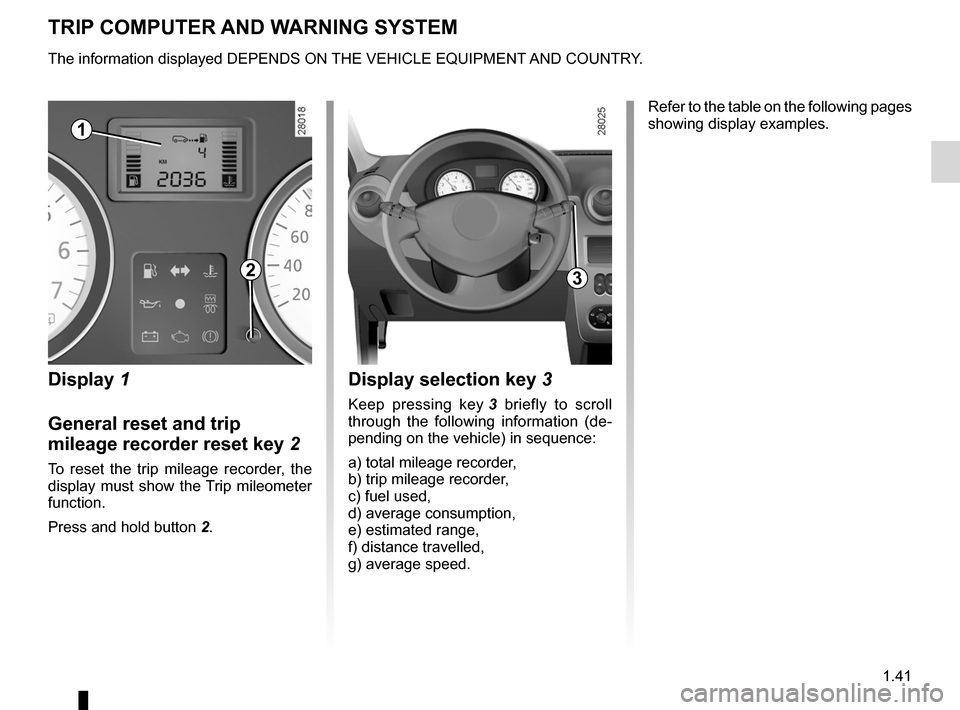
Display 1
General reset and trip
mileage recorder reset key
2
To reset the trip mileage recorder, the display must show the Trip mileometer function.
Press and hold button
2.
Display selection key 3
Keep pressing key 3 briefly to scroll through the following information (de- pending on the vehicle) in sequence:
a) total mileage recorder,b) trip mileage recorder,c) fuel used,d) average consumption,e) estimated range,f) distance travelled,g) average speed.
Refer to the table on the following pages showing display examples.
The information displayed DEPENDS ON THE VEHICLE EQUIPMENT AND COUNTRY.
1
23
Page 47 of 146
JauneNoirNoir texte
1.43
ENG_UD5561_1Ordinateur de bord (B90 - Dacia)ENG_NU_817-2_NU_Dacia_1
TRIP COMPUTER AND wARNING SYSTEM (continued)
The information displayed DEPENDS ON THE VEHICLE EQUIPMENT AND COUNTRY.
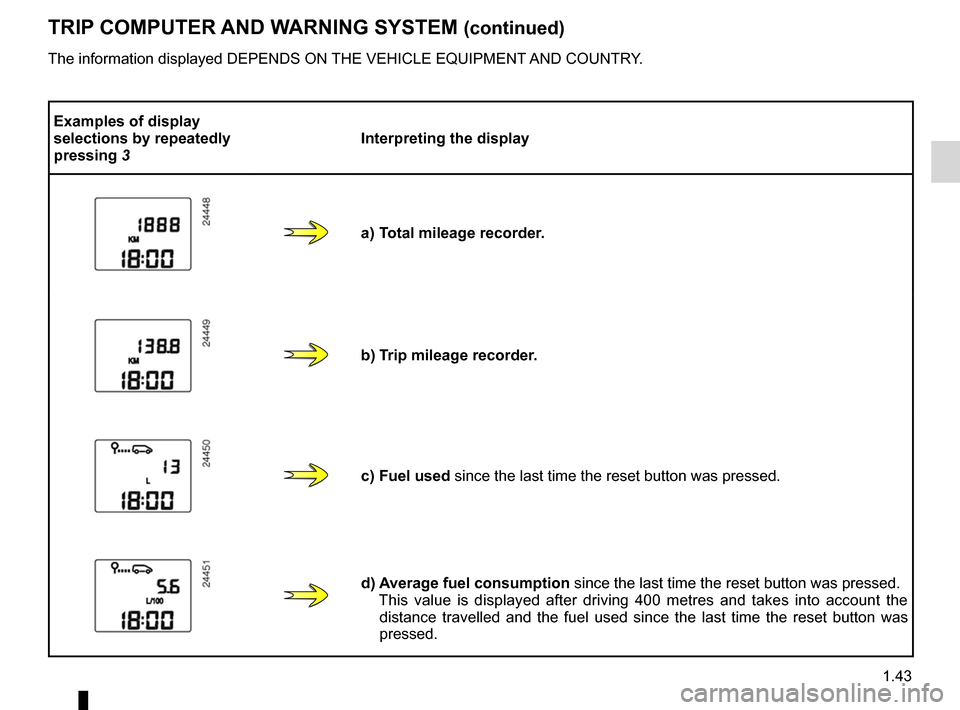
Examples of display selections by repeatedly pressing 3Interpreting the display
a) Total mileage recorder.
b) Trip mileage recorder.
c) Fuel used
since the last time the reset button was pressed.
d) Average fuel consumption
since the last time the reset button was pressed.
This value is displayed after driving 400 metres and takes into account the distance travelled and the fuel used since the last time the reset button was pressed.
Page 49 of 146
clock .....................................................(up to the end of the DU)clock .....................................................(up to the end of the DU)control instruments ................................................(current page)
1.45
ENG_UD5562_1Heure (B90 - Dacia)ENG_NU_817-2_NU_Dacia_1
Heure
CLOCK
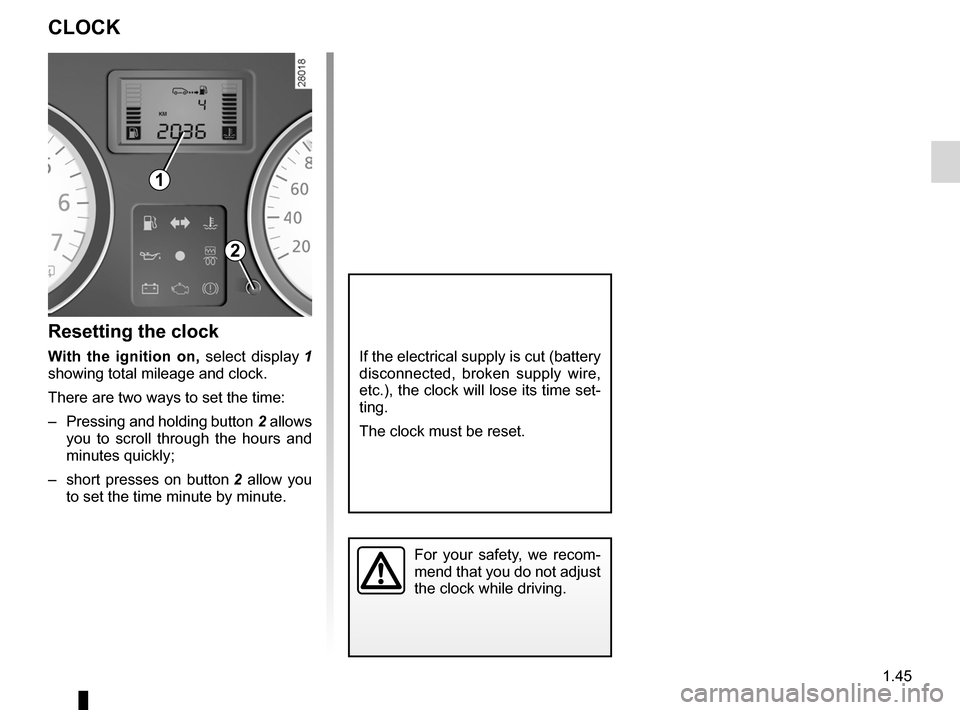
Resetting the clock
w ith the ignition on, select display 1 showing total mileage and clock.
There are two ways to set the time:
– Pressing and holding button
2 allows you to scroll through the hours and minutes quickly;
– short presses on button
2 allow you to set the time minute by minute.
If the electrical supply is cut (battery disconnected, broken supply wire, etc.), the clock will lose its time set- ting.
The clock must be reset.
For your safety, we recom- mend that you do not adjust the clock while driving.
1
2
Page 60 of 146
running in ...............................................................(current page)ignition switch ........................................................(current page)engine immobiliser (switch) ...................................(current page)driving ....................................................................(current page)starting ...................................................................(current page)
2.2
ENG_UD5481_1Rodage / Contacteur de démarrage (U90 - Dacia)ENG_NU_817-2_NU_Dacia_2
Rodage - Contacteur de démarrage
RUNNING IN
Petrol version
For the first 600 miles (1,000 km), do not exceed 78 mph (130 km/h) in the highest gear, or 3,000 to 3,500 rpm.
After 600 miles (1,000 km), you may use your vehicle normally. However, it is only after 1,800 miles (3,000 km) have been covered that you may rea- sonably expect full performance.
Service intervals: refer to the Mainte- nance Service Booklet for your vehicle.
Diesel version
For the first 900 miles (1,500 km), do not exceed 2,500 rpm. After complet- ing this mileage you may drive faster, although you may only expect top p e r f o r m a n c e a f t e r a p p r o x i m a t e l y 3,600 miles (6,000 km).
During the running in period, do not ac- celerate hard while the engine is still cold and do not let the engine over-rev.
Service intervals: refer to the Mainte- nance Service Booklet for your vehicle.
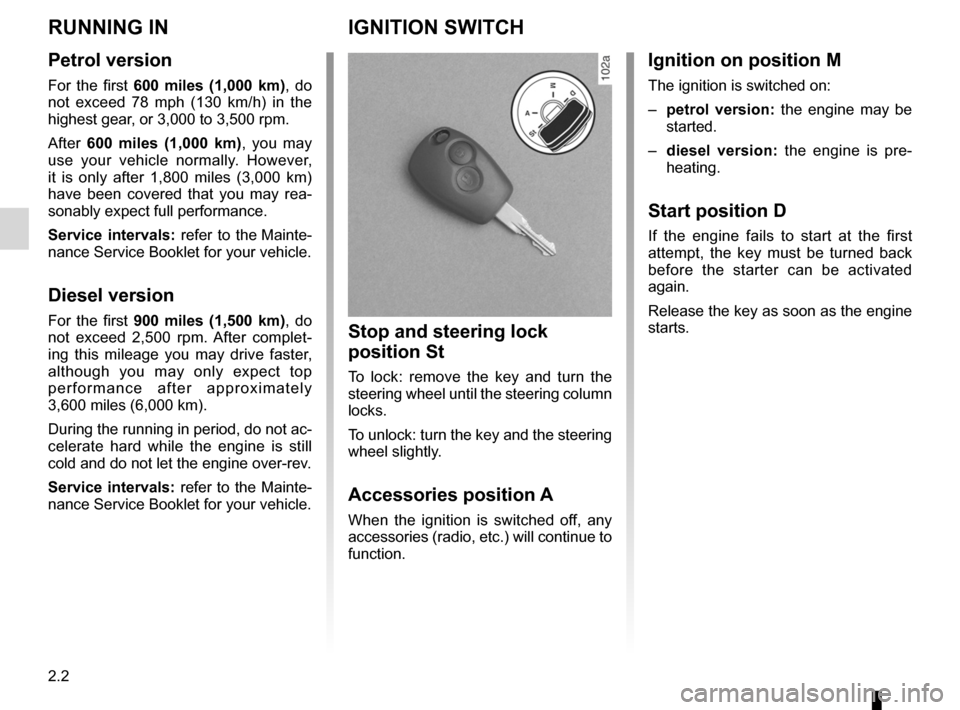
IGNITION SWITCH
Stop and steering lock
position St
To lock: remove the key and turn the steering wheel until the steering column locks.
To unlock: turn the key and the steering wheel slightly.
Accessories position A
When the ignition is switched off, any accessories (radio, etc.) will continue to function.
Ignition on position M
The ignition is switched on:
–
petrol version: the engine may be started.
–
diesel version: the engine is pre- heating.
Start position D
If the engine fails to start at the first attempt, the key must be turned back before the starter can be activated again.
Release the key as soon as the engine starts.