key DODGE AVENGER 2008 Owner's Manual
[x] Cancel search | Manufacturer: DODGE, Model Year: 2008, Model line: AVENGER, Model: DODGE AVENGER 2008Pages: 467, PDF Size: 7.16 MB
Page 36 of 467
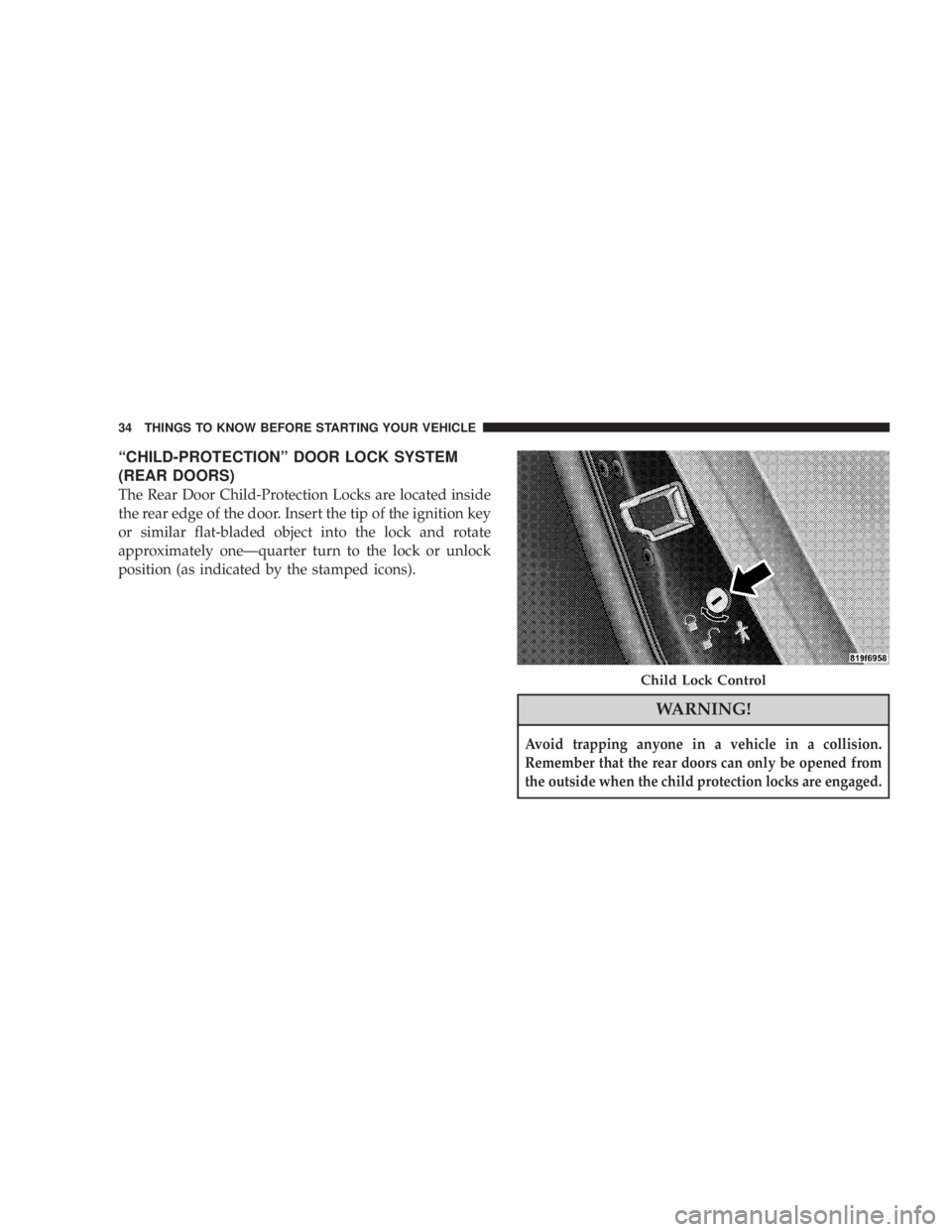
ªCHILD-PROTECTIONº DOOR LOCK SYSTEM
(REAR DOORS)
The Rear Door Child-Protection Locks are located inside
the rear edge of the door. Insert the tip of the ignition key
or similar flat-bladed object into the lock and rotate
approximately oneÐquarter turn to the lock or unlock
position (as indicated by the stamped icons).
WARNING!Avoid trapping anyone in a vehicle in a collision.
Remember that the rear doors can only be opened from
the outside when the child protection locks are engaged. Child Lock Control34 THINGS TO KNOW BEFORE STARTING YOUR VEHICLE
Page 38 of 467
WARNING!Never leave children in a vehicle, with the keys in
the ignition switch. Occupants, particularly unat-
tended children, can become entrapped by the win-
dows while operating the power window switches.
Such entrapment may result in serious injury or
death.
AUTO WINDOW DOWN Ð IF EQUIPPED
The front window controls on the driver and passenger
door trim panels have an Auto Down feature. These
switches are labeled AUTO to indicate this capability.
Push the window switch past the first detent, release, and
the window will go down automatically.
To open the window part way, push the window switch
to the first detent and release it when you want the
window to stop. To cancel the Auto Down movement, operate the switch
either in the up or down direction and release the switch.
For vehicles not equipped with the Electronic Vehicle
Information Center (EVIC), the power window switches
will remain active for approximately 45 seconds after the
ignition switch is turned to the LOCK position. Opening
either door will cancel this feature.
For vehicles equipped with the Electronic Vehicle Infor-
mation Center (EVIC), the power window switches will
remain active for up to 10 minutes after the ignition
switch is turned off. Opening either door will cancel this
feature. The time for this feature is programmable. For
details, refer to ªKey-Off Power Delay,º under ªPersonal
Settings (Customer Programmable Features)º under
ªElectronic Vehicle Information Center (EVIC)º in Sec-
tion 4 of this manual.36 THINGS TO KNOW BEFORE STARTING YOUR VEHICLE
Page 41 of 467
TRUNK RELEASE
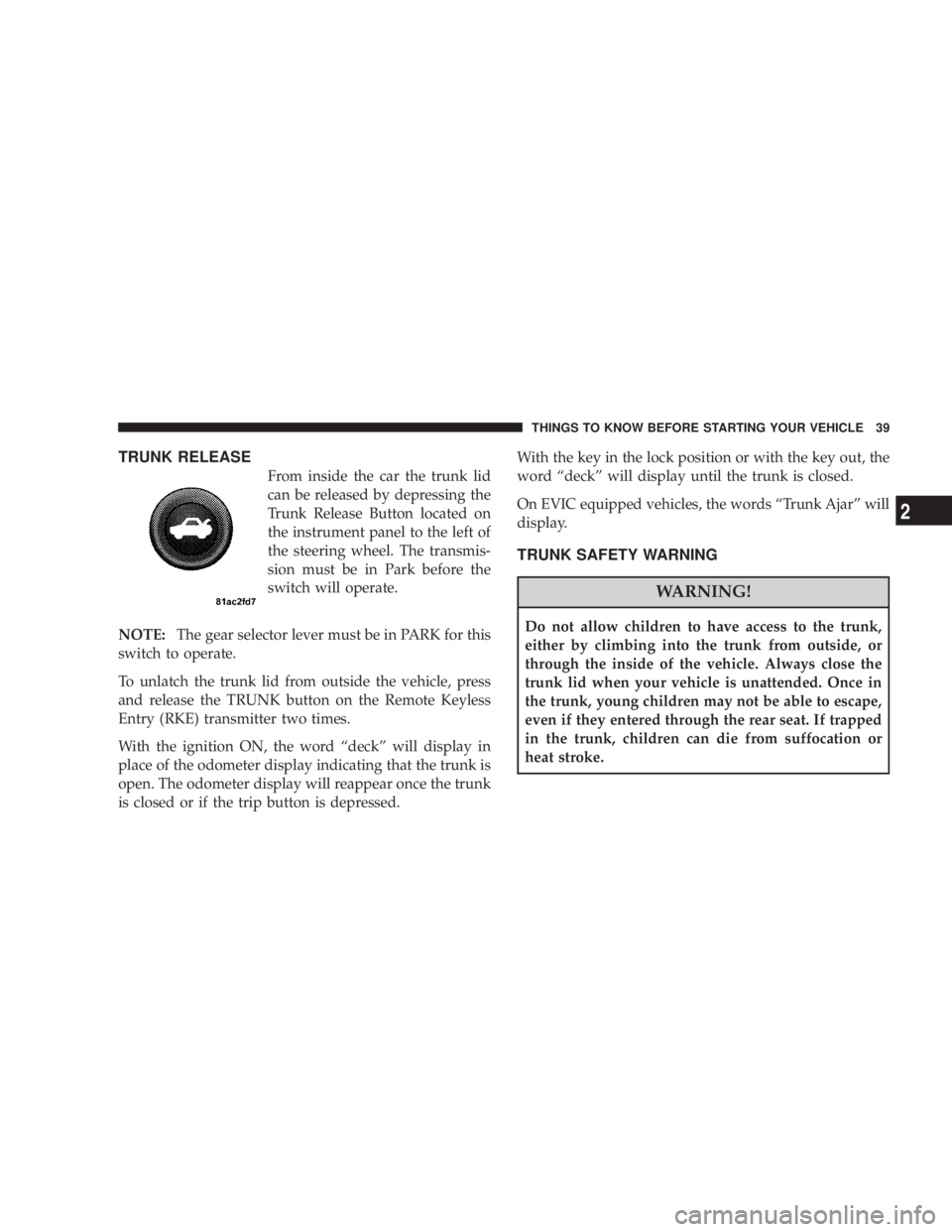
From inside the car the trunk lid
can be released by depressing the
Trunk Release Button located on
the instrument panel to the left of
the steering wheel. The transmis-
sion must be in Park before the
switch will operate.
NOTE: The gear selector lever must be in PARK for this
switch to operate.
To unlatch the trunk lid from outside the vehicle, press
and release the TRUNK button on the Remote Keyless
Entry (RKE) transmitter two times.
With the ignition ON, the word ªdeckº will display in
place of the odometer display indicating that the trunk is
open. The odometer display will reappear once the trunk
is closed or if the trip button is depressed. With the key in the lock position or with the key out, the
word ªdeckº will display until the trunk is closed.
On EVIC equipped vehicles, the words ªTrunk Ajarº will
display.
TRUNK SAFETY WARNING
WARNING!Do not allow children to have access to the trunk,
either by climbing into the trunk from outside, or
through the inside of the vehicle. Always close the
trunk lid when your vehicle is unattended. Once in
the trunk, young children may not be able to escape,
even if they entered through the rear seat. If trapped
in the trunk, children can die from suffocation or
heat stroke. THINGS TO KNOW BEFORE STARTING YOUR VEHICLE 39
2
Page 61 of 467
AIRBAG DEPLOYMENT SENSORS AND
CONTROLS
Occupant Restraint Controller (ORC)
The Occupant Restraint Controller System (ORC) is
part of a Federally regulated safety system required for
this vehicle.
The ORC determines if a frontal collision is severe
enough to require the airbags to inflate. Based on the
sensor signals, a central electronic Occupant Restraint
Controller (ORC) deploys the front airbags, side inflat-
able airbag curtains (if equipped), seat-mounted side
(Thorax) airbags (if equipped), and front seat belt preten-
sioners as required for each type of impact.
The ORC monitors the readiness of the electronic parts of
the system whenever the ignition switch is in the START
or RUN positions. These include all of the items listed
above except the steering wheel and column, instrument
panel, and passenger knee bolsters. If the key is in the OFF position, in the ACC position, or not in the ignition,
the airbags are not on and will not inflate.
The ORC contains a backup power supply system that
will deploy the airbags even if the battery loses power or
it becomes disconnected prior to deployment.
Also, the ORC turns on the Airbag Warning
Light in the instrument panel for 6 to 8 seconds
for a self-check when the ignition is first turned
on. After the self-check, the Airbag Warning
Light will turn off. If the ORC detects a malfunction in
any part of the system, it turns on the Airbag Warning
Light either momentarily or continuously. A single chime
will sound if the light comes on again after initial start
up.
It also includes diagnostics that will illuminate the instru-
ment cluster Airbag Warning Light if a malfunction is
noted. The diagnostics also record the nature of the
malfunction. THINGS TO KNOW BEFORE STARTING YOUR VEHICLE 59
2
Page 64 of 467
Enhanced Accident Response System
In the event of an impact that causes airbag deployment,
with the vehicle stopped, and the vehicle communication
network intact, and the power intact, the Enhanced
Accident Response System performs the following func-
tions:
² Cuts off fuel to the engine
² Flashes hazard lights
² Turns on the interior lights which remain on as long as
the battery has power or until the ignition key is
removed
² Unlocks the doors automatically
If A Deployment Occurs
The airbag systems are designed to deploy when the
Occupant Restraint Controller (ORC) detect a moderate-
to-severe collision, to help restrain the driver and front
passenger, and then immediately deflate. NOTE: A frontal collision that is not severe enough to
need airbag protection will not activate the system. This
does not mean something is wrong with the airbag
system.
If you do have a collision, which deploys the airbags, any
or all of the following may occur:
² The nylon airbag material may sometimes cause abra-
sions and/or skin reddening to the driver and front
passenger as the airbags deploy and unfold. The
abrasions are similar to friction rope burns or those
you might get sliding along a carpet or gymnasium
floor. They are not caused by contact with chemicals.
They are not permanent and normally heal quickly.
However, if you haven't healed significantly within a
few days, or if you have any blistering, see your doctor
immediately.
² As the airbags deflate, you may see some smoke-like
particles. The particles are a normal by-product of the62 THINGS TO KNOW BEFORE STARTING YOUR VEHICLE
Page 102 of 467
hold may not become active automatically. This is cell
phone-dependent. To bring the call back from hold, press
and hold the PHONE button until you hear a single beep.
Redial
² Press the PHONE button to begin.
² After the 9 Ready 9 prompt and the following beep, say
9 Redial. 9
² The UConnect t system will call the last number that
was dialed from your cellular phone.
NOTE: This may not be the last number dialed from the
UConnect t system.
Call Continuation
Call continuation is the progression of a phone call on the
UConnect t system after the vehicle ignition key has been
switched to OFF. Call continuation functionality avail-
able on the vehicle can be any one of three types: ² After the ignition key is switched to OFF, a call can
continue on the UConnect t system either until the call
ends, or until the vehicle battery condition dictates
cessation of the call on the UConnect t system and
transfer of the call to the mobile phone.
² After the ignition key is switched to OFF, a call can
continue on the UConnect t system for a certain dura-
tion, after which the call is automatically transferred
from the UConnect t system to the mobile phone.
² An active call is automatically transferred to the
mobile phone after the ignition key is switched to OFF.
UConnect T System Features
Language Selection
To change the language that the UConnect t system is
using:
² Press the PHONE button to begin.100 UNDERSTANDING THE FEATURES OF YOUR VEHICLE
Page 104 of 467
Your phone must be turned on and paired to the
UConnect t system to allow use of this vehicle feature in
emergency situations, when the cell phone has network
coverage and stays paired to the UConnect t system.
Towing Assistance
If you need towing assistance:
² Press the PHONE button to begin.
² After the 9 Ready 9 prompt and the following beep, say
9 Towing Assistance. 9
NOTE: The Towing Assistance number dialed is based
on the country where the vehicle is purchased (1-800-528-
2069 for the U.S., 1-877-213-4525 for Canada, 55-14-3454
for Mexico City and 1-800-712-3040 for outside Mexico
City in Mexico).
Please refer to the 24-Hour ªTowing Assistanceº cover-
age details in the Warranty Information Booklet and on
the 24±Hour Towing Assistance Card. Paging
To learn how to page, refer to 9 Working with Automated
Systems. 9 Paging works properly except for pagers of
certain companies, which time out a little too soon to
work properly with the UConnect t system.
Voice Mail Calling
To learn how to access your voice mail, refer to 9 Working
with Automated Systems. 9
Working with Automated Systems
This method is used in instances where one generally has
to press numbers on the cellular phone keypad while
navigating through an automated telephone system.
You can use your UConnect t system to access a voice
mail system or an automated service, such as a paging
service or automated customer service line. Some ser-
vices require immediate response selection. In some
instances, that may be too quick for use of the UConnect t
system.102 UNDERSTANDING THE FEATURES OF YOUR VEHICLE
Page 105 of 467
When calling a number with your UConnect t system
that normally requires you to enter in a touch-tone
sequence on your cellular phone keypad, you can press
the ªVoice Recognitionº button and say the sequence you
wish to enter, followed by the word 9 Send. 9 For example,
if required to enter your PIN followed with a pound, (3 7
4 6 #), you can press the ªVoice Recognitionº button and
say, 9 3746# Send. 9 Saying a number, or sequence of
numbers, followed by 9 Send, 9 is also to be used for
navigating through an automated customer service cen-
ter menu structure, and to leave a number on a pager.
You can also send stored UConnect t phonebook entries
as tones for fast and easy access to voice mail and pager
entries. To use this feature, dial the number you wish to
call and then press the ªVoice Recognitionº button and
say, ªSend.º The system will prompt you to enter the
name or number and say the name of the phonebook
entry you wish to send. The UConnect t system will then send the corresponding phone number associated with
the phonebook entry, as tones over the phone.
NOTE:
² You may not hear all of the tones due to cellular phone
network configurations; this is normal.
² Some paging and voice mail systems have system time
out settings that are too short and may not allow the
use of this feature.
Barge In - Overriding Prompts
The ªVoice Recognitionº button can be used when you
wish to skip part of a prompt and issue your voice
recognition command immediately. For example, if a
prompt is asking 9 Would you like to pair a phone, clear
a { , 9 you could press the ªVoice Recognitionº button and
say, 9 Pair a Phone 9 to select that option without having to
listen to the rest of the voice prompt. UNDERSTANDING THE FEATURES OF YOUR VEHICLE 103
3
Page 106 of 467
Turning Confirmation Prompts On/Off
Turning confirmation prompts off will stop the system
from confirming your choices (e.g., the UConnect t sys-
tem will not repeat a phone number before you dial it).
² Press the PHONE button to begin.
² After the 9 Ready 9 prompt and the following beep, say
9 Setup Confirmations. 9 The UConnect t system will
play the current confirmation prompt status and you
will be given the choice to change it.
Phone and Network Status Indicators
If available on the radio and/or on a premium display
such as the instrument panel cluster, and supported by
your cell phone, the UConnect t system will provide
notification to inform you of your phone and network
status when you are attempting to make a phone call
using UConnect t . The status is given for roaming, net-
work signal strength, phone battery strength, etc. Dialing Using the Cellular Phone Keypad
You can dial a phone number with your cellular phone
keypad and still use the UConnect t system (while dial-
ing via the cell phone keypad, the user must exercise
caution and take precautionary safety measures). By
dialing a number with your paired Bluetooth t cellular
phone, the audio will be played through your vehicle's
audio system. The UConnect t system will work the same
as if you dial the number using voice recognition.
NOTE: Certain brands of mobile phones do not send the
dial ring to the UConnect t system to play it on the
vehicle audio system, so you will not hear it. Under this
situation, after successfully dialing a number the user
may feel that the call did not go through even though the
call is in progress. Once your call is answered, you will
hear the audio.104 UNDERSTANDING THE FEATURES OF YOUR VEHICLE
Page 111 of 467
² In a convertible vehicle, system performance may be
compromised with the convertible top down.
Far End Audio Performance
² Audio quality is maximized under:
² low-to-medium blower setting,
² low-to-medium vehicle speed,
² low road noise,
² smooth road surface,
² fully closed windows,
² dry weather conditions, and
² operation from the driver's seat.
² Performance, such as audio clarity, echo, and loudness
to a large degree rely on the phone and network, and
not the UConnect t system. ² Echo at the far end can sometimes be reduced by
lowering the in-vehicle audio volume.
² In a convertible vehicle, system performance may be
compromised with the convertible top down.
Bluetooth t Communication Link
Cellular phones have been found to lose connection to
the UConnect t system. When this happens, the connec-
tion can generally be re-established by switching the
phone off/on. Your cell phone is recommended to remain
in Bluetooth t ON mode.
Power-Up
After switching the ignition key from OFF to either ON
or ACC position, or after a language change, you must
wait at least five seconds prior to using the system. UNDERSTANDING THE FEATURES OF YOUR VEHICLE 109
3