warning DODGE AVENGER 2012 2.G Manual PDF
[x] Cancel search | Manufacturer: DODGE, Model Year: 2012, Model line: AVENGER, Model: DODGE AVENGER 2012 2.GPages: 514, PDF Size: 2.98 MB
Page 199 of 514
5. Low Fuel LightWhen the fuel level drops to approximately 2.0 gal-
lons (7.6 Liters), the fuel symbol will light and a
single chime will sound.
NOTE: This light will remain on until a minimum of
approximately 3.0 gallons of fuel is added.
6. Charging System Light This light shows the status of the electrical charg-
ing system. The light should come on briefly when
the ignition is first turned on and remain on briefly as a
bulb check. If the light stays on or comes on while
driving, turn off some of the vehicle’s electrical devices,
such as the Front Fog Lights or Rear Window Defroster.
If the Charging System Light remains on, it means that
the vehicle is experiencing a problem with the charging
system. Obtain SERVICE IMMEDIATELY. See your local
authorized dealer. If jump starting is required, refer to “Jump Starting
Procedures” in “What To Do In Emergencies”.
7. Air Bag Warning Light
This light will turn on for four to eight seconds
as a bulb check when the ignition switch is first
turned to ON/RUN. If the light is either not on
during starting, stays on, or turns on while
driving, have the system inspected at an authorized
dealer as soon as possible. Refer to “Occupant Restraints”
in “Things To Know Before Starting Your Vehicle” for
further information.
8. Seat Belt Reminder Light When the ignition switch is first turned to ON/
RUN, this light will turn on for four to eight
seconds as a bulb check. During the bulb check, if
the driver’s seat belt is unbuckled, a chime will sound.
After the bulb check or when driving, if the driver seat
belt remains unbuckled, the Seat Belt Warning Light will
4
UNDERSTANDING YOUR INSTRUMENT PANEL 197
Page 200 of 514
flash or remain on continuously. Refer to “Occupant
Restraints” in “Things To Know Before Starting Your
Vehicle” for further information.
9. Oil Pressure Warning LightThis light indicates low engine oil pressure. The
light will come on and remain on when the
ignition switch is turned from the OFF to the ON/RUN
position, and the light will turn off after the engine is
started. If the bulb does not come on during starting,
have the system checked by an authorized dealer.
If the light comes on and remains on while driving, stop
the vehicle and shut off the engine. DO NOT OPERATE
THE VEHICLE UNTIL THE CAUSE IS CORRECTED.
The light does not show the quantity of oil in the engine.
This can be determined using the procedure shown in
“Maintaining Your Vehicle”. 10. Engine Temperature Warning Light
This light warns of an overheated engine condi-
tion. As engine coolant temperatures rise and the
gauge approaches H, this indicator will illuminate
and a single chime will sound after reaching a set
threshold. Further overheating will cause the tempera-
ture gauge to pass H, the indicator will continuously
flash and a continuous chime will occur until the engine
is allowed to cool.
If the light turns on while driving, safely pull over and
stop the vehicle. If the A/C system is on, turn it off. Also,
shift the transmission into NEUTRAL and idle the ve-
hicle. If the temperature reading does not return to
normal, turn the engine off immediately and call for
service. Refer to “If Your Engine Overheats” in “What To
Do In Emergencies” for further information.
198 UNDERSTANDING YOUR INSTRUMENT PANEL
Page 201 of 514
11. Brake Warning LightThis light monitors various brake functions,
including brake fluid level and parking brake
application. If the brake light turns on it may
indicate that the parking brake is applied, that
the brake fluid level is low, or that there is a problem with
the anti-lock brake system.
The dual brake system provides a reserve braking capac-
ity in the event of a failure to a portion of the hydraulic
system. Failure of either half of the dual brake system is
indicated by the Brake Warning Light which will turn on
when the brake fluid level in the master cylinder has
dropped below a specified level.
The light will remain on until the cause is corrected.
NOTE: The light may flash momentarily during sharp
cornering maneuvers which change fluid level condi-
tions. The vehicle should have service performed, and
the brake fluid level checked. If brake failure is indicated, immediate repair is neces-
sary.
WARNING!
Driving a vehicle with the brake light on is danger-
ous. Part of the brake system may have failed. It will
take longer to stop the vehicle. You could have a
collision. Have the vehicle checked immediately.
Vehicles equipped with Anti-Lock brakes (ABS), are also
equipped with Electronic Brake Force Distribution (EBD).
In the event of an EBD failure, the Brake Warning Light
will turn on along with the ABS Light. Immediate repair
to the ABS system is required.
The operation of the Brake Warning Light can be checked
by turning the ignition switch from the OFF position to
the ON/RUN position. The light should illuminate for
approximately three seconds. The light should then turn
4
UNDERSTANDING YOUR INSTRUMENT PANEL 199
Page 203 of 514
The two trip odometers show individual trip mileage. To
switch from odometer to trip odometers, press and
release the Trip Odometer button. To reset a trip odom-
eter, display the desired trip odometer to be reset then
push and hold the button until the display resets (ap-
proximately two seconds). Refer to “Trip Odometer But-
ton” for additional information.
Vehicle Odometer Messages
When the appropriate conditions exist, the odometer will
display the following messages:
door............................. Door Ajar
dECK ............................ T runk Ajar
LoW tirE ..................... LowTirePr essure
CHANgE OIL ............... Oil Change Required
gASCAP ....................... Fuel Cap Fault
HOTOIL .......Engine Oil Temperature Exceeds Safe
ThresholdNOTE:
If the instrument cluster is equipped with the
optional Electronic Vehicle Information Center (EVIC),
then all warnings including ”Low Tire,” “Door Ajar” and
“Trunk Ajar” will only display in the EVIC. (Refer to
“Electronic Vehicle Information Center (EVIC)” for spe-
cific messages).
LoW tirE
When the appropriate condition exists, the odometer
display will toggle between LoW and tirE for three
cycles.
HOTOIL
When this message is displayed there is a engine oil
over-temperature condition. When this condition occurs,
the “HOTOIL” message will be displayed in the odom-
eter along with a chime.
Refer to “If Your Engine Overheats” in “What To Do In
Emergencies”.
4
UNDERSTANDING YOUR INSTRUMENT PANEL 201
Page 209 of 514
CAUTION!
The TPMS has been optimized for the original
equipment tires and wheels. TPMS pressures and
warning have been established for the tire size
equipped on your vehicle. Undesirable system opera-
tion or sensor damage may result when using re-
placement equipment that is not of the same size,
type, and/or style. Aftermarket wheels can cause
sensor damage. Do not use tire sealant from a can or
balance beads if your vehicle is equipped with a
TPMS, as damage to the sensors may result.
25. Malfunction Indicator Light (MIL) The Malfunction Indicator Light (MIL) is part of
an onboard diagnostic system called OBD that
monitors emissions, engine, and automatic trans-
mission control systems. The light will illuminate when
the key is in the ON/RUN position before engine start. If the bulb does not come on when turning the key from
LOCK to ON/RUN, have the condition checked
promptly.
Certain conditions, such as a loose or missing gas cap,
poor fuel quality, etc., may illuminate the light after
engine start. The vehicle should be serviced if the light
stays on through several of your typical driving cycles. In
most situations, the vehicle will drive normally and will
not require towing.
CAUTION!
Prolonged driving with the MIL on could cause
damage to the engine control system. It also could
affect fuel economy and drivability. If the MIL is
flashing, severe catalytic converter damage and
power loss will soon occur. Immediate service is
required.
4
UNDERSTANDING YOUR INSTRUMENT PANEL 207
Page 210 of 514
WARNING!
A malfunctioning catalytic converter, as referenced
above, can reach higher temperatures than in normal
operating conditions. This can cause a fire if you
drive slowly or park over flammable substances such
as dry plants, wood, cardboard, etc. This could result
in death or serious injury to the driver, occupants or
others.
26. Anti-Lock Brake (ABS) Light — If Equipped This light monitors the ABS. This light will
come on when the ignition key is turned to the
ON/RUN position and may stay on for ap-
proximately three seconds.
If the ABS light remains on or comes on during driving,
it indicates that the Anti-Lock portion of the brake system
is not functioning and that service is required, however, the conventional brake system will continue to operate
normally provided that the BRAKE warning light is not
on.
If the ABS light is on, the brake system should be serviced
as soon as possible to restore the benefit of Anti-Lock
Brakes.
The ABS warning light should be checked frequently to
assure that it is operating properly. Turn the ignition key
to the on position, but do not start the vehicle. The light
should come on. If the light does not come on, have the
system inspected by an authorized dealer.
27. Transmission Temperature Warning Light — If
Equipped
This light indicates that the transmission fluid
temperature is running hot. This may occur
with severe usage, such as trailer towing. If this
light turns on while driving, safely pull over
208 UNDERSTANDING YOUR INSTRUMENT PANEL
Page 211 of 514
and stop the vehicle. Then, shift the transmission into
NEUTRAL and run the engine at idle or faster until the
light turns off.
CAUTION!
Continuous driving with the Transmission Tempera-
ture Warning Light illuminated will eventually cause
severe transmission damage or transmission failure.
WARNING!
If the Transmission Temperature Warning Light is
illuminated and you continue operating the vehicle,
in some circumstances you could cause the fluid to
boil over, come in contact with hot engine or exhaust
components and cause a fire.28. High Beam Indicator
This light indicates that the headlights are on high
beam. Pull the turn signal lever toward the steer-
ing wheel to switch the headlights to low beam.
29. Electronic Vehicle Information Center (EVIC)
Display — If Equipped
This display shows the EVIC messages when the appro-
priate conditions exist. Refer to “Electronic Vehicle Infor-
mation Center (EVIC)” for further information.
4
UNDERSTANDING YOUR INSTRUMENT PANEL 209
Page 214 of 514
The EVIC consists of the following:
•Compass Heading Display (N, S, E, W, NE, NW, SE,
SW)
•Mileage (Avg/MPG)
•Miles To Empty
•Low Tire Information (Tire Pressure Monitor System
(TPMS) Displays) — if equipped
•Timer
•Units
•System Warnings (Door Ajar, etc.)
•Personal Settings (Customer-Programmable Features)
•Outside Temperature Display (°F or °C)
•Audio Mode Displays – 12 preset Radio Stations or CD
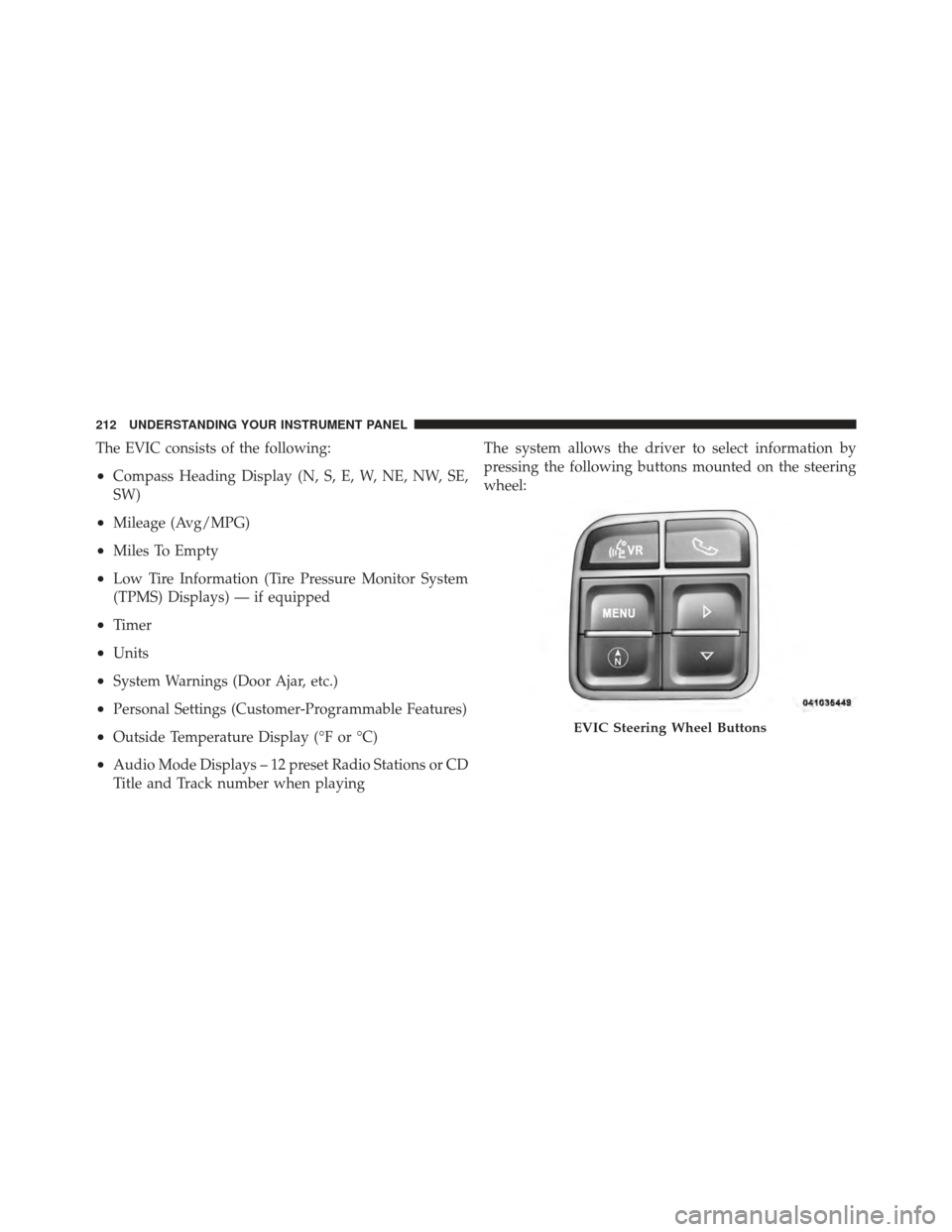
Title and Track number when playingThe system allows the driver to select information by
pressing the following buttons mounted on the steering
wheel:
EVIC Steering Wheel Buttons
212 UNDERSTANDING YOUR INSTRUMENT PANEL
Page 215 of 514
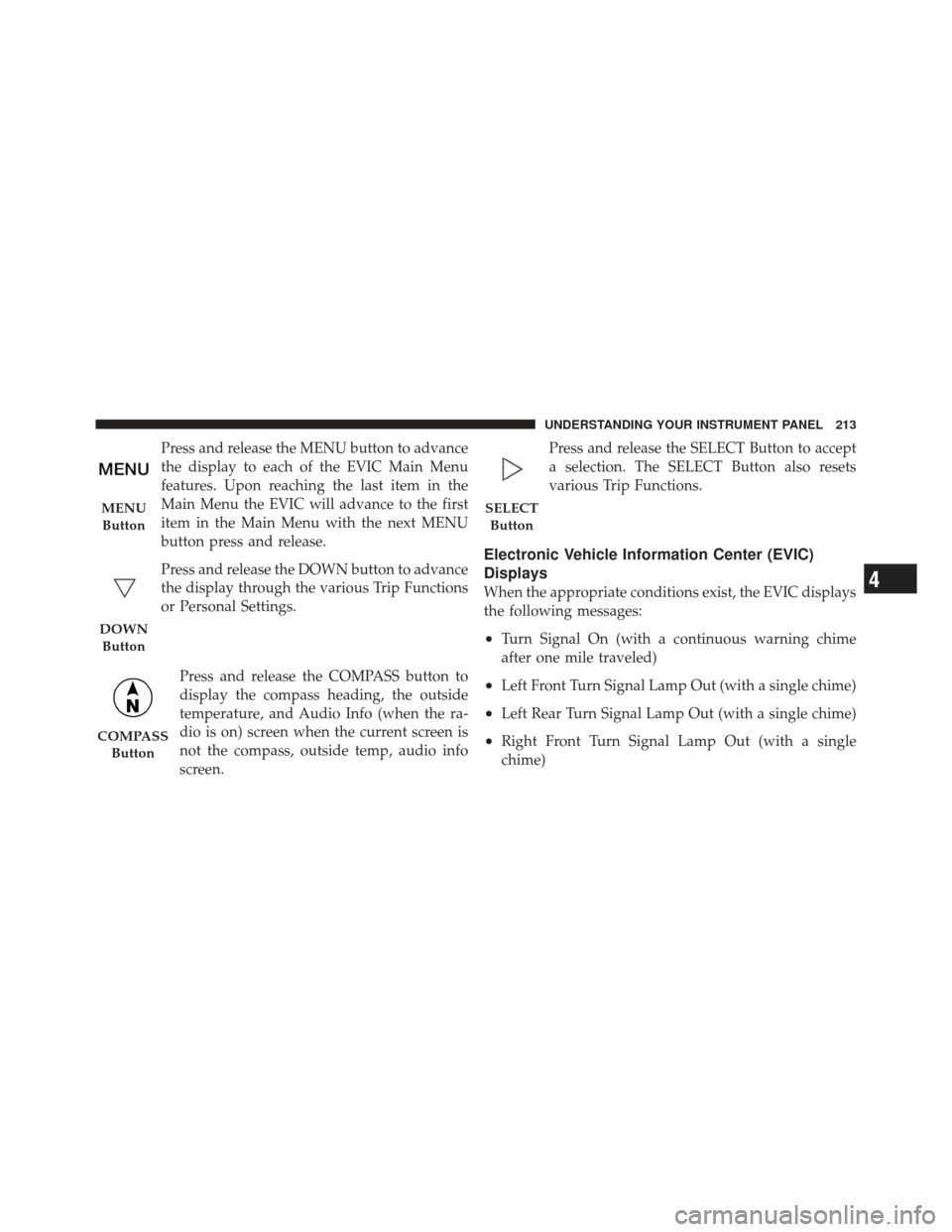
Press and release the MENU button to advance
the display to each of the EVIC Main Menu
features. Upon reaching the last item in the
Main Menu the EVIC will advance to the first
item in the Main Menu with the next MENU
button press and release.
Press and release the DOWN button to advance
the display through the various Trip Functions
or Personal Settings.Press and release the COMPASS button to
display the compass heading, the outside
temperature, and Audio Info (when the ra-
dio is on) screen when the current screen is
not the compass, outside temp, audio info
screen. Press and release the SELECT Button to accept
a selection. The SELECT Button also resets
various Trip Functions.
Electronic Vehicle Information Center (EVIC)
Displays
When the appropriate conditions exist, the EVIC displays
the following messages:
•Turn Signal On (with a continuous warning chime
after one mile traveled)
•Left Front Turn Signal Lamp Out (with a single chime)
•Left Rear Turn Signal Lamp Out (with a single chime)
•Right Front Turn Signal Lamp Out (with a single
chime)
MENU
Button
DOWN Button
COMPASS Button
SELECTButton
4
UNDERSTANDING YOUR INSTRUMENT PANEL 213
Page 223 of 514
System Status
Displays SYSTEM OK if there are no active Warning
Messages stored. Pressing and releasing the DOWN
button when SYSTEM OK is displayed will do nothing.
Displays SYSTEM WARNINGS PRESENT if there are
active Warning Messages stored. Pressing and releasing
the DOWN button when SYSTEM WARNINGS PRES-
ENT is displayed will display each stored warning for
each button press. Press and Release the MENU button to
return to the Main Menu.
Personal Settings (Customer-Programmable
Features)
Personal Settings allows the driver to set and recall
features when the automatic transaxle is in PARK.
Press and release the MENU button until “Personal
Settings” displays in the EVIC.Press and release the DOWN button to display the
following programmable features:
Language
When in this display you may select different languages
for all display nomenclature, including the trip functions.
Pressing the SELECT button while in this display selects
English, Spanish, French, German, Italian, or Dutch de-
pending on availability. As you continue, the displayed
information will be shown in the selected language.
Auto Unlock on Exit
When ON is selected and the transaxle is in the PARK or
NEUTRAL position, all doors will unlock when the
driver’s door is opened. To make your selection, press the
SELECT button until ON or OFF appears.
RKE Unlock
When “Driver Door 1st Press” is selected, only the
driver’s door will unlock on the first press of the Remote
Keyless Entry (RKE) transmitter UNLOCK button. When
4
UNDERSTANDING YOUR INSTRUMENT PANEL 221