instrument panel DODGE AVENGER 2013 2.G Owners Manual
[x] Cancel search | Manufacturer: DODGE, Model Year: 2013, Model line: AVENGER, Model: DODGE AVENGER 2013 2.GPages: 519, PDF Size: 3.1 MB
Page 290 of 519
•Most of the time, when in Automatic Operation, you
can temporarily put the system into Recirculation
Mode by pressing the Recirculation button. However,
under certain conditions, while in Automatic Mode,
the system is blowing air out the defrost vents. When
these conditions are present, and the Recirculation
button is pressed, the indicator will flash and then turn
off. This tells you that you are unable to go into
Recirculation Mode at this time. If you would like the
system to go into Recirculation Mode, you must first
move the Mode knob to Panel, Mix and then press the
Recirculation button. This feature reduces the possibil-
ity of window fogging.Blower Control
For full automatic operation or for
automatic blower operation, turn the
knob to the AUTO position. In manual
mode there are seven blower speeds
that can be individual selected. In off
position the blower will shut off.
Operating Tips
NOTE: Refer to the chart at the end of this section for
suggested control settings for various weather condi-
tions.
288 UNDERSTANDING YOUR INSTRUMENT PANEL
Page 291 of 519
Summer Operation
The engine cooling system must be protected with a
high-quality antifreeze coolant to provide proper corro-
sion protection and to protect against engine overheating.
A solution of 50% OAT (Organic Additive Technology)
coolant that meets the requirements of Chrysler Material
Standard MS-12106 and 50% water is recommended.
Refer to “Maintenance Procedures” in “Maintaining Your
Vehicle” for proper coolant selection.
Winter Operation
Use of the air Recirculation Mode during winter months is
not recommended because it may cause window fogging.
Vacation Storage
Anytime you store your vehicle, or keep it out of ser-
vice (i.e., vacation) for two weeks or more, run the airconditioning system at idle for about five minutes in the
fresh air and high blower settings. This will ensure
adequate system lubrication to minimize the possibility
of compressor damage when the system is started again.
Window Fogging
Interior fogging on the windshield can be quickly re-
moved by turning the mode selector to Defrost. The Mix
mode can be used to maintain a clear windshield and
provide sufficient heating. If side window fogging be-
comes a problem, increase blower speed. Vehicle win-
dows tend to fog on the inside in mild but rainy or humid
weather.
NOTE:
Recirculate without A/C should not be used for
long periods as fogging may occur.
4
UNDERSTANDING YOUR INSTRUMENT PANEL 289
Page 292 of 519
Side Window Demisters
A side window demister outlet is located at each end of
the instrument panel. These non-adjustable outlets direct
air toward the side windows when the system is in the
FLOOR, MIX, or DEFROST mode. The air is directed at
the area of the windows through which you view the
outside mirrors.
Outside Air Intake
Make sure the air intake, located directly in front of the
windshield, is free of obstructions such as leaves. Leaves
collected in the air intake may reduce airflow, and if they
enter the plenum, they could plug the water drains. In
winter months, make sure the air intake is clear of ice,
slush, and snow.
A/C Air Filter — If Equipped
The A/C Filter prevents most dust and pollen from
entering the cabin. The filter acts on air coming from
outside the vehicle and recirculated air within the pas-
senger compartment. Refer to “Maintenance Procedures”
in “Maintaining Your Vehicle” for A/C Air Filter service
information or see your authorized dealer for service.
Refer to “Maintenance Schedules” for filter service inter-
vals.
290 UNDERSTANDING YOUR INSTRUMENT PANEL
Page 293 of 519

Control Setting Suggestions for Various Weather Conditions
4
UNDERSTANDING YOUR INSTRUMENT PANEL 291
Page 400 of 519
HAZARD WARNING FLASHERS
The Hazard Warning flasher switch is located on the
instrument panel, below the radio.Press the switch to turn on the Hazard Warning
flasher. When the switch is activated, all direc-
tional turn signals will flash on and off to warn oncoming
traffic of an emergency. Press the switch a second time to
turn off the Hazard Warning flashers.
This is an emergency warning system and it should not
be used when the vehicle is in motion. Use it when your
vehicle is disabled and it is creating a safety hazard for
other motorists.
When you must leave the vehicle to seek assistance, the
Hazard Warning flashers will continue to operate even
though the ignition is placed in the OFF position.
NOTE: With extended use the Hazard Warning flashers
may wear down your battery.
IF YOUR ENGINE OVERHEATS
In any of the following situations, you can reduce the
potential for overheating by taking the appropriate action.
• On the highways — Slow down.
• In city traffic — While stopped, put transaxle in
NEUTRAL, but do not increase engine idle speed.
CAUTION!
Driving with a hot cooling system could damage
your vehicle. If temperature gauge reads “H”, pull
over and stop the vehicle with the engine at idle,
when safe. Turn the air conditioner off and wait until
the pointer drops back into the normal range. After
appropriate action has been taken, if the pointer
remains on the “H”, turn the engine off immediately,
and call for service.
398 WHAT TO DO IN EMERGENCIES
Page 441 of 519
3. Disconnect the glove box door dampener from theslot on the side of the box. This is done by grasping
the dampener connector (on the outside of the box)
and the end of the connector pin (on the inside of the
box) with your thumb and forefinger and pulling
outward while lightly lifting upward on the door with
your other hand. Once disconnected, the dampener
will retract underneath the instrument panel if you
release it.
4. Pivot the glove box downward.
5. Disengage the two retaining tabs that secure the filter cover to the HVAC housing and remove the cover. 6. Remove the A/C Air Filter by pulling it straight out of
the housing.
A/C Air Filter Replacement
7
MAINTAINING YOUR VEHICLE 439
Page 462 of 519
Interior Care
Instrument Panel Cover
The instrument panel cover has a low glare surface,
which minimizes reflections in the windshield. Do not
use protectants or other products, which may cause
undesirable reflections. Use soap and warm water to
restore the low glare surface.
Cleaning Interior Trim
Interior Trim should be cleaned starting with a damp
cloth, a damp cloth with MOPAR® Total Clean or equiva-
lent, then MOPAR® Spot & Stain Remover or equivalent
if absolutely necessary. Do not use harsh cleaners or
Armor All®. Use MOPAR® Total Clean or equivalent to
clean vinyl upholsteryCleaning Leather Upholstery
MOPAR® Total Clean or equivalent is specifically recom-
mended for leather upholstery.
Your leather upholstery can be best preserved by regular
cleaning with a damp soft cloth. Small particles of dirt
can act as an abrasive and damage the leather upholstery
and should be removed promptly with a damp cloth.
Stubborn soils can be removed easily with a soft cloth
and MOPAR® Total Clean or equivalent. Care should be
taken to avoid soaking your leather upholstery with any
liquid. Please do not use polishes, oils, cleaning fluids,
solvents, detergents, or ammonia-based cleaners to clean
your leather upholstery. Application of a leather condi-
tioner is not required to maintain the original condition.
460 MAINTAINING YOUR VEHICLE
Page 466 of 519
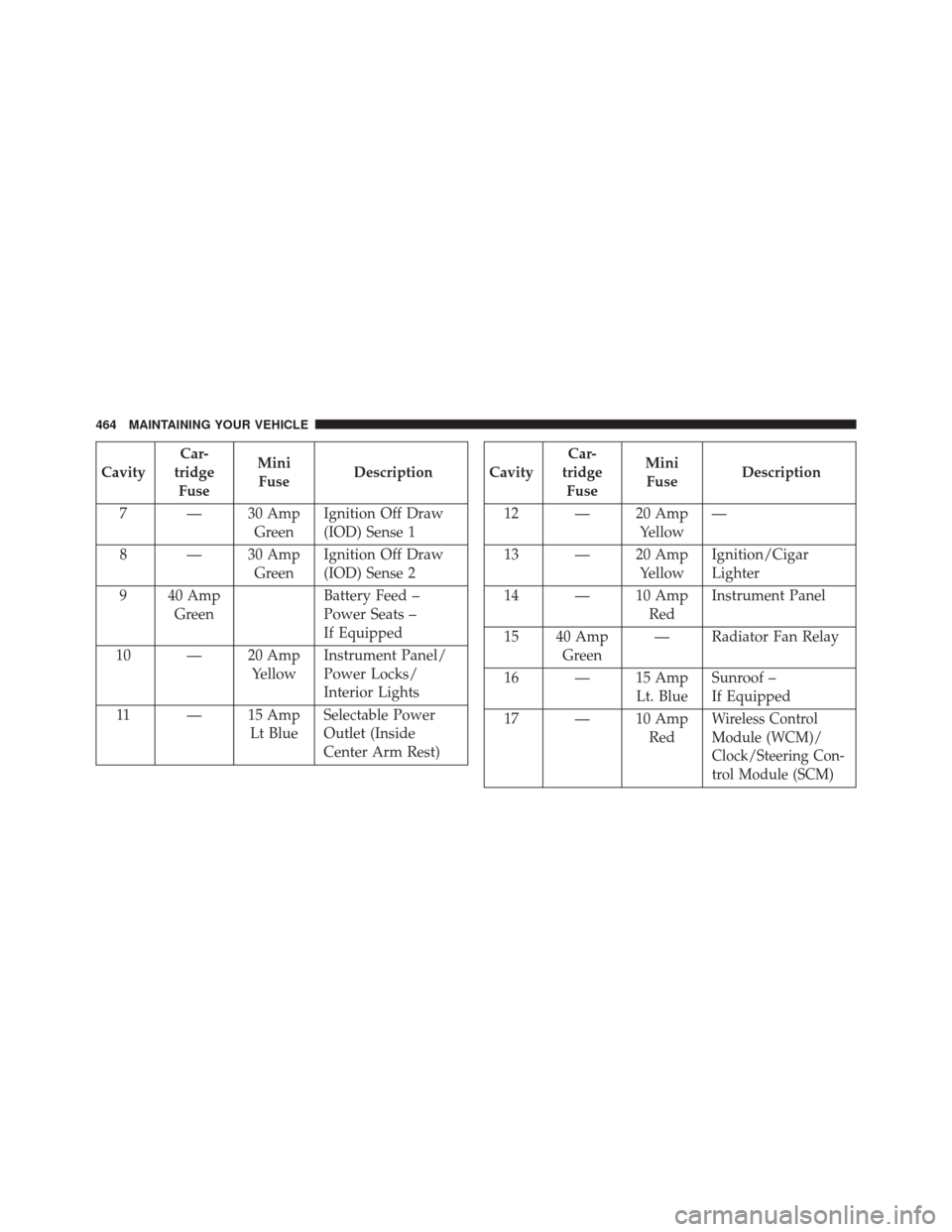
CavityCar-
tridge Fuse Mini
Fuse Description
7 — 30 Amp GreenIgnition Off Draw
(IOD) Sense 1
8 — 30 Amp GreenIgnition Off Draw
(IOD) Sense 2
9 40 Amp Green Battery Feed –
Power Seats –
If Equipped
10 — 20 Amp YellowInstrument Panel/
Power Locks/
Interior Lights
11 — 15 Amp Lt BlueSelectable Power
Outlet (Inside
Center Arm Rest)Cavity Car-
tridge Fuse Mini
Fuse Description
12 — 20 Amp Yellow—
13 — 20 Amp YellowIgnition/Cigar
Lighter
14 — 10 Amp RedInstrument Panel
15 40 Amp Green — Radiator Fan Relay
16 — 15 Amp Lt. BlueSunroof –
If Equipped
17 — 10 Amp Red
Wireless Control
Module (WCM)/
Clock/Steering Con-
trol Module (SCM)
464 MAINTAINING YOUR VEHICLE
Page 480 of 519
MAINTENANCE SCHEDULE
Your vehicle is equipped with an automatic oil change
indicator system. The oil change indicator system will
remind you that it is time to take your vehicle in for
scheduled maintenance.
Based on engine operation conditions, the oil change
indicator message will illuminate. This means that ser-
vice is required for your vehicle. Operating conditions
such as frequent short-trips, trailer tow, extremely hot or
cold ambient temperatures, and E85 fuel usage will
influence when the “Oil Change Required” message is
displayed. Severe Operating Conditions can cause the
change oil message to illuminate as early as 3,500 miles
(5,600 km) since last reset. Have your vehicle serviced as
soon as possible, within the next 500 miles (805 km).
Your authorized dealer will reset the oil change indicator
message after completing the scheduled oil change. If a
scheduled oil change is performed by someone other than
your authorized dealer, the message can be reset by refer-
ring to the steps described under “Electronic Vehicle Infor-
mation Center (EVIC)/Oil Change Required” in “Under-
standing Your Instrument Panel” for further information
NOTE:Under no circumstances should oil change inter-
vals exceed 10,000 miles (16,000 km) or twelve months,
whichever comes first.
Once A Month Or Before A Long Trip:
• Check engine oil level
• Check windshield washer fluid level
• Check the tire inflation pressures and look for unusual
wear or damage
8
M A I
N T
E
N
A
N
C E
S
C
H E
D
U L
E
S478 MAINTENANCE SCHEDULES
Page 507 of 519
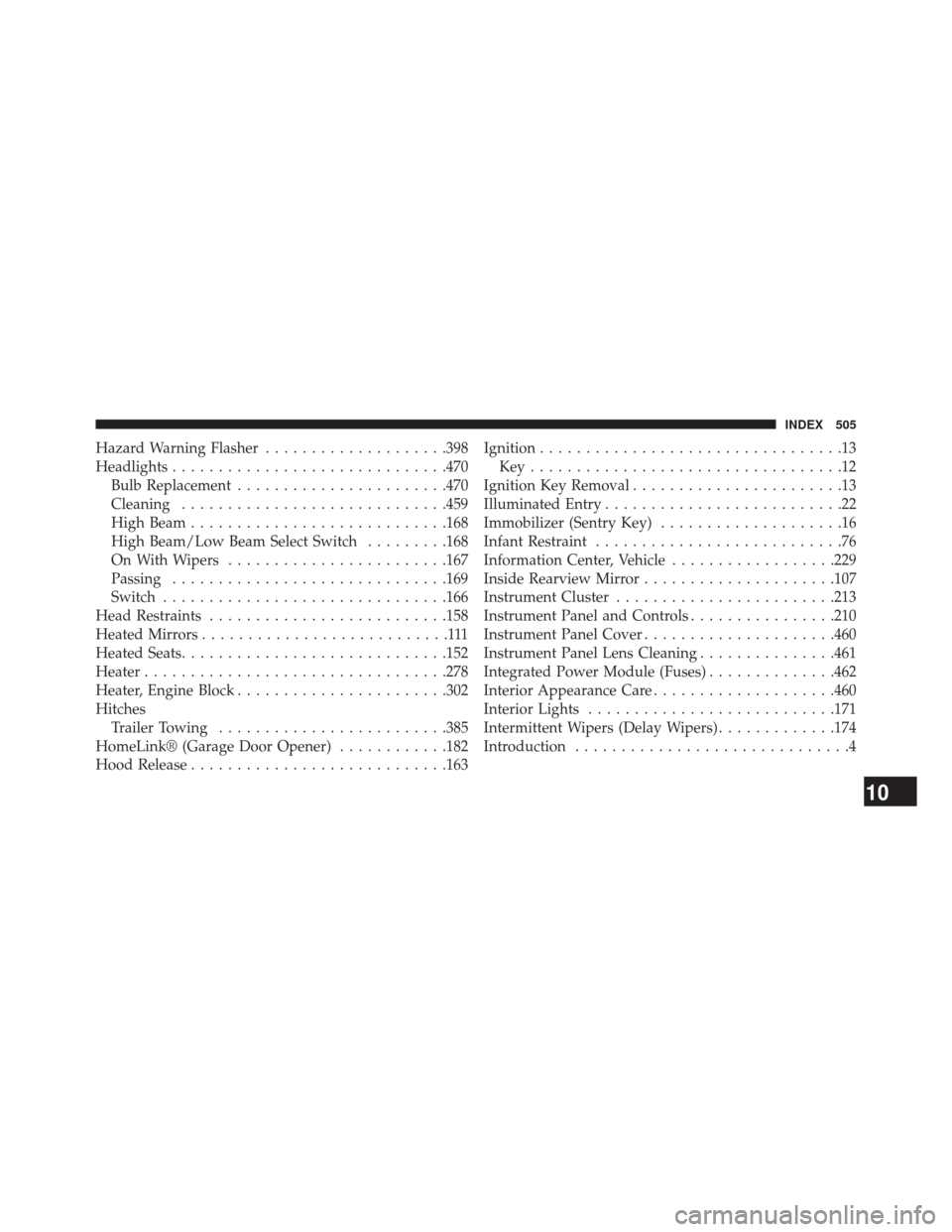
Hazard Warning Flasher....................398
Headlights ............................. .470
Bulb Replacement ...................... .470
Cleaning ............................ .459
High Beam ........................... .168
High Beam/Low Beam Select Switch .........168
On With Wipers ....................... .167
Passing ............................. .169
Switch .............................. .166
Head Restraints ......................... .158
Heated Mirrors ...........................111
Heated Seats ............................ .152
Heater ................................ .278
Heater, Engine Block ...................... .302
Hitches Trailer Towing ........................ .385
HomeLink® (Garage Door Opener) ............182
Hood Release ........................... .163Ignition
.................................13
Key..................................12
Ignition Key Removal .......................13
Illuminated Entry ..........................22
Immobilizer (Sentry Key) ....................16
Infant Restraint ...........................76
Information Center, Vehicle ..................229
Inside Rearview Mirror .....................107
Instrument Cluster ....................... .213
Instrument Panel and Controls ................210
Instrument Panel Cover .....................460
Instrument Panel Lens Cleaning ...............461
Integrated Power Module (Fuses) ..............462
Interior Appearance Care ....................460
Interior Lights .......................... .171
Intermittent Wipers (Delay Wipers) .............174
Introduction ..............................4
10
INDEX 505