headlights DODGE AVENGER 2014 2.G User Guide
[x] Cancel search | Manufacturer: DODGE, Model Year: 2014, Model line: AVENGER, Model: DODGE AVENGER 2014 2.GPages: 517, PDF Size: 3.58 MB
Page 177 of 517
WARNING!
Sudden loss of visibility through the windshield
could lead to a collision. You might not see other
vehicles or other obstacles. To avoid sudden icing of
the windshield during freezing weather, warm the
windshield with defroster before and during wind-
shield washer use.
Mist Feature
Push down on the wiper control lever to activate a single
wipe to clear the windshield of road mist or spray from
a passing vehicle. As long as the lever is held down, the
wipers will continue to operate.
NOTE:The mist feature does not activate the washer
pump; therefore, no washer fluid will be sprayed on the
windshield. The wash function must be used in order to
spray the windshield with washer fluid.
Headlights With Wipers Feature (Available With
Automatic Headlights Only)
When this feature is active, the headlights will turn on
approximately 10 seconds after the wipers are turned on
if the multifunction lever (on the left side of the steering
Mist Control
3
UNDERSTANDING THE FEATURES OF YOUR VEHICLE 175
Page 178 of 517
column) is placed in the AUTO position. In addition, the
headlights will turn off when the wipers are turned off if
they were turned on by this feature.
The headlights with wipers feature can be turned on or
off through the Electronic Vehicle Information Center
(EVIC) — if equipped. Refer to “Electronic Vehicle Infor-
mation Center (EVIC)/Personal Settings (Customer-
Programmable Features)” in “Understanding Your In-
strument Panel” for further information.
TILT/TELESCOPING STEERING COLUMN
This feature allows you to tilt the steering column
upward or downward. It also allows you to lengthen or
shorten the steering column. The tilt/telescoping control
handle is located below the steering wheel at the end of
the steering column.
To unlock the steering column, pull the control handle
down. To tilt the steering column, move the steering wheel
upward or downward as desired. To lengthen or shorten
the steering column, pull the steering wheel outward or
push it inward as desired. To lock the steering column in
position, pull the control handle up until fully engaged.
Tilt/Telescoping Steering Wheel
176 UNDERSTANDING THE FEATURES OF YOUR VEHICLE
Page 221 of 517
The light will come on when the ignition switch is first
turned on and remain on briefly as a bulb check. This is
normal. If the light does not come on during starting,
have the system checked by an authorized dealer.
18. Park/Headlight ON Indicator — If EquippedThis indicator will illuminate when the park
lights or headlights are turned on.
19. Electronic Stability Control (ESC) OFF Indicator
Light — If Equipped This light indicates the Electronic Stability Con-
trol system (ESC) has been turned off by the
driver. 20. Turn Signal Indicators
The arrows will flash in unison with the exterior
turn signal, when using the turn signal lever. A
chime will sound if the vehicle is driven more than 1 mile
(1.6 km) with either turn signal on.
NOTE: If either indicator flashes at a rapid rate, check for
a defective outside light bulb.
21. Vehicle Security Light — If Equipped
This light will flash rapidly for approximately
16 seconds when the alarm system is arming.
The light will begin to flash slowly indicating
that the system is armed. The light will stop
flashing when the vehicle is disarmed.
4
UNDERSTANDING YOUR INSTRUMENT PANEL 219
Page 226 of 517
should come on. If the light does not come on, have the
system inspected by an authorized dealer.
27. Transmission Temperature Warning Light — If
EquippedThis light indicates that the transmission fluid
temperature is running hot. This may occur
with severe usage, such as trailer towing. If this
light turns on while driving, safely pull over
and stop the vehicle. Then, shift the transmission into
NEUTRAL and run the engine at idle or faster until the
light turns off.
CAUTION!
Continuous driving with the Transmission Tempera-
ture Warning Light illuminated will eventually cause
severe transmission damage or transmission failure.
WARNING!
If you continue operating the vehicle when the
Transmission Temperature Warning Light is illumi-
nated you could cause the fluid to boil over, come in
contact with hot engine or exhaust components and
cause a fire.
28. High Beam Indicator This light indicates that the headlights are on high
beam. Pull the turn signal lever toward the steer-
ing wheel to switch the headlights to low beam.
29. Electronic Vehicle Information Center (EVIC) Dis-
play — If Equipped
This display shows the EVIC messages when the appro-
priate conditions exist. Refer to “Electronic Vehicle Infor-
mation Center (EVIC)” for further information.
224 UNDERSTANDING YOUR INSTRUMENT PANEL
Page 240 of 517
Sound Horn With Lock
When ON is selected, a short horn sound will occur when
the RKE transmitter LOCK button is pressed. This feature
may be selected with or without the Flash Lamp with
Lock feature. To make your selection, press and release
the SELECT button until ON or OFF appears.
Flash Lamp With Lock
When ON is selected, the front and rear turn signals will
flash when the doors are locked or unlocked with the
RKE transmitter. This feature may be selected with or
without the Sound Horn on lock feature selected. To
make your selection, press and release the SELECT
button until ON or OFF appears.
Headlamp Off Delay
When this feature is selected, the driver can choose to
have the headlights remain on for 0, 30, 60, or 90 secondswhen exiting the vehicle. To make your selection, press
the SELECT button until 0, 30, 60, or 90 seconds appears.
Headlamps With Wipers (Available With Auto
Headlights Only)
When ON is selected, and the headlight switch is in the
AUTO position, the headlights will turn on approxi-
mately 10 seconds after the wipers are turned on. The
headlights will also turn off when the wipers are turned
off if they were turned on by this feature. To make your
selection, press the SELECT button until ON or OFF
appears.
NOTE:
Turning the headlights on during the daytime
causes the instrument panel lights to dim. To increase the
brightness, refer to “Lights” in “Understanding The
Features Of Your Vehicle.”
238 UNDERSTANDING YOUR INSTRUMENT PANEL
Page 241 of 517
Key-Off Power Delay
When this feature is selected, the power window
switches, radio, Uconnect® phone (if equipped), and
power outlets will remain active for up to 10 minutes
after the ignition switch is turned to the LOCK position.
Opening either front vehicle door will cancel this feature.
To make your selection, press the SELECT button until
Off, 45 sec., 5 min., or 10 min. appears.
Illumin. Approach
When this feature is selected, the headlights will activate
and remain on for up to 90 seconds when the doors are
unlocked with the remote keyless entry transmitter. To
make your selection, press the SELECT button until
“OFF,” “30 sec,” “60 sec,” or “90 sec” appears.
Display Units In
The EVIC and odometer can be changed between English
and Metric units of measure. To make your selection,
press and release the SELECT button until “U.S.” or
“METRIC” appears.
Compass Variance
Refer to “Compass Display” for more information.
Calibrate Compass
Refer to “Compass Display” for more information.
4
UNDERSTANDING YOUR INSTRUMENT PANEL 239
Page 461 of 517
CAUTION!
Do not use scouring pads, steel wool, a bristle brush,
or metal polishes. Do not use oven cleaner. These
products may damage the wheel’s protective finish.
Avoid automatic car washes that use acidic solutions
or harsh brushes that may damage the wheel’s pro-
tective finish. Only MOPAR® Wheel Cleaner or
equivalent is recommended.
Cleaning Headlights
Your vehicle is equipped with plastic headlights and fog
lights that are lighter and less susceptible to stone break-
age than glass headlights.
Plastic is not as scratch resistant as glass and therefore
different lens cleaning procedures must be followed.To minimize the possibility of scratching the lenses and
reducing light output, avoid wiping with a dry cloth. To
remove road dirt, wash with a mild soap solution fol-
lowed by rinsing.
Do not use abrasive cleaning components, solvents, steel
wool or other aggressive material to clean the lenses.
Stain Repel Fabric Cleaning Procedure — If
Equipped
Stain Repel seats may be cleaned in the following man-
ner:
•
Remove as much of the stain as possible by blotting
with a clean, dry towel.
• Blot any remaining stain with a clean, damp towel.
• For tough stains, apply MOPAR® Total Clean, or a
mild soap solution to a clean, damp cloth and remove
stain. Use a fresh, damp towel to remove soap residue.
7
MAINTAINING YOUR VEHICLE 459
Page 504 of 517
Filler Cap (Gas Cap).....................211
Filler Door (Gas Cap) ....................211
Gasoline ............................. .368
Gauge ...............................211
Light ............................... .212
Materials Added ....................... .370
Methanol ............................ .369
Octane Rating ......................... .368
Requirements ......................... .368
Tank Capacity ......................... .474
Fuel, Flexible ........................... .372
Fueling ............................... .376
Fuel System Caution ...................... .377
Fuses ................................. .462
Garage Door Opener (HomeLink®) ............181
Gas Cap (Fuel Filler Cap) ...................376
Gasoline, Clean Air ....................... .368
Gasoline, Reformulated .....................368 Gauges
Coolant Temperature .....................211
Fuel .................................211
Odometer ............................ .215
Tachometer ........................... .215
Gear Ranges ............................ .303
Gear Select Lever Override ..................417
General Information ........................18
Glass Cleaning .......................... .461
Gross Axle Weight Rating ...................379
Gross Vehicle Weight Rating ..................379
GVWR ................................ .379
Hands-Free Phone (Uconnect®) ...............113
Hazard Driving Through Flowing, Rising, or Shallow
Standing Water ........................ .320
Hazard Warning Flasher ....................396
Headlights ............................. .470
502 INDEX
Page 506 of 517
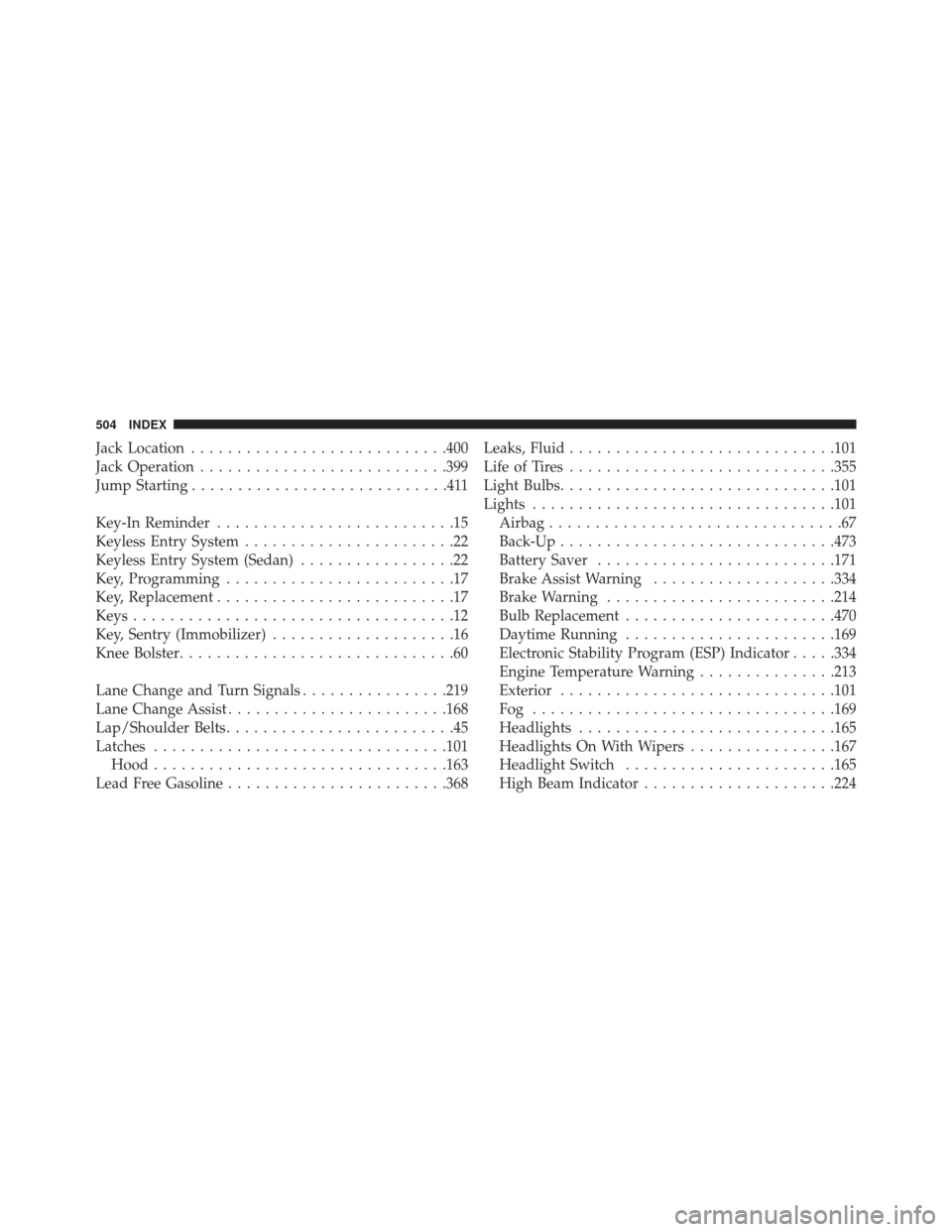
Jack Location........................... .400
Jack Operation .......................... .399
Jump Starting ............................411
Key-In Reminder ..........................15
Keyless Entry System .......................22
Keyless Entry System (Sedan) .................22
Key, Programming .........................17
Key, Replacement ..........................17
Keys ...................................12
Key, Sentry (Immobilizer) ....................16
Knee Bolster ..............................60
Lane Change and Turn Signals ................219
Lane Change Assist ....................... .168
Lap/Shoulder Belts .........................45
Latches ............................... .101
Hood ............................... .163
Lead Free Gasoline ....................... .368Leaks, Fluid
............................ .101
Life of Tires ............................ .355
Light Bulbs ............................. .101
Lights ................................ .101
Airbag ................................67
Back-Up ............................. .473
Battery Saver ......................... .171
Brake Assist Warning ....................334
Brake Warning ........................ .214
Bulb Replacement ...................... .470
Daytime Running ...................... .169
Electronic Stability Program (ESP) Indicator .....334
Engine Temperature Warning ...............213
Exterior ............................. .101
Fog ................................ .169
Headlights ........................... .165
Headlights On With Wipers ................167
Headlight Switch ...................... .165
High Beam Indicator .....................224
504 INDEX