instrument panel DODGE CALIBER 2006 1.G User Guide
[x] Cancel search | Manufacturer: DODGE, Model Year: 2006, Model line: CALIBER, Model: DODGE CALIBER 2006 1.GPages: 322, PDF Size: 5.99 MB
Page 61 of 322
Airbag Light
The light should come on and remain on for 6 to 8
seconds as a bulb check when the ignition switch is first
turned ON. If the LED is not lit during starting, have it
checked. If the light stays on or comes on while driving,
have the system checked by an authorized dealer.
Defroster
Check operation by selecting the defrost mode and place
the blower control on high speed. You should be able to
feel the air directed against the windshield.
Periodic Safety Checks You Should Make Outside
The Vehicle
Tires
Examine tires for excessive tread wear or uneven wear
patterns. Check for stones, nails, glass, or other objects
lodged in the tread. Inspect tread and sidewall for cuts or
cracks. Check wheel nuts for tightness, and tires (includ-
ing spare) for proper pressure.
Lights
Have someone observe the operation of exterior lights
while you work the controls. Check turn signal and high
beam indicator lights on the instrument panel.
Fluid Leaks
Check area under vehicle after overnight parking for fuel,
engine coolant, oil or other fluid leaks. Also, if gasoline
fumes are detected or fuel, power steering fluid, trans-
mission fluid or brake fluid leaks are suspected, the cause
should be located and corrected immediately.
THINGS TO KNOW BEFORE STARTING YOUR VEHICLE 61
2
Page 63 of 322

UNDERSTANDING THE FEATURES OF YOUR VEHICLE
CONTENTS
mMirrors..............................66
NInside Day/Night Mirror Ð If Equipped......66
NOutside MirrorÐDriver's Side.............66
NOutside MirrorÐPassenger's Side...........67
NElectric Remote-Control Mirrors............67
NVanity Mirrors Ð If Equipped.............69
NSun Visor Sliding Feature................69
mSeats................................69
NFront Seat Adjustment...................69
NManual Seat Height Adjustment Ð
If Equipped..........................70
NManual LumbarÐ If Equipped.............71NDriver's Seat Back Recline................71
NAdjustable Head Restraints...............72
NHeated Seats Ð If Equipped..............72
NFolding Rear Seat......................74
NReclining And Folding Rear Seat Ð
If Equipped..........................75
mTo Open And Close The Hood.............76
mLights...............................77
NMap/Reading Lights....................77
NMulti-Function Control Lever..............77
NHeadlights, Parking Lights, Instrument Panel
Lights..............................78
3
Page 72 of 322
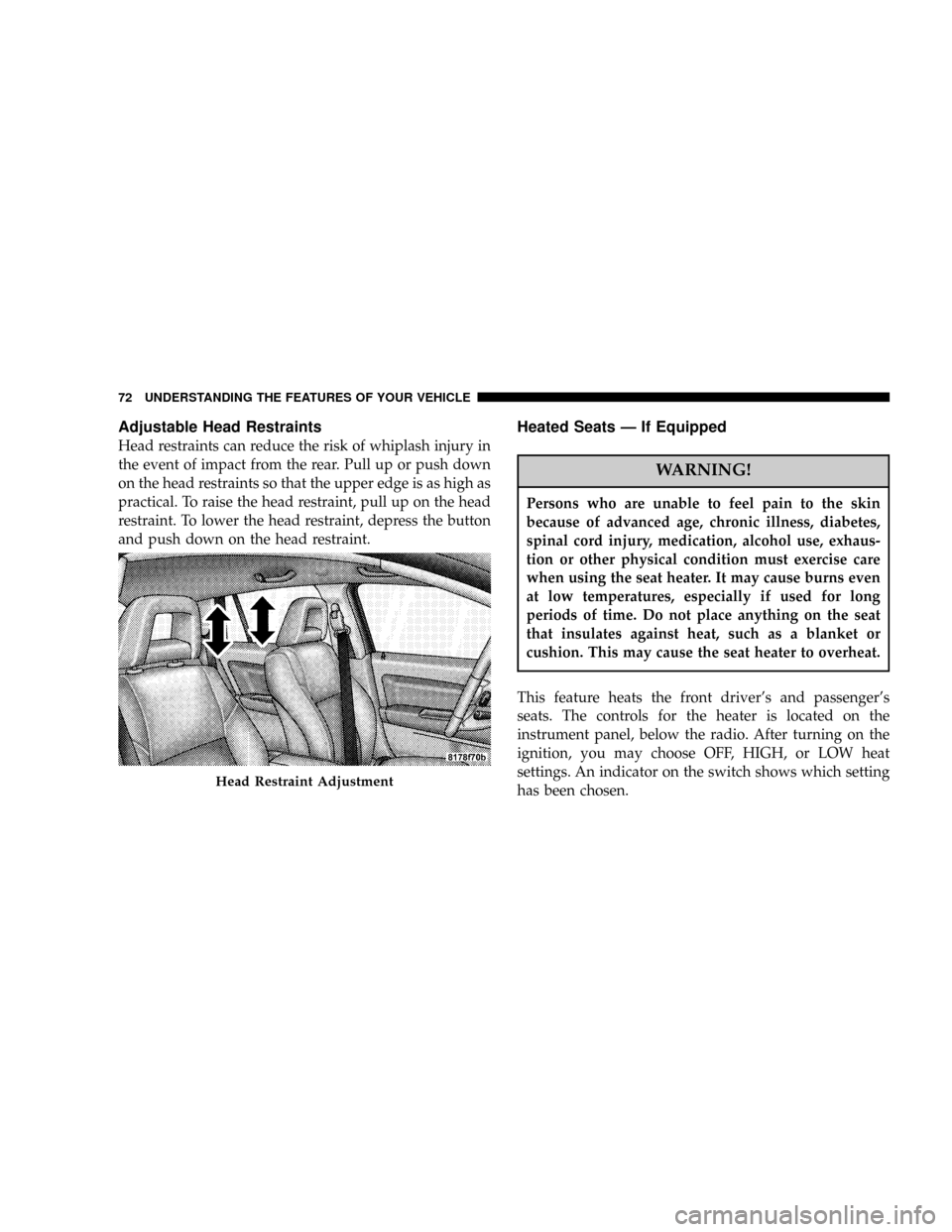
Adjustable Head Restraints
Head restraints can reduce the risk of whiplash injury in
the event of impact from the rear. Pull up or push down
on the head restraints so that the upper edge is as high as
practical. To raise the head restraint, pull up on the head
restraint. To lower the head restraint, depress the button
and push down on the head restraint.
Heated Seats Ð If Equipped
WARNING!
Persons who are unable to feel pain to the skin
because of advanced age, chronic illness, diabetes,
spinal cord injury, medication, alcohol use, exhaus-
tion or other physical condition must exercise care
when using the seat heater. It may cause burns even
at low temperatures, especially if used for long
periods of time. Do not place anything on the seat
that insulates against heat, such as a blanket or
cushion. This may cause the seat heater to overheat.
This feature heats the front driver's and passenger's
seats. The controls for the heater is located on the
instrument panel, below the radio. After turning on the
ignition, you may choose OFF, HIGH, or LOW heat
settings. An indicator on the switch shows which setting
has been chosen.
Head Restraint Adjustment
72 UNDERSTANDING THE FEATURES OF YOUR VEHICLE
Page 77 of 322
WARNING!
If the hood is not fully latched it could fly up when
the vehicle is moving and block your forward vision.
You could have a collision. Be sure all hood latches
are fully latched before driving.
LIGHTS
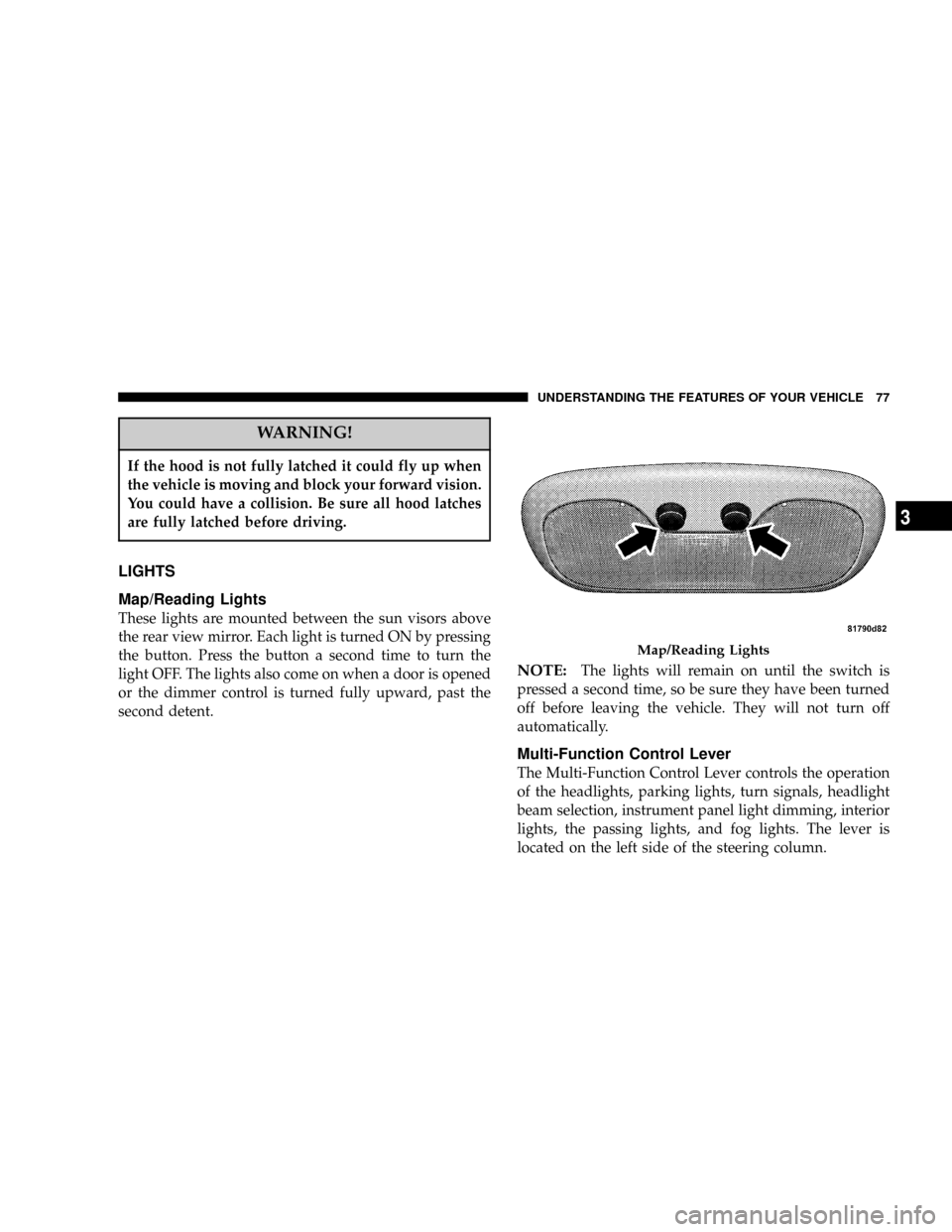
Map/Reading Lights
These lights are mounted between the sun visors above
the rear view mirror. Each light is turned ON by pressing
the button. Press the button a second time to turn the
light OFF. The lights also come on when a door is opened
or the dimmer control is turned fully upward, past the
second detent.
NOTE:The lights will remain on until the switch is
pressed a second time, so be sure they have been turned
off before leaving the vehicle. They will not turn off
automatically.
Multi-Function Control Lever
The Multi-Function Control Lever controls the operation
of the headlights, parking lights, turn signals, headlight
beam selection, instrument panel light dimming, interior
lights, the passing lights, and fog lights. The lever is
located on the left side of the steering column.
Map/Reading Lights
UNDERSTANDING THE FEATURES OF YOUR VEHICLE 77
3
Page 78 of 322

Headlights, Parking Lights, Instrument Panel
Lights
Turn the end of the Multi-Function Control Lever to the
first detent for parking light operation. Turn to the
second detent for headlight operation.
To change the brightness of the instrument panel lights,
rotate the center portion of the Multi-Function Control
Lever up or down.
Daytime Running Lights (DRL) Ð If Equipped
The high beam lights will come on as Daytime Running
Lights (DRL) at DRL intensity (lower), whenever the
ignition is on, the engine is running, the headlight switch
is off, the parking brake is off, the turn signal is off, and
the gear shift is in any position except park.
NOTE:On this vehicle, the daytime running light will
automatically turn off when the turn signal is in opera-
tion and automatically turn back on when the turn signal
is not operating.
Head Light Control
Dimmer Control
78 UNDERSTANDING THE FEATURES OF YOUR VEHICLE
Page 105 of 322

UNDERSTANDING YOUR INSTRUMENT PANEL
CONTENTS
mInstrument Panel Features...............108
mInstrument ClusterÐBase................109
mInstrument ClusterÐPremium............110
mInstrument Cluster Descriptions...........111
mElectronic Vehicle Information Center (EVIC) ±
If Equipped
..........................119
NEVIC Functions.......................121
NCompass/Temperature/Audio............121
NAverage Fuel Economy.................122
NDistance To Empty (DTE)...............122
NElapsed Time........................122
NTire Pressure Monitor (TPM).............122NPersonal Settings (Customer Programmable
Features)...........................122
mRadio General Information...............127
NRadio Broadcast Signals.................127
NTwo Types Of Signals..................128
NElectrical Disturbances..................128
NAM Reception.......................128
NFM Reception........................128
mElectronic Digital Clock.................128
NClock Setting Procedure.................129
4
Page 106 of 322

mSales Code REF Ð AM/FM/CD (Single Disc)
Radio With Optional Satellite Radio And Hands
Free Phone Capability
...................129
NOperating Instructions - Radio Mode.......130
NOperation Instructions - CD Mode.........132
NOperation Instructions - Auxiliary Mode.....134
NOperating Instructions - Hands Free Phone Ð
If Equipped.........................135
NOperating Instructions - Satellite Radio Ð
If Equipped.........................135
mSales Code RAQ ± AM/FM/CD (6-Disc) Radio
With Optional Satellite Radio, Hands Free Phone,
And Vehicle Entertainment Systems (VES)
Capabilities
..........................136
NOperating Instructions - Radio Mode.......136
NOperation Instructions -
(CD Mode For CD Audio Play)...........140
NLoad/Eject Button
(CD Mode For CD Audio Play)...........141NNotes On Playing MP3 Files.............143
NOperation Instructions -
(CD Mode For MP3 Audio Play)..........145
NLoad/Eject Button (CD Mode For MP3 Play) . . 145
mSales Code RAK ± AM/FM/Cassette/CD (6-Disc)
Radio With Optional Satellite Radio, Hands Free
Phone, Video, MP3, And WMA Capabilities
. . 147
NOperating Instructions - Radio Mode.......147
NOperating Instructions Ð Tape Player.......150
NSeek Button.........................151
NFast Forward (FF).....................151
NRewind (RW)........................151
NTape Eject...........................151
NScan Button.........................151
NChanging Tape Direction................151
NMetal Tape Selection...................151
NPinch Roller Release...................151
106 UNDERSTANDING YOUR INSTRUMENT PANEL
Page 107 of 322

NNoise Reduction......................152
NOperation Instructions -
(CD Mode For CD Audio Play)...........152
NLoad/Eject Button
(CD Mode For CD Audio Play)...........153
NNotes On Playing MP3 Files.............154
NOperation Instructions - (CD Mode For MP3 And
WMA Audio Play)....................156
NLoad/Eject Button (CD Mode For MP3 And
WMA Play).........................156
mSatellite Radio Ð If Equipped.............158
NSystem Activation.....................158
NElectronic Serial Number/Sirius Identification
Number (ESN/SID)....................159
NSelecting Satellite Mode In REF, And RAQ,
Radios.............................159
NSelecting a Channel....................160
NStoring And Selecting Pre-Set Channels......160NUsing The PTY (Program Type) Button
(If Equipped)........................160
NPTY Button9Scan9.....................160
NPTY Button9Seek9.....................161
NSatellite Antenna......................161
NReception Quality.....................161
mRemote Sound System Controls Ð
If Equipped
..........................161
NRadio Operation......................162
NCD Player..........................162
mCD/DVD Disc Maintenance..............163
mRadio Operation And Cellular Phones.......163
mClimate Controls......................164
NClimate Controls......................164
NAir Filtration System ± If Equipped........167
NOperating Tips.......................168
UNDERSTANDING YOUR INSTRUMENT PANEL 107
4
Page 108 of 322

INSTRUMENT PANEL FEATURES
108 UNDERSTANDING YOUR INSTRUMENT PANEL
Page 109 of 322

INSTRUMENT CLUSTERÐBASE
UNDERSTANDING YOUR INSTRUMENT PANEL 109
4