door lock DODGE CALIBER 2008 1.G User Guide
[x] Cancel search | Manufacturer: DODGE, Model Year: 2008, Model line: CALIBER, Model: DODGE CALIBER 2008 1.GPages: 402, PDF Size: 6.37 MB
Page 28 of 402
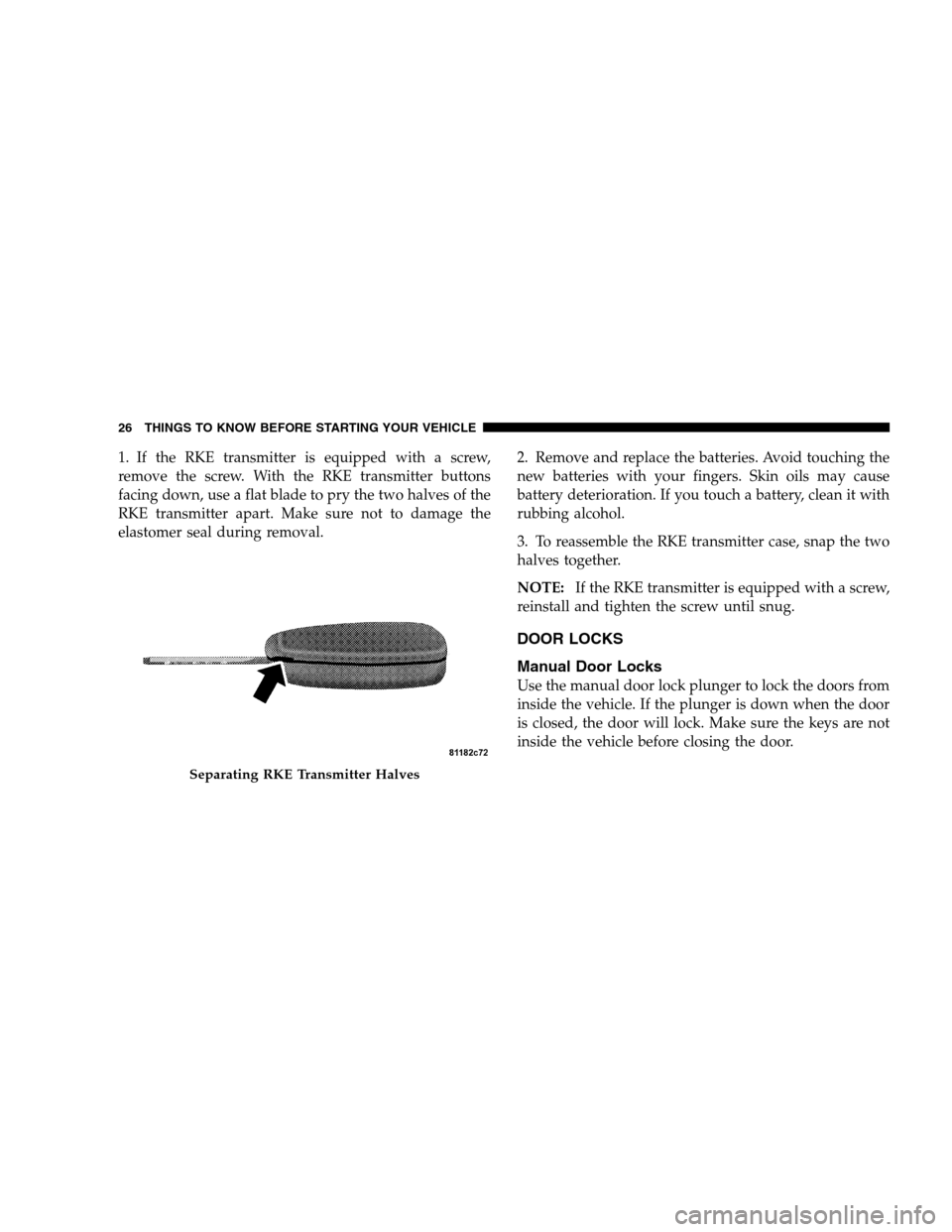
1. If the RKE transmitter is equipped with a screw,
remove the screw. With the RKE transmitter buttons
facing down, use a flat blade to pry the two halves of the
RKE transmitter apart. Make sure not to damage the
elastomer seal during removal.2. Remove and replace the batteries. Avoid touching the
new batteries with your fingers. Skin oils may cause
battery deterioration. If you touch a battery, clean it with
rubbing alcohol.
3. To reassemble the RKE transmitter case, snap the two
halves together.
NOTE:If the RKE transmitter is equipped with a screw,
reinstall and tighten the screw until snug.
DOOR LOCKS
Manual Door Locks
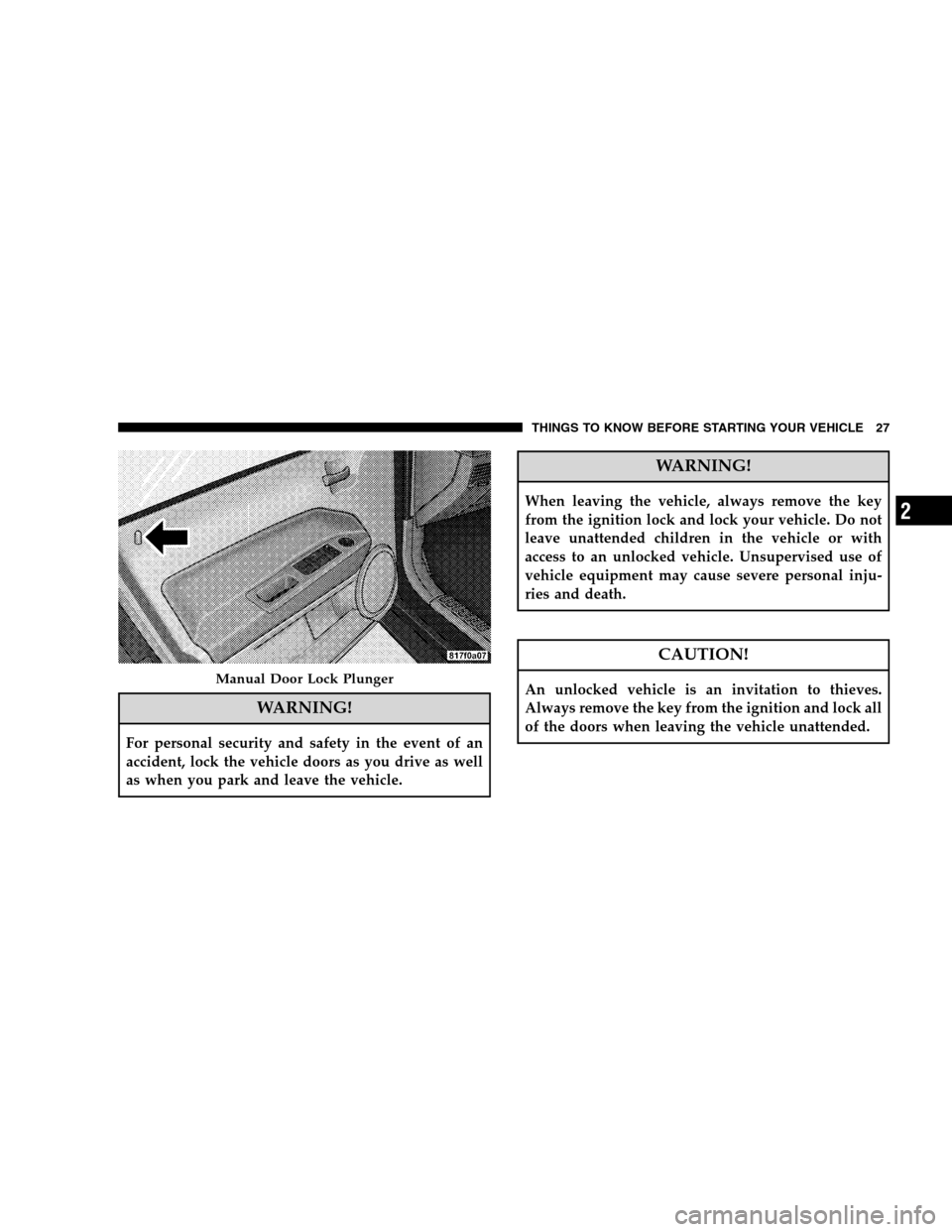
Use the manual door lock plunger to lock the doors from
inside the vehicle. If the plunger is down when the door
is closed, the door will lock. Make sure the keys are not
inside the vehicle before closing the door.
Separating RKE Transmitter Halves
26 THINGS TO KNOW BEFORE STARTING YOUR VEHICLE
Page 29 of 402
WARNING!
For personal security and safety in the event of an
accident, lock the vehicle doors as you drive as well
as when you park and leave the vehicle.
WARNING!
When leaving the vehicle, always remove the key
from the ignition lock and lock your vehicle. Do not
leave unattended children in the vehicle or with
access to an unlocked vehicle. Unsupervised use of
vehicle equipment may cause severe personal inju-
ries and death.
CAUTION!
An unlocked vehicle is an invitation to thieves.
Always remove the key from the ignition and lock all
of the doors when leaving the vehicle unattended.Manual Door Lock Plunger
THINGS TO KNOW BEFORE STARTING YOUR VEHICLE 27
2
Page 30 of 402
Power Door Locks
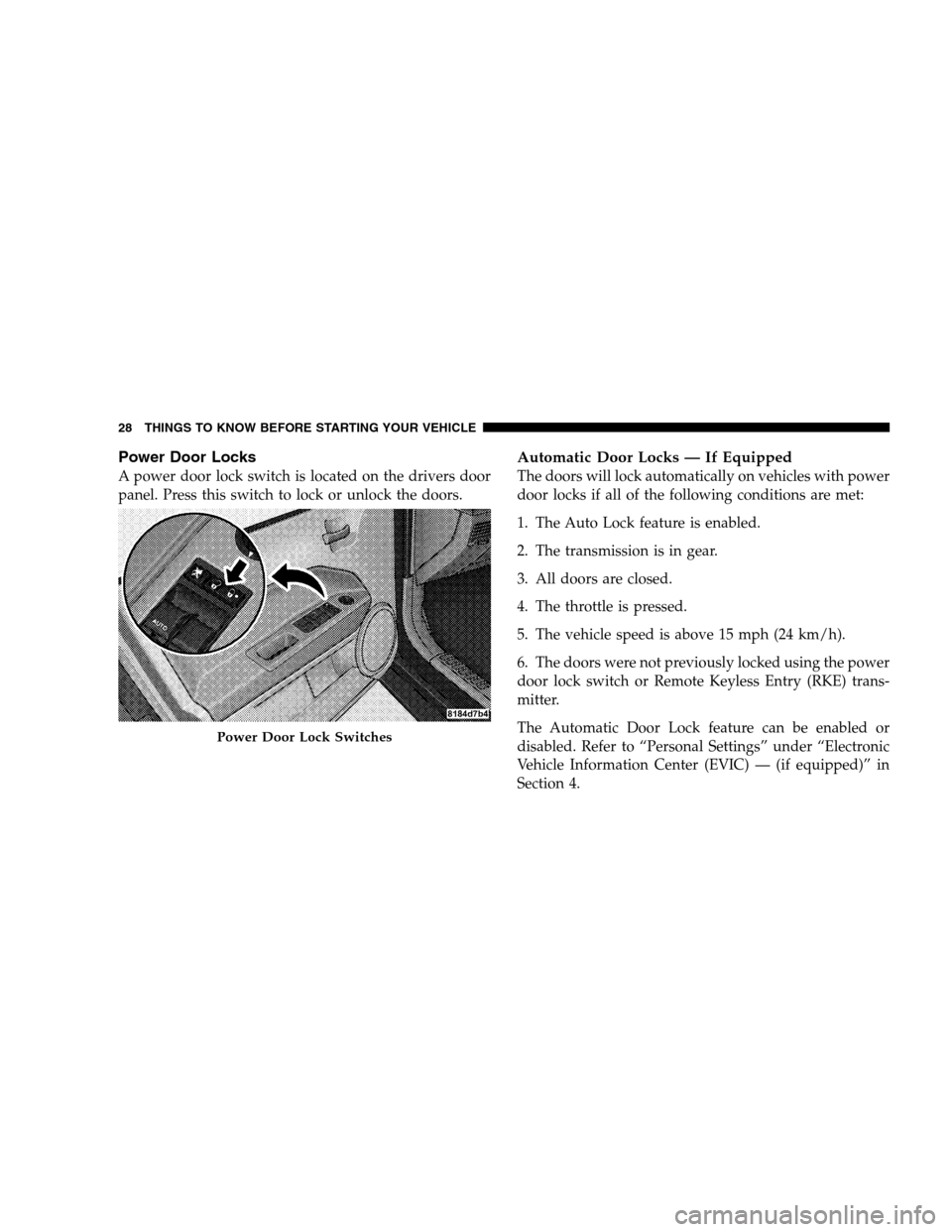
A power door lock switch is located on the drivers door
panel. Press this switch to lock or unlock the doors.
Automatic Door Locks — If Equipped
The doors will lock automatically on vehicles with power
door locks if all of the following conditions are met:
1. The Auto Lock feature is enabled.
2. The transmission is in gear.
3. All doors are closed.
4. The throttle is pressed.
5. The vehicle speed is above 15 mph (24 km/h).
6. The doors were not previously locked using the power
door lock switch or Remote Keyless Entry (RKE) trans-
mitter.
The Automatic Door Lock feature can be enabled or
disabled. Refer to “Personal Settings” under “Electronic
Vehicle Information Center (EVIC) — (if equipped)” in
Section 4.
Power Door Lock Switches
28 THINGS TO KNOW BEFORE STARTING YOUR VEHICLE
Page 31 of 402
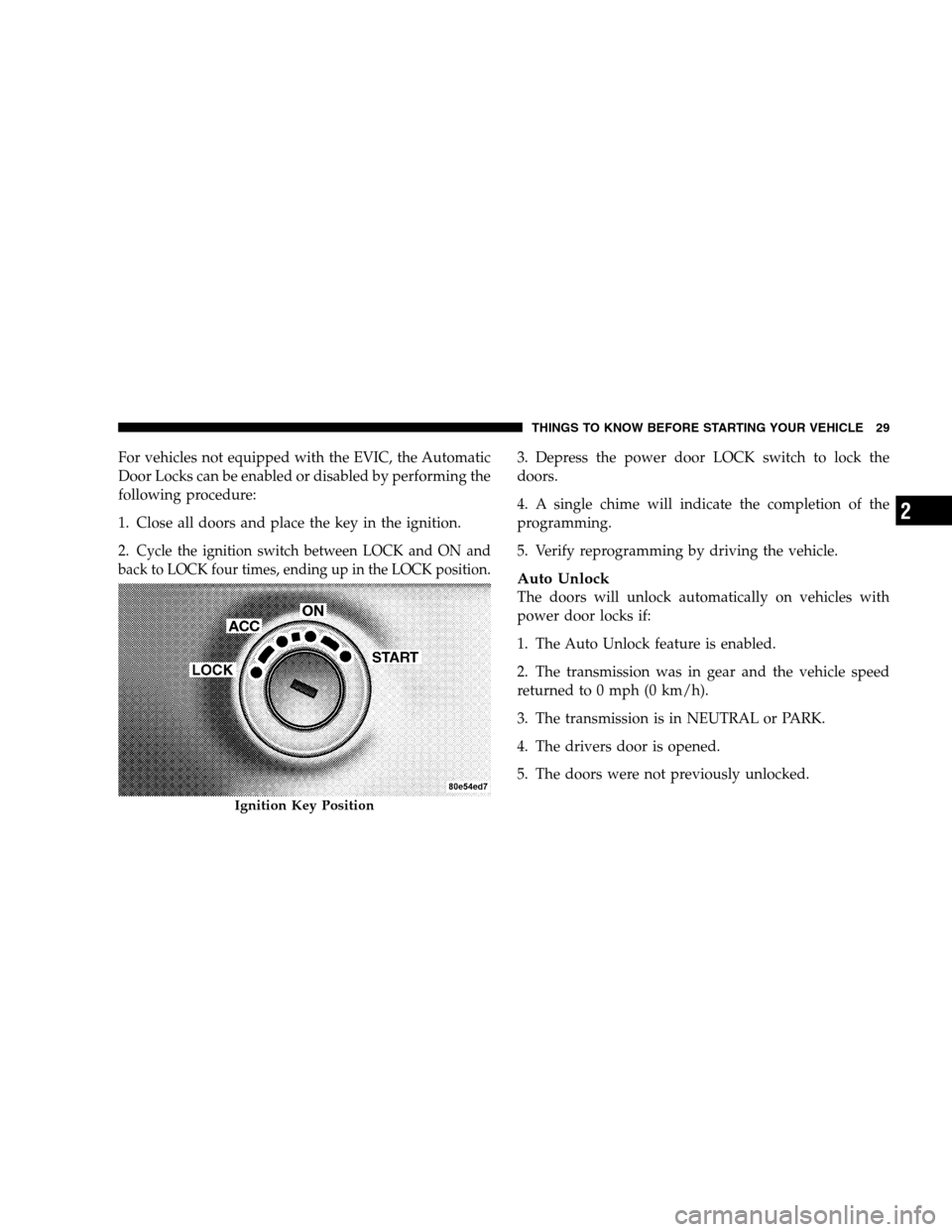
For vehicles not equipped with the EVIC, the Automatic
Door Locks can be enabled or disabled by performing the
following procedure:
1. Close all doors and place the key in the ignition.
2.
Cycle the ignition switch between LOCK and ON and
back to LOCK four times, ending up in the LOCK position.
3. Depress the power door LOCK switch to lock the
doors.
4. A single chime will indicate the completion of the
programming.
5. Verify reprogramming by driving the vehicle.
Auto Unlock
The doors will unlock automatically on vehicles with
power door locks if:
1. The Auto Unlock feature is enabled.
2. The transmission was in gear and the vehicle speed
returned to 0 mph (0 km/h).
3. The transmission is in NEUTRAL or PARK.
4. The drivers door is opened.
5. The doors were not previously unlocked.
Ignition Key Position
THINGS TO KNOW BEFORE STARTING YOUR VEHICLE 29
2
Page 32 of 402
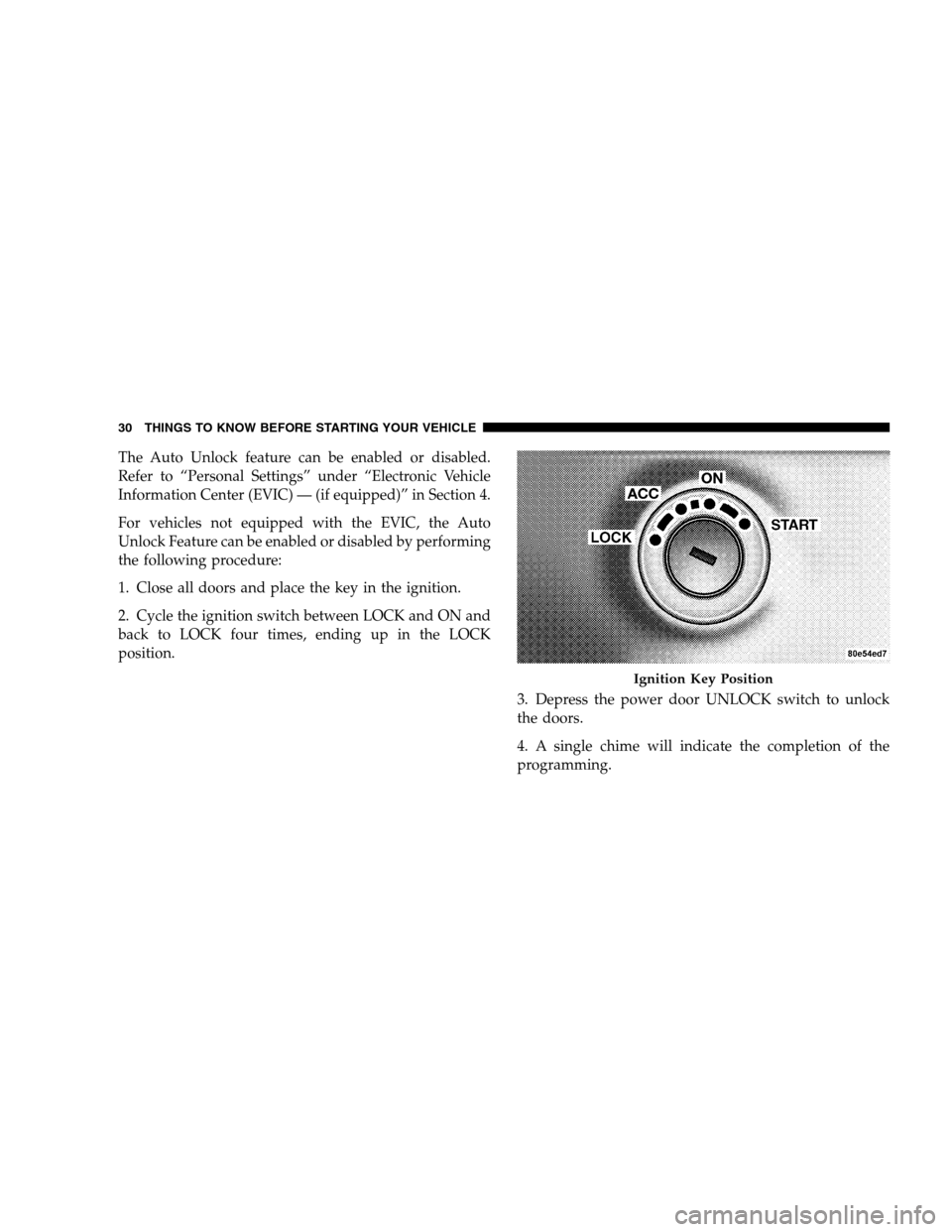
The Auto Unlock feature can be enabled or disabled.
Refer to “Personal Settings” under “Electronic Vehicle
Information Center (EVIC) — (if equipped)” in Section 4.
For vehicles not equipped with the EVIC, the Auto
Unlock Feature can be enabled or disabled by performing
the following procedure:
1. Close all doors and place the key in the ignition.
2. Cycle the ignition switch between LOCK and ON and
back to LOCK four times, ending up in the LOCK
position.
3. Depress the power door UNLOCK switch to unlock
the doors.
4. A single chime will indicate the completion of the
programming.
Ignition Key Position
30 THINGS TO KNOW BEFORE STARTING YOUR VEHICLE
Page 33 of 402
NOTE:Use the Auto Door Locks and Auto Unlock
features in accordance with local laws.
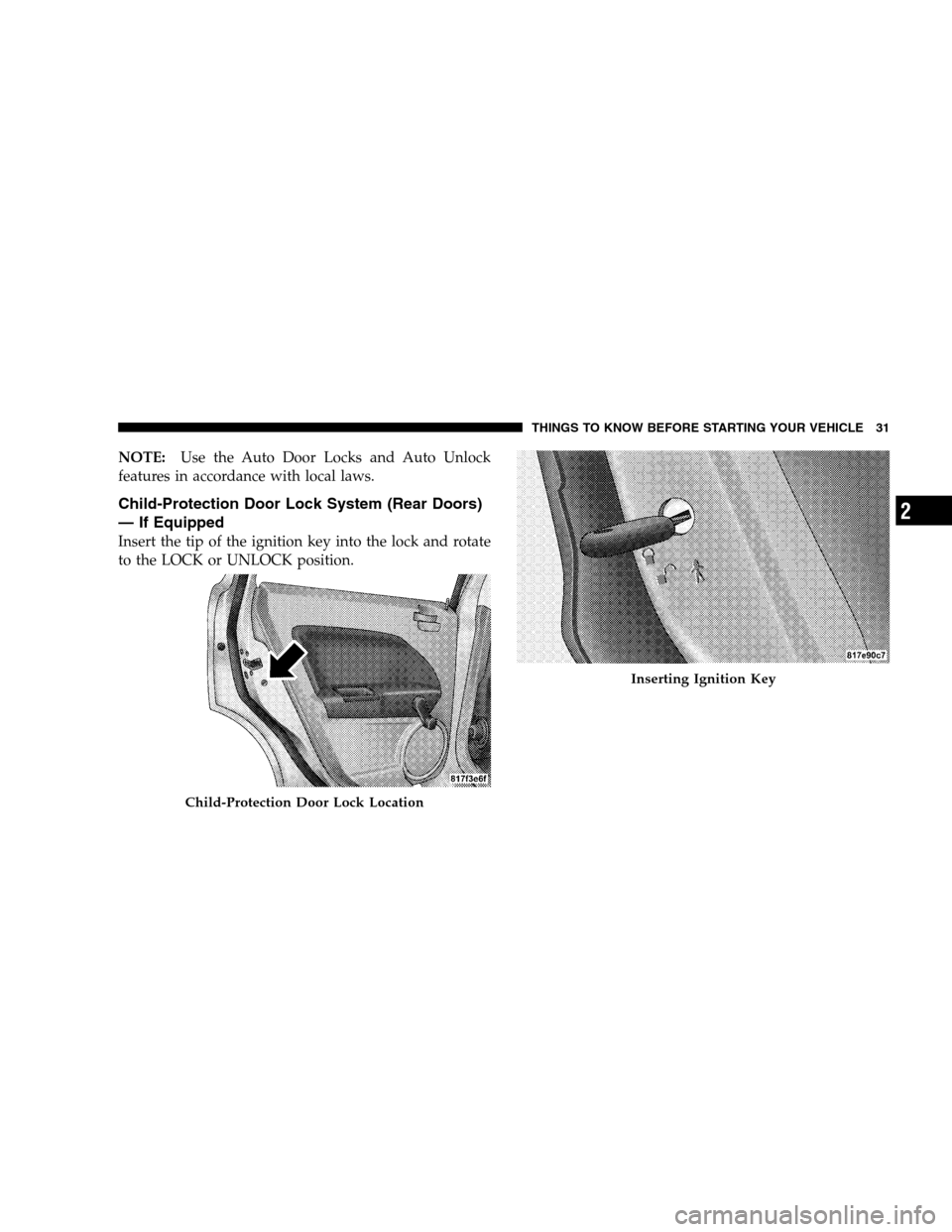
Child-Protection Door Lock System (Rear Doors)
— If Equipped
Insert the tip of the ignition key into the lock and rotate
to the LOCK or UNLOCK position.
Child-Protection Door Lock Location
Inserting Ignition Key
THINGS TO KNOW BEFORE STARTING YOUR VEHICLE 31
2
Page 34 of 402
WARNING!
Avoid trapping anyone in a vehicle in a collision.
Remember that the rear doors can only be opened
from the outside when the child protection locks are
engaged.
NOTE:For emergency exit with the system engaged,
move the lock plunger up (unlocked position), roll down
the window and open the door with the outside door
handle.
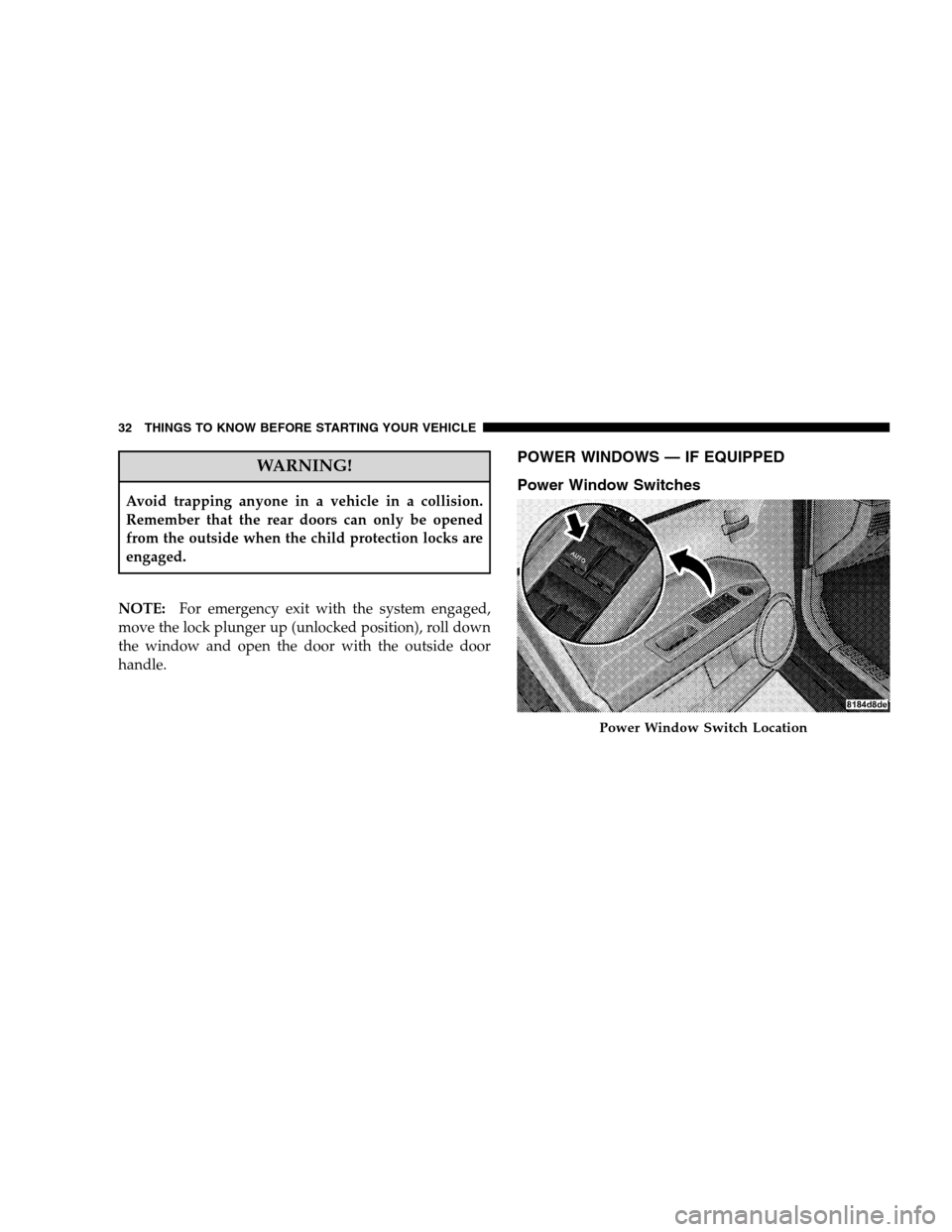
POWER WINDOWS — IF EQUIPPED
Power Window Switches
Power Window Switch Location
32 THINGS TO KNOW BEFORE STARTING YOUR VEHICLE
Page 35 of 402
The driver’s door panel has up-down switches that give
you finger-tip control of all four power windows. There
is a single open and close switch on each passenger door
panel for passenger window control. The windows will
operate only when the ignition switch is turned to the
ON position, ACC position, and for up to 10 minutes
after the ignition is turned OFF or the driver’s door is
opened. Refer to “Delay Power Off to Accessories Until
Exit” under “Electronic Vehicle Information Center
(EVIC) – If Equipped” in Section 4.
Auto Down
The driver’s door window switch has an Auto Down
feature. Push the window switch past the first detent,
release, and the window will go down automatically. To
cancel the Auto Down movement, operate the switch in
either the up or down direction and release the switch.
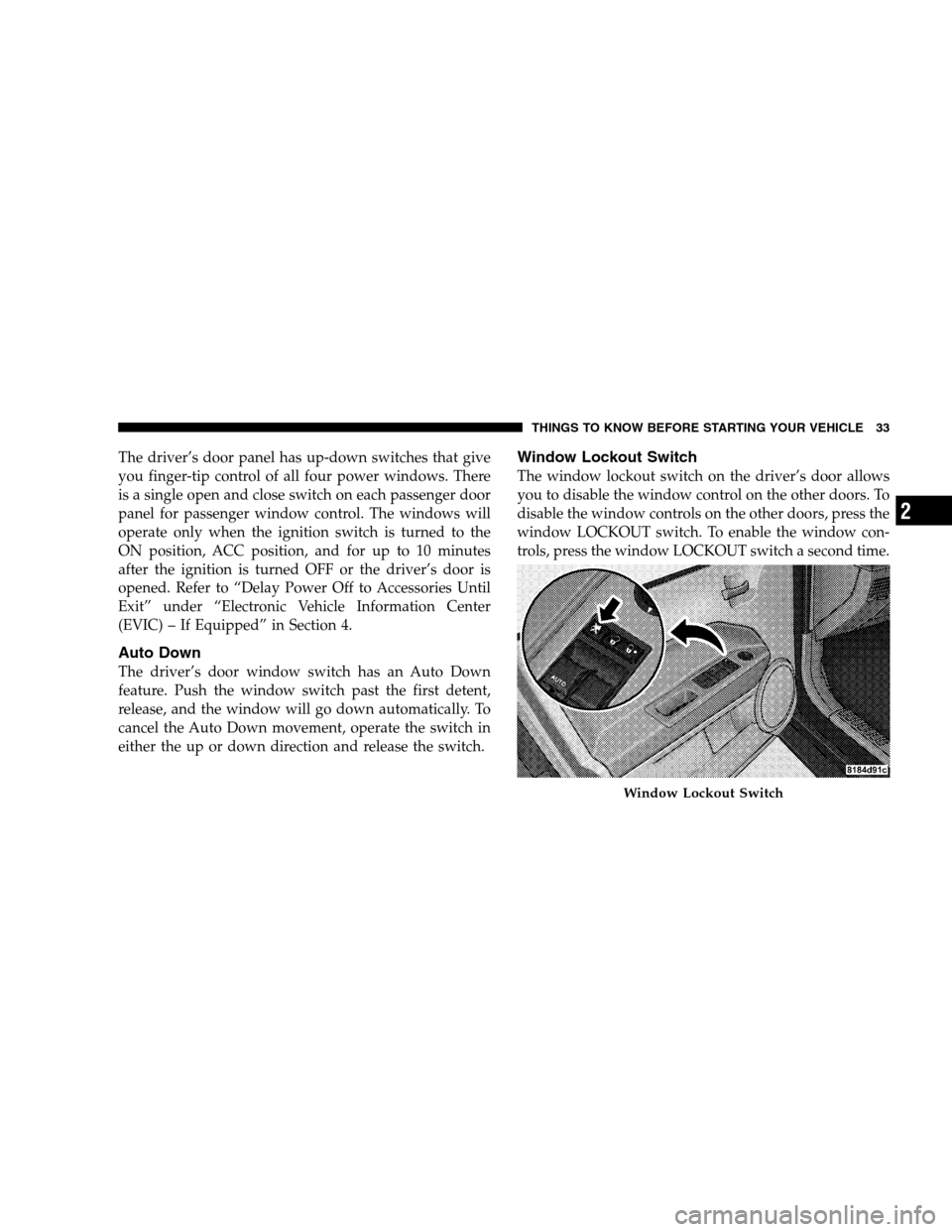
Window Lockout Switch
The window lockout switch on the driver’s door allows
you to disable the window control on the other doors. To
disable the window controls on the other doors, press the
window LOCKOUT switch. To enable the window con-
trols, press the window LOCKOUT switch a second time.
Window Lockout Switch
THINGS TO KNOW BEFORE STARTING YOUR VEHICLE 33
2
Page 36 of 402
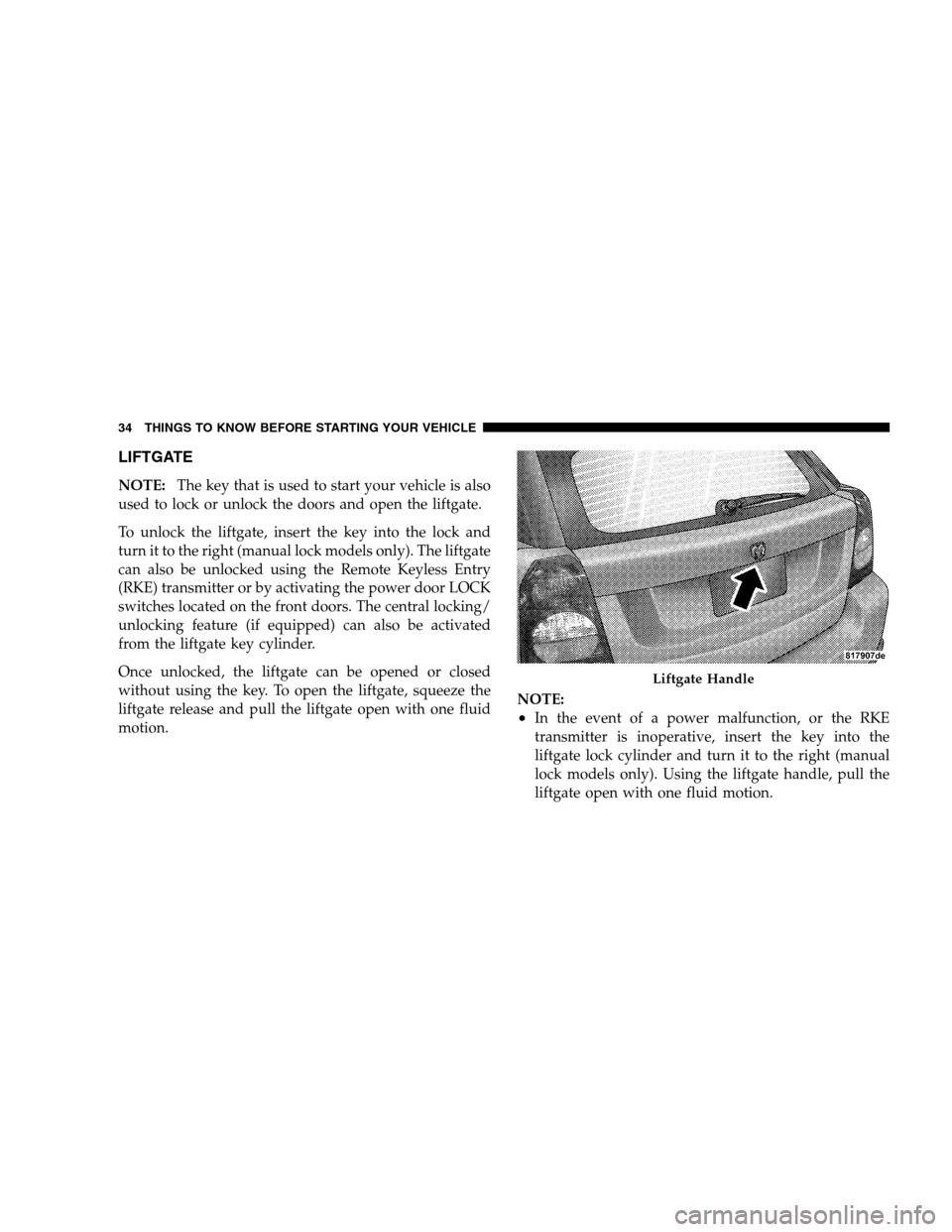
LIFTGATE
NOTE:The key that is used to start your vehicle is also
used to lock or unlock the doors and open the liftgate.
To unlock the liftgate, insert the key into the lock and
turn it to the right (manual lock models only). The liftgate
can also be unlocked using the Remote Keyless Entry
(RKE) transmitter or by activating the power door LOCK
switches located on the front doors. The central locking/
unlocking feature (if equipped) can also be activated
from the liftgate key cylinder.
Once unlocked, the liftgate can be opened or closed
without using the key. To open the liftgate, squeeze the
liftgate release and pull the liftgate open with one fluid
motion.NOTE:
•In the event of a power malfunction, or the RKE
transmitter is inoperative, insert the key into the
liftgate lock cylinder and turn it to the right (manual
lock models only). Using the liftgate handle, pull the
liftgate open with one fluid motion.
Liftgate Handle
34 THINGS TO KNOW BEFORE STARTING YOUR VEHICLE
Page 58 of 402
However, if you haven’t healed significantly within a
few days, or if you have any blistering, see your doctor
immediately.
•As the airbags deflate you may see some smoke-like
particles. The particles are a normal by-product of the
process that generates the nontoxic gas used for airbag
inflation. These airborne particles may irritate the skin,
eyes, nose, or throat. If you have skin or eye irritation,
rinse the area with cool water. For nose or throat
irritation, move to fresh air. If the irritation continues,
see your doctor. If these particles settle on your
clothing, follow the garment manufacturer’s instruc-
tions for cleaning.
•It is not advisable to drive your vehicle after the
airbags have deployed. If you are involved in another
collision, the airbags will not be in place to protect you.
WARNING!
Deployed airbags can’t protect you in another colli-
sion. Have the airbags replaced by an authorized
dealer as soon as possible.
Enhanced Accident Response System
In the event of an impact that causes airbag deployment,
with the vehicle stopped, the vehicle communication net-
work intact, and the power intact, the Enhanced Accident
Response System performs the following functions:
•Cuts off fuel to the engine.
•Flashes the hazard lights.
•Turns on the interior lamps, which remain on as long
as the battery has power or until the ignition key is
removed.
•Unlocks the doors automatically.
56 THINGS TO KNOW BEFORE STARTING YOUR VEHICLE