steering DODGE CALIBER 2008 1.G User Guide
[x] Cancel search | Manufacturer: DODGE, Model Year: 2008, Model line: CALIBER, Model: DODGE CALIBER 2008 1.GPages: 402, PDF Size: 6.37 MB
Page 119 of 402
LIGHTS
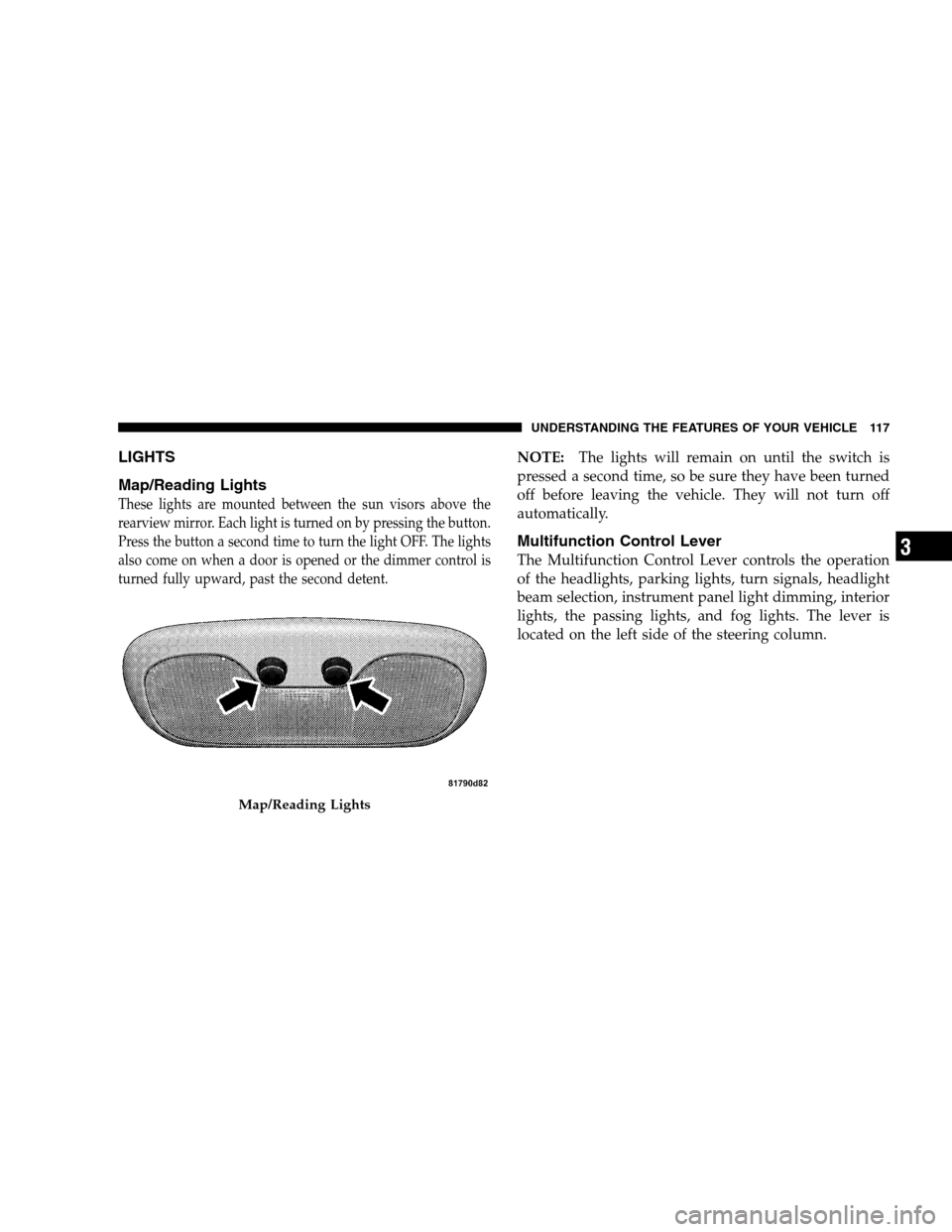
Map/Reading Lights
These lights are mounted between the sun visors above the
rearview mirror. Each light is turned on by pressing the button.
Press the button a second time to turn the light OFF. The lights
also come on when a door is opened or the dimmer control is
turned fully upward, past the second detent.
NOTE:The lights will remain on until the switch is
pressed a second time, so be sure they have been turned
off before leaving the vehicle. They will not turn off
automatically.
Multifunction Control Lever
The Multifunction Control Lever controls the operation
of the headlights, parking lights, turn signals, headlight
beam selection, instrument panel light dimming, interior
lights, the passing lights, and fog lights. The lever is
located on the left side of the steering column.
Map/Reading Lights
UNDERSTANDING THE FEATURES OF YOUR VEHICLE 117
3
Page 124 of 402
NOTE:On this vehicle, the DRLs will automatically
turn off when the turn signals or hazard warning flashers
are in operation and automatically turn back on when the
turn signals or hazard warning flashers are not operating.
WINDSHIELD WIPERS AND WASHERS
The wipers and washers are operated by a switch
on the Multifunction Control Lever. The Multi-
function Control Lever is located on the right side
of the steering column.
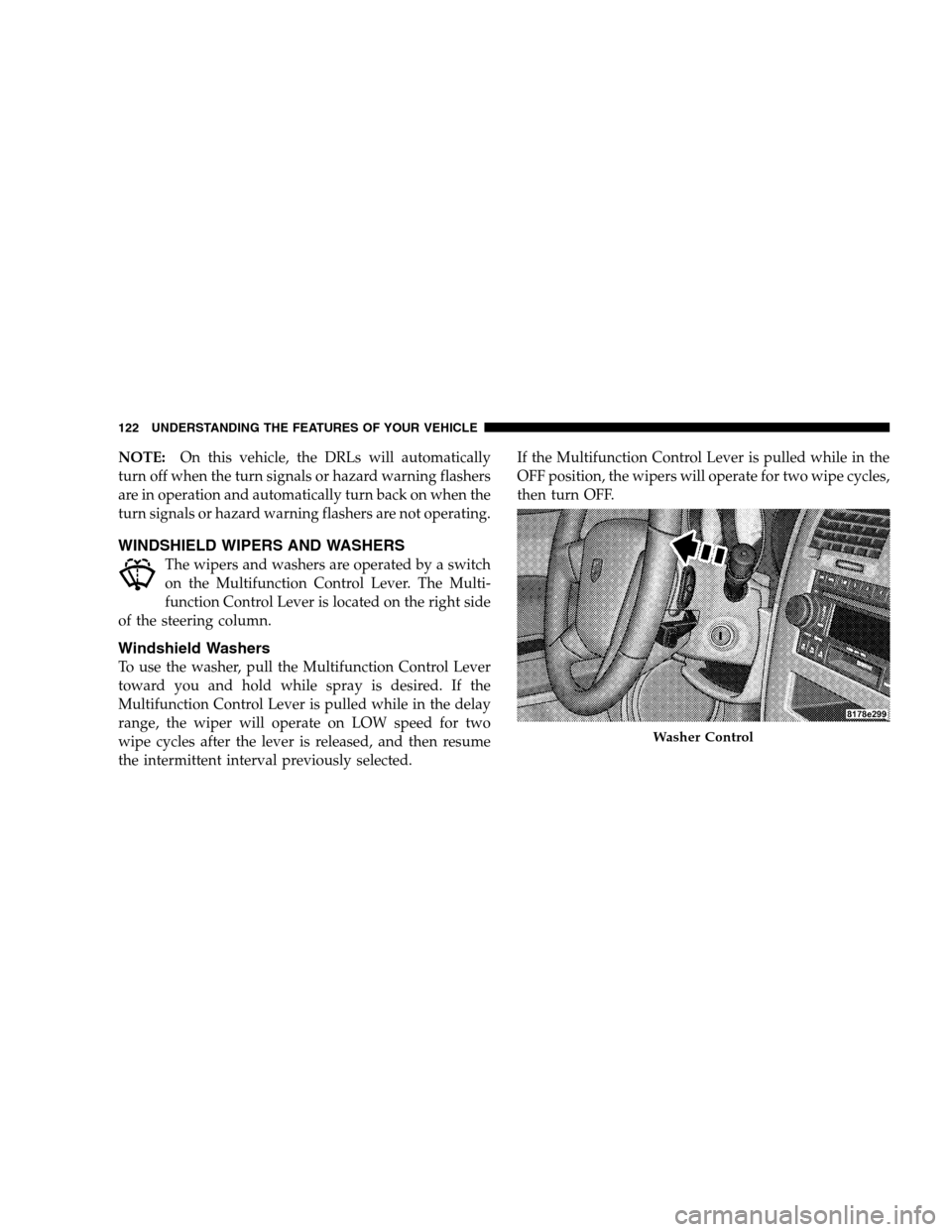
Windshield Washers
To use the washer, pull the Multifunction Control Lever
toward you and hold while spray is desired. If the
Multifunction Control Lever is pulled while in the delay
range, the wiper will operate on LOW speed for two
wipe cycles after the lever is released, and then resume
the intermittent interval previously selected.If the Multifunction Control Lever is pulled while in the
OFF position, the wipers will operate for two wipe cycles,
then turn OFF.
Washer Control
122 UNDERSTANDING THE FEATURES OF YOUR VEHICLE
Page 127 of 402
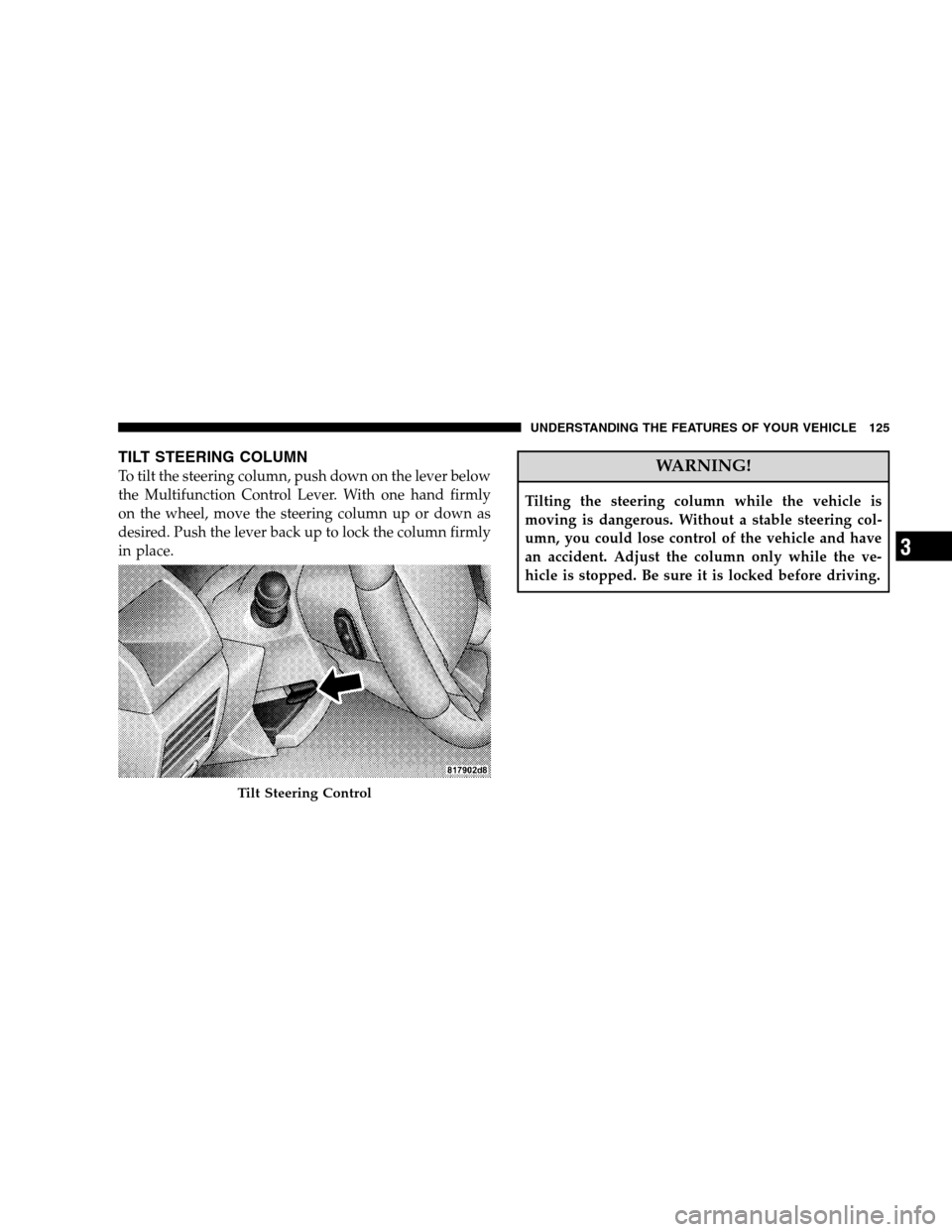
TILT STEERING COLUMN
To tilt the steering column, push down on the lever below
the Multifunction Control Lever. With one hand firmly
on the wheel, move the steering column up or down as
desired. Push the lever back up to lock the column firmly
in place.WARNING!
Tilting the steering column while the vehicle is
moving is dangerous. Without a stable steering col-
umn, you could lose control of the vehicle and have
an accident. Adjust the column only while the ve-
hicle is stopped. Be sure it is locked before driving.
Tilt Steering Control
UNDERSTANDING THE FEATURES OF YOUR VEHICLE 125
3
Page 128 of 402
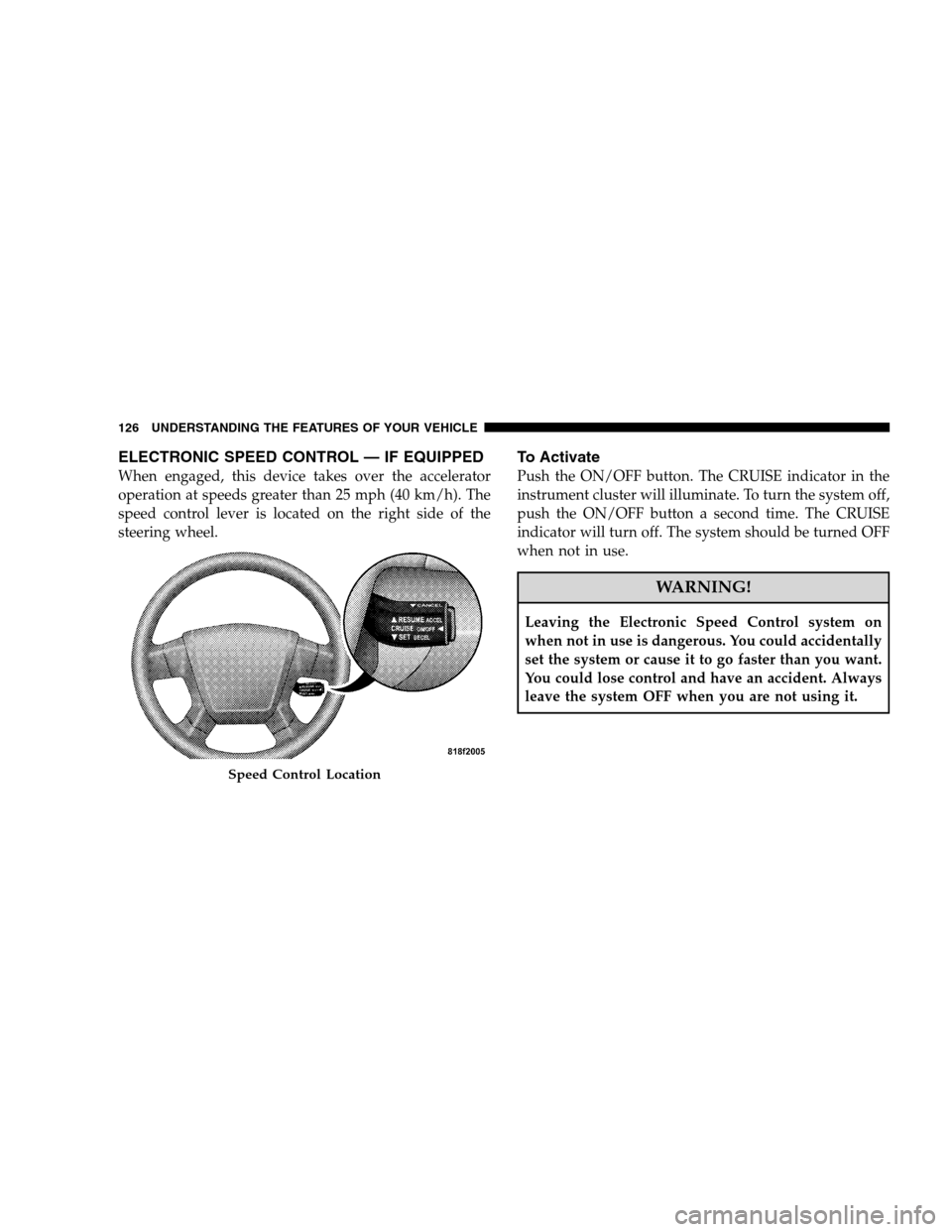
ELECTRONIC SPEED CONTROL — IF EQUIPPED
When engaged, this device takes over the accelerator
operation at speeds greater than 25 mph (40 km/h). The
speed control lever is located on the right side of the
steering wheel.
To Activate
Push the ON/OFF button. The CRUISE indicator in the
instrument cluster will illuminate. To turn the system off,
push the ON/OFF button a second time. The CRUISE
indicator will turn off. The system should be turned OFF
when not in use.
WARNING!
Leaving the Electronic Speed Control system on
when not in use is dangerous. You could accidentally
set the system or cause it to go faster than you want.
You could lose control and have an accident. Always
leave the system OFF when you are not using it.
Speed Control Location
126 UNDERSTANDING THE FEATURES OF YOUR VEHICLE
Page 133 of 402
Traction Control System (TCS)
This system monitors the amount of wheel spin of each of
the driven wheels. If wheel spin is detected, brake
pressure is applied to the slipping wheel(s) and engine
power is reduced to provide enhanced acceleration and
stability. A feature of the TCS system functions similar to
a limited slip differential and controls the wheel spin
across a driven axle. If one wheel on a driven axle is
spinning faster than the other, the system will apply the
brake of the spinning wheel. This will allow more engine
torque to be applied to the wheel that is not spinning.
This feature remains active even if TCS and ESP are in the
“Partial Off” mode. Refer to “Electronic Stability Pro-
gram (ESP)” in this Section of this manual.
Electronic Stability Program (ESP)
This system enhances directional control and stability of
the vehicle under various driving conditions. ESP cor-
rects for over-steering or under-steering of the vehicle by
applying the brake of the appropriate wheel to assist in
counteracting the over-steering or under-steering condi-
tion. Engine power may also be reduced to help the
vehicle maintain the desired path. ESP uses sensors in the
vehicle to determine the vehicle path intended by the
driver and compares it to the actual path of the vehicle.
When the actual path does not match the intended path,
ESP applies the brake of the appropriate wheel to assist in
counteracting the over-steer or under-steer condition.
•Over-steer - when the vehicle is turning more than
appropriate for the steering wheel position.
•Under-steer - when the vehicle is turning less than
appropriate for the steering wheel position.
UNDERSTANDING THE FEATURES OF YOUR VEHICLE 131
3
Page 154 of 402
REAR WINDOW FEATURES
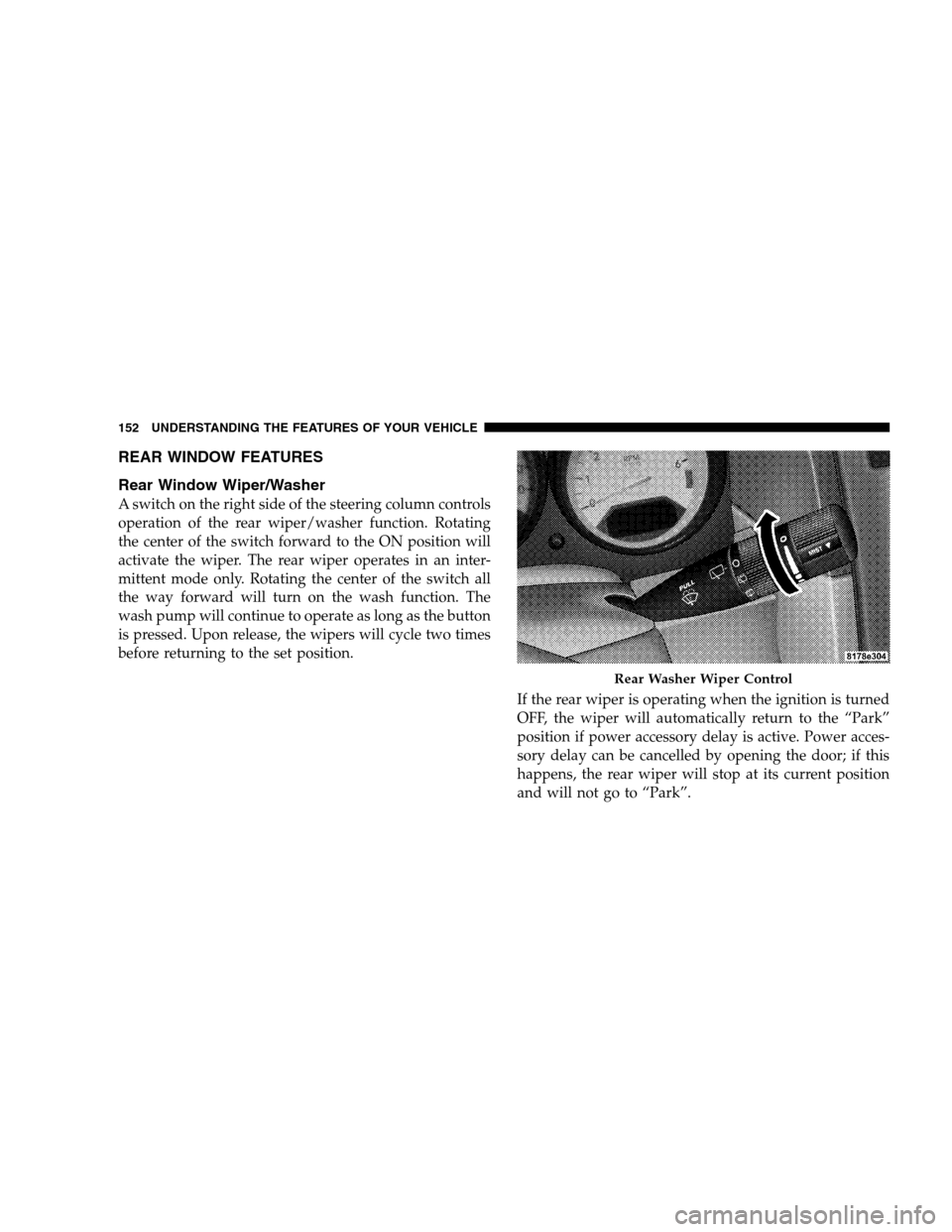
Rear Window Wiper/Washer
A switch on the right side of the steering column controls
operation of the rear wiper/washer function. Rotating
the center of the switch forward to the ON position will
activate the wiper. The rear wiper operates in an inter-
mittent mode only. Rotating the center of the switch all
the way forward will turn on the wash function. The
wash pump will continue to operate as long as the button
is pressed. Upon release, the wipers will cycle two times
before returning to the set position.
If the rear wiper is operating when the ignition is turned
OFF, the wiper will automatically return to the “Park”
position if power accessory delay is active. Power acces-
sory delay can be cancelled by opening the door; if this
happens, the rear wiper will stop at its current position
and will not go to “Park”.
Rear Washer Wiper Control
152 UNDERSTANDING THE FEATURES OF YOUR VEHICLE
Page 157 of 402
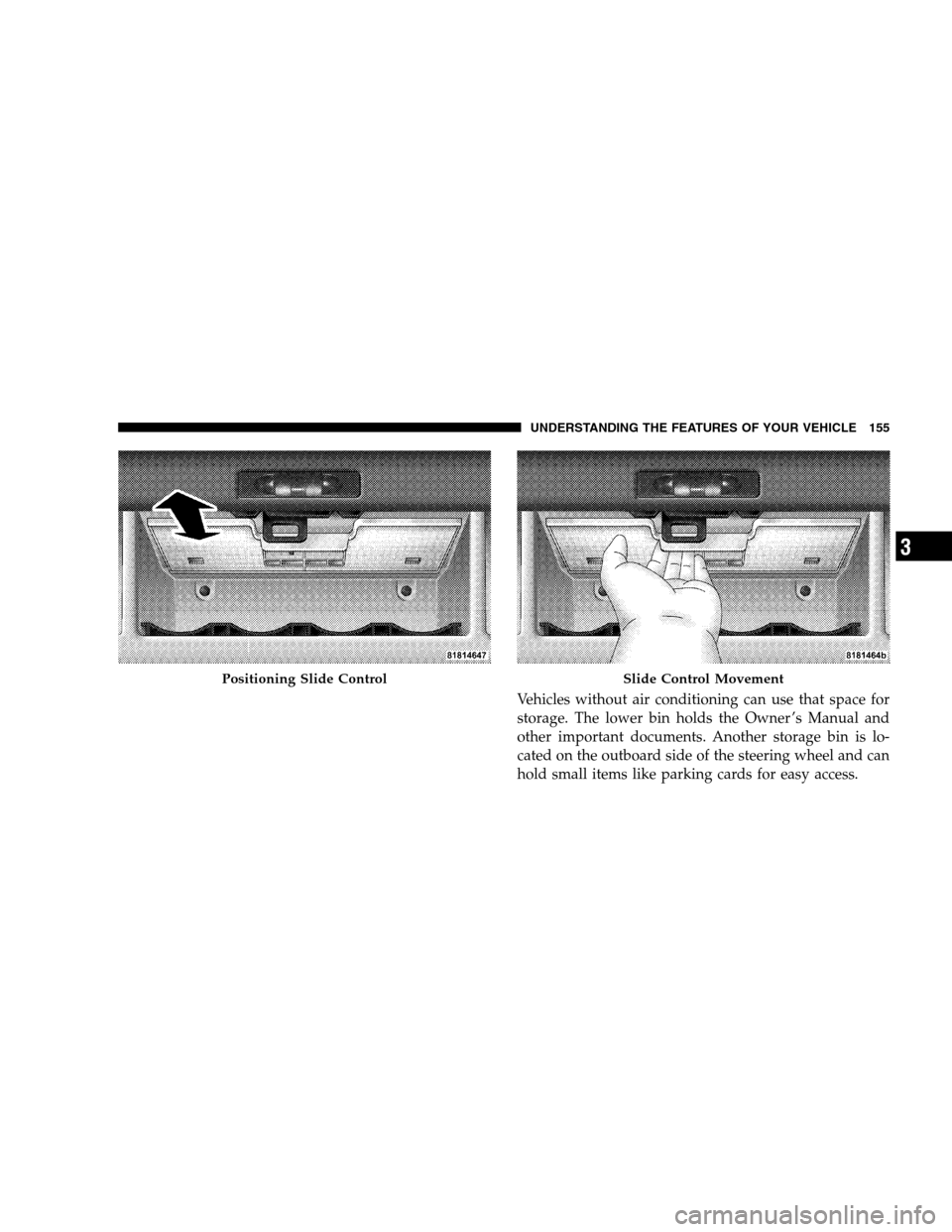
Vehicles without air conditioning can use that space for
storage. The lower bin holds the Owner ’s Manual and
other important documents. Another storage bin is lo-
cated on the outboard side of the steering wheel and can
hold small items like parking cards for easy access.
Positioning Slide ControlSlide Control Movement
UNDERSTANDING THE FEATURES OF YOUR VEHICLE 155
3
Page 174 of 402
When lit solid:There is an AWD system fault. AWD
performance will be at a reduced level. Service the AWD
system soon.
When blinking:The AWD system is temporarily dis-
abled due to overload condition.
25. Anti-Lock Warning Light (ABS) — If Equipped
This light monitors the Anti-Lock Brake System
(ABS) described elsewhere in this manual. This
light will come on when the ignition key is
turned to the ON position and may stay on for
as long as four seconds.
If the ABS light remains on or comes on during driving,
it indicates that the Anti-Lock portion of the brake system
is not functioning and that service is require; however,
the conventional brake system will continue to operate
normally provided that the BRAKE warning light is not
on.If the ABS light is on, the brake system should be serviced
as soon as possible to restore the benefit of Anti-Lock
Brakes.
The warning light should be checked frequently to assure
that it is operating properly. Turn the ignition key to the
ON position, but do not start the vehicle. The light
should come on. If the light does not come on, have the
system checked by an authorized dealer.
26. High Beam Indicator
This light shows that the headlights are on high
beam. Push the turn signal lever away from the
steering wheel to switch the headlights from high or low
beam.
27. Brake System Warning Light
This light monitors various brake functions, in-
cluding brake fluid level and parking brake appli-
cation. If the brake light turns on, it may indicate that the
172 UNDERSTANDING YOUR INSTRUMENT PANEL
Page 188 of 402
Electrical Disturbances
Radio waves may pick up electrical disturbances during
transmission. They mainly affect the wave amplitude,
and thus remain a part of the AM reception. They
interfere very little with the frequency variations that
carry the FM signal.
AM Reception
AM sound is based on wave amplitude, so AM reception
can be disrupted by such things as lightning, power lines
and neon signs.
FM Reception
Because FM transmission is based on frequency varia-
tions, interference that consists of amplitude variations
can be filtered out, leaving the reception relatively clear,
which is the major feature of FM radio.
NOTE:The radio, steering wheel radio controls (if
equipped), and six-disc CD/DVD changer (if equipped)will remain active for up to 10 minutes after the ignition
switch has been turned OFF. Opening a vehicle front
door will cancel this feature.
ELECTRONIC DIGITAL CLOCK
The clock and radio each use the display panel built into
the radio. A digital readout shows the frequency and/or
time in hours and minutes (depending on your radio
model), whenever the ignition switch is in the ON or
ACC position.
When the ignition switch is in the OFF position, or when
the radio frequency is being displayed, timekeeping is
accurately maintained.
On the AM/FM/CD (6-disc) radio, the time button
alternates the location of the time and frequency on the
display. On the AM/FM/CD (single-disc) radio, only one
of the two, time or frequency, is displayed.
186 UNDERSTANDING YOUR INSTRUMENT PANEL
Page 219 of 402
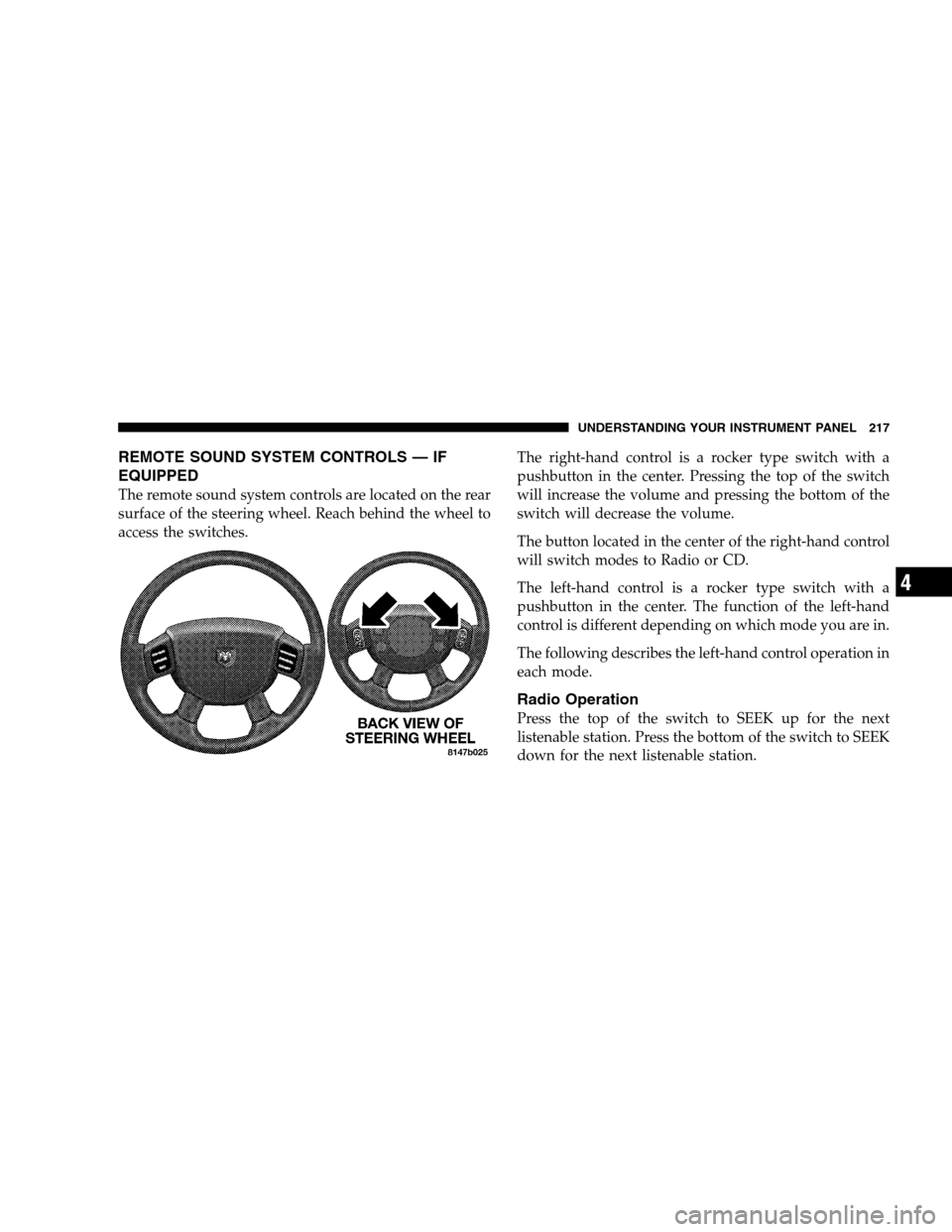
REMOTE SOUND SYSTEM CONTROLS — IF
EQUIPPED
The remote sound system controls are located on the rear
surface of the steering wheel. Reach behind the wheel to
access the switches.The right-hand control is a rocker type switch with a
pushbutton in the center. Pressing the top of the switch
will increase the volume and pressing the bottom of the
switch will decrease the volume.
The button located in the center of the right-hand control
will switch modes to Radio or CD.
The left-hand control is a rocker type switch with a
pushbutton in the center. The function of the left-hand
control is different depending on which mode you are in.
The following describes the left-hand control operation in
each mode.
Radio Operation
Press the top of the switch to SEEK up for the next
listenable station. Press the bottom of the switch to SEEK
down for the next listenable station.
UNDERSTANDING YOUR INSTRUMENT PANEL 217
4