instrument cluster DODGE CALIBER 2009 1.G User Guide
[x] Cancel search | Manufacturer: DODGE, Model Year: 2009, Model line: CALIBER, Model: DODGE CALIBER 2009 1.GPages: 431, PDF Size: 3.12 MB
Page 177 of 431
means the engine oil change interval may fluctuate
dependent upon your personal driving style.
Unless reset, this message will continue to display each
time you turn the ignition switch to the ON/RUN
position. To turn off the message temporarily, press and
release the Trip Odometer button on the instrument
cluster. To reset the oil change indicator system (after
performing the scheduled maintenance), refer to the
following procedure:1. Turn the ignition switch to the ON position. Do not
start the engine.
2. Fully depress the accelerator pedal slowly three
times within 10 seconds.
3. Turn the ignition switch to the OFF/LOCK position.
NOTE: If the indicator message illuminates when you
start the vehicle, the oil change indicator system did not
reset. If necessary, repeat this procedure. 16. Malfunction Indicator Light (MIL)
The Malfunction Indicator Light (MIL) is part of
an onboard diagnostic system, called OBD, that
monitors engine and automatic transmission con-
trol systems. The light will illuminate when the key is in
the ON position, before engine start. If the bulb does not
come on when turning the key from OFF to ON, have the
condition checked promptly.
Certain conditions such as a loose or missing gas cap,
poor fuel quality, etc., may illuminate the MIL after
engine start. The vehicle should be serviced if the light
stays on through several of your typical driving cycles. In
most situations the vehicle will drive normally and will
not require towing.
If the MIL flashes when the engine is running, serious
conditions may exist that could lead to immediate loss of
power or severe catalytic converter damage. The vehicle
should be serviced as soon as possible if this occurs.
UNDERSTANDING YOUR INSTRUMENT PANEL 175
4
Page 182 of 431
28. Electronic Vehicle Information Center Display — If
Equipped
When the appropriate conditions exist, this display
shows the Electronic Vehicle Information Center (EVIC)
messages.
Refer to the Electronic Vehicle Information Center (EVIC)
in this section for more information.
29. Transmission Temperature Indicator — If EquippedDuring sustained high speed driving on hot
days, the automatic transmission oil may be-
come too hot. If this happens, the transmission
overheat indicator light will come on and the
vehicle will slow slightly until the automatic transmis-
sion cools down enough to allow a return to the re-
quested speed. If the high speed is maintained, the
overheating will reoccur as before in a cyclic fashion.
ELECTRONIC VEHICLE INFORMATION CENTER
(EVIC) — If Equipped
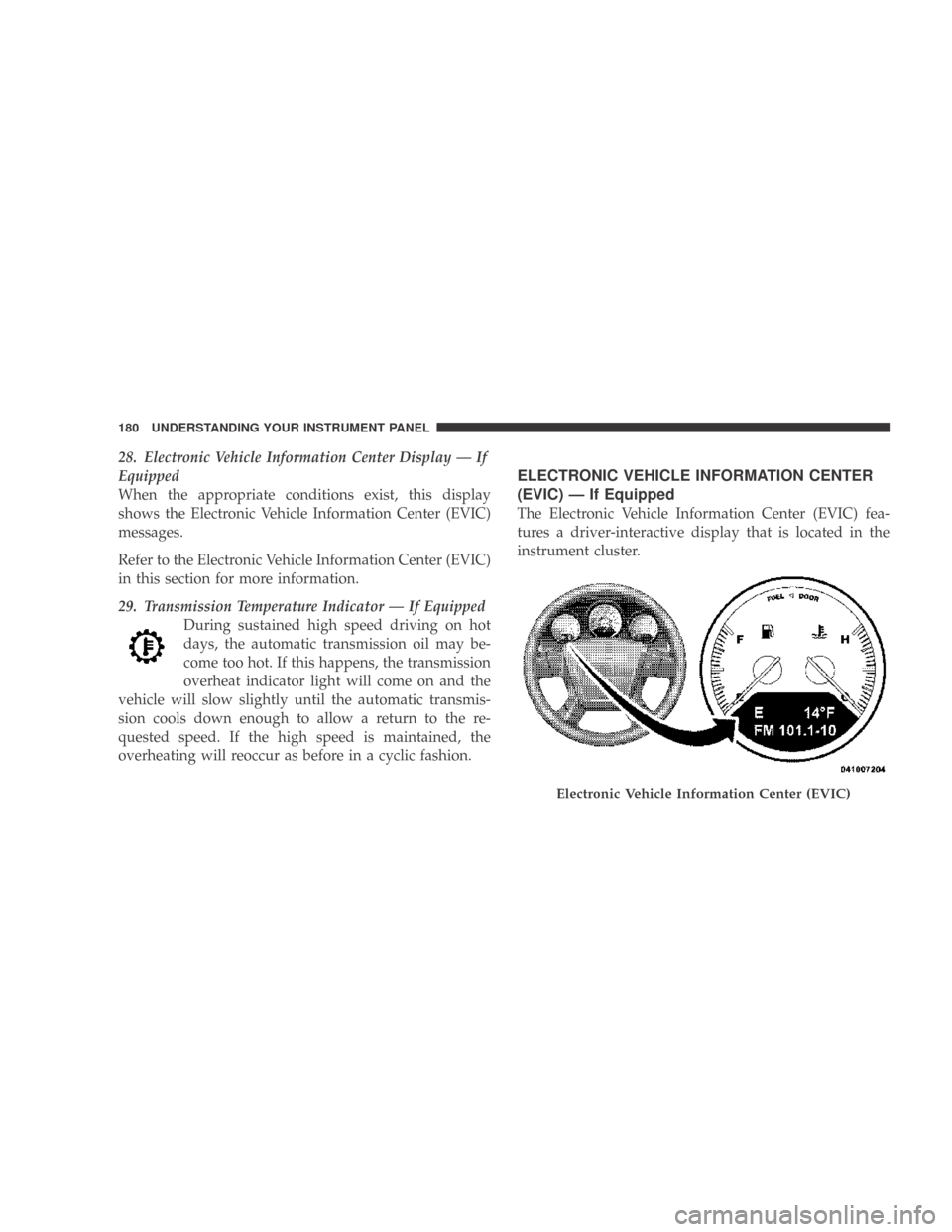
The Electronic Vehicle Information Center (EVIC) fea-
tures a driver-interactive display that is located in the
instrument cluster.
Electronic Vehicle Information Center (EVIC)
180 UNDERSTANDING YOUR INSTRUMENT PANEL
Page 184 of 431
•Gate Ajar (with a single chime)
•Headlights On
•Key In Ignition
•Check TPM System
•Oil Change Required
Oil Change Required
Your vehicle is equipped with an engine oil change
indicator system. The “Change Oil” message will flash in
the instrument cluster odometer for approximately 5 sec-
onds after a single chime has sounded to indicate the next
scheduled oil change interval. The engine oil change
indicator system is duty cycle based, which means the
engine oil change interval may fluctuate dependent upon
your personal driving style.
Unless reset, this message will continue to display each
time you turn the ignition switch to the ON/RUNposition. To turn off the message temporarily, press and
release the Trip Odometer button on the instrument
cluster. To reset the oil change indicator system (after
performing the scheduled maintenance), refer to the
following procedure.
1. Turn the ignition switch to the ON position (do not
start the engine).
2. Fully depress the accelerator pedal slowly three times
within 10 seconds.
3. Turn the ignition switch to the OFF/LOCK position.
NOTE:
If the indicator message illuminates when you
start the vehicle, the oil change indicator system did not
reset. If necessary, repeat this procedure.
182 UNDERSTANDING YOUR INSTRUMENT PANEL
Page 266 of 431
PARKING BRAKE
When the parking brake is applied with the ignition ON,
the Brake Light in the instrument cluster will come on.
NOTE:This light only shows that the parking brake is
on. It does not show the degree of brake application.
If the parking brake is applied while the vehicle is
moving, a chime will sound to alert the driver. The chime
will sound up to 10 times or until the vehicle has
returned to a stop.
Before leaving the vehicle, make sure that the parking
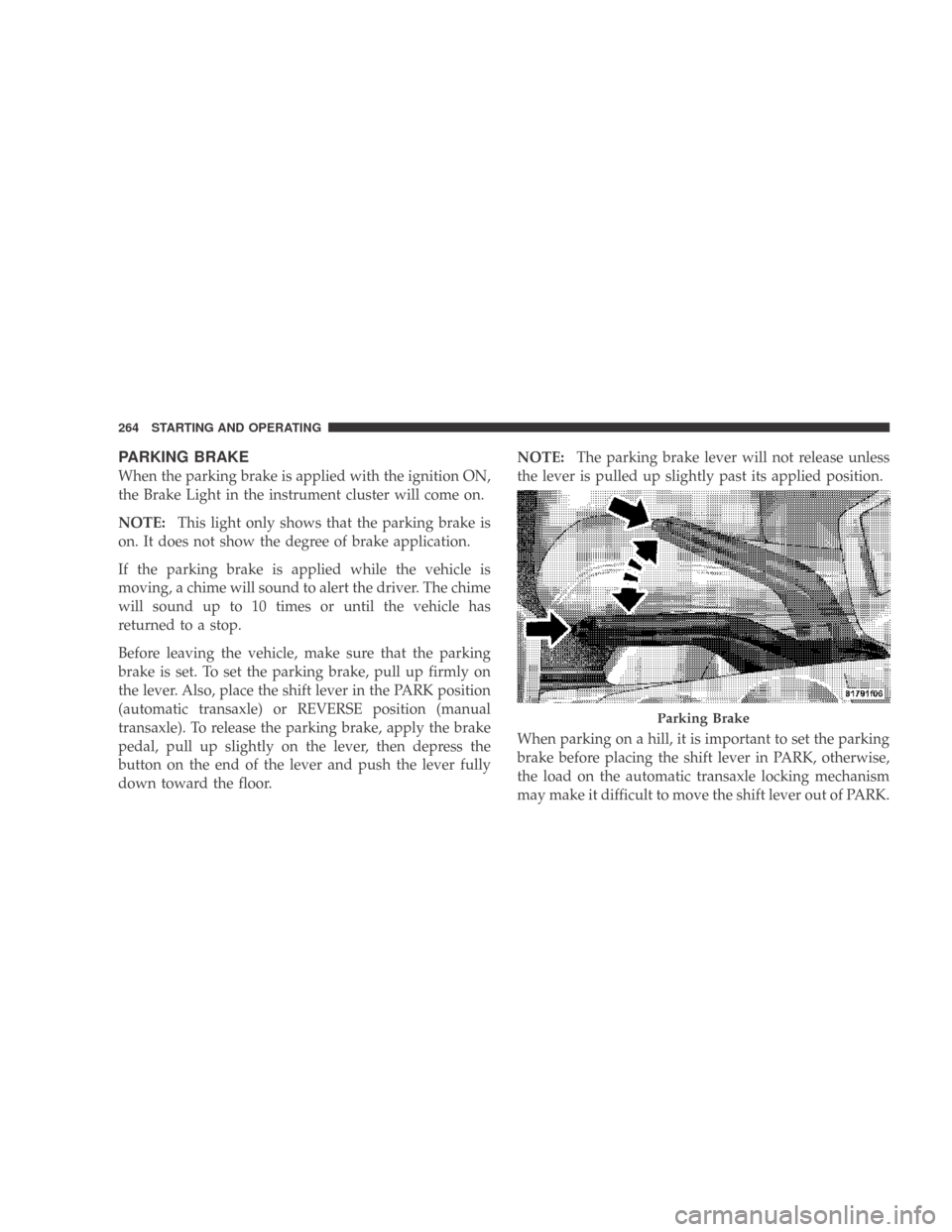
brake is set. To set the parking brake, pull up firmly on
the lever. Also, place the shift lever in the PARK position
(automatic transaxle) or REVERSE position (manual
transaxle). To release the parking brake, apply the brake
pedal, pull up slightly on the lever, then depress the
button on the end of the lever and push the lever fully
down toward the floor. NOTE:
The parking brake lever will not release unless
the lever is pulled up slightly past its applied position.
When parking on a hill, it is important to set the parking
brake before placing the shift lever in PARK, otherwise,
the load on the automatic transaxle locking mechanism
may make it difficult to move the shift lever out of PARK.
Parking Brake
264 STARTING AND OPERATING
Page 273 of 431
•Understeer - when the vehicle is turning less than
appropriate for the steering wheel position.
ESP Indicator Light
The “ESP Indicator Light” located in the instrument
cluster, starts to flash as soon as the tires lose traction and
the ESP system becomes active. If the “ESP Indicator
Light” begins to flash during acceleration, ease up on the
accelerator and apply as little throttle as possible. Be sure
to adapt your speed and driving to the prevailing road
conditions.
WARNING!
•Electronic Stability Program (ESP) cannot prevent
the natural laws of physics from acting on the
vehicle, nor can it increase the traction afforded by
prevailing road conditions.
(Continued)
WARNING! (Continued)
•ESP cannot prevent accidents, including those
resulting from excessive speed in turns, driving on
very slippery surfaces, or hydroplaning. Only a
safe, attentive, and skillful driver can prevent
accidents.
•The capabilities of an ESP-equipped vehicle must
never be exploited in a reckless or dangerous
manner which could jeopardize the user’s safety
or the safety of others.
STARTING AND OPERATING 271
5
Page 275 of 431
ESP/BAS Warning Light and ESP Indicator Light
The malfunction indicator for the ESP is combined with
the BAS indicator. The yellow “ESP/BAS Warning
Lamp” and the yellow “ESP Indicator Light” in the
instrument cluster both come on when the ignition
switch is turned to the ON position. They should both go
out with the engine running. If the “ESP/BAS Warning
Lamp” comes on continuously with the engine running,
a malfunction has been detected in either the ESP or BAS
system, or both. If this light remains on after several
ignition cycles, and the vehicle has been driven several
miles/kilometers at speeds greater than 30 mph
(48 km/h), see your authorized dealer as soon as possible
to have the problem diagnosed and corrected.NOTE:•The “ESP Indicator Light” and the “ESP/BAS Warning
Light” come on momentarilyeach time the ignition
switch is turned ON.
•Each time the ignition is turned ON, the ESP System
will be ON even if it was turned off previously.
•The ESP Control System will make buzzing or clicking
sounds when it is active. This is normal; the sounds
will stop when ESP becomes inactive following the
maneuver that caused the ESP activation.
STARTING AND OPERATING 273
5
Page 297 of 431
NOTE:
•The TPMS is not intended to replace normal tire care
and maintenance or to provide warning of a tire failure
or condition.
•The TPMS should not be used as a tire pressure gauge
while adjusting your tire pressure.
•Driving on a significantly under-inflated tire causes
the tire to overheat and can lead to tire failure.
Under-inflation also reduces fuel efficiency and tire
tread life, and may affect the vehicle’s handling and
stopping ability.
•The TPMS is not a substitute for proper tire mainte-
nance, and it is the driver ’s responsibility to maintain
correct tire pressure using an accurate tire gauge, even
if under-inflation has not reached the level to trigger
illumination of the Tire Pressure Monitoring Telltale
light.
•Seasonal temperature changes will affect tire pressure,
and the TPMS will monitor the actual tire pressure in
the tire.
Base System
This is the TPMS warning indicator located in the
instrument cluster.
The TPMS uses wireless technology with wheel rim
mounted electronic sensors to monitor tire pressure lev-
els. Sensors, mounted to each wheel as part of the valve
stem, transmit tire pressure readings to the Receiver
Module.
NOTE: It is particularly important for you to check the
tire pressure in all of the tires on your vehicle regularly
and to maintain the proper pressure.
The TPMS consists of the following components:
•Receiver Module
STARTING AND OPERATING 295
5
Page 298 of 431
•Four Tire Pressure Monitoring Sensors
•Tire Pressure Monitoring Telltale Light
Tire Pressure Monitoring Low Pressure Warnings
The Tire Pressure Monitoring Telltale Light will illumi-
nate in the instrument cluster, and an audible chime will
be activated when one or more of the four active road tire
pressures are low. Should this occur, you should stop as
soon as possible, check the inflation pressure of each tire
on your vehicle, and inflate each tire to the vehicle’s
recommended cold placard pressure value. The system
will automatically update and the Tire Pressure Monitor-
ing Light will extinguish once the updated tire pressures
have been received. The vehicle may need to be driven
for up to 20 minutes above 15 mph (25 km/h) to receive
this information.
Check TPMS Warnings
The Tire Pressure Monitoring Telltale Light will flash on
and off for 75 seconds and remain on solid when a systemfault is detected. The system fault will also sound a
chime. If the ignition key is cycled, this sequence will
repeat providing the system fault still exists. The Tire
Pressure Monitoring Telltale Light will turn off when the
fault condition no longer exists. A system fault can occur
with any of the following scenarios:
1. Jamming due to electronic devices or driving next to
facilities emitting the same radio frequencies as the TPM
sensors.
2. Installing some form of aftermarket window tinting
that affects radio wave signals.
3. Snow or ice around the wheels or wheel housings.
4. Using tire chains on the vehicle.
5. Using wheels/tires not equipped with TPM sensors.
NOTE:
Your vehicle is equipped with a compact spare
wheel and tire assembly.
296 STARTING AND OPERATING
Page 300 of 431
The TPMS consists of the following components:
•Receiver Module
•Four Tire Pressure Monitoring Sensors
•Three Trigger Modules (mounted in three of the four
wheel wells)
•Various Tire Pressure Monitoring System Messages,
which display in the Electronic Vehicle Information
Center (EVIC)
•Yellow Tire Pressure Monitoring Telltale Light
Tire Pressure Monitoring Low Pressure Warnings
The Tire Pressure Monitoring Telltale Light will illumi-
nate in the instrument cluster and an audible chime will
be activated when one or more of the four active road tire
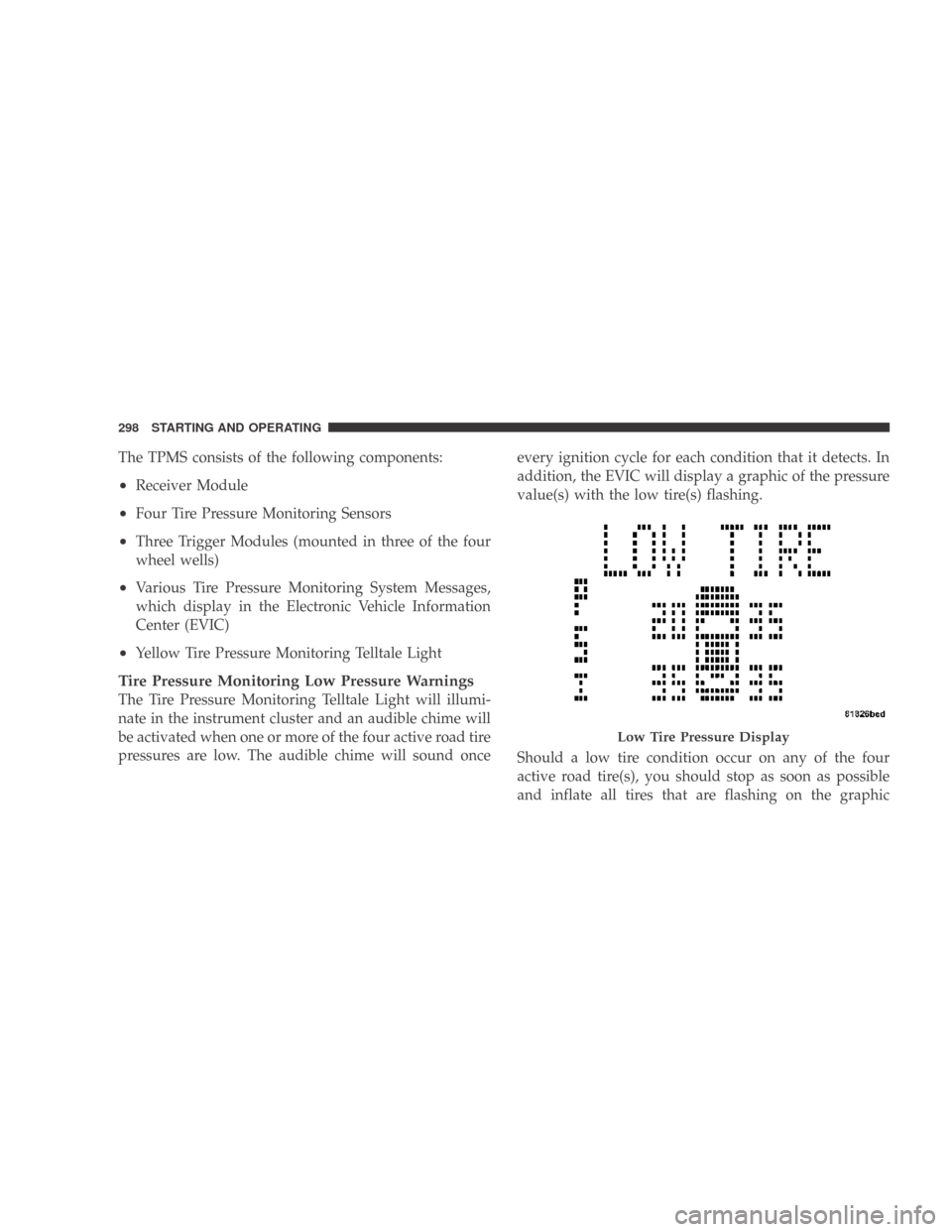
pressures are low. The audible chime will sound once every ignition cycle for each condition that it detects. In
addition, the EVIC will display a graphic of the pressure
value(s) with the low tire(s) flashing.
Should a low tire condition occur on any of the four
active road tire(s), you should stop as soon as possible
and inflate all tires that are flashing on the graphic
Low Tire Pressure Display
298 STARTING AND OPERATING
Page 309 of 431
NOTE:Tighten the gas cap about 1/4 turn until you
hear one click. This is an indication that cap is properly
tightened.
If the gas cap is not tighten properly, the MIL will come
on. Be sure the gas cap is tightened every time the vehicle
is refueled.
WARNING!
A fire may result if gasoline is pumped into a
portable container that is inside of a vehicle. You
could be burned. Always place gas containers on the
ground while filling.
Loose Fuel Filler Cap Message
If the vehicle diagnostic system determines that the fuel
filler cap is loose or improperly installed, a “gASCAP”
message will be displayed in the Odometer/Trip Odom-
eter in the instrument cluster. Refer to “Instrument Cluster Description” in Section 4 of this manual. Tighten
the fuel filler cap properly and press the odometer/trip
odometer RESET button to turn the message off. If the
problem continues, the message will appear the next time
the vehicle is started. Refer to “Onboard Diagnostic
System — OBD II” in Section 7 of this manual for more
information.
CAUTION!
Damage to the fuel system or emission control sys-
tem could result from using an improper fuel tank
filler cap (gas cap). A poorly fitting cap could let
impurities into the fuel system.
VEHICLE LOADING
As required by National Highway Traffic Safety Admin-
istration regulations, your vehicle has a certification label
affixed to the driver’s side door or B-Pillar.
STARTING AND OPERATING 307
5