lights DODGE CALIBER 2009 1.G User Guide
[x] Cancel search | Manufacturer: DODGE, Model Year: 2009, Model line: CALIBER, Model: DODGE CALIBER 2009 1.GPages: 431, PDF Size: 3.12 MB
Page 123 of 431
After turning the ignition ON, you can choose from High,
Low, or Off heat settings. Amber indicator lights in each
switch indicate the level of heat in use. Two indicator
lights will illuminate for High, one for Low, and none for
Off.Press the switch once to select High-level heat-
ing. Press the switch a second time to select
Low-level heating. Press the switch a third time
to shut the heating elements Off.
If High-level heating is selected, the system automatically
switches to Low-level heating and turns one indicator
light off after 30 minutes of continuous operation. It will
turn the heater and the remaining indicator light off after
an additional 30 minutes of continuous operation. If
Low-level heating is selected, the system automatically
turns the heater and the indicator light off after 30 min-
utes of continuous operation. NOTE:
Once a heat setting is selected, heat will be felt
within two to five minutes.
WARNING!
•Persons who are unable to feel pain to the skin
because of advanced age, chronic illness, diabetes,
spinal cord injury, medication, alcohol use, ex-
haustion or other physical condition must exercise
care when using the seat heater. It may cause burns
even at low temperatures, especially if used for
long periods of time.
•Do not place anything on the seat that insulates
against heat, such as a blanket or cushion. This
may cause the seat heater to overheat.
UNDERSTANDING THE FEATURES OF YOUR VEHICLE 121
3
Page 128 of 431
CAUTION!
To prevent possible damage, do not slam the hood to
close it. Lower the hood until it is open approxi-
mately 8 in (20 cm) and then drop it. This should
secure both latches. Never drive your vehicle unless
the hood is fully closed, with both latches engaged.
WARNING!
If the hood is not fully latched it could fly up when
the vehicle is moving and block your forward vision.
You could have a collision. Be sure all hood latches
are fully latched before driving.
LIGHTS
Multifunction Lever
The multifunction lever controls the operation of the
headlights, parking lights, turn signals, headlight beam
selection, instrument panel light dimming, interior lights,
the passing lights, and fog lights. The multifunction lever
is located on the left side of the steering column.
Headlights, Parking Lights and Instrument Panel
Lights
Turn the end of the multifunction lever to the first detent
for parking light operation. Turn the multifunction lever
to the second detent for headlight operation.
126 UNDERSTANDING THE FEATURES OF YOUR VEHICLE
Page 129 of 431
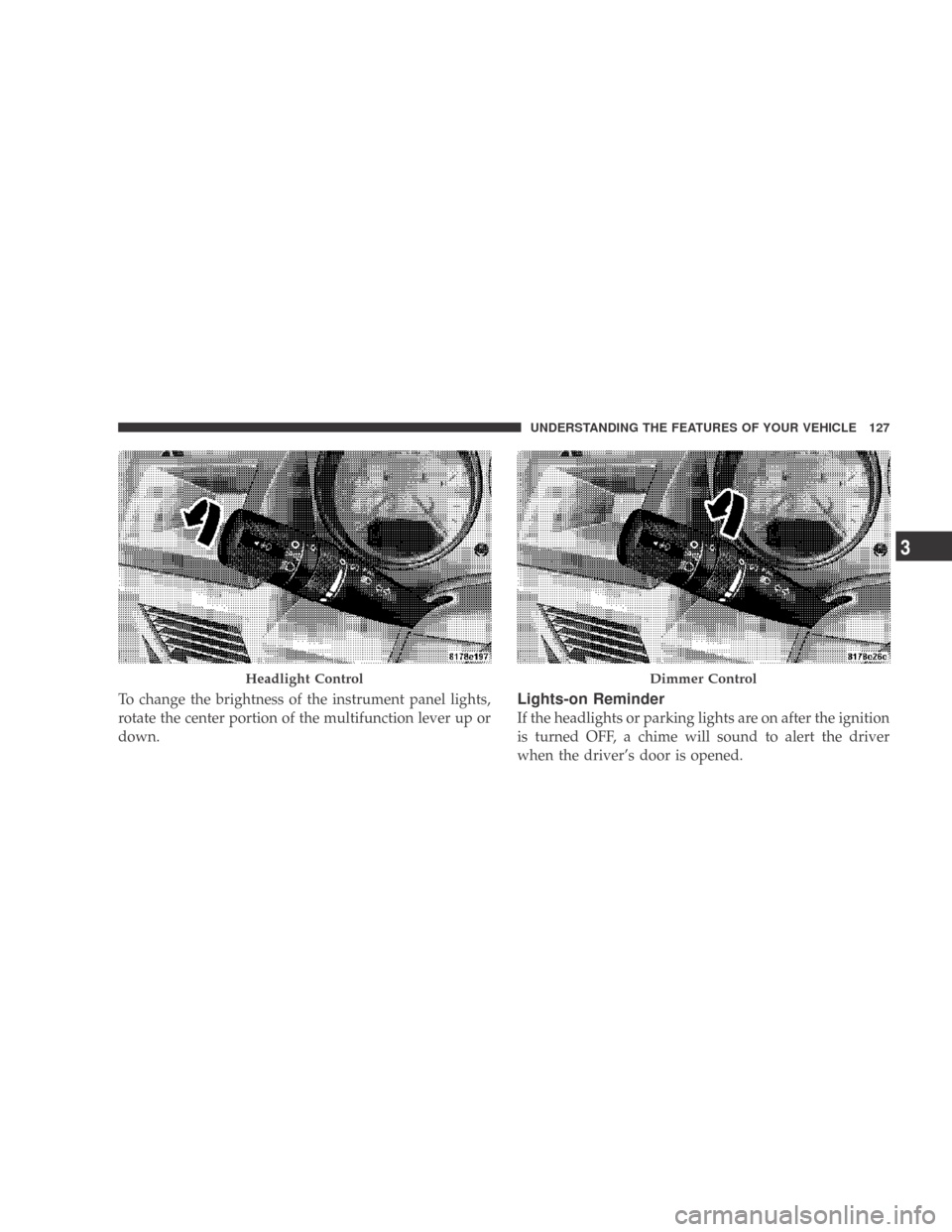
To change the brightness of the instrument panel lights,
rotate the center portion of the multifunction lever up or
down.Lights-on Reminder
If the headlights or parking lights are on after the ignition
is turned OFF, a chime will sound to alert the driver
when the driver’s door is opened.
Headlight ControlDimmer Control
UNDERSTANDING THE FEATURES OF YOUR VEHICLE 127
3
Page 130 of 431
Fog Lights — If Equipped
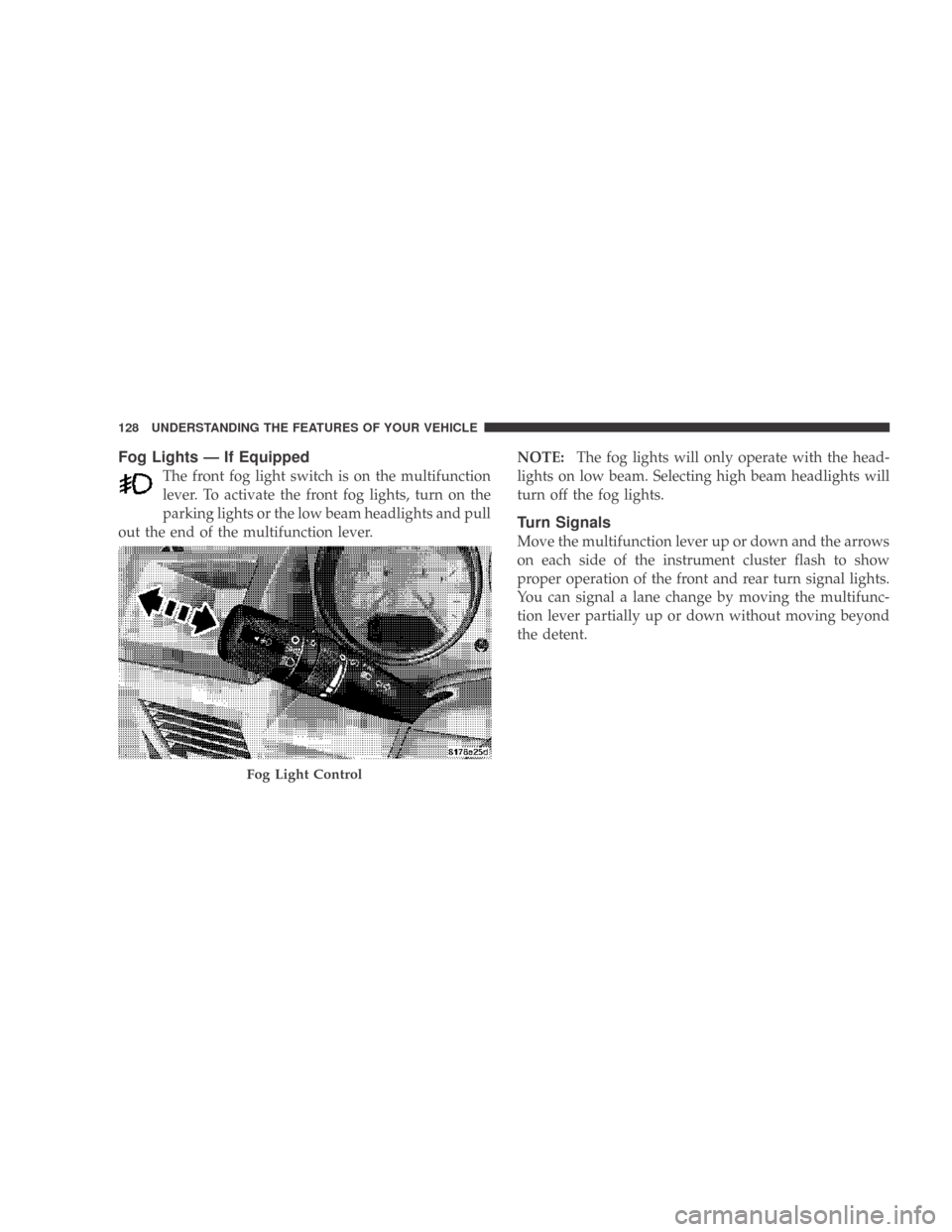
The front fog light switch is on the multifunction
lever. To activate the front fog lights, turn on the
parking lights or the low beam headlights and pull
out the end of the multifunction lever. NOTE:
The fog lights will only operate with the head-
lights on low beam. Selecting high beam headlights will
turn off the fog lights.
Turn Signals
Move the multifunction lever up or down and the arrows
on each side of the instrument cluster flash to show
proper operation of the front and rear turn signal lights.
You can signal a lane change by moving the multifunc-
tion lever partially up or down without moving beyond
the detent.
Fog Light Control
128 UNDERSTANDING THE FEATURES OF YOUR VEHICLE
Page 131 of 431
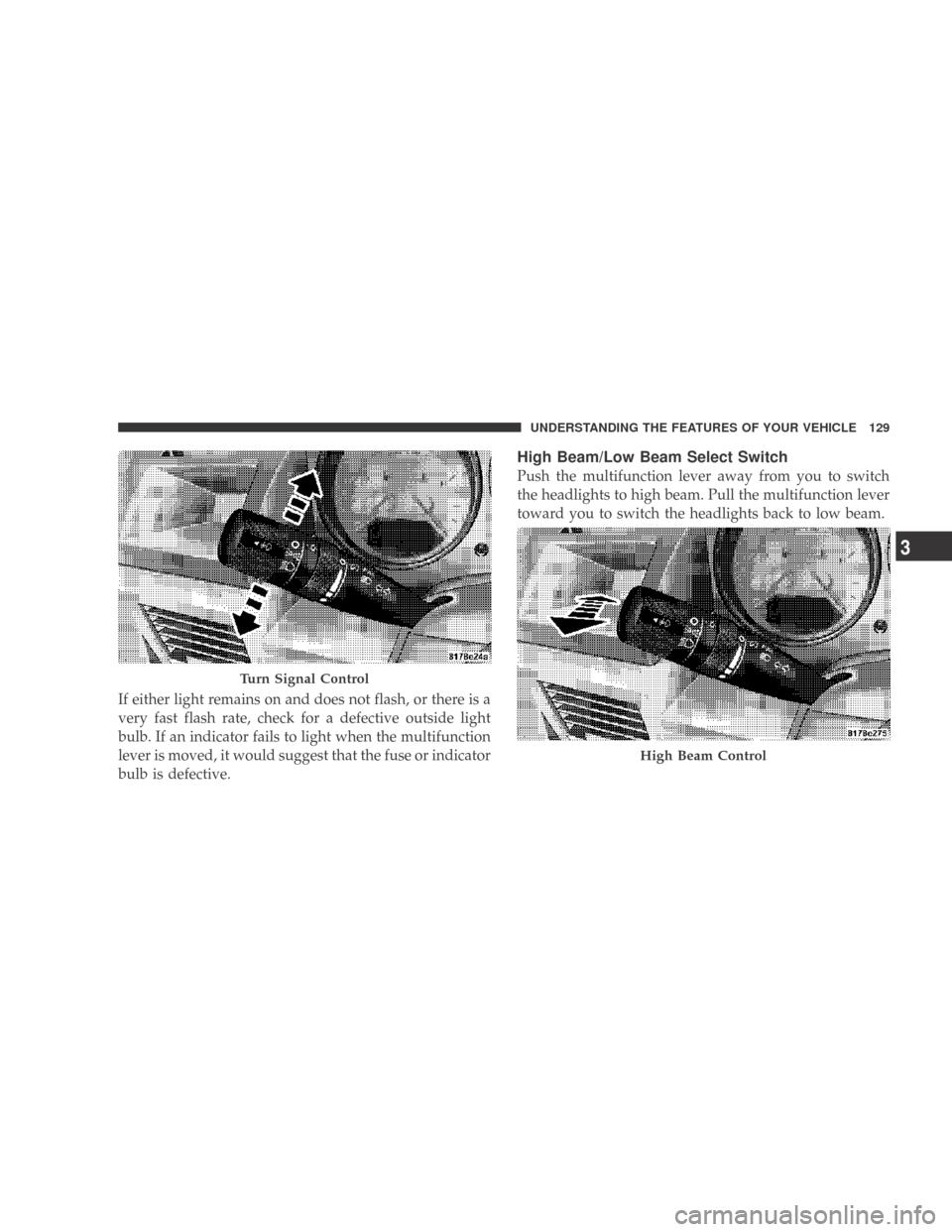
If either light remains on and does not flash, or there is a
very fast flash rate, check for a defective outside light
bulb. If an indicator fails to light when the multifunction
lever is moved, it would suggest that the fuse or indicator
bulb is defective.
High Beam/Low Beam Select Switch
Push the multifunction lever away from you to switch
the headlights to high beam. Pull the multifunction lever
toward you to switch the headlights back to low beam.
Turn Signal Control
High Beam Control
UNDERSTANDING THE FEATURES OF YOUR VEHICLE 129
3
Page 132 of 431
Flash-to-Pass
You can signal another vehicle with your headlights by
lightly pulling the multifunction lever toward you. This
will cause the headlights to turn on at high beam and
remain on until the multifunction lever is released.
NOTE:If the multifunction lever is held in the flash-to-
pass position for more than 30 seconds, the high beams
will shut off. If this occurs, wait 30 seconds for the next
flash-to-pass operation.
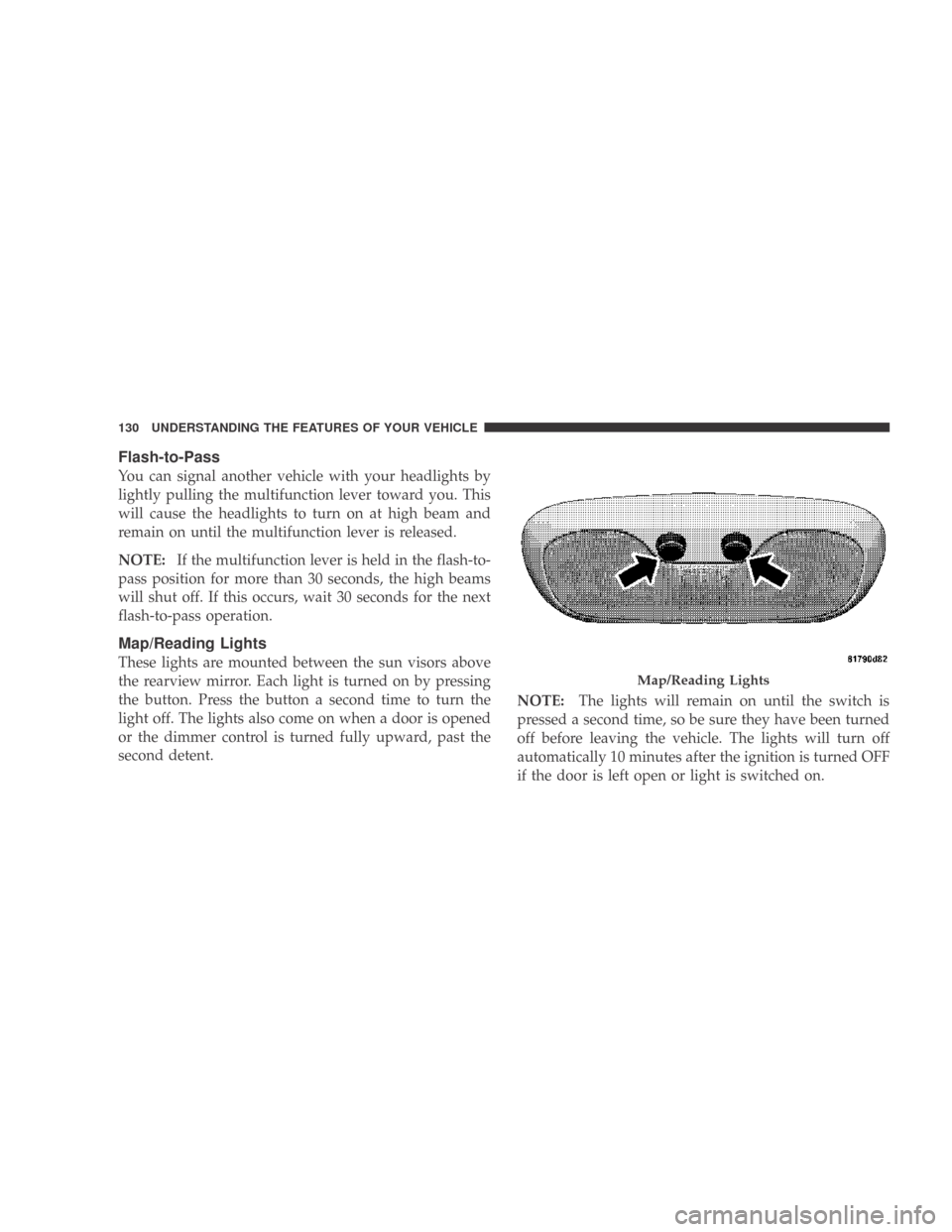
Map/Reading Lights
These lights are mounted between the sun visors above
the rearview mirror. Each light is turned on by pressing
the button. Press the button a second time to turn the
light off. The lights also come on when a door is opened
or the dimmer control is turned fully upward, past the
second detent. NOTE:
The lights will remain on until the switch is
pressed a second time, so be sure they have been turned
off before leaving the vehicle. The lights will turn off
automatically 10 minutes after the ignition is turned OFF
if the door is left open or light is switched on.
Map/Reading Lights
130 UNDERSTANDING THE FEATURES OF YOUR VEHICLE
Page 133 of 431
Daytime Running Lights (DRL) — If Equipped
The high beam headlights will come on as Daytime
Running Lights (DRL) at DRL intensity, which is a lower
intensity then the normal high beams. The DRL’s will
come on whenever the ignition is ON, the engine is
running, the headlight switch is off, the parking brake is
off, the turn signal is off, and the shift lever is in any
position except for PARK.
NOTE:The DRLs will automatically turn off when the
turn signals or Hazard Warning flashers are in operation
and automatically turn back on when the turn signals
and Hazard Warning flashers are not operating.
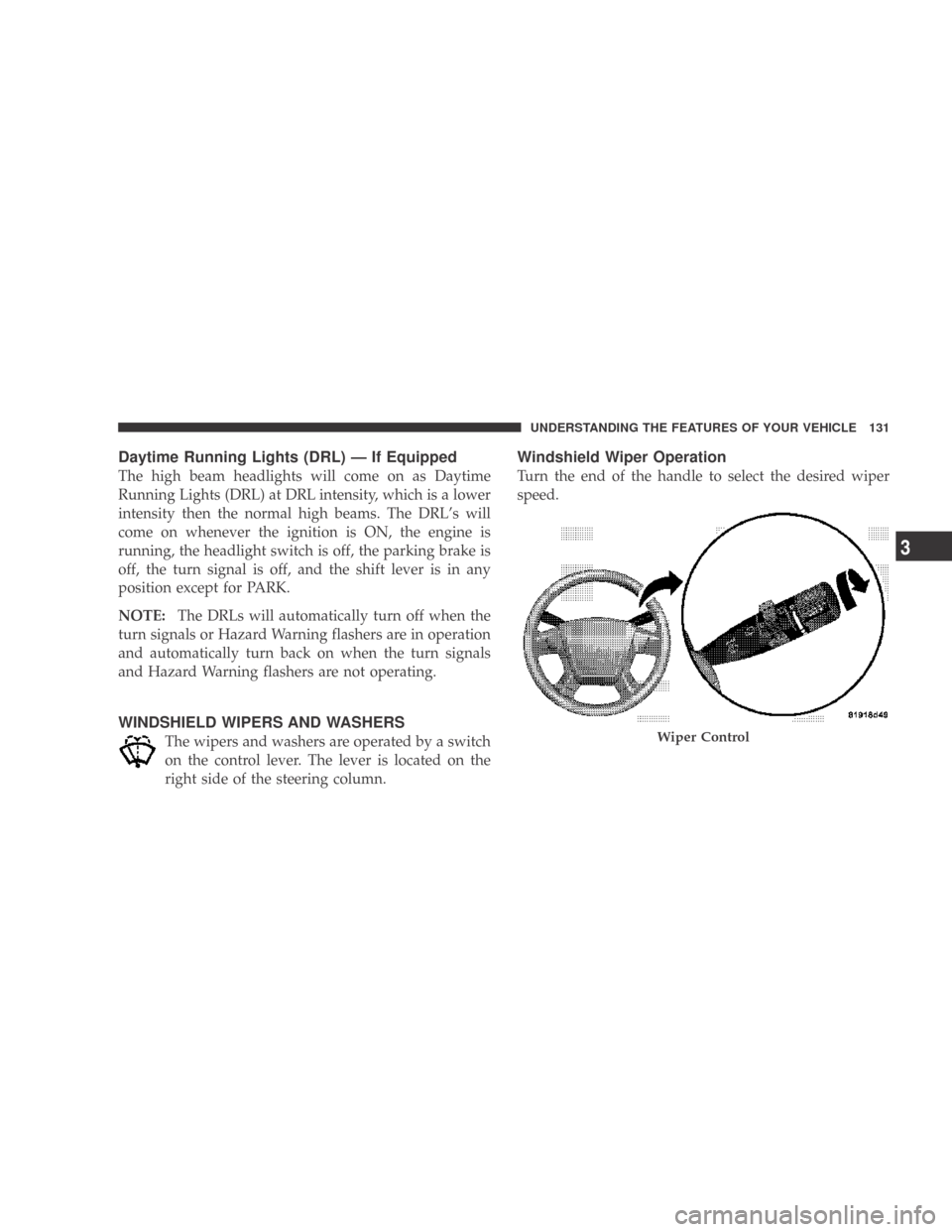
WINDSHIELD WIPERS AND WASHERS
The wipers and washers are operated by a switch
on the control lever. The lever is located on the
right side of the steering column.
Windshield Wiper Operation
Turn the end of the handle to select the desired wiper
speed.
Wiper Control
UNDERSTANDING THE FEATURES OF YOUR VEHICLE 131
3
Page 151 of 431
WARNING!
To avoid serious injury or death:
•Do not use a three-prong adapter.
•Do not insert any objects into the receptacles.
•Do not touch with wet hands.
•Close the lid when not in use and while driving
the vehicle.
•If this outlet is mishandled, it may cause an
electric shock and failure.
CAUTION!
•Many accessories that can be plugged in draw
power from the vehicle’s battery, even when not in
use (i.e., cellular phones, etc.). Eventually, if
plugged in long enough, the vehicle’s battery will
discharge sufficiently to degrade battery life
and/or prevent engine starting.
•Accessories that draw higher power (i.e., coolers,
vacuum cleaners, lights, etc.) will degrade the
battery even more quickly. Only use these inter-
mittently and with great caution.
•After the use of high power draw accessories, or
long periods of the vehicle not being started (with
accessories still plugged in), the vehicle must be
driven a sufficient length of time to allow the
generator to recharge the vehicle’s battery.
UNDERSTANDING THE FEATURES OF YOUR VEHICLE 149
3
Page 153 of 431
WARNING!
To avoid serious injury or death:
•Do not use a three-prong adaptor.
•Do not insert any objects into the receptacles.
•Do not touch with wet hands.
•Close the lid when not in use.
•If this outlet is mishandled, it may cause an
electric shock and failure.
CAUTION!
•Many accessories that can be plugged in draw
power from the vehicle’s battery, even when not in
use (i.e., cellular phones, etc.). Eventually, if
plugged in long enough, the vehicle’s battery will
discharge sufficiently to degrade battery life
and/or prevent engine starting.
(Continued)
CAUTION! (Continued)
•Accessories that draw higher power (i.e., coolers,
vacuum cleaners, lights, etc.) will degrade the
battery even more quickly. Only use these inter-
mittently and with great caution.
•After the use of high power draw accessories, or
long periods of the vehicle not being started (with
accessories still plugged in), the vehicle must be
driven a sufficient length of time to allow the
generator to recharge the vehicle’s battery.
UNDERSTANDING THE FEATURES OF YOUR VEHICLE 151
3
Page 179 of 431
21. Turn Signal IndicatorsThe arrow will flash with the exterior turn signal
when the turn signal lever is operated.
If the vehicle electronics sense that the vehicle has
traveled about one mile with the turn signals on, a
continuous chime will sound to alert you to turn the
signals off. If either indicator flashes at a rapid rate, check
for a defective outside light bulb.
22. Front Fog Light Indicator — If Equipped This light shows when the front fog lights are ON.
23. Electronic Stability Program (ESP) Indicator Light The malfunction lamp for the Electronic Stabil-
ity Program (ESP) is combined with Brake
Assist System (BAS). The yellow “ESP/BAS
Warning Lamp” comes on when the ignition
switch is turned to the “ON” position. They should go
out with the engine running. If the “ESP/BAS Warning Lamp” comes on continuously with the engine running,
a malfunction has been detected in either the ESP or the
BAS system. If this light remains on after several ignition
cycles, and the vehicle has been driven several miles at
speeds greater than 30 mph (48 km/h), see an authorized
dealer as soon as possible.
24. Anti-Lock Brake (ABS) Light
This light monitors the Anti-Lock Brake System
(ABS). The light will turn on when the ignition
switch is turned to the ON position and may
stay on for as long as four seconds.
If the ABS light remains on or turns on while driving, it
indicates that the Anti-Lock portion of the brake system
is not functioning and that service is required. However,
the conventional brake system will continue to operate
normally if the BRAKE warning light is not on.
If the ABS light is on, the brake system should be serviced
as soon as possible to restore the benefits of Anti-Lock
UNDERSTANDING YOUR INSTRUMENT PANEL 177
4